

AI Video Eraser Online
Remove Objects, People & Text from Video
Media.io AI Video Eraser is an online AI video object remover that helps you remove unwanted objects from video without cropping the whole frame or editing every frame manually. Brush over a person, moving object, caption, logo, sticker, or other visual distraction, set the relevant part of the timeline, and let AI process the selected area.
Core Uses of Media.io AI Video Eraser
Remove unwanted people, moving objects, captions, timestamps, logos, stickers, and other visual distractions with a brush-and-timeline workflow designed for online video cleanup.
Remove People and Photobombers from Video
Remove an unwanted person, tourist, passerby, or photobomber from the background of a video. This is useful for travel footage, wedding clips, street videos, property tours, vlogs, and social content where an unexpected person enters the frame.
For cleaner results, mark the unwanted person clearly and keep enough surrounding background visible for the AI video eraser to rebuild the selected area.
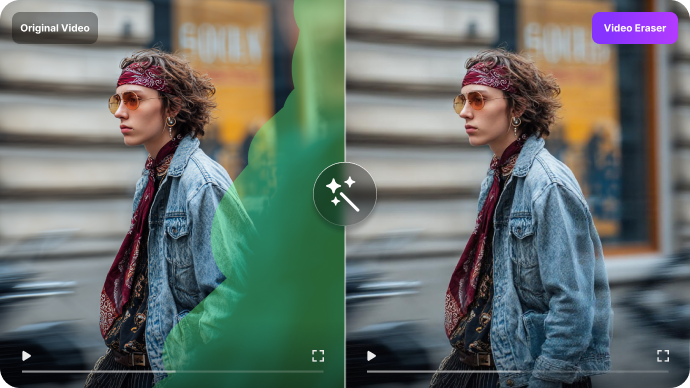
Remove Moving Objects from Video with AI
Need to erase a moving car, person, pet, or distracting subject? Select the object and adjust the timeline so the marked area follows the portion of the clip where it appears. Media.io can then process the unwanted subject across consecutive frames, reducing the need for frame-by-frame manual cleanup.
Moving-object removal works best when the subject remains visible and there is enough background information around it. Fast motion, strong motion blur, or a subject covering a large part of the frame can be more challenging.
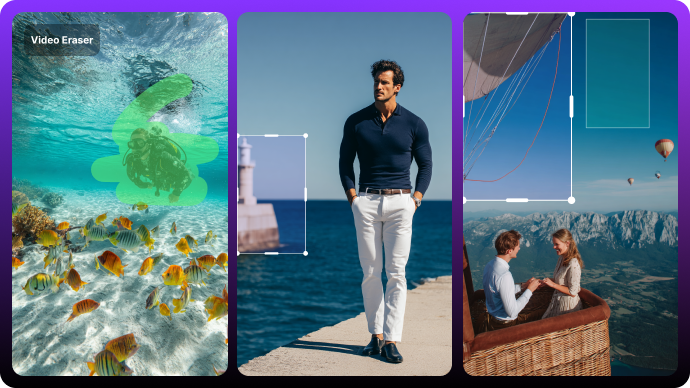
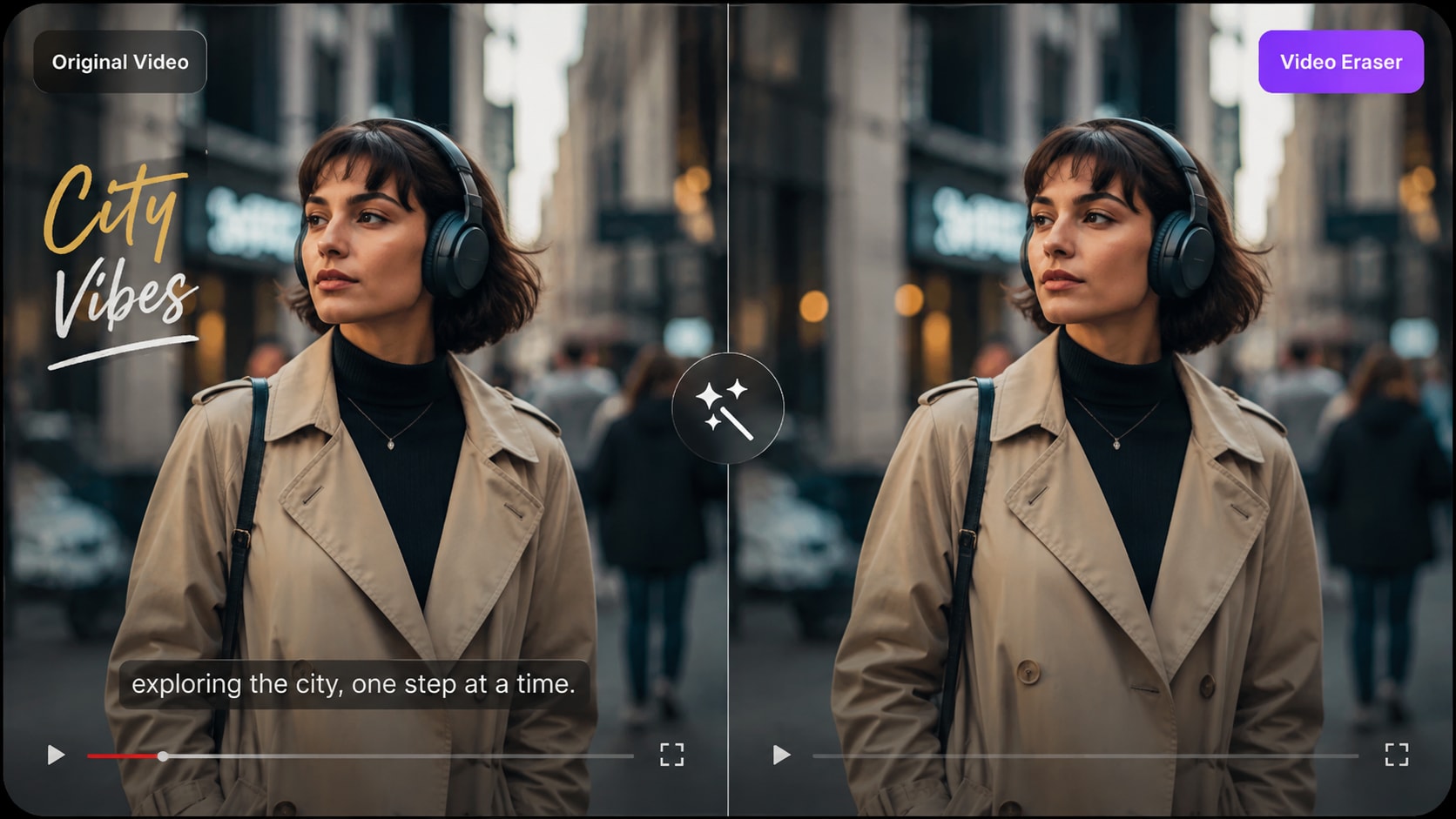
Remove Text, Captions and Timestamps from Video
Use the online video eraser to remove unwanted captions, timestamps, labels, usernames, burned-in text, stickers, or other embedded visual elements. Instead of cropping the entire frame, select the text area and process only the section you want to clean up.
For scrolling, animated, or moving text, review the timeline and make sure the selected area covers the full period in which the text appears.
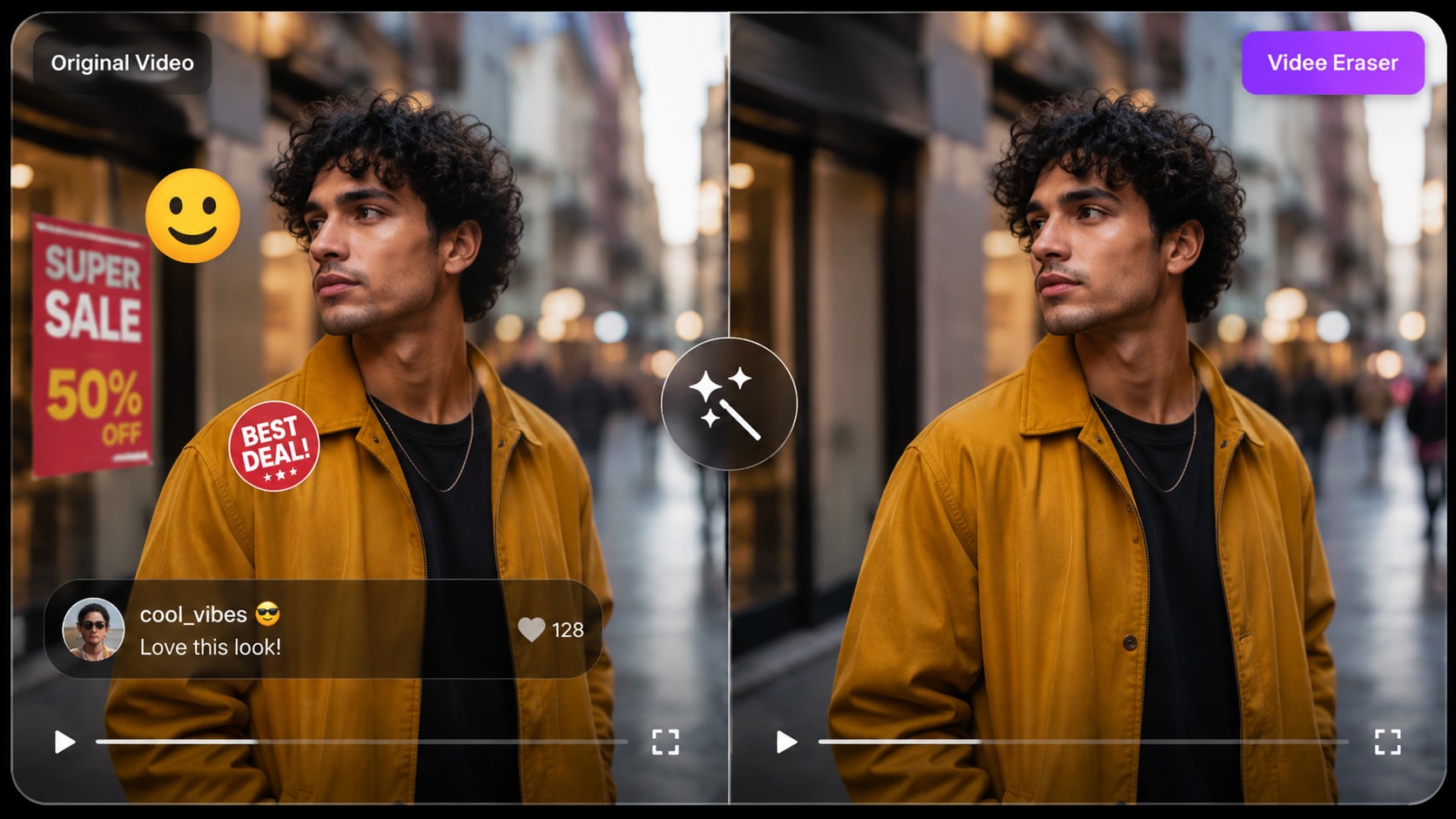
Remove Logos, Stickers and Visual Distractions
Clean up unwanted logos, signs, stickers, emojis, labels, overlays, or other distracting visual elements from footage you own or have permission to edit. Select the area you want to remove, preview the reconstructed background, and keep the edit only when the result looks natural for your scene.
How to Remove an Object from Video Online in 3 Steps
Upload, mark the unwanted area, preview the reconstruction, and download when the result looks natural.
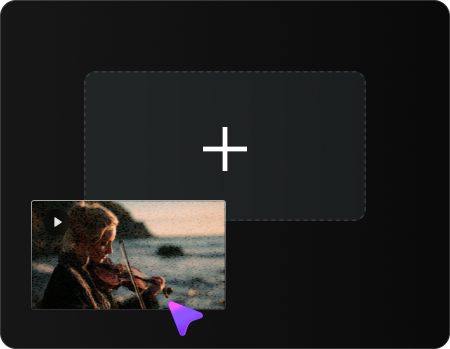
Step 1
Upload Your Video
Upload your video from your device. The current workflow supports common formats including MP4 and MOV; check the uploader for the latest file requirements.
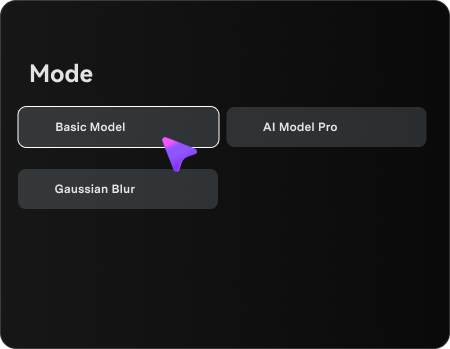
Step 2
Mark the Unwanted Object
Select the mode, and use the brush tool to mark the unwanted object, person, text, or logo. If it moves or appears only during part of the clip, adjust the timeline so the selection covers the relevant frames.
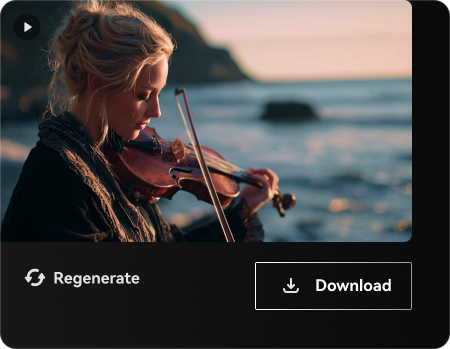
Step 3
Preview & Download
Process the selected area with AI, then preview the edited frames. If the reconstructed region looks natural for your scene, download the finished video.
When Does AI Video Object Removal Work Best?
AI video object removal works best when the unwanted subject is clearly defined and enough surrounding background is visible for AI to reconstruct the selected area. Use this guide to estimate how well your footage may work with an AI video eraser.
| Video Scene | Video Scene Expected Difficulty | What to Do |
|---|---|---|
| Small object on a simple or repeated background | √ Usually easier | Brush the object closely and leave enough nearby background visible. |
| Text, timestamp, sticker or logo on a consistent background | √ Usually easier | Select only the unwanted overlay and avoid masking unrelated details. |
| Person, car or other object moving across a stable scene | √ Moderate | Cover the object's full movement range on the timeline and preview several frames. |
| Large foreground object covering faces or detailed textures | √ More challenging | Expect more noticeable reconstruction differences because less background information is available |
| Fast camera motion, heavy motion blur or frequent occlusion | √ More challenging | Use shorter ranges and preview the result carefully |
Results vary by footage. Preview the edited area before exporting, especially when removing large or fast-moving objects.
AI Removal vs. Blur, Crop and Clone Patch: Which Method Should You Use?
The best cleanup method depends on what you want to achieve. Use AI removal when an unwanted element should disappear completely, or choose blur, crop, or clone patch when hiding or reframing the area is enough.
| Method | Best For | Main Trade-off |
|---|---|---|
| AI Object Removal | √ People, moving objects, text, logos and distractions that should disappear | Complex motion or backgrounds can make reconstruction harder. |
| Gaussian Blur | √ Faces, license plates, private information or areas that only need hiding | The original object remains visible as a blurred region. |
| Crop | √ Unwanted objects located close to the edge of the frame | Changes the framing and reduces the usable video area. |
| Clone Patch / Nearby-Pixel Replacement | √ Small objects on simple or relatively consistent backgrounds | Can look repetitive on textured or moving backgrounds. |
Common Ways to Use an AI Video Eraser
Use video object removal when reshooting is inconvenient and the unwanted element can be clearly selected in the frame.
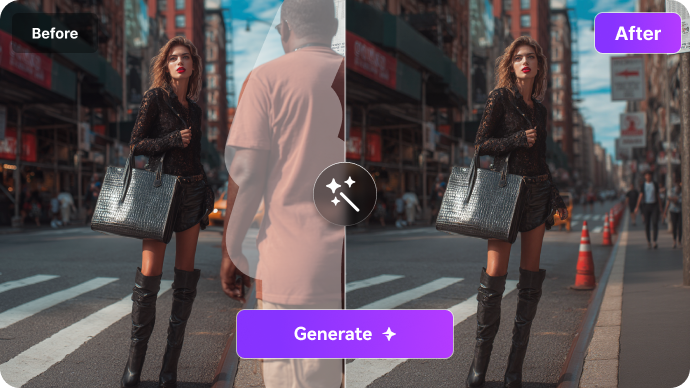
Remove People from Travel Videos
Remove an unwanted person from a travel clip, street scene, vlog, or property walkthrough when enough background remains visible around the subject.
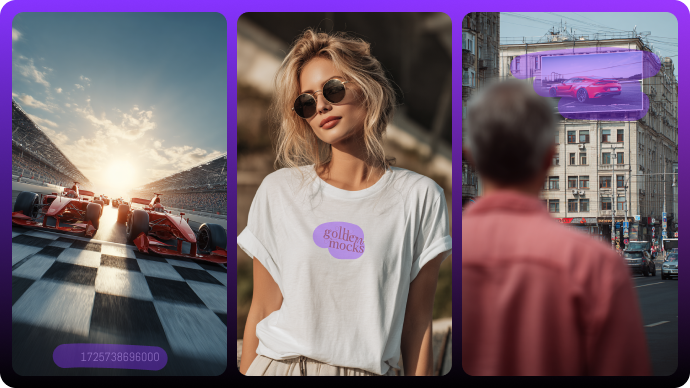
Remove Text, Captions & Stickers
Clean up a burned-in caption, username, timestamp, sticker, or other visual overlay from footage you own or are authorized to edit.
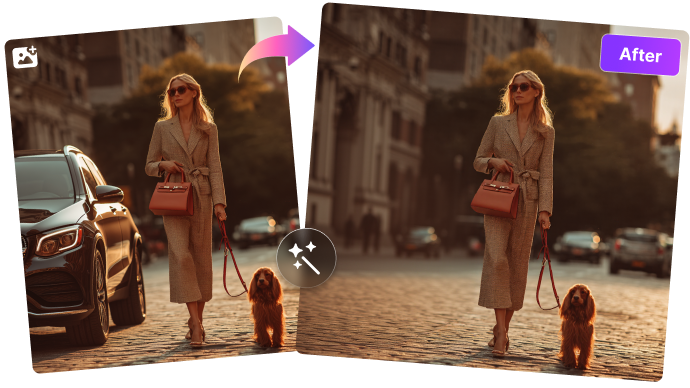
Remove Distractions from Product Videos
Remove a small prop, sign, cable, passerby, or distracting background element from a product demo or marketing clip.

Clean Visual Artifacts from AI Videos
When an AI-generated clip contains a small distracting object or overlay, select the unwanted region and test object removal before regenerating the entire shot.
Why Use Media.io AI Video Eraser for Object Removal
Use a focused online workflow for people, objects, text, logos, moving subjects, and other cleanup tasks, then continue refining the result with Media.io AI tools.

Easy to Use Object Removal
Use a simple brush-and-timeline workflow to remove selected people, objects, text, logos, stickers, or other unwanted visual elements. You control what is selected, then AI processes the marked area across the relevant frames.

Works on Moving Objects
For moving subjects, highlight the object and adjust the timeline to cover the part of the clip where it appears. AI processes the selected region across frames, while final quality depends on motion, object size, and background complexity.

Multiple Video Removal Methods
Choose a method that matches the cleanup task: Gaussian Blur for hiding an area, Smooth Filling or Color Filling for replacing a selected region, or Clone Patch for covering smaller elements with nearby pixels.

Designed to Preserve Video Quality
Object removal targets the selected area instead of cropping the whole frame. Preview the processed region before export; reconstruction quality can vary when an object covers detailed textures, faces, or a large part of the scene.

Fast, Online & Smart
No desktop editing software is required for the core workflow. Open the tool in a browser, upload a supported clip, mark the unwanted area, process it, preview the result, and download when you are satisfied.

All-in-One AI Video Toolkit
After removing objects, enhance your video further with Media.io AI tools for video enhancement, creative effects, and other cleanup workflows.
FAQs About AI Video Eraser & Object Removal
What is an AI video eraser?
An AI video eraser is a video object removal tool that lets you select an unwanted person, object, text element, logo, or other visual distraction and process that area across the relevant video frames. Media.io uses a brush-and-timeline workflow so you can define what should be removed and where the removal should apply.
Is a video eraser the same as a video object remover?
Yes. They describe the same core task: removing unwanted visual elements from a video. Media.io AI Video Eraser is the product name on this page, while AI video object remover describes its main function.
Can AI remove moving objects from video?
Yes. Select the moving person, car, pet, or other subject and adjust the timeline so the marked area covers the section where it appears. Results depend on motion, background complexity, object size, and how much surrounding scene information is available for reconstruction.
When does AI video object removal work best?
AI object removal usually works best when the unwanted element is clearly visible, does not cover most of the frame, and enough surrounding background remains visible. Heavy motion blur, fast camera movement, detailed textures, repeated occlusion, or a large foreground subject can make the reconstructed area more noticeable.
Can I remove text, captions, timestamps or logos from a video?
Yes. You can select burned-in captions, timestamps, labels, logos, stickers, or similar visual overlays and process the selected area instead of cropping the whole frame. Only remove content from videos you own or have permission to modify.
Will removing an object reduce video quality?
Object removal targets the selected visual area rather than cropping the full frame, but the reconstructed region can vary in quality depending on the footage. Preview the result carefully when the object covers faces, detailed textures, or a large moving area. If the source video itself is low resolution, you can separately use the AI Video Enhancer after cleanup.
What video formats and length are supported?
The current page workflow supports common formats including MP4 and MOV, with uploads up to 15 minutes for object removal. Product limits can change, so use the uploader as the source of truth for the latest file size, format, and duration requirements.
Can I use Video Eraser to clean up AI-generated videos?
Yes. When an AI-generated clip contains a small unwanted object, label, or visual distraction, you can select that region and test object removal before regenerating the entire shot. As with camera footage, the result depends on motion and scene complexity.
Should I use AI removal or Gaussian blur?
Use AI removal when the object should disappear from the scene. Use Gaussian blur when you only need to hide private information, faces, plates, or another area and do not need the object to disappear completely.
When is cropping a better option?
Cropping can be a practical option when the unwanted object is close to the edge of the frame. The trade-off is that it changes the framing and reduces the usable image area.
Why are large foreground objects harder to remove?
Large foreground objects can cover faces, textures, or a significant part of the background. With less surrounding visual information available, the reconstructed region may show more noticeable differences.
Can I continue editing after object removal?
Yes. After cleanup, you can continue working with other Media.io AI tools, including video enhancement and creative video effects, depending on your project needs.
Viral on Social: Explore the Hottest AI Video Trends
See what creators are making on TikTok, Reels & Shorts — watch the effects and try your next viral idea.
I Heard You the First Time Bro
Try this trend ↗AI Blue Screen Glitch
Try this trend ↗Caught by the Sniffer Dog
Try this trend ↗Venom Car AI Video
Try this trend ↗Basketball Meme Dunk
Try this trend ↗Flying on a Broom
Try this trend ↗Love Is Gonna Save Us Dance
Try this trend ↗Black Cat Clapping
Try this trend ↗Mercedes G-Wagon Birthday
Try this trend ↗Me at Work Keyboard Smash
Try this trend ↗AI Couple Thriller
Try this trend ↗You Move Like an Animal
Try this trend ↗Circle AI Dance
Try this trend ↗OOUUH AI Kitchen Duet
Try this trend ↗Hit the Road Dude
Try this trend ↗
Remove Objects from Video Online
with Media.io AI Video Eraser
Upload your video, brush over the unwanted person, object, text, logo, or distraction, set the relevant timeline range, preview the processed area, and download when the result looks natural.
Try AI Video Eraser
Media.io Online AI Tools Quality Rating:
 4.7 (162,357 Votes)
Copied!