
Générateur de Script Vidéo IA en Ligne
Transformez des Scripts, des Histoires et de Longues Idées en Vidéos IA
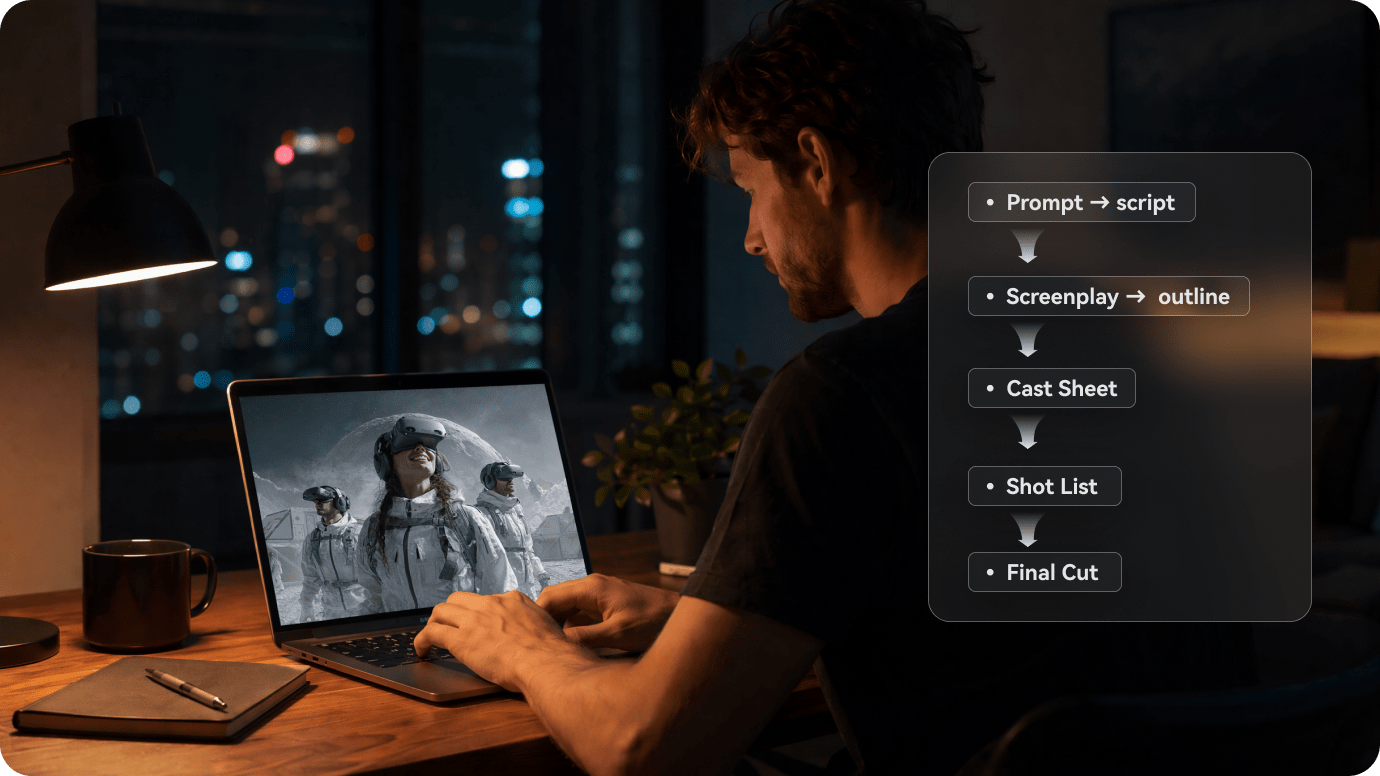
Media.io transforme un scénario, une histoire Reddit, un script YouTube, un chapitre de roman ou un Storytelling de marque en vidéo IA. Collez jusqu'à 5 000 mots : ce générateur de Script vidéo IA structure le récit, vous aide à créer les personnages, affiche un storyboard à vérifier, puis produit une vidéo avec des visuels, une voix off et une musique adaptés dans un seul flux de travail en ligne . Vous pouvez aussi créer des vidéos IA plus longues avec des personnages cohérents lorsque l'histoire s'étend sur plusieurs scènes.
Fonctionnalités principales du Générateur de Script Vidéo IA de Media.io
Transformez de longs scripts, histoires, chapitres et idées de narration en vidéos générées par IA avec une structure narrative, une configuration des personnages, une prévisualisation du storyboard et un flux de travail en ligne fluide conçu pour la production de vidéos narratives par IA.
Structurez un long script avant de générer la vidéo
Un script YouTube, une histoire Reddit, un scénario ou un chapitre de roman peut être difficile à découper en scènes. Media.io repère la trame principale et organise le texte en éléments plus faciles à vérifier : cadre, personnages, moments clés et progression du récit.
- Ajout du script → collez un script long, une histoire, un chapitre ou une première ébauche
- Plan du récit → vérifiez le titre, le thème, le cadre et les étapes importantes de l'intrigue
- Création des personnages → générez des personnages par IA ou importez des photos de référence
- Prévisualisation du storyboard → contrôlez la mise en images du script avant le rendu
- Génération de la vidéo IA → passez du script préparé à une vidéo prête à être visionnée
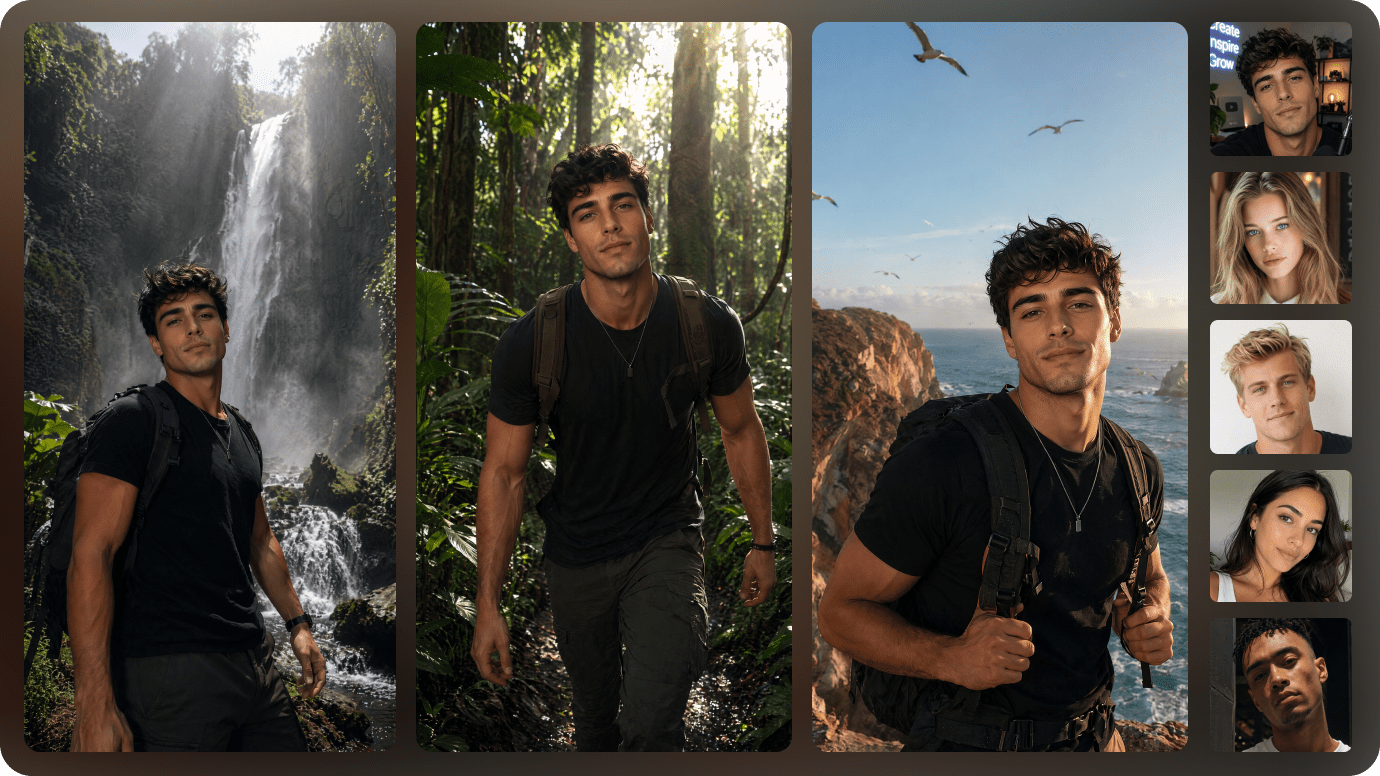
Créez ou importez les personnages de votre récit
Donnez un visage à votre histoire grâce à la bibliothèque de personnages. Vous pouvez générer un personnage à partir du script ou importer une photo de référence pour en guider l'apparence dans un court métrage, une série narrative ou un contenu de marque récurrent.
- Personnages générés par IA — Créez les rôles principaux, les personnages secondaires ou un présentateur.
- Photos de référence — Importez des portraits pour guider l'apparence des personnages.
- Continuité visuelle — Aidez l'IA à mieux conserver les visages, les tenues et l'identité visuelle d'une scène à l'autre.
- Personnages réutilisables — Enregistrez votre casting pour de futurs épisodes, suites ou projets associés.
Du script à la vidéo : visuels, voix off et musique réunis
Une fois le storyboard validé, Media.io transforme le script en vidéo IA avec des scènes générées, une voix off et une musique de fond en accord avec l'ambiance du récit. Tout se déroule dans le même parcours en ligne.
- Visuels générés par IA — Convertissez les moments clés du récit en scènes vidéo.
- Voix off par IA — Faites entendre la narration et les dialogues sans enregistrer votre propre voix.
- Musique de fond adaptée — Accompagnez le ton, le rythme et l'émotion du script.
- Vidéo prête à retravailler — Prévisualisez le résultat, téléchargez-le ou poursuivez les retouches avec les outils Media.io.

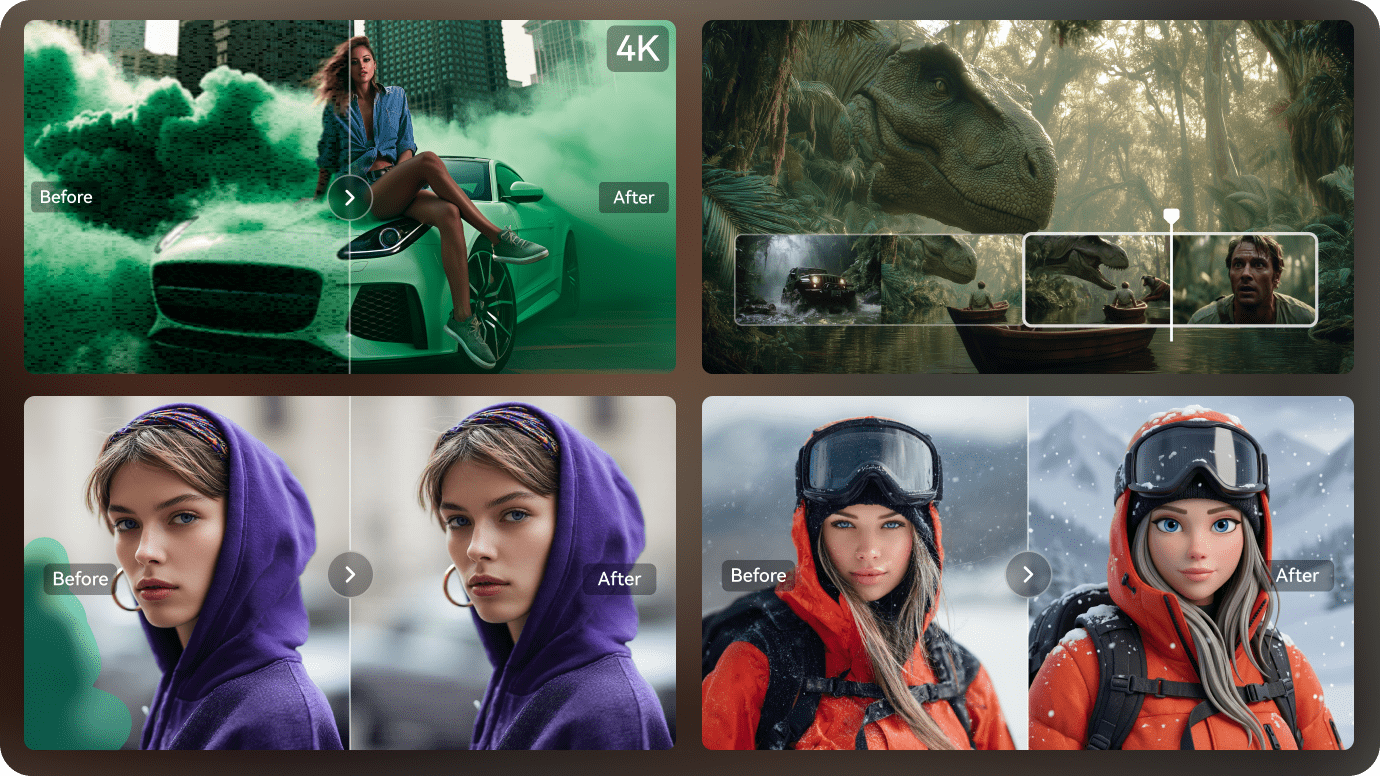
Retouchez la vidéo avec les autres outils IA de Media.io
Après la génération, poursuivez directement avec les outils en ligne de Media.io pour améliorer l'image, prolonger un clip, supprimer un élément indésirable, changer de style visuel ou travailler l'audio.
- Amélioration vidéo par IA — Renforcez la clarté et la netteté des clips générés.
- Extension vidéo par IA — Prolongez un clip court lorsque votre séquence a besoin de respirer davantage.
- Suppression d'objets par IA — Retirez un texte, un filigrane ou un élément indésirable d'une vidéo existante.
- Transfert de style vidéo par IA — Donnez à la vidéo un rendu anime, cinématographique ou un autre style créatif.
Comment Transformer des Scripts en Vidéos IA en Ligne avec Media.io ?
Trois étapes suffisent : ajoutez le texte, vérifiez les personnages et le storyboard, puis prévisualisez la vidéo avant l'export.
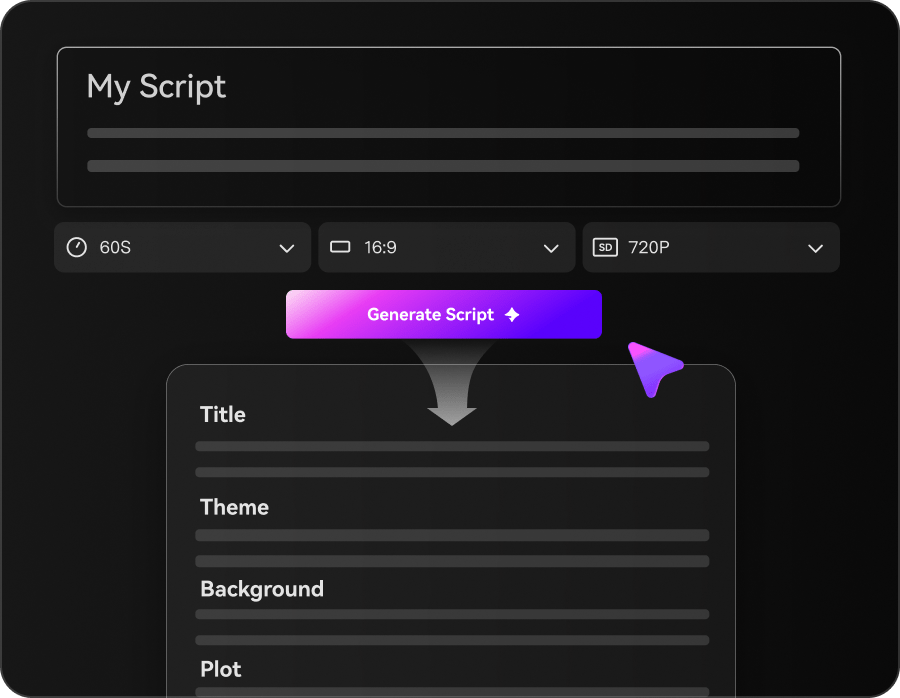
Ajoutez le script et vérifiez le plan du récit
Collez une histoire, importez un script ou partez d'un modèle, dans la limite de 5 000 mots. L'IA en dégage le titre, le thème, le cadre, les personnages et les moments clés. Relisez ces éléments avant de poursuivre.
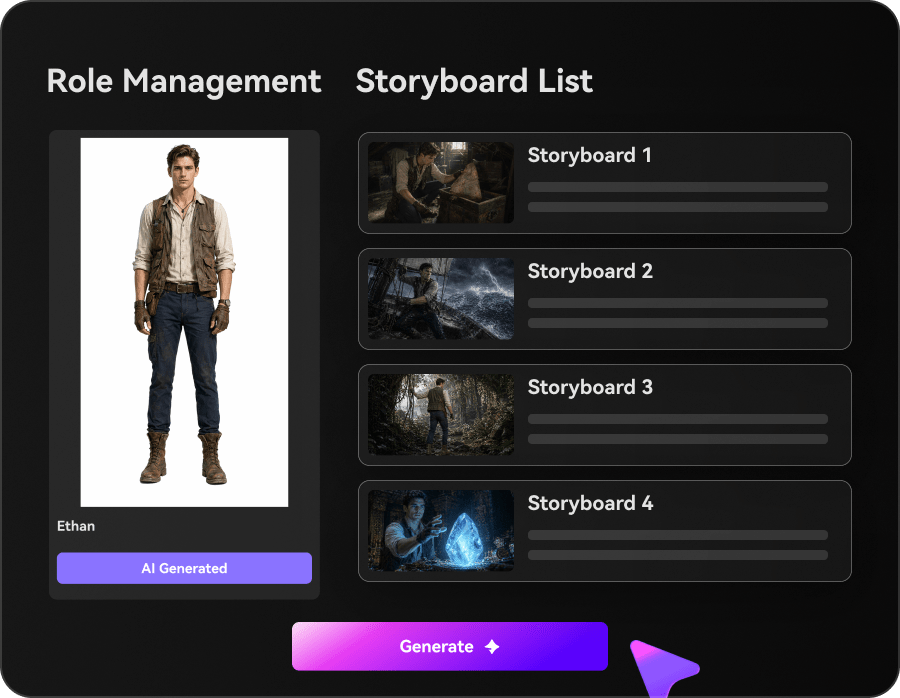
Définissez les personnages et validez le storyboard
Importez des photos de référence pour guider les traits d'un personnage, ou créez-le à partir d'une description. Parcourez ensuite les cartes du storyboard et, si besoin, régénérez, réécrivez ou restylisez une scène.
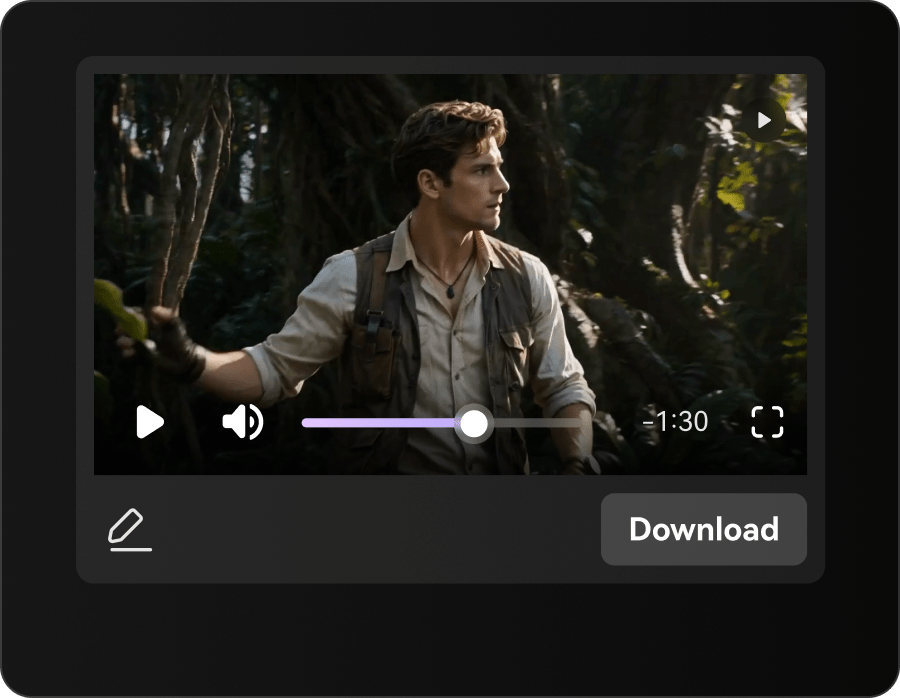
Prévisualisez et exportez la vidéo
Visionnez le résultat, puis exportez-le. Vous pourrez ensuite améliorer l'image, prolonger certaines séquences ou effectuer d'autres retouches avec Media.io.
Générateur de script vidéo IA de Media.io face aux outils texte en vidéo IA basés sur un prompt
Un outil texte-vidéo classique part généralement d'un prompt court. Media.io est conçu pour exploiter un script plus développé, avec son intrigue, ses personnages et ses différentes scènes.
| Fonctionnalité | Media.io : du script à la vidéo | Outil texte-vidéo par prompt |
|---|---|---|
| Prise en charge de longs scripts | √ Jusqu'à 5 000 mots | ✗ Plutôt conçu pour des prompts courts |
| Parcours guidé à partir du script | √ Plan du récit, personnages, storyboard, vidéo | ✗ Le prompt mène souvent directement à la génération |
| Bibliothèque de personnages réutilisables | √ Enregistrez vos personnages pour d'autres récits | ✗ La gestion des personnages varie selon l'outil |
| Prévisualisation du storyboard | √ Vérifiez l'enchaînement visuel avant le rendu | ✗ La prévisualisation avant génération varie selon l'outil |
| Retouches après génération | √ Continuez avec les outils IA de Media.io | ✗ Les options de retouche dépendent de l'outil |
| Pensé pour les récits en plusieurs scènes | √ Scripts, chapitres, histoires, idées de séries | ✗ Généralement axé sur les courts clips |
| Import de photos pour guider les personnages | √ Précisez l'apparence des personnages | Prise en charge variable |
| Contenus les mieux adaptés | √ Scripts YouTube, histoires Reddit, scénarios | Prompts simples et clips courts |

Que pouvez-vous créer avec un générateur de vidéo à partir d'un script IA ?
Narration YouTube, histoire Reddit, scénario ou récit de marque : Media.io transforme plusieurs types de textes en vidéos IA structurées en scènes.

Transformez des scripts YouTube en vidéos IA
Collez une narration, le brouillon d'une vidéo explicative ou l'épisode d'une chaîne sans visage. Media.io organise le texte, met en place les personnages, présente le storyboard, puis génère la vidéo à partir du script.

Donnez une forme vidéo à vos histoires Reddit
Adaptez une publication Reddit, un récit d'horreur, une confession ou un fil mystérieux en vidéo IA. L'outil organise l'intrigue, prépare les personnages et vous laisse vérifier le storyboard avant la génération.

Prévisualisez un scénario avant la production
Transformez un script de court métrage, un concept de scène ou une idée de scénario en brouillon visuel. Vous obtenez une vidéo IA structurée, utile pour présenter l'intention, préparer un projet ou tester l'enchaînement des scènes.

Transformez un storytelling de marque en ébauche vidéo IA
Transformez des histoires de marque, des concepts de produits, des idées de campagnes et des messages axés sur les personnages en ébauches vidéo visuelles. C'est une façon plus rapide de tester des angles narratifs avant de construire une campagne complète.
Découvrez comment les scripts deviennent des vidéos IA
dans plusieurs styles narratifs
Comparez le rendu obtenu à partir d'une histoire Reddit, d'un récit d'horreur, d'un chapitre de roman, d'une histoire pour enfants, d'un contenu de marque ou d'un script éducatif.
Du script à la vidéo : l'expérience des créateurs
Courts métrages, chaînes YouTube sans visage, scénarios, romans ou contenus de marque : découvrez comment ces créateurs utilisent la génération vidéo à partir d'un script pour mettre leurs idées en images.


« Media.io m'a permis de passer beaucoup plus vite de scènes écrites à une première version visuelle. Je pars d'un script, je définis les personnages, je vérifie le storyboard, puis je génère mon court métrage sans devoir tout construire de zéro. »

« Je gère une chaîne d'histoires sans visage et je cherchais un moyen plus rapide de transformer mes scripts YouTube en vidéos. Media.io m'aide à organiser les longues narrations, à créer les personnages et à produire mes vidéos environ deux fois plus vite qu'avec mon ancien processus. »

« J'ai utilisé Media.io pour transformer une scène de scénario en présentation visuelle. Le ton, les personnages et le déroulement de l'histoire sont plus faciles à montrer qu'avec un simple document texte, et la préparation m'a pris bien moins de temps. »

« J'ai transformé un chapitre de mon roman en courte vidéo IA sans faire appel à une équipe de production. Media.io m'a aidée à traduire la structure du récit, les personnages et l'atmosphère en un aperçu visuel facile à partager. »

« Pour adapter des histoires Reddit, Media.io rend mon travail beaucoup plus fluide. Je colle un texte long, je vérifie le résumé, je crée les personnages, puis je le transforme en vidéo IA structurée pour ma chaîne. »

« Nous utilisons Media.io pour transformer des scripts de campagne et des récits produit en courtes vidéos IA, presque deux fois plus vite qu'avant. Notre équipe passe ainsi plus rapidement du concept écrit à une narration visuelle cohérente avec la marque. »
FAQ sur le générateur de script vidéo IA
Qu'est-ce qu'un générateur vidéo à partir d'un script IA ?
Ce type d'outil part d'un script déjà rédigé pour créer la vidéo correspondante. Avec Media.io, le texte est organisé en récit et en scènes ; vous pouvez ensuite créer ou importer les personnages, vérifier le storyboard, puis lancer la génération dans le même parcours en ligne.
Quelle longueur de script puis-je utiliser ?
Vous pouvez ajouter jusqu'à 5 000 mots par projet et générer une vidéo d'une durée maximale de 2 minutes. Pour un récit plus long, divisez le script en plusieurs parties afin de créer une série de vidéos liées.
Quels types de scripts fonctionnent le mieux ?
Media.io convient surtout aux textes narratifs : voix off YouTube, histoires Reddit, récits d'horreur, courts métrages, scènes de scénario, chapitres de roman, histoires pour enfants, récits de marque ou scripts éducatifs.
Puis-je transformer un script YouTube en vidéo ?
Oui. Collez une narration YouTube, le brouillon d'une vidéo explicative ou un épisode destiné à une chaîne sans visage. Media.io organise le texte, prépare les personnages, affiche le storyboard, puis génère la vidéo.
Puis-je réutiliser le même personnage dans plusieurs vidéos ?
Oui. Enregistrez les personnages créés ou importés dans votre bibliothèque de personnages, puis réutilisez-les dans d'autres épisodes, une série narrative ou différents contenus de marque.
Puis-je utiliser une vraie photo pour créer un personnage ?
Oui. Importez une photo de référence nette pour guider l'apparence du personnage. Cette option est utile pour les courts métrages, les séries narratives, les mascottes de marque et les projets qui reposent sur des personnages récurrents.
Puis-je prévisualiser le storyboard avant de générer la vidéo ?
Oui. Media.io affiche le storyboard avant la génération finale, ce qui vous permet de vérifier comment le script a été découpé et traduit en scènes.
Puis-je modifier chaque scène après la création du storyboard ?
Oui. Vous pouvez revoir le storyboard et régénérer, réécrire ou restyliser une scène avant de produire la vidéo. Pour des retouches de postproduction plus poussées, poursuivez avec les autres outils IA de Media.io.
Media.io ajoute-t-il des sous-titres automatiquement ?
L'ajout automatique de sous-titres n'est pas présenté comme une étape de ce générateur. Si votre projet en a besoin, utilisez ensuite les outils de sous-titrage de Media.io.
Puis-je modifier la vidéo après sa génération ?
Oui. Après la génération, utilisez les autres outils Media.io pour améliorer l'image, prolonger ou découper une séquence, supprimer un objet ou appliquer un autre style visuel.
Quelle différence entre un script converti en vidéo et une vidéo générée depuis un prompt ?
Les outils texte-vidéo partent généralement d'un prompt court. Un générateur vidéo à partir d'un script est prévu pour un texte plus développé, comme une narration, une histoire, un scénario ou un chapitre. Media.io s'appuie sur ce texte pour organiser le récit, définir les personnages, préparer le storyboard et générer la vidéo.
Puis-je essayer gratuitement la génération vidéo à partir d'un script ?
Vous pouvez commencer gratuitement. La génération d'une vidéo peut toutefois consommer des crédits IA. Les formules payantes peuvent donner accès à davantage de crédits, à une meilleure qualité d'export, à la suppression du filigrane et à d'autres fonctions créatives.
Découvrez d'autres générateurs de script vers vidéo par l'IA

Transformez votre script en vidéo IA
dans un seul outil en ligne
Collez votre script, vérifiez la structure du récit, définissez les personnages et prévisualisez le storyboard. Media.io génère ensuite la vidéo à partir de votre texte.
 4.7 (162 357 votes)