AIエフェクト
画像をアップロード
クリックまたはドラッグでアップロード、または履歴から選択
アイデアがない?まず画像を生成してみよう >
サポートされているアップロード形式: jpg、png、jpeg。
キャラクターに保存
作品
アイデアハブ
仕組み
すべて
生成リスト
作品は 7 日間のみ保存されます。メンバーシッププランにアップグレードした後に作成されたアセットは、永久に保存されます。
ai_video_generator創造力を解き放ち、Media AIの魔法をすぐに体験しよう!

Create Viral Glow-Ups with the AI Makeup Transformation Video Generator

Turn a single portrait into a realistic, high-glam makeup makeover video in seconds. Skip the cosmetics and tedious video editing. Let our advanced AI Makeup Makeover Effect smoothly transition your bare face into an exquisite, professional makeup look ready to go viral on TikTok, Reels, and Shorts.

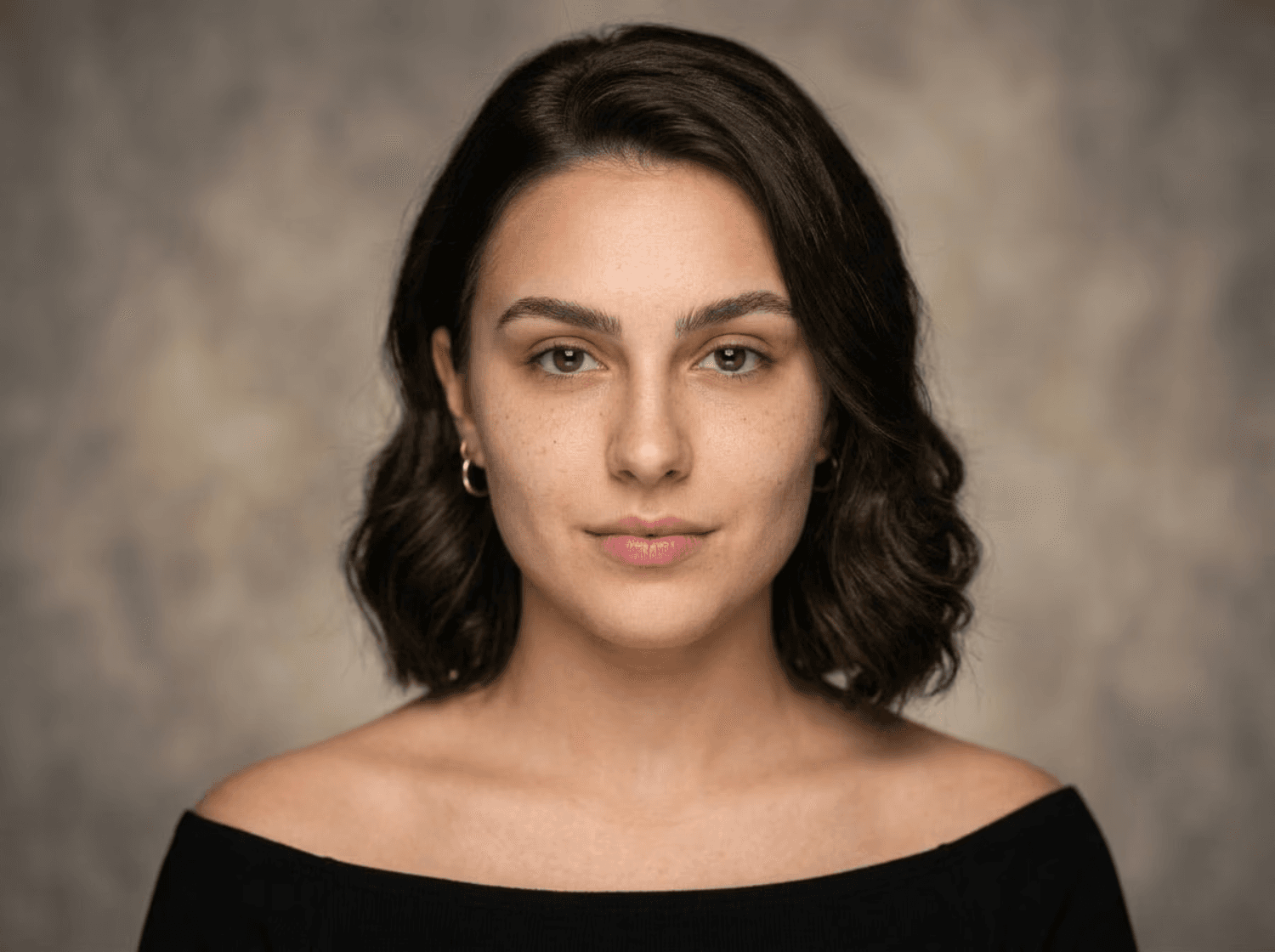
Photo uploaded for AI Makeup Transformation
✓ Photo to makeup transformation ✓ AI beauty effect ✓ Natural facial details ✓ Fast online generation

Why Choose Media.io for AI Makeup Transformation

One-Click Glam Transformations

No need to record multiple clips or edit complex transitions. Simply upload one photo and apply our makeup transformation effect to generate a seamless, before-and-after beauty video automatically.

Flawless Identity Preservation

Our cutting-edge AI keeps your real face, expressions, and features completely consistent. The makeup applies naturally over your face structure, ensuring the glowing results look authentically like you.

Explore Trendy Makeup Aesthetics

Try any style without buying cosmetics or picking up a brush. Experiment with soft glam makeovers, dramatic smoky eye reveals, elegant bridal transformations, or bold red lips instantly.

Ready for Social Media Trends

Generate viral-ready beauty videos in standard social formats. Export watermark-free, high-definition makeup glow-up AI videos optimized for TikTok, Reels, and YouTube Shorts.

How to Create Your AI Makeup Transformation Video Online Free

01

Step 1: Pick a Makeup Makeover Effect

Browse our stunning range of AI beauty styles. Choose from options like natural to glam, dramatic red lip, smoky eye reveal, or bridal aesthetic.

02

Step 2: Upload Your Portrait or Selfie

Upload one clear photo of your face. Media.io’s photo to makeup video tool will map the cosmetics flawlessly onto your exact facial features.

03

Step 3: Generate Your Glow-Up Video

Click generate and watch yourself morph from bare-faced to full-glam. Download your finished makeup transformation video watermark-free and share!

Join 500,000+ Users Creating Viral AI Makeup Transformation Videos in Seconds

user
@elena_beauty

Beauty Content Creator

star star star star star

“No more spending 2 hours filming makeup transitions!” I used to spend half a day applying cosmetics and recording before/after clips. With this AI makeup transformation video generator, I just upload a single selfie and get a flawless transition video in seconds. The makeup looks incredibly realistic and syncs perfectly with trending sounds!

user
@clara_style

Fashion & Lifestyle Vlogger

star star star star star

“Keeps my facial identity completely intact.” I was highly skeptical because normal beauty filters distort my face structure to look like someone else. But Media.io’s makeup makeover effect seamlessly applied a bold red lip and smokey eye look while keeping my natural expressions completely recognizable. It's truly amazing.

user
@marcus_vids

Social Media Producer

star star star star star

“The perfect hack for TikTok makeup glow-up trends!” My agency has been using this to quickly generate tiktok makeup transformation videos for clients. Rather than renting studios and tracking makeup dynamically onto motion video, we just animate one high-quality selfie. It’s an absolute game changer.

user
@sofia_bride

Wedding Planning Advisor

star star star star star

“Ideal bridal makeup visualizer.” My brides love playing with this to see how they would look with different wedding cosmetics. The bridal makeup transformation render is extremely realistic, helping them narrow down ideas before they even sit in a real makeup artist’s chair.

FAQs About AI Makeup Transformation Videos

1. How do I make an AI makeup transformation video?

Creating an AI makeup transformation video on Media.io is incredibly simple. Choose your desired makeup makeover effect (like soft glam, smoky eye, or bold lip), upload a clear natural selfie or portrait, and let the AI process it. Within seconds, it generates a high-definition transition video showing your face beautifully shifting from a bare-faced look to full glam.

2. Will the AI makeup transformation video keep my face looking like me?

Yes, absolutely! Maintaining identity consistency is our priority. Unlike basic filters that alter your entire bone structure, Media.io's AI beauty transformation effect is designed to keep your unique facial features, expressions, and structures completely intact while applying hyper-realistic digital cosmetics on top.

3. What is the difference between this and standard makeup photo filters?

Traditional makeup filters only apply cosmetics to a still photo or track a live camera. Our AI makeup transformation video generator turns a single still portrait into a dynamic, highly polished transition video that shows the physical before-and-after morphing sequence, completely matching the format of trending social media beauty reveals.

4. Do I need professional editing skills to create these glow-up videos?

Not at all. You don’t need to deal with keyframing, motion tracking, or timing cuts. The entire workflow is fully automated: Upload Photo → Choose Makeup Transformation Effect → Generate. It provides a studio-quality video that is ready to post on TikTok, Instagram Reels, or YouTube Shorts immediately.

5. Can I download the generated video watermark-free?

Yes, signing up gives you free credits to test out the generator. You can easily export and save your high-quality makeup transformation AI creations watermark-free to share with friends, family, or your social media audience.

Media.io Online AI Tools Quality Rating:
vote 4.7 (162,357 Votes)