
Image à image
Nano Banana Pro
Télécharger une image
0 / 9
Cliquez ou faites glisser pour télécharger, ou choisissez parmi Mon Historique
Pas d'idées ? Générer une image d'abord. >
Formats de téléchargement pris en charge : jpg, png, jpeg.
Prompt
0/2000
1K
Auto
1
Mode Illimité Banana Pro
Visibilité du public
Tout
Image
Vidéo
Audio
Générer une liste
Les résultats générés seront conservés pendant 7 jours. Veuillez les sauvegarder à temps.
ai_video_generatorLibérez votre potentiel créatif et découvrez la magie de l'IA médiatique dès mIAntenant!

Turn Day Photos Into Cinematic Dusk Scenes with Media.io AI

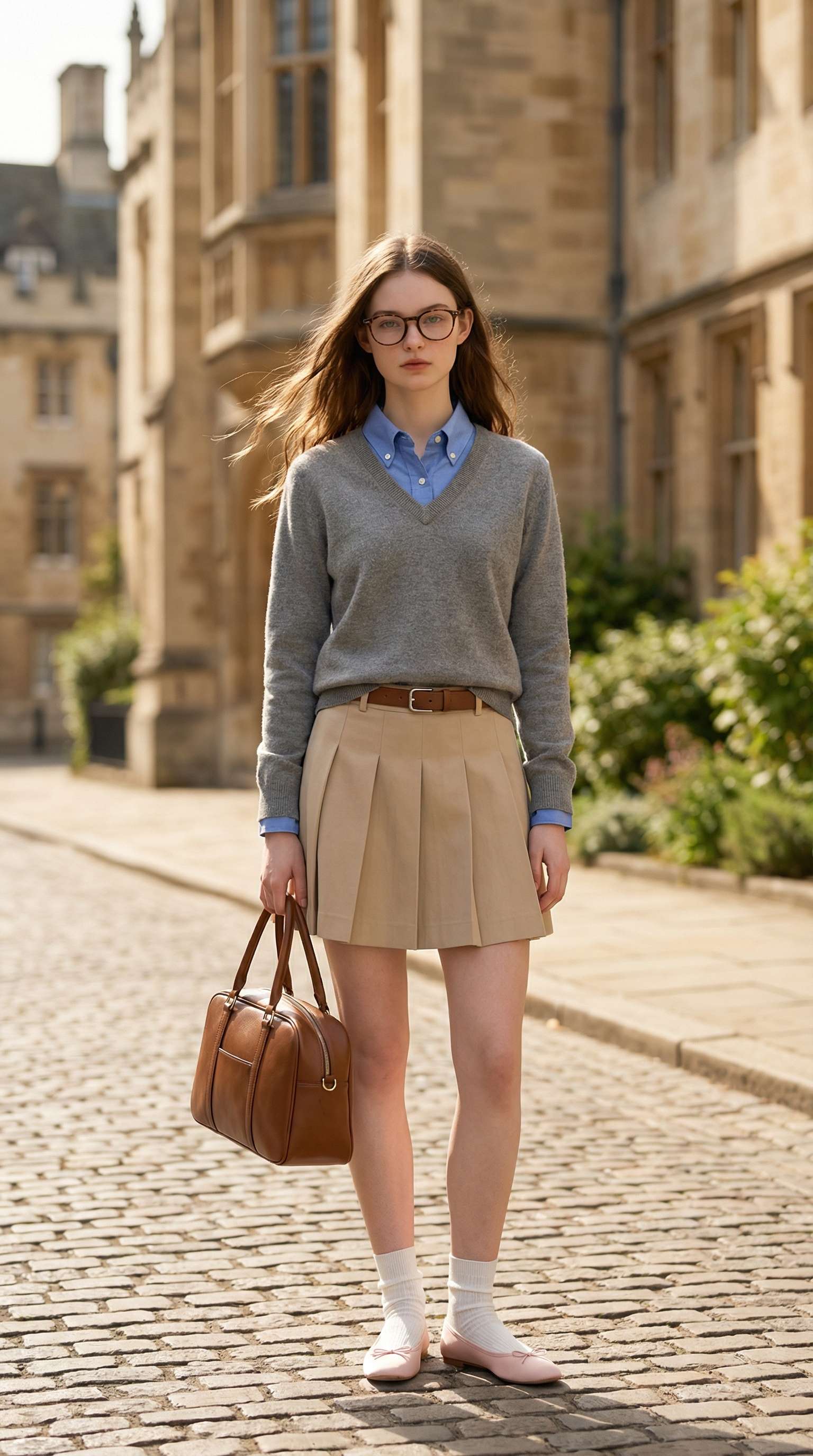
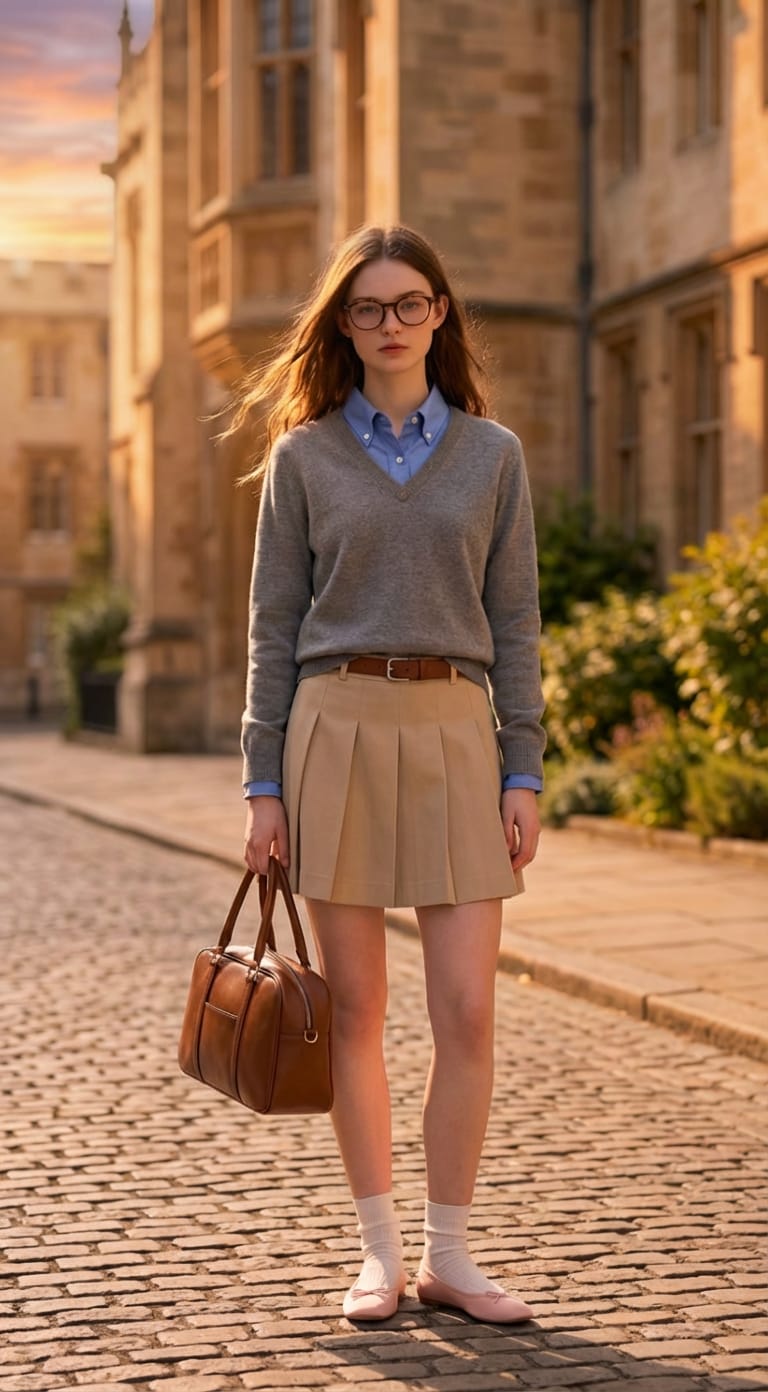
Transform bright daytime pictures into breathtaking dusk scenes with realistic sunset tones, softer shadows, and cinematic evening mood. Upload your photo, describe the look you want, and let Media.io create a polished day-to-dusk edit in seconds.

Create Day to Dusk Photo Now

Free credits on signup.

Before night to day conversion Before
After night to day conversion After

Why Choose Media.io for AI Day to Dusk Photo Editing

Natural Dusk Relighting in Seconds

Turn harsh daylight into a realistic evening look with warmer highlights, deeper shadows, and a more atmospheric sunset mood—without manual retouching.

Easy Upload, Prompt, and Generate

Simply upload your image, tell AI you want a day to dusk transformation, and get a polished result fast. No complicated editing workflow required.

Ideal for Portraits, Travel, and Street Photos

Upgrade portraits, city scenes, and outdoor shots with a golden-hour inspired atmosphere that feels more cinematic and visually striking.

Online, Fast, and Watermark-Free

Create a dusk-style photo fully online with free credits on signup. Download watermark-free results in high quality for social posts or creative projects.

How to Turn a Day Photo Into a Dusk Scene Online Free

01

Step 1: Upload Your Daytime Photo

Start with a portrait, travel image, street photo, or landscape you want to transform into a realistic dusk-style scene.

02

Step 2: Describe the Dusk Lighting You Want

Enter a prompt like turn this day photo into cinematic dusk with warm sunset light and soft evening shadows to guide the edit.

03

Step 3: Generate and Download Your Dusk Edit

Preview the transformation, regenerate if needed, and download your day to dusk photo edit watermark-free.

Join Users Creating Cinematic Day to Dusk Photo Edits in Seconds

user
@ava

Travel Creator

star star star star star

“My daylight travel photos finally look cinematic.” I used AI day to dusk photo editing to add warmer light and a more dramatic evening mood without learning complex editing software.

{/* Additional swiper-slides follow same pattern */}

FAQs About AI Day to Dusk Photo Editing

1. How can I turn a day photo into a dusk photo online?

Upload your image to Media.io, describe the dusk atmosphere you want, and let AI relight the scene with warmer evening tones, deeper shadows, and cinematic mood.

2. Can AI make a photo look like golden hour or sunset?

Yes. Media.io can help transform harsh daytime lighting into softer golden-hour or dusk-style lighting for a more atmospheric result.

3. Do I need Photoshop to create a day to dusk effect?

No. Media.io offers an online workflow that makes day-to-dusk editing much faster for users who want photo transformation without advanced manual editing tools.

4. What photos work best for day to dusk editing?

Portraits, street scenes, landscapes, and travel photos work well, especially when the original image has clear subjects and visible lighting direction.

5. Will the edited image still look realistic?

When prompts and source photos are suitable, Media.io can preserve subject details while adding realistic dusk tones, shadows, and ambient light changes.

Media.io Online AI Tools Quality Rating:
vote 4.7 (162,357 Votes)



