Change Hand Gestures in a Photo
Swap awkward gestures effortlessly. Transform clenched fists into a peace sign, thumbs up, wave, or natural relaxed fingers using simple natural prompts.
 Nano Banana Pro
 ¡Desbloquea tu potencial creativo y experimenta la magia de Media AI ahora mismo!
Love the photo but wish your hand were somewhere else? Upload your picture to easily change hand pose in a photo with AI. Move a hand away from your face, tuck it into a pocket, or swap a fist for an open peace sign with seamless precision.
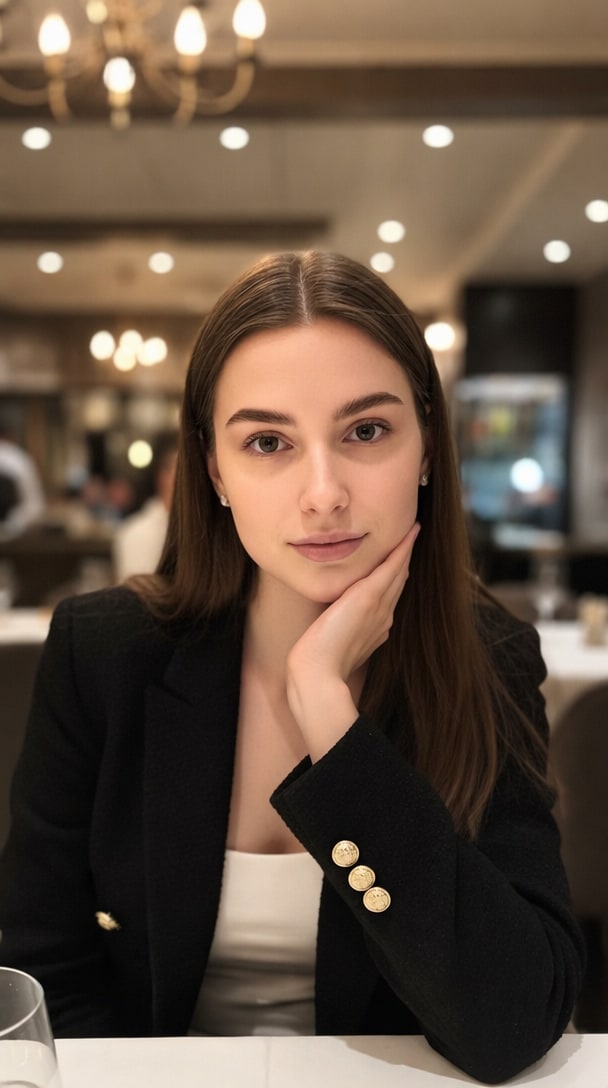
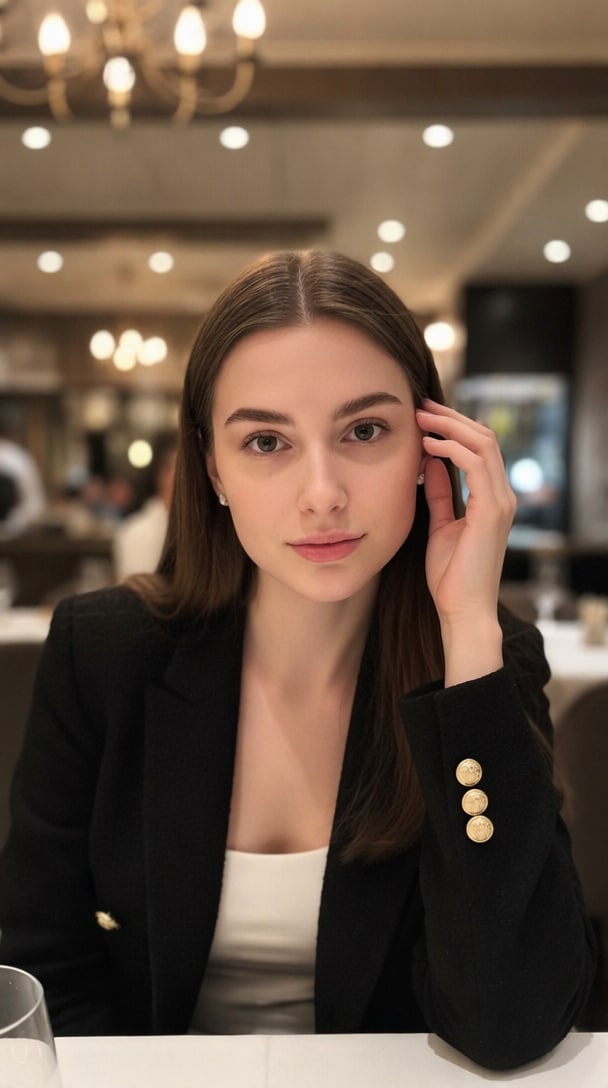
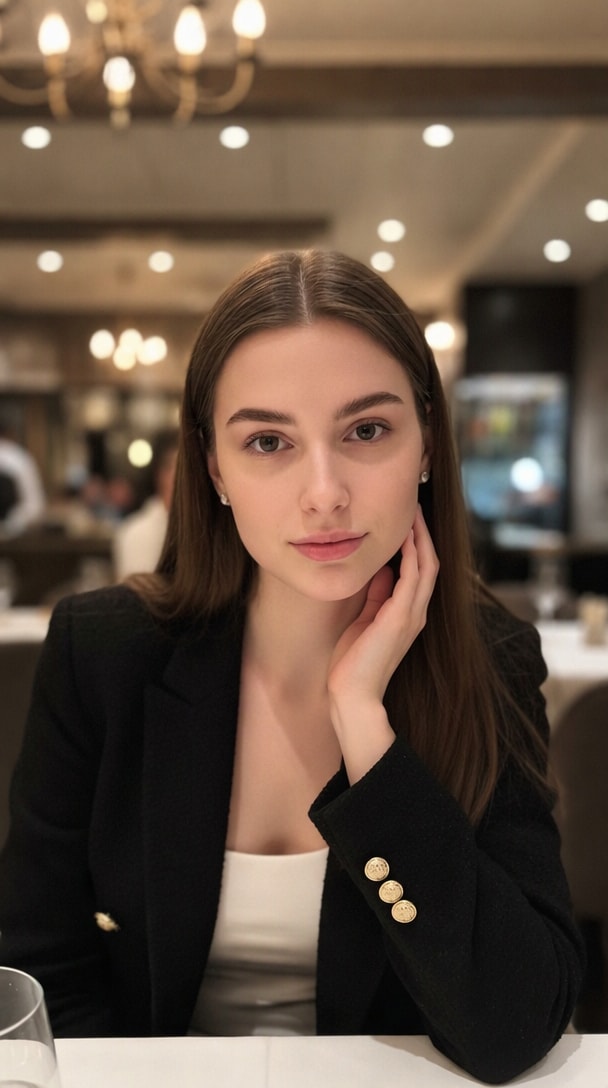
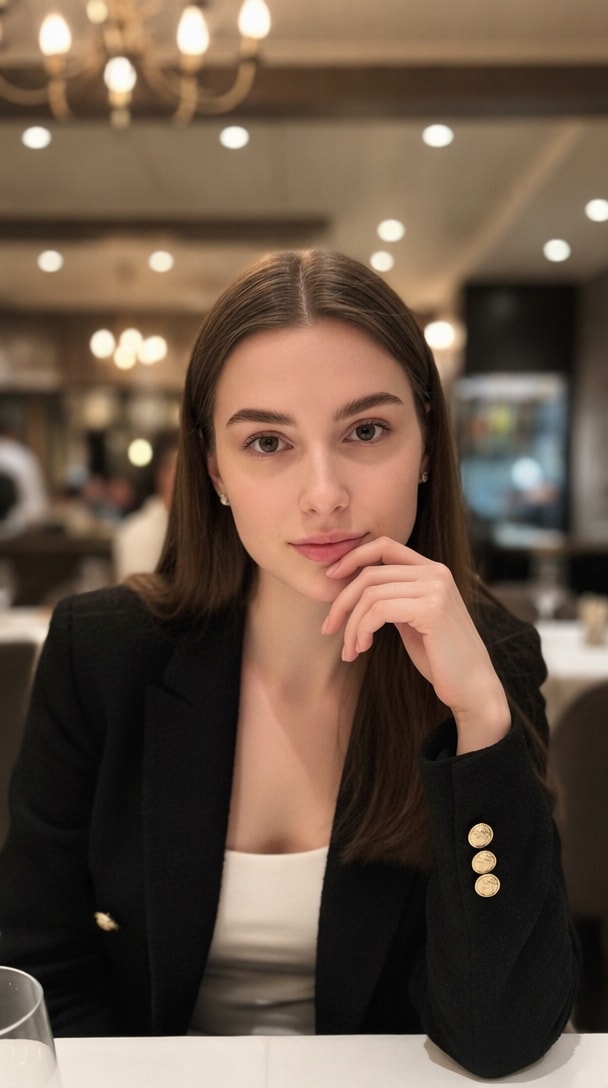
Free credits on signup.
Upload one original photo, then copy one English prompt at a time. No pose reference image is needed.
| Style | AI Hand Pose Prompt | Preview | Copy |
|---|---|---|---|
Chin Cradle |
Change only the visible hand pose in the uploaded photo. Move the hand from the cheek to gently cup the underside of the chin, with relaxed fingers following the jawline and the thumb resting beneath the chin. Preserve the person's recognizable face, expression, hair, clothing, body proportions, restaurant background, lighting, framing, and photo-realistic look. Keep one natural-looking hand with anatomically correct fingers. |
|
|
Temple Touch |
Change only the visible hand pose in the uploaded photo. Lift the hand from the cheek so the fingertips lightly touch the temple near the hairline, with the wrist relaxed and fingers softly separated. Preserve the person's recognizable face, expression, hair, clothing, body proportions, restaurant background, lighting, framing, and photo-realistic look. Keep one natural-looking hand with anatomically correct fingers. |
|
|
Jawline Trace |
Change only the visible hand pose in the uploaded photo. Place the hand lightly along the side of the neck, with the index and middle fingers following the jawline and the remaining fingers relaxed below the ear. Preserve the person's recognizable face, expression, hair, clothing, body proportions, restaurant background, lighting, framing, and photo-realistic look. Keep one natural-looking hand with anatomically correct fingers. |
|
|
Soft Finger-to-Lip |
Change only the visible hand pose in the uploaded photo. Bring the hand gently toward the lower face so the index fingertip rests lightly near the corner of the lips, with the other fingers softly curled and the wrist relaxed. Preserve the person's recognizable face, expression, hair, clothing, body proportions, restaurant background, lighting, framing, and photo-realistic look. Keep one natural-looking hand with anatomically correct fingers. |
|
Swap awkward gestures effortlessly. Transform clenched fists into a peace sign, thumbs up, wave, or natural relaxed fingers using simple natural prompts.
Reposition misplaced hands with ease. Move hand away from face, rest it along your side, or smoothly place hands into pockets without re-shooting.
Our generative model preserves identical skin tones, knuckle anatomy, lighting direction, and sleeve details for a seamless, unedited look.
No complicated Photoshop skills required. Simply brush over the hand, describe your desired gesture or new position, and get high-resolution results in seconds.
Upload your portrait, selfie, or group picture directly into the Media.io AI Hand Pose Changer.
Brush over the hand area (include target destination if repositioning). Type what you want, like "peace sign" or "hand resting in pocket".
Click Generate to let AI render natural hand poses and seamless skin blending. Preview and download your flawless photo.

Portrait Photographer

“Moved a face-blocking hand in seconds!” My client loved her expression, but her hand was partially covering her cheek. With Media.io's AI Hand Pose Changer, I brushed over the hand, asked to move it to her side, and the photo was saved without a reshoot.

Social Media Content Creator
“Swapped an awkward fist for a peace sign.” I had a great travel photo where my hand looked tense and balled up into an unintentional fist. I used the AI gesture changer to turn it into a cute peace sign. The fingers look completely authentic!

Fashion Stylist
“Natural hands in pockets for catalog shots.” In one of our jacket shoots, the model’s hand posture looked stiff. We brushed both hands and prompted ‘hands tucked inside jacket pockets.’ The fabric folds and hand positioning came out remarkably natural.

E-Commerce Marketer
“Turned a point into an open palm.” For our digital product mockups, we needed a hand gesturing gently towards a screen rather than pointing aggressively. Media.io adjusted the hand position and finger gesture cleanly in under a minute.
To change hand pose in a photo with AI, simply upload your image to Media.io AI Hand Pose Changer. Use the brush tool to highlight the hand you wish to alter, enter a prompt detailing your desired gesture (such as "make a peace sign" or "open hand palm up"), and click Generate. The AI will regenerate realistic fingers and gestures matching your lighting and skin tone.
Yes. If a hand is covering part of a face, chest, or blocking a subject, you can mask both the hand's current position and the target location (for example, resting on a table or hanging naturally at the side). The AI inpainting engine intelligently reconstructs the background/face behind the hand while rendering the hand at the new position.
AI Hand Pose Changer is designed to change gestures (e.g., from a closed fist to a thumbs up or peace sign) or change hand position in a photo (e.g., putting hands in pockets). In contrast, an AI Hand Fixer specializes in repairing AI-generated artifacts such as extra fingers, missing joints, or distorted hands while preserving the original intent.
You can create almost any natural hand gesture, including a peace sign (V-sign), thumbs up, open palm, waving hand, pointing finger, holding an item, or resting relaxed hands. Just describe your preferred gesture clearly in the prompt box.
No. Media.io utilizes targeted localized inpainting. Only the brushed hand area (and any destination position you specify) will be modified. Your original facial features, body proportions, clothing, and background remain 100% untouched.
 4.7 (162,357 Votes)