Dica: Use dicas em inglês para obter melhores resultados.
1K
9:16
1
Modo Ilimitado do Banana Pro
Criações
Hub de Ideias
Como funciona
Todos
Recursos populares
Ver tudo
História de Frutas com IA
Ver tudo
Vídeo de História com IA
Ver tudo
Vídeos Virais Hoje
Ver tudo
Vídeos de Produto com IA
Ver tudo
Personagem AI
Ver tudo
Tendências de Dança
Ver tudo
GPT Image 2
Ver tudo
Seedance 2.0
Ver tudo
Correspondência de Celebridade por IA
Ver tudo
Dicas de Poses para Casais
Ver tudo
Prompts de Poses de Garota AI Estética
Ver tudo
Sugestões de Pose de Garoto Elegante com IA
Ver tudo
Lista de geração
As criações são armazenadas por apenas 7 dias. Os recursos criados após o upgrade para um plano de assinatura serão armazenados permanentemente.
Desbloqueie seu potencial criativo e experimente a magia da IA de mídia hoje!
Crie cenas deslumbrantes de vilarejos com IA a partir de simples comandos de texto
Desenhe obras de arte de vilarejos fantásticos, futuristas, isométricos ou cinematográficos em segundos com ferramentas de vilarejo IA no Media.io. Transforme uma ideia curta em uma foto de vilarejo IA ou cena conceitual refinada; explore diversos estilos rapidamente e gere visuais detalhados para posts sociais, narrativas ou mockups criativos.
Digite sua ideia -> IA cria para você. Experimente grátis.
Veja estas diretrizes de exemplo e ajuste os detalhes do comando para obter melhores resultados com este fluxo de trabalho de vilarejo IA no Media.io.
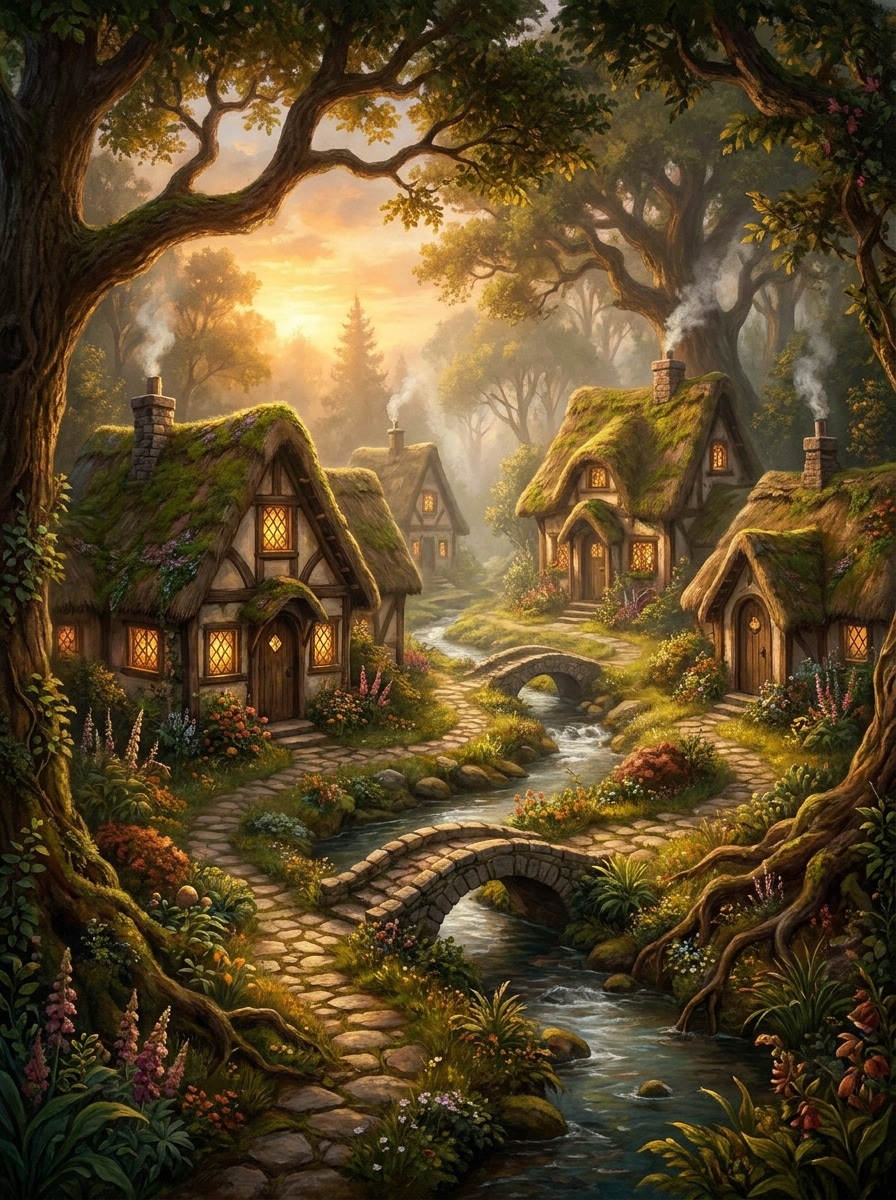
Vilarejo Fantasia de Livro
Crie um vilarejo fantástico escondido em uma clareira de floresta exuberante, com cabanas encantadas, telhados cobertos de musgo, janelas iluminadas, trilhas de pedra sinuosas, pequenas pontes, luz de pôr do sol dourado, neblina suave, folhagem rica, texturas de pintura, clima de livro encantado, composição altamente detalhada com profundidade em camadas e atmosfera aconchegante.
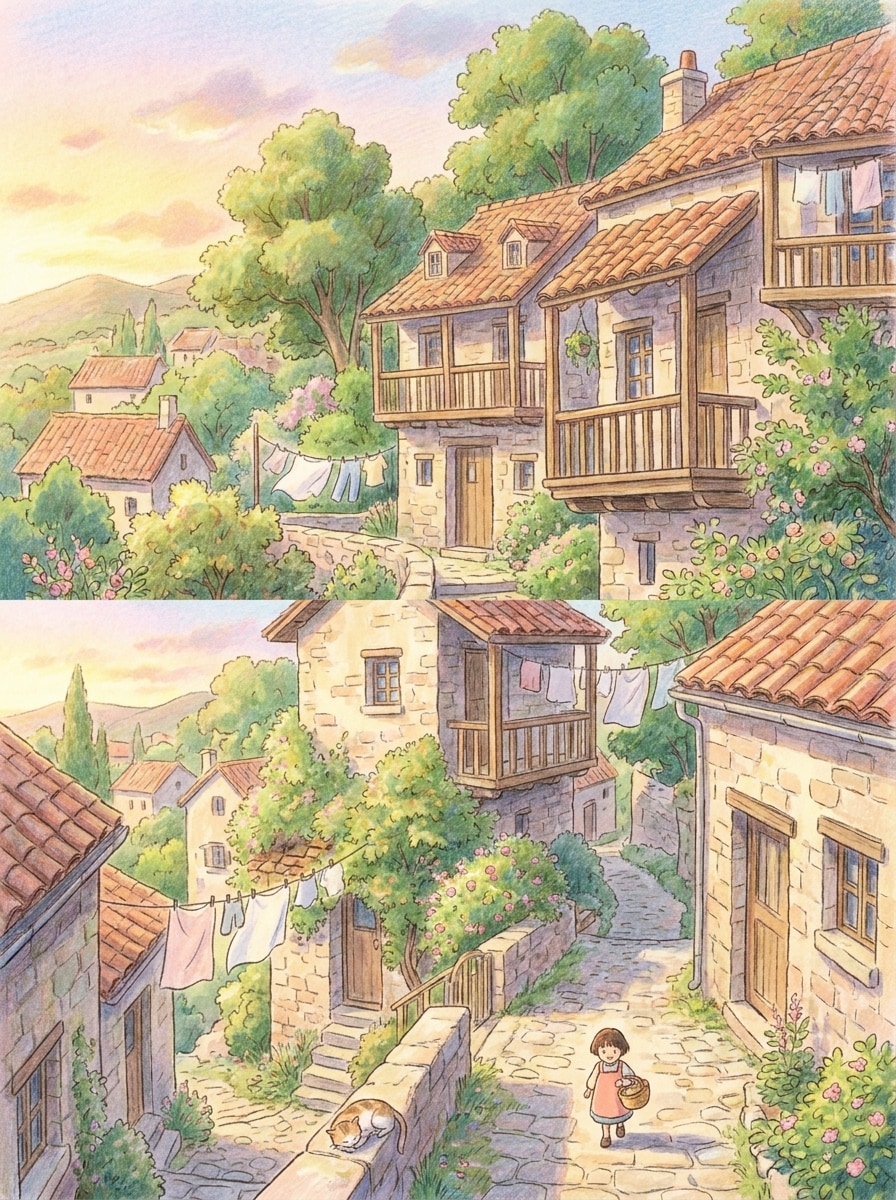
Vilarejo na Colina Estilo Ghibli
Gere um vilarejo pacífico em estilo animado, situado em encosta com telhados charmosos, casas em terraços, varais, árvores verdes, caminhos estreitos, luz suave da tarde, cores em tons pastéis, texturas pintadas à mão, brisa leve, enquadramento cinematográfico, calor nostálgico e sensação de cotidiano aconchegante com detalhes ambientais refinados.
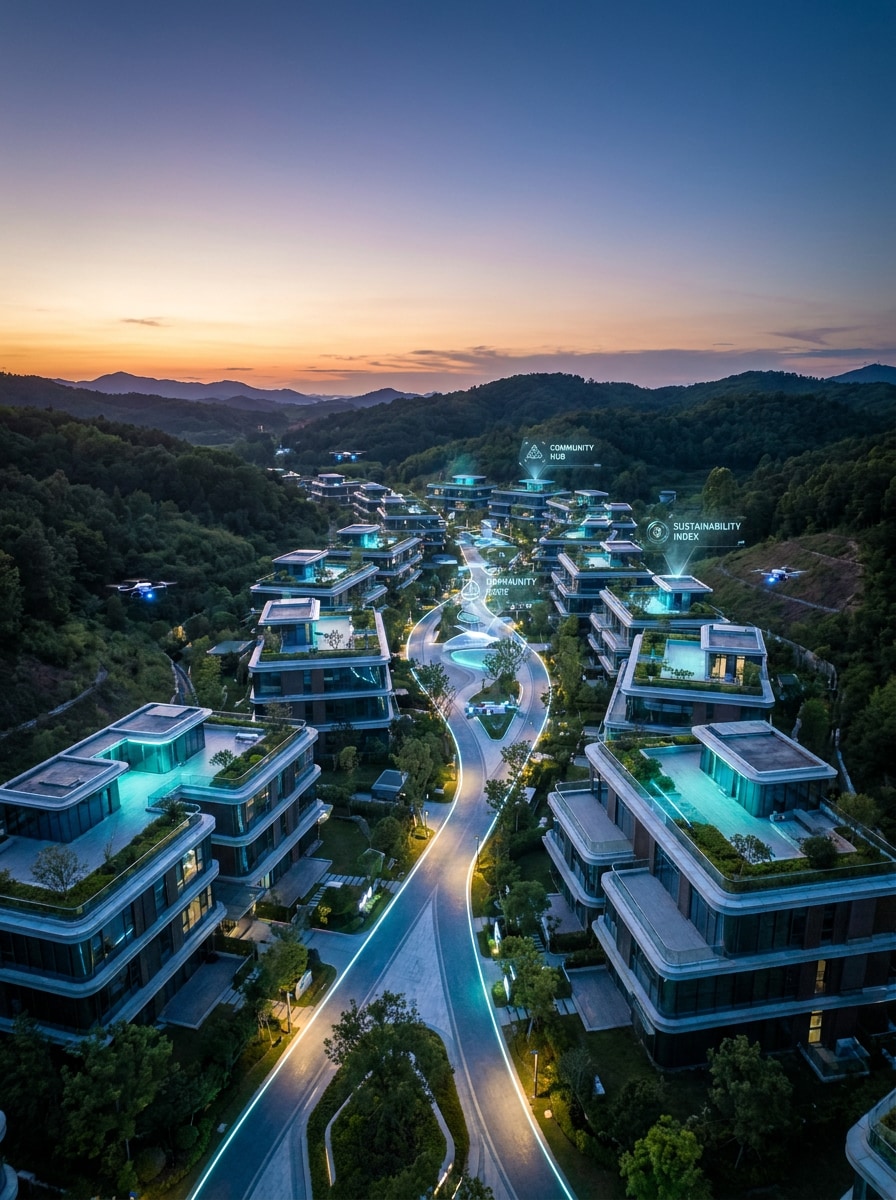
Vilarejo Futurista com IA
Crie uma cena de vilarejo IA elegante com casas ecotecnológicas, caminhos iluminados, jardins no telhado, placas holográficas sutis, drones pequenos, superfícies de vidro reflexivas, iluminação de fim de tarde cinematográfica, azul e verde neon, realismo sci-fi ultradetalhado, vista aérea em grande angular e atmosfera utópica limpa.
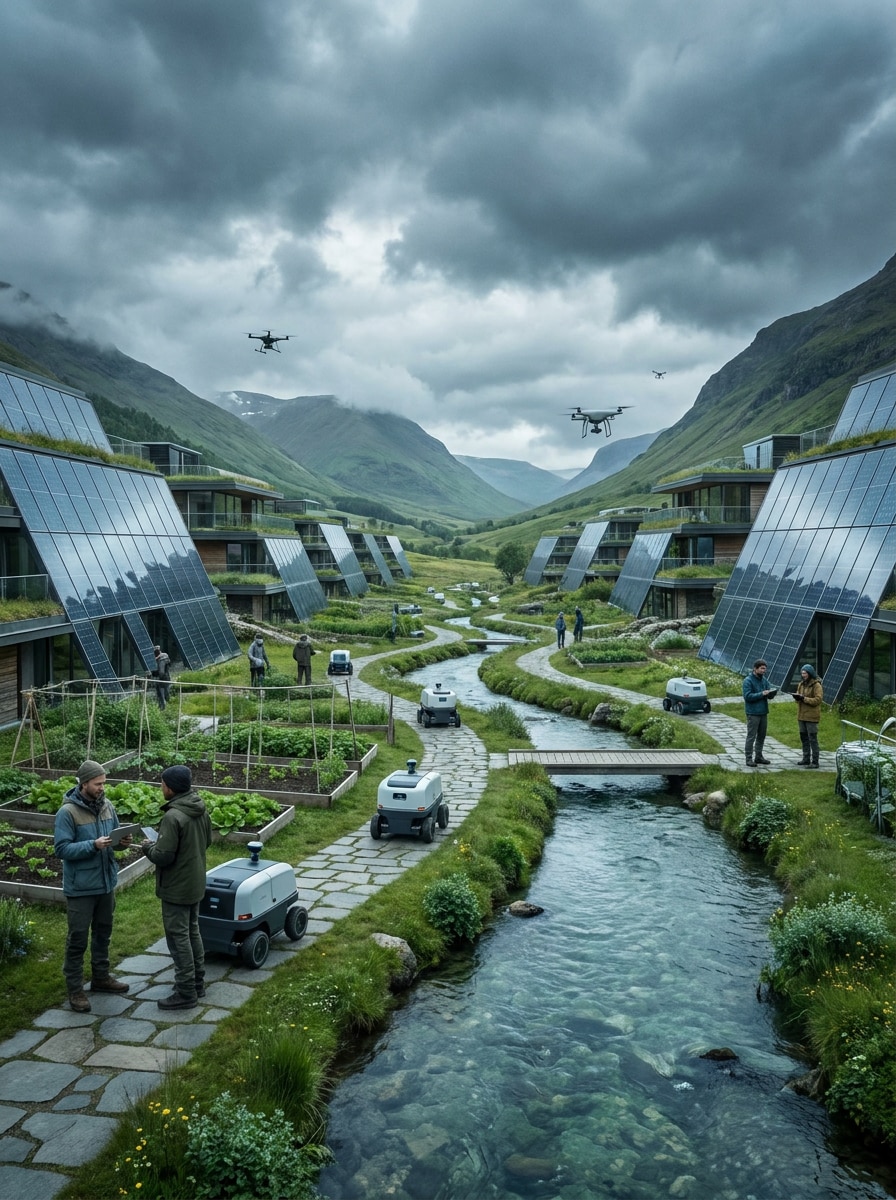
Assentamento Inteligente Pós-humano
Gere um vilarejo inteligente autônomo em um vale escênico, com prédios de vidro solar, unidades robóticas de manutenção, jardins comunitários, canais limpos, pessoas e sistemas inteligentes coexistindo, nuvens dramáticas, tons naturais frios, realismo cinematográfico, escala equilibrada e narrativa ambiental rica com arquitetura nítida.
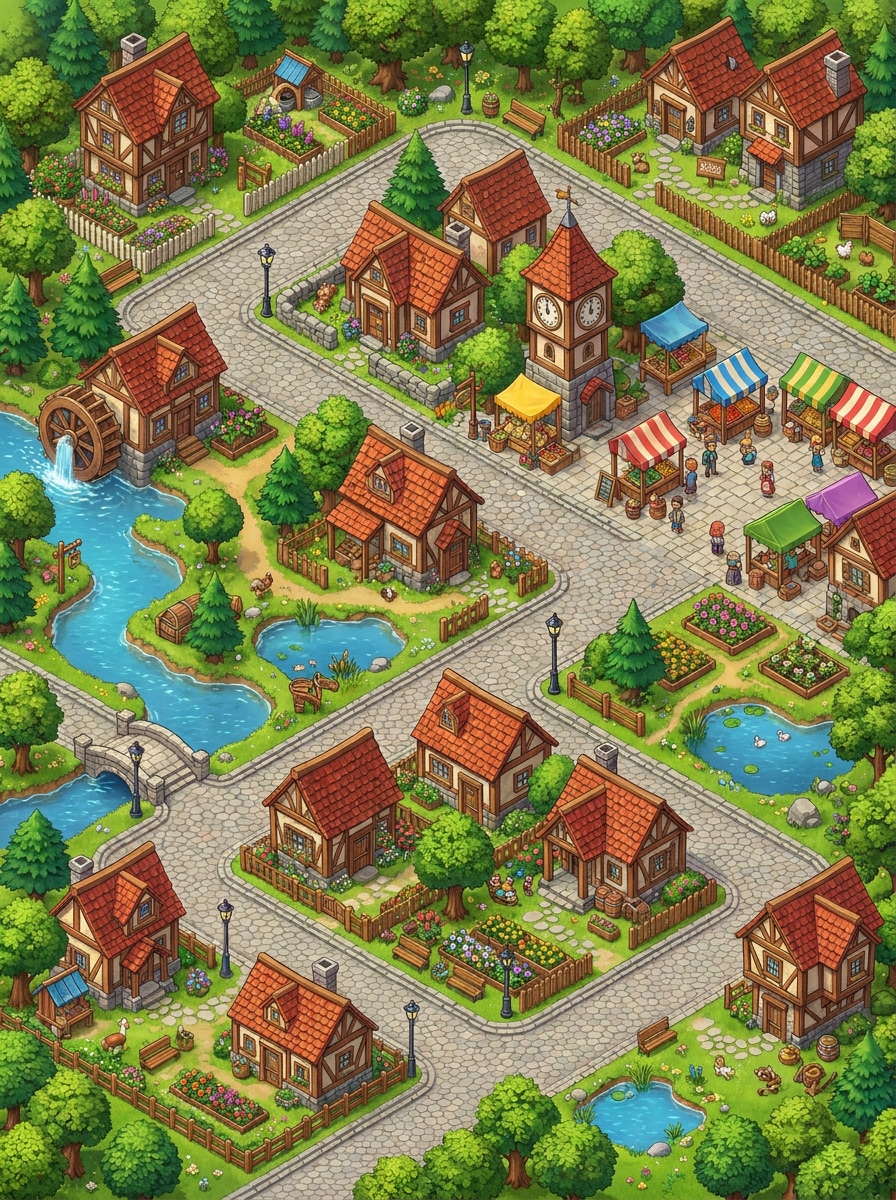
Vilarejo Miniatura Isométrico
Crie um vilarejo miniatura isométrico com casas pequenas detalhadas, ruas sinuosas, árvores, jardins, lagos, bancas de mercado e cercas, mostrado em vista superior limpa, paleta vibrante, bordas nítidas, estilo de arte de jogos divertido, layout organizado, alta clareza e ricos detalhes ambientais em pequena escala.
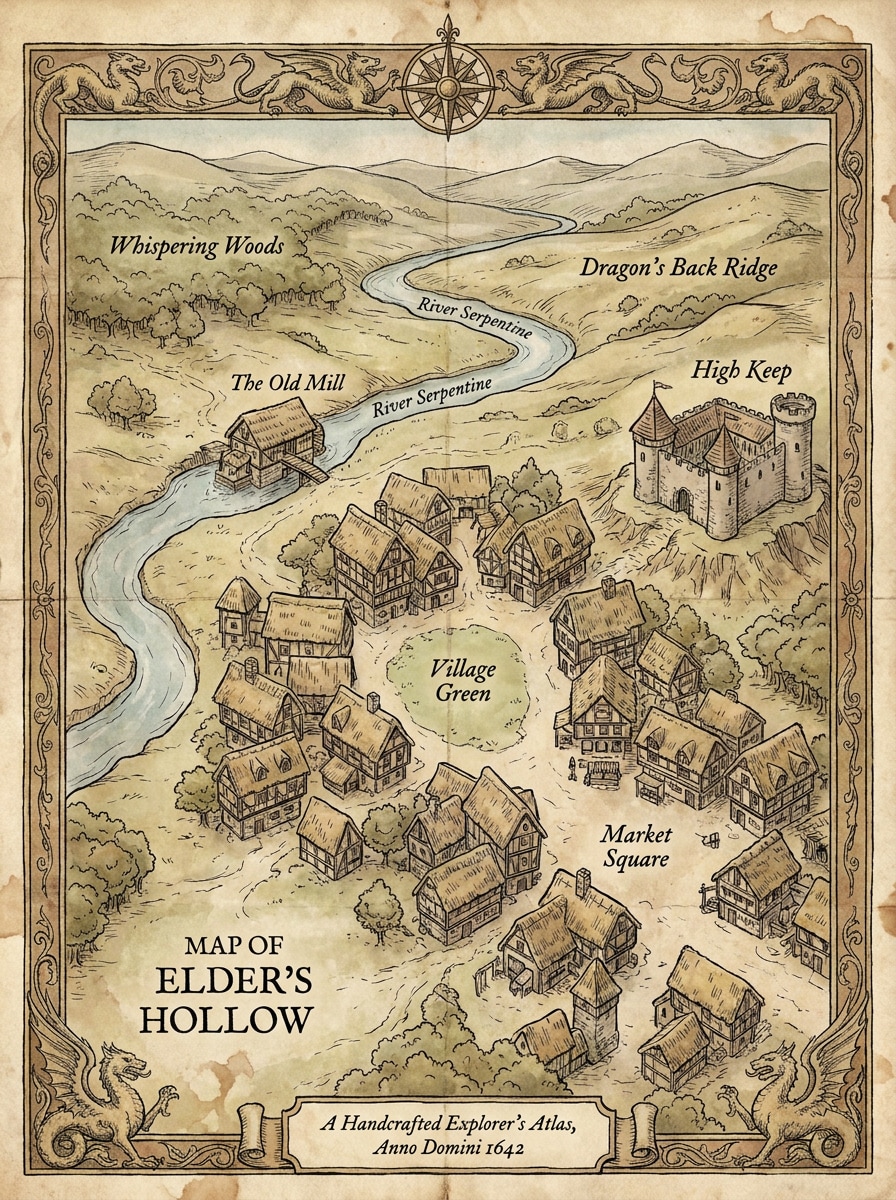
Vilarejo de Mapa Fantástico
Gere um vilarejo fantástico ilustrado como um mapa antigo, com pontos de referência nomeados, rios, colinas onduladas, casas medievais agrupadas, texturas de pergaminho, contornos a tinta, detalhes cartográficos decorativos, tons terrosos suaves, composição superior, elementos de borda elegantes e o toque artesanal de um atlas de explorador detalhado.
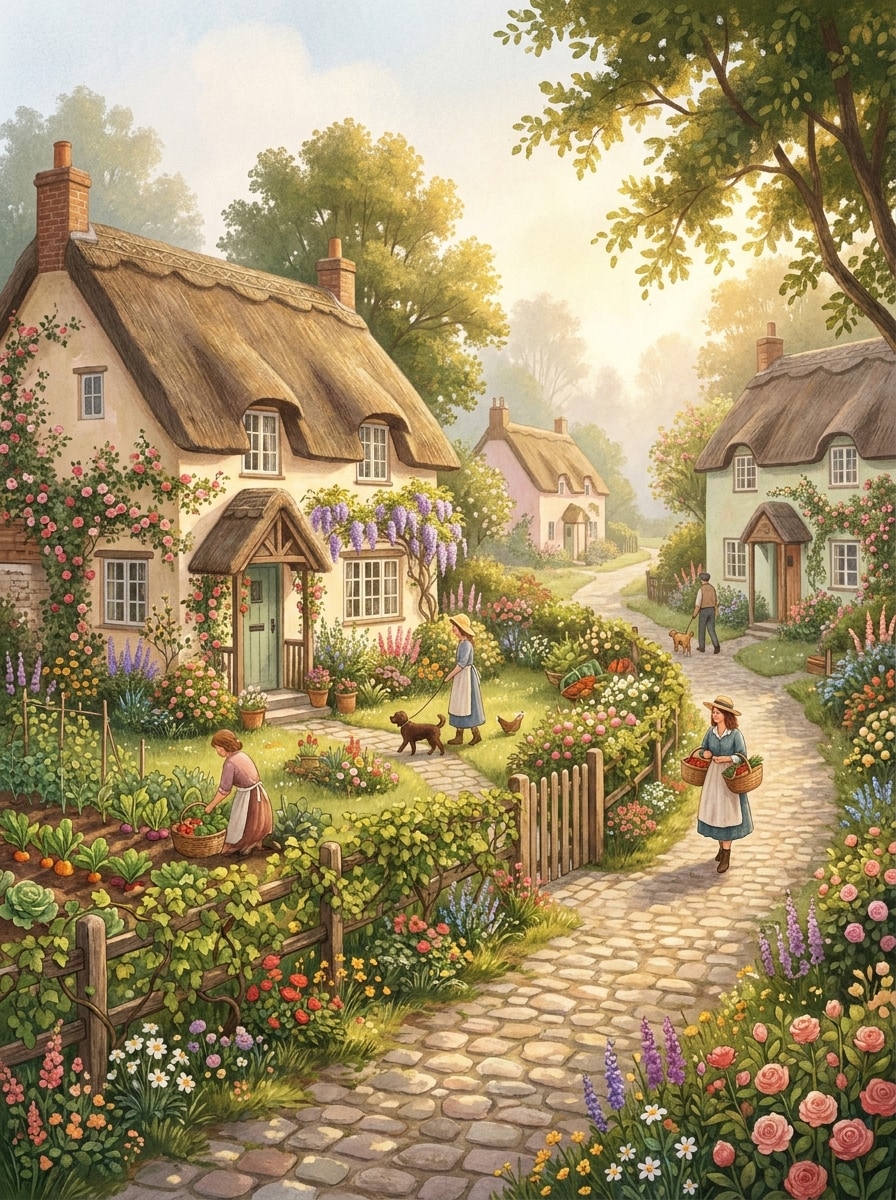
Vilarejo Cottagecore
Crie um vilarejo rural aconchegante cheio de cabanas rústicas, jardins de flores, hortas, cercas cobertas de vinhas, neblina matinal suave, luz solar natural quente, cores pastéis cremosas, detalhes de ilustração texturizados, encanto rural pacífico, caminhos convidativos e estética lifestyle fotogênica perfeita para uma cena social dos sonhos.
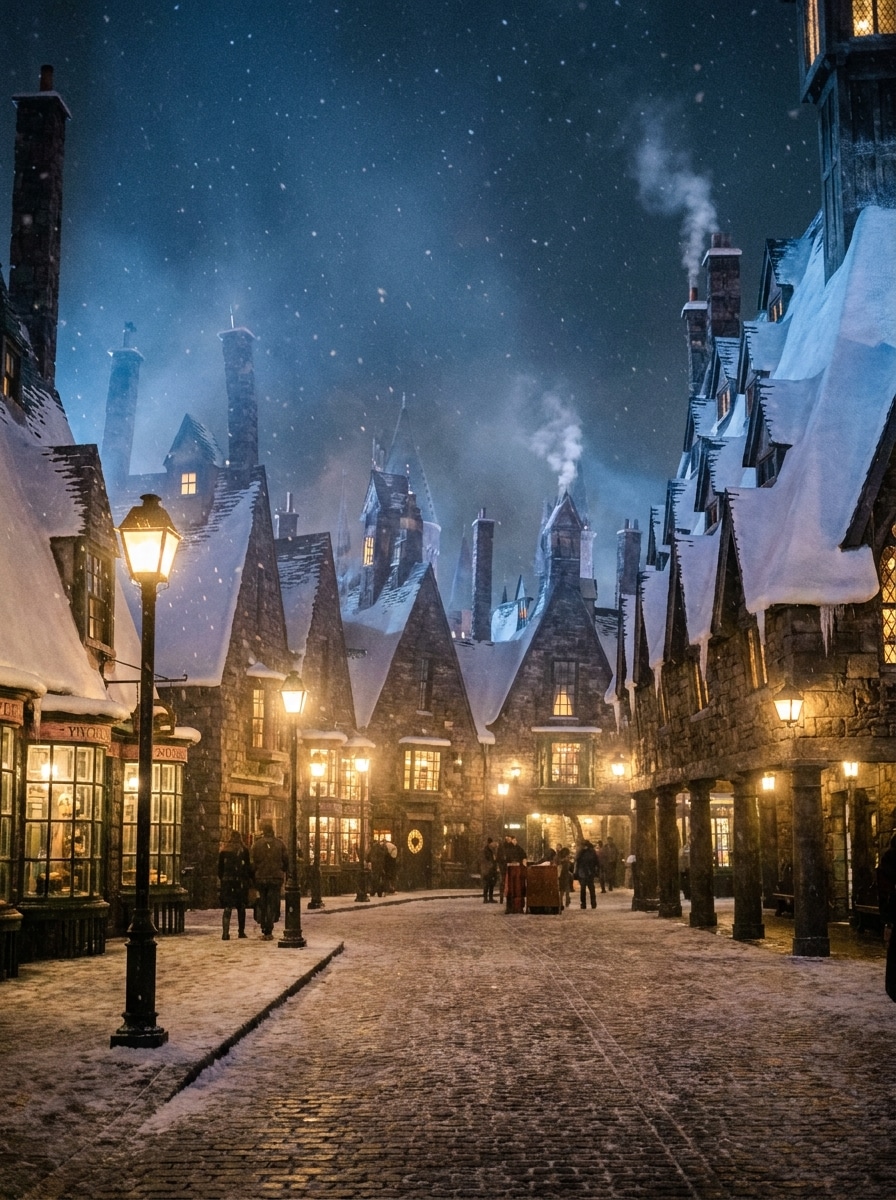
Vilarejo de Lanternas no Inverno
Gere um vilarejo nevado à noite com lanternas brilhantes, luz quente nas janelas, neve suave, ruas de pedra, telhados cobertos de gelo, contraste cinematográfico azul e dourado, névoa suave, texturas nítidas de inverno, clima de feriado acolhedor, prédios detalhados e atmosfera mágica noturna que é serena e imersiva.
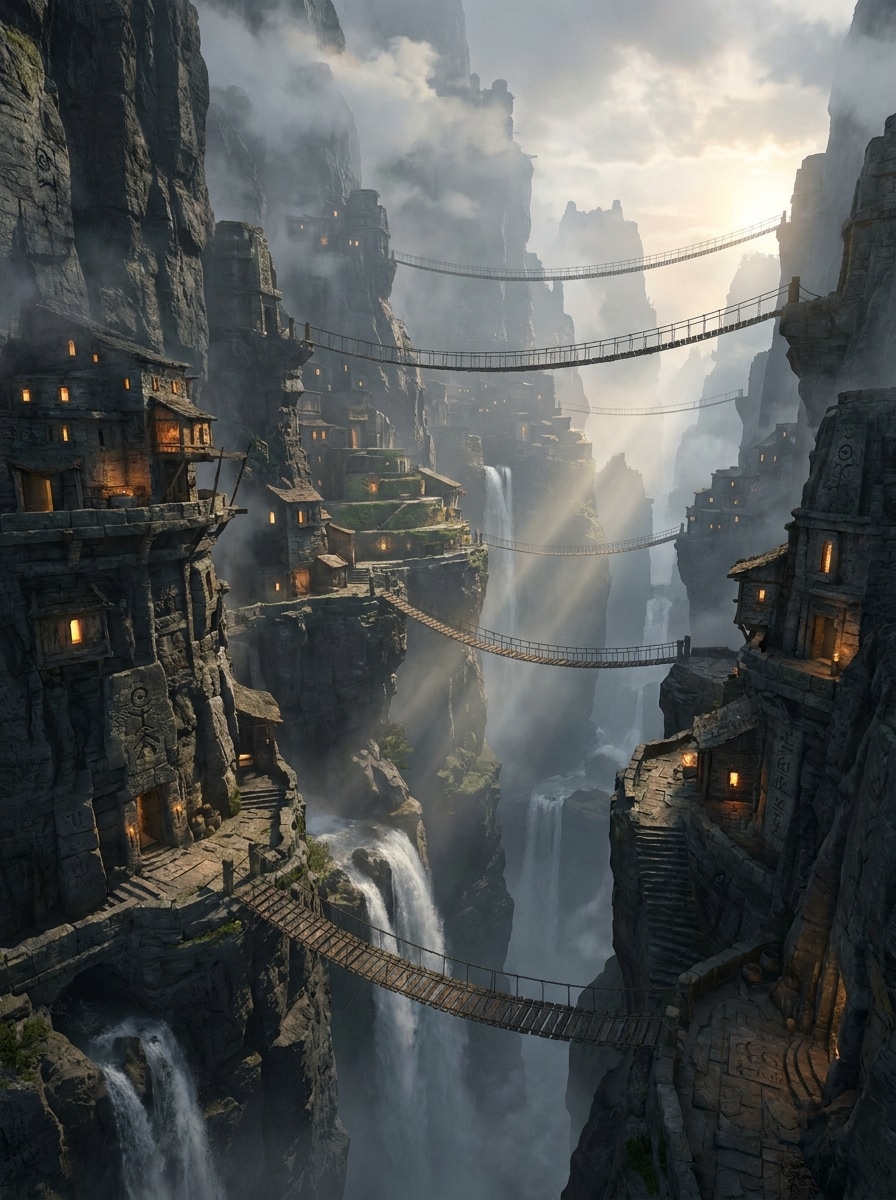
Vilarejo no Penhasco da Montanha
Crie um vilarejo épico em penhasco construído em rochas íngremes, com pontes suspensas, cachoeiras, casas em camadas, caminhos talhados, névoa dramática, raios de nascer do sol, texturas de pedra robusta, escala cinematográfica, qualidade de arte conceitual de fantasia, composição ampla e perspectiva atmosférica profunda para uma imagem ousada de worldbuilding.
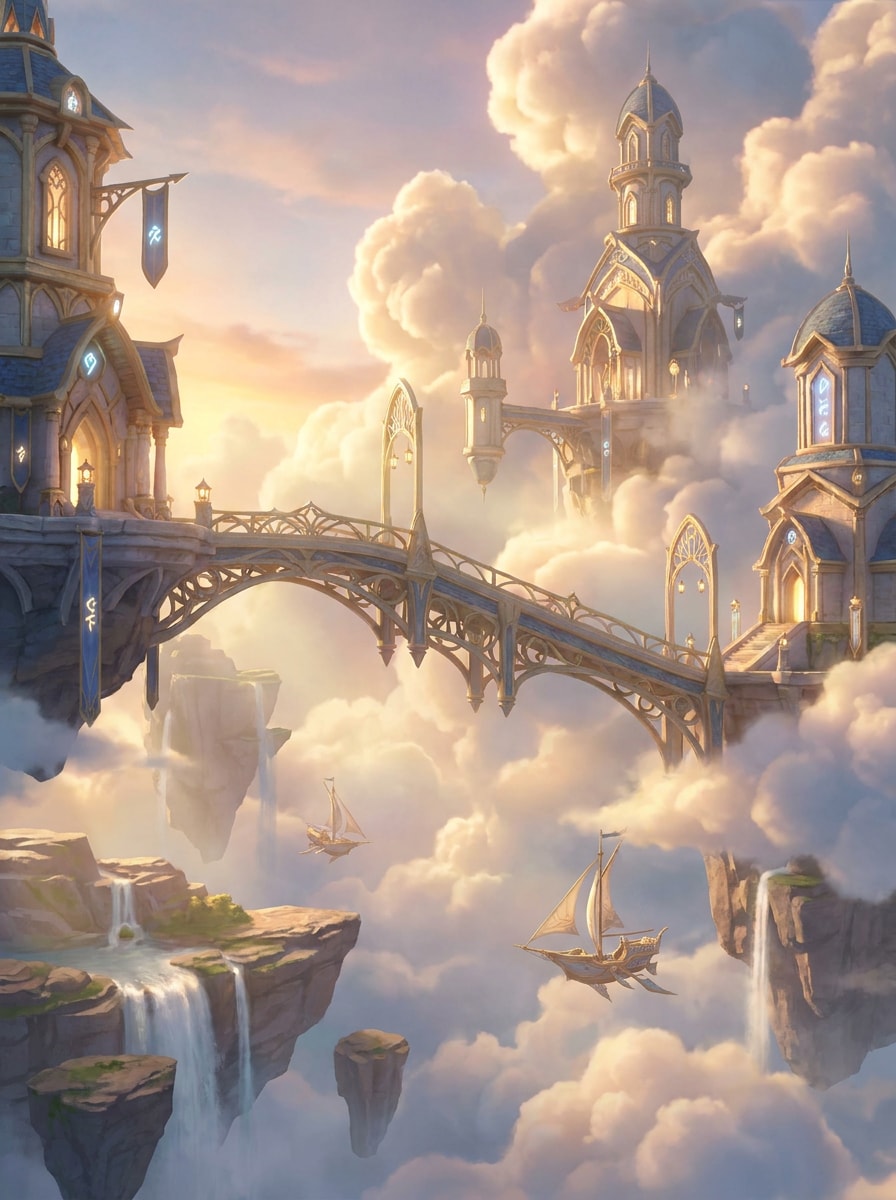
Vilarejo Flutuante no Céu
Gere um vilarejo surreal flutuante entre nuvens brilhantes, com edifícios fantásticos elegantes, pontes aéreas, realces luminosos, luz solar volumétrica suave, paleta dourada e azul pálida, neblina flutuante, ilhas em camadas, atmosfera cinematográfica de fantasia, arquitetura ultradetalhada e sensação de maravilha em um céu aberto grandioso.
Por que usar Media.io para Arte de Vilarejo IA
Comandos mais precisos, construção de mundos detalhada
Começando com uma direção visual breve de vilarejo pode travar um projeto, mas o Media.io transforma essa ideia bruta em arte útil de vilarejo rapidamente para você avançar sem paralisar na tela em branco.
Explore múltiplos estilos de vilarejo a partir de uma ideia
Se a direção de arte ainda está indefinida, o Media.io ajuda você a testar vários estilos com o mesmo conceito de vilarejo, tornando mais fácil comparar estilos e refinar a direção sem precisar recomeçar do zero.
Gere resultado limpo até 4K
De uma peça conceitual refinada a um visual social vertical ou quadro para impressão, o Media.io pode gerar resultados até 4K para que seu gerador de vilarejo IA mantenha os detalhes nítidos para compartilhar, apresentar ou usar em pitches.
Trabalhe em diversos dispositivos sem instalações extras
A produção fica flexível em várias telas com Media.io, permitindo criar, ajustar e baixar visuais de vilarejo direto no navegador, facilitando manter o ritmo ao trocar de dispositivos.
Como gerar uma imagem de vilarejo por IA online
1
2
3
1
Abrir Media.io Texto para Imagem
Vá para Gerador de Texto para Imagem IA e abra a ferramenta Texto para Imagem em IA -> Gerador de Imagem. Essa ferramenta online roda no navegador, assim você pode criar vilarejos sem instalar softwares extras.
2
Digite um comando
Escreva um comando detalhado, como "Um vilarejo de fantasia aconchegante em uma floresta de pinheiros, janelas iluminadas, caminhos de pedra sinuosos, pôr do sol dourado, estilo de livro ilustrado pintado". Ajuste estilo ou proporção se quiser um resultado cinematográfico, estilo mapa ou pronto para redes sociais.
3
Gerar, Refinar e Baixar
Clique em Gerar. Se necessário, refine o comando para mudar iluminação, arquitetura, clima ou ângulo de câmera. Em seguida, baixe sua imagem de vilarejo em alta resolução para projetos criativos, posts ou apresentações.
Veja como criadores usam esse fluxo de conceito de vilarejo para conteúdo, marketing e projetos pessoais, depois adapte cada ideia ao seu briefing.
Construa conceitos de mundo para histórias e jogos
Esboce assentamentos para romances de fantasia, jogos indie, campanhas de mesa ou cenas animadas. Uma imagem conceitual forte de vilarejo ajuda a definir arquitetura, terreno, clima e lore visual antes de produção ou narrativa mais aprofundadas.
Crie visuais sociais que param a rolagem
Transforme uma ideia simples em arte refinada de vilarejo para reels, carrosséis, painéis de humor ou posts estéticos. Experimente estilos aconchegantes, de inverno, futuristas ou isométricos para combinar com formatos visuais que são tendência nas redes sociais.
Desenhe arte para apresentações e pitches
Use cenas de vilarejo detalhadas para deck de propostas, apresentações de sala de aula, explorações de branding ou quadros conceituais. Uma imagem de vilarejo IA comunica atmosfera e layout mais rápido que texto, especialmente para equipes ou clientes que precisam de clareza visual imediata.
O que dizem os usuários
Maya R.
Artista de Games Indies
"Ótimo para conceitos rápidos de ambientes" Usei o Media.io para testar vários estilos de vilarejo em um mapa de jogo. Os comandos geraram moods distintos rapidamente, e os resultados isométricos e de fantasia foram especialmente úteis para explorar conceitos iniciais.
Daniel K.
Criador de Conteúdo
"Fácil transformar ideias em cenas refinadas" Quis uma imagem de assentamento futurista para uma série de posts, e os resultados superaram expectativas. Foi simples ajustar iluminação e composição até a cena ficar cinematográfica.
Priya S.
Designer de Apresentações
"Útil para decks e narrativa visual" As proporções flexíveis fizeram diferença no fluxo de trabalho. Pude criar um conceito de vilarejo e adaptar para slides, capas e preview social sem recomeçar toda vez.
Leo T.
Escritor de Fantasia
"Grande variedade de estilos a partir de comandos simples" Gosto de como o Media.io cria cenas de livro aconchegantes ou ambientes dramáticos em penhasco tão rápido. Me ajuda a visualizar cenários para meus capítulos e manter a criatividade fluindo.
Explore os efeitos de vídeo e imagem de IA mais quentes
1. O que significa vilarejo IA em um gerador de texto para imagem?
Em um gerador de texto para imagem, vilarejo IA geralmente representa uma cena de vilarejo criada a partir da sua descrição escrita, em vez de um local real ou site comunitário. O Media.io converte comandos sobre arquitetura, layout, iluminação, atmosfera e estilo em arte original de vilarejo em estilos fantásticos, futuristas, realistas ou isométricos.
2. Como posso criar uma imagem de vilarejo IA a partir de um comando simples?
Abra a ferramenta de texto para imagem do Media.io, digite um comando claro descrevendo o vilarejo desejado, depois escolha configurações como proporção ou estilo e gere a imagem. Para melhores resultados, mencione detalhes como ângulo de câmera, estilo das construções, horário, cores e clima; em seguida, refine o primeiro resultado conforme necessário.
3. Posso gerar arte de vilarejo IA gratuitamente?
Sim, usuários gratuitos podem testar o Media.io com créditos livres e criar arte de vilarejo IA online. Dependendo do plano, os resultados gratuitos podem conter marca d'água, enquanto assinantes pagos podem baixar imagens em alta resolução sem marca. Compare planos na página de preços se precisar de mais uso.
4. Que estilo de comando funciona melhor para vilarejo IA futurista?
Comando futurista forte combina ambiente, arquitetura, iluminação e clima em uma frase. Por exemplo, descreva casas ecotecnológicas, caminhos iluminados, drones, materiais de vidro, iluminação ao entardecer e visual cinematográfico em grande angular. O Media.io é otimizado para comandos em inglês, então uso de termos visuais específicos ajuda a obter um vilarejo futurista mais refinado.
5. Posso criar imagens de vilarejo IA em alta resolução para redes sociais ou impressão?
O Media.io suporta geração de imagens 1K, 2K e 4K, útil para conteúdo social, visuais de apresentação, capas e algumas criações para impressão. Você também pode escolher entre várias proporções, facilitando adaptar a cena para posts verticais, banners largos ou layouts padrão. Usários gratuitos podem ter marca d'água.
6. O gerador de vilarejo IA funciona em celular e desktop?
Sim, o Media.io é baseado na web, então você pode criar cenas de vilarejo em celular ou desktop desde que tenha um navegador. Assim, é fácil usar no Windows, Mac, iPhone, Android ou tablets sem instalar software adicional.