Amigurumi Pattern Generator for Cute Crochet Plush Ideas in Seconds
Create crochet plush concept images from text with Media.io’s amigurumi pattern generator. This AI amigurumi tool helps makers visualize animals, kawaii dolls, and gift ideas fast, while setting clear expectations: Media.io generates visual inspiration for planning, sharing, and refining your next crochet project.
Review these example directions, then tailor the prompt details to get stronger results with this Media.io amigurumi patterns generator.
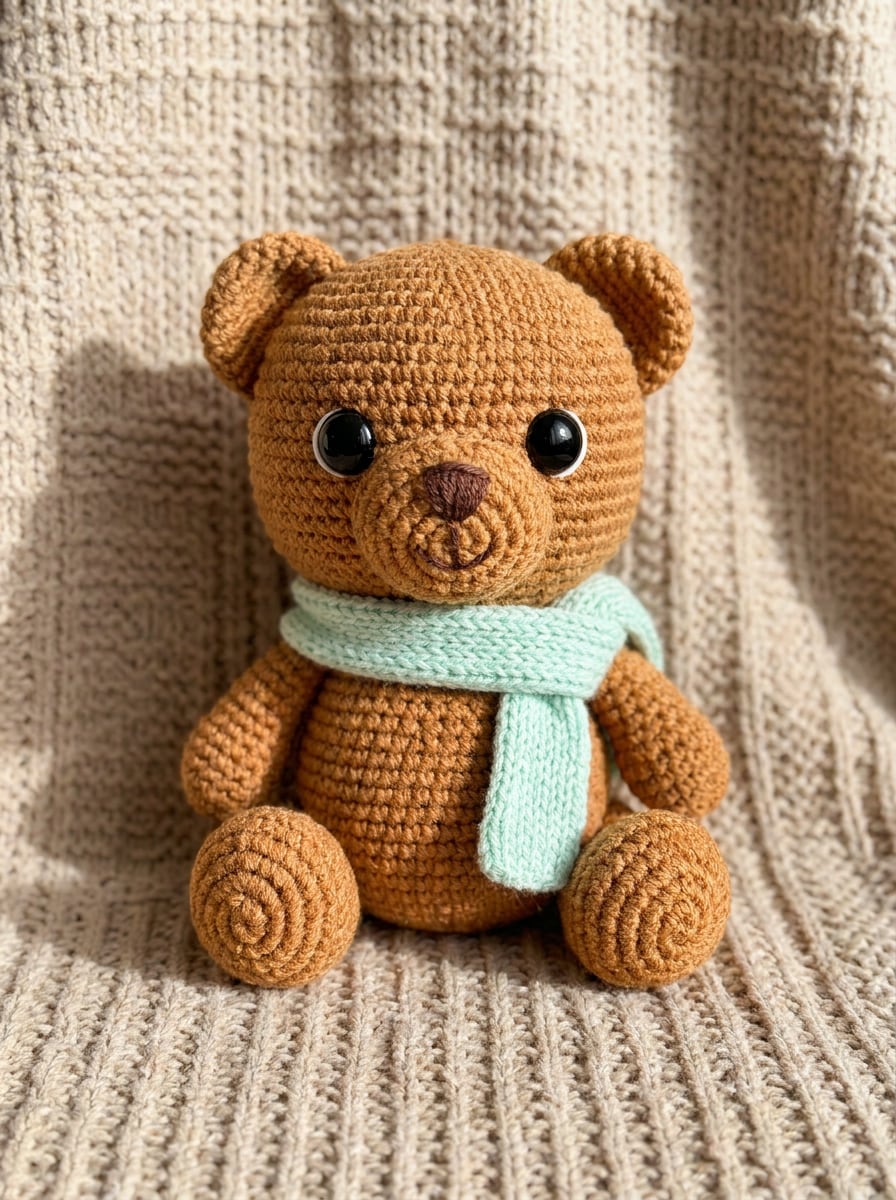
Kawaii Bear Plush
Adorable handmade teddy bear amigurumi, warm brown yarn with visible crochet stitches, pastel mint scarf, oversized glossy eyes, tiny embroidered smile, centered product-photo composition on a soft beige background, gentle natural lighting, subtle shadow, cozy craft mood, high detail, giftable aesthetic.
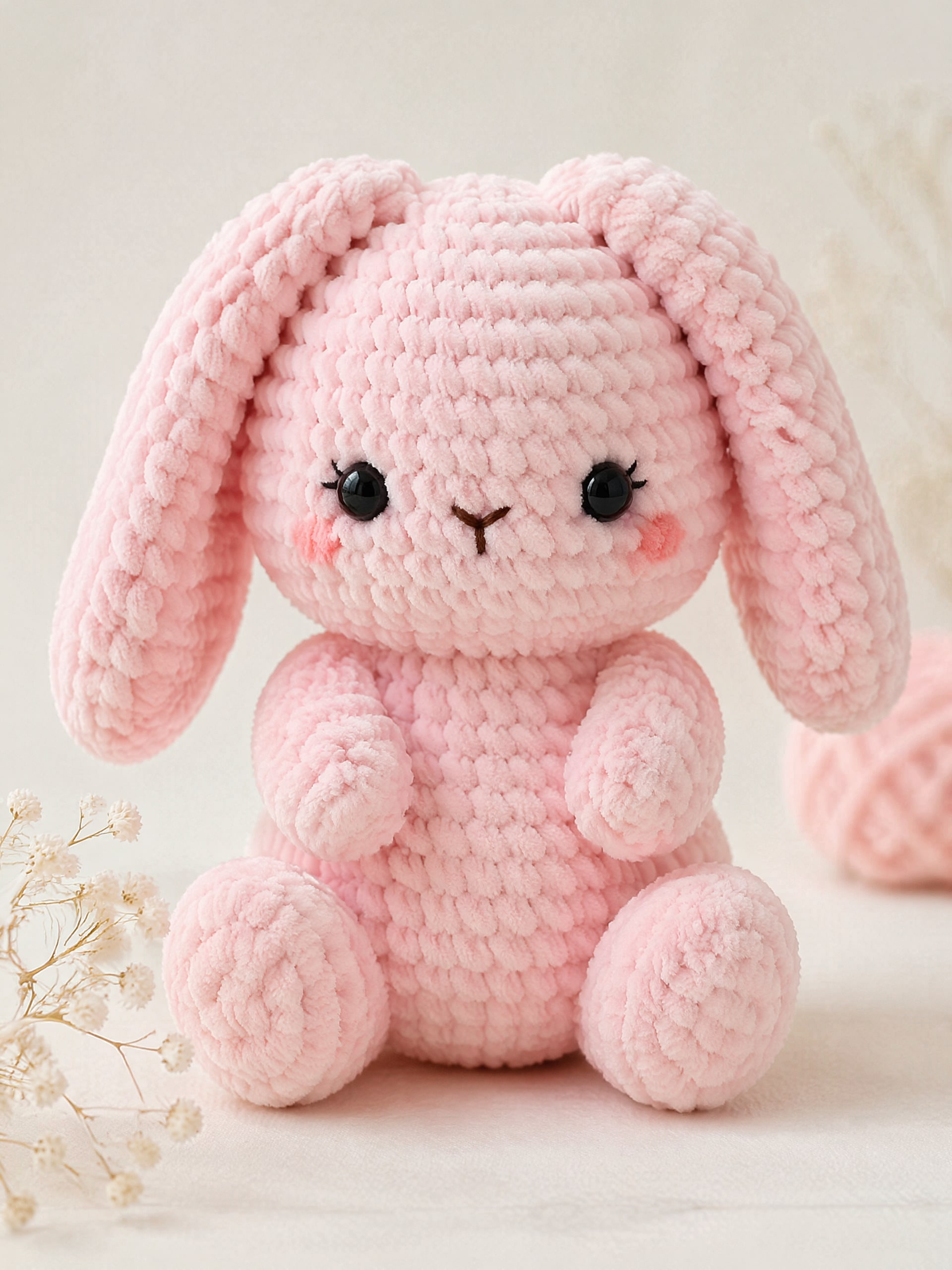
Pastel Bunny Doll
Pastel pink bunny amigurumi doll with floppy ears and a rounded body, soft chenille-style yarn texture, embroidered face, blush cheeks, clean studio composition, pale cream backdrop, diffused daylight, soft shadows, delicate handmade feel, sweet kawaii mood, crisp macro detail.
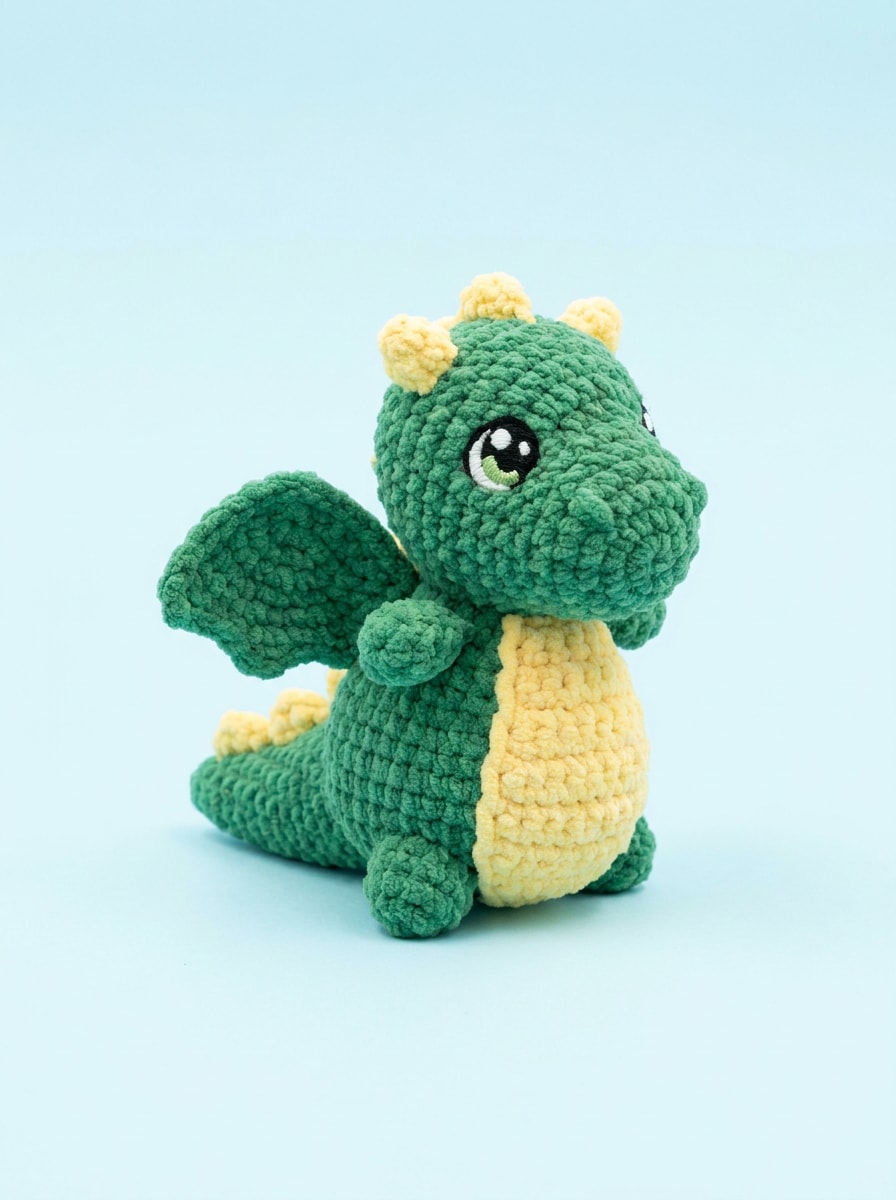
Mini Dragon Crochet
Tiny green dragon amigurumi plush with small wings, curved tail, soft yellow belly, chunky yarn texture, cute fantasy proportions, centered on a light pastel blue background, bright studio lighting, clean product styling, visible stitch definition, playful collector-toy mood, high-resolution detail.
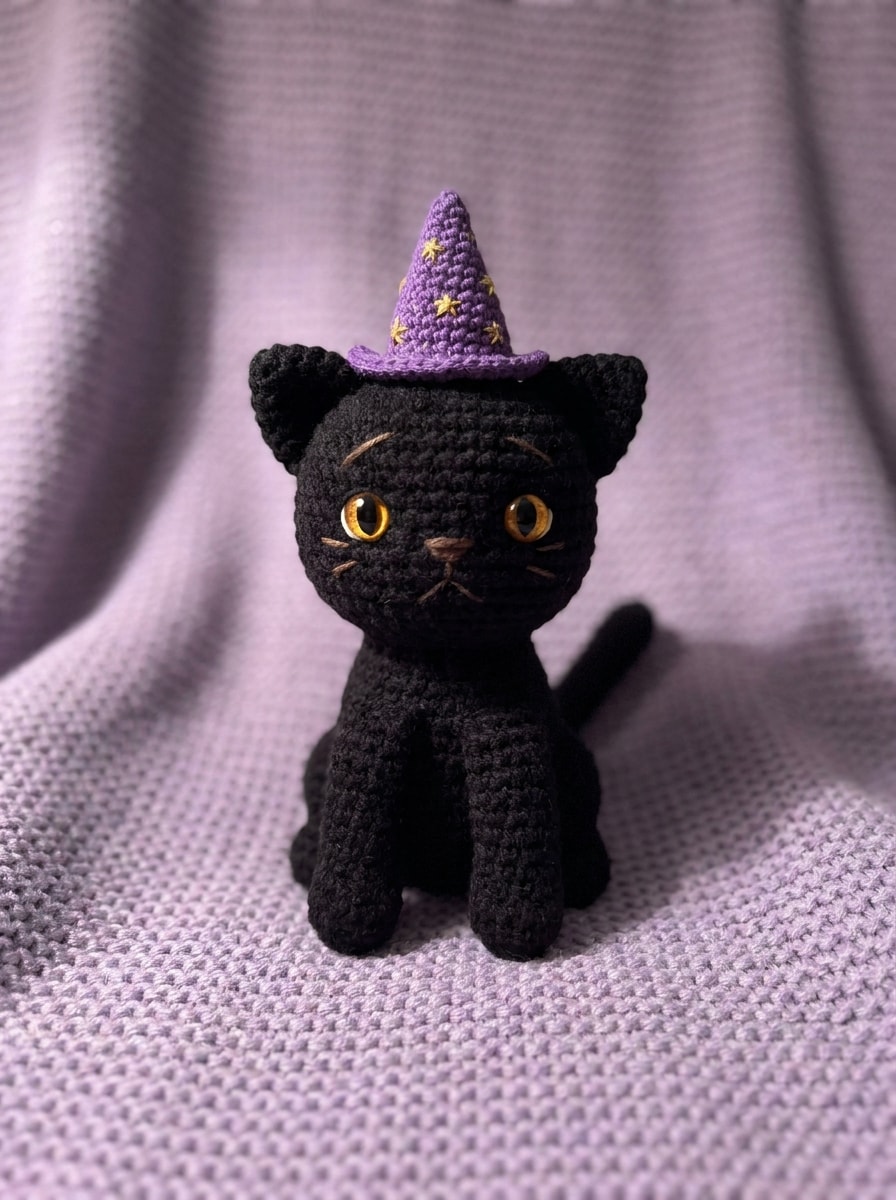
Wizard Cat Crochet
Black cat amigurumi wearing a tiny purple wizard hat with gold stars, crocheted yarn loops clearly visible, bright amber embroidered eyes, whimsical magical styling, slightly moody soft lighting, centered composition on a muted lavender background, plush handmade texture, charming fantasy craft aesthetic.
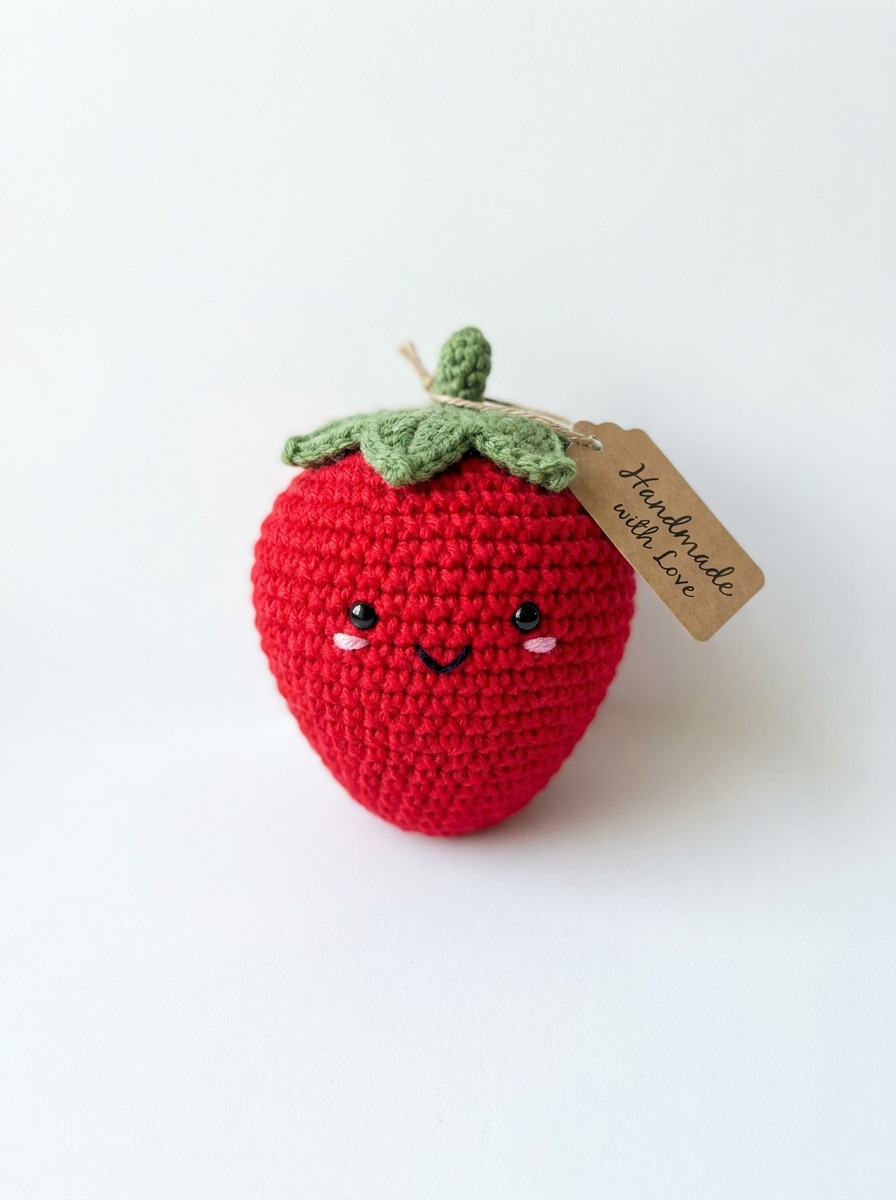
Smiling Strawberry Plush
Cute strawberry amigurumi plush with vivid red yarn, green leaf cap, tiny smiling face, round kawaii proportions, detailed crochet stitch texture, bright white background, clean commercial product-photo framing, soft daylight, fresh cheerful color palette, crisp focus, playful handmade gift-shop vibe.
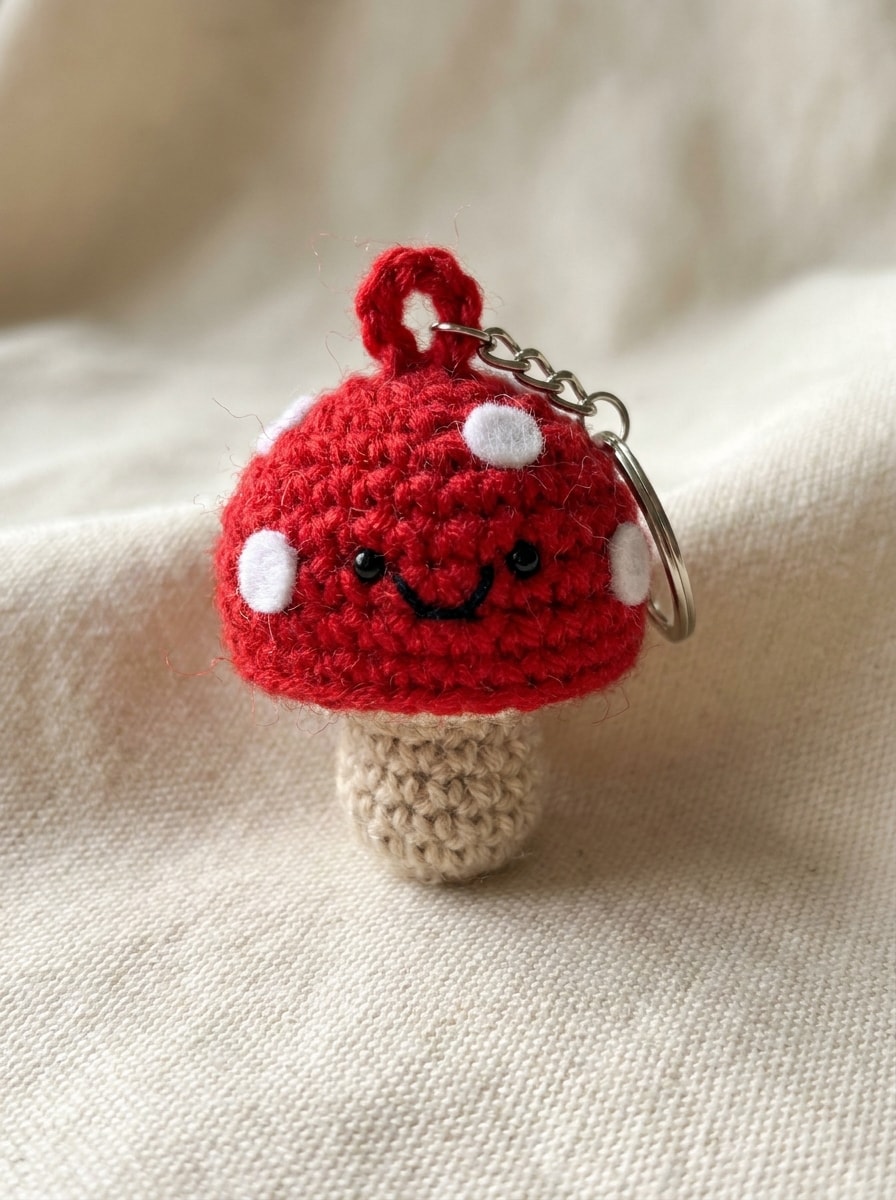
Mini Mushroom Crochet
Tiny red mushroom amigurumi keychain with white spots, beige stem, small smiling face, visible yarn strands and crochet rows, macro product photography style, minimalist cream background, soft side lighting, subtle keyring detail, whimsical woodland mood, sharp texture, handmade accessory presentation.
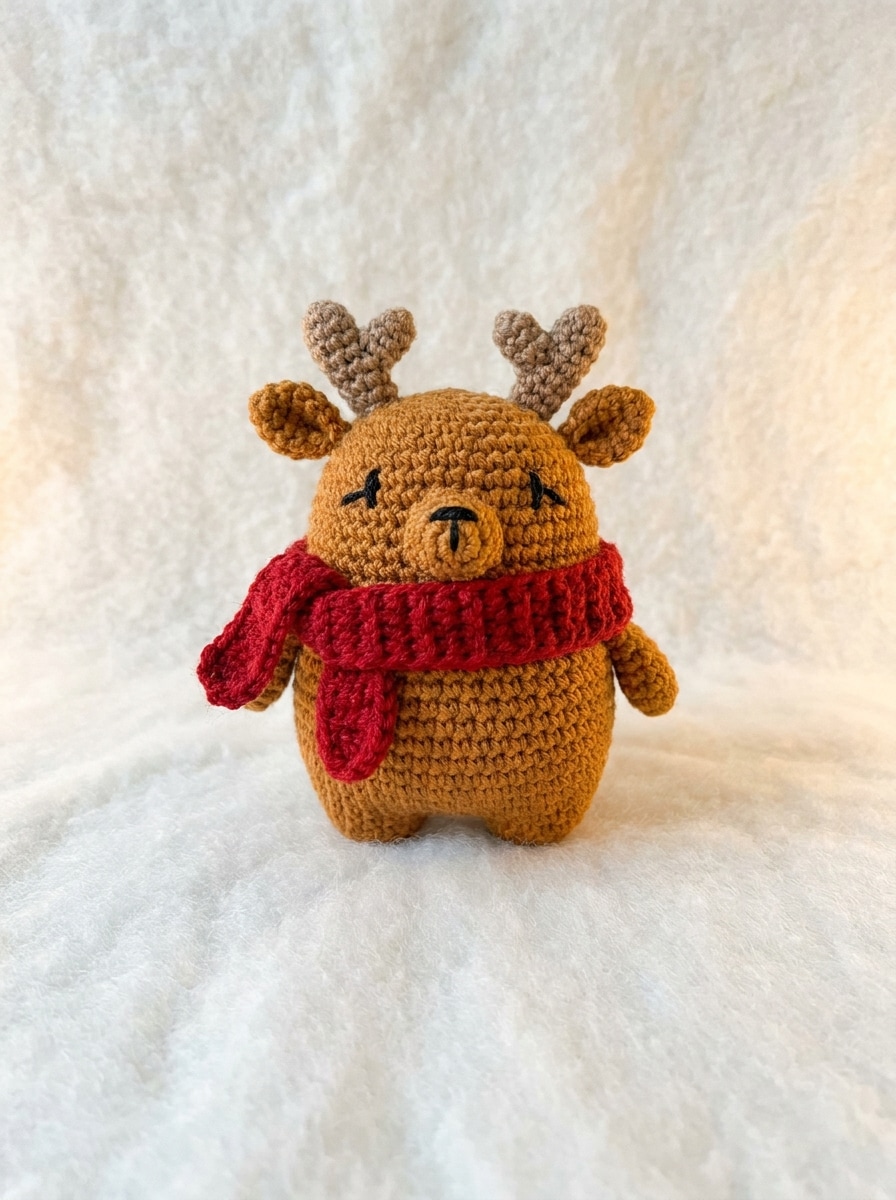
Christmas Reindeer Plush
Christmas reindeer amigurumi plush with small antlers, red scarf, warm brown yarn, round body, embroidered eyes, cozy holiday palette, centered product shot on a soft snowy-white background, gentle warm lighting, clear crochet texture, festive handmade charm, polished seasonal gift aesthetic.
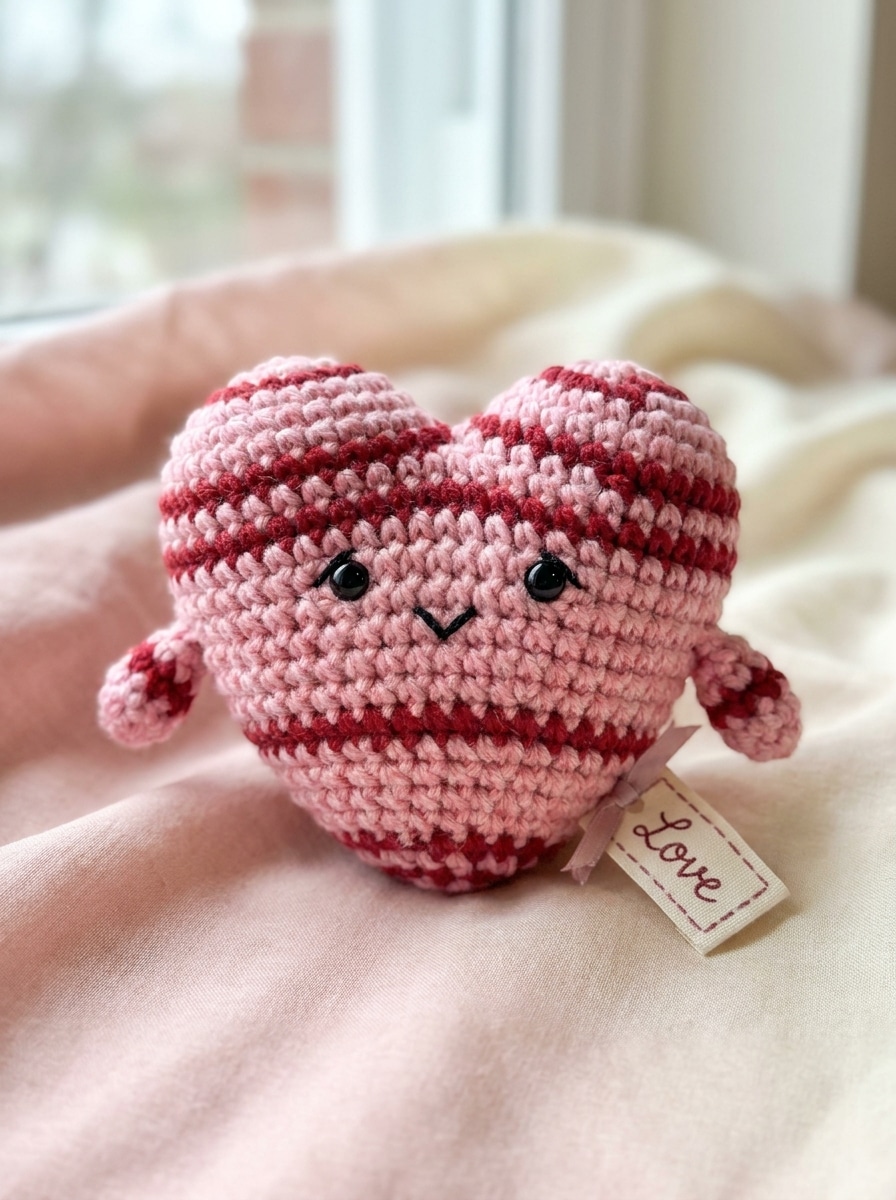
Valentine Heart Doll
Heart-shaped amigurumi doll in pink and red yarn, cute embroidered face, tiny arms, rounded plush form, soft pastel backdrop, romantic handmade gift mood, clean centered composition, smooth daylight lighting, delicate crochet stitch detail, sweet color harmony, high-resolution craft photography.
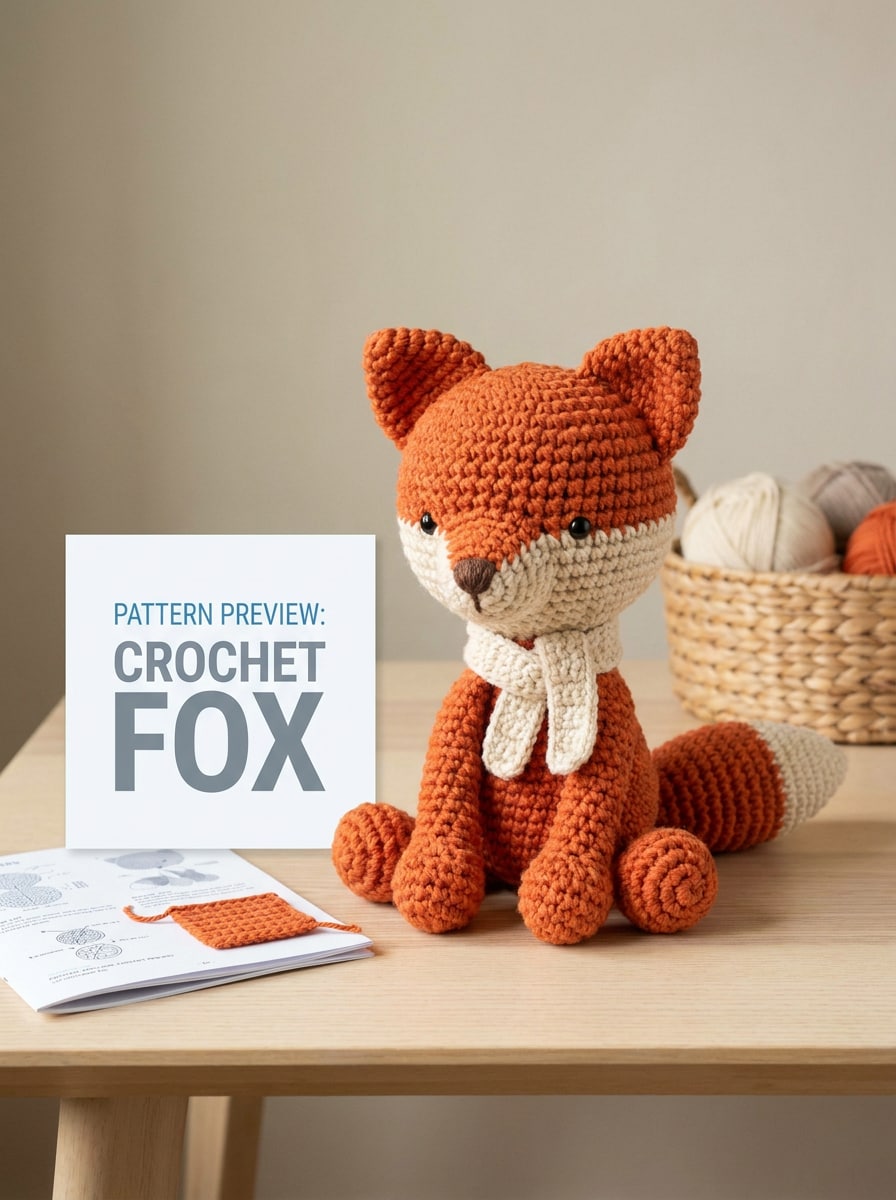
Instruction Preview Mockup
Fox amigurumi displayed as a maker-friendly pattern preview concept, orange and cream yarn, upright pose, clear stitch texture, neat product presentation on a neutral background, balanced studio lighting, realistic handcrafted finish, organized ecommerce-style composition, useful visual reference for planning a crochet project.
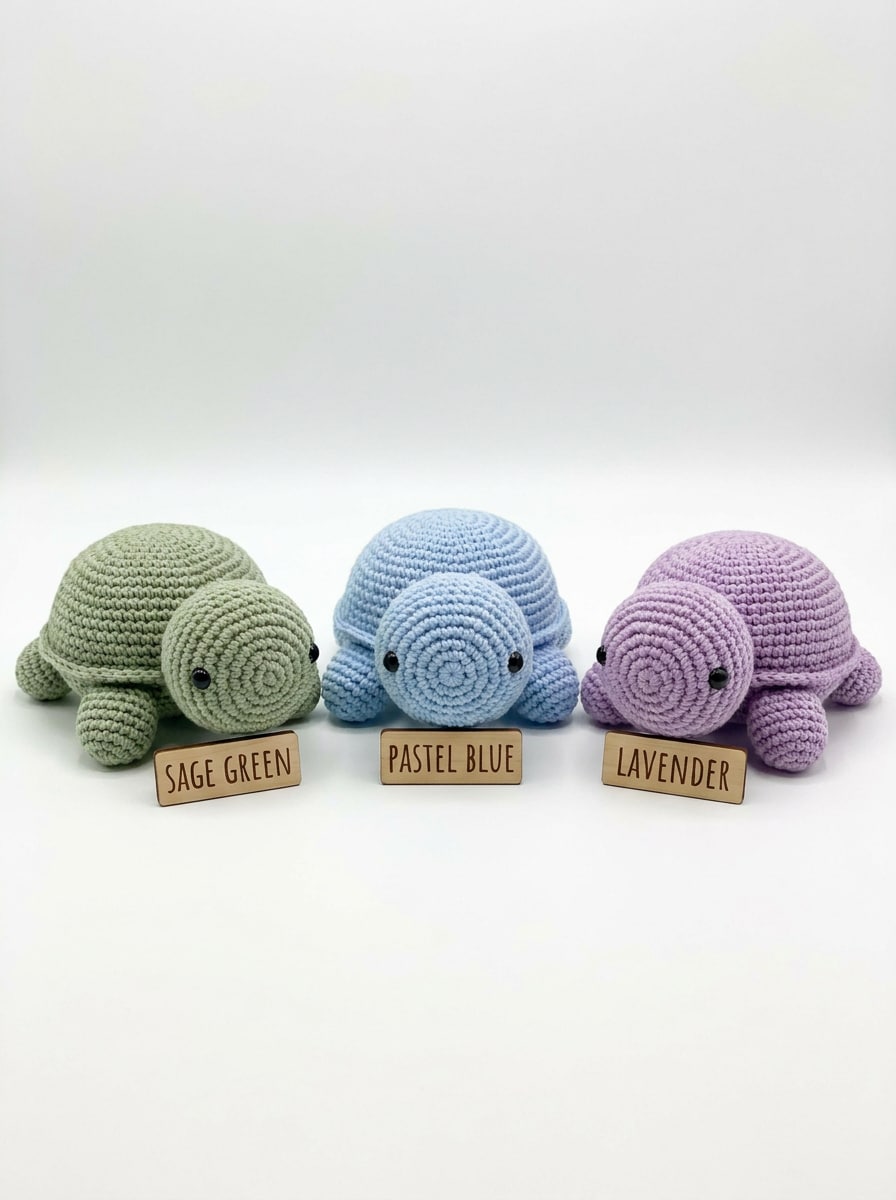
Color Variant Comparison
Three amigurumi turtle plush variations shown side by side in sage green, pastel blue, and lavender yarn, identical design for easy color planning, white background, clean studio layout, soft shadows, visible crochet rows, tidy comparison board feel, bright polished lighting, high-detail texture.
Why Use Media.io for Amigurumi Design Ideas
Turn Crochet Ideas Into Visual Plush Concepts Fast
Media.io helps makers turn a short description into a polished crochet plush concept image in moments, so you can test characters, colors, and proportions before spending time on yarn selection or pattern drafting.
Control Style, Texture, and Kawaii Character Details
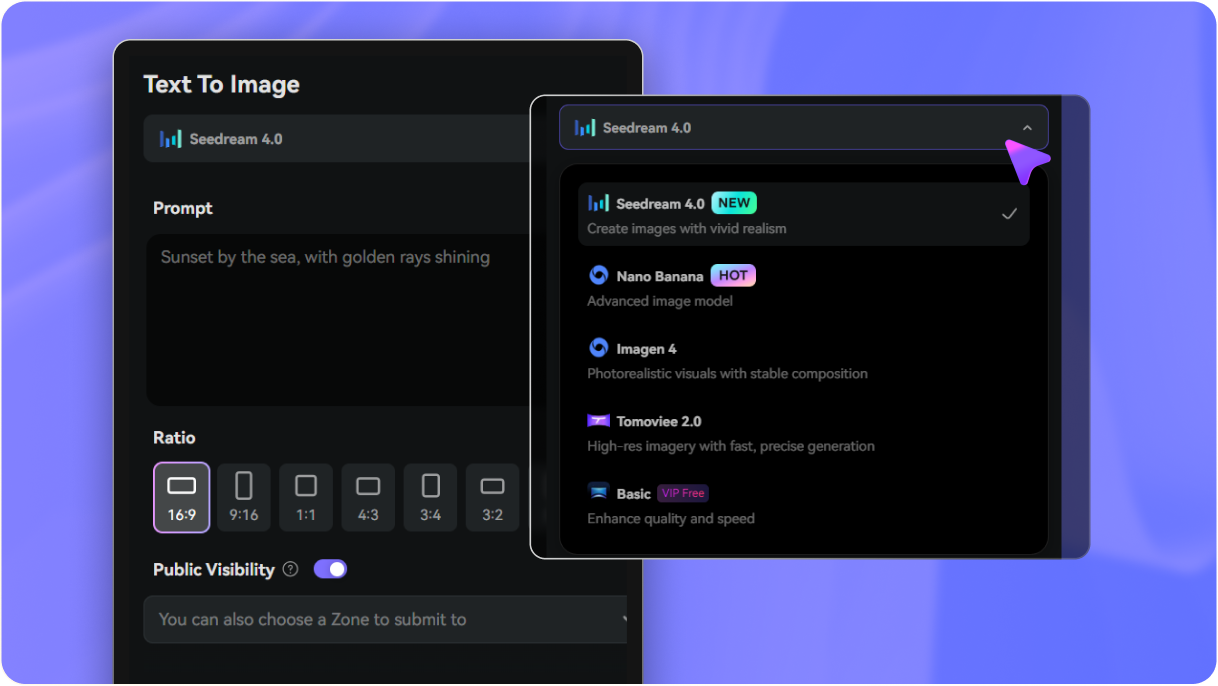
Style often shapes the final choice, and Media.io makes that comparison easier by helping you explore multiple creative directions from the same amigurumi pattern visual base, so selection feels faster and more confident.
Generate High-Resolution Crochet Inspiration When Detail Matters
For amigurumi pattern visuals that need to do more than serve as a quick preview, Media.io can deliver sharper results up to 4K, helping the image stay dependable for practical design work and presentations.
Keep the Workflow Moving Across Devices
Amigurumi pattern visual ideas often start on the go and get refined later at a desk. Media.io keeps the workflow online, so you can return to the same amigurumi pattern maker process without extra installs or setup.
How to Use the Amigurumi Pattern Generator
1
2
3
1
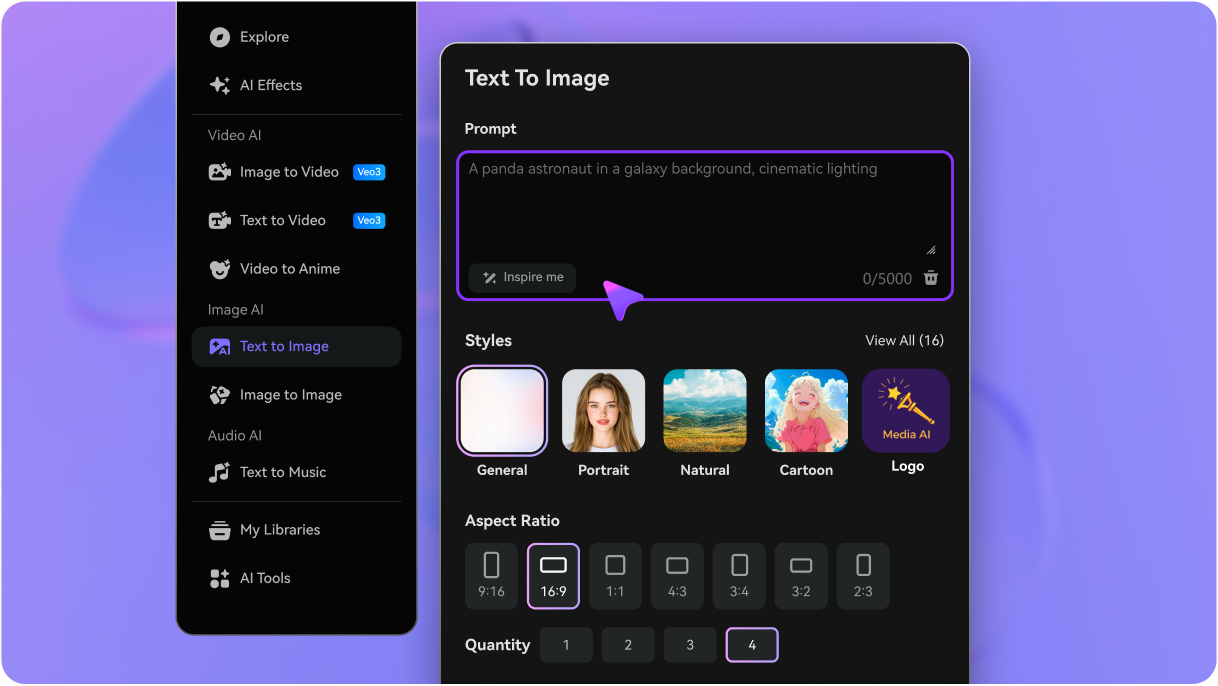
Step 1: Open Media.io Text to Image
Go to AI Text to Image Generator and open the Text to Image tool under AI -> Image Generator. This online tool runs in your browser, so you can start designing crochet plush concepts without installing extra software.
2
Step 2: Enter a Prompt
Type a detailed prompt, such as "cute pastel bunny amigurumi with floppy ears, visible crochet stitches, soft studio lighting, clean cream background." Adjust style and aspect ratio based on whether you want a social post, reference sheet, or product-style mockup.
3
Step 3: Generate, Refine & Download
Click Generate. Tweak your wording, colors, or composition if needed, then download the high-resolution image. Use the result as visual inspiration for planning a plush design, presentation, or custom crochet gift idea.
Unlock the Potential of Amigurumi Patterns Generator
See how creators use this Media.io amigurumi pattern generator for content, marketing, and personal projects, then adapt each idea to fit the brief.
Visualize Custom Crochet Gifts Before You Start
Test animal characters, holiday plush ideas, or personalized toy concepts before choosing yarn and accessories. Media.io helps you present handmade gift ideas to clients, friends, or family with a clear visual direction instead of a rough description.
Build Better Shop Mockups and Social Content
Use polished crochet concept art to plan Etsy-style listings, Pinterest posts, and mood boards. Media.io helps creators present new plush lines, compare themes, and keep branding consistent across seasonal launches with a clear concept image.
Explore Variations for an AI Amigurumi Concept
Try different colors, faces, sizes, and creature types from one idea to compare options quickly. This is especially helpful if you want a cute amigurumi pattern maker reference, a fantasy plush concept, or a playful AI crochet look for inspiration.
What Creators Say
Mia R.
Crochet Shop Owner
"Great for planning new plush lines" I use it to preview colorways and character ideas before I crochet samples. It saves time and helps me decide which designs are worth developing further.
Jasmine T.
DIY Content Creator
"Easy way to brainstorm cute toy concepts" The prompts are simple to write, and the crochet texture comes through surprisingly well. I like that it is useful for visual inspiration without pretending to replace a full written pattern.
Leo C.
Gift Designer
"Helpful for custom commission previews" When clients describe a plush idea vaguely, I generate a few concepts and show them options. It makes approvals faster and gives us a clearer direction before any handmade work begins.
Sophie W.
Beginner Crocheter
"Useful inspiration for first projects" I wanted a simple amigurumi patterns generator style tool for ideas, and this worked well. It helped me picture shapes, colors, and overall vibe before searching for a real crochet pattern.
1. Can AI make an amigurumi pattern from a text prompt?
Media.io can generate amigurumi-style concept images from a text prompt, which is useful for visualizing plush characters, colors, and overall design direction. It is best treated as inspiration for planning and reference, not as a guaranteed stitch-by-stitch crochet pattern writer.
2. Is this amigurumi pattern generator free to use?
Yes, free users can try Media.io with free credits. If you need more generations or extra benefits, you can check the pricing page. Free outputs may include a watermark, while paid plans support watermark-free high-resolution downloads.
3. Does it create crochet instructions or just an image concept?
This tool is designed to create visual concept images rather than full crochet instructions. That makes Media.io useful if you want to explore plush shapes, yarn colors, kawaii styling, or mockups first, then turn the chosen concept into a handmade project using your own pattern-writing process.
4. How do I write a good prompt for an amigurumi generator?
Start with the subject, then add details like yarn color, character style, facial expression, background, lighting, and photo angle. For example: "small pastel blue turtle amigurumi, visible crochet stitches, cute embroidered face, centered on white background, soft daylight, product photo." Clear English prompts usually help Media.io produce more precise crochet-inspired results.
5. Can I generate high-resolution crochet images for printing or sharing?
Media.io supports 1K, 2K, and 4K image generation, so you can create sharper crochet concept visuals for sharing, presentations, or print-friendly reference use. It also offers multiple aspect ratios, which helps when you want one design adapted for social posts, covers, or boards. Free users may have watermarks.
6. Does the tool work on mobile and desktop?
Media.io is web-based, so it works on phones, tablets, laptops, and desktop computers through a browser. That makes it easy to generate crochet concept art from your craft room, edit from a computer, or save ideas on the go.