Seasonal Color Analysis AI for Fast Selfie-Based Palette Matching
Upload a selfie to explore seasonal color analysis AI results with palette previews, draping-style comparisons, and practical beauty guidance. Media.io helps you check what colors suit me, try a color analysis workflow, and get a fast seasonal color analysis from photo experience online. It can also help with personal color analysis AI.
Review these example directions, then customize the details to get stronger results from Media.io’s Seasonal Color Analysis AI. This setup works well for best colors for me AI.
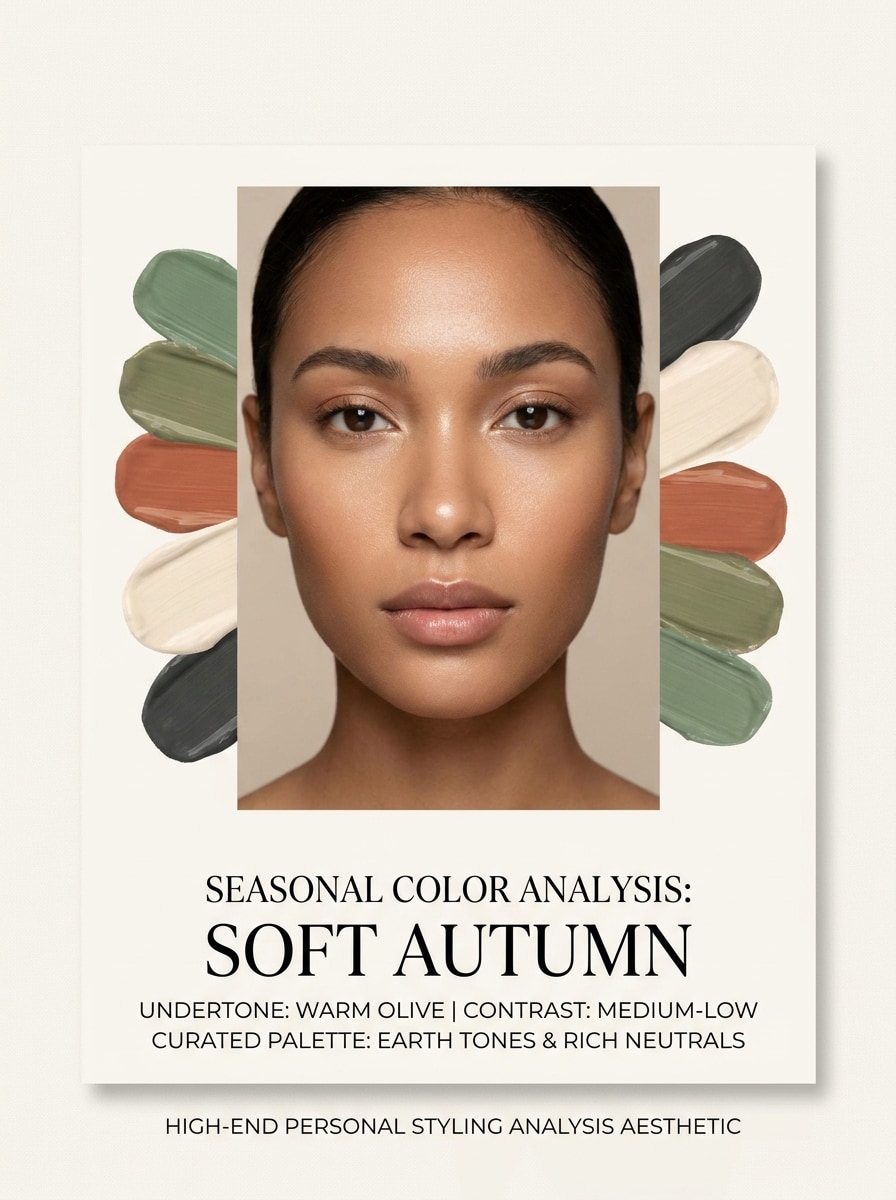
Clean Selfie Analysis Card
Use the uploaded image as the subject and transform it into a polished beauty consultation card. Keep realistic skin tone and facial features, place the portrait centered with soft neutral lighting, add labeled seasonal result, undertone notes, and elegant palette swatches around the face, clean editorial layout, minimal ivory background, premium diagnostic aesthetic.
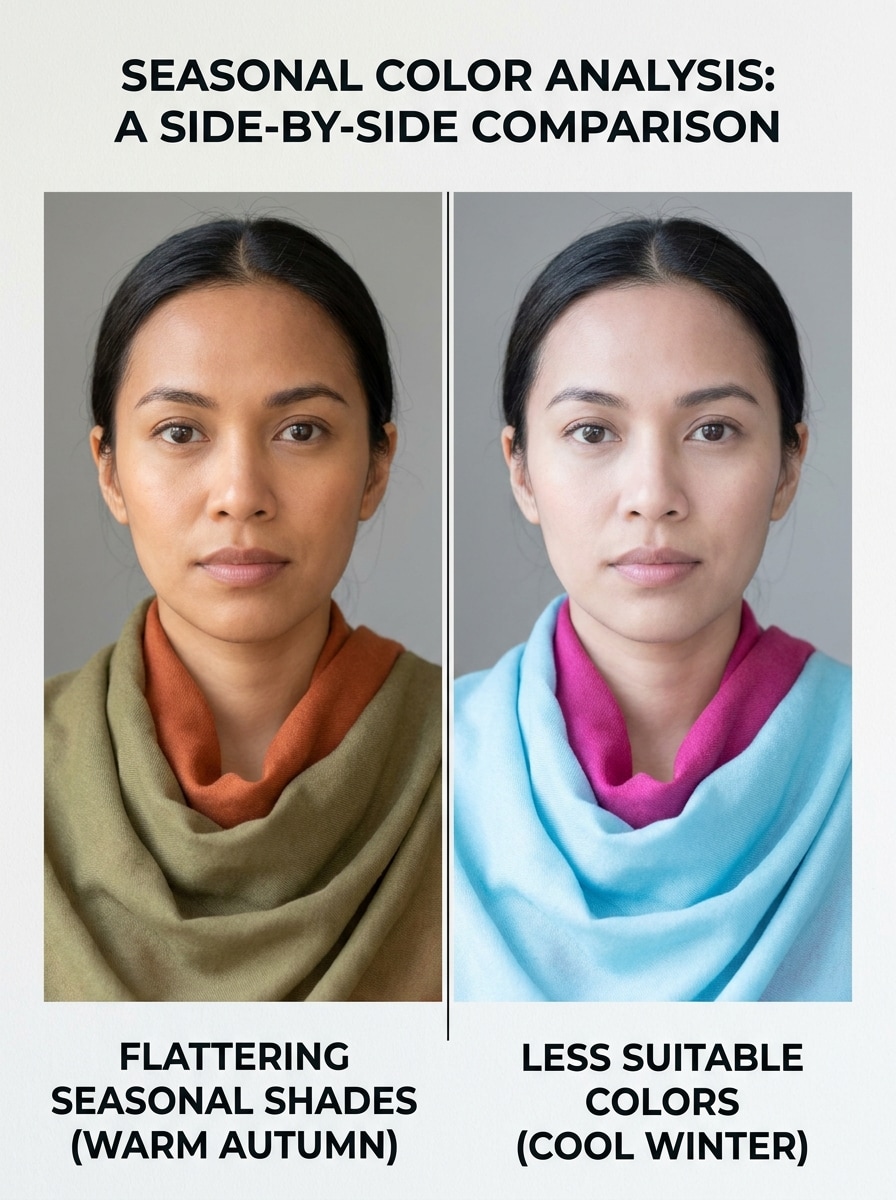
Before-and-After Color Draping
Use the uploaded image as the subject and create a side-by-side draping comparison. Keep the same face, pose, and natural expression in both panels, show flattering colors on one side and draining colors on the other, realistic skin response, beauty-consultation labels, balanced daylight lighting, clean split layout, informative and trustworthy mood.
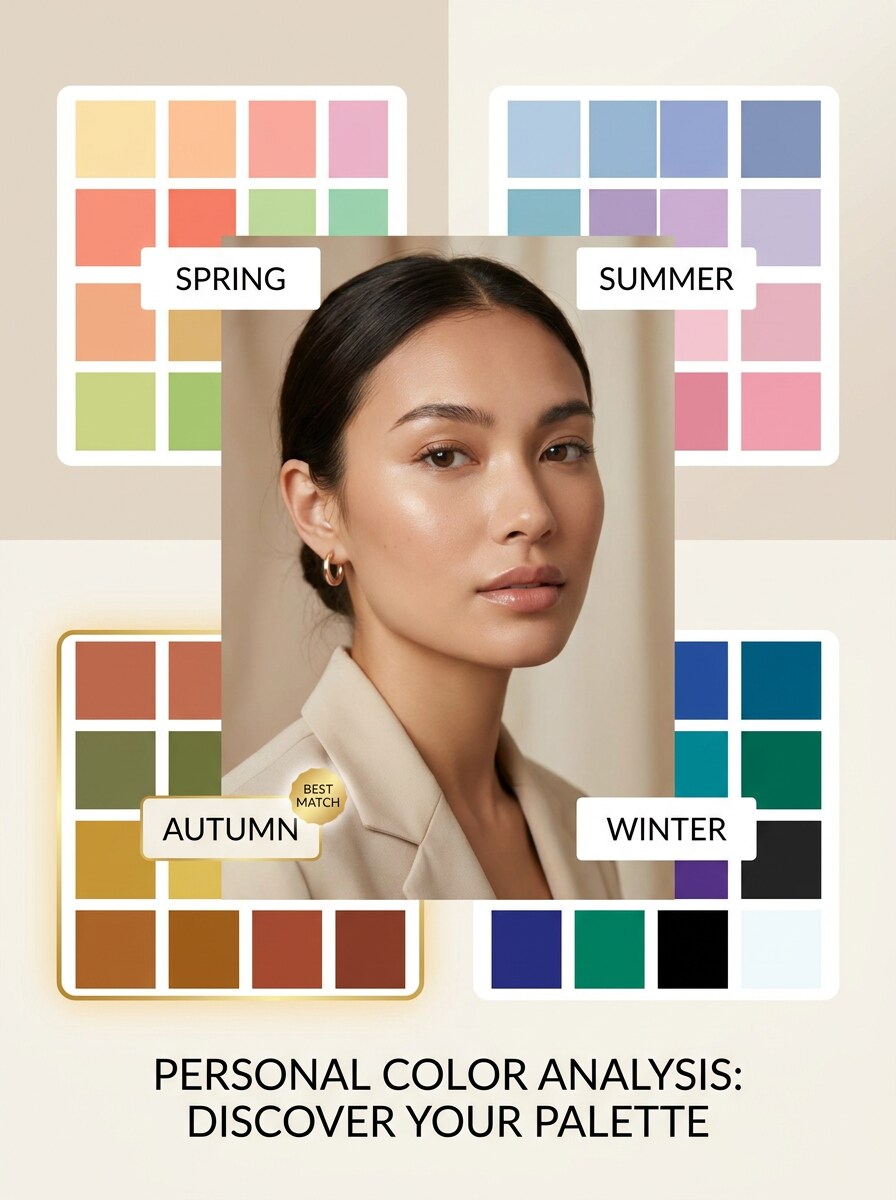
4-Season Palette Board
Use the uploaded image as the subject and build a modern seasonal palette board. Place the portrait prominently, display Spring, Summer, Autumn, and Winter swatches in a clean infographic layout, highlight the best match with a refined frame, use soft editorial lighting, neutral background, readable labels, stylish fashion-beauty presentation.
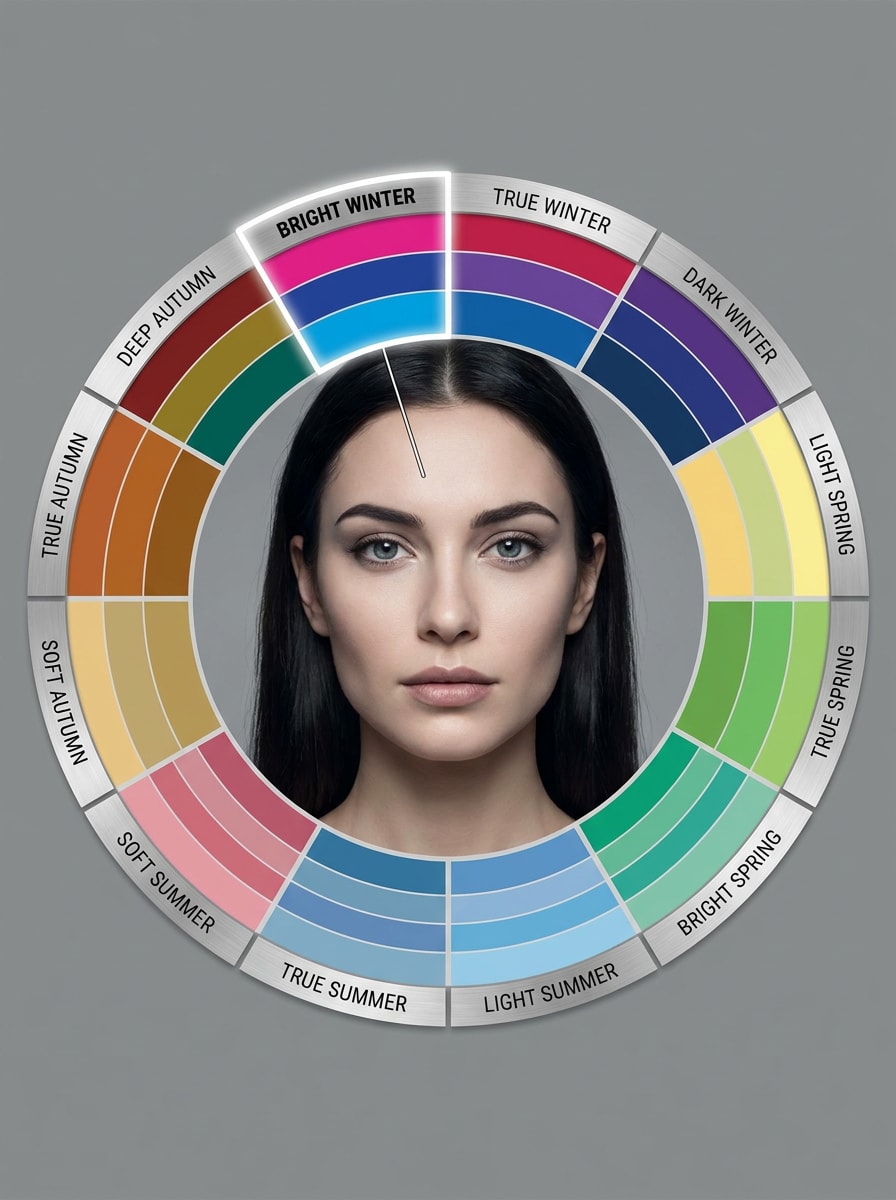
12-Season Subtype Chart
Use the uploaded image as the subject and turn it into a detailed 12-season subtype analysis chart. Keep realistic facial detail, add clearly labeled segments such as Soft Summer, Bright Winter, and Deep Autumn, highlight the likely subtype, use tidy editorial graphics, calm neutral tones, and a precise consultation-style layout.
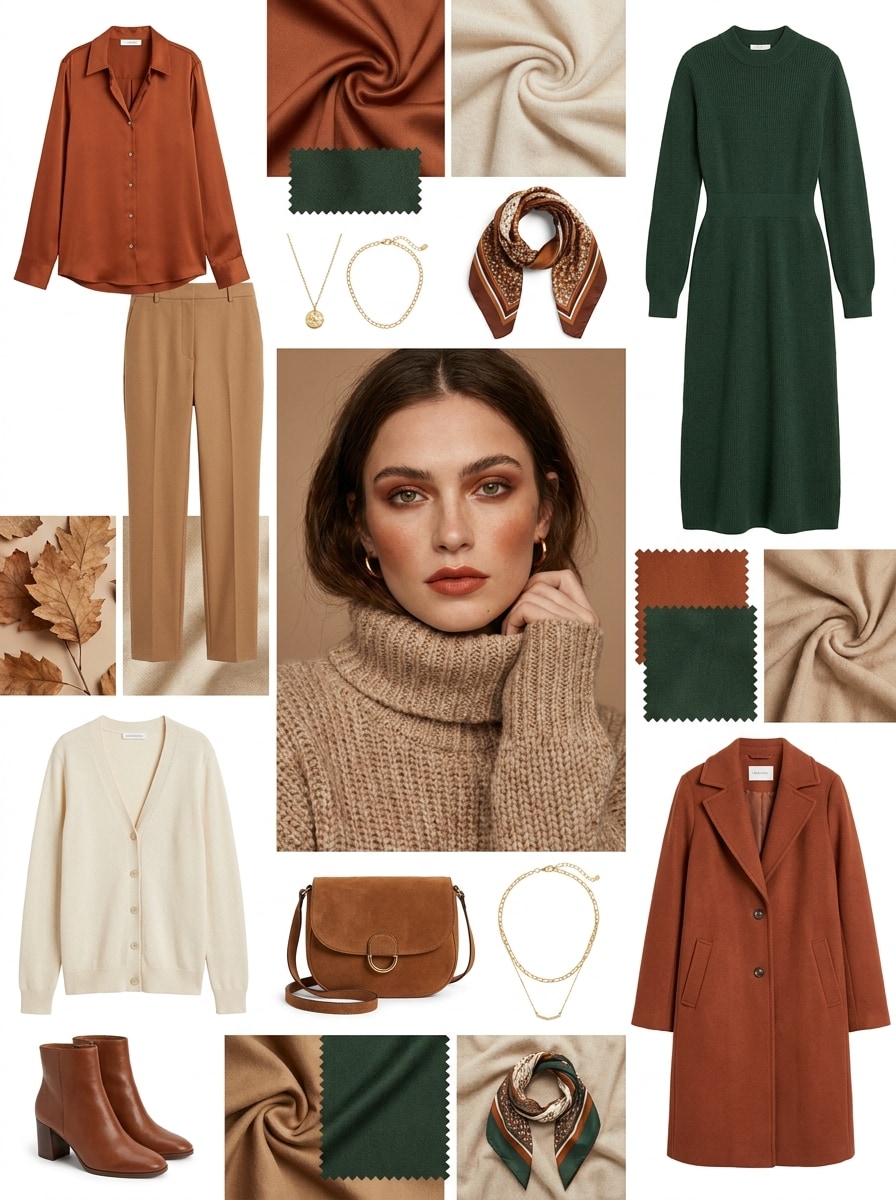
Outfit Recommendations by Season
Use the uploaded image as the subject and create a fashion recommendation moodboard based on the detected color season. Show coordinated outfit pieces, tops, dresses, and accessories in harmonious shades, keep the face recognizable, use clean editorial composition, soft luxury lighting, wearable styling, and a polished e-commerce presentation.
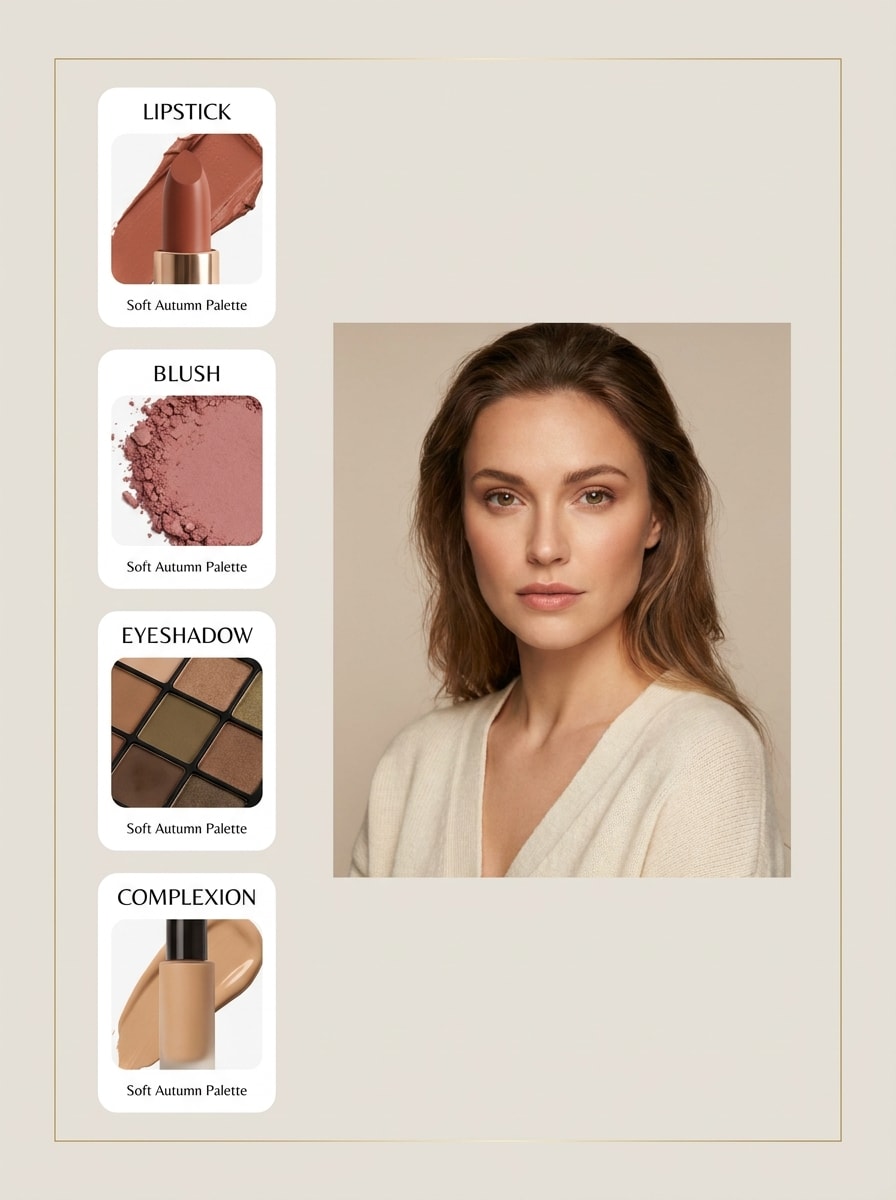
Makeup Shades Match
Use the uploaded image as the subject and produce a beauty recommendation board with makeup shades matched to the person's seasonal palette. Include lipstick, blush, eyeshadow, and undertone-friendly complexion suggestions, preserve realistic skin tone, use clean product-card styling, soft studio lighting, and an elegant beauty-counter mood.
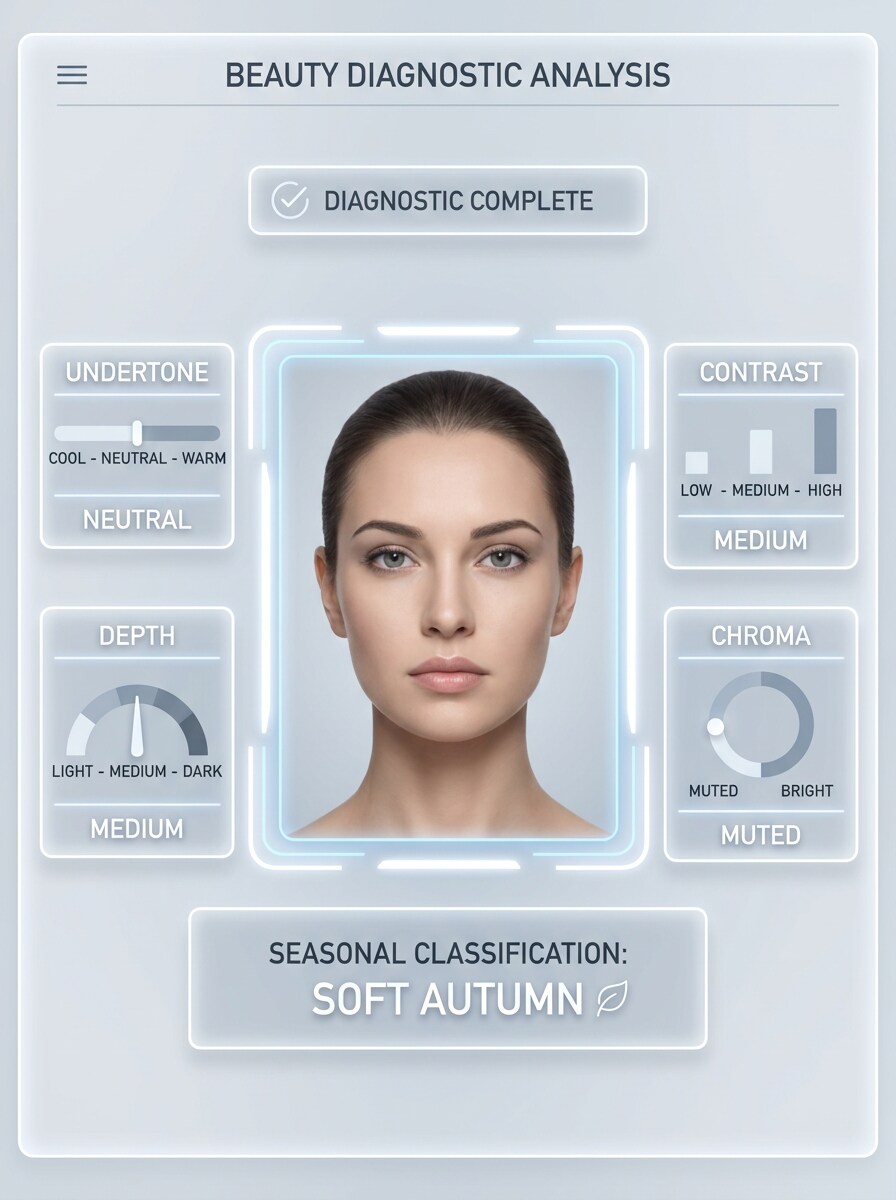
Undertone Detection Overlay
Use the uploaded image as the subject and create a UI-style analysis screen explaining the color result. Overlay clear indicators for undertone, contrast, depth, and chroma, add a final seasonal classification, keep the portrait realistic and centered, use precise labels, cool-white interface lighting, and a trustworthy app-style design.
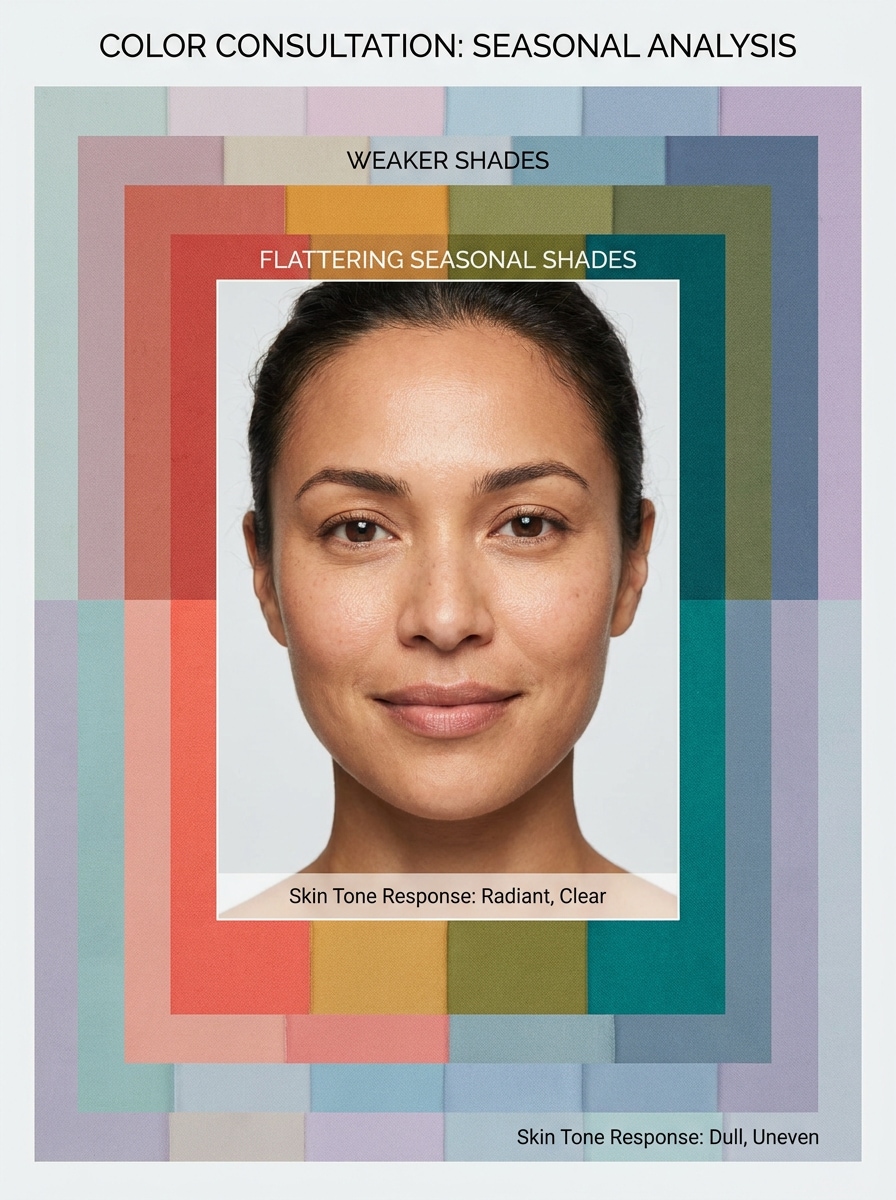
Face Framing Best Colors
Use the uploaded image as the subject and create a portrait with multiple color frames surrounding the face. Highlight the strongest seasonal shades, fade weaker options, preserve realistic skin response and facial identity, use bright clean lighting, minimal background, and a beauty-consultation layout focused on immediate visual comparison.
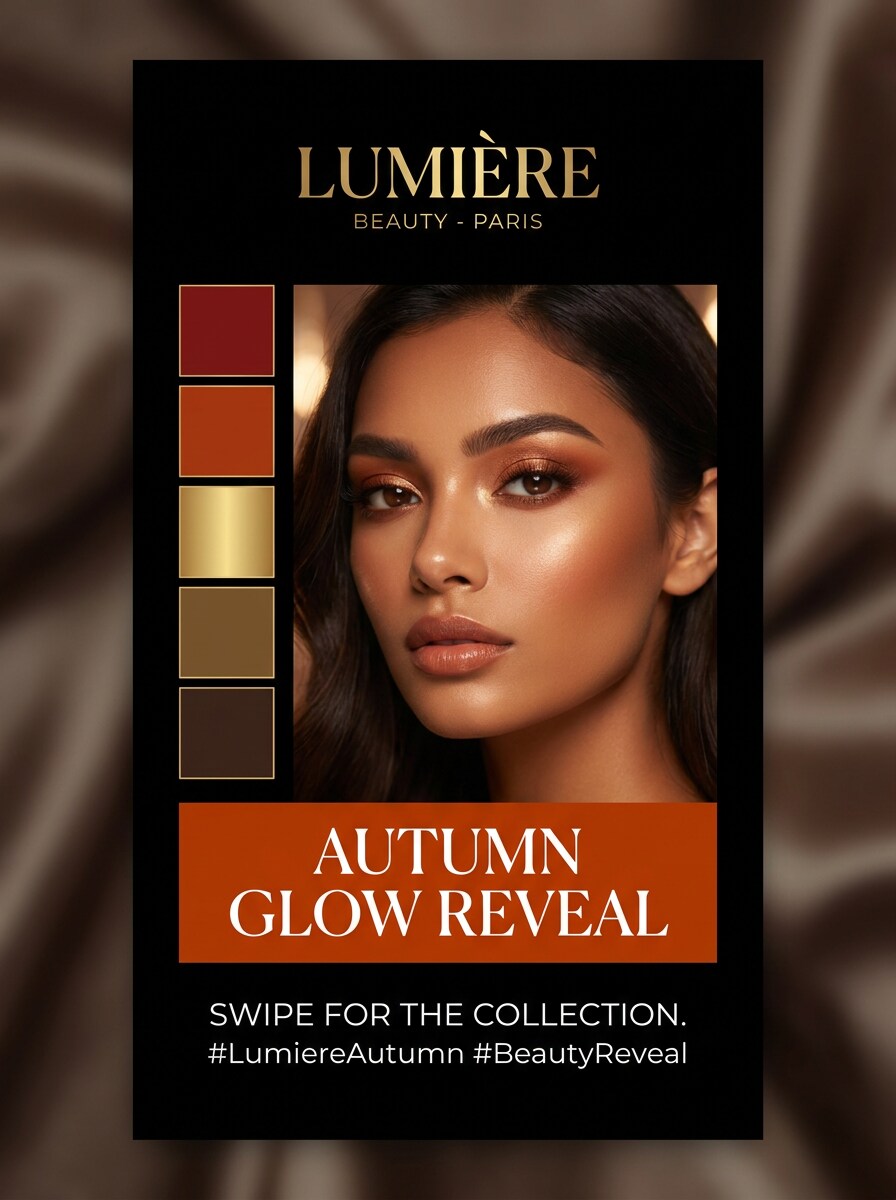
Season Reveal Carousel
Use the uploaded image as the subject and transform it into a mobile-first social reveal cover. Add a bold seasonal label, refined palette swatches, premium beauty branding, readable text placement, vertical composition, strong focal portrait, soft glamorous lighting, and a shareable polished look designed for reels or carousel posts.
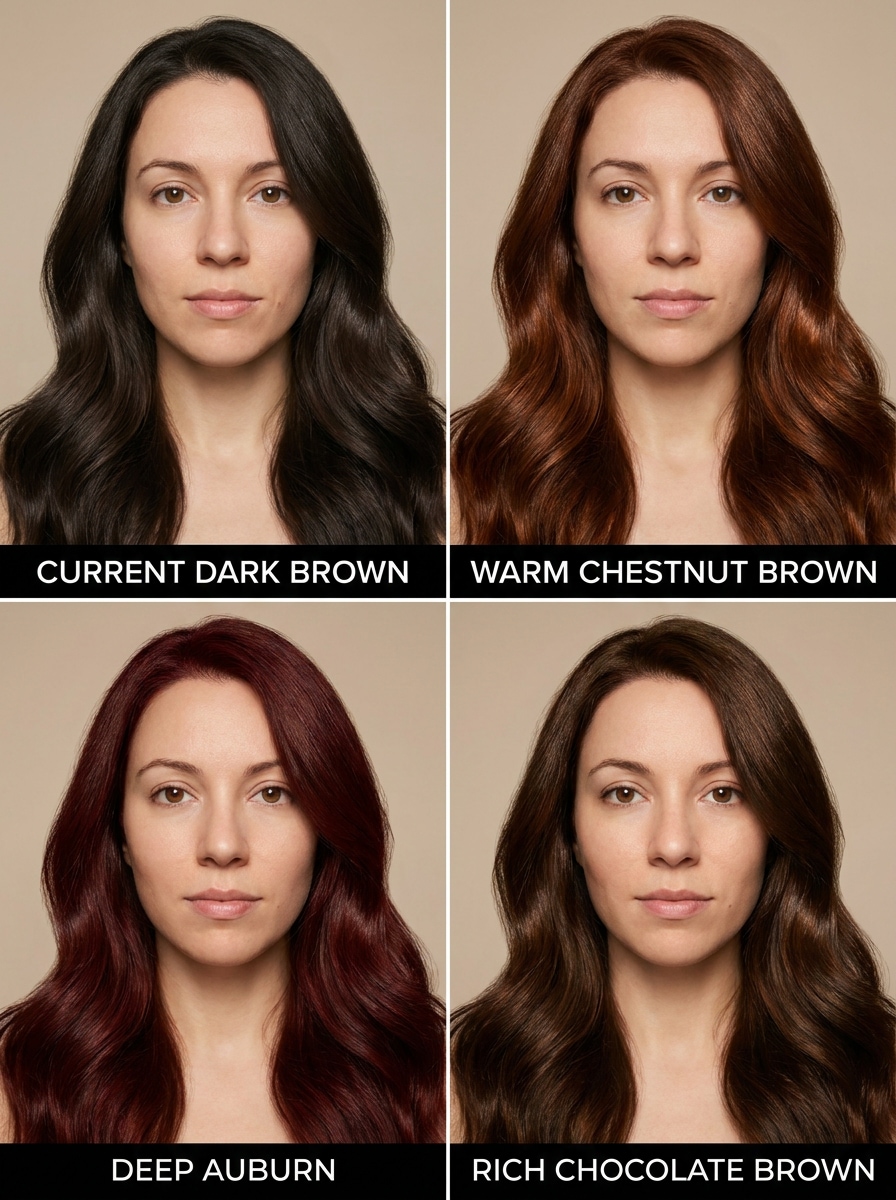
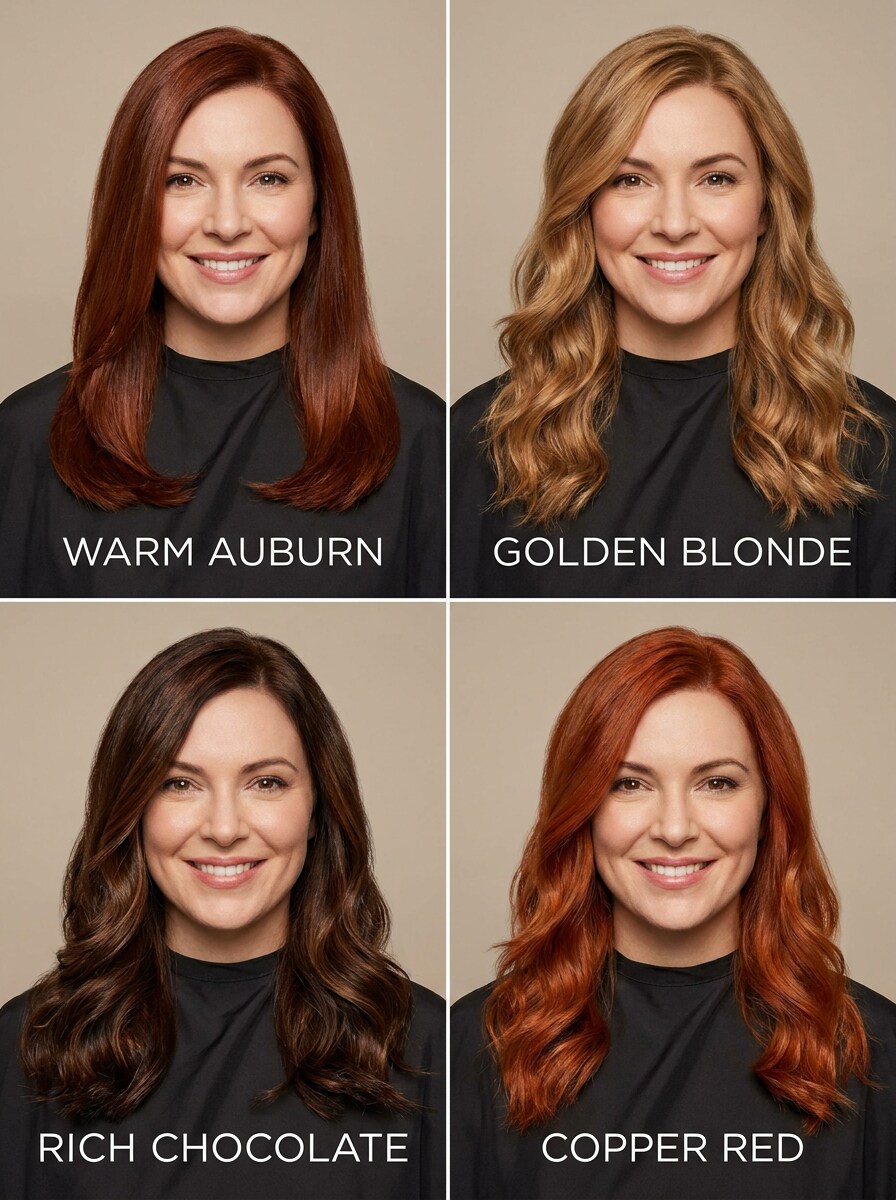
Hair Color Preview by Season
Use the uploaded image as the subject and generate a multi-panel salon consultation preview with flattering hair color options based on the detected season. Preserve facial identity, show realistic hair texture and shine, clean labels, soft studio lighting, neutral background, and a professional beauty advisory mood.
Why Use Media.io for Personal Color Season Visuals
Keep the Subject Recognizable in New Styles
Media.io lets you upload a simple portrait and generate polished analysis-style visuals with palette swatches, draping comparisons, and undertone cues.
Keep Your Face Recognizable Across Style Tests
When style is part of the decision-making, Media.io helps you compare multiple directions from the same seasonal color analysis visual base, which makes creative selection more efficient.
Generate Cleaner Output Up to 4K
When a seasonal color analysis visual is headed for real publishing use, Media.io gives you sharper output up to 4K, which helps the image stay clear across presentations, backgrounds, and reused assets.
Work Quickly on Any Device With a Browser
Across desktop and mobile, Media.io keeps the workflow browser-based so you can review drafts, refine prompts, and continue your color analysis AI process without being tied to one device.
How to Use Seasonal Color Analysis from a Selfie
Turn your words into stunning visuals in three simple steps, then continue refining the result if you want to take it further.
Step 1
Upload Your Reference Image
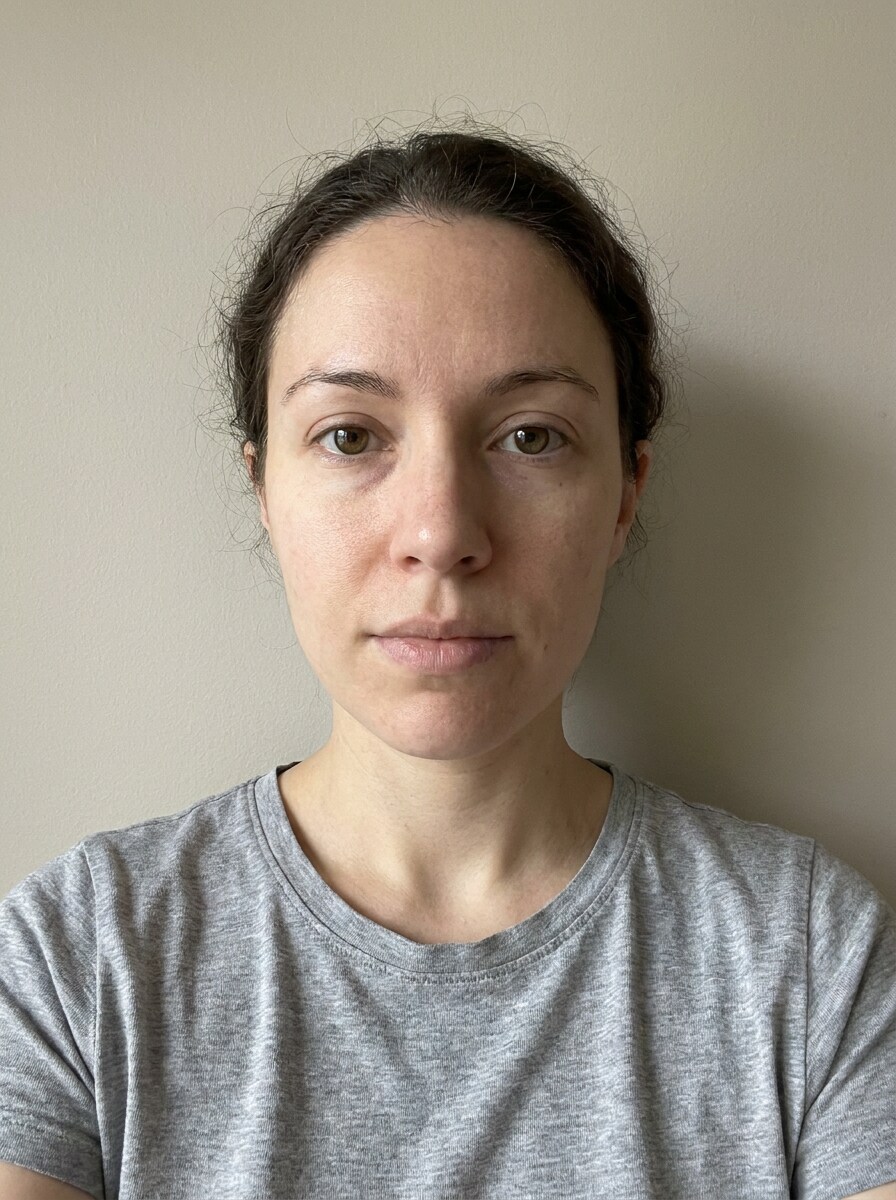
Start with a clear selfie, portrait, or beauty photo in JPG, PNG, or JPEG format. A front-facing image with even lighting and visible skin tone gives Media.io a better reference for color-season visuals, draping comparisons, and palette-based recommendations.
Step 2
Describe the Change and Set Options
Enter a prompt describing the analysis style you want, such as a 4-season chart, 12-season subtype board, makeup palette, or outfit preview. Then choose your model and set aspect ratio, resolution, and image count to match your preferred output.
Step 3
Generate, Download, and Keep Improving
Create multiple variations, compare which result explains your palette most clearly, and download the version you like best. You can refine the prompt, try a cleaner selfie, or generate new boards for fashion, makeup, or hair color ideas.
See how creators use this Seasonal Color Analysis AI for content, marketing, and personal projects, then adapt each idea to fit the brief.
Build a Smarter Wardrobe Plan
Create palette boards and draping previews before shopping for clothes, accessories, or workwear. Media.io helps you narrow down tones that brighten your complexion and answer the everyday question of which shades make you look more polished.
Test Beauty Looks Before Buying Products
Use portrait-based makeup and hair color previews to compare lip tones, blush families, browns, blondes, or richer shades. Media.io gives you a practical way to explore what colors suit me in cosmetics and salon choices without relying on guesswork alone.
Create Shareable Season Reveal Content
Design elegant analysis cards, vertical reveal covers, and before-and-after color comparisons for TikTok, Reels, or Pinterest. If you want a more visual color analysis AI result than a text-only answer, Media.io makes your season easier to explain and share.
What Users Say About This Color Season Workflow
Maya R.
Beauty Content Creator
"Great for visual season reveals" I liked that I could upload one selfie and generate several seasonal boards instead of reading a vague text result. The draping-style comparisons made it much easier to explain why some shades worked better on camera.
Jordan T.
Personal Stylist
"Useful for client-friendly previews" The reference-image workflow is helpful because the face stays recognizable while the color presentation changes. I can mock up palette cards, outfit suggestions, and hair previews much faster for early consultations.
Elena C.
Fashion Shopper
"Helped me narrow down flattering colors" I wanted a quick way to test my palette from a photo, and this gave me clear visual options. It was especially useful for comparing warm versus cool looks before buying new tops and makeup.
Sophie L.
Social Media Manager
"Good for polished mobile-first graphics" The vertical layouts worked well for shareable reveal posts. I could generate a season card, adjust the prompt, and download a cleaner version without starting over in a separate design tool.
Seasonal color analysis AI is a photo-based workflow that turns a selfie into visuals such as palette cards, draping comparisons, and season-style recommendations. In Media.io, you upload a reference image and generate edited analysis boards that support a personal color review with clearer before-and-after visuals.
2. How does AI determine my color season from a photo?
Media.io uses your uploaded image as a reference and generates visuals that highlight factors people use in seasonal color evaluation, such as undertone, contrast, depth, and how different shades interact with the face. Instead of giving only a single label, Media.io helps you compare image-based palette directions so you can better judge which colors fit best.
3. Can I use seasonal color analysis AI for free?
Media.io offers free credits for new users, so you can try the workflow before upgrading. If you need more generations, extra credits, or watermark-free high-resolution downloads, you can review paid plan options on the pricing page.
4. How accurate is an AI color season test?
Accuracy depends heavily on the source photo and prompt quality, but Media.io works best when you provide a clear, evenly lit selfie. Harsh shadows, heavy filters, or extreme makeup can make the result less useful, so Media.io is best used as a fast visual aid for comparing palette directions rather than a replacement for an in-person consultation.
5. What kind of selfie works best for AI personal color analysis?
The best selfie is front-facing, sharp, and evenly lit, with your skin tone clearly visible and the background kept simple. For Media.io, a clean portrait in JPG, PNG, or JPEG format usually works better than a filtered image, dim lighting, or a photo with a strong color cast.
6. Can the tool identify 12-season types or only Spring, Summer, Autumn, and Winter?
You can prompt Media.io to generate both broad 4-season visuals and more detailed subtype boards, including 12-season style layouts. That means you can start with Spring, Summer, Autumn, and Winter, then refine the result into more specific categories for a deeper palette breakdown.
Beyond AI-Powered Online Seasonal Color Analysis AI