Unmatched Garment & Detail Preservation
Keep every detail intact. Our advanced AI model preserves the exact fabric texture, print, color, logo placement, and garment shape while mapping it seamlessly onto real human models.
 Nano Banana Pro
 立即释放你的创造潜力,体验Media AI的魔力!
Transform flat-lay, hanger, or ghost mannequin garment photos into stunning, realistic on-model fashion images. Media.io preserves your clothing's original color, fabric, and details while letting you prompt custom models, poses, and backgrounds—no expensive photoshoots required.
| Flat Lay to Model Styles | Flat Lay to Model AI Prompts | Before | After | Copy |
|---|---|---|---|---|
|
Flat Lay to Model 01 • Studio Fashion
#flatlaytomodel
#studio
#fashion
|
Flat lay to model. Use the uploaded flat-lay clothing image as the exact garment reference and transform the clothing into a realistic outfit worn by a full-body fashion model. Preserve the original garment design, fabric, color, texture, stitching, collar, cuffs, pockets, buttons, waistband, drawstrings, proportions, and all visible details with high accuracy. The clothes should fit naturally on the body with realistic folds, draping, tension, and fabric volume. Model standing casually with hands in pockets, relaxed confident pose, clean white sneakers, neutral expression. Minimal professional photo studio, seamless warm-gray backdrop, softbox lighting, subtle floor shadows, premium e-commerce fashion campaign, realistic skin and anatomy, 50mm lens, crisp details, photorealistic. No flat-lay clothes, no comparison layout, no text, final model image only. |
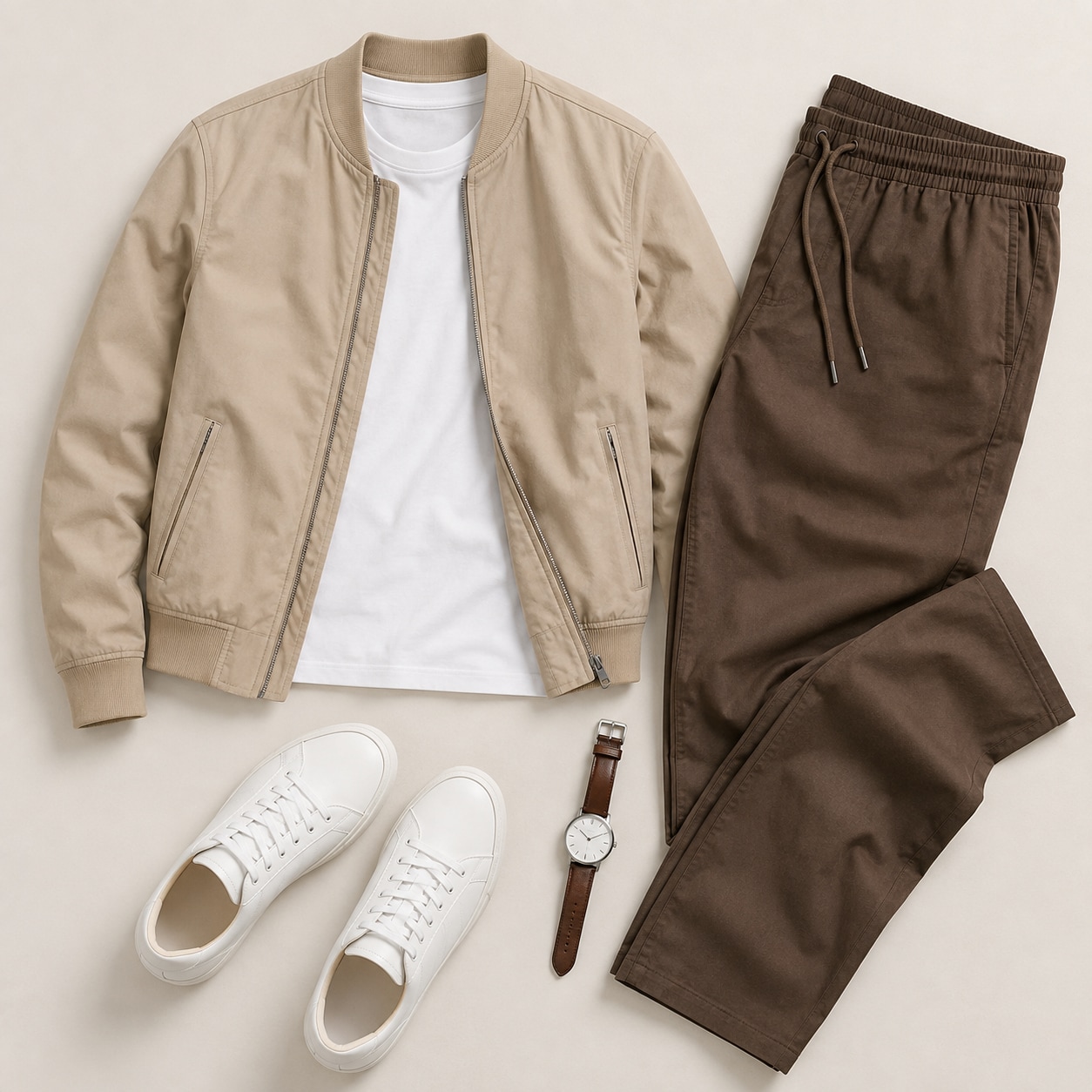
|
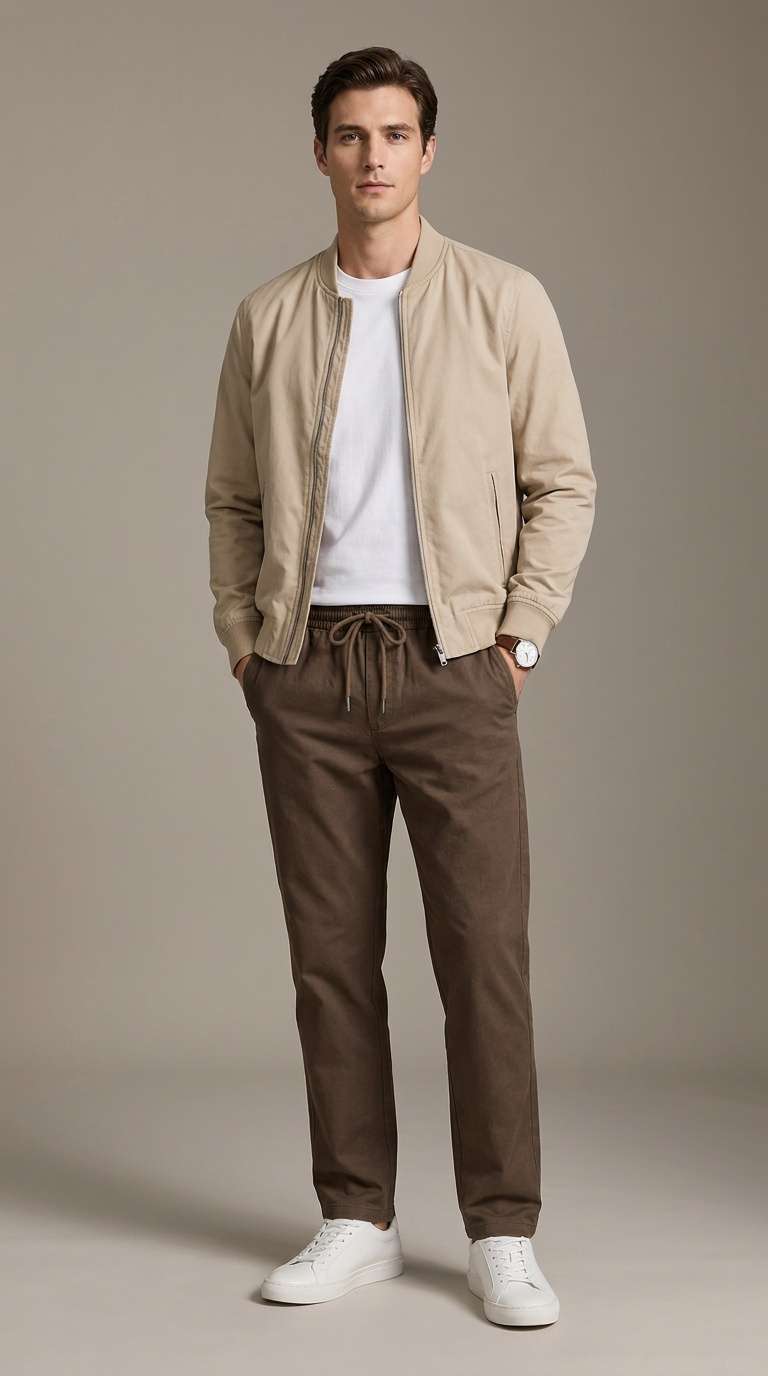
|
|
|
Flat Lay to Model 02 • Lifestyle Editorial
#flatlaytomodel
#lifestyle
#editorial
|
Flat lay to model. Convert the uploaded flat-lay outfit into a complete realistic look worn naturally by a fashion model, using the source clothing as the exact product reference. Maintain the garment’s original colors, patterns, materials, silhouette, length, layering, seams, closures, and accessories without redesigning them. Create realistic body-fitting behavior, natural wrinkles, fabric weight, sleeve folds, and movement. Place the model in a stylish lifestyle environment that complements the outfit—modern city street, minimalist architecture, or soft outdoor setting—with a relaxed editorial pose and natural expression. Soft cinematic daylight, shallow depth of field, realistic shadows, premium catalog photography, contemporary fashion campaign aesthetic, full-body composition, highly detailed, photorealistic. No floating garments, no product cutouts, no before-and-after graphics, final dressed-model image only. |
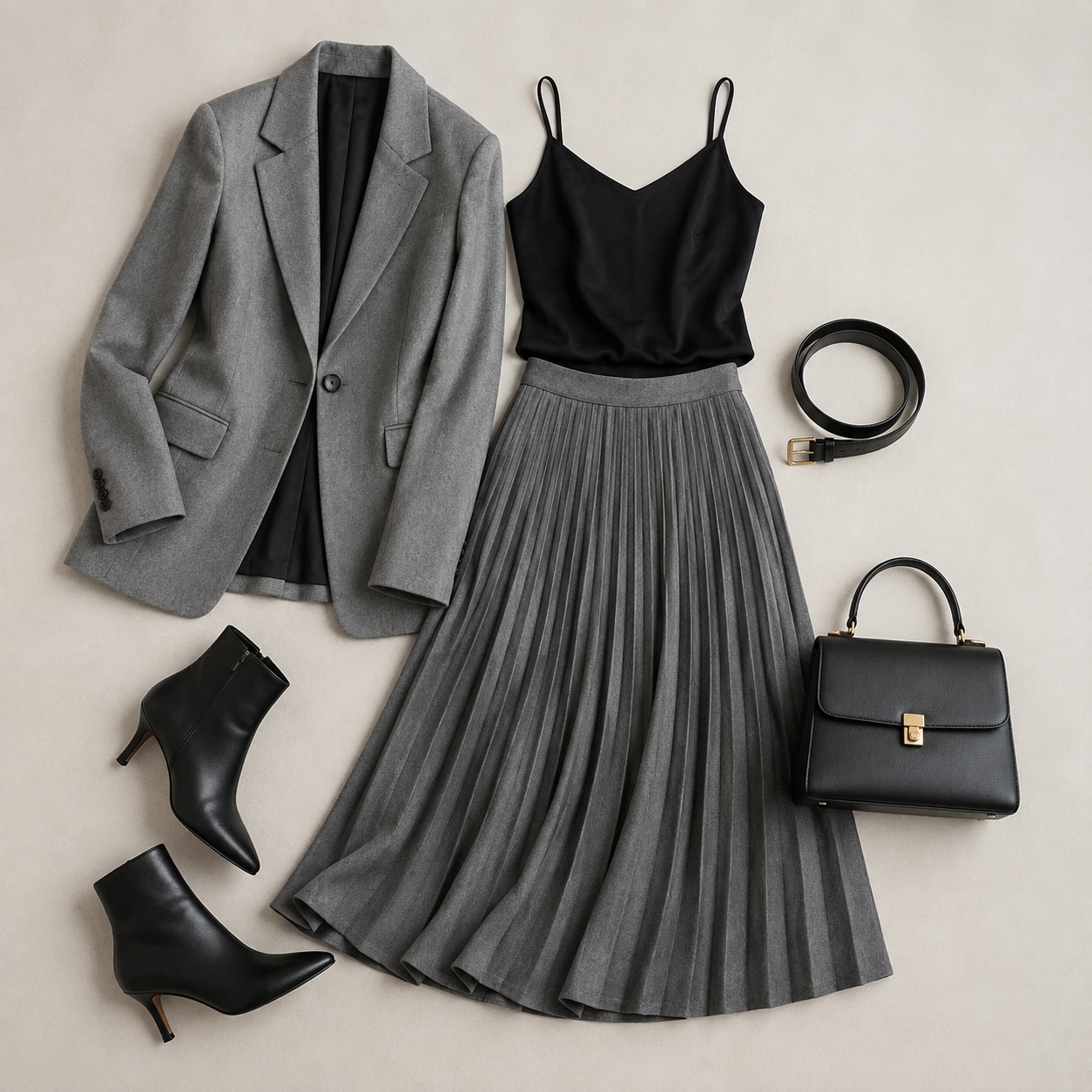
|
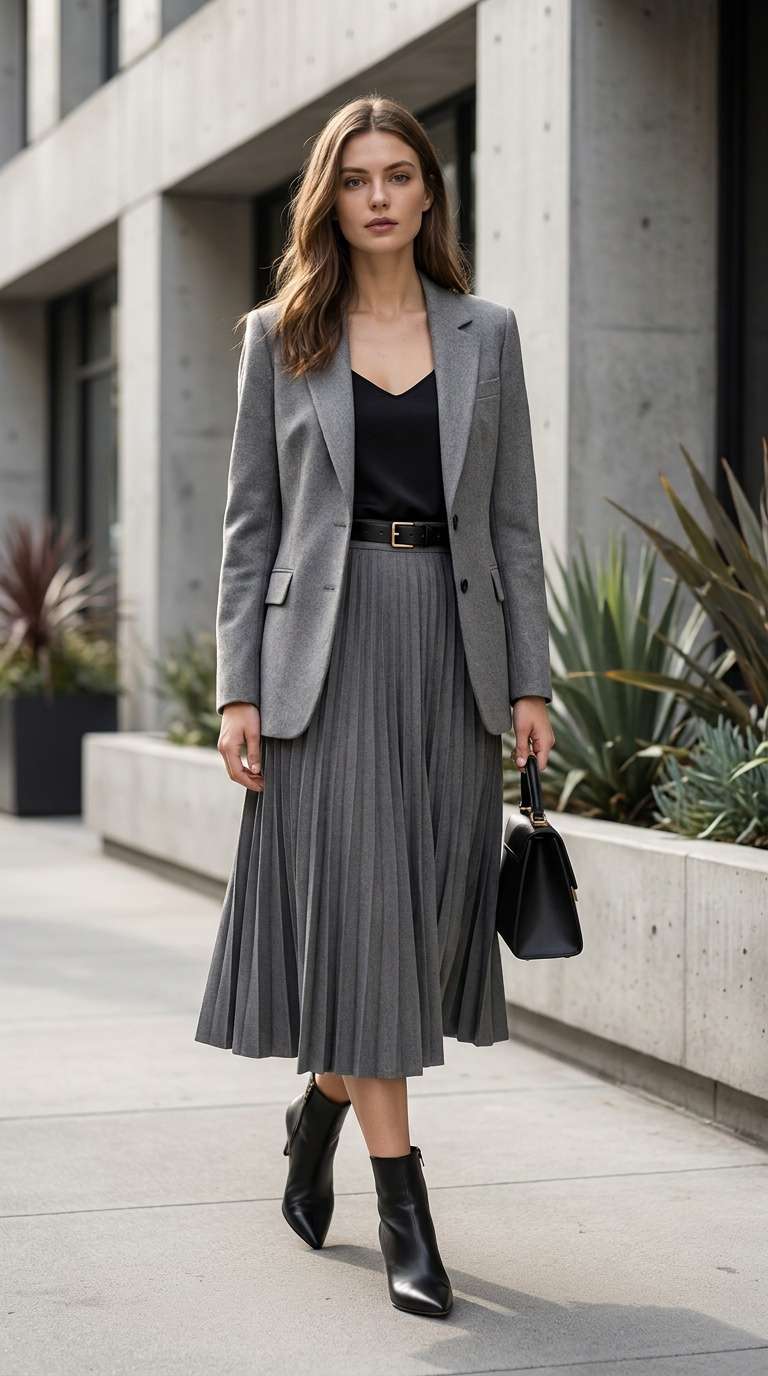
|
|
|
Flat Lay to Model 03 • E-Commerce Studio
#flatlaytomodel
#ecommerce
#photorealistic
|
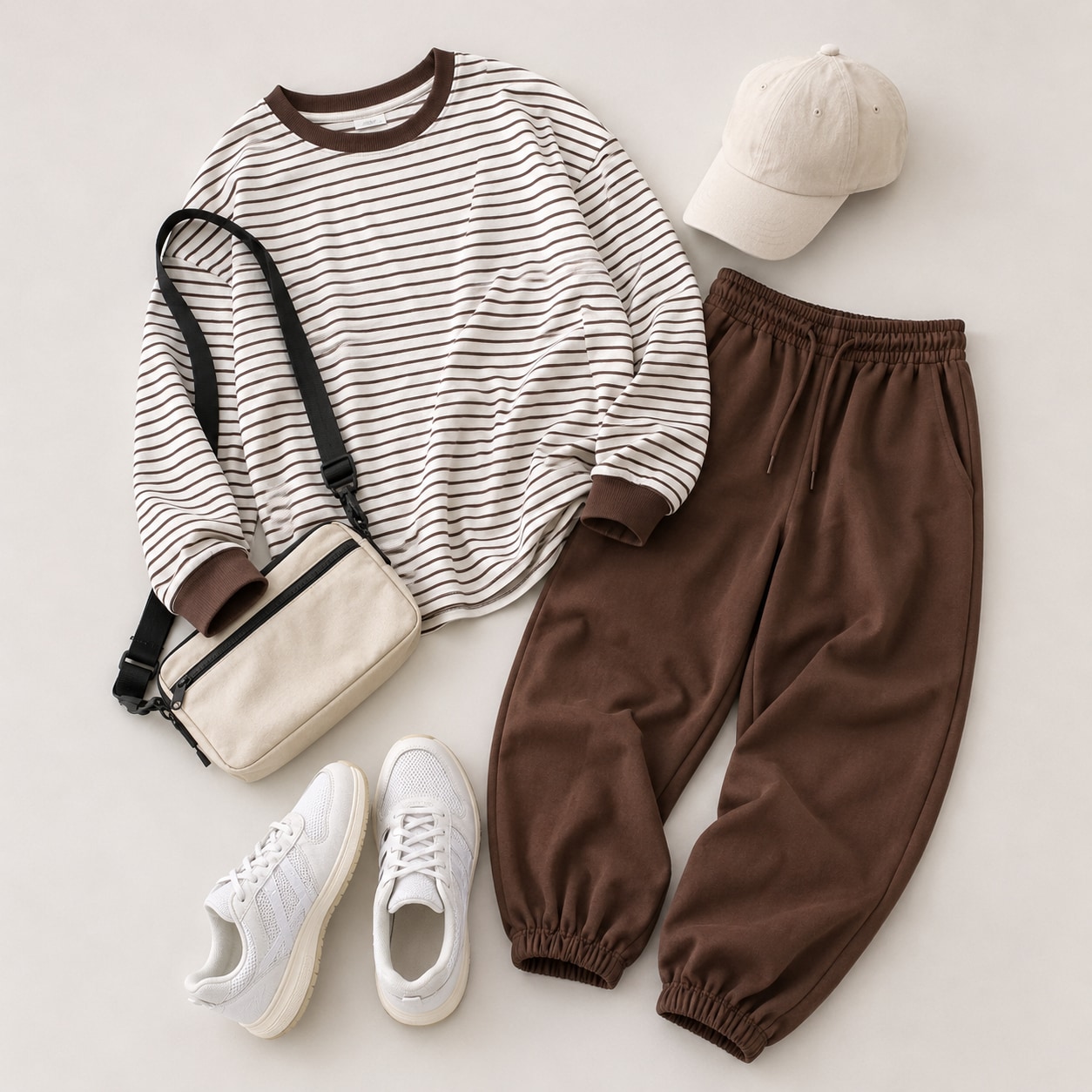
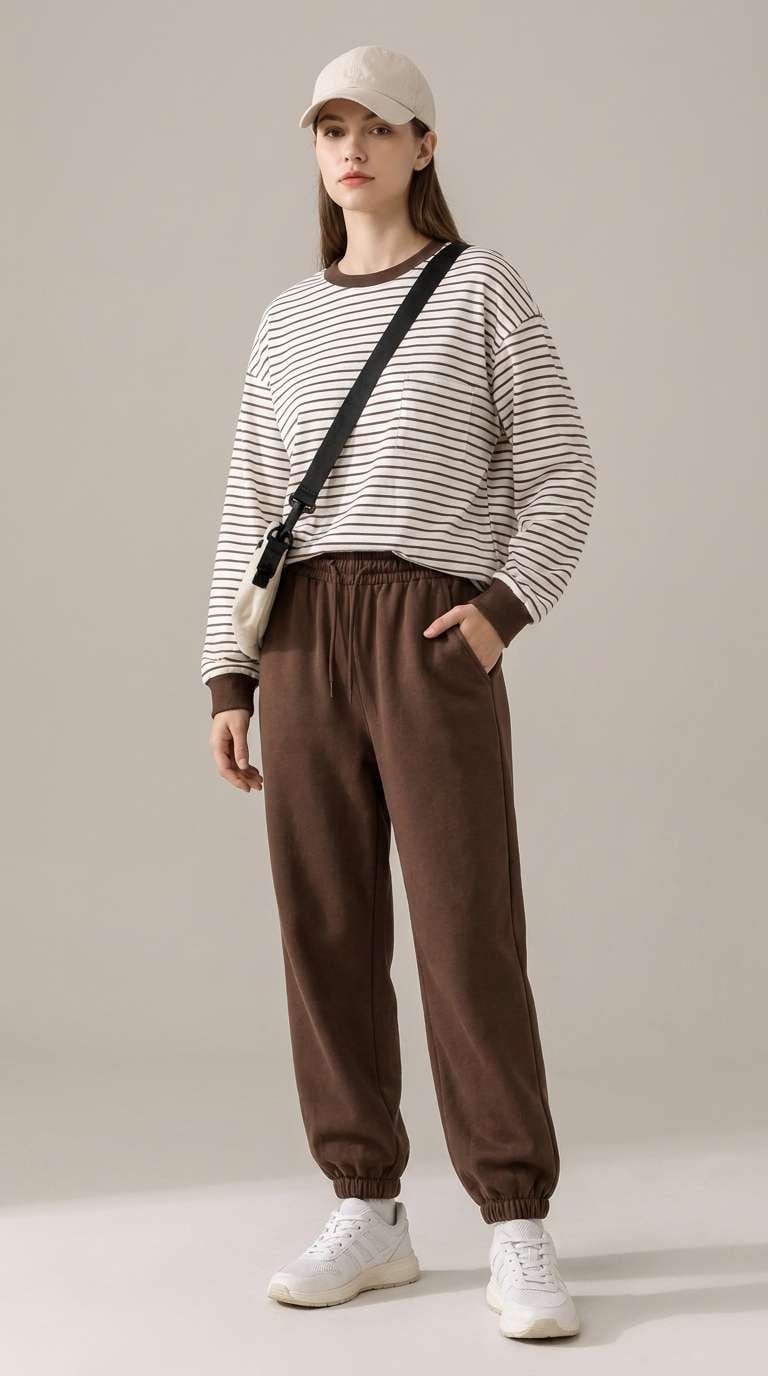
Flat lay to model. Transform the uploaded flat-lay clothing into a realistic complete outfit worn by a full-body fashion model. Use the source image as the exact garment reference and preserve the original color, fabric texture, cut, stitching, buttons, zippers, pockets, collar, cuffs, waistband, drawstrings, patterns, and proportions. The garments should fit naturally with realistic folds, drape, tension, and fabric thickness. Model standing in a relaxed three-quarter pose, one hand in pocket, neutral confident expression, simple clean footwear. Bright professional studio, soft beige-gray seamless background, diffused softbox lighting, subtle floor shadow, premium fashion e-commerce photography, realistic anatomy and skin, sharp garment details, natural proportions, photorealistic. No flat-lay items, no text, no collage, final dressed-model image only. |
|
|
|
|
Flat Lay to Model 04 • Urban Campaign
#flatlaytomodel
#urbanstyle
#fashioncampaign
|
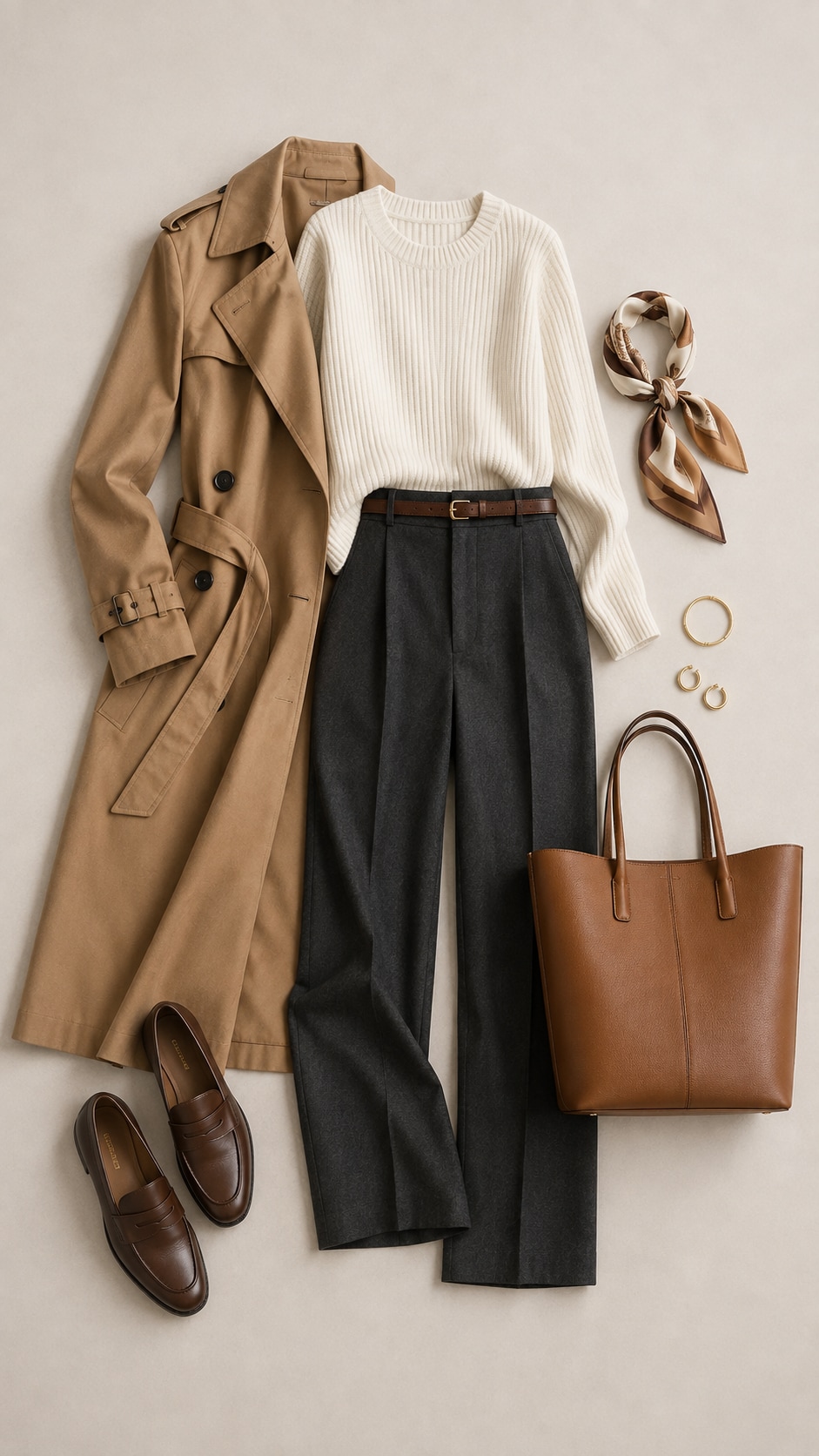
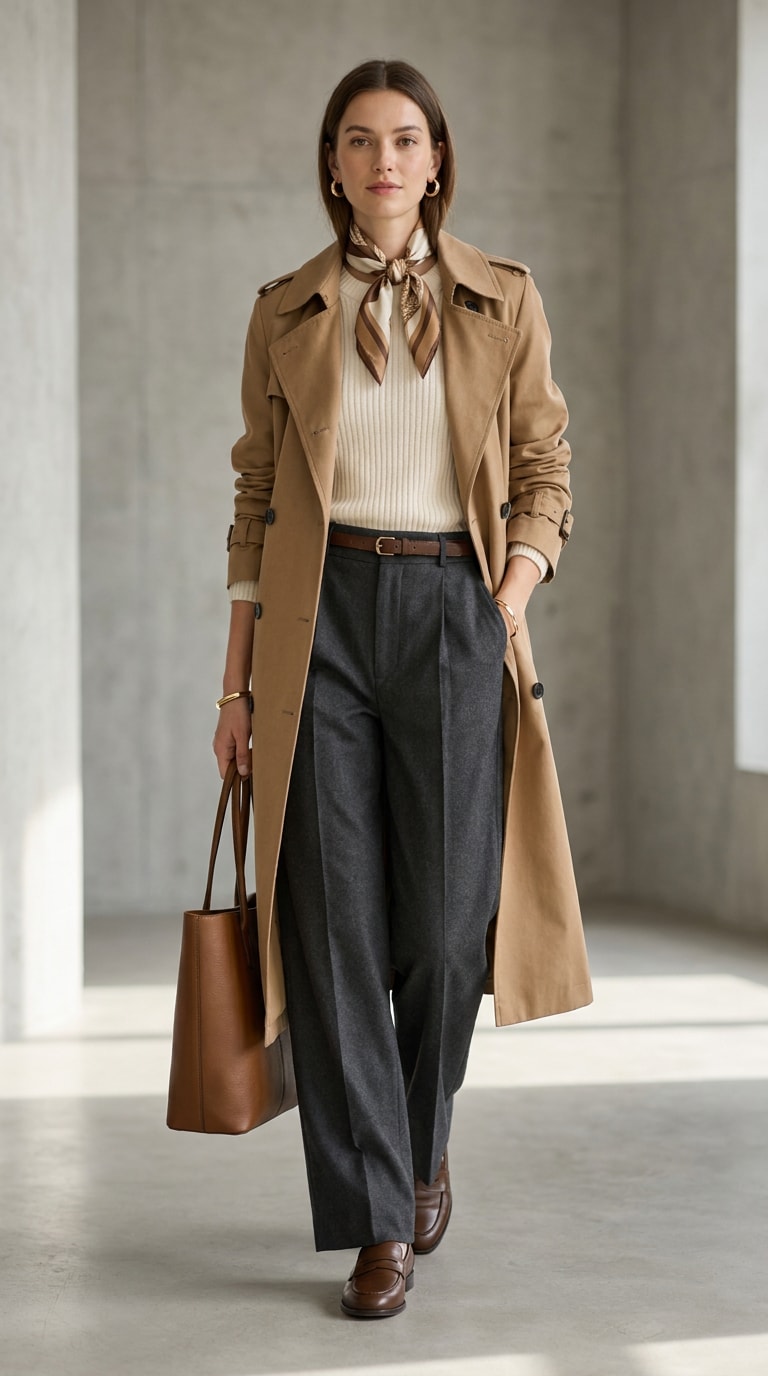
Flat lay to model. Convert the uploaded flat-lay outfit into a realistic fashion model wearing the exact same garments. Accurately retain all original clothing details, including material, color, silhouette, fit, length, seams, prints, buttons, pockets, trims, and accessories. Do not redesign or add unnecessary elements. Create natural fabric behavior around the shoulders, waist, elbows, knees, and legs, with realistic wrinkles and movement. Full-body model in a relaxed walking or standing pose, contemporary styling, natural facial expression. Minimal modern interior or clean urban architecture in the background, soft daylight, neutral color palette, shallow depth of field, subtle realistic shadows, premium catalog and lifestyle campaign aesthetic, highly detailed, photorealistic. No product cutouts, no before-and-after layout, final model image only. |
|
|
Keep every detail intact. Our advanced AI model preserves the exact fabric texture, print, color, logo placement, and garment shape while mapping it seamlessly onto real human models.
Instead of fixed templates, describe your ideal model and scene using flexible clothing to model AI prompts. Control appearance, age, poses, and backgrounds effortlessly.
Save thousands of dollars on physical photoshoots. Easily turn a simple flat lay clothing photo into high-converting model images perfect for Shopify, resellers, and social commerce feeds.
Generate studio-quality, lifestyle, and editorial PDP assets. Sign up to get free credits and export ultra-realistic, watermark-free results directly to your ecommerce listings.
Upload a clear flat lay, hanger, or ghost mannequin image of your garment. For optimal results, ensure the garment is well-lit and fully visible.
Describe your preferred model (e.g., "female model, standing naturally, relaxed pose") and custom backdrop styling (e.g., "minimalist studio, soft daylight").
Click generate and watch the AI seamlessly drape your clothing onto the realistic model. Download your high-res, watermark-free product photo.

Shopify Apparel Merchant

“Revolutionized my Shopify product pages.” I used to spend thousands on studio models. This flat lay to model generator creates beautiful, realistic photos in seconds, and the fabric textures remain perfectly accurate!
Independent Fashion Designer
“Incredible garment-to-model AI accuracy.” I was highly skeptical about how AI would preserve my intricate print patterns. Media.io's tool kept my design prints absolutely pristine on the model. Outstanding tool for quick editorial mockups!
Clothing Reseller
“Gave my flat lay listings a huge boost.” Converting flat lay clothing photos to lifestyle shots with realistic AI models boosted my Poshmark click-rates. It correctly maps the clothing drape naturally.
E-commerce Marketing Director
“Scale clothing variations instantly.” This is the best product to model AI platform. We turned hundreds of ghost mannequin garments into a catalog of models with customizable poses and backgrounds within an afternoon.
Media.io uses specialized image-to-image deep learning. It analyzes the texture, fabric, stitch lines, logos, and silhouette of your flat-lay garment and drapes it naturally over an AI fashion model, keeping your actual clothing consistent and recognizable.
You can upload flat lay photos, packshots, ghost mannequin apparel images, or clothes on hangers. Ensure your garment has minimal folds and is captured under even, clear lighting for the best representation.
Yes, fully. By entering descriptive prompts (e.g., "female model standing naturally in a minimalist studio, relaxed pose, soft daylight"), you can tailor the AI fashion model, background, studio lighting, and pose parameters to align with your brand guidelines.
Absolutely. It is built explicitly for Shopify store owners, clothing brands, resellers, and digital marketers who want to quickly scale high-quality product detail page (PDP) assets and social media campaign designs while maintaining visual consistency.
A great clothing to model AI prompt details the model’s styling and the setting. Try prompts like: "professional female model, standing casually in a luxury Parisian apartment, bright daylight, realistic texture, high fashion editorial look."
 4.7 (162,357 Votes)



