Smart Garment to Flat Lay Conversion
Effortlessly turn clothing photos from model-worn, hanger, or mannequin shots into a clean, naturally laid-out apparel flat lay. Our clothing flat lay generator automatically adjusts fabric drape and alignment.
 Nano Banana Pro
 Unlock your creative potential and experience the magic of Media AI right away!
Ditch the expensive photoshoots. Transform mannequin, hanger, or basic product photos into premium, studio-quality flat lay photography instantly. Reconstruct realistic clothing drapes, styled backdrops, and natural shadows with our advanced AI product flat lay generator.
| Flat Lay Effect Styles | AI Flat Lay Prompts | Before | After | Copy |
|---|---|---|---|---|
|
Flat Lay 01 • Minimalist Apparel
#flatlay
#apparel
#fashion
|
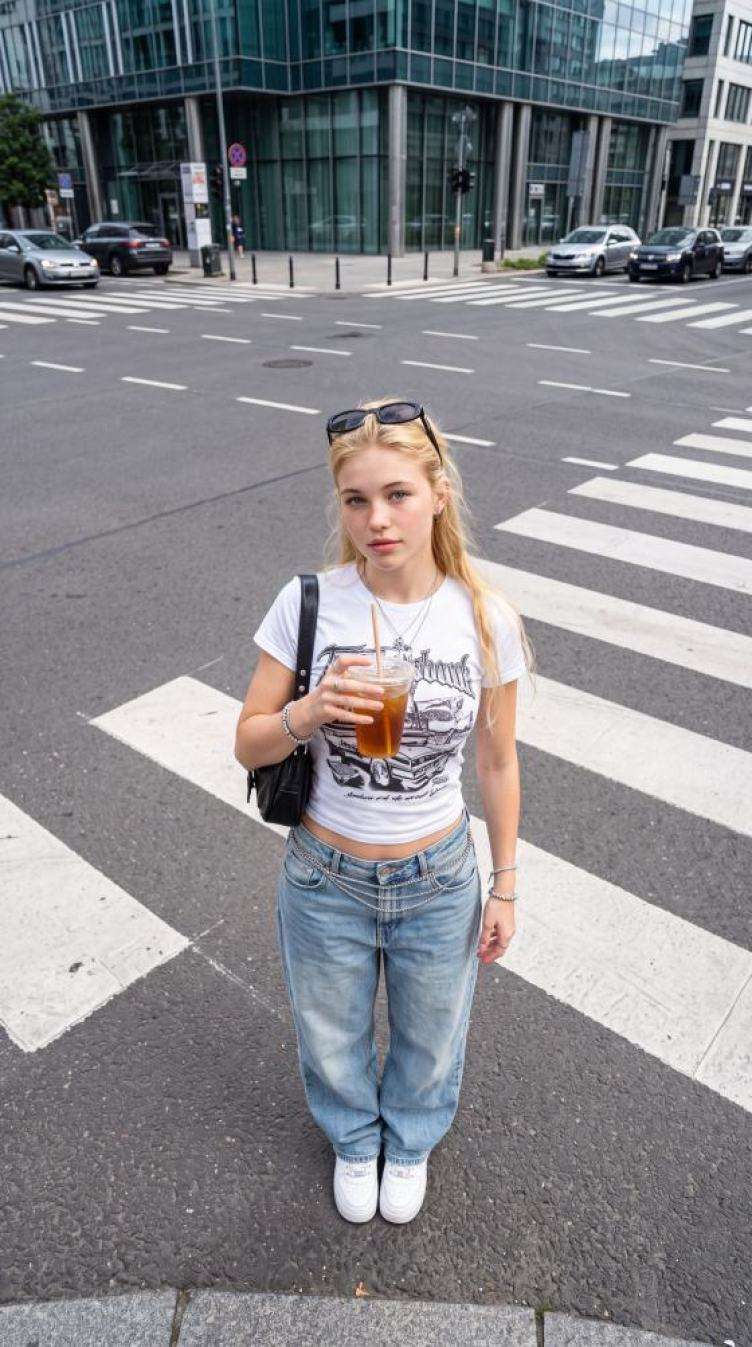
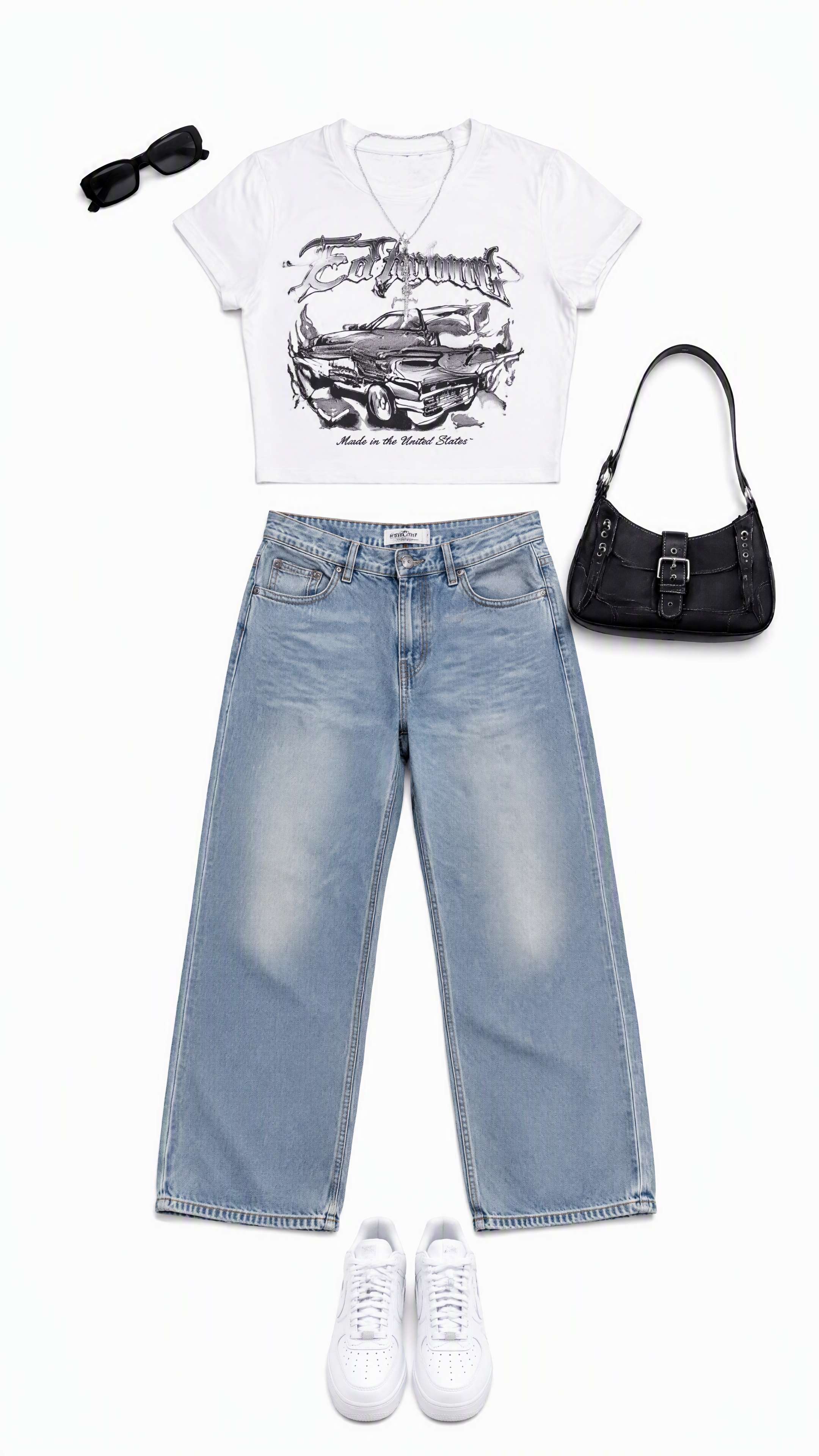
A high-resolution minimalist apparel flat lay shot against a pure solid white background. Featuring exclusively the clothes,accessories and shoes present in the user's uploaded portrait, carefully unfolded and laid flat without any model or mannequin. Strict 1-to-1 match of all visible attire (patterns, sleeve length, collar details, and shoe style) from the reference image, omitting any unneeded accessories. Bright even studio lighting, zero background clutter, razor-sharp details, ultra-clean commercial fashion look, vertical 9:16 aspect ratio. |
|
|
|
|
Flat Lay 02 • E-Commerce Catalog
#flatlay
#catalog
#topdown
|
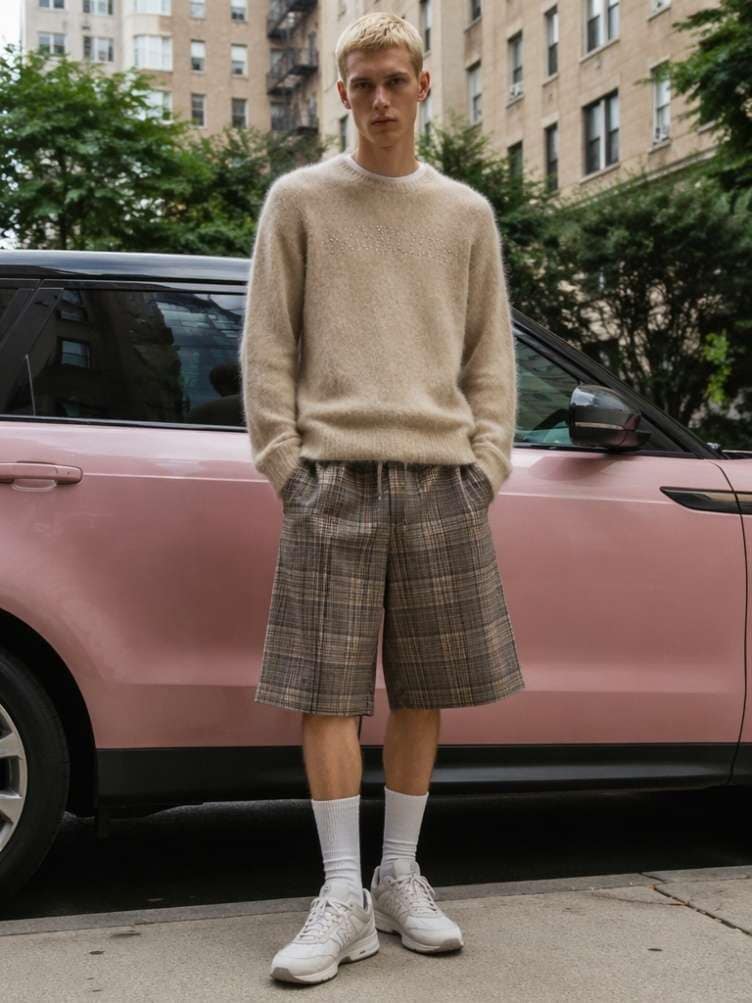
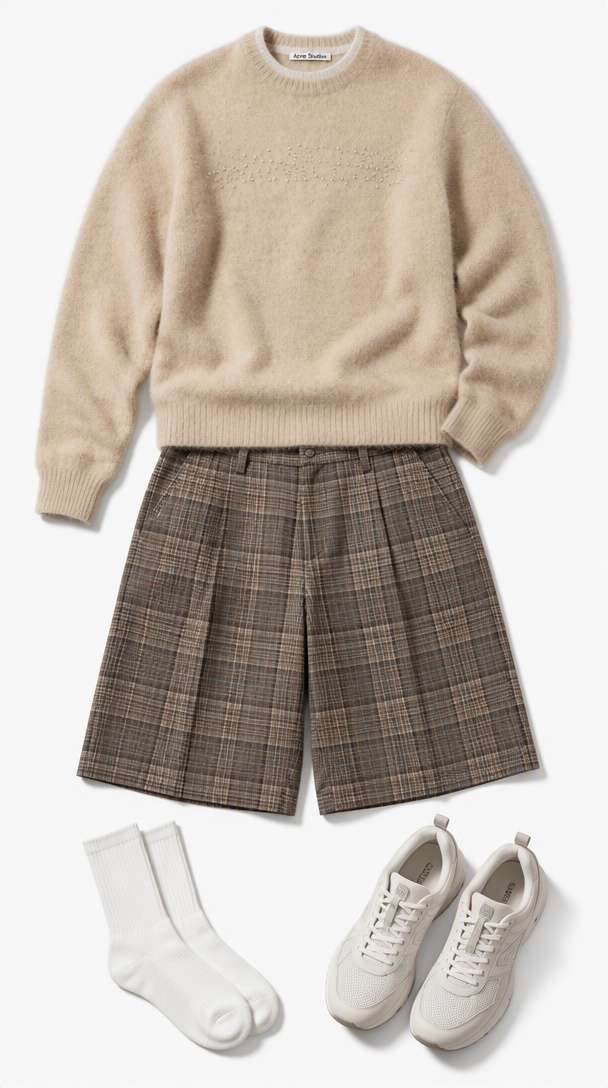
A professional top-down product photograph featuring a minimalist flat lay composition of the complete outfit extracted from the uploaded photo, neatly arranged on a clean, solid, pure white studio background. All items strictly match the exact color, fabric texture, pattern, and cut of the clothing and accessories in the reference image—laid perfectly flat and pristine, with no mannequin or model visible. High-angle, direct top-down perspective, soft even studio lighting with clean defined drop shadows, ultra-sharp detail, 8K, luxury e-commerce catalog style. |
|
|
|
|
Flat Lay 03 • Clean Fashion Layout
#flatlay
#fashionlayout
#clean
|
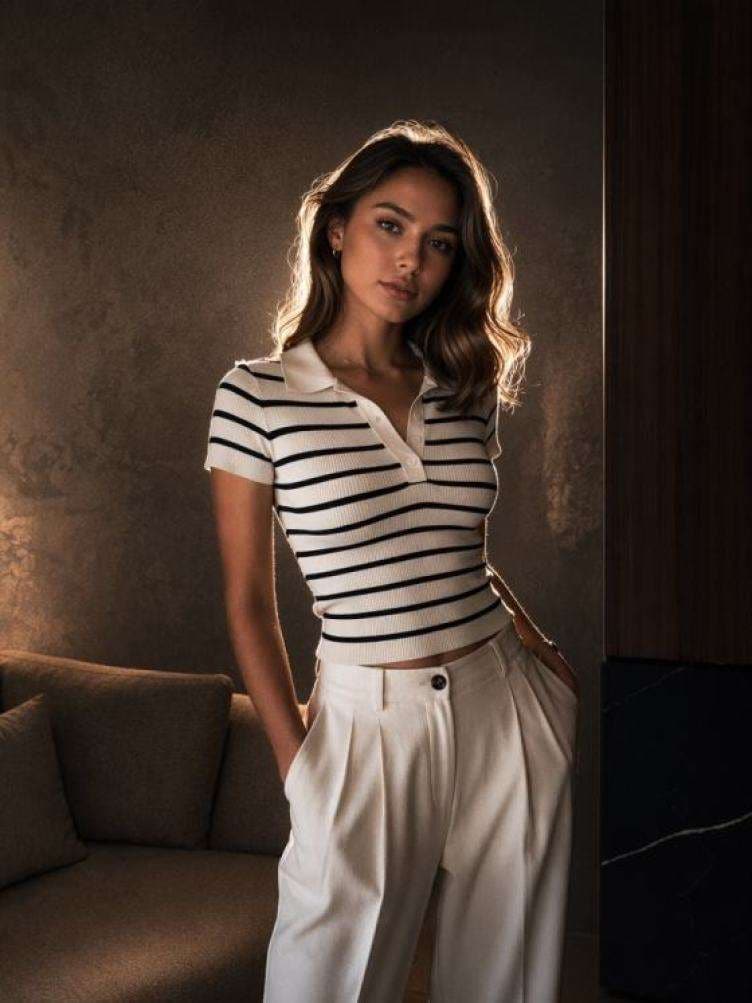
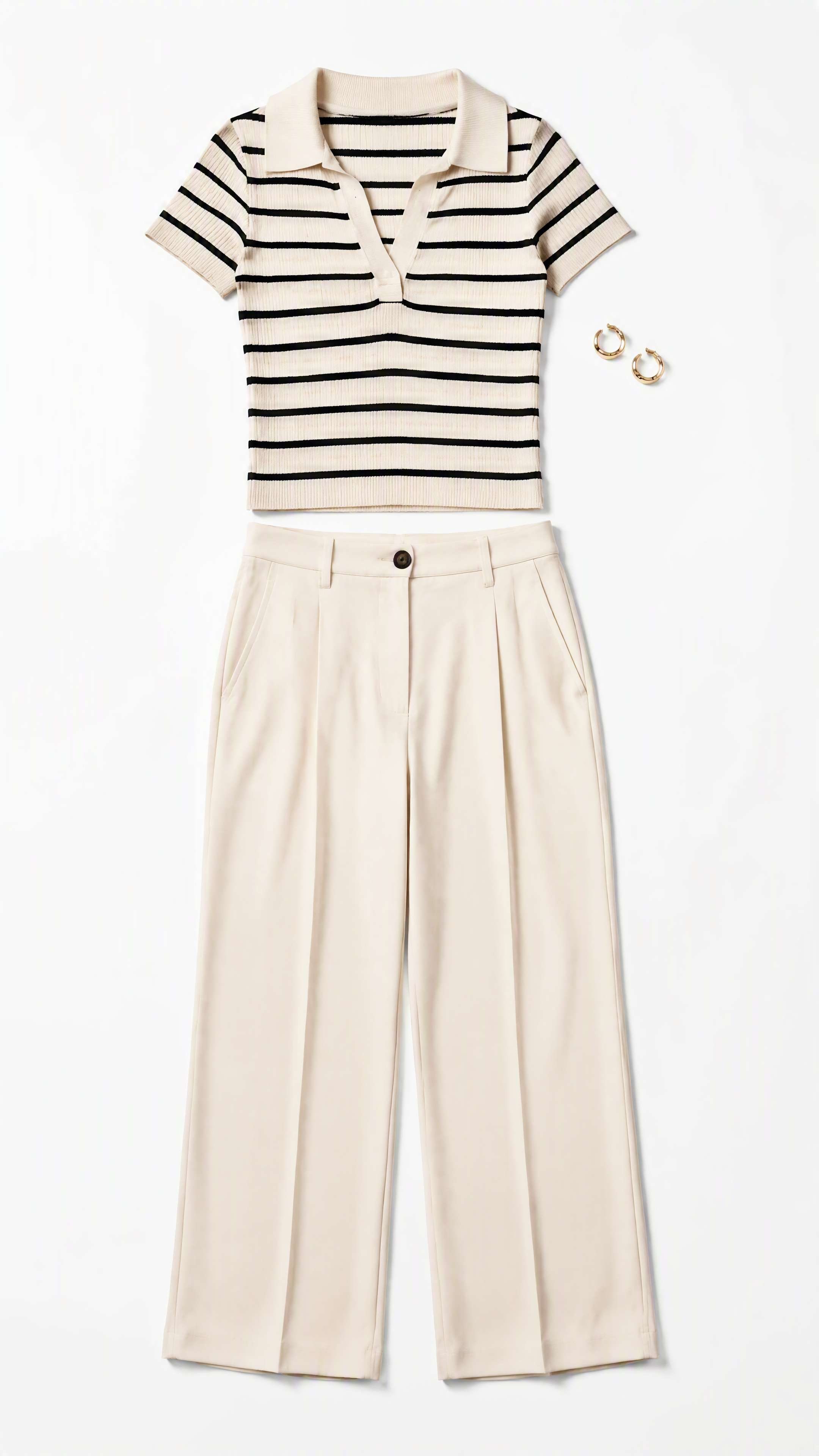
A professional top-down flat lay AI prompt photograph on a seamless, pure solid white background. The image neatly displays ONLY the exact clothing items and accessories by the subject in the uploaded photo, with no additional unmentioned footwear worn or bags. Each item—matching the precise fabric texture, color shade, cut, and pattern from the reference image—is neatly laid flat and perfectly arranged. Clean e-commerce fashion layout, high-angle top-down view, crisp studio lighting, subtle soft drop shadows, ultra-detailed, 8K, vertical 9:16 aspect ratio. |
|
|
|
|
Flat Lay 04 • Knolling Style
#flatlay
#knolling
#editorial
|
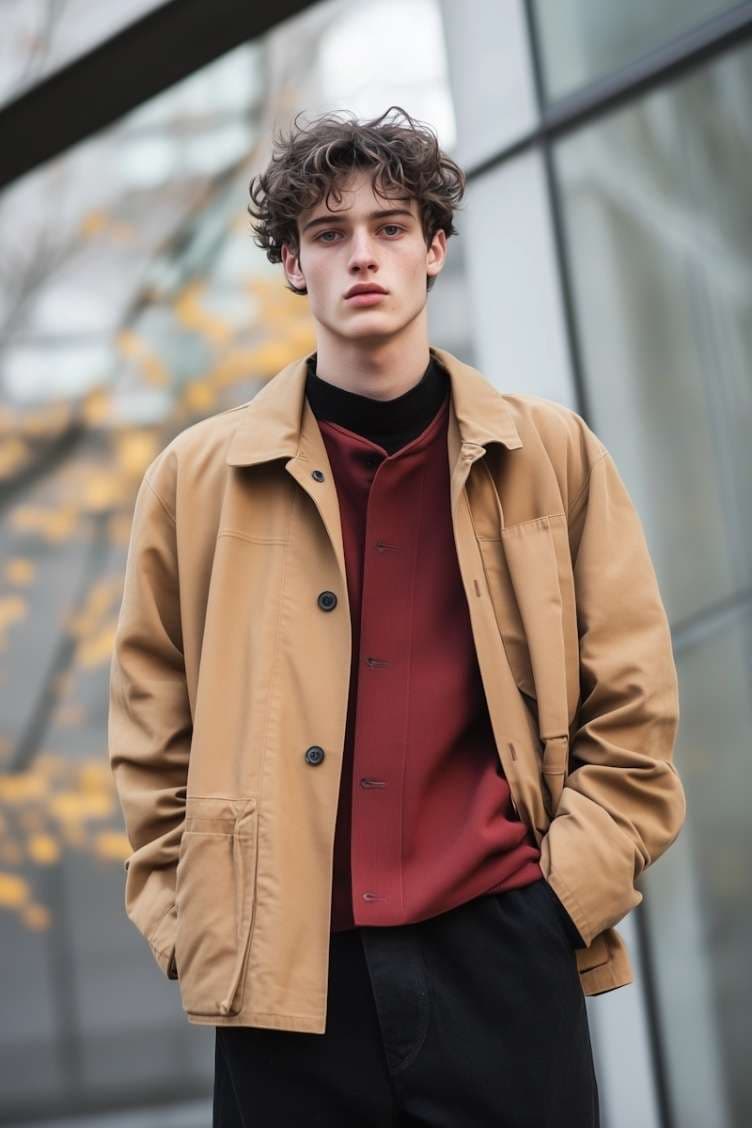
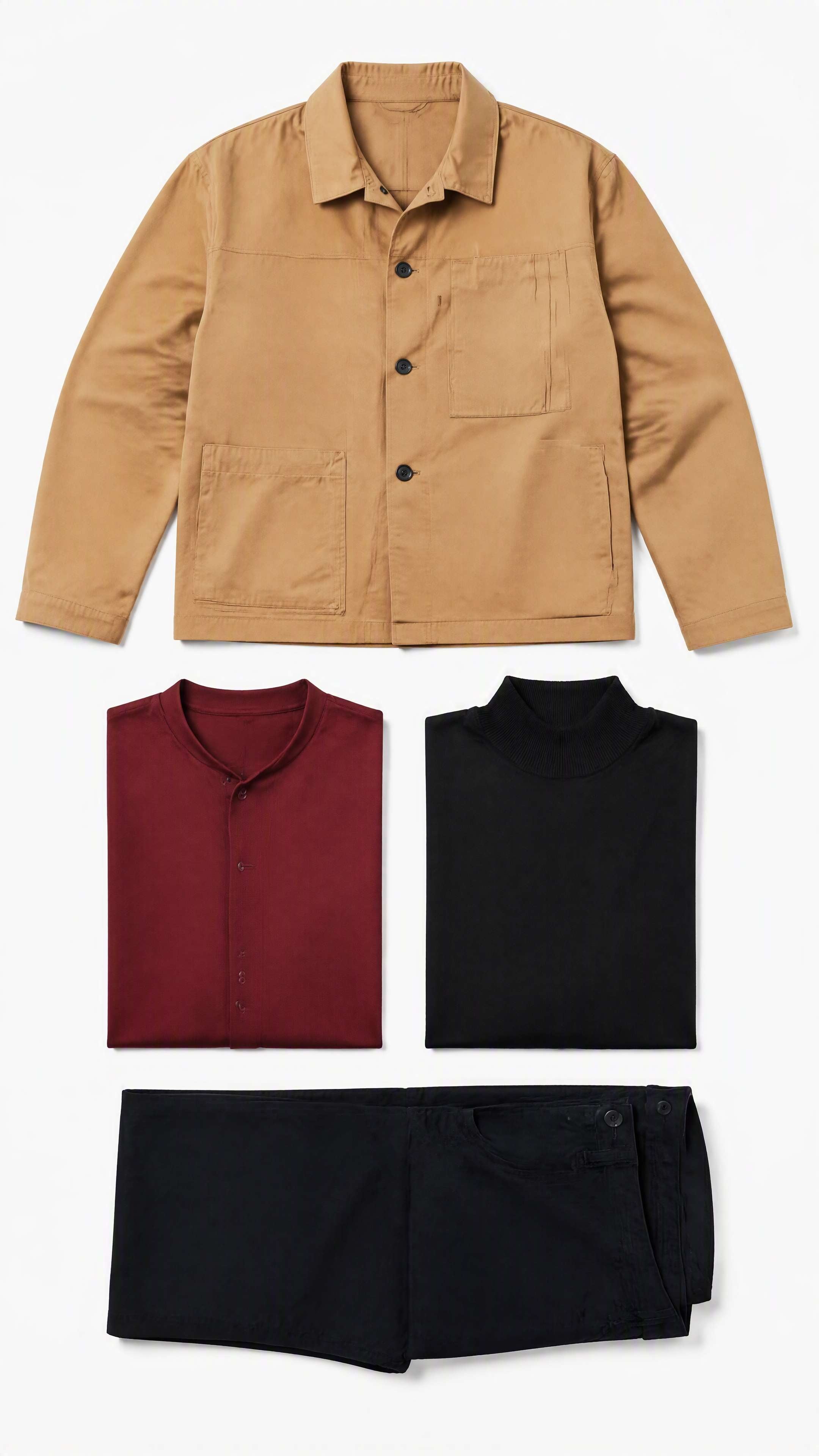
An ultra-neat knolling-style flat lay photograph set against a stark pure white background. The composition strictly includes only the specific garments extracted from the uploaded photo, laid flat at right angles with balanced spacing. Absolutely zero extra props, bags, or items not worn in the original picture. Every garment retains its exact original material texture, weave, and color accuracy. Overhead 90-degree camera shot, soft diffuse illumination, minimal natural shadowing beneath the clothes, high resolution, minimalist editorial aesthetic, vertical 9:16 aspect ratio. |
|
|
Effortlessly turn clothing photos from model-worn, hanger, or mannequin shots into a clean, naturally laid-out apparel flat lay. Our clothing flat lay generator automatically adjusts fabric drape and alignment.
Go beyond basic background removal. Generate highly realistic, top-down styled compositions on elegant surfaces like marble, oak, slate, or styled linens—perfect for cosmetics, jewelry, and accessories.
Our AI engine analyzes the shape of your product to generate precise, soft shadows and three-dimensional depth, rendering realistic studio lighting that blends seamlessly with your top-down background.
Whether you sell fashion apparel, delicate jewelry, skincare bottles, or tech gear, this AI product flat lay generator handles various textures, reflections, and geometries flawlessly.
Replace the sample image with your own product photo. Use clothing, accessories, beauty products, food packaging, or other items you want to turn into a clean top-down flat lay.
The flat lay prompt is already prepared for you. Keep it as-is, or customize the surface, props, lighting, color palette, spacing, and overall styling to match your brand or campaign.
Click Generate to create your styled flat lay. Preview the result, refine the prompt if needed, then download the finished image for ecommerce, ads, social posts, or product listings.

E-commerce Fashion Brand Owner

“Saved us thousands on photoshoots!” I had dozens of dress photos on cheap hangers. This AI clothing flat lay generator instantly converted them into clean, top-down studio shots on textured linen. Unbelievable drape and quality.

Social Media Manager
“Ideal for beauty & skincare flat lays.” Creating aesthetic top-down compositions for Instagram used to take hours of setup. Now, I just upload a single bottle shot, choose a marble background, and get a realistic styled flat lay in seconds.

Independent Jeweler
“Perfect shadows and reflection.” Jewelry is notoriously hard to shoot from above without reflections. The AI jewelry flat lay tool positioned my rings perfectly on a slate background with gorgeous, natural-looking shadows.

Tech Accessory Retailer
“High-quality top-down product photos.” We turned basic white-background accessory shots into styled lifestyle flat lays for our shop. The flat lay photo generator is incredibly simple and much better than simple background removal.
An AI Flat Lay Generator is an image-to-image tool that takes a standard product photo (taken from any angle, on a model, mannequin, or hanger) and reconstructs it into a realistic, top-down (overhead) flat lay image. It uses advanced deep learning to adjust the product's perspective, recreate its natural flat lay shape, and generate realistic background textures, studio lighting, and depth-accurate shadows.
Yes! Media.io's AI fashion flat lay generator is designed specifically to handle challenging apparel images. You can upload photos of clothes worn by models, on mannequins, or hanging on a rack, and the AI will naturally lay the garment flat, adjusting the drape and geometry to look like a professionally styled flat lay photo.
No, it goes far beyond simple background removal. A traditional background remover only cuts out the product as-is. Our AI flat lay photo generator completely re-renders the perspective, lighting, and shadow coordinates from an overhead top-down viewpoint, making the product look like it was physically laid down and photographed from above.
While clothing and fashion apparel are the most popular use cases, the generator works exceptionally well for small products, including cosmetics, skincare, jewelry, tech accessories, stationery, shoes, and home decor items.
Not at all! The entire process is automated. You simply upload a basic photo taken on your phone, choose or describe a styled background (like wood, marble, fabric, or solid colors), and click generate. It's built for e-commerce sellers, dropshippers, and social media creators who need professional visual content instantly.
 4.7 (162,357 Votes)