
Pet Background Remover for Dogs, Cats & More
Finally got a great photo of your pet, only to notice the messy room or distracting background? Media.io's pet background remover helps you keep the focus on your dog, cat, or other furry friend without manually tracing around every ear or tail. Just upload your photo, remove the unwanted surroundings, and preview a cleaner image for adoption profiles, birthday cards, keepsakes, or social posts.
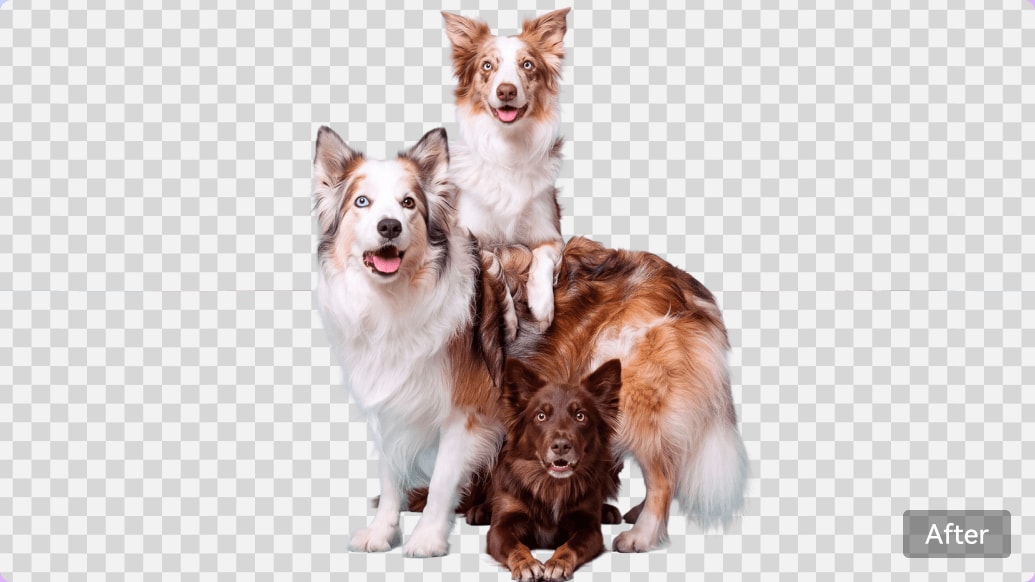
Why Use Media.io's AI Pet Background Remover?
Pets rarely pose when you want them to. With an AI pet background remover, you can make the most of the moment you caught, tidy up what sits behind them, and keep the little details that make them recognizable.
Keep Their Best Expression, Lose the Clutter
That perfect head tilt is hard to recreate. With Media.io's pet photo background remover, you can use the shot you already love and remove the cushions, toys, or garden clutter around your pet, without tracing the outline by hand.
- Make the moment count - Keep the grin, sleepy pose, or curious look you actually captured.
- Skip the fiddly cutout - Let AI separate your pet from the scene behind them.
- Put your pet first - Give their face and personality a little more room to shine.

Keep the Little Details in View
Fluffy ears, a wispy tail, that one extra-long whisker: it's all part of the charm. Take a moment to check the preview, especially if you're planning a larger print. If an edge looks rough, a clearer source photo often gives you a better place to start.
- Soft fur - Look around the chest, ears, and tail for any missing tufts.
- Whiskers and fine edges - See whether thin strands still look natural.
- Familiar features - Compare the face and coat markings with your original photo.

Give That Favorite Photo a New Setting
Picture your dog on a birthday card or your rabbit in a sunny spring garden. If you'd like more than a clean cutout, open Media.io Image to Image and describe the scene you have in mind. It's a separate editing step, so check the new picture to make sure your pet's face and markings still look familiar.
- Made-for-them cards - Try a festive look for a birthday or adoption anniversary.
- A different backdrop - Describe a garden, cozy room, or simple studio scene.
- Your own creative direction - Choose the atmosphere and lighting in your prompt.
- Check the resemblance - AI-generated scenes can change details, so look closely before sharing.

How to Remove Background from Pet Photos Online
Have a favorite photo in mind? Ready to remove background from pet photos? Just follow these three steps using the editor above.
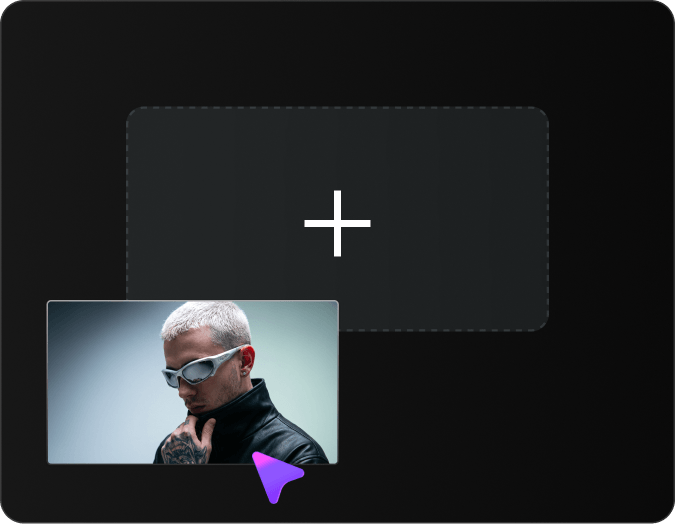
Pick the Photo You Love
Choose a clear shot of your dog, cat, rabbit, or other pet. Make sure those ears, paws, and tails are in the frame.
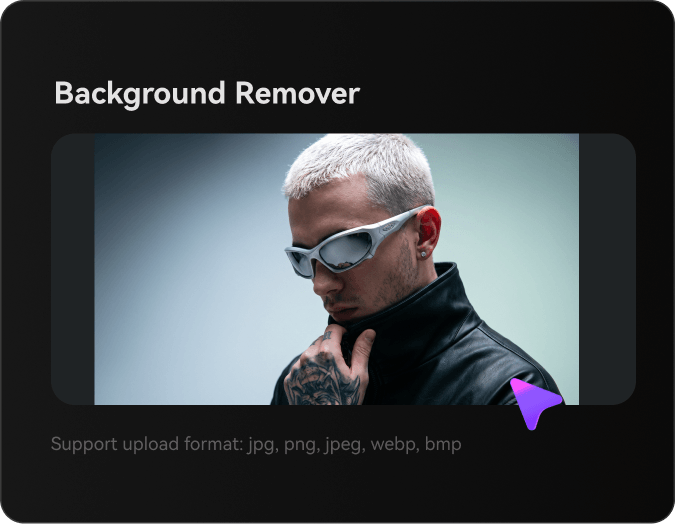
Let AI Clear the Background
Start the remover and let Media.io separate your pet from the sofa, backyard, or other scene behind them.
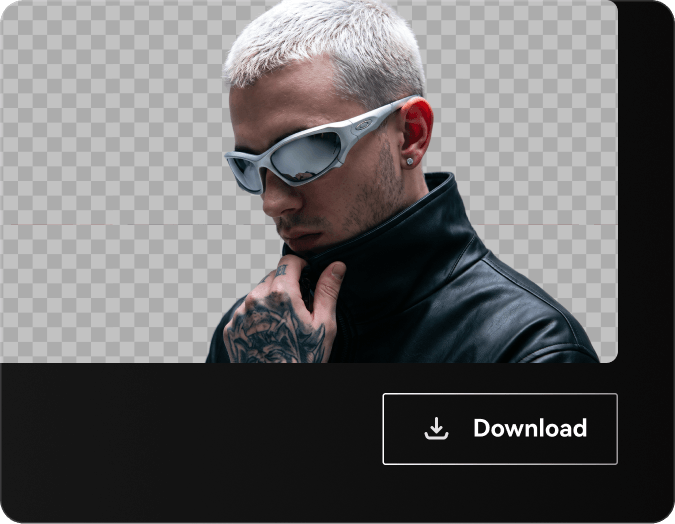
Take a Look, Then Download
Check the fur and fine edges in the preview, then download the result available with your plan.
Pet Photo Background Remover for Adoption, Gifts, and Social Posts
A great pet photo can become a first hello, a thoughtful gift, or a tiny profile picture that makes you smile. Here's where a cleaner backdrop can make a real difference.
Adoption & rescue profiles
Someone browsing adoption profiles should notice the eyes, not the busy kennel behind them. An animal background remover can help create a clearer introduction photo. Keep unedited images too, so adopters can see the pet as they really are.
Pet birthday cards & gifts
That goofy grin or perfectly timed yawn could be the whole birthday card. Give your favorite snapshot a tidier look for invitations, gifts, or a keepsake. If you're printing stickers, check the file requirements first.
Memorial keepsakes
Sometimes the photo that means the most was taken in an ordinary, cluttered room. A quieter background can bring the attention back to the expression you remember, without changing the markings that made your pet unmistakably yours.
Social avatars & stickers
Make your cat's wide-eyed stare or your dog's big ears the star of a profile picture. Check the result at the small size you'll actually use; for layered stickers, confirm the download format before designing.
Pet Background Removal: Fur, Whiskers, and Edge Checks
Not every cutout looks right on the first try, especially when fur blends into the room. If something seems off, here's what might be happening and what you can try next.
| What you notice | Possible reason | What to try next |
|---|---|---|
| Some whiskers or ear fluff went missing | Very fine hairs can disappear into a similar-colored background. | Try a sharper photo with more contrast. For a large print, fine strands may need a separate touch-up. |
| White fur has a green edge | Grass can cast a green tint onto pale fur, even in the original photo. | Try a picture away from bright grass, or soften the colored fringe in a separate editor. |
| Black fur blends into the couch | Dark fur against dark fabric gives the AI very little edge contrast. | Choose a shot with a lighter background or soft light that picks out the coat. |
| A paw or tail looks cut off | That part may already be hidden or cropped in the original photo. | Start with a picture where the whole pet is visible. Background removal cannot restore details the camera did not capture. |
| A leash or hand is still visible | The leash or hand touches your pet, so it may be treated as part of the foreground. | If you want to keep the original surroundings but remove only that object, try the separate AI Object Remover. |
Better Pet Photos for an Animal Background Remover
No studio or fancy camera needed. If you're trying to remove background from animal pictures, a few simple choices can make the result easier to work with. Try these before you upload.
- Meet them at eye level: That curious look often comes through best when you photograph your pet from their height.
- Give dark coats some contrast: A black cat is easier to distinguish against a light wall than a charcoal sofa.
- Leave space around the whole pet: Keep ears, paws, and the tip of the tail inside the frame.
- Catch a still moment in soft light: Window light and a sharp focus help show the texture of the coat.
- Move leads and hands away where possible: A leash crossing the chest or a hand covering fur can complicate the cutout.
Pet Background Remover FAQs
Will my dog's fluffy fur and my cat's whiskers stay in the picture?
Media.io can help separate your pet from the background, but very fine hairs aren't always preserved perfectly. Check the muzzle, ears, and tail in the preview. If strands disappear, try a sharper photo where the fur stands out more clearly.
Why does my white dog have a green outline after background removal?
That green fringe may come from light reflecting off the grass in your original photo. The background can disappear while some color stays on the fur. A picture taken away from bright grass may work better; stubborn edges can be corrected in a separate editor.
Can I remove the background behind a black cat on a dark couch?
Yes, you can try. Just know that black fur against dark fabric is tricky because the edges blend together. A photo with a lighter background or gentle side lighting will give the remover a clearer outline to work with.
Can I remove a leash or a person but keep the original background?
That's a different kind of edit. If you love the park or room in the photo and only want the leash, hand, or person gone, try Media.io AI Object Remover instead. Check the filled-in area afterward.
Can I use a background-removed pet photo for an adoption listing?
A cleaner portrait can help people see a pet's face and expression. Keep the animal's coat, body shape, and identifying features accurate, and include recent, unedited pictures when the rescue or listing site asks for them.
Will I get a transparent PNG for pet stickers or cards?
Not necessarily. Removing the original background doesn't guarantee a PNG with a transparent layer. Check the file you actually download before placing your pet over a colored design or sending it to a printer.
Can I change my pet photo to a garden or studio background?
You can explore a new scene with the separate Media.io Image to Image tool. Describe the setting you'd like, then check the generated photo carefully: AI scene edits can also change the pet's face or markings.
Is Media.io pet background remover free to try?
Media.io offers free credits for trying background removal. Downloads made with a free account include a watermark, so check your plan's options before you print, gift, or publish the finished image.
Does it work on rabbits, birds, or photos with two pets?
You're welcome to try those photos too. Results can vary with feathers, fine fur, overlapping pets, and busy backgrounds. A clear shot with each animal visible makes it easier to check whether the result is usable.
What if my pet was moving and the photo came out blurry?
A background remover can't bring back sharp fur or whiskers that weren't captured. If you can take another shot, try more daylight and wait for a moment when your pet is still, even if it's only for a second.
