AI Ombre Hair Filter: See Dark Roots and Lighter Ends
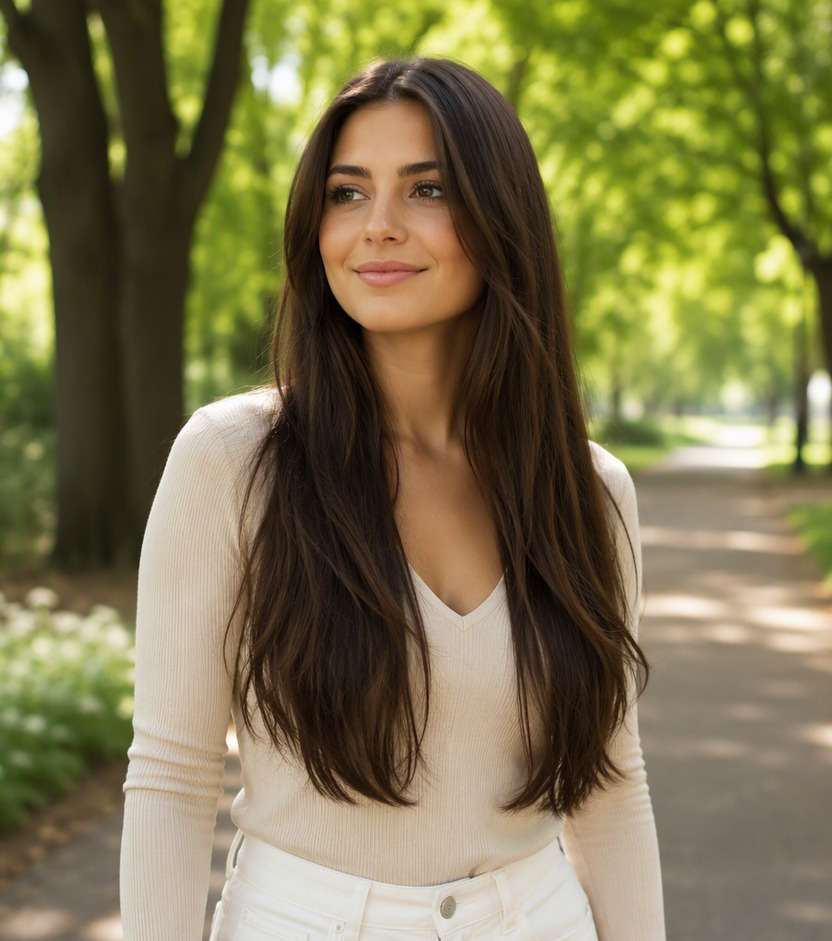
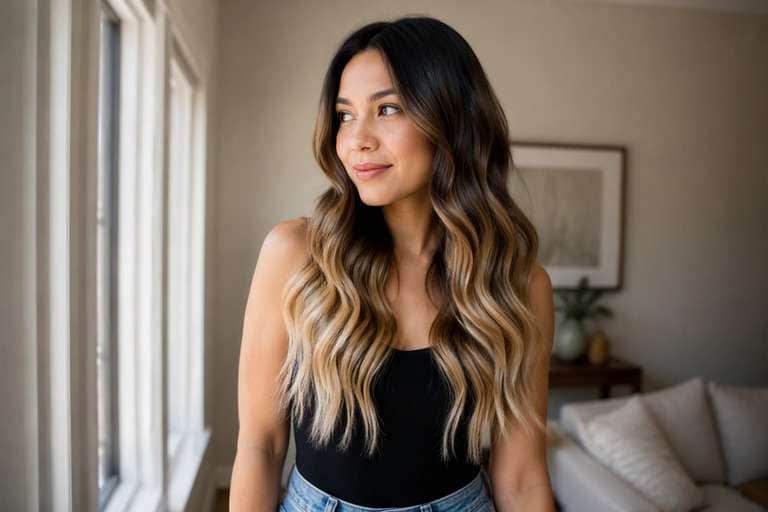
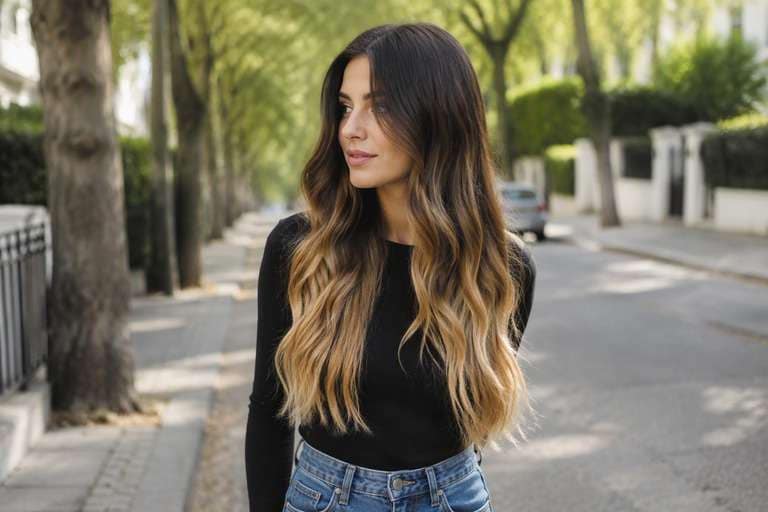
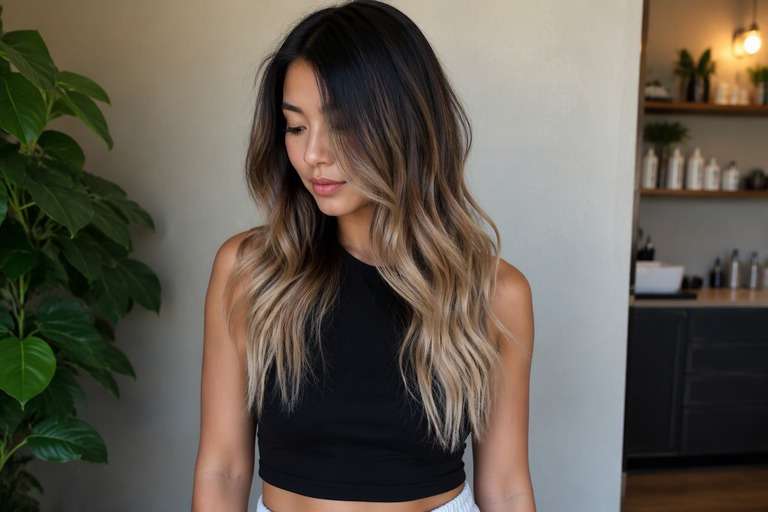
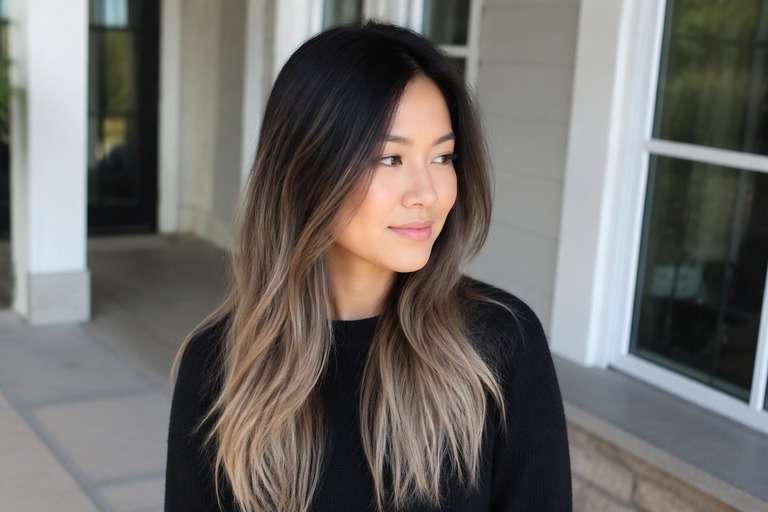
Before you ask for lighter ends, decide where the color should start. The AI ombre hair filter helps you preview a dark-to-light gradient on your actual hair length, from a gentle brunette-to-caramel fade to a stronger blonde finish. Use a photo that shows your roots and ends, then compare a lower transition with one that begins higher up. Keep your haircut the same so you can focus on the balance between your darker base and the lighter tips.
A photo with the entire hair length visible will show the gradient best. Avoid cropping off the ends you plan to lighten.
Ombre Hair Color Photo Editing Prompts
Choose how much color you want to see, not just a shade name. Continuous vertical transition, darker at roots and lighter toward ends. The prompts below separate delicate daytime finishes from stronger statement looks. Keep your face, hair length, existing cut and background fixed to compare color alone.
Soft Brown-To-Caramel
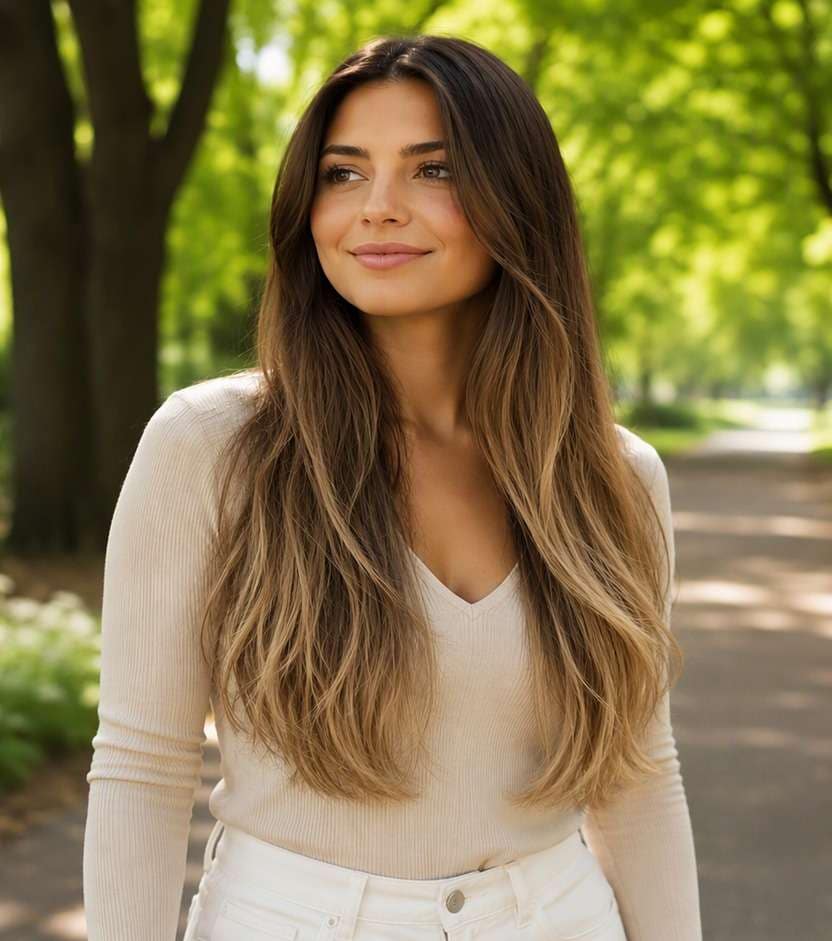
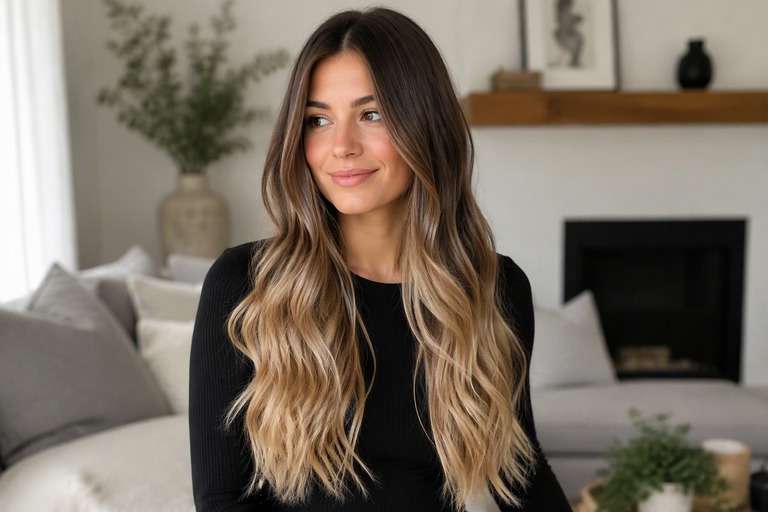
Edit my uploaded portrait to preview soft brown-to-caramel: clear dark-root-to-light-end ombre gradient concentrated through the lower lengths. Continuous vertical transition, darker at roots and lighter toward ends. Keep my exact identity, skin, eyebrow shape, expression, haircut, hair length, pose, clothing, camera angle and background unchanged. Adjust only hair color and realistic color placement; maintain natural individual strands, root shadows and convincing highlights. No new hairstyle, makeup, accessories, text, logos, phones or mirrors. Keep intensity subtle and wearable.
Brunette-To-Blonde
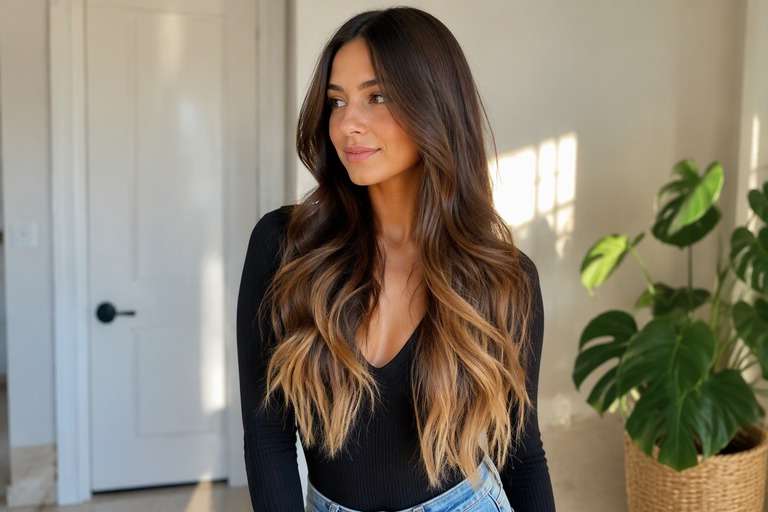
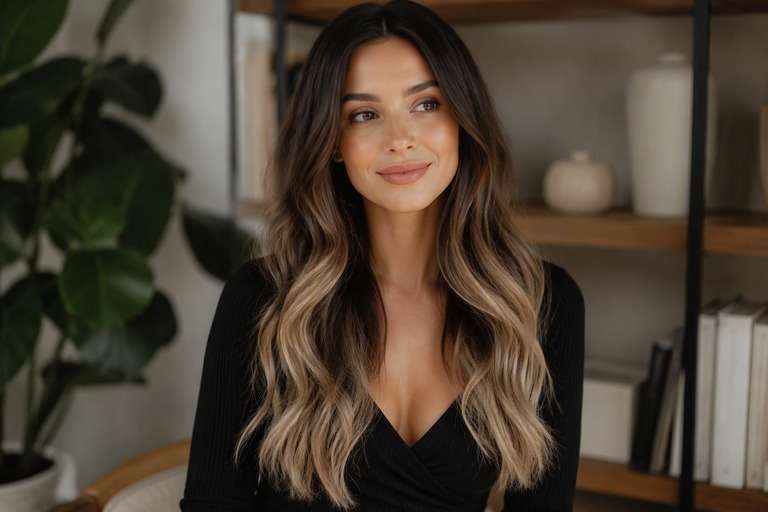
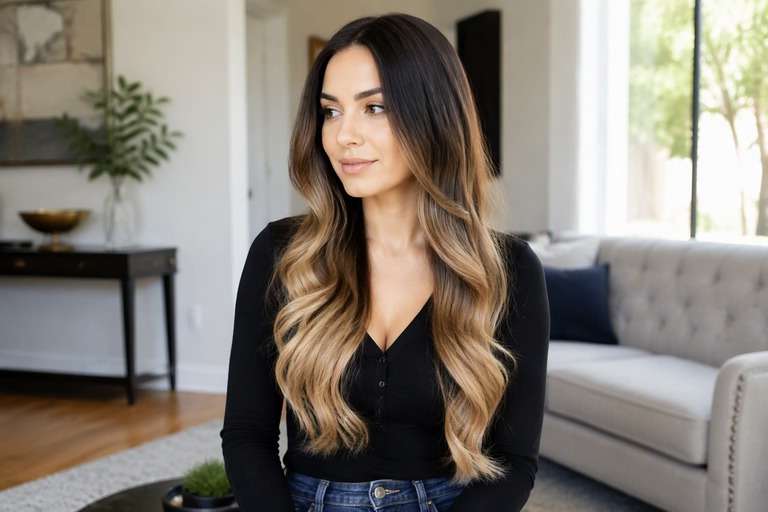
Edit my uploaded portrait to preview brunette-to-blonde: clear dark-root-to-light-end ombre gradient concentrated through the lower lengths. Continuous vertical transition, darker at roots and lighter toward ends. Keep my exact identity, skin, eyebrow shape, expression, haircut, hair length, pose, clothing, camera angle and background unchanged. Adjust only hair color and realistic color placement; maintain natural individual strands, root shadows and convincing highlights. No new hairstyle, makeup, accessories, text, logos, phones or mirrors. Add medium contrast with blended transitions.
Bold Colored Tips
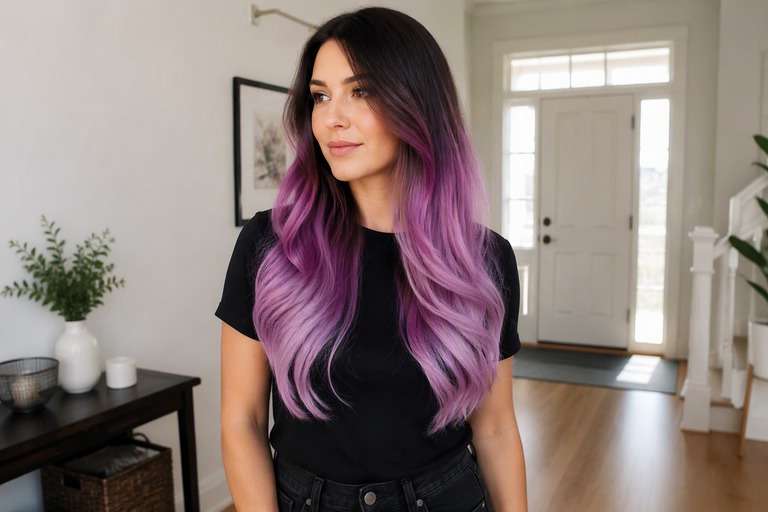
Edit my uploaded portrait to preview bold colored tips: clear dark-root-to-light-end ombre gradient concentrated through the lower lengths. Continuous vertical transition, darker at roots and lighter toward ends. Keep my exact identity, skin, eyebrow shape, expression, haircut, hair length, pose, clothing, camera angle and background unchanged. Adjust only hair color and realistic color placement; maintain natural individual strands, root shadows and convincing highlights. No new hairstyle, makeup, accessories, text, logos, phones or mirrors. Make the shade vivid but believable.
Subtle Ombre
Edit my uploaded portrait to preview subtle ombre: clear dark-root-to-light-end ombre gradient concentrated through the lower lengths. Continuous vertical transition, darker at roots and lighter toward ends. Keep my exact identity, skin, eyebrow shape, expression, haircut, hair length, pose, clothing, camera angle and background unchanged. Adjust only hair color and realistic color placement; maintain natural individual strands, root shadows and convincing highlights. No new hairstyle, makeup, accessories, text, logos, phones or mirrors. Use softly diffused color rather than hard stripes.
Dimensional Ombre
Edit my uploaded portrait to preview dimensional ombre: clear dark-root-to-light-end ombre gradient concentrated through the lower lengths. Continuous vertical transition, darker at roots and lighter toward ends. Keep my exact identity, skin, eyebrow shape, expression, haircut, hair length, pose, clothing, camera angle and background unchanged. Adjust only hair color and realistic color placement; maintain natural individual strands, root shadows and convincing highlights. No new hairstyle, makeup, accessories, text, logos, phones or mirrors. Preserve multi-tonal depth and believable natural shadow.
Face-Framing Ombre
Edit my uploaded portrait to preview face-framing ombre: clear dark-root-to-light-end ombre gradient concentrated through the lower lengths. Continuous vertical transition, darker at roots and lighter toward ends. Keep my exact identity, skin, eyebrow shape, expression, haircut, hair length, pose, clothing, camera angle and background unchanged. Adjust only hair color and realistic color placement; maintain natural individual strands, root shadows and convincing highlights. No new hairstyle, makeup, accessories, text, logos, phones or mirrors. Give the front strands a slightly brighter tonal emphasis.
Glossy Ombre
Edit my uploaded portrait to preview glossy ombre: clear dark-root-to-light-end ombre gradient concentrated through the lower lengths. Continuous vertical transition, darker at roots and lighter toward ends. Keep my exact identity, skin, eyebrow shape, expression, haircut, hair length, pose, clothing, camera angle and background unchanged. Adjust only hair color and realistic color placement; maintain natural individual strands, root shadows and convincing highlights. No new hairstyle, makeup, accessories, text, logos, phones or mirrors. Favor reflective shine without changing overall exposure.
Natural-Light Ombre
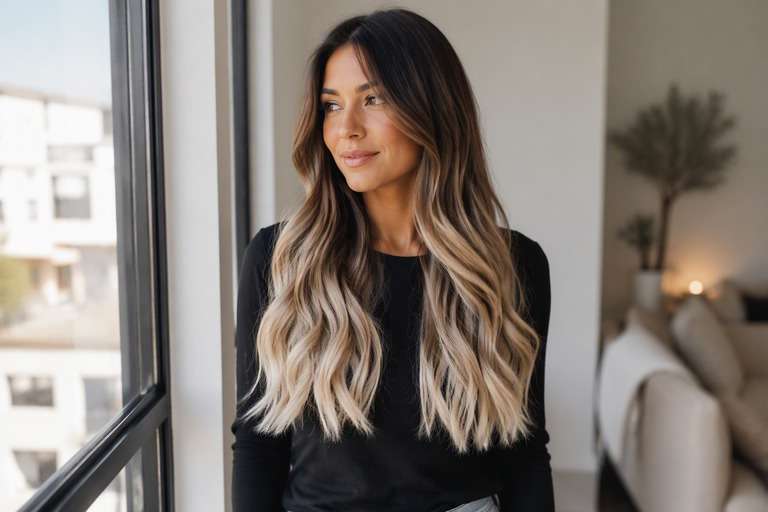
Edit my uploaded portrait to preview natural-light ombre: clear dark-root-to-light-end ombre gradient concentrated through the lower lengths. Continuous vertical transition, darker at roots and lighter toward ends. Keep my exact identity, skin, eyebrow shape, expression, haircut, hair length, pose, clothing, camera angle and background unchanged. Adjust only hair color and realistic color placement; maintain natural individual strands, root shadows and convincing highlights. No new hairstyle, makeup, accessories, text, logos, phones or mirrors. Show credible window-light color reflections.
Soft-Root Ombre
Edit my uploaded portrait to preview soft-root ombre: clear dark-root-to-light-end ombre gradient concentrated through the lower lengths. Continuous vertical transition, darker at roots and lighter toward ends. Keep my exact identity, skin, eyebrow shape, expression, haircut, hair length, pose, clothing, camera angle and background unchanged. Adjust only hair color and realistic color placement; maintain natural individual strands, root shadows and convincing highlights. No new hairstyle, makeup, accessories, text, logos, phones or mirrors. Keep natural root depth and smooth transition.
Bold Ombre
Edit my uploaded portrait to preview bold ombre: clear dark-root-to-light-end ombre gradient concentrated through the lower lengths. Continuous vertical transition, darker at roots and lighter toward ends. Keep my exact identity, skin, eyebrow shape, expression, haircut, hair length, pose, clothing, camera angle and background unchanged. Adjust only hair color and realistic color placement; maintain natural individual strands, root shadows and convincing highlights. No new hairstyle, makeup, accessories, text, logos, phones or mirrors. Make the target shade immediately legible at a glance.
Ombre Hair Color: Set the Fade Height and End Shade
Start With the Transition Height
A fade beginning near the shoulders looks different from one starting at the ears. Compare placement on the same hairstyle before choosing the proportion of dark roots to light ends.
Pick the Color of the Tips
Try caramel, honey blonde or cooler beige at the ends while keeping the roots unchanged. This isolates the shade decision from the placement of the gradient.
Check for a Smooth Middle Zone
A believable ombre look needs a gradual transition, not an abrupt horizontal stripe. Inspect the mid-lengths, especially on straight hair where a poor blend is easier to spot.
Preserve Strand Detail at the Ends
Very bright ends can become featureless in an edit. Ask to retain natural highlights, shadows and individual strands so you can see where lightening appears strongest.
How to Try Ombre Hair Color on a Photo
Keep your roots fixed and compare a low fade against a higher, brighter blend.
Step 1
Upload Your Photo
Upload a clear front or three-quarter hair photo with the roots and color area visible. Use even light and keep your face, cut and background unfiltered.
Step 2
Choose a Haircut Filter or Enter a Prompt
Choose a suitable hair color preset if available or describe the target color and placement in a prompt. Keep the original haircut and facial features unchanged.
Step 3
Click Generate
Click Generate. Check the color only against your original image, then refine its tone or placement if the first preview is too strong or too subtle.
Compare how the gradient behaves on your actual cut before choosing a dramatic or subtle change.
Keeping Dark Roots While Going Brighter
If you like your natural color near the scalp, try an ombre concept that leaves the first part of the hair untouched. A preview can reveal whether you want lightness at the tips only or higher up.
Planning a Long-Hair Color Change
Ombre needs room to show a transition. Use a full-length hair photo and compare a short fade with a longer gradual blend; the better option often depends on the cut.
Deciding Between Ombre and Balayage
Generate one even root-to-tip gradient and one painted balayage version. Put them side by side to see whether you prefer continuous light ends or scattered lighter pieces.
Check the Gradient in Your Ombre Hair Preview
Visible Color Change
Image review checklist
"Does the color match the idea?" The before must show one even brunette shade from roots to tips. The after should show clear dark-root-to-light-end ombre gradient concentrated through the lower lengths. Reject an edit that only increases overall photo warmth.
Same Face and Hairstyle
Image review checklist
"Did the edit preserve your features?" Compare face shape, hair length, haircut, background and clothing. A useful virtual color test leaves these unchanged.
Placement and Strands
Image review checklist
"Does color follow real strands?" Look for continuous vertical transition, darker at roots and lighter toward ends. Check that color follows actual strands and is not painted onto skin or the background.
Real-World Expectations
Image review checklist
"Is this a reference, not a promise?" Use this image to discuss your preferred appearance. Real coloring depends on your starting color, treatment history and the technique chosen by your stylist.
Ombre is a gradual shift from darker roots to lighter mid-lengths or ends. The contrast can be subtle or pronounced depending on how high the lighter shade begins.
2. Can I keep my natural roots in an ombre preview?
Yes. Ask the editor to preserve the root color and introduce the lighter tone only farther down the lengths. This gives you a clearer view of the gradient.
3. How is ombre different from balayage?
Ombre describes a dark-to-light gradient across the hair length. Balayage emphasizes irregular, painted ribbons of lightness with darker strands between them.
4. Why does my preview have a harsh line?
The prompt may define two solid color areas with no middle blend. Ask for a soft transition zone and realistic strand-by-strand mixing between the dark and light regions.
5. How can I try ombre hair on my photo?
Upload a photo showing the full lengths, choose a suitable available preset or describe an ombre transition, and Generate. Compare different fade heights using the same starting image.
6. Will the edit indicate how many salon sessions I need?
No. It shows an appearance concept only. Achieving light ends depends on your starting color, previous treatments and what a professional considers feasible.