黑色星期五:最高五折优惠!
领取优惠
AI比基尼换装
上传角色
点击或拖拽上传,或选择 历史记录点击上传历史记录
没灵感?先生成一张图片试试 >
提示:请添加一张要换装的人物的清晰照片,支持 PNG、JPG 和 JPEG 格式。
上传比基尼
点击或拖拽上传,或选择 历史记录点击上传历史记录
没灵感?先生成一张图片试试 >
提示:请使用不带模特的比基尼单品效果图。
示例:
比例

See Yourself in a Summer Bikini Photo

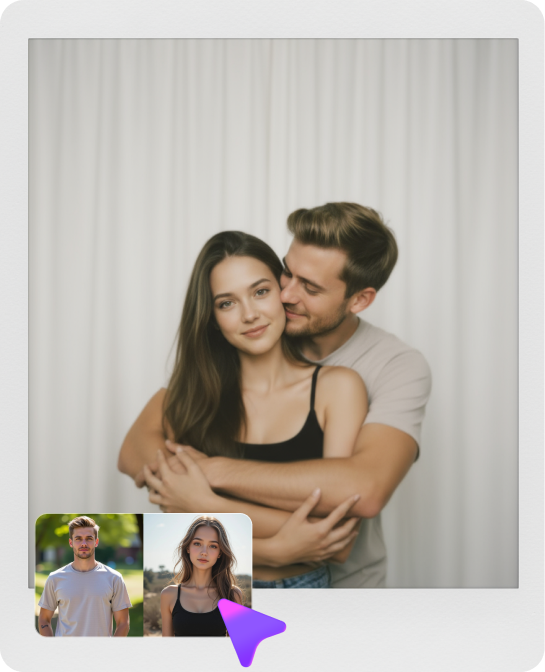
Wondering whether a different swimsuit would look believable in that beach vacation shot? Use an adult photo with a setting you already like, then choose a style sample or upload a bikini reference for an illustrative AI summer bikini photo generator preview. Only the clothing changes; the source photo's background, pose, and lighting stay the same. Results vary.

Everyday photo before swimsuit preview
Swimsuit swap preview on the same photo
Preview a Bikini Style

Start with a clear adult photo taken in the beach setting you want to keep. The clothing swap will not turn an indoor photo into a beach vacation photo.

Decide What Belongs in the Photo

Keep the Beach You Actually Visited

For a believable vacation post, begin with your own shoreline, poolside, or resort photo. The clothing preview uses that existing background rather than inventing a destination, so the place in the image remains the place you photographed.

Compare Coverage Before You Share

A high-waisted bottom, sport top, or full-coverage cut can give the same photo a different feel. Compare style references against your existing pose and decide which look you would feel comfortable posting. Treat the preview as an illustration, not a fit guarantee.

Check Whether the Source Photo Works

Look for a clearly visible outfit, an unobstructed outline, and lighting that already suits the beach scene. If an arm, bag, or deep shadow hides much of the clothing, choose another source photo before judging a swimsuit preview.

Separate Outfit Choice From Shoot Planning

If the setting and pose are already right, a clothing preview may help you choose a look without arranging another shoot. If the location, expression, or light is what bothers you, retake the photo instead; a bikini swap will not address those details.

Preview Swimwear on Your Existing Photo

Use a photo of an adult in the beach setting you want to keep. For a useful summer swimsuit photoshoot comparison, choose a source image where the clothing area is visible and the pose and lighting already feel right.

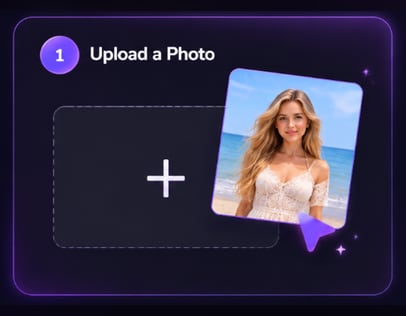
Adult uploading a beach photo
Step 1

Upload Your Photo

Select a clear photo of an adult. Check the beach background, pose, and lighting first, since those parts of the source image remain in place.

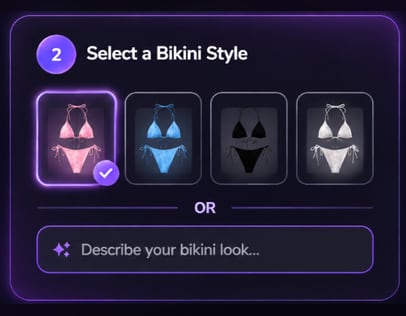
Adult choosing a bikini reference
Step 2

Choose a Bikini Style or Upload Your Own

Pick a preset bikini style sample or upload a reference photo of the bikini you want. Compare cut, coverage, and color rather than expecting the tool to change the setting.

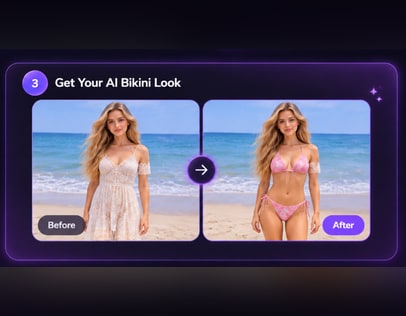
Adult reviewing a swimsuit preview
Step 3

Click Generate

Click Generate to swap only the clothing; the original background, pose, and lighting stay unchanged. Review the illustrative result before using it, since results vary.

When a Clothing Preview Helps

Use an existing photo when the location and moment are worth keeping. These summer swimwear photo ideas address different choices before you post or plan another shoot.

Choose a Vacation Post

You have a beach photo of yourself with a natural expression and a recognizable destination, but the swimsuit is not the look you want to share. Compare a few coverage levels while keeping the original moment intact, then decide whether the preview feels believable enough to post.

Plan a Future Beach Shoot

You are considering a summer beach photoshoot and want to narrow down swimwear before packing. Test cuts against a photo with similar lighting and pose. Use the result to guide your outfit choice, not as proof that a garment will fit the same way in person.

Refresh a Poolside Profile Photo

You like the relaxed pose and bright poolside background in an existing adult photo, but want to compare a more covered or sportier style before updating a profile. Keep the scene as shot and judge whether the swimsuit choice still feels like your vacation.


What Media.io Users Say About AI Beach Photo Previews

VT
Vicki Trusselli

April 22, 2025

star star star star star

“AI is awesome. The creative aspect of Wondershare is awesome. I recommend this company.”

View original review on Trustpilot

Questions Before You Use a Beach Photo

1. Can this turn an indoor photo of an adult into a beach vacation photo?

No. Start with an adult photo that already has the beach or poolside setting you want. This workflow previews a clothing change while the source background, pose, and lighting remain the same. If the location is wrong, choose a different source photo.

Check that the swimsuit area is visible and not heavily blocked by a bag, crossed arms, or a strong shadow. Pick a photo whose pose and lighting you already like. A clothing preview is less useful if the parts you want to change are outside the outfit.

For an adult photo, choose a style sample when you want to compare a general cut or coverage level. Upload a reference when you have a particular bikini in mind. Either way, treat the output as an illustrative preview, not a promise of an exact garment match.

No. A preview on an adult photo can help you compare the visual effect of a neckline, color, or coverage level in your existing image. It cannot confirm fabric feel, sizing, support, or real-world fit. Check the garment itself before buying or packing it.

Look at where the clothing meets arms, hair, or accessories and whether the swimsuit appears consistent with the original light. Results vary, especially when the outfit is partly hidden. If those details distract, try a clearer source photo or another style reference.

If your adult source photo already has the setting, pose, and light you want, review the clothing preview and decide whether it represents the image you mean to share. If you want a different beach, camera angle, or time of day, plan a new photo instead.

Media.io Online AI Tools Quality Rating:
vote 4.7 (162,357 Votes)