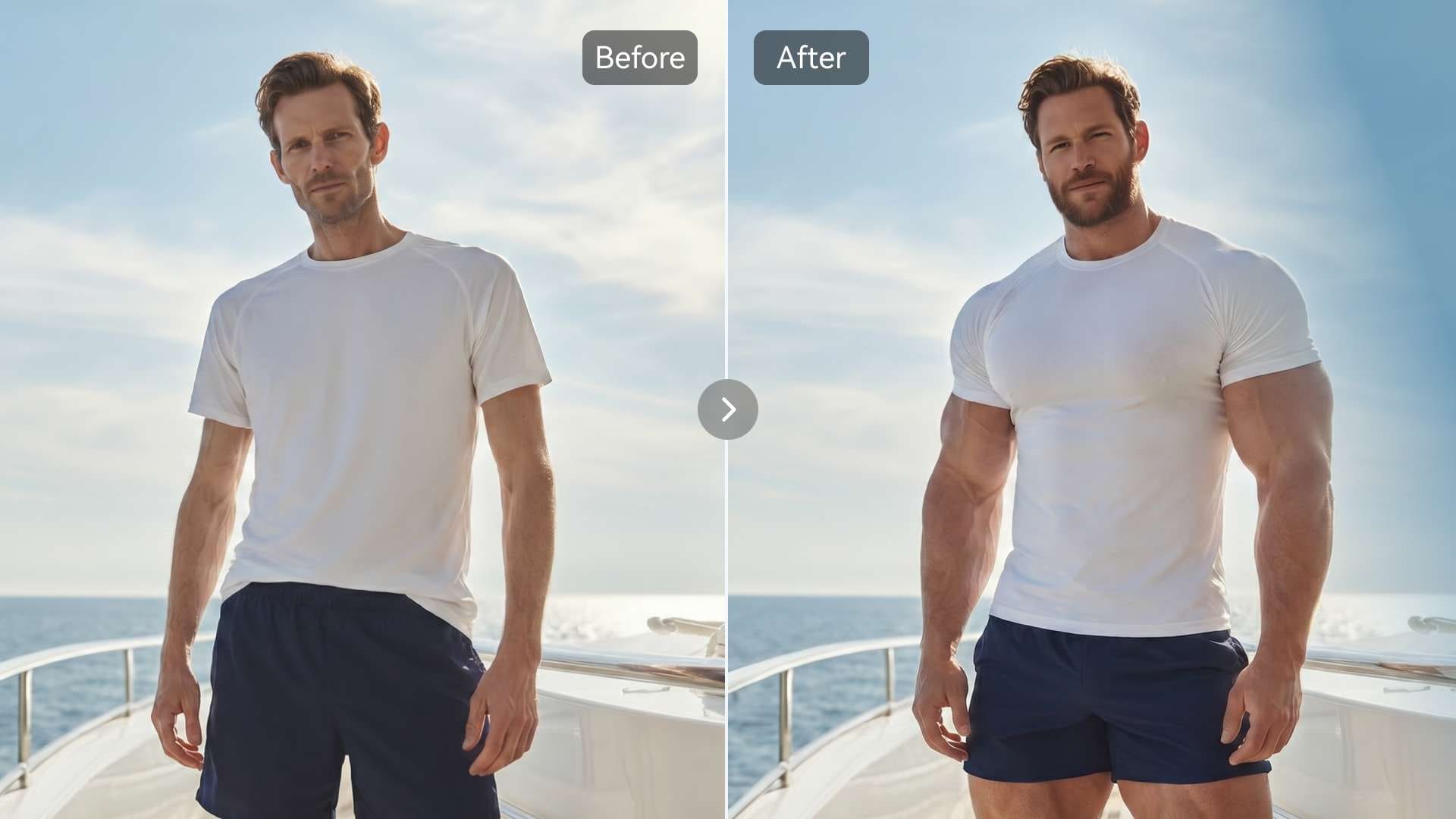
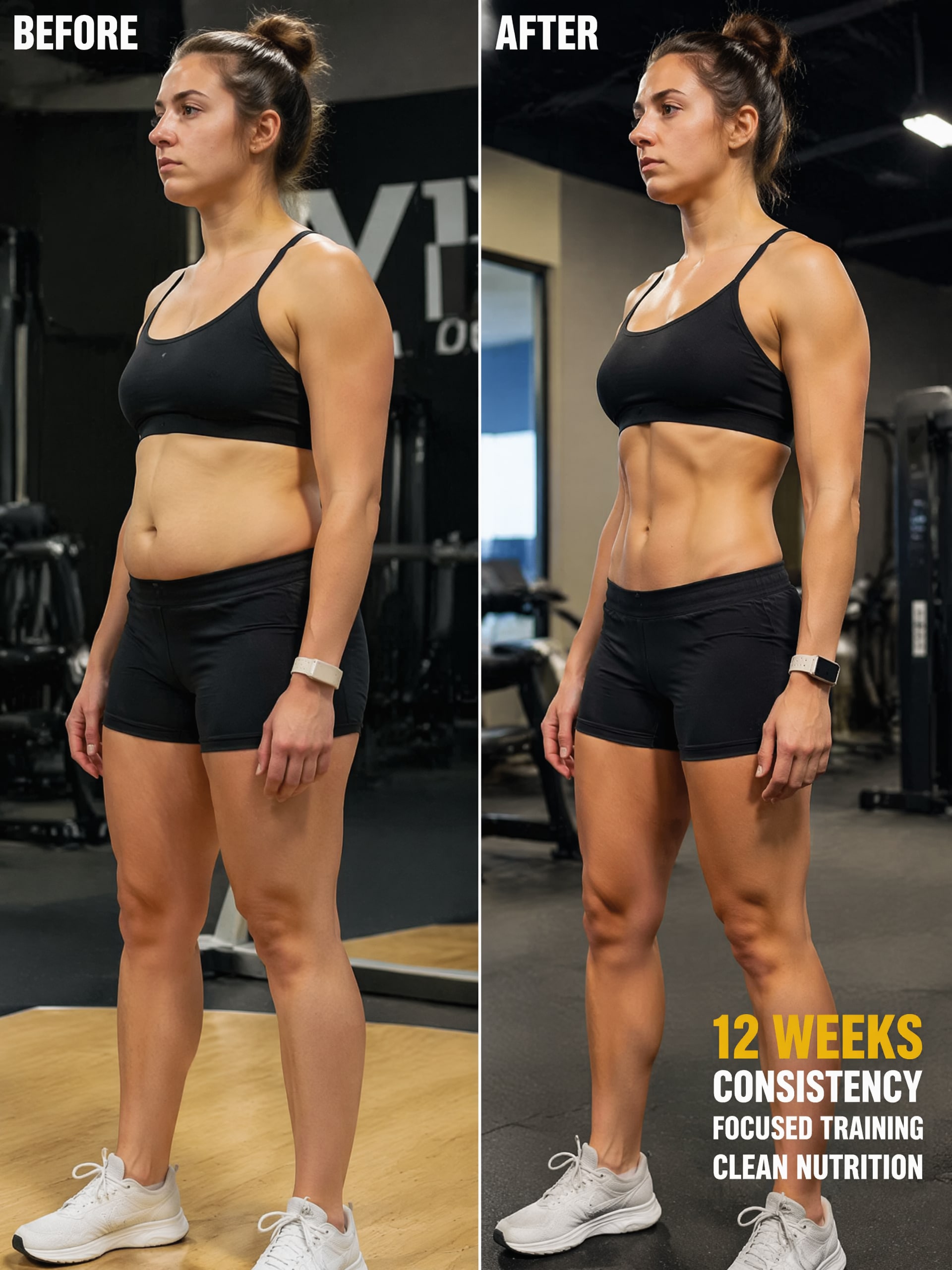















AI Body Transformation From Photos With Realistic, Fast Results
Create realistic AI body transformation images from your photo in minutes. Upload a picture and use Media.io’s AI body transformation generator to preview natural-looking edits with identity retention and flexible styling.
Review these example directions, then upload your photo to get stronger results with Media.io’s body transformation tool.
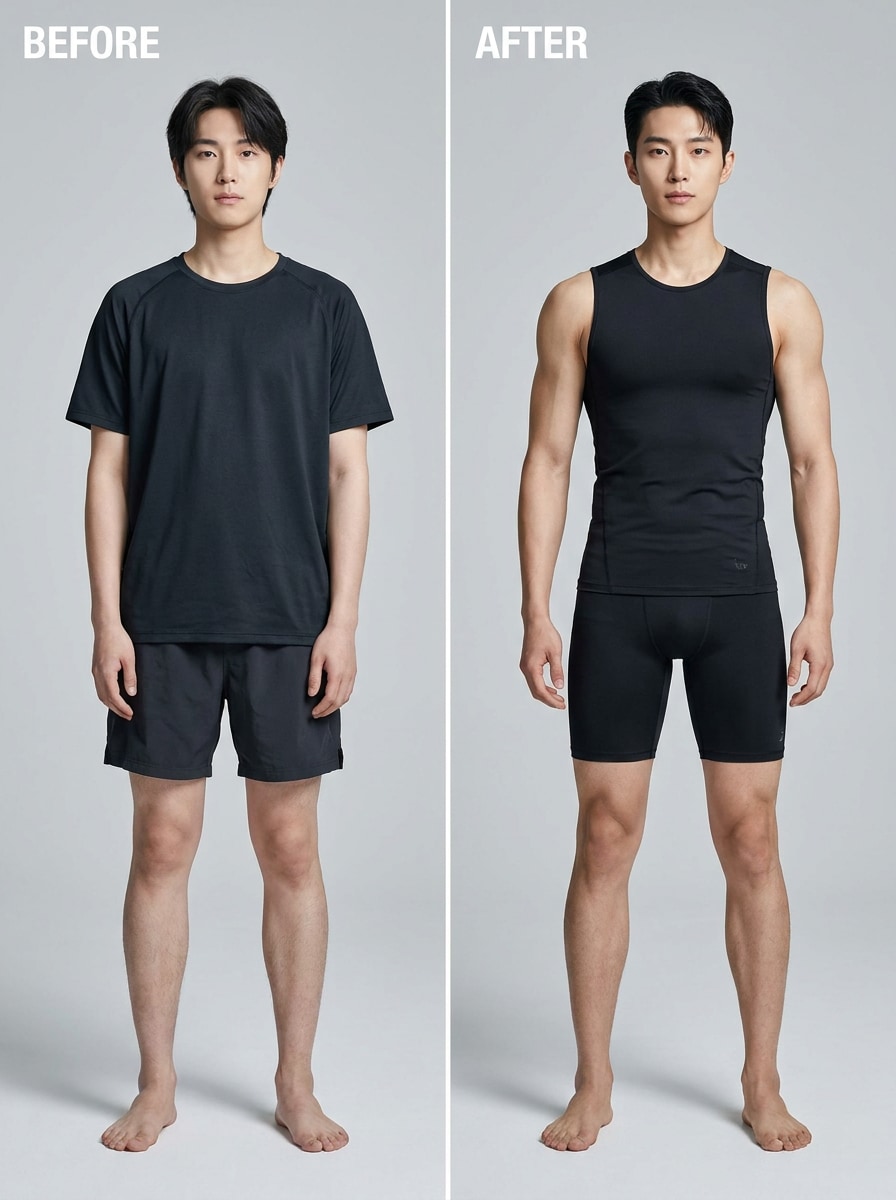
Lean Athletic Body Transform
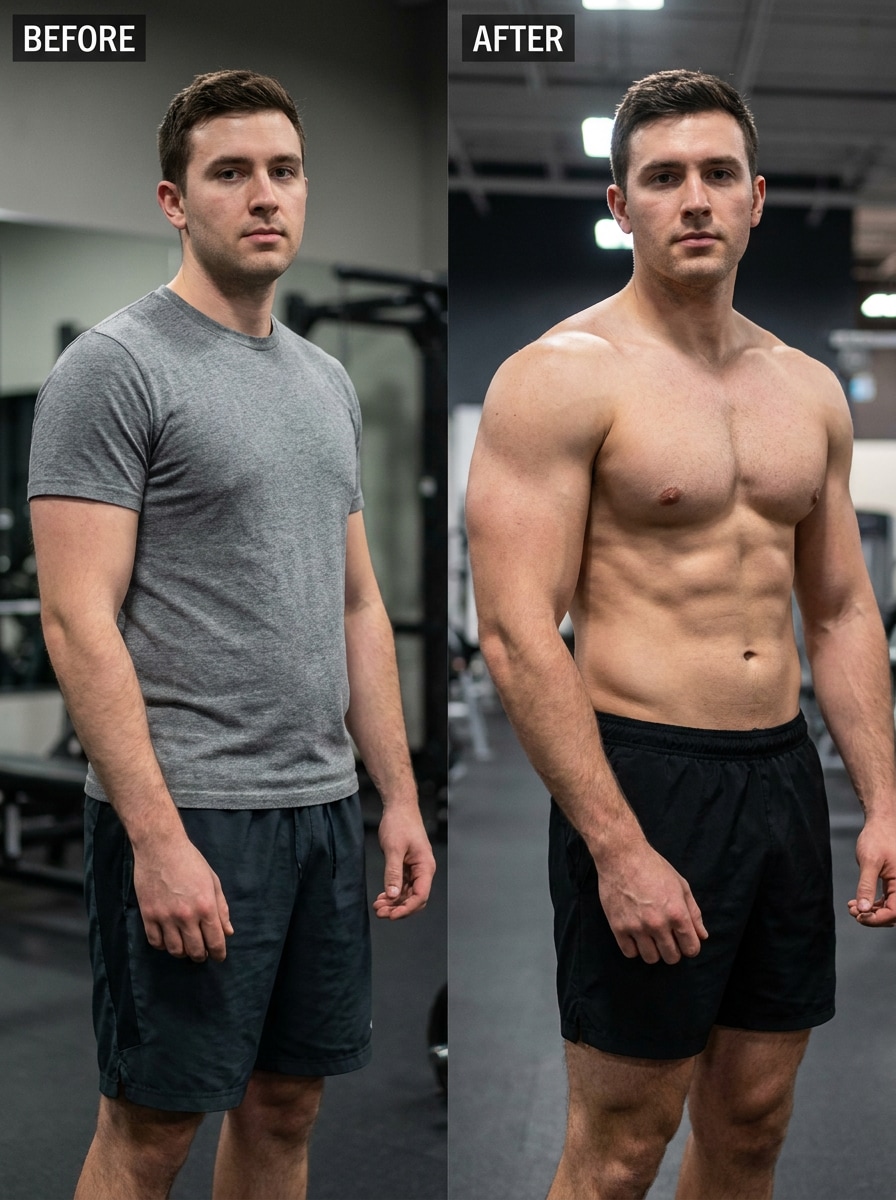
Muscle Gain Body Transform
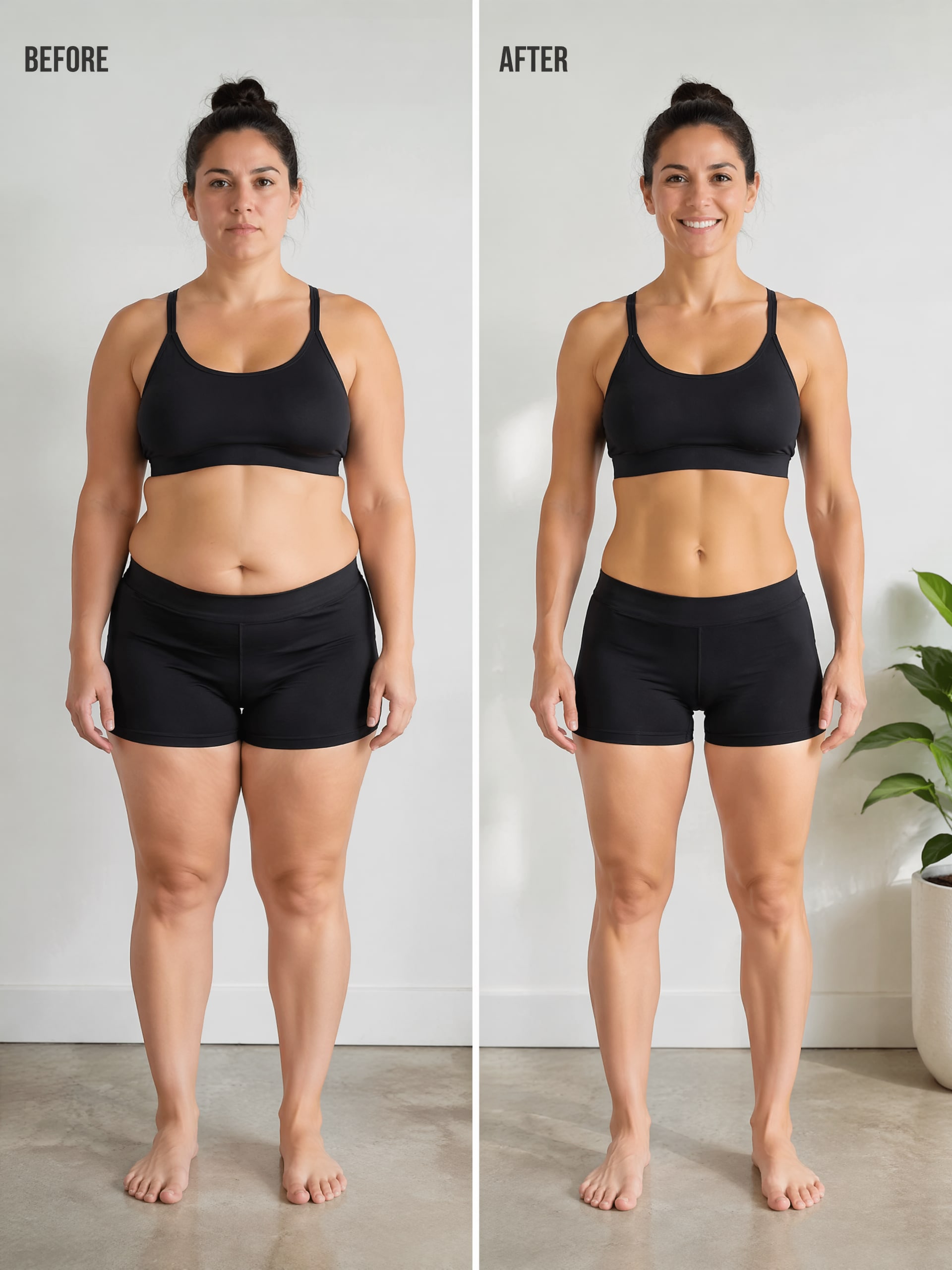
Weight Loss Goal Preview
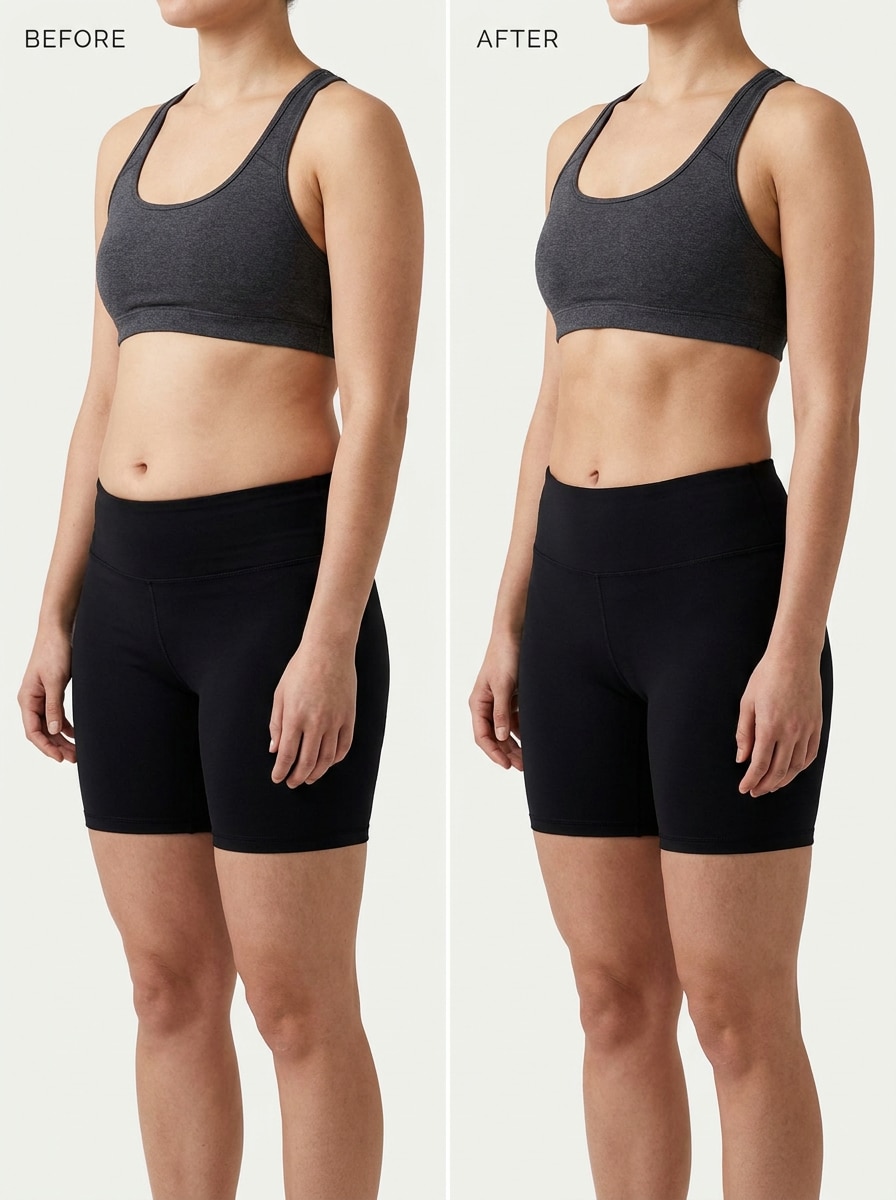
Slimmer Waist Preview
Why Use Media.io for transform body AI edits?
Keep the Subject Recognizable in New Styles
Media.io makes glow-ups, fitness previews, and stylized physique edits feel more believable by using reference-based image transformation. Your uploaded photo stays visually recognizable while Media.io adjusts body shape, posture, and styling with a more natural look.
Dial In Realistic or Creative Physique Styles Fast
From a subtle reshape to a before-and-after concept or a cinematic physique edit, Media.io lets you steer the image with prompts so the transformation matches your specific creative goal.
Create High-Resolution Images for Real Use
When a body transformation visual is headed for real publishing use, Media.io gives you sharper output up to 4K, which helps the image stay clear across presentations, backgrounds, and reused assets.
Edit Online Without Switching Devices or Software
Switching between phone and computer is simple with Media.io because the body transformation workflow stays in your browser. That makes it practical to create, test, and refine visuals wherever you prefer to work.
How to Create AI Body Transformation Photos with AI Muscle Generator
01
Step 1: Upload Your Photo
Upload a clear portrait or full-body photo to start your AI body transformation . Media.io's AI body transformation generator works best with front-facing fitness, lifestyle, or selfie images.
02
Step 2: Generate Your Transformed Look
Click generate and let the AI muscle generator create a realistic transformed version of you. The tool can enhance body shape, muscle definition, waistline, and overall physique while keeping your face and identity natural.
03
Step 3: Preview, Download & Share
Preview your AI body transformation photo instantly, then download the result in high quality. Perfect for fitness motivation, body transformation posts, social media content, or visualizing your ideal future physique.
Unlock the Potential of AI Body Transformation Generator
See how creators use Media.io’s body transformation workflow for content, marketing, and personal projects, then adapt each idea to fit your brief.
Preview Fitness Goals Before Posting Progress Content
Creators and fitness-focused users can turn one upload into a polished physique concept for reels, thumbnails, or personal motivation boards with Media.io. It is especially useful when you want a believable progress mockup instead of an exaggerated edit.
Create Glow-Up Visuals for Social and Personal Branding
Use a single portrait in Media.io to test cleaner posture, refined proportions, and editorial styling for profile visuals or campaign concepts. This makes body-focused enhancement ideas easier to preview before you commit to a final creative direction.
Build Before-and-After Concepts for Creative Storytelling
An AI body transformation generator workflow in Media.io can help you create side-by-side concept images for transformation stories, mood boards, or entertainment content. It is a practical way to explore both realistic and stylized outcomes from one reference photo.
What Users Say

Jordan M.
Fitness Content Creator

"Surprisingly natural-looking physique edits" I wanted a realistic progress mockup, not a cartoonish body edit. Media.io kept my face consistent and made the transformation look clean enough for social content.

Alyssa R.
Lifestyle Influencer
"Easy to use on mobile" I tested it from my phone with one full-body photo and got a polished glow-up result fast. The browser workflow was simple, and I liked being able to refine the prompt.

Kevin T.
Graphic Designer
"Useful for concept visuals" I used it to create before-and-after style comps for a campaign idea. The output looked sharp, and the aspect ratio options helped me adapt the image for different layouts.

Monica L.
Wellness Coach
"Good balance between control and speed" It helped me visualize healthy lifestyle transformations without making people look fake. For quick concept work, it is much faster than manual editing.
AI Body Transformation FAQs
1. What is an AI body transformation tool?
An AI body transformation tool is a photo-to-photo editor that uses your uploaded image as a reference and applies guided visual changes to body shape, posture, style, or overall physique. Media.io helps you create these edits online with prompt-based control, so you can preview realistic fitness, glow-up, or creative transformation looks from a single photo.
2. How do I transform my body in a photo with AI?
Open Media.io’s image-to-image tool, upload a JPG, PNG, or JPEG photo, and enter a detailed prompt describing the result you want. For example, you can ask Media.io to create a lean athletic look, a subtle body reshape, or a stylized concept, then adjust aspect ratio and resolution before generating the final image.
3. Can I use AI body transformation online for free?
Free users can try Media.io with free credits. If you need more generations or additional usage options, you can check the pricing page. Free outputs may include a watermark, while paid plans support watermark-free high-resolution downloads.
4. Will the result look realistic or overly edited?
That depends on both your prompt and source photo. Media.io is designed for reference-based editing, which helps preserve facial identity while making body changes feel more natural. With balanced prompts, realistic lighting, and proportional adjustments, the result is more likely to look believable rather than overly edited.
5. Can I create a before-and-after body transformation from one photo?
Yes. Media.io lets you upload one reference photo and generate a transformed version that works as the “after” concept, then place it next to the original for a before-and-after visual.
6. Does an AI body editor work on phone and desktop?
Media.io is web-based, so it works on any device with a browser, including Windows, Mac, iOS, and Android. That makes it easy to start an edit on your phone for quick testing or move to a desktop browser for a larger workspace.
Beyond AI-Powered Online Body Transformation
Media.io Online AI Tools Quality Rating:
 4.7 (162,357 Votes)