/@ karakterini seçin ve oluşturmak istediğiniz sahneyi tanımlayın.
0/2000
9:16
1K
1
Unlimited Banana Pro
Creations
Ideas Hub
How It Works
All
Popular features
View All
Cadılar Bayramı Yaratıcılık Yarışması
View All
AI Meyve Hikayesi
View All
AI Hikaye Videosu
View All
Bugünün Viral Videoları
View All
Yapay Zeka Ürün Videoları
View All
Yapay Zeka Karakteri
View All
Dans Trendleri
View All
GPT Image 2
View All
Seedance 2.0
View All
Yapay Zeka Ünlü Eşleştirme
View All
Çift Pozları İpuçları
View All
Estetik AI Kız Pozu İstekleri
View All
Şık AI Erkek Poz İpuçları
View All
Generate List
Creations are stored for only 7 days. Assets created after upgrading to a Membership plan will be stored permanently.
Unlock your creative potential and experience the magic of Media AI right away!
AI 3D Uygulama Simgesi Portre İstemleri
Herhangi bir portreyi cesur bir AI 3D uygulama simgesi portresine parlak kare simge çerçeveleri, canlı uygulama esinli renk paletleri, gerçekçi stil ve viral sosyal medyaya hazır kompozisyon ile dönüştürün. Media.io, fotoğrafları güçlü istemler ve Görüntüden Görüntüye oluşturma kullanarak içerik üreticiler, trend severler, kişisel markalar ve sosyal medya paylaşımları için göz alıcı 3D simge ızgara sanat eserine dönüştürmenize yardımcı olur.
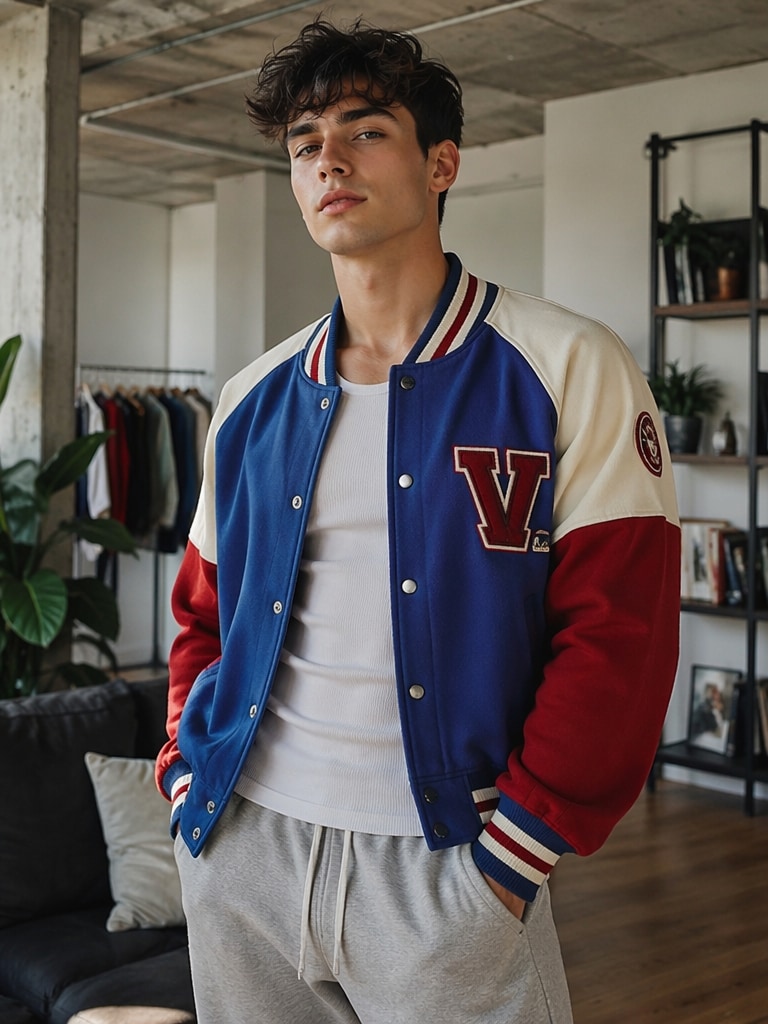
Bir portre fotoğrafı yükleyin ve tek bir istemle şık 3D uygulama esinli simge ızgarasına dönüştürün.
Önce
Viral Simge Izgarası
Önce
Karanlık Mod Portre
En İyi 10 AI 3D Uygulama Simgesi Portre İstem Fikri
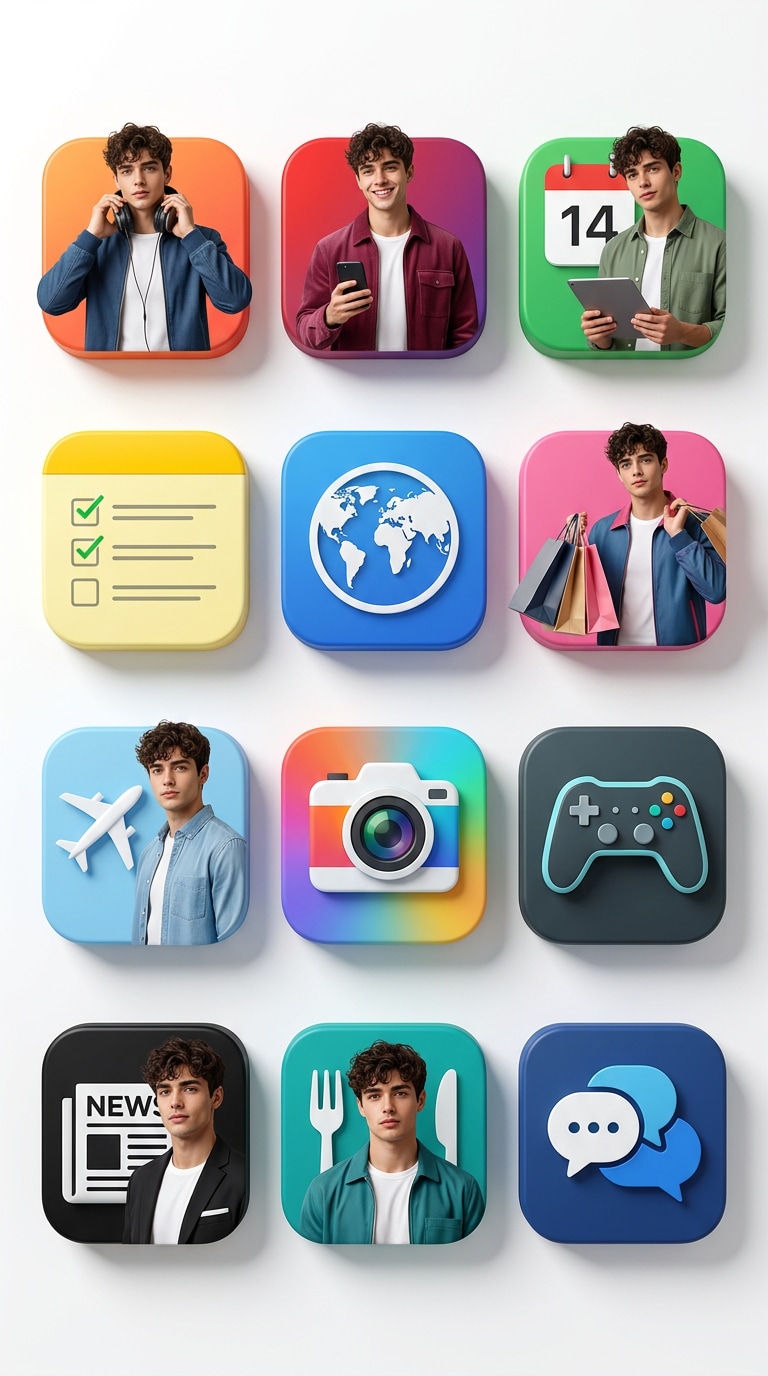
Viral Uygulama Simgesi Izgara Portresi
Yüklenen portre fotoğrafını benzerlik kılavuzu olarak kullanarak 12 farklı kare uygulama esinli simgeden oluşan premium bir 3D ızgara düzeni oluşturun. Her simge çerçevesinin içine, müzik, yayın, kısa video, tarayıcı, takvim, notlar ve yaşam tarzı uygulaması estetiği dahil olmak üzere her simgenin renk paletine uyan farklı pozlarda ve şık modern kıyafetlerde aynı gerçekçi kişiyi yerleştirin. Tam kaynak fotoğrafı kopyalamak yerine taze editoryal kompozisyonlar oluştururken, tüm varyasyonlarda öznenin yüz şeklini, ten rengini, saç stilini ve ayırt edici özelliklerini koruyun. Temiz beyaz stüdyo arka planı, canlı renkler, gerçekçi dokular, yumuşak gölgeler, parlak aydınlatma, son derece ayrıntılı dijital sanat ve cesur viral sosyal medya çekiciliği ile dikey 9:16 kompozisyon kullanın.
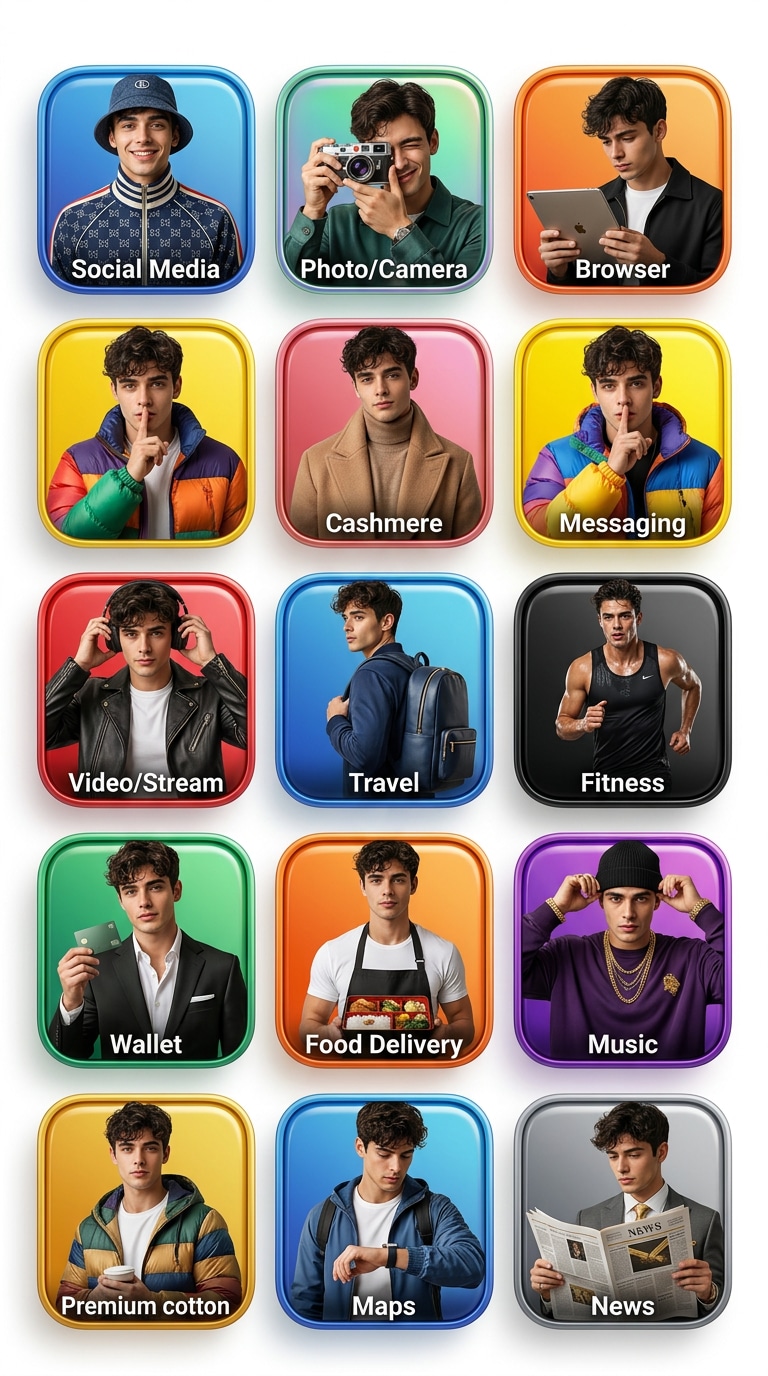
Lüks Sosyal Uygulama Simgesi Kolajı
Yüklenen portreyi, temiz dikey bir ızgarada düzenlenmiş 12 uygulama esinli kare simgeden oluşan lüks bir 3D kolaja dönüştürün. Her simgenin içinde, sosyal, fotoğraf, tarayıcı ve mesajlaşma uygulaması renk temalarına uyan premium sokak giyimi, moda öncü katmanlar, aksesuarlar ve pozlarla her kare için farklı şekilde stilize edilmiş aynı tanınabilir kişiyi gösterin. Nihai görünümü parlak kampanya tarzı görüntülere yükseltirken, tüm portrelerde benzerliği tutarlı tutun. Net beyaz stüdyo arka planı, parlak 3D simge çerçeveleri, gerçekçi kumaş dokusu, ince yansımalar, canlı doygun renk vurguları, profesyonel dijital sanat kalitesi ve dikey 9:16 poster kompozisyonu kullanın.
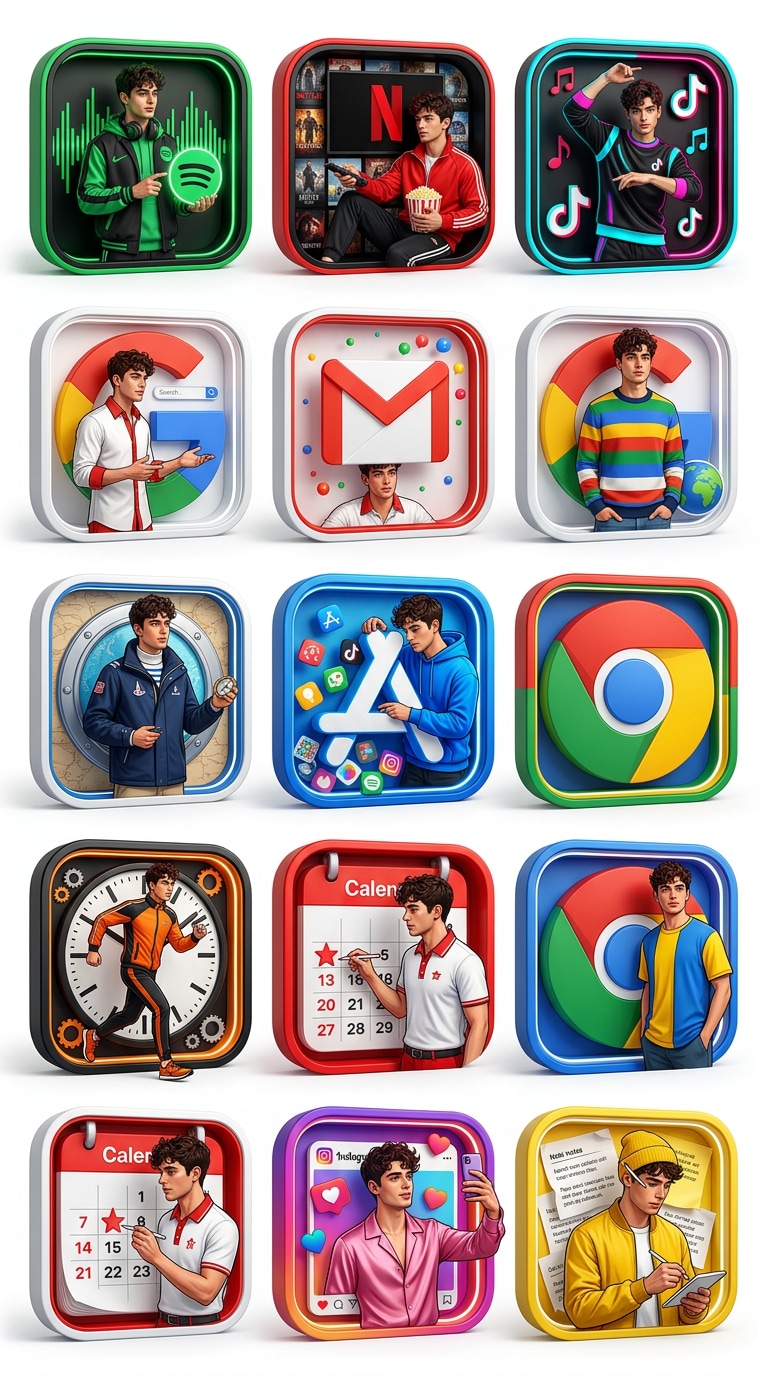
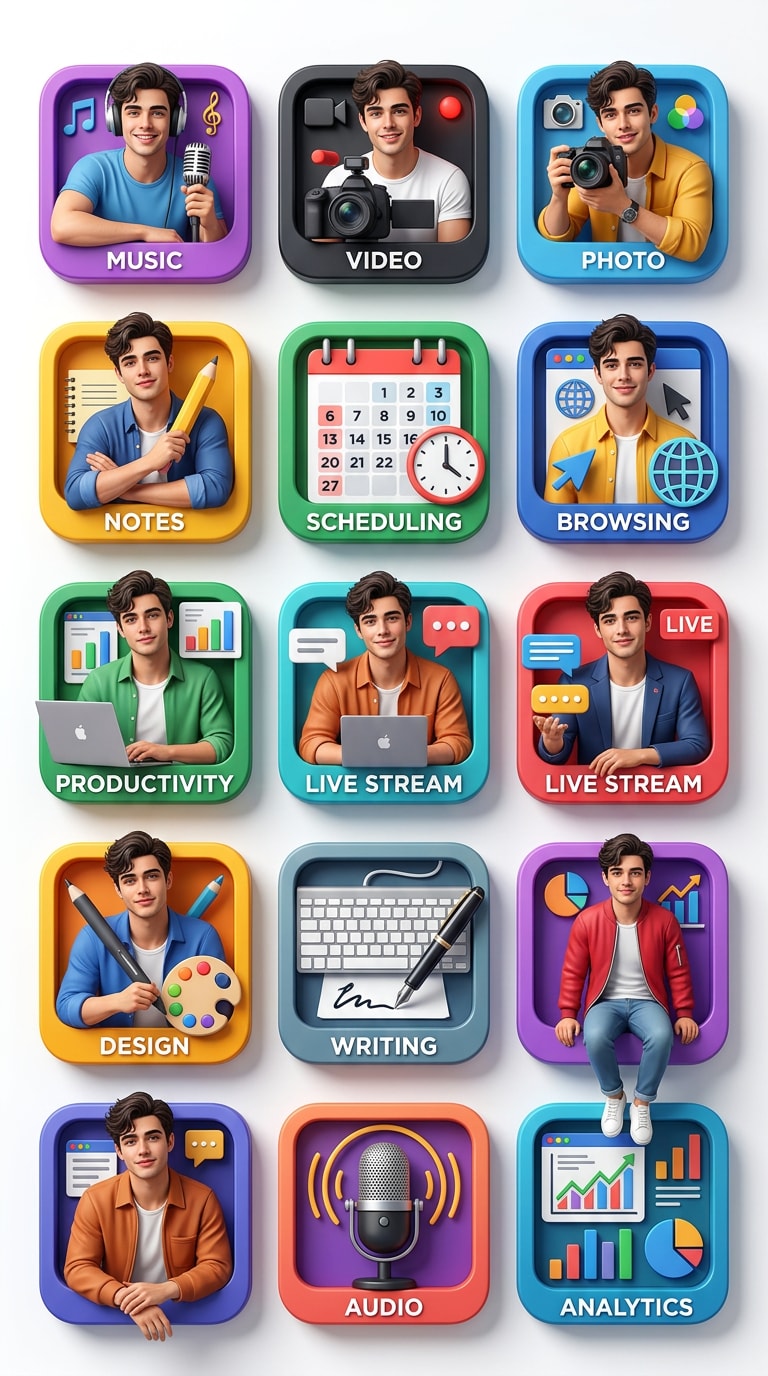
İçerik Üretici Uygulama Simgesi Stil Panosu
Yüklenen fotoğraftan içerik üreticiye odaklanan bir 3D uygulama simgesi portre panosu oluşturun. 12 kare uygulama tarzı simgeyi düzenli bir ızgarada düzenleyin ve her simgenin içine, iç çerçeve ile etkileşim halindeymiş gibi, tasarım içinde kalırken hafifçe eğilmiş, oturmuş, poz vermiş veya biraz dışarı çıkmış aynı kişiyi yerleştirin. Her simgeyi müzik, video, fotoğraf, notlar, zamanlama, gezinme ve üretkenlik gibi farklı bir içerik üretici platform havasına uyarlayın. Tüm sahnelerde yüz kimliğini, saçı ve ten rengini koruyun, ancak kıyafet stilini, duruşu ve ifadeyi değiştirin. Parlak beyaz stüdyo arka planı, temiz gölgeler, keskin 3D derinlik, gerçekçi malzemeler, cesur pop-art enerjisi, ultra ayrıntılı son işlem ve dikey 9:16 düzen kullanın.
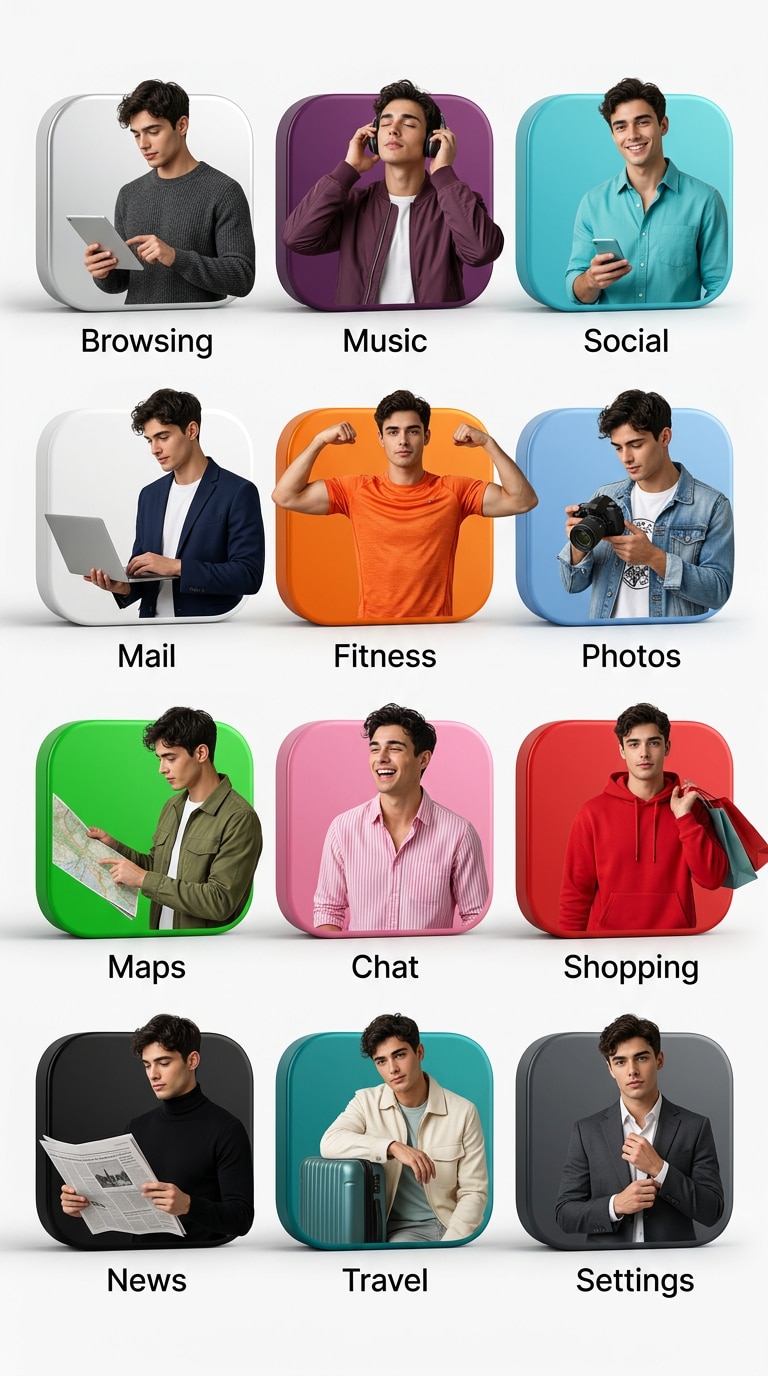
Temiz Minimal Uygulama Simgesi Portresi
Yüklenen portreyi, kusursuz beyaz stüdyo arka planında 12 kare uygulama esinli simgeden oluşan minimal ama premium bir 3D kompozisyona dönüştürün. Her simge, serin nötrlerden ve gümüş tarayıcı tonlarından canlı müzik ve sosyal tonlara kadar her simgenin paletine uyacak şekilde stilize edilmiş rafine çağdaş kıyafetler giyen aynı gerçekçi kişiyi içermelidir. Dengeli bir editoryal ızgara oluşturmak için poz, jest ve tutumu değiştirirken özneyi her simgede son derece tanınabilir tutun. Yumuşak doğal gölgeler, net 3D simge kenarları, parlak yüzeyler, gerçekçi cilt detayı, temiz boşluk ve yükseltilmiş tasarım estetiği ile modern dikey 9:16 kompozisyon kullanın.
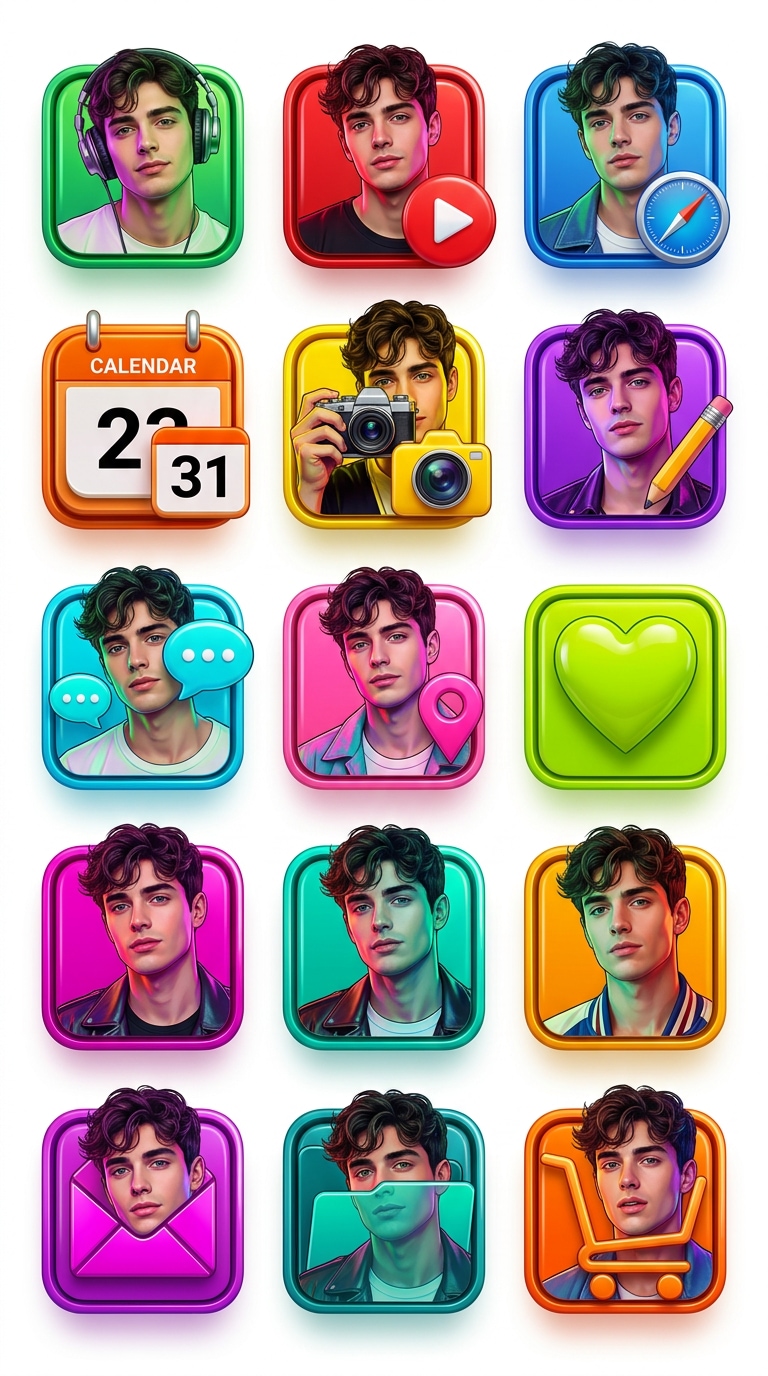
Neon Pop Uygulama Simgesi Portresi
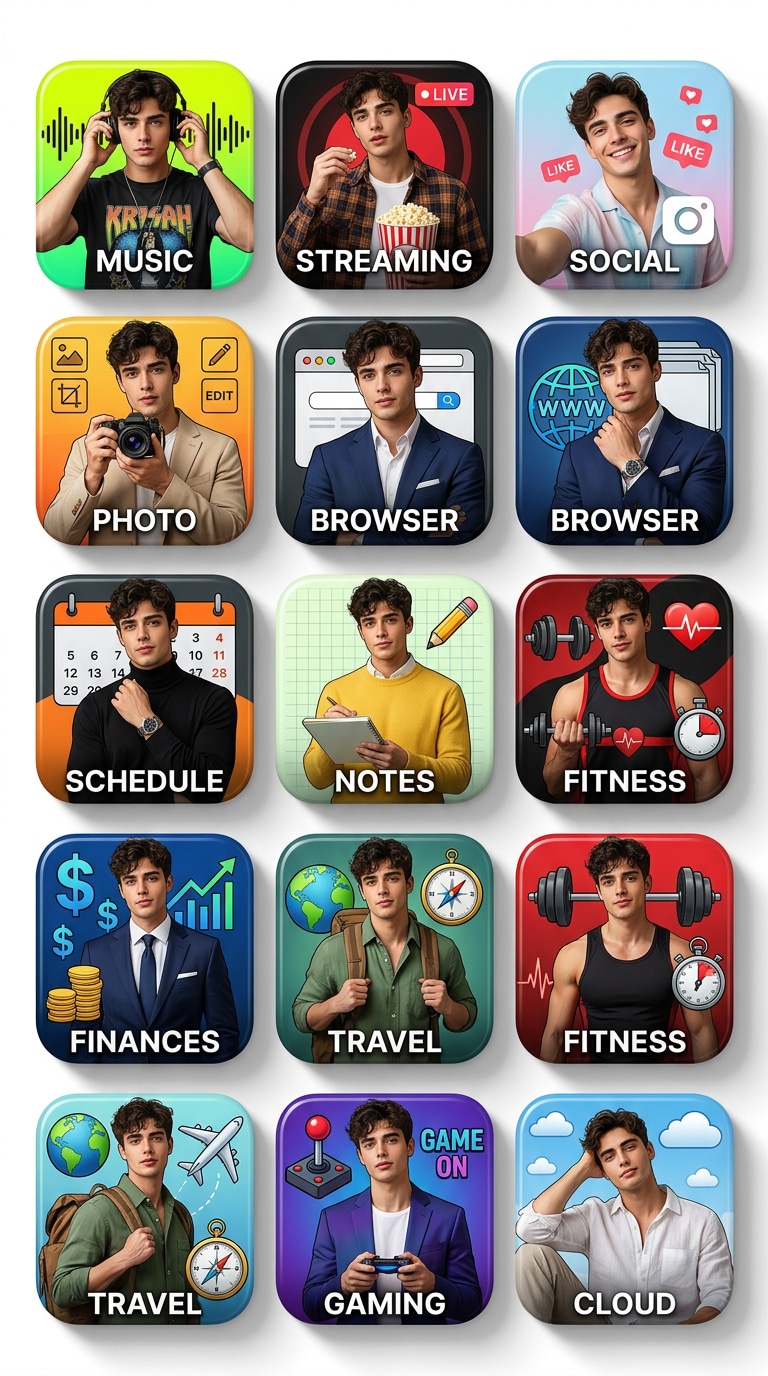
Yüklenen referans fotoğrafını kullanarak cesur neon-pop 3D uygulama simgesi portre ızgarası oluşturun. 12 parlak kare simgeyi temiz bir düzende düzenleyin, her biri müzik, yayın, tarayıcı, takvim, fotoğraf ve notlar uygulama estetiğinden ilham alan renkli moda görünümlerinde aynı kişiyi içersin. Her simgeye kendi eğlenceli renk hikayesini, pozunu ve aydınlatma havasını verirken yüzü, saç stilini ve kimlik detaylarını tutarlı bir şekilde koruyun. Boyutsal sosyal medyaya hazır bir etki için öznenin her simge çerçevesiyle dinamik olarak etkileşime girmesine izin verin. Beyaz stüdyo arka planı, canlı renk blokları, yansıtıcı 3D yüzeyler, ultra keskin doku detayı, pop-art stili ve dikey 9:16 format kullanın.
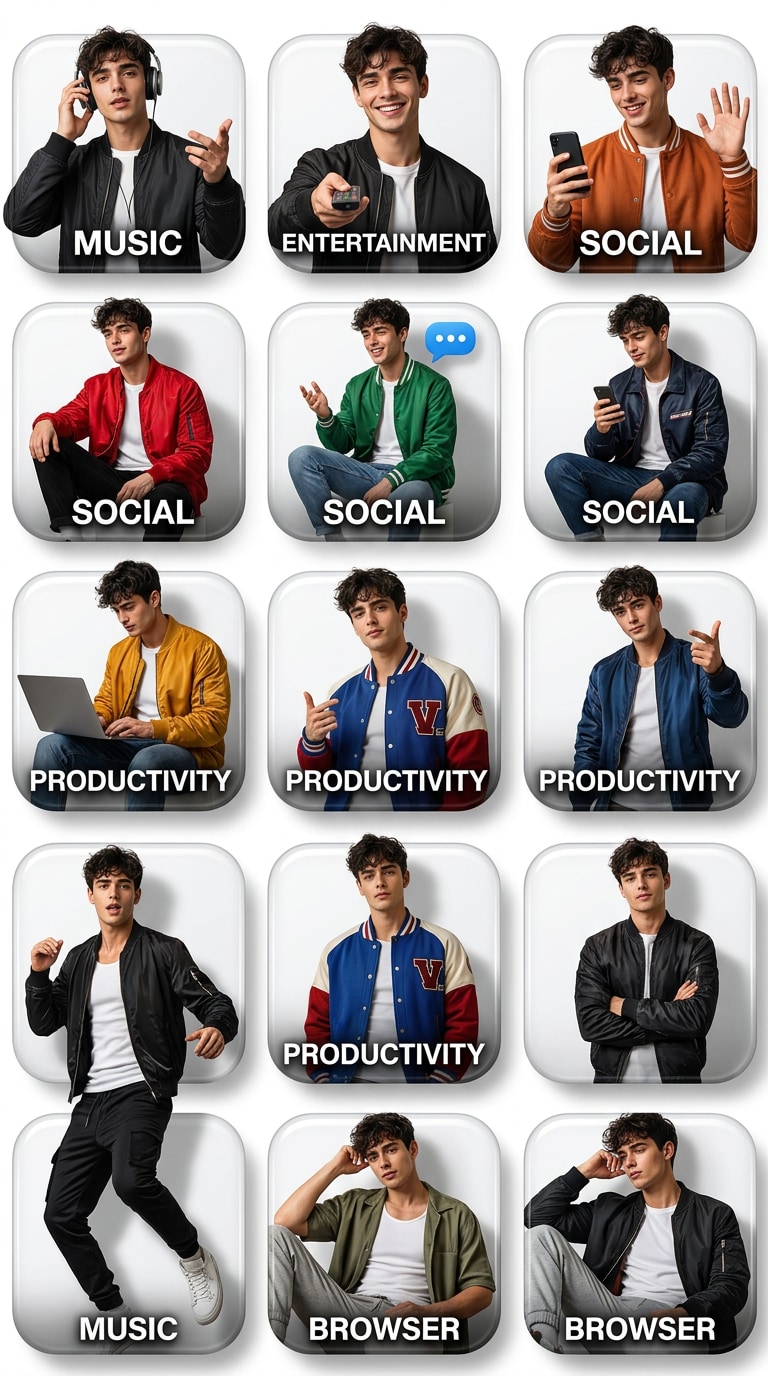
Sokak Giyimi Uygulama Simgesi Portre Izgarası
Yüklenen portreyi, premium bir ızgarada düzenlenmiş 12 kare simge ile modaya öncülük eden bir 3D uygulama simgesi kolajına dönüştürün. Her simgenin içine, müzik, eğlence, sosyal, üretkenlik ve tarayıcı temaları dahil olmak üzere her uygulama esinli karonun havasıyla değişen cesur modern sokak giyiminde stilize edilmiş aynı gerçekçi kişiyi yerleştirin. Farklı tam vücut pozları, oturma pozları, el hareketleri ve kendinden emin ifadeler kullanırken yüz kimliğini tüm portrelerde sabit tutun. Temiz beyaz stüdyo aydınlatması, yüksek kontrastlı gölgeler, pürüzsüz parlak simge çerçeveleri, gerçekçi giysi dokuları, canlı renk paletleri ve viral paylaşım için tasarlanmış dikey 9:16 kompozisyon kullanın.
Yumuşak Pastel Uygulama Simgesi Estetiği
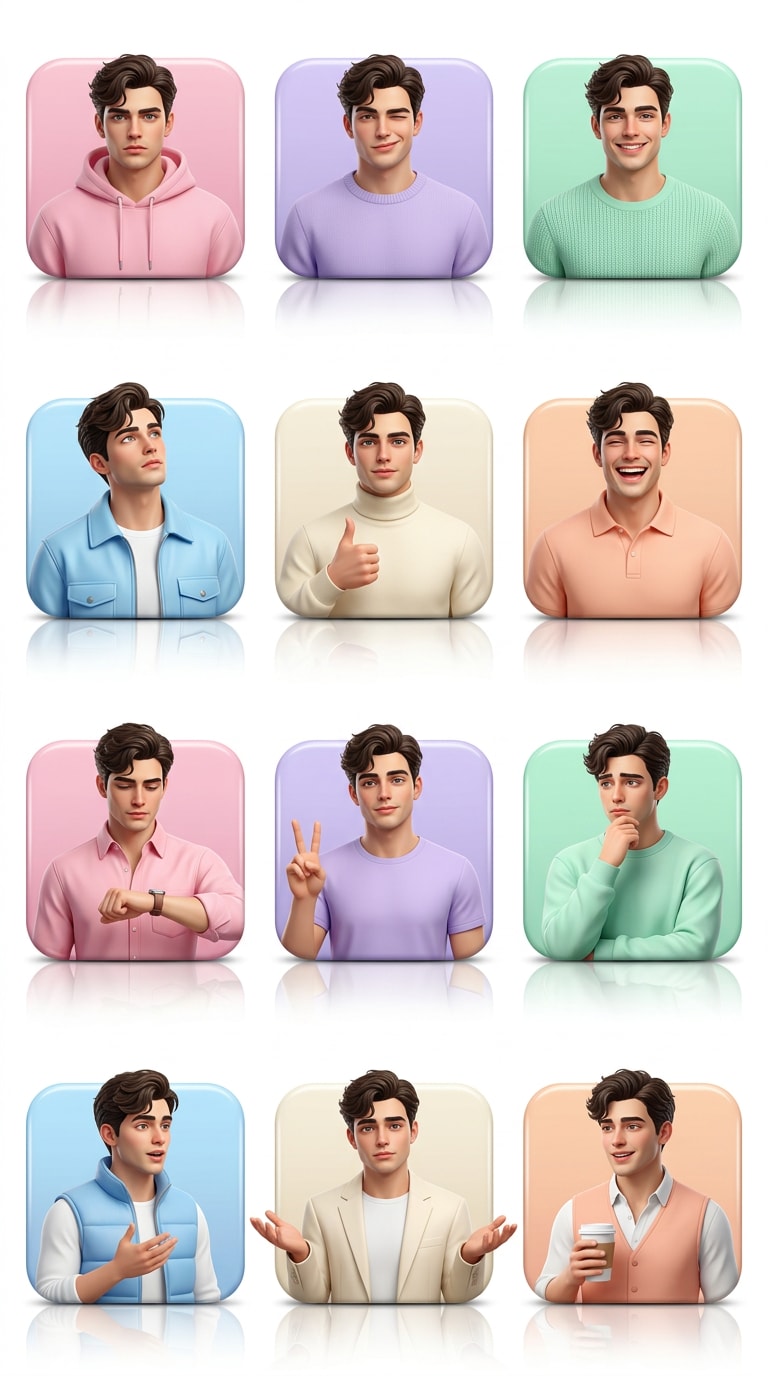
Yüklenen portre fotoğrafından yumuşak pastel 3D uygulama simgesi portre panosu oluşturun. Dengeli bir ızgarada 12 kare uygulama esinli simge tasarlayın, her biri pastel pembe, lavanta, nane, gök mavisi, krem ve şeftali paletleriyle koordineli nazik trend kıyafetler içinde stilize edilmiş aynı kişiyi içersin. Çeşitli pozlar, ifadeler ve stil detayları sunarken, öznenin temel yüz özelliklerini ve benzerliğini her simgede koruyun. Simgeleri boyutlu ve parlak tutun, gerçekçi dokular, ince yansımalar, narin gölgeler, temiz beyaz stüdyo arka planı, parlak dijital sanat son işlemi ve estetik sosyal içerik için mükemmel dikey 9:16 düzen kullanın.
Karanlık Mod Uygulama Simgesi Portresi
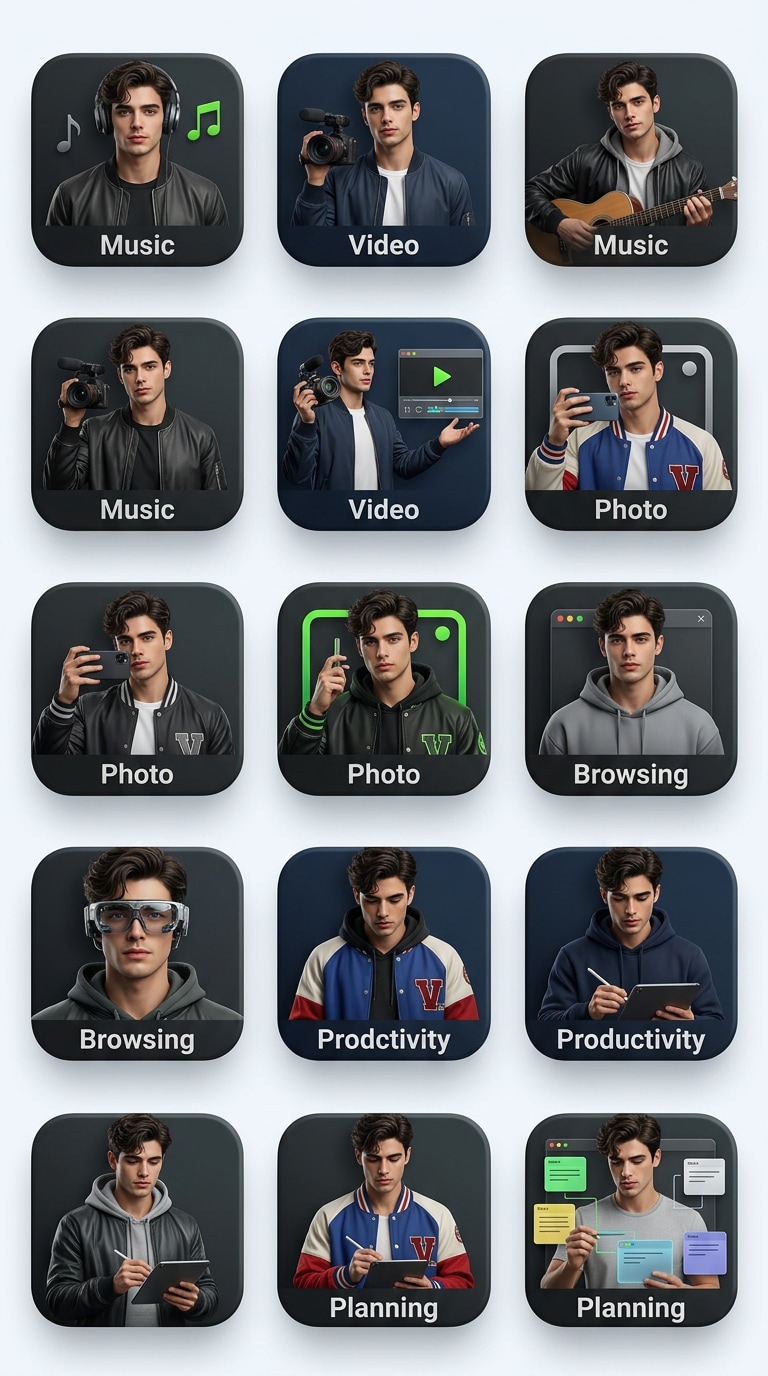
Yüklenen portreyi şık karanlık mod 3D uygulama simgesi portre ızgarasına dönüştürün. 12 kare uygulama esinli simgeyi şık koyu paletler, kömür grisi, gece mavisi, grafit, elektrik yeşili, kırmızı ve gümüş vurgularla düzenlerken, her simgenin içinde aynı tanınabilir kişiyi tutun. Müzik, video, fotoğraf, gezinme, üretkenlik ve planlama gibi farklı uygulama kategorilerine uyacak şekilde gardırobu ve pozu değiştirin, ancak tutarlı yüz şeklini, ten rengini ve saç stilini koruyun. Kontrast için temiz açık stüdyo arka planı, gerçekçi 3D simge derinliği, rafine gölgeleme, ultra ayrıntılı dokular, sinematik cilalama ve dikey 9:16 çerçeveleme kullanın.
Yaşam Tarzı Uygulama Simgesi Kimlik Panosu
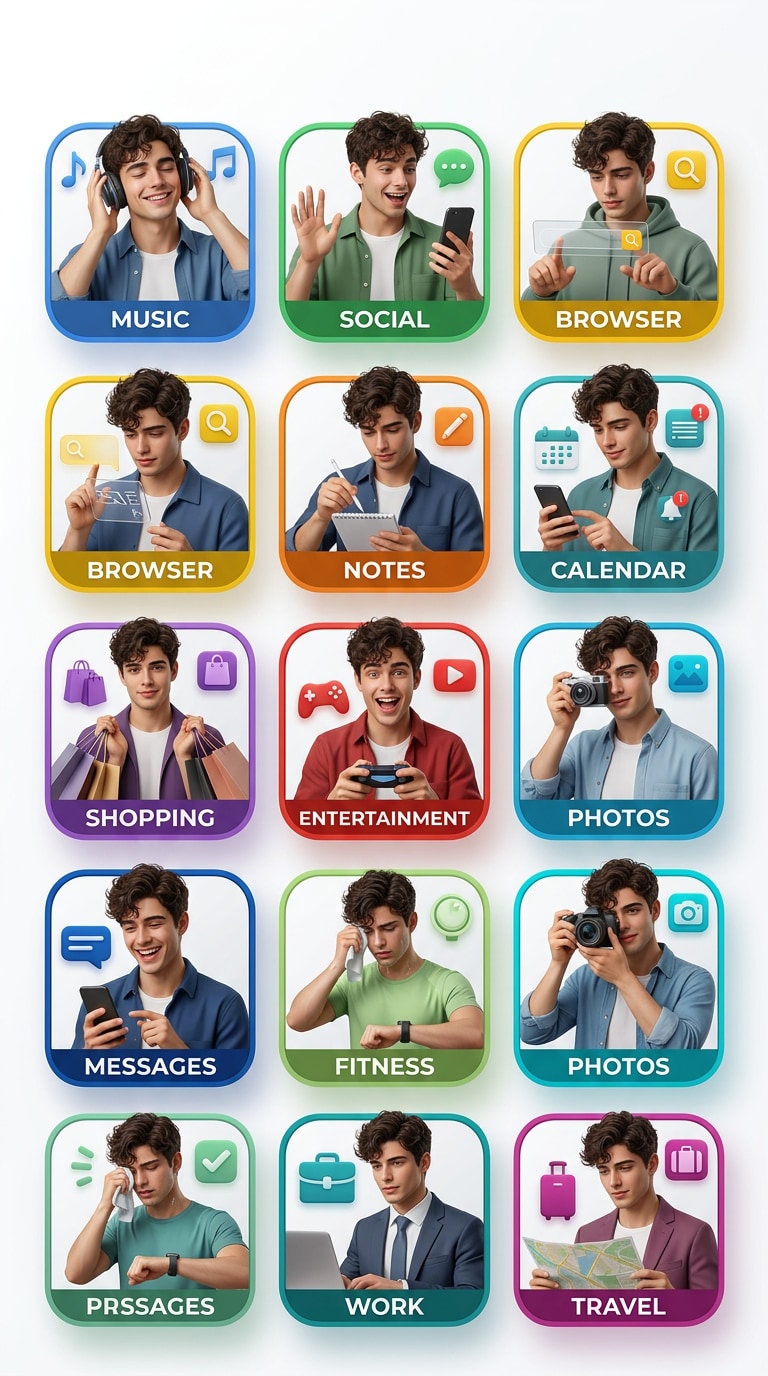
Yüklenen portreyi referans olarak kullanarak 12 kare uygulama tarzı simgeden oluşan yaşam tarzına odaklanan bir 3D kimlik panosu oluşturun. Her simgede, müzik, sosyal, tarayıcı, notlar, takvim, alışveriş ve eğlence gibi kategorilere uyan koordineli modern kıyafetler, ince kişilik değişiklikleri ve doğal pozlarla aynı gerçekçi kişiyi gösterin. Orijinal fotoğrafı tam olarak kopyalamadan benzerliği tutarlı tutun. Pürüzsüz simge çerçeveleri, gerçekçi cilt ve kumaş dokusu, dengeli kompozisyon, parlak beyaz stüdyo arka planı, canlı ama zevkli renk vurguları, son derece ayrıntılı dijital sanat ve temiz dikey 9:16 sosyal poster düzeni kullanın.
Premium Dijital Uygulama Kişiliği
Yüklenen fotoğraftan 12 farklı kare uygulama esinli simgeden oluşan 3D ızgara olarak premium bir dijital kişilik sanat eseri oluşturun. Her simgede, müzikten ve yayından tarayıcı, program, not alma ve sosyal fotoğraf estetiğine kadar her simgenin paletini ve kategorisini yansıtan özel giyim stiliyle çerçeve içinde kendinden emin bir şekilde poz veren aynı gerçekçi kişiyi gösterin. Her karoya benzersiz parlak bir editoryal hava verirken, tanınabilir benzerliği, yüz yapısını, saçı ve ten rengini tüm versiyonlarda koruyun. Temiz beyaz stüdyo arka planı, canlı profesyonel renk derecelendirmesi, gerçekçi gölgeler, parlak 3D simge derinliği, yüksek çözünürlüklü doku detayı, pop-art etkisi ve dikey 9:16 kompozisyon kullanın.
AI 3D Uygulama Simgesi Portreleri için Neden Media.io Kullanmalısınız?
Fotoğrafları Viral 3D Simge Izgaralarına Dönüştürün
Herhangi bir portreyi parlak kare çerçeveler, canlı uygulama esinli paletler, gerçekçi stil ve sosyal medyaya hazır kompozisyon ile çarpıcı bir AI 3D uygulama simgesi portresine dönüştürün. Media.io, modern, parlak ve anında göz alıcı hissettiren cesur dijital sanat eserleri oluşturmayı kolaylaştırır.
İçerik Üreticiler, Profiller ve Trend Paylaşımları için Mükemmel
İçerik üretici markalaması, profil yükseltmeleri, trend odaklı sosyal medya paylaşımları, estetik posterler ve dijital kimlik içeriği için 3D uygulama simgesi portre istemleri kullanın. Bu stil, özellikle etkileyiciler, müzisyenler, yaşam tarzı içerik üreticileri, öğrenciler ve eğlenceli yüksek etkili bir portre efekti isteyen herkes için çok iyi çalışır.
Bir Kişiyi Tüm 12 Simgede Tutarlı Tutar
Media.io, yüz şekli, ten rengi, saç stili, ifade ve genel varlık gibi temel kimlik detaylarını korumaya yardımcı olurken, yüklenen bir fotoğrafı birden fazla uygulama esinli sahneye dönüştürür. Sonuç, her simgede tanınabilir kalırken yine de dinamik, şık ve profesyonel olarak üretilmiş hissettiriyor.
Basit Fotoğraftan Efekte İş Akışı
Karmaşık tasarım araçlarına gerek yok. Sadece bir portre fotoğrafı yükleyin, bir 3D uygulama simgesi portre istemi yapıştırın, stil yönünü ayarlayın ve Media.io Görüntüden Görüntüye ile birkaç tıklamayla premium simge ızgara sanat eseri oluşturun.
AI 3D Uygulama Simgesi Portresi Nasıl Oluşturulur
01
Adım 1 – Portre Fotoğrafınızı Yükleyin
Görünür yüz, saç stili, ten rengi ve kıyafet detaylarına sahip net bir portre seçin. İyi aydınlatmalı ön veya hafif açılı fotoğraflar genellikle aynı kişiyi tüm 12 uygulama esinli simge sahnesinde tanınabilir tutmak için en iyi sonucu verir.
02
Adım 2 – Bir Uygulama Simgesi Portre İstemi Kopyalayın
Aşağıdan viral simge ızgarası, lüks sosyal kolaj, içerik üretici stil panosu, pastel estetik veya karanlık mod portre gibi bir istem stili seçin. Ardından istemi oluşturucuya yapıştırın ve gerekirse havayı, renkleri, kıyafetleri veya uygulama esinli stil yönünü ayarlayın.
03
Adım 3 – Oluşturun ve Paylaşın
AI 3D uygulama simgesi portrenizi oluşturun, ardından profil yükseltmeleri, içerik üretici markalaması, sosyal medya paylaşımları, trend içeriği veya estetik dijital posterler için indirin. Sonuç, portrenize cesur, modern ve paylaşılabilir hissettiren parlak uygulama esinli bir görünüm kazandırır.
AI 3D Uygulama Simgesi Portreleri için Temel Kullanım Durumları
Profil Yükseltmeleri ve Sosyal Medya Avatarları
Portre fotoğraflarını profil resimleri, kapak görselleri, sabitlenmiş paylaşımlar ve öne çıkan sosyal medya içeriği için cesur AI 3D uygulama simgesi portrelerine dönüştürün. Bu stil, kişisel fotoğraflara trend uygulama esinli tasarım ve güçlü görsel etki ile parlak bir dijital kimlik kazandırır.
İçerik Üretici Markalaması ve Kişisel Kimlik İçeriği
Eğlenceli modern görsel stil isteyen içerik üreticiler, etkileyiciler, öğrenciler, müzisyenler ve yaşam tarzı markaları için göz alıcı simge ızgara sanat eserleri oluşturun. Bu 3D uygulama simgesi portre istemleri içerik üretici sayfaları, dijital portföyler, tanıtım grafikleri ve kişisel markalama kampanyaları için iyi çalışır.
Viral Trend Paylaşımları ve Estetik Dijital Posterler
Instagram, TikTok, Pinterest, mood board'lar, trend paylaşımları ve estetik poster içeriği için şık 3D uygulama esinli kolaj sanatı oluşturun. Sonuç, gerçekçi portreleri, parlak simge çerçevelerini ve canlı renk temalarını güncel ve platforma hazır hissettiren paylaşılabilir bir görselde birleştirir.
Kullanıcılar AI 3D Uygulama Simgesi Portre İstemleri Hakkında Ne Diyor
Mia C.
Yaşam Tarzı İçerik Üreticisi
"Özçekimimi viral bir uygulama tarzı posterine dönüştürdü." Bir portre yükledim ve sosyal medya için yapılmış, trend, parlak hissettiren tam bir 3D simge ızgarası aldım. Renkler, parlak simge çerçeveleri ve kıyafet değişiklikleri her karoya kendi kişiliğini verirken yüzümü tanınabilir tuttu.
Ethan J.
Kişisel Marka Tasarımcısı
"Dijital kimlik ve içerik üretici görselleri için mükemmel." İstemler basit bir portreyi normal bir profil resminden çok daha dinamik bir şeye dönüştürdü. Her uygulama esinli simgenin farklı bir havası olmasını sevdim, ancak nihai sonuç yine de uyumlu ve markalama kullanımı için yeterince üst düzey hissettiriyordu.
Sophie R.
Sosyal Medya Görsel Editörü
"Kullanımı kolay ve şaşırtıcı derecede profesyonel." Bir 3D uygulama simgesi portre istemi kopyaladım, bir fotoğraf yükledim ve dakikalar içinde paylaşılabilir bir sonuç aldım. Karmaşık düzenleme iş akışına ihtiyaç duymadan trend paylaşımları, profil yükseltmeleri ve estetik dijital posterler için gerçekten iyi çalışıyor.
AI 3D Uygulama Simgesi Portre İstemleri Hakkında Sık Sorulan Sorular
1. AI 3D uygulama simgesi portre istemi nedir?
AI 3D uygulama simgesi portre istemi, bir portre fotoğrafını parlak kare uygulama esinli simgelerden oluşan bir ızgaraya dönüştüren, her çerçevenin içinde aynı kişinin farklı şekilde stilize edildiği bir görüntü oluşturma talimatıdır. Genellikle gerçekçi benzerliği, canlı renk paletlerini, 3D simge derinliğini ve parlak sosyal medyaya hazır görsel tasarımı birleştirir.
2. Kendi fotoğrafımı çevrimiçi olarak 3D uygulama simgesi portresine dönüştürebilir miyim?
Evet. Media.io, kendi portre fotoğrafınızı yüklemenize, bir 3D uygulama simgesi portre istemi yapıştırmanıza ve doğrudan tarayıcınızda şık bir simge ızgara görüntüsü oluşturmanıza olanak tanır. Parlak uygulama esinli portre efekti oluşturmak için ileri düzey düzenleme becerilerine ihtiyacınız yoktur.
3. 3D uygulama simgesi portresi için en iyi fotoğraf türü nedir?
Görünür yüz, iyi aydınlatma ve tanınabilir saç stiline sahip net portre fotoğrafları genellikle en iyi sonucu verir. Ön veya hafif açılı fotoğraflar, AI'ın simge ızgarası boyunca aynı kişinin birden fazla uygulama esinli varyasyonunu oluştururken temel kimlik detaylarını korumasına yardımcı olur.
4. AI 3D uygulama simgesi portrelerini ne için kullanabilirim?
Bu portreler, profil yükseltmeleri, içerik üretici markalaması, TikTok ve Instagram paylaşımları, estetik posterler, dijital kimlik içeriği, trend tabanlı görseller ve cesur modern görünüme ihtiyaç duyan paylaşılabilir sosyal grafikler için harikadır.
5. 3D uygulama simgesi portre istemindeki renkleri ve stili özelleştirebilir miyim?
Evet. Renk paletini, kıyafet yönünü, simge havasını, arka plan temizliğini, poz çeşitliliğini ve genel stil tonunu özelleştirebilirsiniz. Bu, aynı istem yapısını lüks, pastel, karanlık mod, içerik üretici odaklı veya viral sosyal medya görünümleri için uyarlamayı kolaylaştırır.
Profesyonel AI 3D Portre Araçlarıyla Tasarımlarınızı Yükseltin