
Script to Video AI Free
Turn Any Script into AI Videos Online
Transform YouTube scripts, blog posts, stories, lessons, product copy, and marketing content into complete AI-generated videos. Media.io automatically helps organize scenes, create visuals, add AI voice, subtitles, music, and transitions in one script to video AI free online workflow.
Create Complete Videos from Scripts with AI
Media.io combines script analysis, scene planning, AI-generated visuals, narration, subtitles, background music, and video editing in one browser-based workflow.
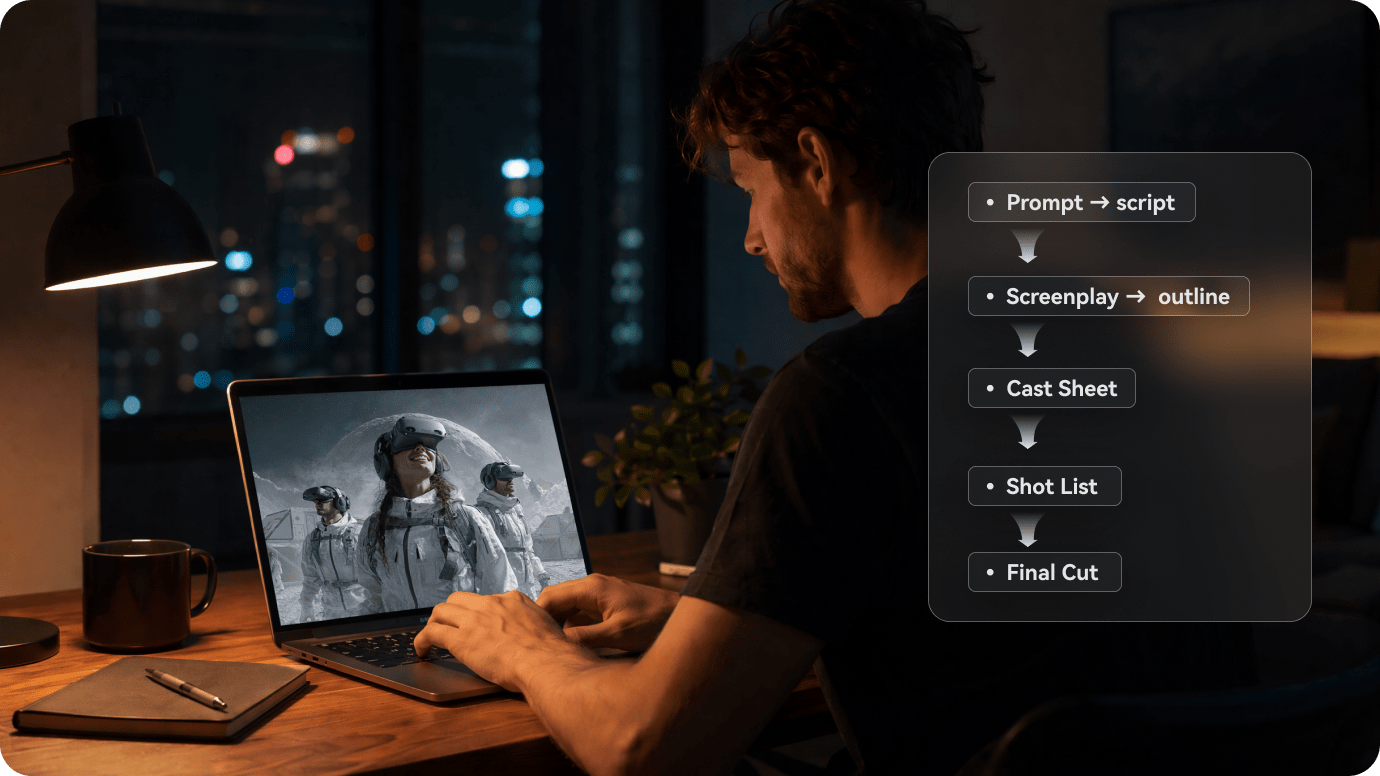
Turn Long Scripts into Structured Video Plans
Paste a YouTube script, article, lesson, screenplay, product explanation, or story. Media.io analyzes the content, identifies key ideas, and organizes it into a clear scene-by-scene video plan.
- Script Input → paste long-form scripts, articles, stories, or narration drafts
- Scene Structure → divide the script into logical visual sections
- Visual Direction → define characters, settings, and scene style
- Storyboard Preview → review the video flow before rendering
- AI Video Output → generate visuals, voice, subtitles, music, and transitions
Generate Visuals for Every Script Scene
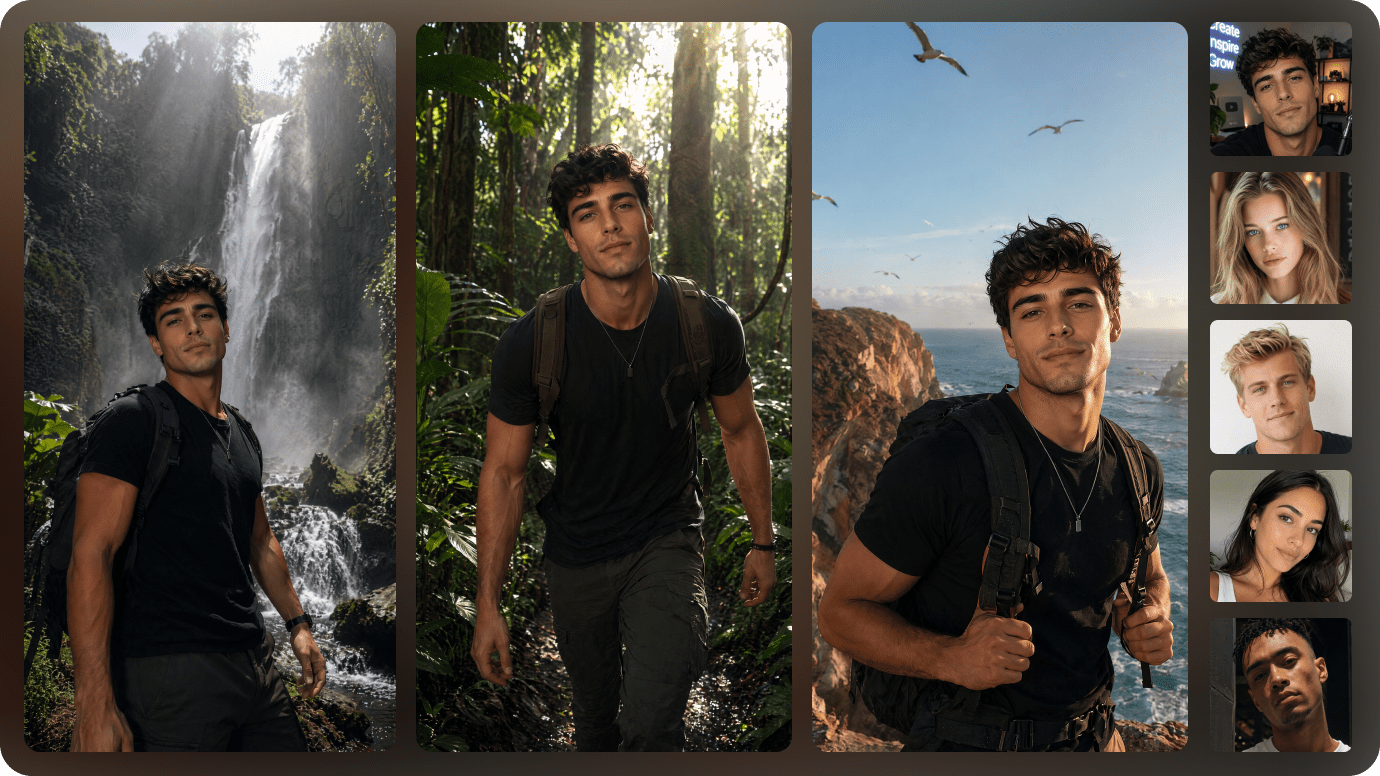
Media.io matches each script section with AI-generated visuals, characters, backgrounds, and scene concepts, helping your final video feel more coherent and easier to follow.
- AI Scene Visuals — Generate matching images for each script segment.
- Reference Images — Upload visuals to guide characters, products, or brand style.
- Visual Consistency — Keep characters, colors, and settings aligned across scenes.
- Reusable Assets — Reuse characters, logos, and brand visuals in future videos.
Add AI Voice, Subtitles, Music, and Motion
Turn your script into a polished video with AI narration, automatic subtitles, background music, animated transitions, and synchronized scene timing.
- AI Voiceover — Convert narration or dialogue into natural-sounding speech.
- Auto Subtitles — Generate captions that stay synchronized with narration.
- Background Music — Match the tone, pace, and emotion of the script.
- Scene Transitions — Build a smoother and more professional video flow.

Continue Editing with Media.io AI Tools
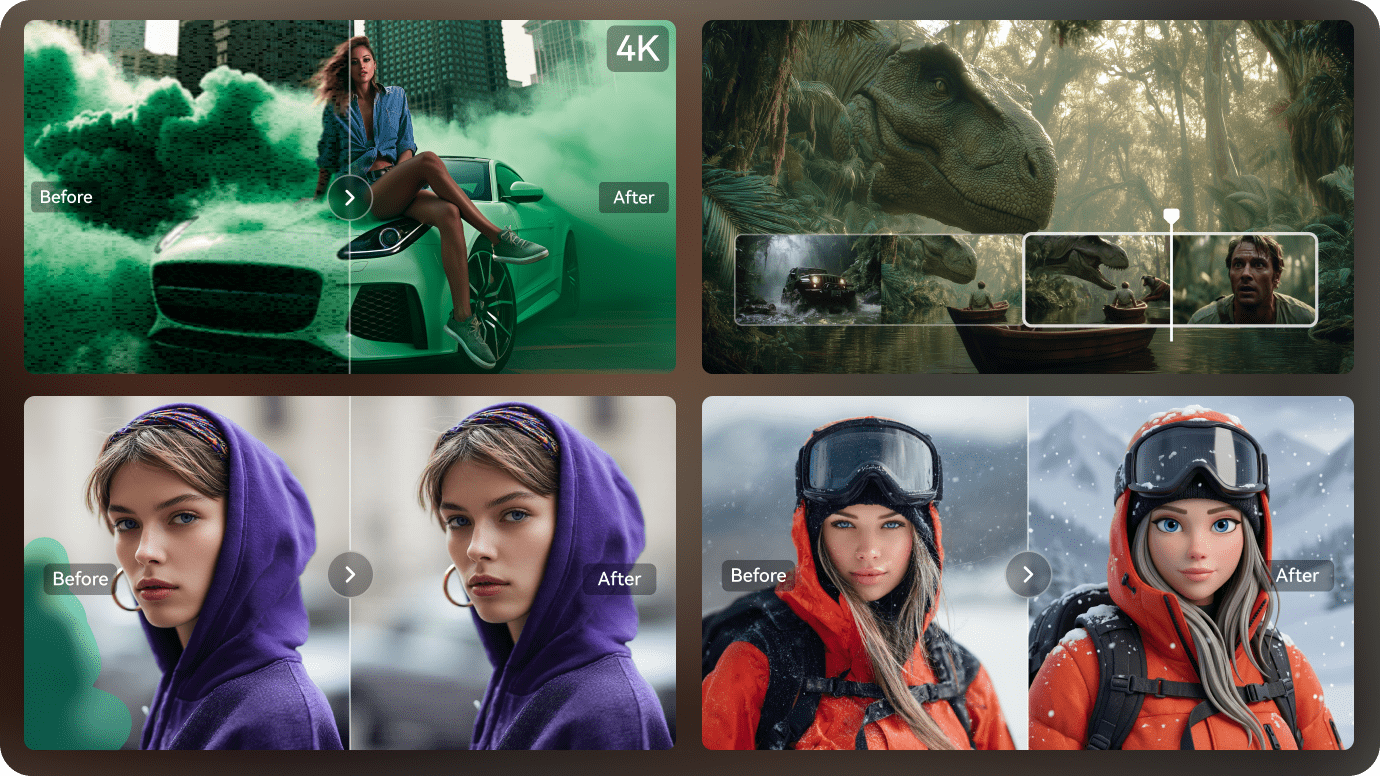
After generation, continue refining video quality, timing, visuals, audio, captions, and style with Media.io tools instead of exporting into a separate editor.
- AI Video Enhancer — Improve clarity and make generated clips look cleaner.
- AI Video Extender — Extend short clips when you need a longer visual result.
- AI Object Remover — Remove unwanted text, watermarks, or objects from existing videos.
- AI Video Style Transfer — Restyle videos into anime, cinematic, or other creative looks.
How to Use Script to Video AI Free
Three simple steps take you from a written script to a complete AI-generated video.
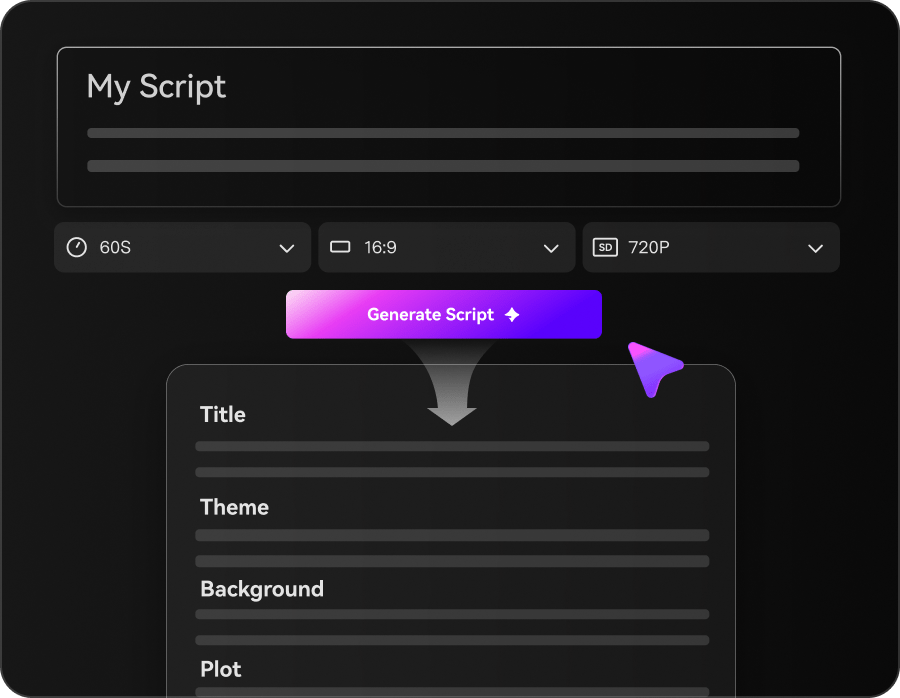
Paste or Upload Your Script
Paste a YouTube script, article, product description, story, lesson, or marketing draft. Media.io analyzes the text and prepares a scene structure.
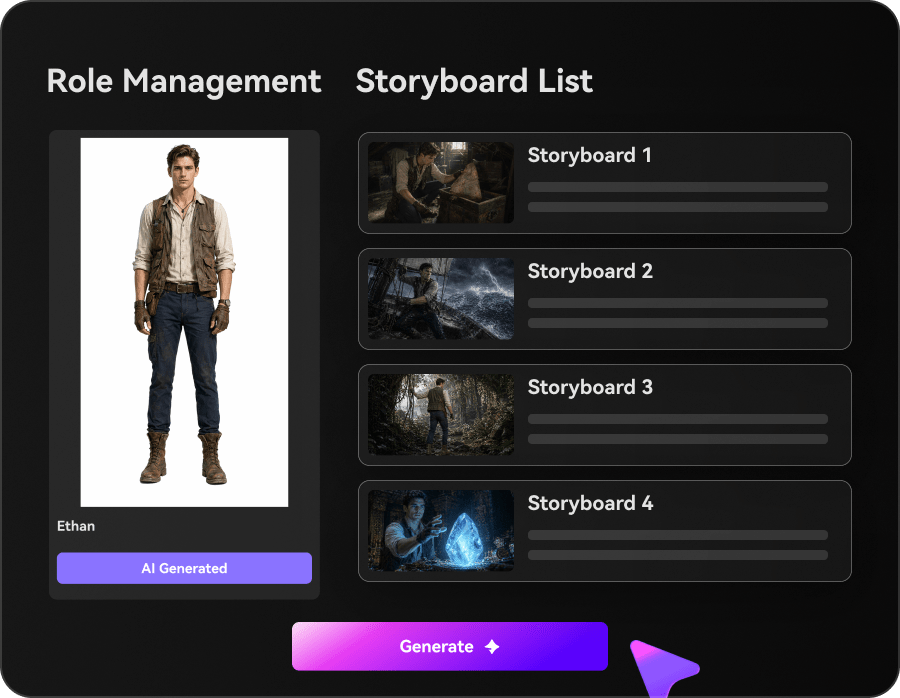
Generate Scenes, Voice, and Subtitles
AI creates matching visuals, narration, subtitles, music, and transitions for each section of your script.
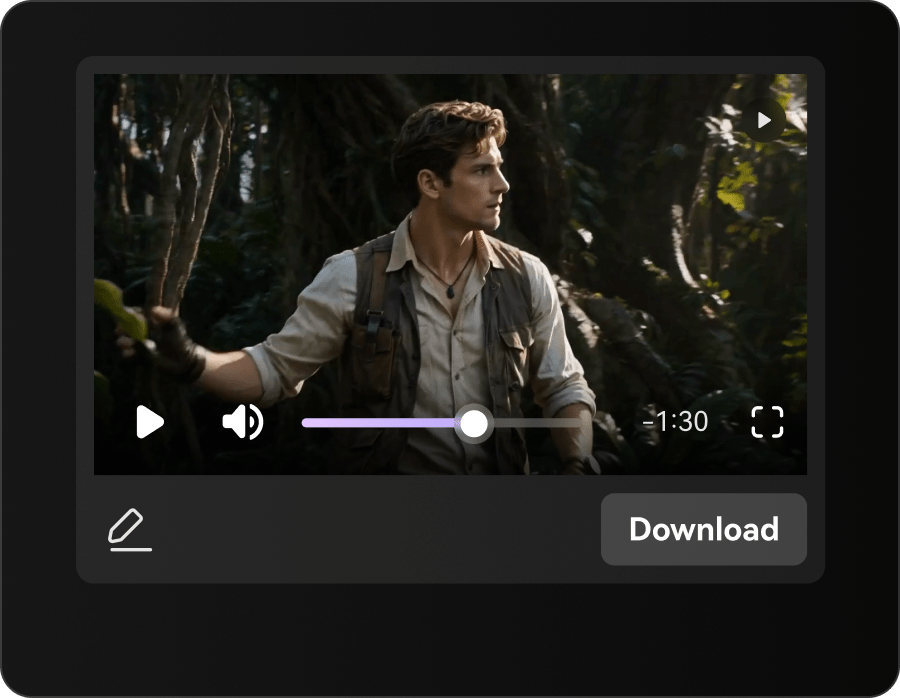
Customize and Export Your Video
Adjust voices, captions, timing, scene visuals, and music, then export your finished video for YouTube, TikTok, courses, marketing, or presentations.
Script to Video AI Free vs Traditional Video Editing
Traditional editors require manual scene building, narration, subtitles, music, and timeline work. Media.io automates these steps from the script.
| Capability | Media.io Script to Video AI | Traditional Video Editing |
|---|---|---|
| Script input | √ Paste scripts, articles, stories, and long-form content | ✗ Manual copy, scene planning, and timeline setup |
| Automatic scene generation | √ Scenes, visuals, voice, subtitles, music, and transitions | ✗ Manual asset sourcing and scene assembly |
| AI voiceover | √ Generate narration directly from the script | ✗ Requires recording or importing audio |
| Automatic subtitles | √ Generate synchronized captions | ✗ Manual caption creation |
| Background music | √ Add music matched to the script tone | ✗ Manual track selection and timing |
| Browser-based workflow | √ Generate and edit online | ✗ Often requires desktop software |
| Free access | √ Free credits or limited free use may be available | Software trials or paid editing suites |
| Best for | √ Creators, marketers, teachers, and businesses | Editors with advanced manual production skills |

What Can You Create with Script to Video AI Free?
Turn scripts into videos for content creation, marketing, education, and storytelling.

Turn YouTube Videos into AI Videos
Convert YouTube narration, faceless channel scripts, explainers, reviews, and story episodes into complete videos with visuals, voice, subtitles, and music.

Convert Marketing Videos into Watchable Videos
Turn landing pages, product descriptions, ads, blogs, and campaign scripts into promotional AI videos for social media and sales.

Visualize Educational Videos Before Production
Transform lessons, tutorials, training documents, and presentations into narrated videos with structured scenes and captions.

Turn Story Videos into AI Video Drafts
Convert stories, scripts, chapters, and narrative ideas into cinematic or animated videos with AI voice and music.
See How Scripts Become AI Videos
Across Different Content Styles
Explore how storytelling, horror, romance, animation, brand content, and educational scripts can become complete AI-generated videos.
Creators Turn Scripts into Videos Faster with Media.io
YouTubers, marketers, teachers, filmmakers, and content teams use Media.io to transform written scripts into videos with less manual editing.


"I paste a finished script and get scenes, narration, and subtitles without manually building the entire video timeline."

"Media.io helps me turn long narration scripts into publishable videos much faster than my previous multi-tool workflow."

"I use the storyboard and scene generation to test video structure before spending time on a full production."

"I turn lesson plans into narrated videos with captions, which saves hours of recording and editing."

"I can repurpose campaign scripts into short social videos without rebuilding everything manually."

"We turn product and campaign scripts into video drafts quickly, then refine only the strongest concepts."
FAQs About Script to Video AI Free
What is Script to Video AI Free?
Script to Video AI Free turns written scripts into complete videos with scenes, visuals, AI voice, subtitles, music, and transitions. Media.io automates much of the production process inside your browser.
Is Media.io a free script to video AI?
Media.io may offer free credits or limited free access depending on the selected model and account status. Paid plans can provide additional credits, higher-quality exports, and more advanced features.
Can I use script to video AI free online?
Yes. Media.io works in a modern web browser, so you can generate videos from scripts without installing desktop editing software.
Is there a script to video AI free unlimited?
Most AI video tools apply credit limits, duration caps, export quotas, or model restrictions. Media.io free availability depends on your current credits, account plan, and selected generation settings.
Can I use script to video AI free without watermark?
Watermark availability depends on the current plan, export settings, and selected feature. Check Media.io's latest account and pricing information before exporting.
Can I use script to video AI free without login?
Some page features may be visible before login, but generating, saving, receiving credits, or exporting may require a Media.io account.
Is there a script to video AI free without watermark and no copyright?
A watermark-free export does not automatically guarantee copyright clearance. You should confirm that you have rights to the script, images, music, voices, logos, and other materials used in the video.
What scripts can I convert into videos?
You can use YouTube scripts, articles, blog posts, lessons, product descriptions, marketing copy, stories, screenplays, training documents, and presentation content.
Does Media.io generate AI voiceovers and subtitles?
Yes. Media.io can generate AI narration and synchronized subtitles as part of the script-to-video workflow, depending on the selected feature and model.
Is Media.io better than Canva Script to Video?
Media.io focuses on AI-powered script analysis, automatic scene generation, narration, subtitles, music, and story-based video workflows. Canva may be preferable for template-heavy manual design, while Media.io is suited to automated AI video creation.
What is the best script to video AI free tool?
The best option depends on output quality, free limits, script length, voice quality, subtitle accuracy, editing controls, watermark policy, and export resolution. Media.io combines these capabilities in one online workflow.
Can I edit the AI video after generation?
Yes. You can continue refining visuals, timing, captions, voice, music, quality, and style with Media.io's online video tools.
Explore More Script to Video and AI Video Tools

Create Complete Videos from Scripts with AI
Add Visuals, Voice, Subtitles, Music, and Motion
Paste your script, article, lesson, or product copy. Media.io helps organize scenes, generate visuals, add voice and subtitles, and create a complete AI video online.
 4.7 (162,357 Votes)