작업물은 7일 동안만 저장됩니다. 멤버십 플랜으로 업그레이드한 후 생성된 에셋은 영구적으로 저장됩니다.
창의적 잠재력을 풀고 미디어 AI의 마법을 즉시 경험하십시오!
Glasses Face Shape Finder for Fast, Realistic Frame Matching
Upload a selfie to detect your face shape and preview flattering eyewear styles. This glasses face shape finder helps you check proportions, compare frames, and get a clearer answer to which glasses suit my face before you shop, share, or refine your look. This workflow is especially useful for best glasses for my face.
Review these example directions, then tailor the prompt details to get stronger results with this Media.io Glasses Face Shape Finder. This setup works well for glasses face shape chart.
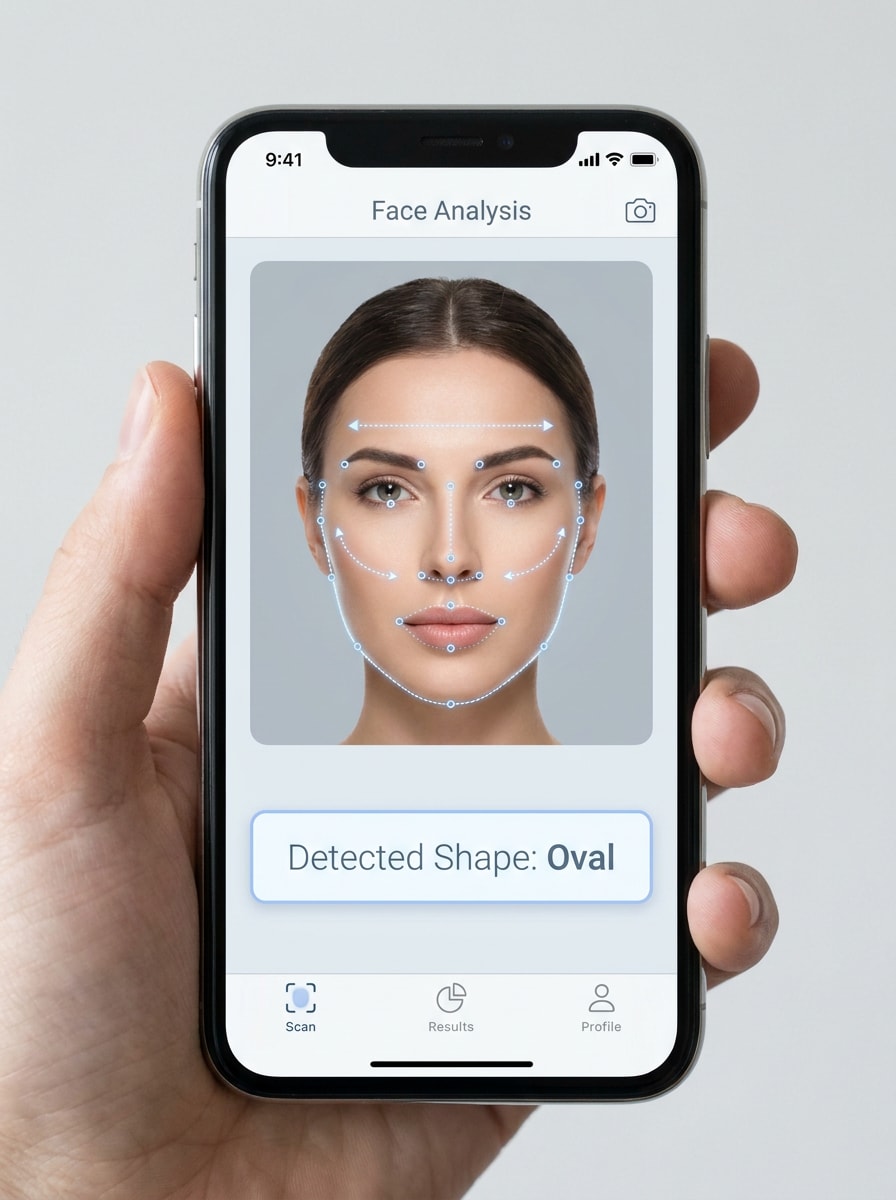
Face Shape Landmark Overlay
Use the uploaded image as the subject and transform it into a realistic beauty-tech analysis screen. Add subtle facial landmark points, a clean jawline outline, forehead and cheekbone width markers, and a detected face-shape label such as oval, round, square, heart, or diamond. Keep natural skin tones, neutral lighting, a clean mobile UI, and high-clarity diagnostic styling.
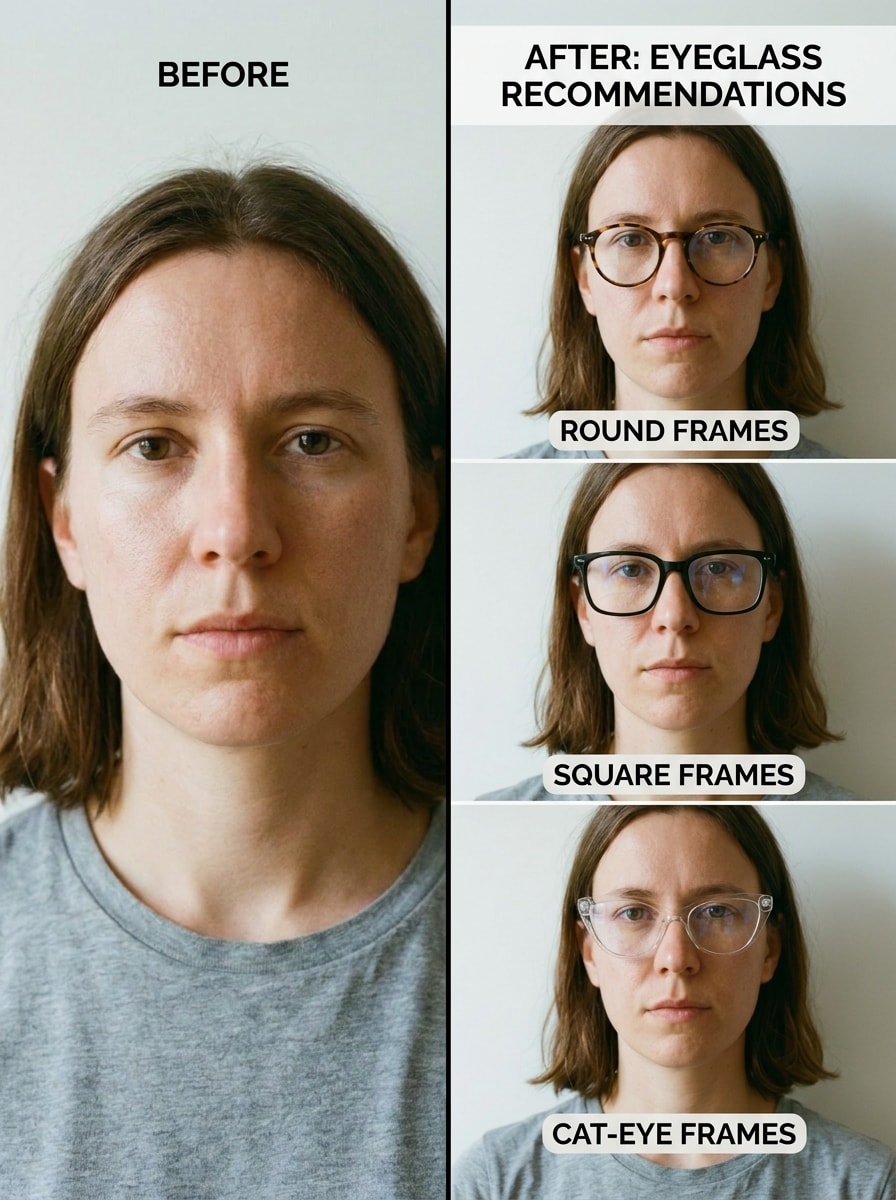
Before and After Glasses Match
Use the uploaded image as the subject and create a split-screen before-and-after layout. Show the original selfie on the left and realistic recommended eyeglass styles on the right based on the detected face shape. Keep natural lighting, accurate eyewear perspective, concise frame labels, and a polished social-friendly comparison format.
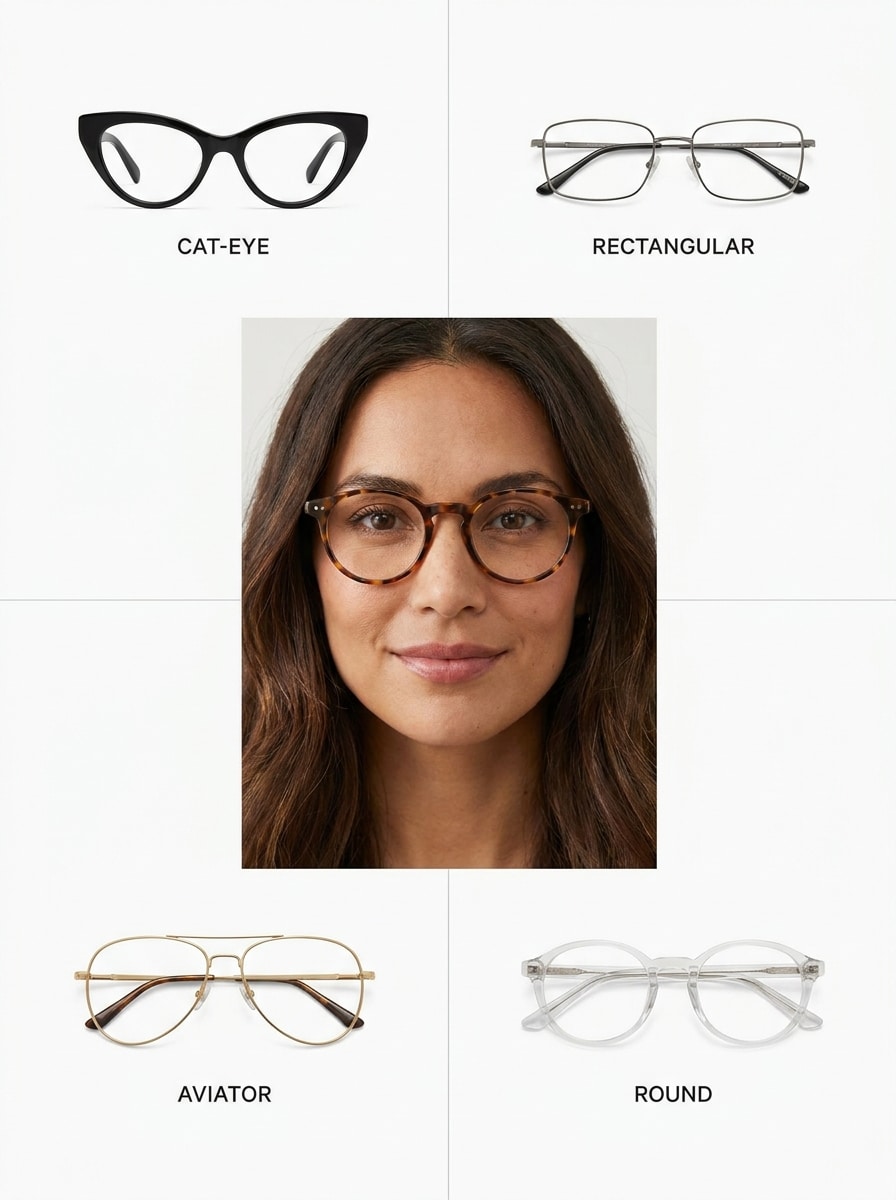
Top Frame Picks Grid
Use the uploaded image as the center portrait and transform it into a clean recommendation grid. Surround the subject with four flattering eyeglass frame styles matched to the detected face shape, such as round, cat-eye, rectangular, and aviator. Keep editorial ecommerce styling, white background, subtle labels, balanced spacing, and realistic fit.
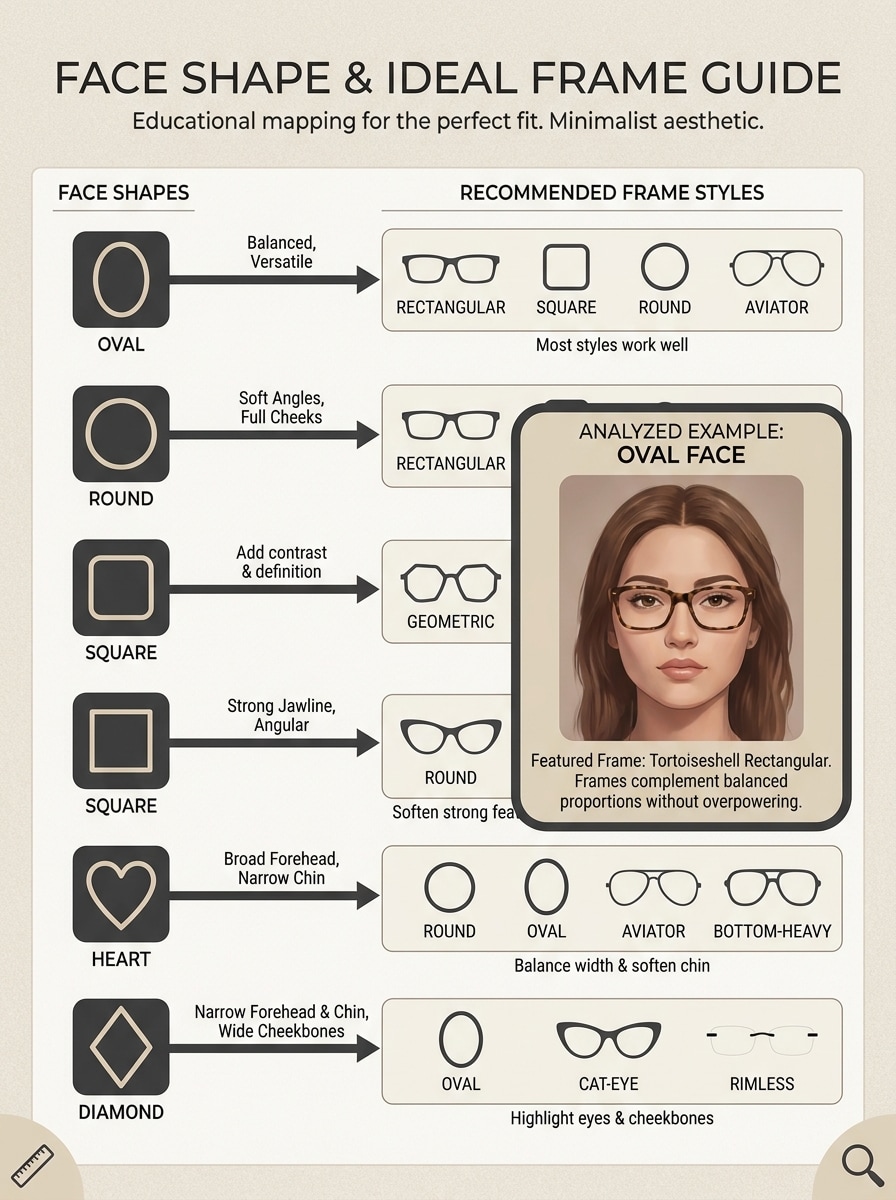
Face Shape to Frame Match Chart
Use the uploaded image as the featured example in an infographic-style chart that explains face shape and matching glasses. Add a detected shape label, a simple face outline, and recommended frame families in a minimalist layout. Keep typography modern, colors restrained, and the visual highly scannable for educational sharing.
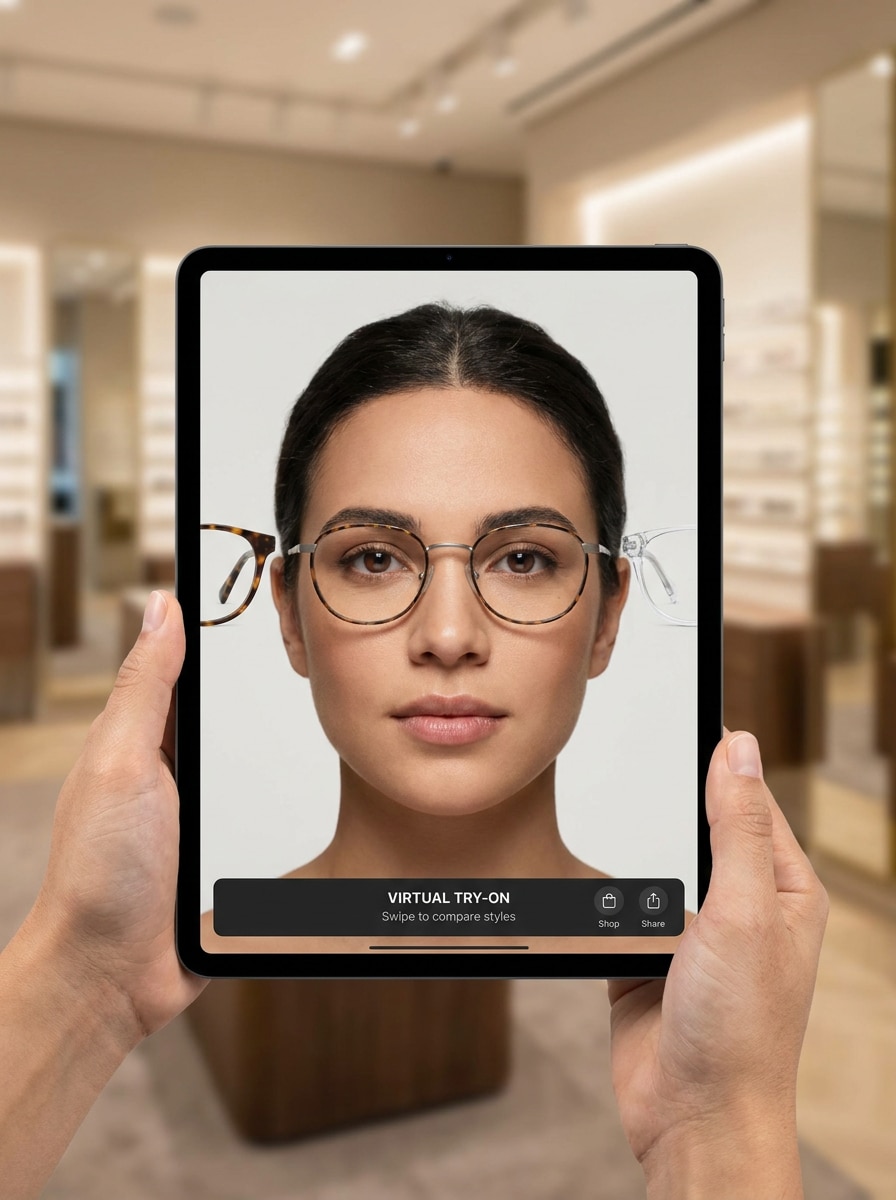
Realistic Eyewear Try-On
Use the uploaded image as the subject and generate a realistic virtual try-on sequence showing multiple eyeglass frames on the same face. Keep frame alignment accurate, lenses believable, skin tones natural, and styling retail-quality. Present the variations in a swipeable app-style layout with subtle labels and premium clarity.
Lifestyle Glasses Preview
Use the uploaded image as the subject and transform it into a polished lifestyle portrait with realistic glasses options tailored to the detected face shape. Keep the look natural and premium, with soft daylight, subtle recommendation tags, flattering color grading, and authentic fashion-campaign quality rather than exaggerated effects.
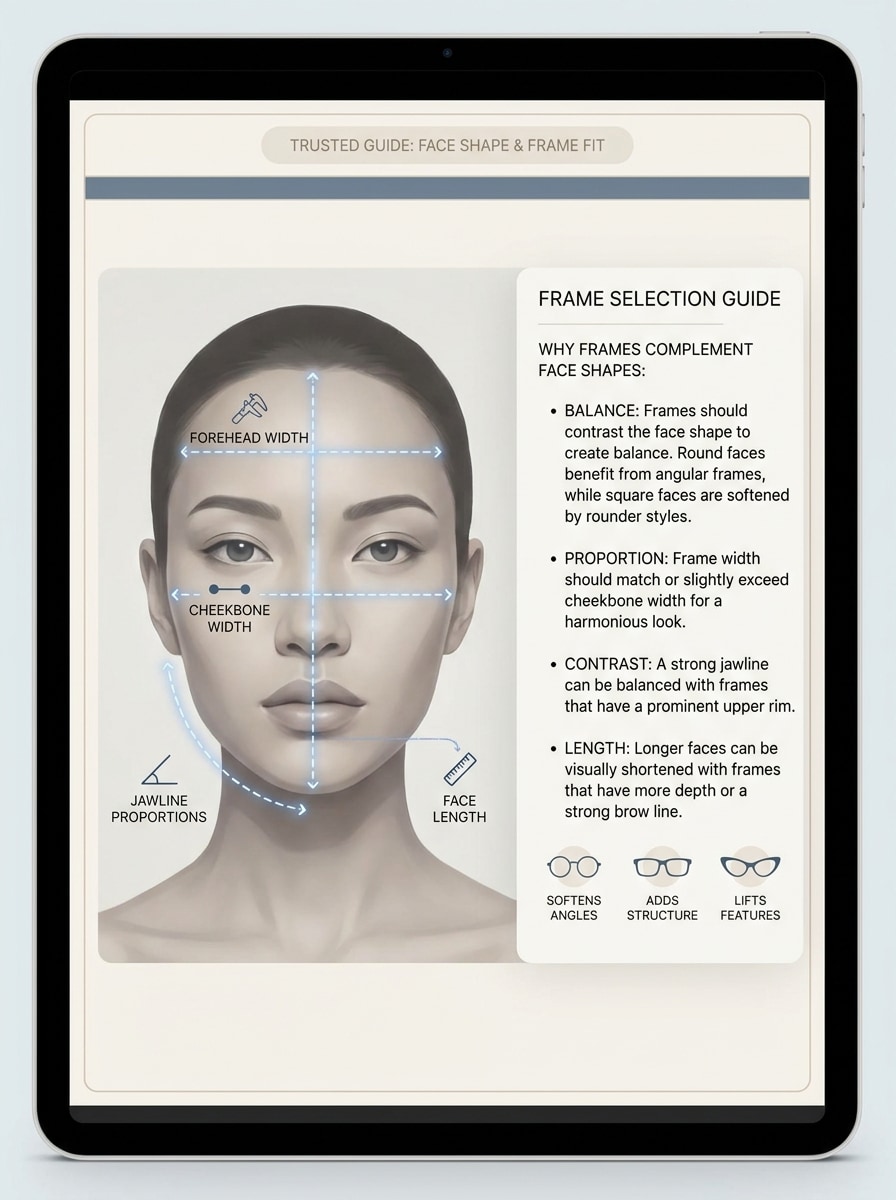
Jawline and Proportion Explainer
Use the uploaded image as the subject and turn it into an educational proportion explainer. Highlight forehead width, cheekbone width, jawline shape, and face length with elegant measurement lines and a short note about why selected frames are flattering. Keep the design clean, expert-led, and easy to understand on mobile.
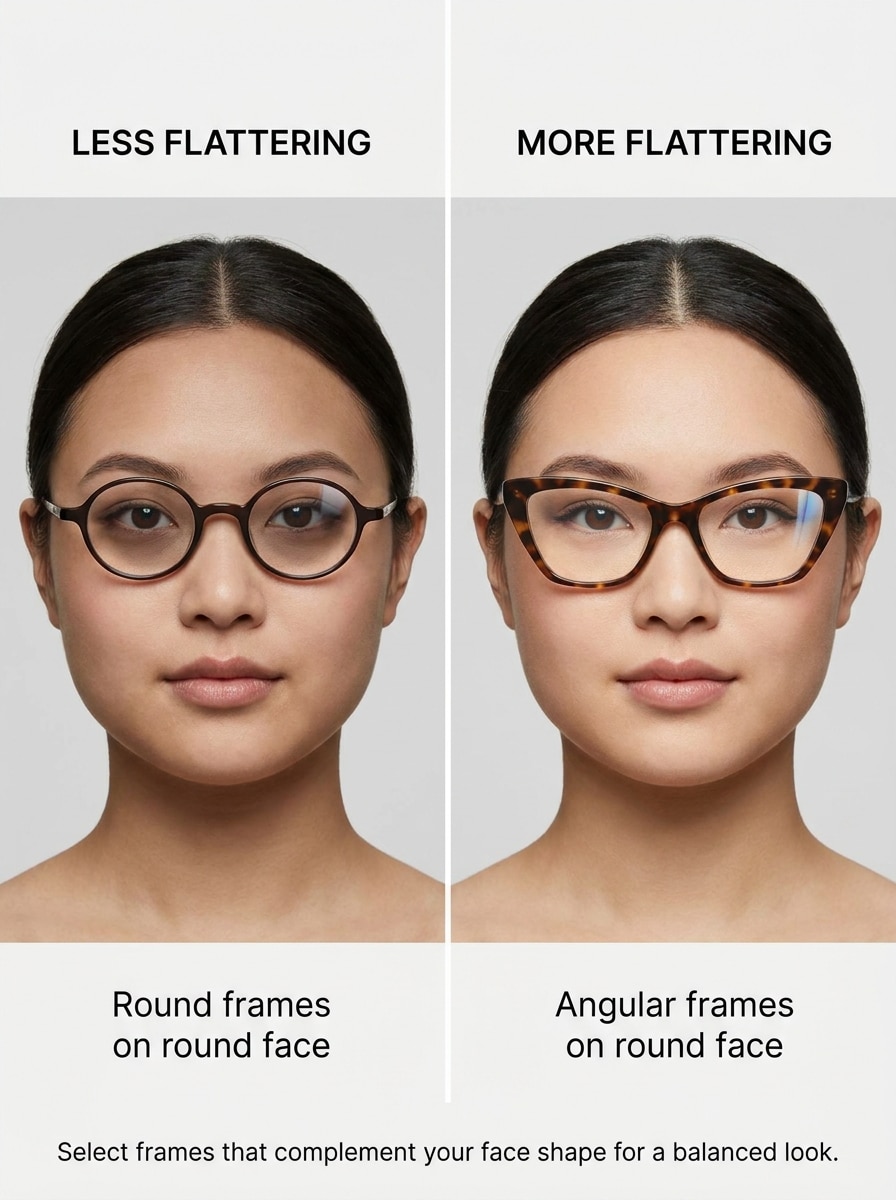
Best vs Worst Frame Comparison
Use the uploaded image as the subject and create a side-by-side comparison of more flattering and less flattering eyeglass shapes for that face structure. Show realistic virtual fitting, tasteful labels, balanced lighting, and a clean educational layout that helps the viewer understand contrast without looking harsh or gimmicky.
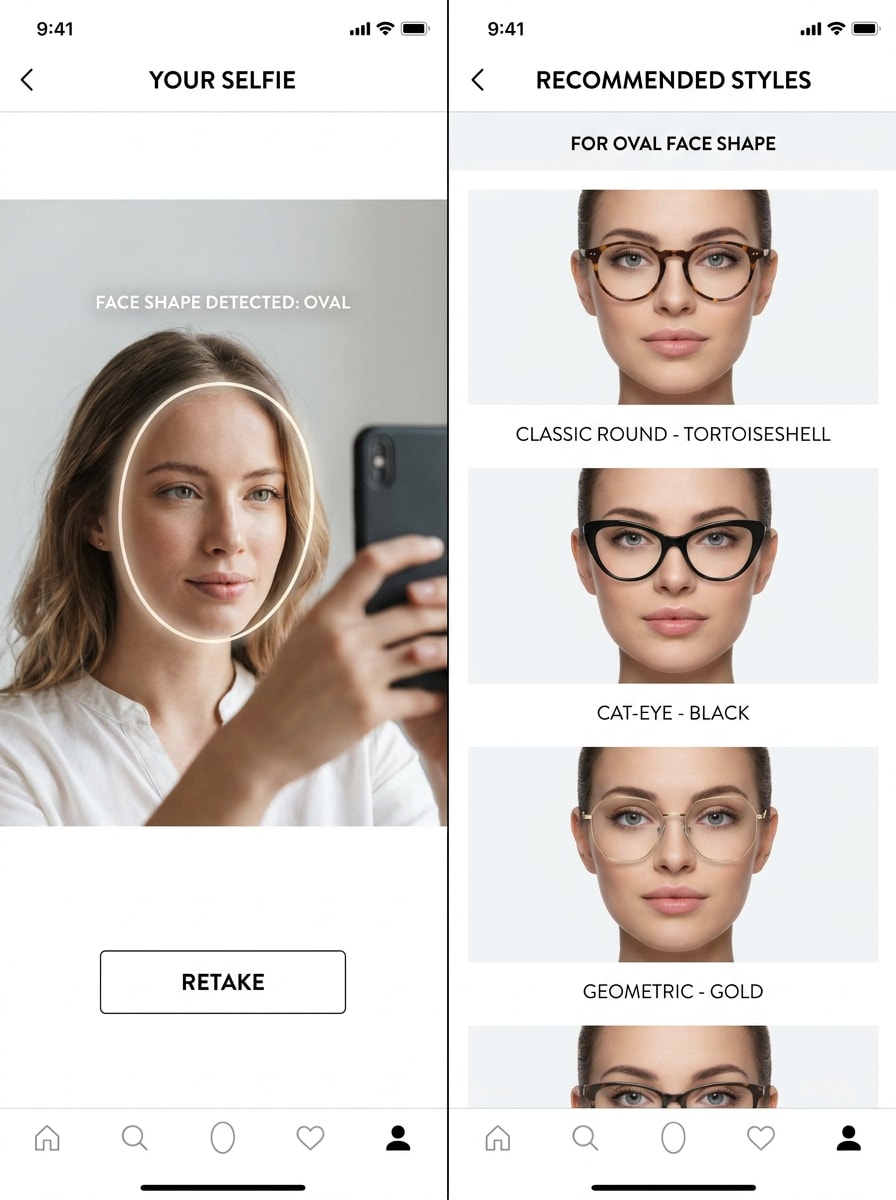
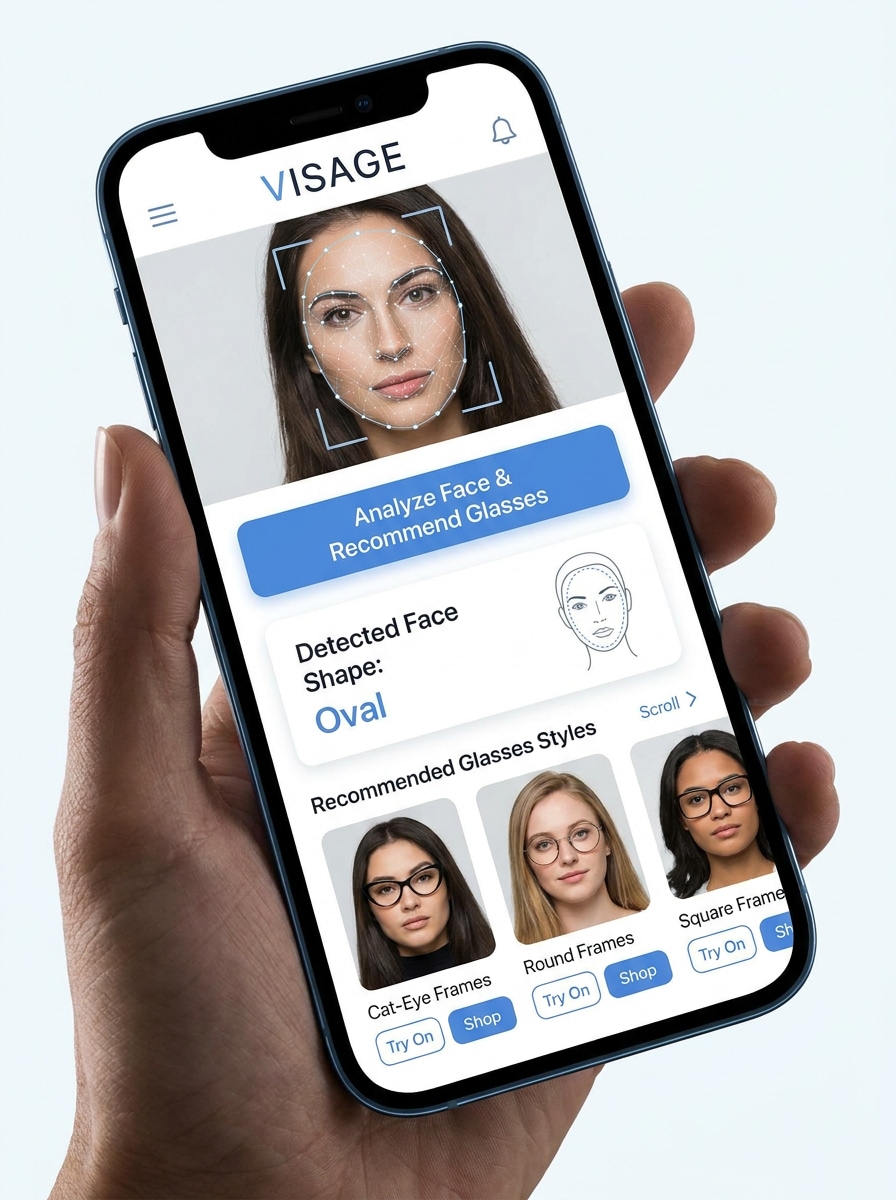
One-Tap Face Shape Finder App Screen
Use the uploaded image as the subject and transform it into a sleek app screen mockup. Show selfie upload, analyze button, detected face-shape result, and recommended glasses styles in a mobile-first UI. Keep the interface clean, conversion-focused, trustworthy, and visually optimized for quick one-tap results.
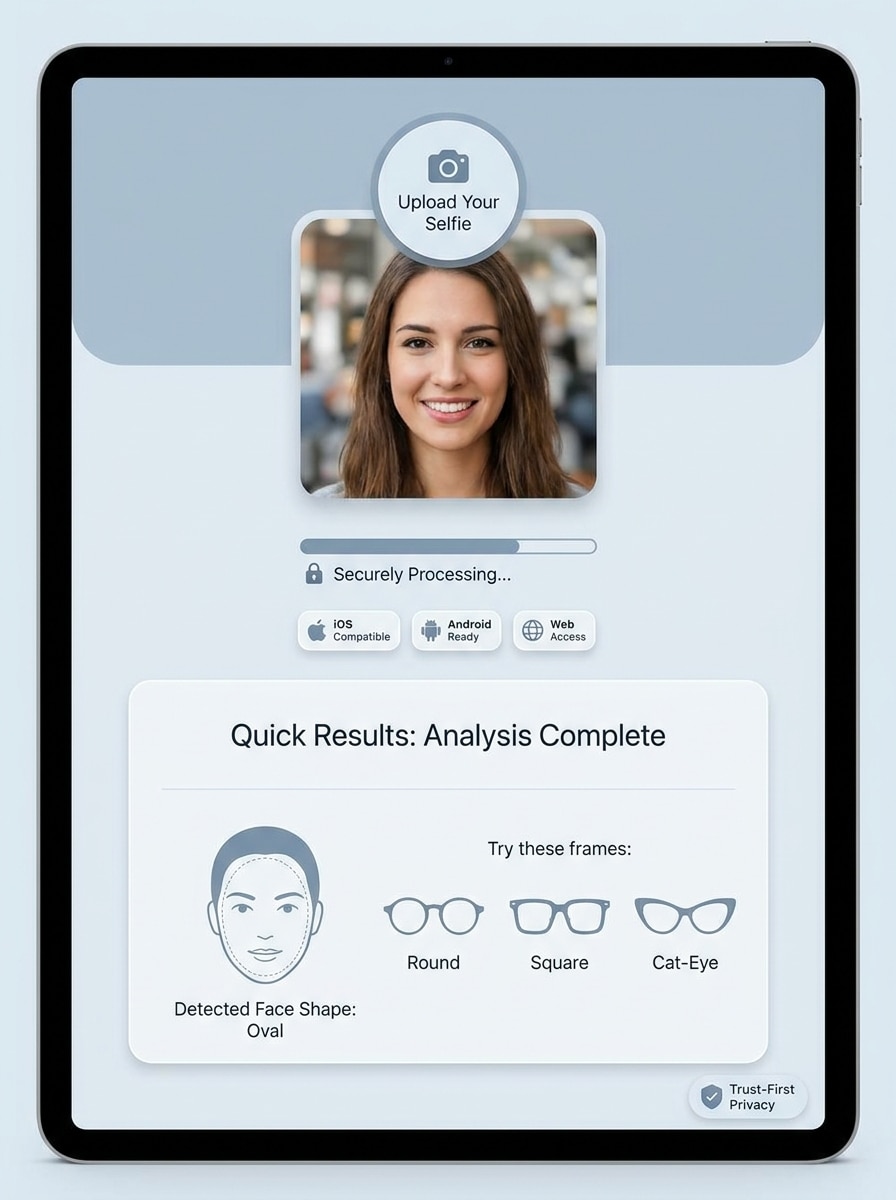
Privacy and Upload Confidence Visual
Use the uploaded image as the subject in a clean trust-first interface visual. Show secure upload cues, quick analysis messaging, device compatibility icons, and a detected face-shape result with frame suggestions. Keep the design minimal, calm, professional, and reassuring, with soft neutral colors and realistic UI structure.
Why Use Media.io for Glasses Matching From a Selfie
Upload a Selfie and Keep Your Look Recognizable
For social posts, branding concepts, or mockups, Media.io keeps the result connected to the original subject while adapting the overall glasses face shape finder portrait style. Creators often use it for how to choose the right glasses for your face.
Rework One Subject Into Multiple Styles
Reference-based work needs more than a loose style shift. Media.io helps keep key identity details recognizable while reworking the glasses face shape finder portrait look, so the result feels personal instead of generic. It can also help with how to pick the right frames for your face.
Create High-Resolution Images for Real Use
Some results need to do more than look good in a preview. Media.io helps generate cleaner glasses face shape finder portraits with output up to 4K so the final image holds up in wallpapers, decks, and mockups. It can also help with frames for different face shapes.
Create in Browser Across Devices
Switching devices should not slow production. Media.io lets you build, adjust, and download glasses face shape finder portraits in the browser, which makes it easier to keep momentum when you move between screens.
How to Use the Glasses Face Shape Finder
Turn your words into stunning visuals in three simple steps, then continue refining the result if you want to take it further.
Step 1
Upload Your Reference Image
Start with a clear selfie, portrait, or front-facing photo that shows your forehead, cheekbones, and jawline well. A clean reference image helps if you want to how to find face shape for glasses more accurately and preview realistic frame placement.
Step 2
Describe the Change and Set Options
Add a prompt asking the tool to detect your face shape, suggest flattering eyewear, or generate a visual glasses face shape guide. Then choose your model and adjust aspect ratio, quality, or number of image variations for side-by-side comparison.
Step 3
Generate, Download, and Keep Improving
Create your results, compare different glasses styles on your face, and download the versions you like most. You can then refine the prompt, test more frame shapes, or generate extra comparisons to decide how to choose the right glasses for your face with more confidence.
Unlock the Potential of Which Glasses Suit My Face
See how creators use this Media.io Glasses Face Shape Finder for content, marketing, and personal projects, then adapt each idea to fit the brief.
Compare flattering shapes before you buy
Use one selfie to preview round, rectangular, cat-eye, or aviator frames and quickly answer questions like how to choose the right eyeglasses frame for your face. This is especially useful when you want fewer guesswork returns, a clearer sense of frames for my face shape, and a better idea of how to pick the right eyeglass frames for your face.
Turn a selfie into an easy visual style guide
Create a shareable reference that combines face analysis, frame suggestions, and a clean glasses and face shape chart layout. It works well for personal styling, social posts, or saving examples while learning how to choose the right frames for your face and how to pick the right glasses frame for your face.
Test spectacles by face structure, not trend alone
Instead of picking frames only because they are popular, generate realistic previews based on proportions such as jawline softness, cheekbone width, or face length. That makes it easier to explore spectacles according to face shape, compare the best glasses according to face shape, and find more balanced everyday looks.
What Users Say
Rachel M.
Fashion Content Creator
"Helped me compare frames faster" I used one selfie and generated several realistic glasses options in minutes. The side-by-side layouts made it much easier to judge what actually suited my features instead of guessing from product thumbnails.
Devon T.
Online Eyewear Shopper
"Great for quick face-shape checks" I wanted a simple way to figure out which frames worked for my face. The analysis-style visuals and try-on examples gave me a much better starting point before ordering glasses online.
Priya S.
Beauty & Lifestyle Blogger
"Useful for charts and social posts" I liked that I could turn a basic portrait into a polished face-shape explainer and recommendation grid. It looks clean enough for Pinterest-style guides and still feels realistic.
Marcus L.
Creative Consultant
"More practical than generic filters" Most apps feel gimmicky, but this workflow is actually useful. I could test multiple shapes, refine the prompt, and create comparisons that helped me explain how to pick the right frames for different face structures.
1. How does a glasses face shape finder work from a selfie?
You upload a clear selfie, then Media.io uses your reference image to generate analysis-style visuals and eyewear previews based on your facial proportions. In practice, that gives you a more visual way to use a glasses shape finder, follow a glasses face shape guide, or learn how to find face shape for glasses by prompting for jawline, cheekbones, and frame suggestions.
2. Can I use this tool to see which glasses suit my face shape?
Media.io is well suited for creating realistic try-on style previews and comparison layouts, so you can explore which glasses suit my face, test frames for my face shape, and review different looks from one uploaded portrait. It is especially helpful if you want to compare several frame families before choosing a final direction.
3. Is the glasses face shape finder free to use?
Free users can get started with free credits on Media.io. If you need more generations, higher-volume use, or watermark-free downloads, you can review plan options on the pricing page.
4. How accurate is AI face shape detection for glasses recommendations?
Results depend a lot on the quality and angle of the uploaded photo, so a clear front-facing image usually gives the most useful output. Media.io helps by letting you reuse the same reference image, refine prompts, and compare multiple visuals, which is practical when learning how to pick the right glasses for your face or evaluating the best glasses according to face shape.
5. Can I upload a photo from my phone to find my face shape?
Media.io is a web-based tool, so you can upload a photo from your phone, tablet, or computer through a browser. That makes it convenient if you want an AI glasses finder from photo on the go or need a quick way to check my face shape for glasses without installing extra software.
6. Will the tool show different glasses styles on my face?
Yes, you can generate multiple variations from the same selfie and prompt Media.io to show different frame styles on your face.
Beyond AI-Powered Online Glasses Face Shape Finder