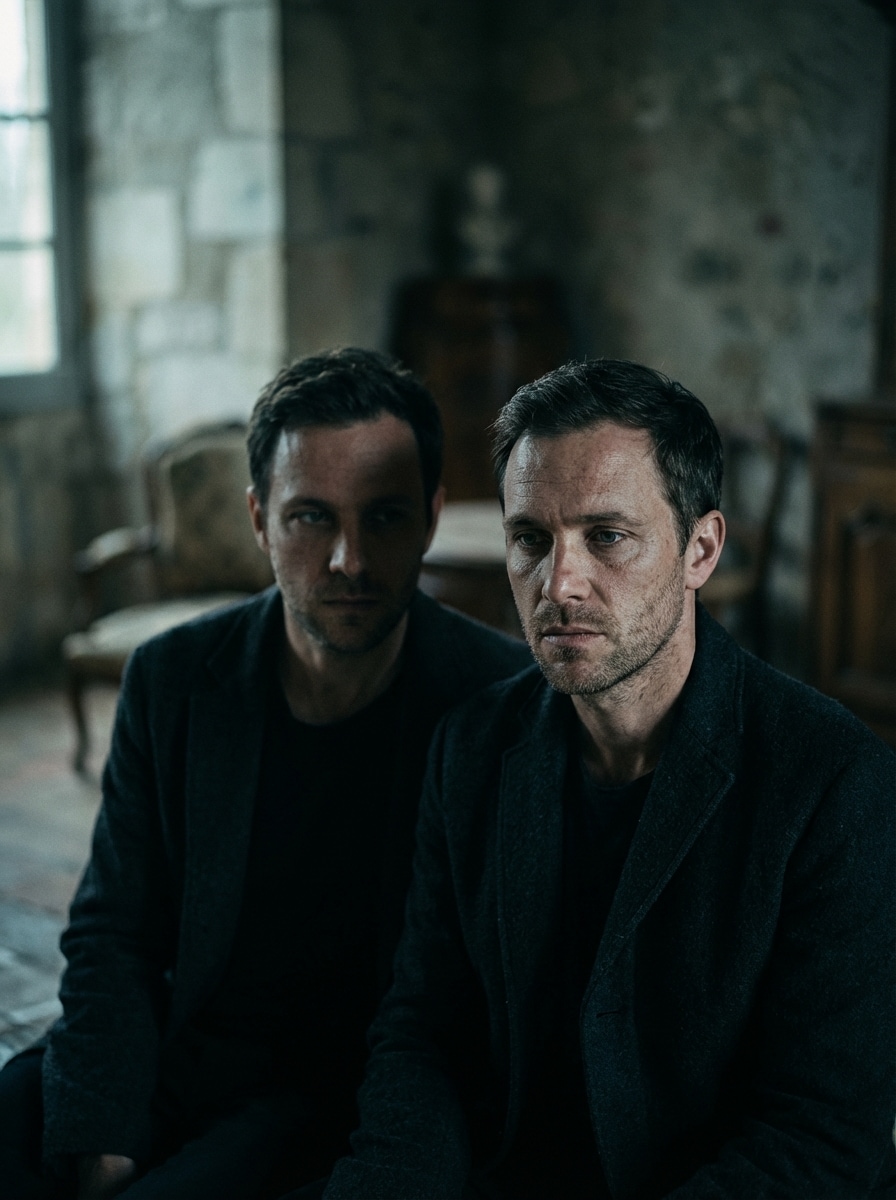
이미지에서 이미지까지
Nano Banana Pro
이미지 업로드
0 / 9
내 기록에서 선택하거나 업로드하려면 클릭하거나 드래그하세요
아이디어가 없나요? 먼저 이미지를 생성하세요. >
지원되는 업로드 형식: jpg, png, jpeg.
프롬프트
0/2000
측면 비율
자동
9:16
16:9
1:1
4:3
3:4
3:2
2:3
21:9
해상도
1K
2K
4K
바나나 프로 무제한 모드
이미지 수
1
2
3
4
공공 가시성
전체
이미지
비디오
오디오
목록 생성
생성된 결과는 7일 동안 보관됩니다. 제때 저장하십시오.
ai_video_generator창의적 잠재력을 풀고 미디어 AI의 마법을 즉시 경험하십시오!

Create a Striking AI Twin Generator Look From Your Photo

Turn one selfie into a polished digital double with Media.io’s AI twin generator. Upload your photo, choose a realistic or stylized twin look, and generate high-quality portraits fast for social posts, profile images, or creative identity experiments right in your browser.

Create My AI Twin

Type your idea -> AI designs it. Free to try.

Explore our curated collection of ai twin generator styles.

Cinematic Portrait Twin

Cinematic Portrait Twin

Use the uploaded image as the subject and transform it into a hyper-real cinematic AI twin portrait. Preserve facial identity, bone structure, and expression while adding moody side lighting, shallow depth of field, soft film grain, rich shadows, cool-neutral color grading, and premium skin detail for a dramatic movie-poster look.

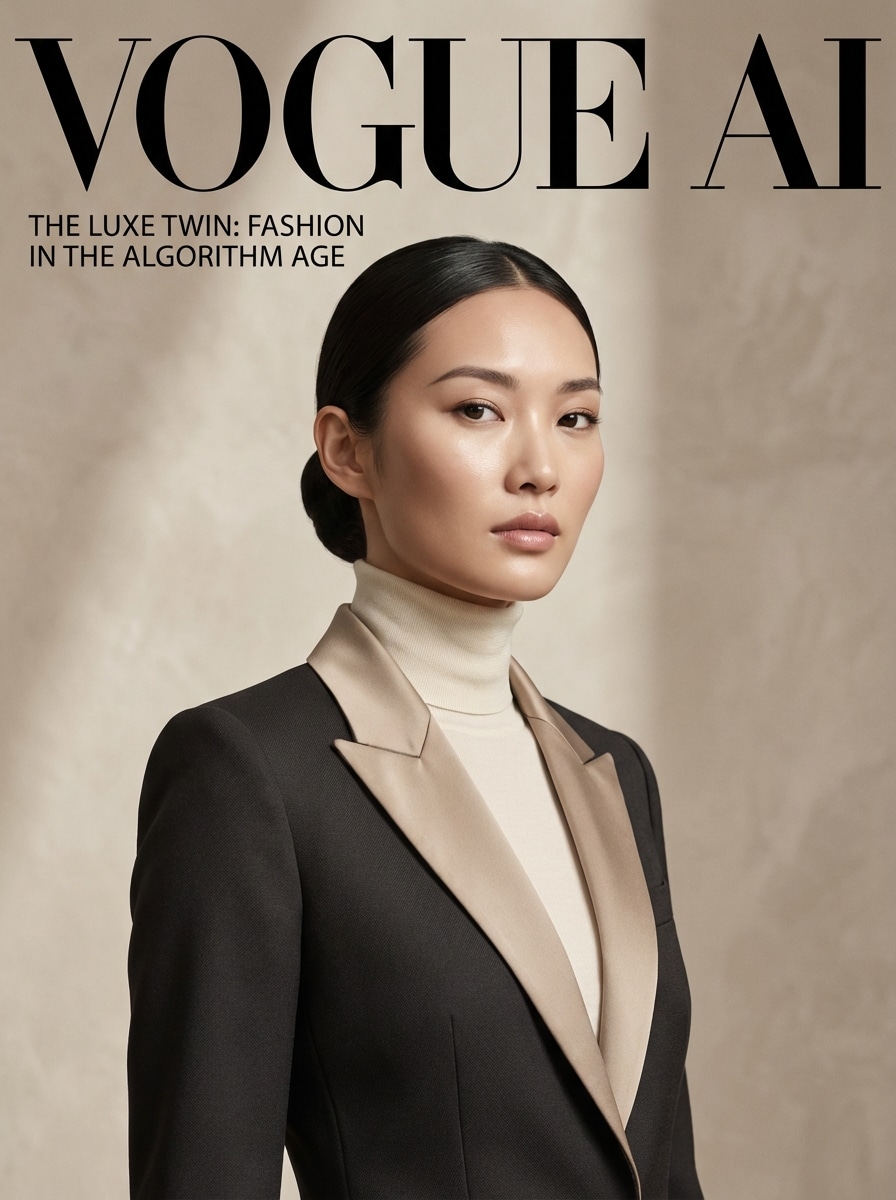
Luxury Editorial Twin

Luxury Editorial Twin

Use the uploaded image as the subject and transform it into a luxury editorial AI twin. Keep the face recognizable while adding glossy magazine lighting, elegant fashion styling, soft studio shadows, refined retouching, polished skin tones, muted beige and black palette, and a clean premium backdrop for a fashion-cover aesthetic.

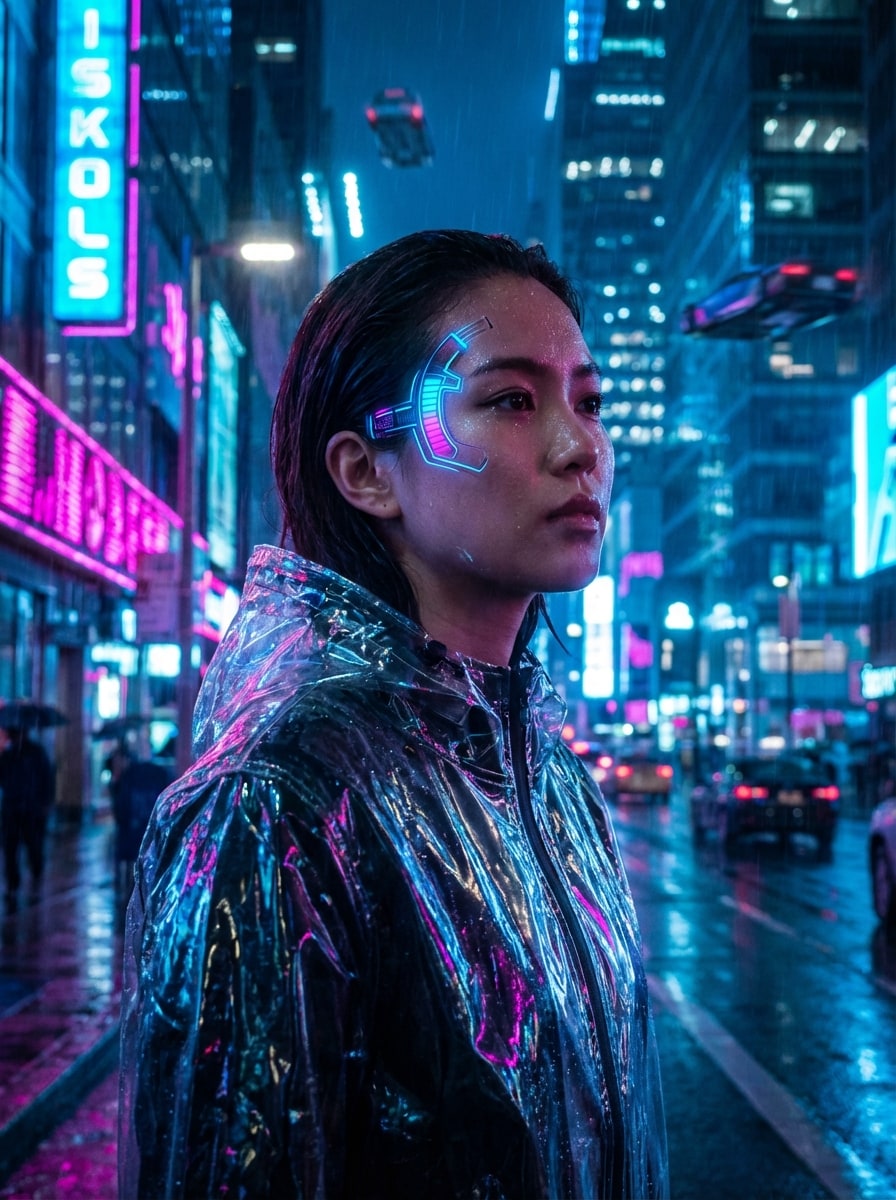
Cyberpunk Neon Twin

Cyberpunk Neon Twin

Use the uploaded image as the subject and transform it into a cyberpunk AI twin. Preserve identity while adding neon magenta and electric blue rim lighting, reflective textures, futuristic techwear styling, subtle rain-gloss highlights, a blurred sci-fi city background, and high-contrast atmosphere for a bold alternate-universe portrait.

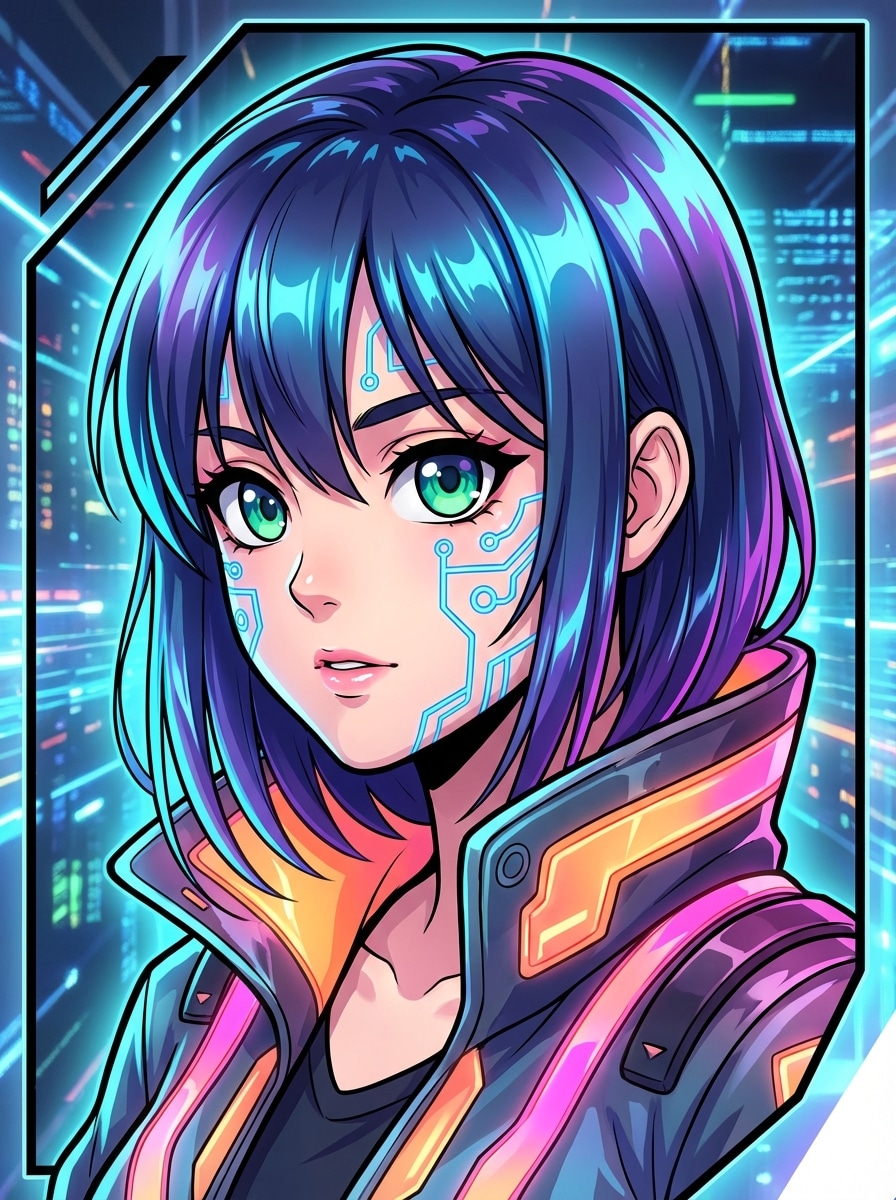
Anime Hero Twin

Anime Hero Twin

Use the uploaded image as the subject and transform it into an anime hero AI twin. Keep facial likeness recognizable while adapting features into expressive eyes, clean line art, vivid cel shading, dynamic portrait framing, crisp hair highlights, bright accent colors, and an energetic polished illustration style.

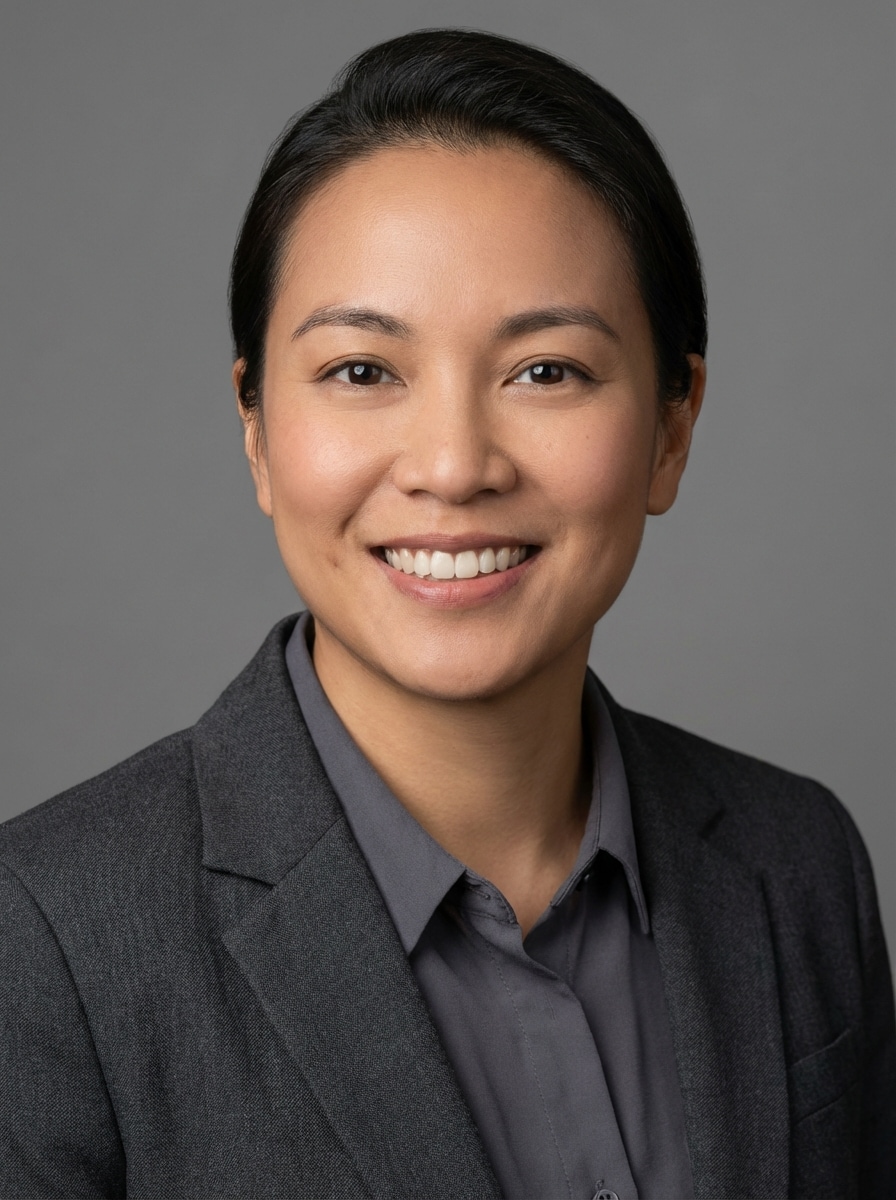
LinkedIn Headshot Twin

LinkedIn Headshot Twin

Use the uploaded image as the subject and transform it into a professional headshot AI twin. Preserve identity and a trustworthy expression while adding clean studio lighting, natural retouching, business-casual styling, neutral gray background, balanced skin tones, and crisp detail suitable for career profiles and personal branding.

Why Use Media.io for AI Twin Generator Results

Create an AI Twin From One Photo

Upload a JPG, PNG, or JPEG image and turn it into a realistic or stylized digital twin with a simple image-to-image workflow built for fast transformations.

Keep Identity More Consistent

Advanced models including Nano Banana Pro, Nano Banana 2, and Media 2.0 help preserve facial identity while giving you better character consistency and styling control.

Choose Resolution, Ratio, and Variations

Fine-tune your AI twin generator output with 1K, 2K, or 4K resolution, multiple aspect ratios, and batch generation for up to four images at once.

Use It Securely on Any Device

Media.io runs in your browser on Windows, Mac, iPhone, and Android. Uploaded photos are automatically deleted from our servers after 7 days for added privacy.

How to Create an AI Twin Online

1
2
3
1
Open Media.io AI Twin Generator

Go to AI Image to Image Generator and open the AI Twin Generator under AI -> Image to Image. This online tool runs in your browser, so you can create a digital twin on desktop or mobile without installing extra software.

2
Upload Your Photo and Set the Style

Upload a clear JPG, PNG, or JPEG photo, then enter a detailed prompt such as “Use my uploaded photo as the subject and create a cinematic AI twin with moody lighting, realistic skin detail, and film-style color grading.” Adjust the model, aspect ratio, resolution, and image count as needed.

3
Generate, Refine & Download

Click Generate to create your AI twin. If needed, tweak the prompt or settings for a different look, then download your preferred result in high resolution for sharing, branding, or personal creative projects.

Step 1
Step 2
Step 3

Unlock the Potential of AI Twin Generator

Discover how creators and professionals are using our AI-powered Twin Generator to transform their creative workflows and bring unique ideas to life.

Build Scroll-Stopping Social Twin Portraits

Create a dramatic alternate-self image for TikTok, Instagram, or profile banners. An AI twin generator makes it easy to turn one selfie into a cinematic, futuristic, or editorial portrait that stands out in side-by-side before-and-after posts.

Refresh Your Personal Brand Visuals

Use a realistic AI twin or polished professional headshot twin for LinkedIn, creator bios, speaking pages, and portfolio updates. It’s a fast way to explore different styles while keeping your face recognizable and presentation-ready.

Explore Creative Identity Concepts Fast

Test fantasy, anime, cyberpunk, or luxury fashion versions of yourself before investing in a full shoot or design project. A photo-based digital twin generator helps artists, gamers, and content creators visualize bold concepts in minutes.

What Users Say About This AI Twin Generator

user
Maya Chen

Content Creator

star star star star star

"My favorite way to make twin-style portraits" I wanted an AI twin generator from photo that actually kept my face recognizable. Media.io gave me much better identity consistency than the tools I tested, especially for cinematic and neon looks.

user
Jordan Patel

Freelance Designer

star star star star star

"Easy workflow and strong image quality" The upload-to-result process is simple, and I like that I can change aspect ratio and resolution before generating. It’s useful for making alternate profile images and concept portraits for clients.

user
Elena Rivera

Social Media Manager

star star star star star

"Great for shareable before-and-after posts" We used the AI twin app workflow on mobile to create quick social visuals. The styles feel current, and the dramatic transformations are exactly the kind of content that performs well on short-form platforms.

user
Marcus Lee

Career Coach

star star star star star

"Professional twin headshots look polished" I tried it for professional profile updates and was impressed by the clean headshot results. It’s a practical option when you want a refined digital twin without booking a studio session right away.

AI Twin Generator FAQs

1. What is the best AI twin generator for photos?

If you want a browser-based AI twin generator from photo, Media.io is a strong option for fast image-to-image creation. You can upload a JPG, PNG, or JPEG selfie, choose from advanced models like Nano Banana Pro and Media 2.0, and create realistic or stylized twin portraits while keeping your identity recognizable. Media.io is a web-based tool that works on any device with a browser (Windows, Mac, iOS, Android).

Yes. Media.io offers free access with 3 credits per day, so you can test the free AI twin generator workflow before upgrading. Free users may see watermarks, while paid subscribers can download watermark-free high-resolution images. You can compare options on the pricing page. Free users get 3 credits per day. For more, users can subscribe to a plan on the pricing page.

Open Media.io’s image-to-image tool, upload your reference photo in JPG, PNG, or JPEG format, then enter a prompt describing the twin style you want. After that, choose settings such as aspect ratio, resolution, or number of outputs, and generate your AI twin image online. Free users may have watermarks. Paid subscribers can download watermark-free high-resolution images. This helps you create ai twin generator results more consistently. Upgrade to a paid plan on the pricing page for more credits and watermark-free high-resolution downloads.

Yes, it can. Media.io supports advanced image-to-image models designed for strong facial consistency and detailed portrait rendering. For a more realistic AI twin, use a clear uploaded photo and a prompt that specifies natural skin texture, balanced lighting, and realistic styling rather than heavily illustrated effects.

Generation is designed to be fast, though the exact time can vary based on the model, resolution, and number of images you create. In most cases, you can generate an AI twin in a short browser-based workflow without a complicated setup. Free users may have watermarks. Paid subscribers can download watermark-free high-resolution images. This helps you create ai twin generator results more consistently. Upgrade to a paid plan on the pricing page for more credits and watermark-free high-resolution downloads.

Yes. Media.io is web-based, so you can use the AI twin generator on phones, tablets, laptops, and desktop computers. It works in a browser on Windows, Mac, iOS, and Android, making it easy to create twin portraits on the go. Media.io is a web-based tool that works on any device with a browser (Windows, Mac, iOS, Android).

Media.io Online AI Tools Quality Rating:
vote 4.7 (162,357 Votes)