이미지에서 이미지까지
Nano Banana Pro
0/2000
1K
자동
1
바나나 프로 무제한 모드
제작물
아이디어 허브
전체
목록 생성
작업물은 7일 동안 저장됩니다. 업그레이드 후 생성된 에셋은 영구 저장됩니다.
ai_video_generator창의적 잠재력을 풀고 미디어 AI의 마법을 즉시 경험하십시오!

AI Rockstar Filter for Bold Stage-Ready Selfie Transformations

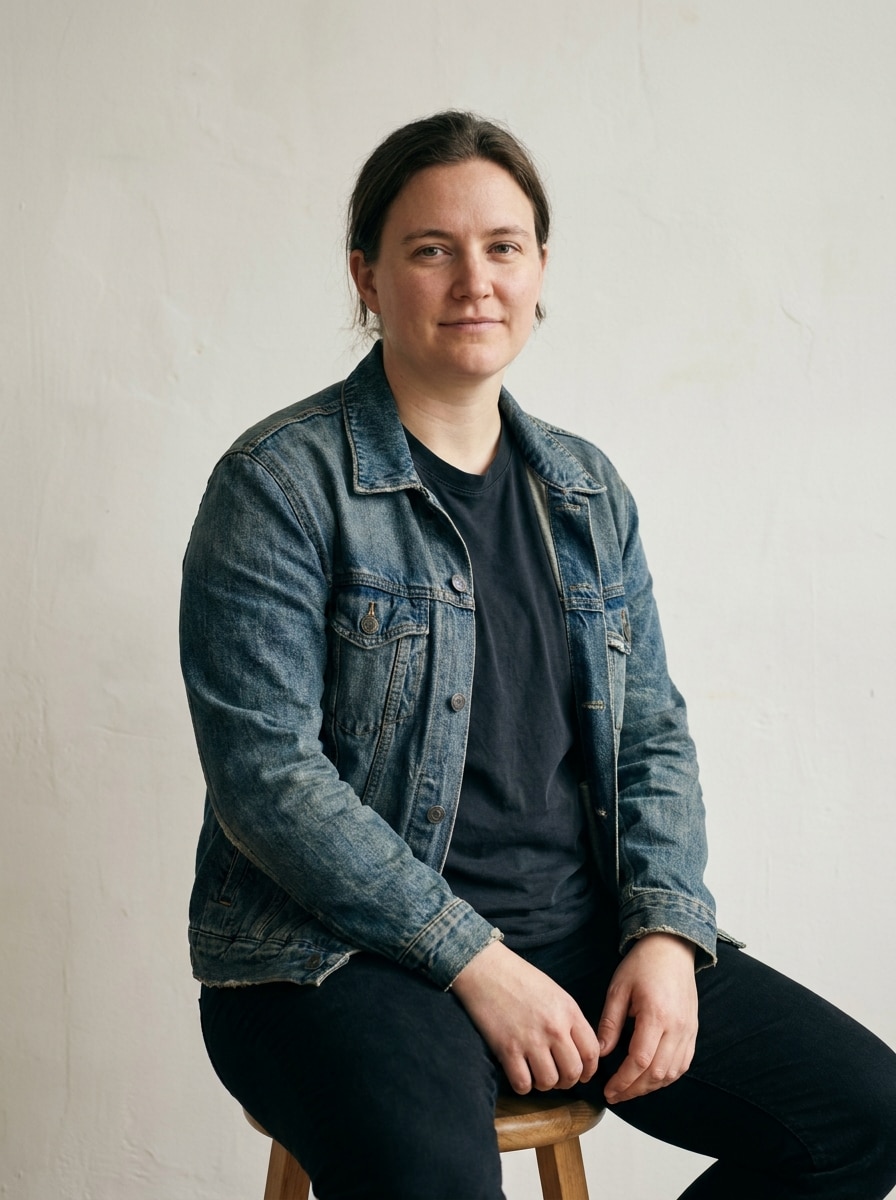
AI Rockstar Filter Before
AI Rockstar Filter After

Create a dramatic performer makeover from your selfie with Media.io’s AI rockstar filter. Use this rockstar photo filter to add stage lighting, leather styling, and concert energy while keeping your face recognizable for social posts, profile pictures, and album-cover-style portraits.

Create My Rockstar Look

Type your idea -> AI designs it. Free to try.

Review these example directions, then tailor the prompt details to get stronger results with Media.io’s Rockstar Filter.

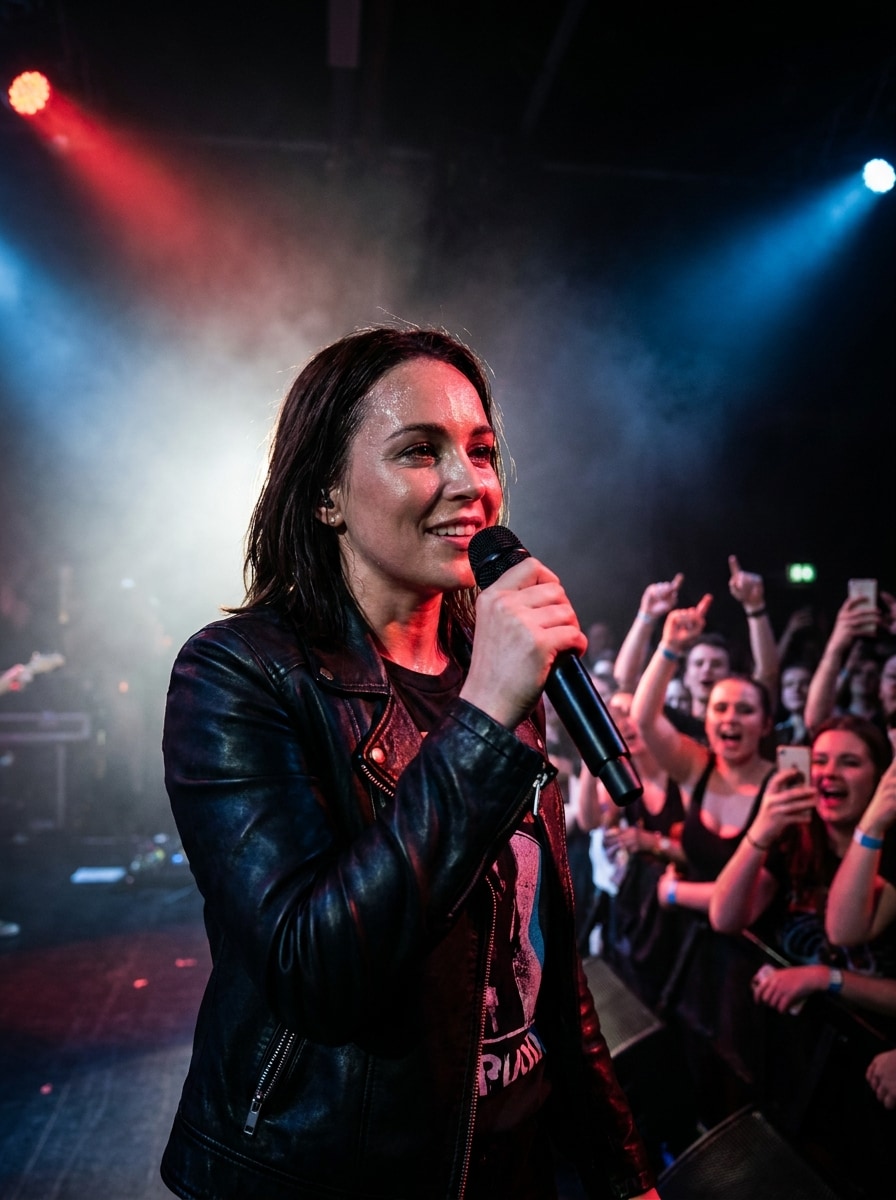
Arena Rockstar Performance

Arena Rockstar Performance

Use the uploaded image as the subject and transform it into a realistic arena rockstar performance portrait. Preserve facial identity, add a handheld microphone, black leather jacket, smoky stage haze, dramatic white spotlights, and a cheering stadium crowd. Keep sharp facial detail, high contrast, cinematic depth, and polished live-show energy.

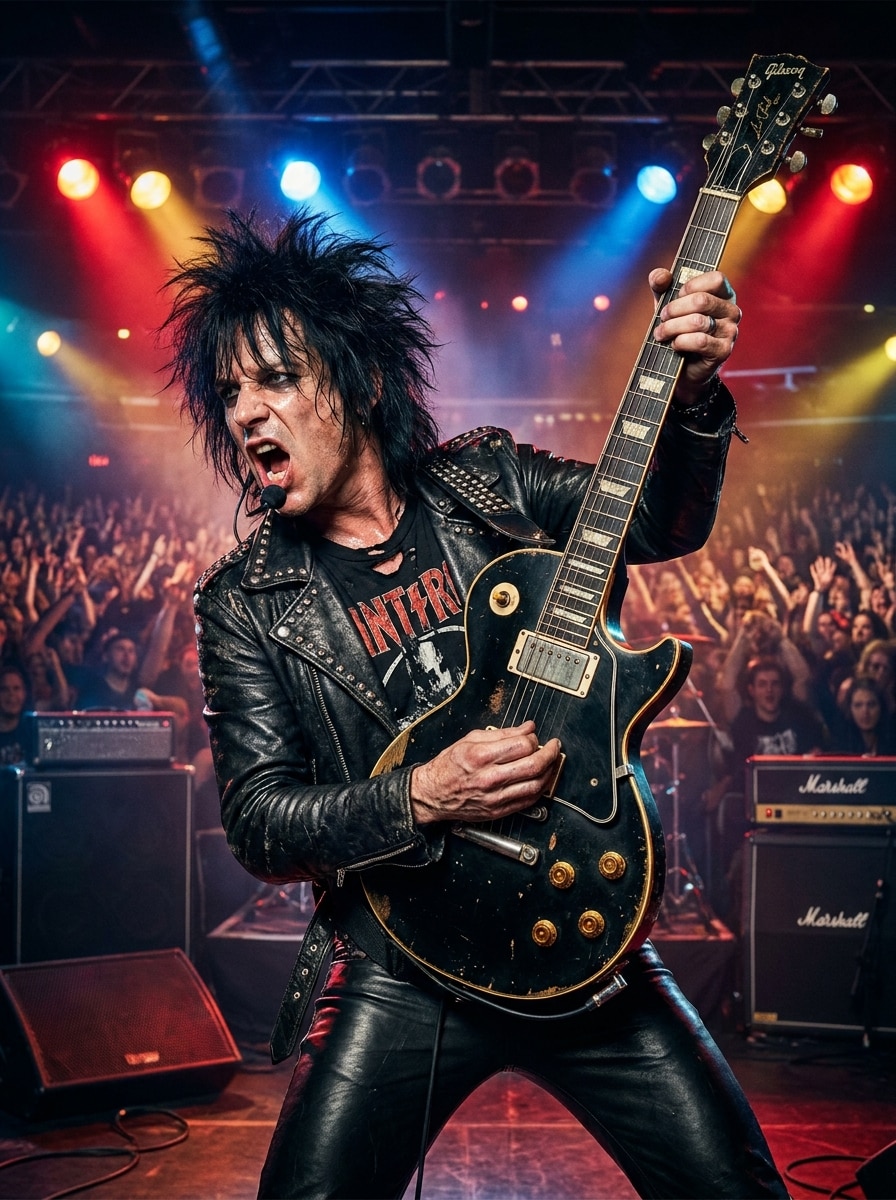
Electric Guitar Hero

Electric Guitar Hero

Use the uploaded image as the subject and restyle it into a high-energy rock guitarist portrait. Preserve identity, add an electric guitar, fitted leather pants, textured stage outfit, vivid backlights, and a bold performance pose. Emphasize motion, realistic fabric and metal textures, concert atmosphere, and crisp facial detail.

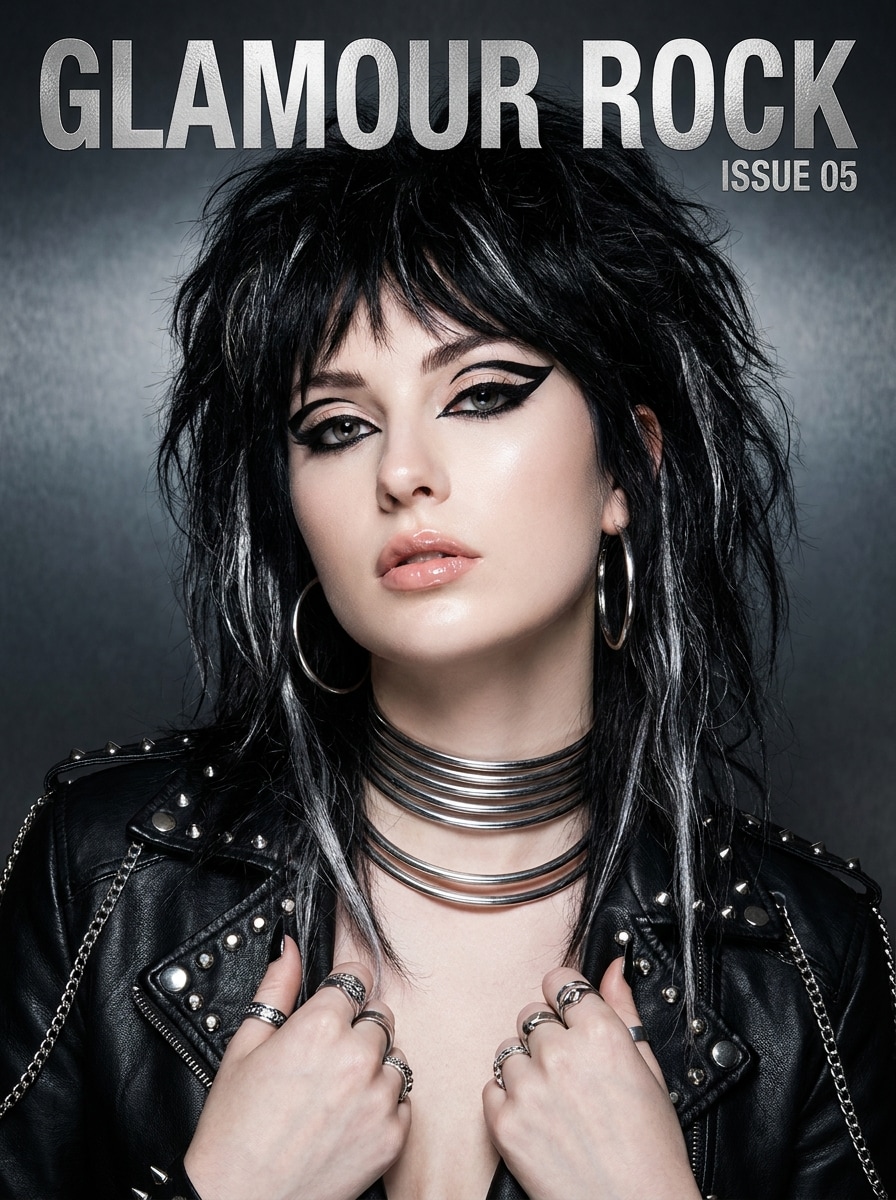
Album Cover Glam Rock

Album Cover Glam Rock

Use the uploaded image as the subject and create a polished glam rock album-cover portrait. Preserve identity, add metallic accessories, dramatic eyeliner, styled voluminous hair, glossy skin retouching, and studio lighting with subtle shadows. Frame it like premium cover art with rich blacks, silver accents, and sharp editorial finish.

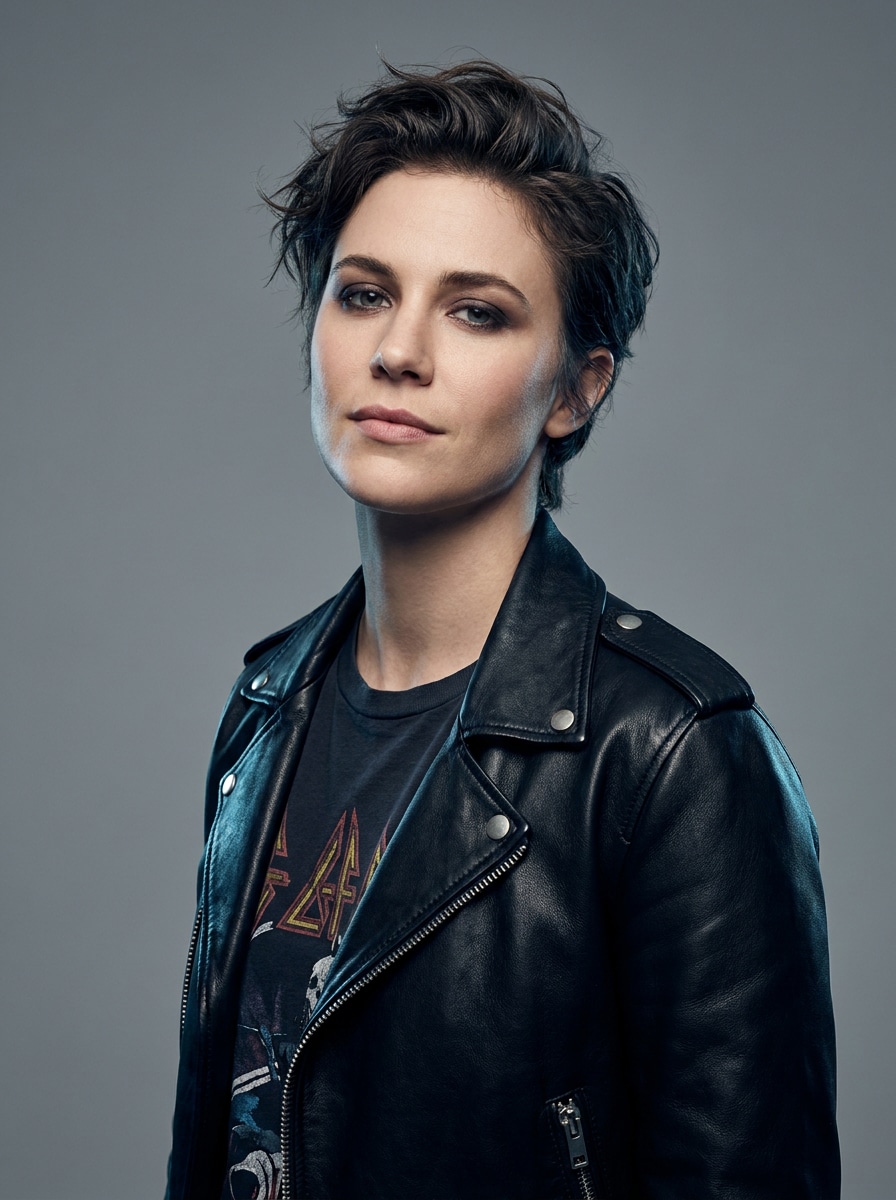
Studio Pop-Rock Star

Studio Pop-Rock Star

Use the uploaded image as the subject and turn it into a clean pop-rock promo portrait. Preserve identity, add a stylish modern jacket, subtle smoky makeup, tidy hair styling, and a minimal studio backdrop with balanced rim lighting. Keep the look polished, youthful, commercial, and ready for posters or social media headers.

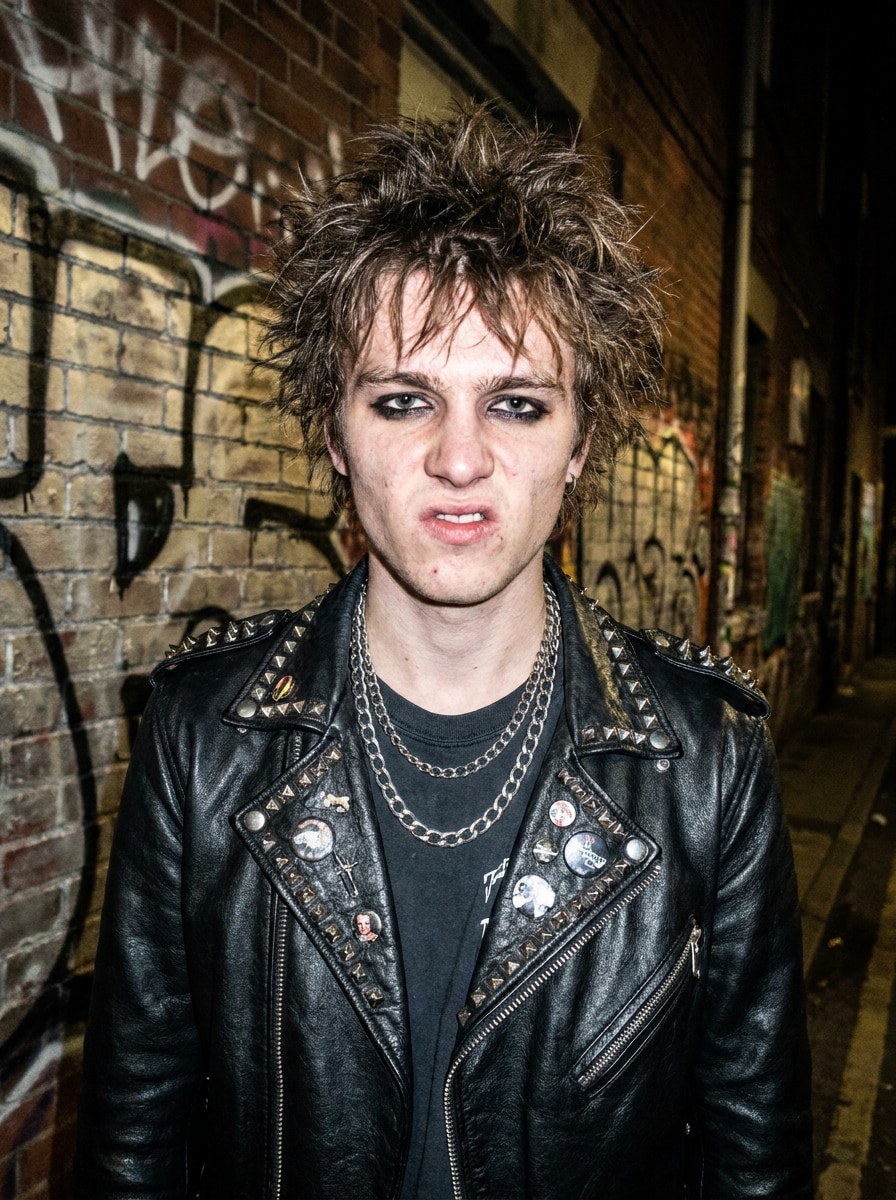
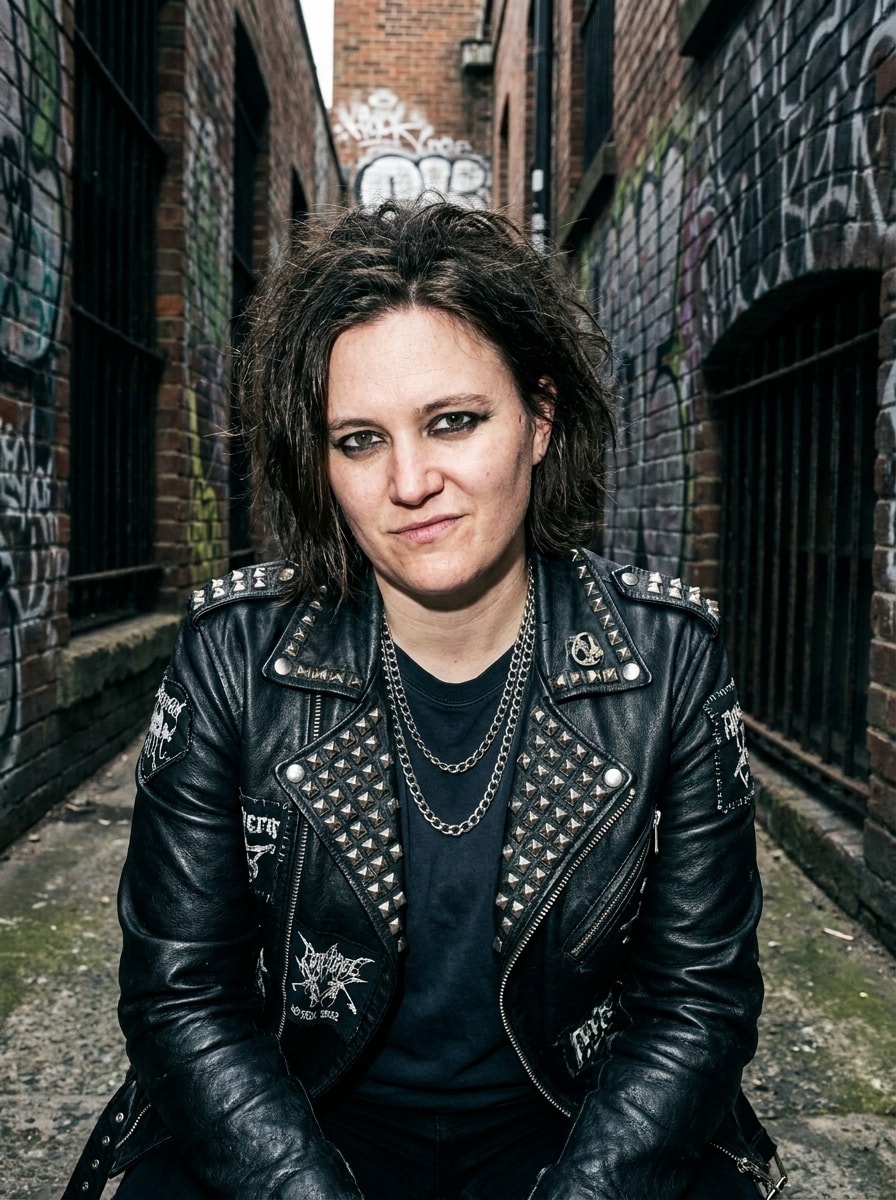
Punk Rockstar Look

Punk Rockstar Look

Use the uploaded image as the subject and transform it into a punk-inspired performer portrait. Preserve facial identity, add a studded jacket, layered chains, dark eyeliner, messy textured hair, and a gritty urban backdrop. Use raw flash lighting, rebellious attitude, rugged textures, and moody tones for an authentic alternative-rock vibe.

Grunge Band Poster

Grunge Band Poster

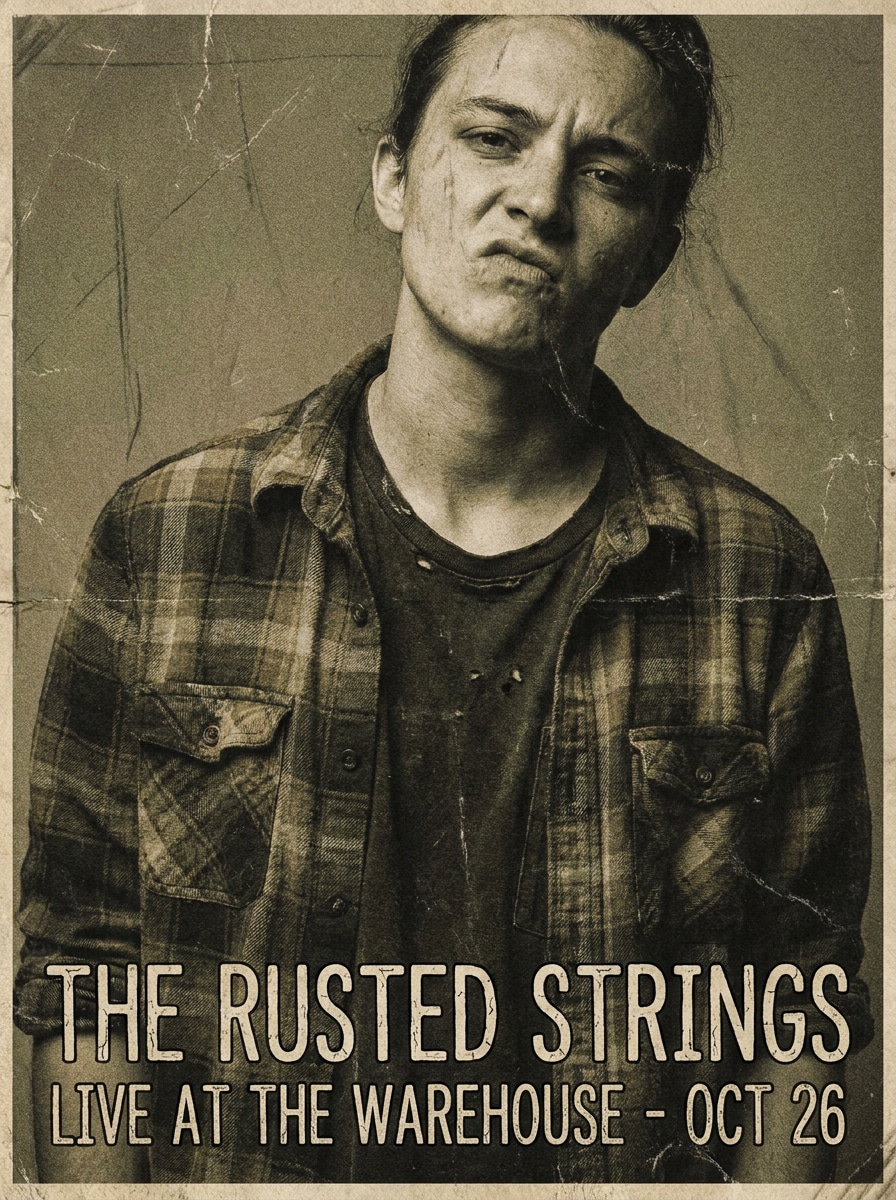
Use the uploaded image as the subject and create a grunge-era band poster portrait. Preserve identity, add worn leather or flannel styling, distressed poster textures, layered shadows, and a moody desaturated palette. Compose it with dramatic framing, analog print character, and raw, nostalgic rock-band attitude.

80s Neon Rockstar

80s Neon Rockstar

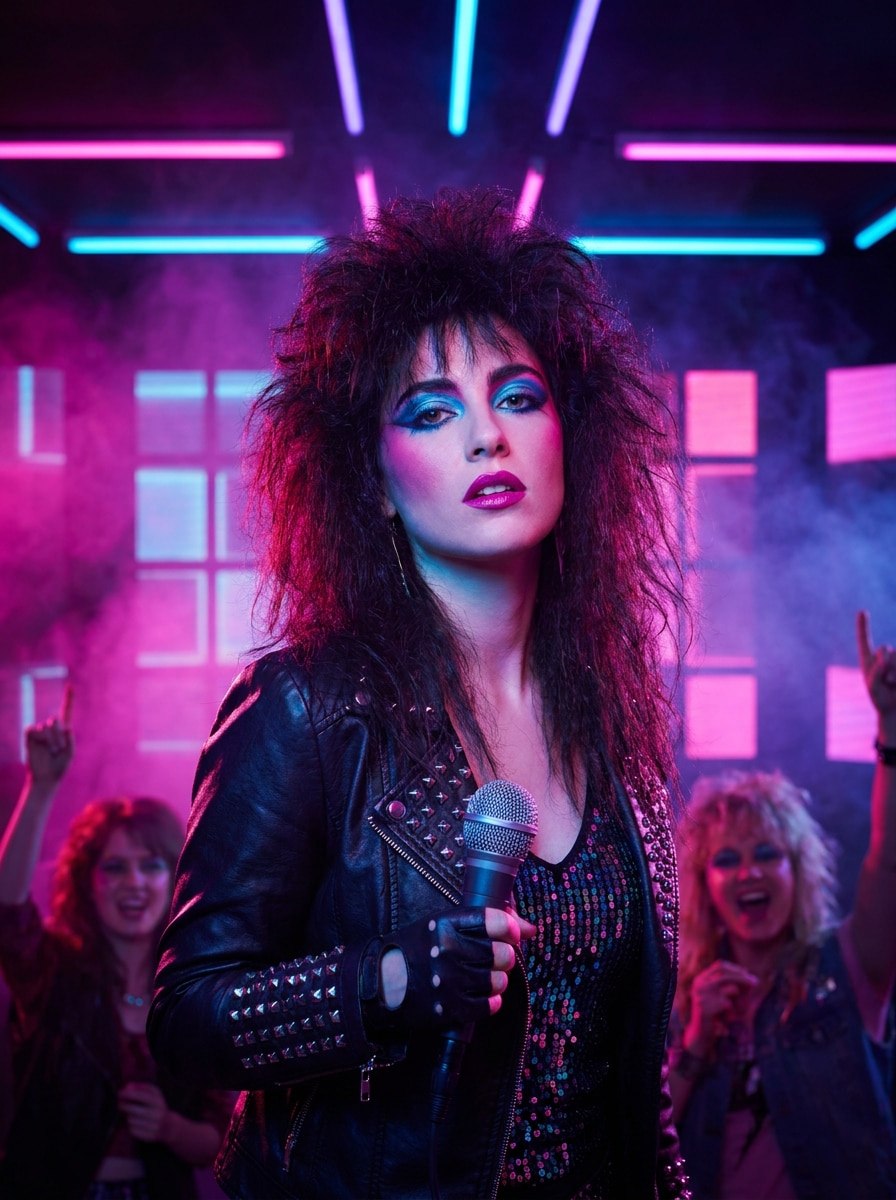
Use the uploaded image as the subject and turn photo into rockstar style with an 80s neon stage makeover. Preserve identity, add teased hair, bold glam makeup, shiny stagewear, and colorful neon lights. Use a saturated magenta-blue palette, retro set design, glossy highlights, and vivid performance energy.

Dark Gothic Rockstar

Dark Gothic Rockstar

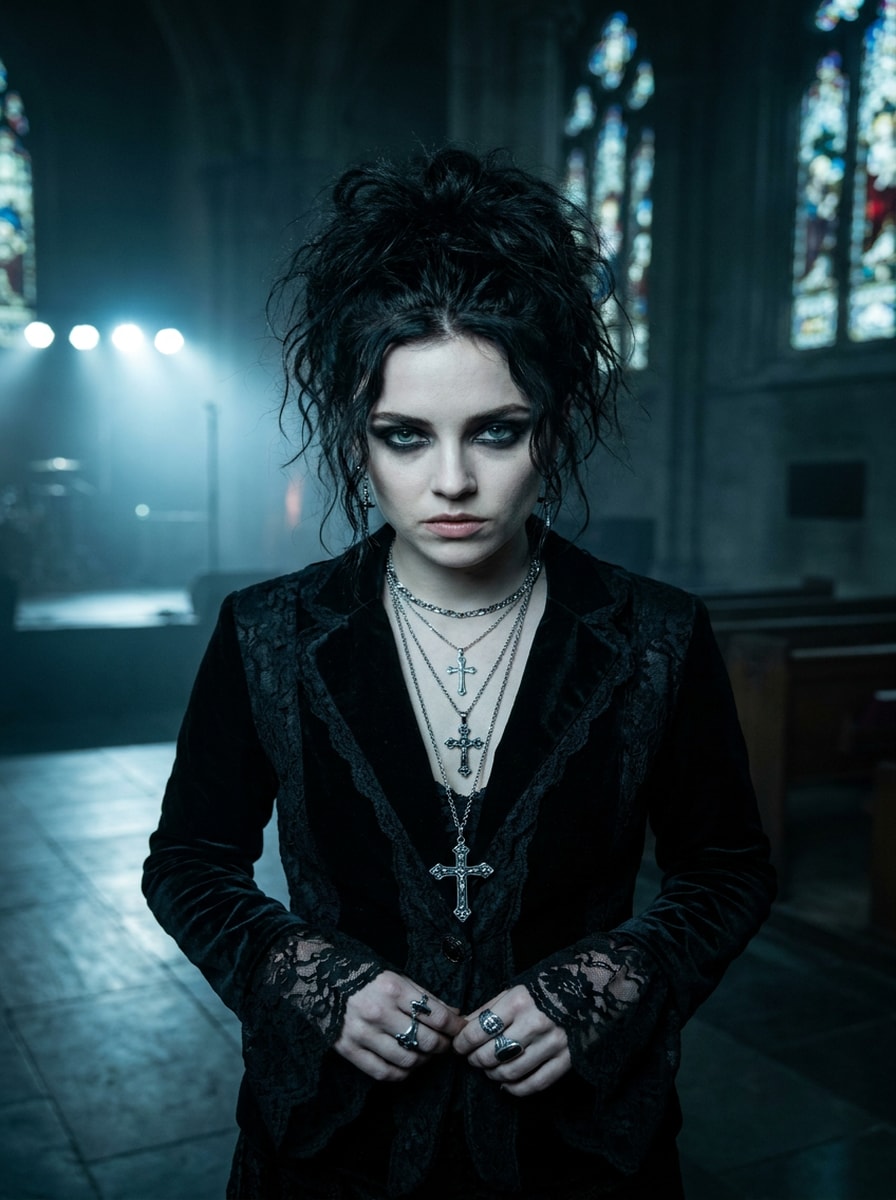
Use the uploaded image as the subject and transform it into a dark gothic rockstar portrait. Preserve identity, add black wardrobe, silver jewelry, smoky eye makeup, and a moody backstage or cathedral-inspired setting. Keep deep shadows, cool tones, cinematic realism, and refined texture in hair, fabric, and skin.

Before-and-After Rockstar Reveal

Before-and-After Rockstar Reveal

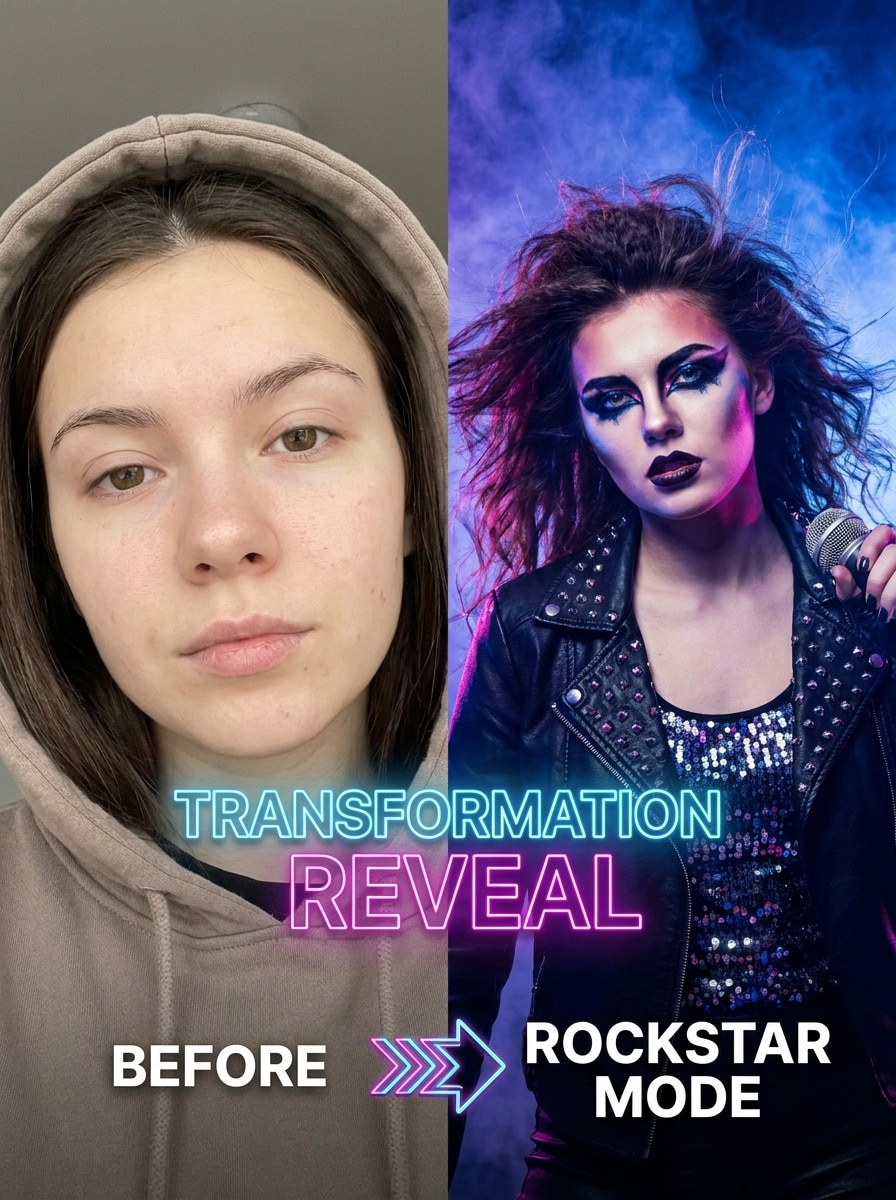
Use the uploaded image as the subject and create a dramatic social-ready rockstar transformation reveal. Preserve identity while maximizing contrast between the original look and the final stage persona. Add glam makeup, striking outfit changes, performance lighting, bold color separation, and a polished vertical composition for viral posts.

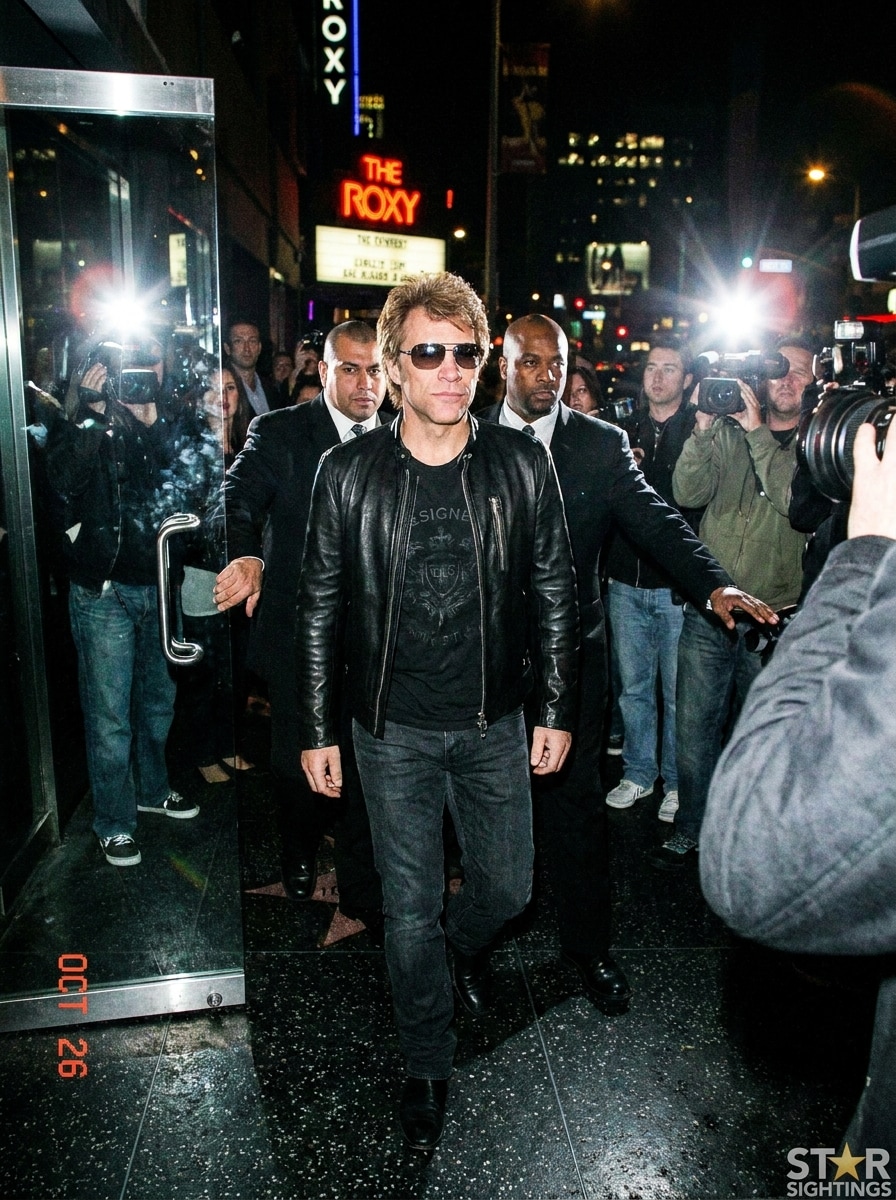
Paparazzi Rockstar Exit

Paparazzi Rockstar Exit

Use the uploaded image as the subject and restyle it into a celebrity rockstar leaving a concert venue. Preserve identity, add a dark designer outfit, night-city backdrop, paparazzi flash bursts, and a confident stride. Emphasize tabloid-style realism, glossy reflections, dramatic contrast, and fashionable post-show energy.

Why Use Media.io for AI Rockstar Photo Makeovers

Preserve Identity While Changing the Look

For social content, branding, or mockups that still need to look like the original person, Media.io helps preserve recognizable features while applying a bold rockstar visual style, so the final image feels expressive without losing identity.

Shape the Stage Look With More Precise Style Control

Creative exploration gets easier with Media.io because you can compare multiple visual directions from the same rockstar-inspired starting point, helping you decide faster between looks for content, campaigns, or personal branding.

Keep Final Visuals Sharp for Real Projects

If the final rockstar filter visual will be reused beyond a small preview, Media.io helps deliver sharper results up to 4K so the image stays more reliable in practical design and presentation work.

Create From Any Browser Without a Complex Editing Setup

For creators who bounce between mobile and desktop, Media.io keeps rockstar filter visual creation in the browser so the workflow stays practical wherever you happen to be working.

How to Use the AI Rockstar Filter

Turn your words into stunning visuals in three simple steps, then continue refining the result if you want to take it further.

how to use image to image AI for ai rockstar filter step 1
Step 1

Upload Your Reference Image

Start with a clear selfie or portrait in JPG, PNG, or JPEG format. A well-lit image with visible facial details gives Media.io a better base for a realistic concert-style transformation.

how to use image to image AI for ai rockstar filter step 2
Step 2

Describe the Change and Set Options

Enter the look you want, such as glam rock, punk, neon stage, or paparazzi exit. Then choose your model and adjust aspect ratio, resolution, or image count to match social posts, covers, or posters.

how to use image to image AI for ai rockstar filter step 3
Step 3

Generate, Download, and Keep Improving

Create your new rockstar variations, compare the results, and download the one you like best. You can refine the prompt, test another style direction, or keep editing for a stronger performance look.

Unlock the Potential of Rockstar Photo Filter

See how creators use this Rockstar Filter for content, marketing, and personal projects, then adapt each idea to fit the brief.

Create Scroll-Stopping Profile and Social Images

Give an ordinary selfie a stage persona that feels polished enough for TikTok, Instagram, thumbnails, or channel branding. Media.io helps turn photo into rockstar imagery when you want a dramatic music-inspired identity without planning a full costume shoot.

Design Album-Cover-Style Portrait Concepts

Test glam, grunge, pop-rock, or gothic directions before a real photoshoot or creative campaign. With Media.io, a fast visual concept helps musicians, content creators, and fans explore mood, wardrobe, and lighting with much less production effort.

Make Themed Posters and Fan Edits Faster

Use one uploaded portrait to build concert posters, event graphics, or stylized fan art with different aspect ratios and moods. Media.io makes it practical to create attention-grabbing visuals for communities, birthdays, parties, or music-themed content.

What Users Say About This Rockstar Effect

user
Maya T.

Content Creator

star star star star star

"My selfie actually still looked like me" I tried the effect for a TikTok post and was surprised that the final image kept my face recognizable while adding stage lights, makeup, and a much cooler outfit. It felt more polished than the usual novelty filters.

user
Jordan R.

Indie Music Promoter

star star star star star

"Great for fast poster concepts" I used Media.io to mock up rock-inspired promo art before a small event. The different aspect ratios and strong portrait detail made it easy to test multiple directions without opening a full design app.

user
Elena V.

Social Media Manager

star star star star star

"Easy on mobile and surprisingly customizable" I wanted a quick performer-style makeover for a campaign idea and it worked smoothly in my browser. Changing the background, outfit vibe, and lighting helped me get closer to the exact look I had in mind.

user
Chris D.

Casual User

star star star star star

"Fun result without complicated editing" I just uploaded a regular portrait and got a convincing concert-stage image in a short time. The punk and neon variations were my favorites, and the overall quality looked much better than I expected from an online tool.

AI Rockstar Filter FAQ

1. What is an AI rockstar filter and how does it work?

An AI rockstar filter is an image-to-image effect that transforms an uploaded portrait into a performer-style image with details like stage lighting, wardrobe changes, concert backgrounds, and editorial mood. On Media.io, you upload a JPG, PNG, or JPEG reference photo, enter your style prompt, choose a model, and the system generates a new version guided by your original face and composition.

Media.io offers free credits, so you can test the rockstar photo filter before upgrading. Free users may see watermarks, while paid subscribers can download watermark-free high-resolution images and get more credits through a plan on the pricing page.

Upload a clear selfie with visible facial details, then describe the exact result you want, such as glam rock, punk, arena stage, or paparazzi style. Media.io works best when you include cues for outfit, lighting, mood, and background, and the right aspect ratio and resolution can help the final image look more polished and realistic.

Media.io is built for prompt-guided image transformation, so you can describe details like a leather jacket, metallic accessories, smoky spotlights, neon backlights, or a cheering crowd. You can also select different models and output settings to better match the performer look you want.

Media.io uses your uploaded reference image as the basis for the transformation, which helps preserve recognizable facial identity while changing styling and scene elements. Results can vary by photo quality and prompt strength, but a clear portrait usually gives the most believable selfie-to-stage outcome.

In most cases, Media.io is fast enough for quick creative testing and social content workflows. The exact time can vary based on the model you choose, your settings, and how many images you generate in one batch.

Media.io Online AI Tools Quality Rating:
vote 4.7 (162,357 Votes)