
AI Bible Story Video Generator for Bible Lessons and Faith-Friendly Videos
Prepare sermon notes, Bible lesson scripts, or devotional narratives for video with Media.io. This AI Bible Story Video Generator helps creators shape scripture scenes, biblical settings, and recognizable characters through an editable outline, storyboard image review, and script-based voiceover and music for church, classroom, YouTube, or TikTok.
Create Bible Stories That Teach Clearly and Feel Reverent
Guide scripture-based scripts into visual scenes with the tone, pacing, and clarity faith audiences expect.
Match the Message with Reverent Narration and Music
Shape a tone that feels suitable for devotionals, Sunday school, and church feeds. Media.io can generate voiceover and music based on your script, helping a parable, miracle, or gospel scene sound calm, clear, and purposeful instead of rushed or theatrical.
- Script-Led Audio - voiceover and music can follow the written story
- Faith-Friendly Mood - guide the tone toward reflective, teaching-focused narration
- Clear Listening - support scripture explanations with natural pacing
- Social Clarity - help short Bible videos make sense without extra editing
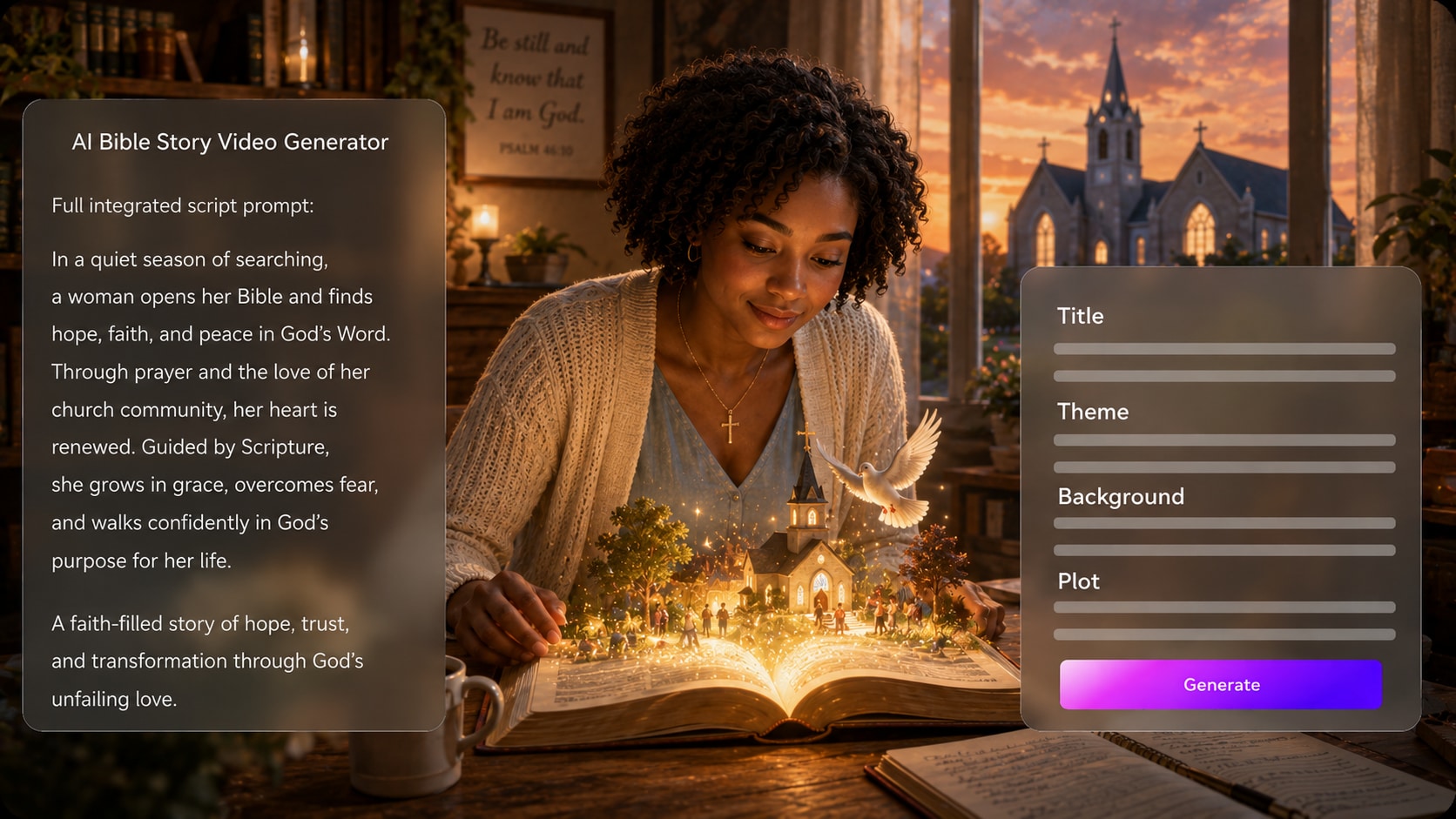
Turn Scripture Notes into a Scene-Ready Story Outline
Start with more than a one-line prompt. Use it for Bible story video maker ideas without adding another editing step.
- Editable Outline - review the title, theme, setting, plot, and characters
- Lesson Structure - organize scripture moments into a watchable sequence
- Better Prompts - give the generator enough detail for stronger scenes
- Creator Control - adjust the direction before visual generation begins
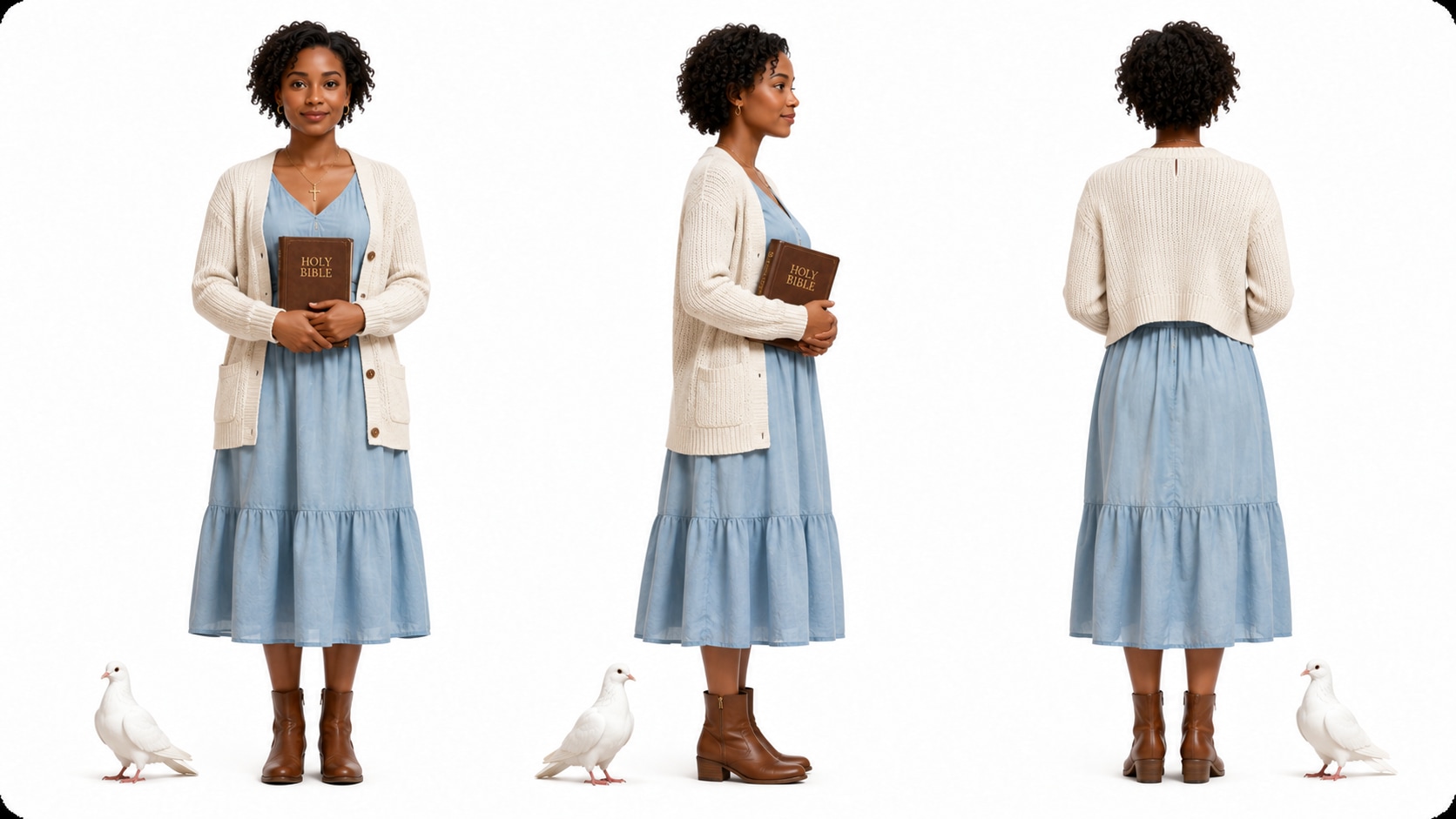
Guide Biblical Characters and Sacred Settings with Care
Describe prophets, disciples, families, deserts, temples, boats, or marketplaces with visual cues that fit the story.
- Character Guidance - define age, clothing, expression, and story role
- Reference Options - use text, photos, or sketches when helpful
- Biblical Environments - direct scenes toward deserts, villages, temples, or seas
- Recognizable Cast - keep recurring figures visually easier to follow
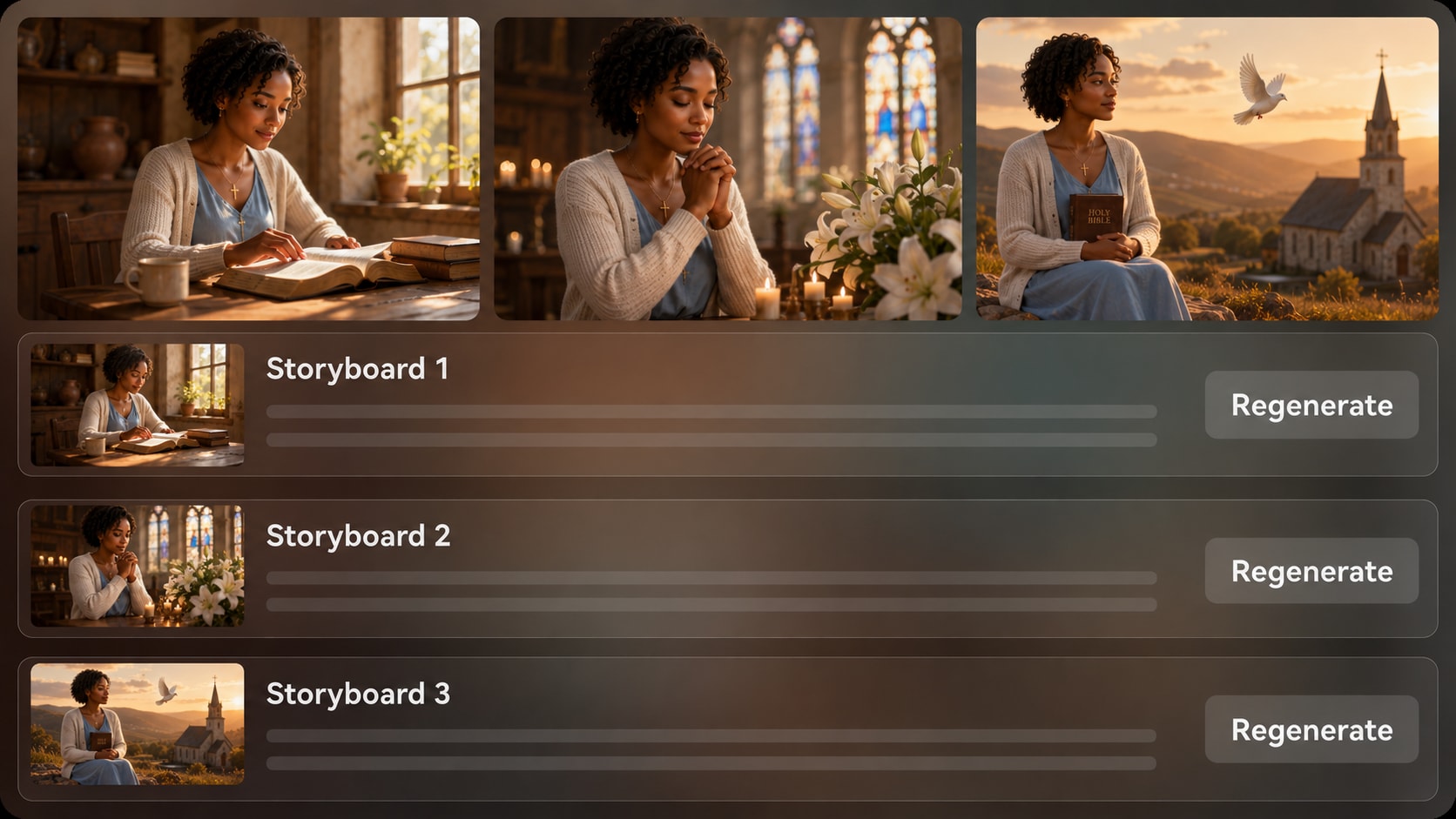
Polish Review the Storyboard Before You Share the Lesson
Check the visual flow after Media.io generates storyboard images from your outline. If one image feels off for the scripture moment, regenerate that specific storyboard image, then create the final video and polish it with Media.io tools when needed.
- Storyboard Review - see the story sequence before final generation
- Shot Regeneration - refresh a specific unsatisfying storyboard image
- Visual Continuity - catch weak transitions before publishing
- Post-Generation Polish - refine the finished video with Media.io tools
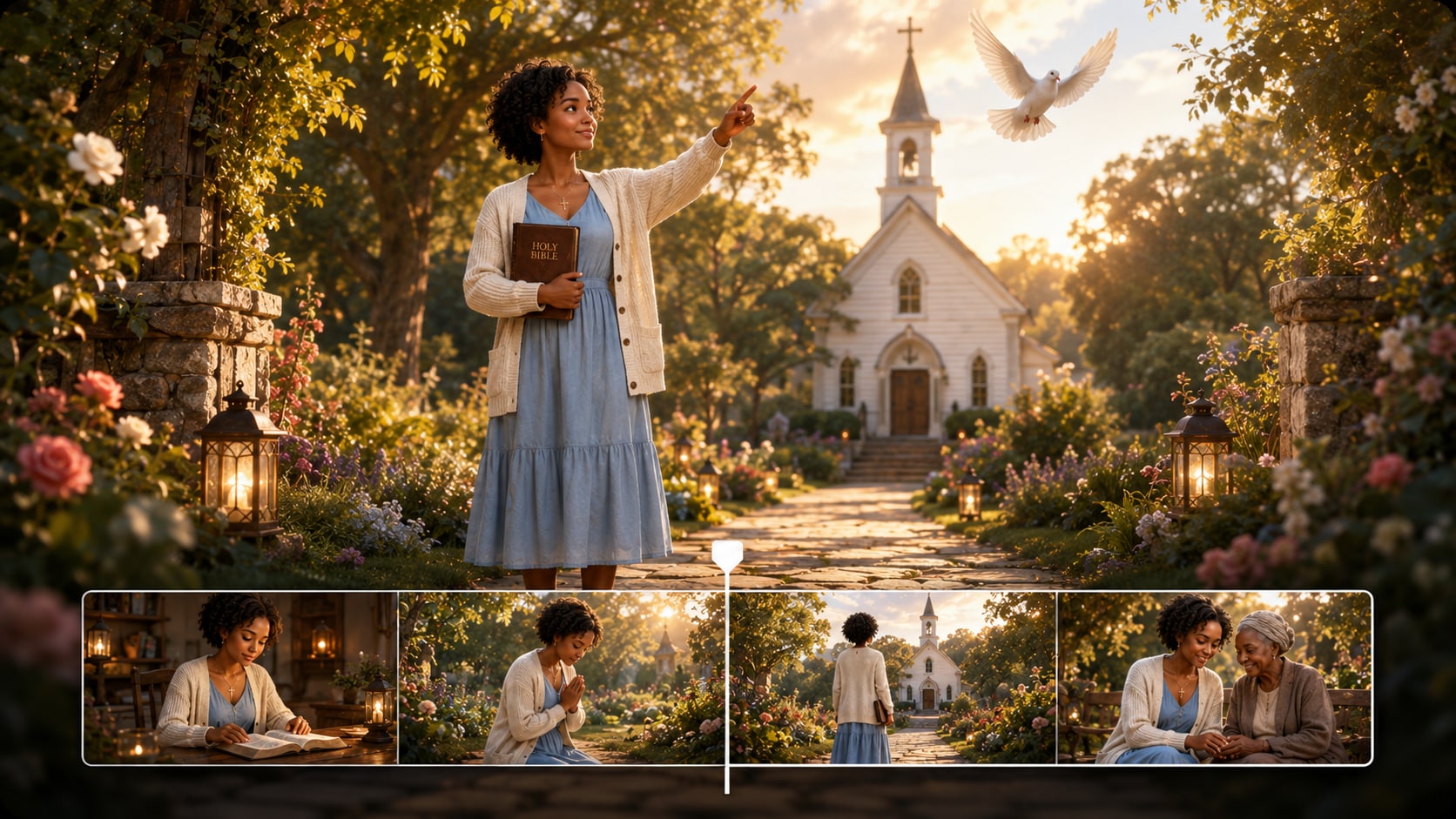
Create a Bible Story Video from Script to Shareable Lesson
Use a script-first workflow to keep scripture, characters, visuals, and audio moving in the same direction.

Prepare the Script
Paste a detailed Bible story script, sermon excerpt, devotional draft, or structured story input. Review and edit the extracted outline fields, including title, theme, setting, story plot, and characters, then choose setup options such as 9:16, 1:1, or 16:9 based on where you plan to publish.

Guide the Visuals
Add character descriptions, reference photos, sketches, or clear text guidance for key figures. Choose the visual direction and let Media.io generate storyboard images from the outline so you can review whether the scenes, setting, and mood fit the Bible story.

Generate and Polish
Create the final video with script-based voiceover and music. If a storyboard image does not fit the lesson, regenerate that specific image before final generation, then review the result and use Media.io tools such as Enhance Video Quality when extra polish is needed.
Compare an AI Bible Story Video Generator with Generic Text-to-Video Tools
Bible storytelling needs more than fast clips: it needs script structure, reverent pacing, character guidance, and reviewable scenes.
Create Scripture Videos for Every Faith Storytelling Channel

YouTube Bible Creators
Build scripture stories, parable explainers, and devotional shorts with clear narration and scene flow.

TikTok Faith Creators
Condense meaningful Bible moments into vertical videos that are easy to watch, understand, and share.

Sunday School Educators
Turn lesson plans into visual stories that help students follow characters, settings, and moral themes.

Church Media Teams
Create scripture recap videos, sermon openers, and social posts that fit a church communication calendar.
View More AI Scripts to Story Videos
See how script-led storytelling can adapt across narration styles, visual moods, and creator channels.
Loved by Bible Story Creators
Creators use Media.io to move from scripture drafts to reviewable visual stories without rebuilding every scene by hand.


"The outline step helped me turn a lesson plan into scenes my students could follow without losing the meaning."

"I like that I can write the narration first, then review how the Bible story is being visualized before publishing."

"It made our scripture recap videos easier to plan, especially when we needed a calm tone for social posts."

"The storyboard review is useful because one wrong visual can distract from the message in a short devotional video."

"My written reflections felt easier to adapt once the tool separated theme, setting, plot, and characters."

"I used it to test biblical scene ideas and character direction before deciding which concepts deserved more work."
FAQs on AI Bible Story Video Generator
What Is an AI Bible Story Video Generator?
An AI Bible story video generator helps turn scripture-based scripts, sermon notes, or lesson drafts into visual story videos. Media.io works best when you provide detailed story input so it can extract an outline, guide scenes, and generate a video with script-based voiceover and music.
Can I Create a Bible Story Video from a Scripture Passage or Sermon Outline?
Yes. For stronger results, expand the passage or sermon outline into a structured script with scene details, characters, setting, and narration. Media.io can then extract an editable outline before generating storyboard images and the final video.
How Do Voiceover and Music Work for Bible Story Videos?
The generated voiceover and music can be based on your script, so the audio follows the story's tone and pacing. A devotional script may lead to calmer narration, while a teaching script can support clearer explanation.
How Should I Write a Better Script for a Bible Story Video?
Write the script in clear scenes: opening context, key characters, main conflict or miracle, lesson moment, and closing reflection. Include setting details, emotional tone, and any narration lines that should guide the audience through the scripture story.
What Mistakes Should I Avoid When Making Bible Story Videos with AI?
Avoid one-line prompts, vague character descriptions, rushed pacing, and scenes that add unsupported details to the message. Review the extracted outline carefully so the theme, plot, setting, and characters match your teaching goal.
Can I Control How Biblical Characters and Settings Look?
You can provide character descriptions, text guidance, photos, or sketches to help Media.io create recognizable characters and clearer visual direction. This helps guide the cast and setting, but it should not be treated as a guarantee of perfect clear character guidance.
Can I Make Bible Story Videos for YouTube Shorts, TikTok, or Church Screens?
Yes. During setup, you can choose a format direction such as vertical, square, or widescreen depending on the publishing context. Review the final video and polish it with Media.io tools when you need extra clarity for social, classroom, or church use.
Can I review the storyboard for a Bible Story Video?
You can edit the extracted outline before storyboard generation. The storyboard images themselves are generated after the outline; if a specific image does not fit the scripture moment, you can regenerate that image and review the sequence again.
Why Use Media.io Instead of a Generic AI Video Generator for Bible Stories?
Media.io is useful for Bible stories because it supports a script-first workflow: editable outline extraction, character and setting guidance, storyboard image review, script-based voiceover and music, and post-generation polish. That gives faith creators more control than a simple one-prompt video tool.
Explore More AI Script to Video Generators

Create a Bible Story Video
That Teaches with Clarity
Start with a detailed scripture script, guide the scenes, review the storyboard images, and prepare a faith-friendly video for your audience.
 4.8 (281 Votes)