画像から画像生成
Nano Banana Pro
画像をアップロード
0 / 9
クリックまたはドラッグでアップロード、または履歴から選択
アイデアがない?まず画像を生成してみよう >
サポートされているアップロード形式: jpg、png、jpeg。
プロンプト
0/2000
アスペクト比
自動
9:16
16:9
1:1
4:3
3:4
3:2
2:3
21:9
解像度
1K
2K
4K
Banana Pro無制限モード
画像の数
1
2
3
4
公開設定
すべて
画像
動画
音声
生成リスト
生成結果の保存期間は7日間です。期限内に保存してください。
ai_video_generator創造力を解き放ち、Media AIの魔法をすぐに体験しよう!

AI Filter Generator for Fast Photo-to-Art Transformations Online

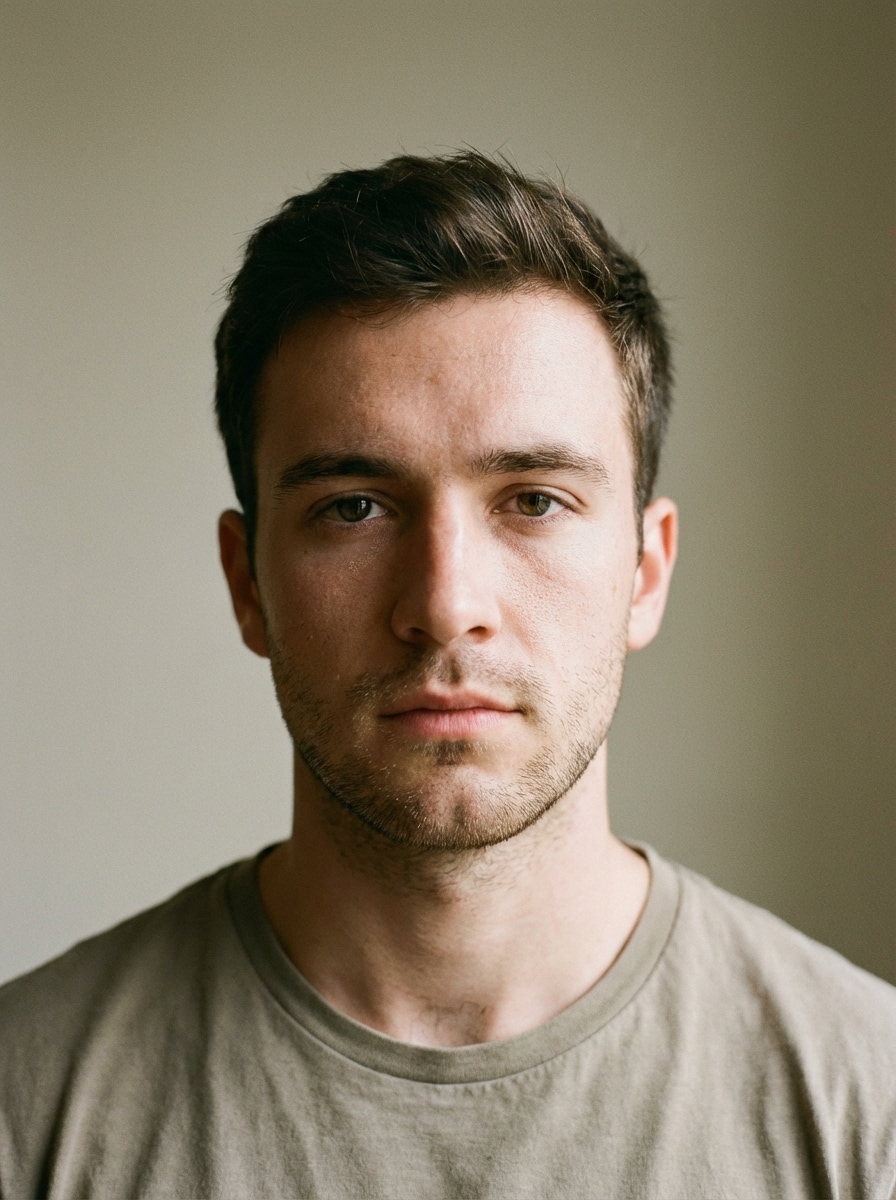
AI Filter Generator Before
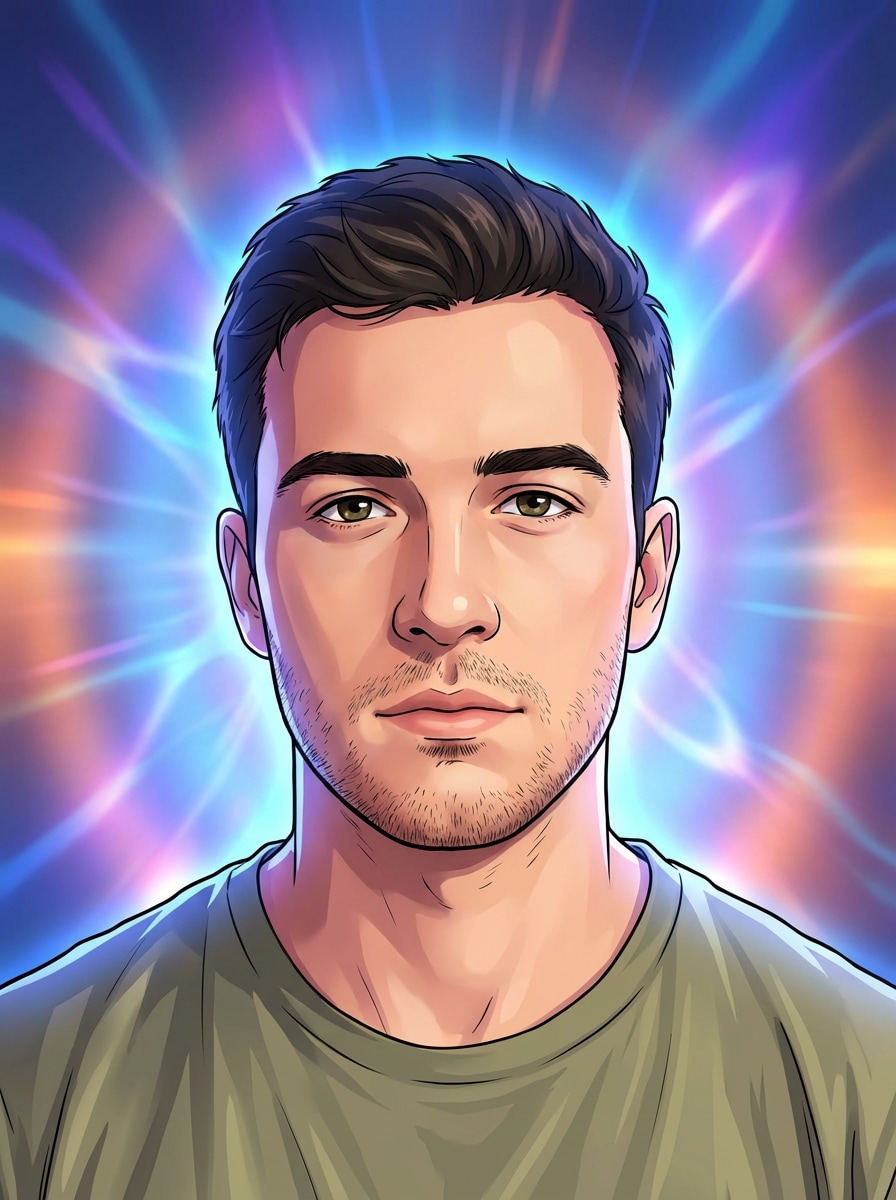
AI Filter Generator After

Turn one photo into anime, cartoon, sketch, watercolor, cinematic, and more with Media.io’s AI filter generator. Upload your image, choose a style, and create high-quality transformations in your browser with no design experience required.

Create My AI Filter

Type your idea -> AI designs it. Free to try.

Explore our curated collection of ai filter generator styles.

Anime Portrait Filter

Anime Portrait Filter

Use the uploaded image as the source. Transform the portrait into premium anime-style artwork with crisp line work, expressive detailed eyes, smooth cel shading, luminous skin, vibrant but balanced colors, subtle background blur, and identity preservation. Maintain the original composition, hairstyle, and facial features, with studio-quality polish and sharp rendering.

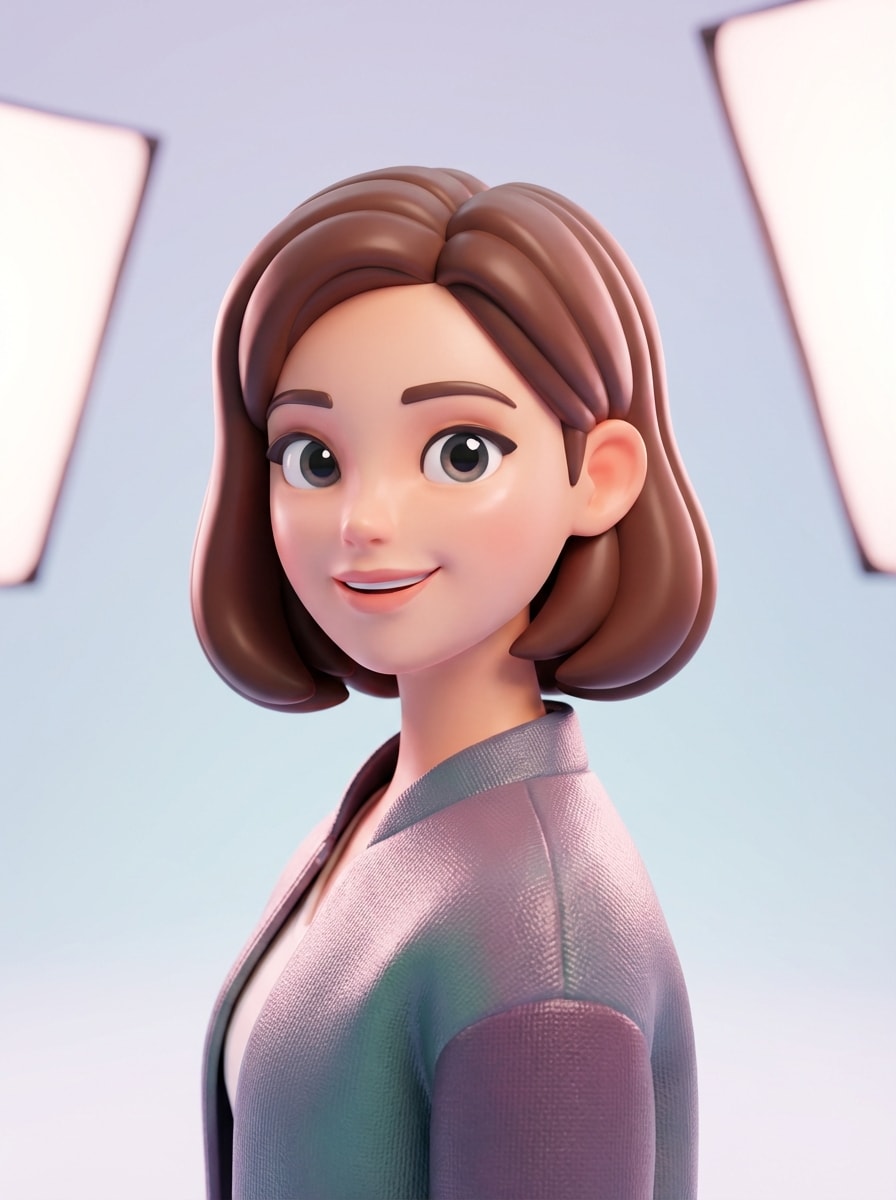
3d Cartoon Filter

3d Cartoon Filter

Use the uploaded image as the source. Convert the portrait into a high-end 3D cartoon character with rounded forms, smooth gradients, glossy material texture, bright eyes, soft studio lighting, polished skin rendering, and a clean simplified background. Preserve identity, hairstyle, facial structure, and pose while delivering a vivid, social-ready result.

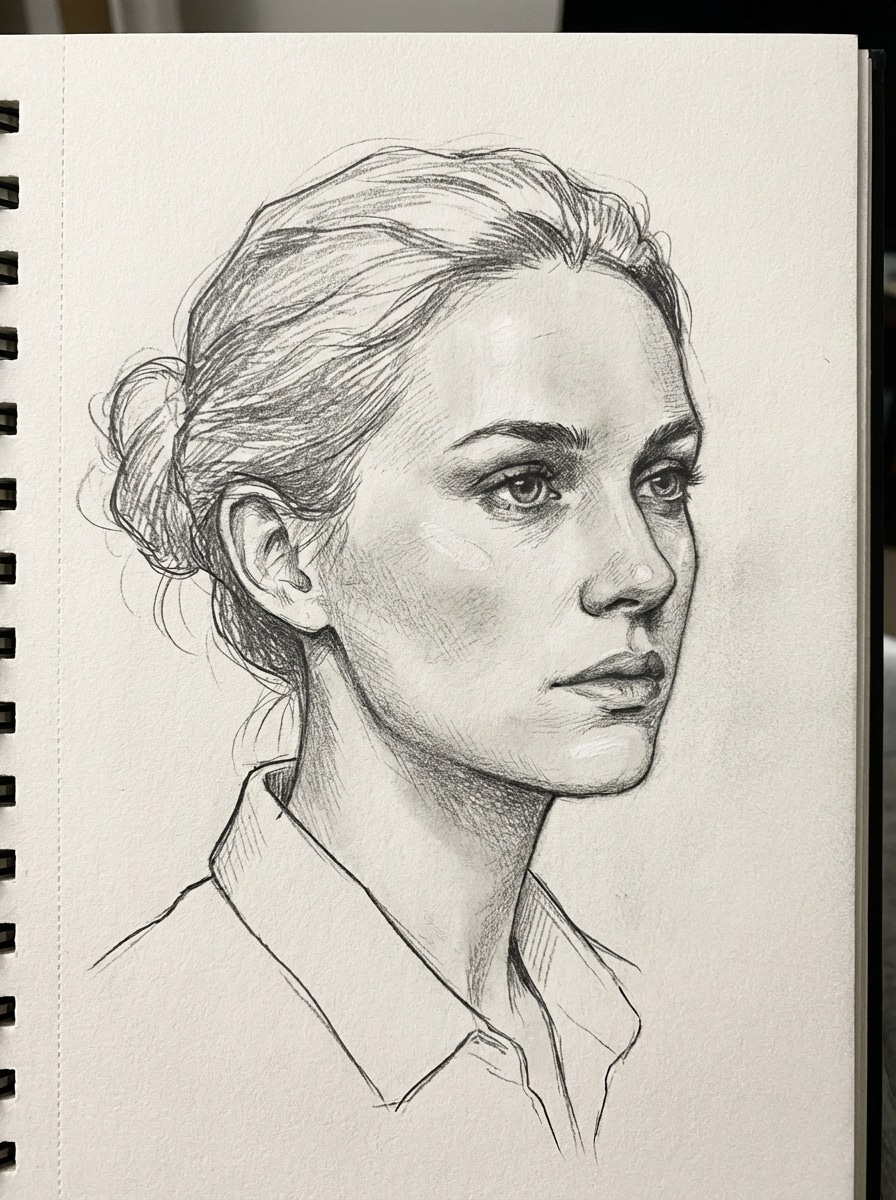
Pencil Sketch Filter

Pencil Sketch Filter

Use the uploaded image as the source. Create a realistic pencil sketch from the portrait using delicate graphite strokes, layered shading, crisp contour lines, textured paper grain, and soft highlights. Preserve facial identity, hairstyle, and pose while emphasizing natural structure and artistic realism in a clean monochrome finish.

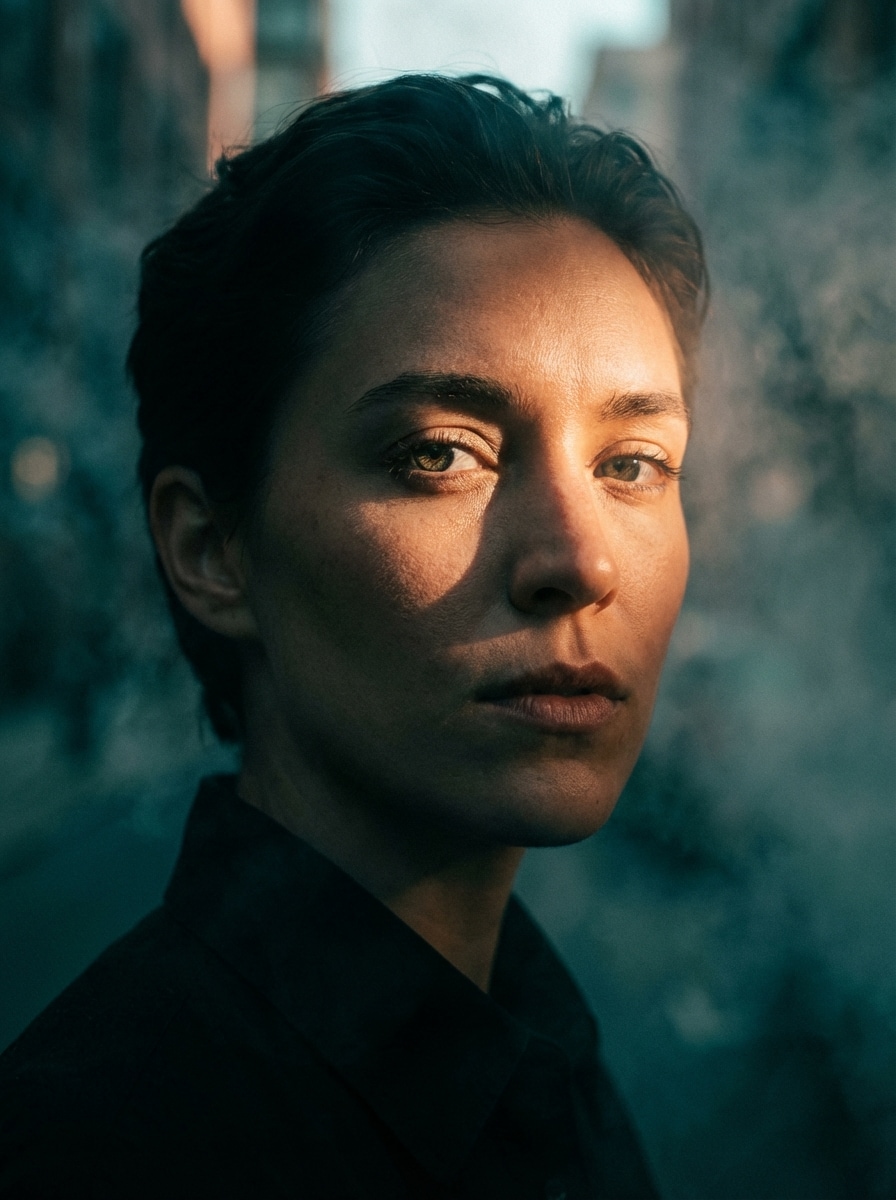
Cinematic Mood Filter

Cinematic Mood Filter

Use the uploaded image as the source. Transform the portrait into a cinematic editorial image with rich contrast, teal-orange grading, atmospheric shadows, directional key light, crisp facial detail, subtle background separation, and a dramatic premium mood. Keep the face recognizable, preserve original framing, and deliver a polished movie-poster aesthetic.

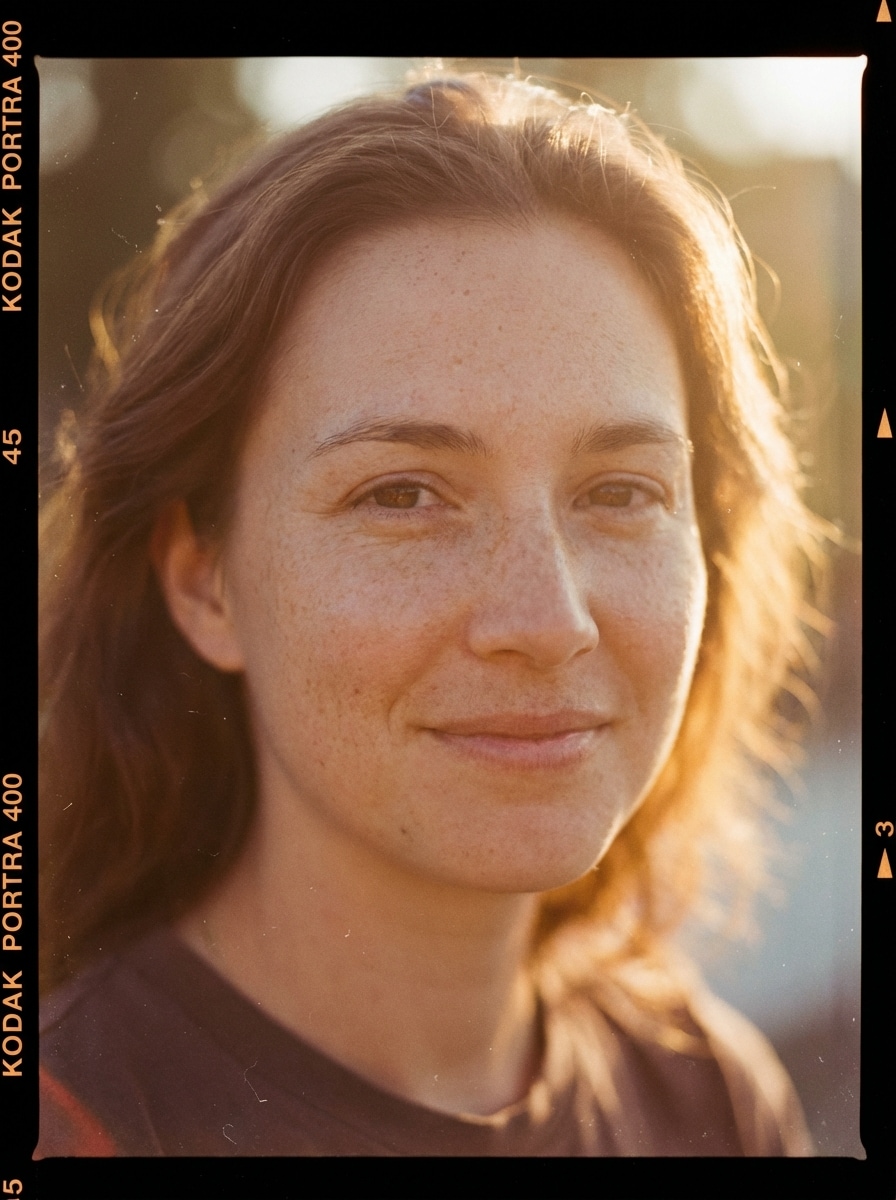
Vintage Film Filter

Vintage Film Filter

Use the uploaded image as the source. Apply a realistic vintage film aesthetic to the portrait with warm faded color grading, fine grain, soft contrast, gentle highlight bloom, analog texture, and nostalgic mood. Preserve facial identity, composition, and natural features while creating an authentic 35mm-inspired editorial portrait.

Why Use Media.io for AI Photo Filter Effects

Built for Image-to-Image AI Filters

Upload a JPG, PNG, or JPEG and turn it into cartoon, anime, sketch, watercolor, or cinematic artwork with a streamlined photo transformation workflow.

High-Quality Control and Resolution

Choose from 1K, 2K, and 4K output options, multiple aspect ratios, and batch generation settings to create images ready for social posts, presentations, or prints.

Advanced AI Models for Better Consistency

Media.io is powered by Nano Banana Pro, Nano Banana 2, and specialized options like Media 2.0 for stronger character consistency and controlled visual transformations.

Browser-Based and Privacy-Conscious

Use the AI filter generator on Windows, Mac, iPhone, or Android with no download required. Uploaded images are automatically deleted from servers after 7 days.

How to Use the AI Filter Generator

1
2
3
1
Open Media.io AI Filter Generator

Go to AI Image to Image Generator and open the AI Filter Generator under AI -> Image to Image. This online tool runs in your browser, so you can create stylized photo transformations without installing extra software.

2
Upload Your Photo and Set the Style

Upload a JPG, PNG, or JPEG, then enter a detailed prompt such as "Use my uploaded portrait and turn it into an anime character with crisp line art, vivid eyes, smooth cel shading, and vibrant colors." Adjust aspect ratio, resolution, and image count as needed.

3
Generate, Refine & Download

Click Generate to create your AI filter result. If needed, refine the prompt or switch models for a different look, then download your high-resolution image for social sharing, content design, or printing.

Step 1
Step 2
Step 3

Unlock the Potential of AI Filter Generator

Discover how creators and professionals are using our AI-powered Filter Generator to transform their creative workflows and bring unique ideas to life.

Refresh Selfies for Social Content

Turn everyday portraits into eye-catching anime, cartoon, or cinematic posts for TikTok, Instagram, and profile images. An AI photo filter generator helps creators make recognizable but more stylized visuals that stand out in crowded feeds.

Create Artistic Gifts and Personal Prints

Transform family photos, couple portraits, or pet pictures into watercolor, sketch, or pastel-style artwork for framed prints, cards, and keepsakes. It’s a fast way to produce custom art from a meaningful original photo.

Produce Branded Visual Concepts Quickly

Marketers, freelancers, and small teams can use an image to image AI filter workflow to test visual directions fast. Convert one source image into multiple aesthetics for ads, mood boards, presentation decks, or campaign mockups.

What Users Say About This AI Filter Generator

user
Ava Mitchell

Lifestyle Creator

star star star star star

"Great for stylized portrait posts" I wanted an AI filter generator that kept my face recognizable instead of making everything look random. Media.io gave me much cleaner anime and cinematic results than I expected, and the browser workflow was super easy.

user
Jordan Lee

Freelance Designer

star star star star star

"Useful for fast concept variations" I use it to turn client reference photos into sketch, watercolor, and cartoon directions without spending hours mocking things up manually. The different aspect ratios and high-resolution output are genuinely helpful.

user
Mia Carter

Online Shop Owner

star star star star star

"Simple and mobile-friendly" I tested the AI photo filter generator on my phone and it worked smoothly. Being able to upload a photo, choose a style, and get a polished result without downloading an app made the whole process much easier.

user
Ethan Brooks

Photography Hobbyist

star star star star star

"Nice balance between style and identity" A lot of tools overdo the effect, but this one preserved the subject surprisingly well. I used it for pencil sketch and vintage-style edits, and the final images still felt like the original photos, just more artistic.

AI Filter Generator FAQs

1. Is this AI filter generator free to use?

Yes, Media.io offers free credits so you can try the AI filter generator online. If you need more generations or additional usage, you can upgrade on the pricing page. Free users may see watermarks, while paid plans support watermark-free high-resolution downloads. Free users can use free credits. For more usage, users can subscribe to a plan on the pricing page.

Open Media.io in your browser, go to the image-to-image tool, and upload a JPG, PNG, or JPEG photo. Then enter a prompt describing the style you want, such as anime, sketch, watercolor, or cinematic, choose settings like aspect ratio or resolution, and generate your filtered result. This helps you create ai filter generator results more consistently.

You can create many popular AI photo filter looks, including cartoon, anime, pencil sketch, watercolor, cinematic, pastel, charcoal, and other stylized transformations. The tool is designed for photo-to-art effects, so you can guide the result with your uploaded image and prompt. Media.io is a web-based tool that works on any device with a browser (Windows, Mac, iOS, Android). This helps you create ai filter generator results more consistently.

It is designed to use your uploaded image as a reference, so the result can stay visually aligned with your original subject. Media.io also offers advanced models, including Nano Banana Pro and Media 2.0, which support stronger consistency during image transformations. This helps you create ai filter generator results more consistently.

Yes. Media.io is a web-based tool that works on devices with a browser, including Windows, Mac, iPhone, and Android. You can create a free AI filter online from desktop or mobile without installing separate software. Media.io is a web-based tool that works on any device with a browser (Windows, Mac, iOS, Android).

Generation is designed to be fast, and the exact time can vary based on your selected model, resolution, aspect ratio, and the number of images you generate in a batch. For most users, the workflow is quick enough for experimenting with multiple styles in one session. This helps you create ai filter generator results more consistently.

Media.io Online AI Tools Quality Rating:
vote 4.7 (162,357 Votes)