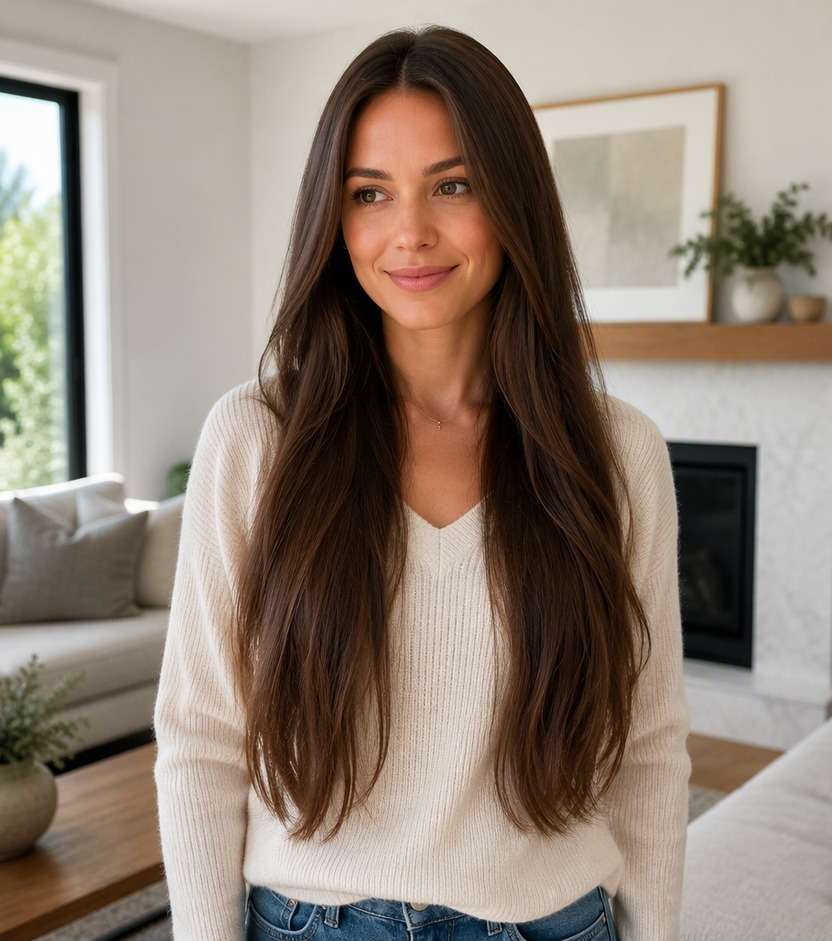
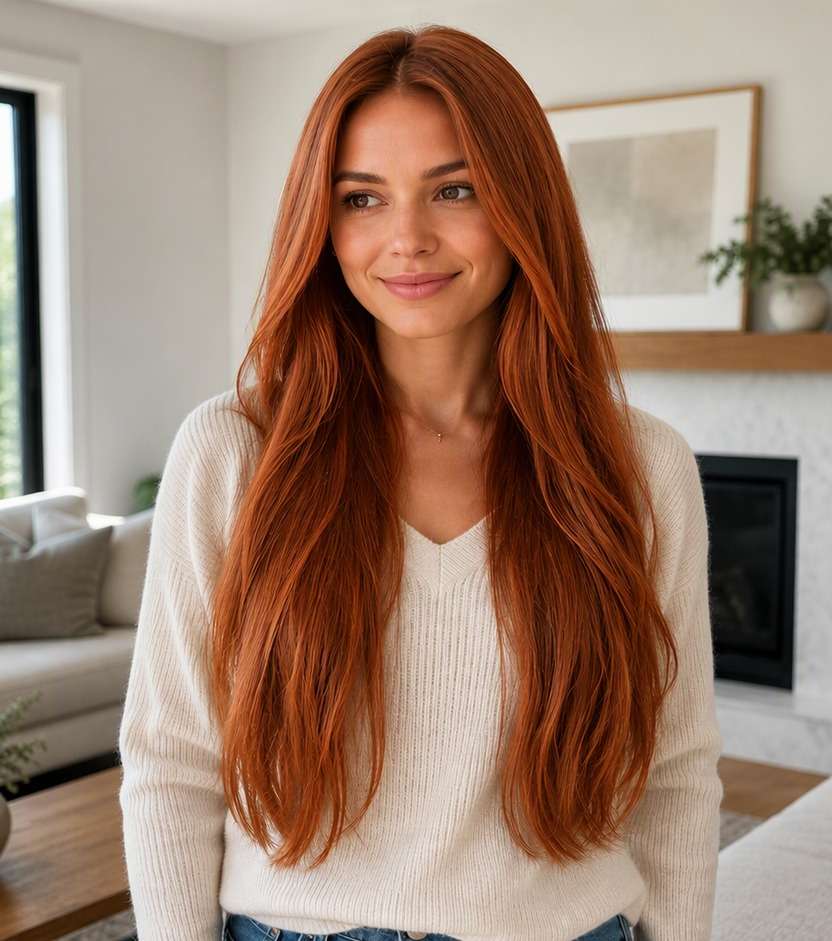
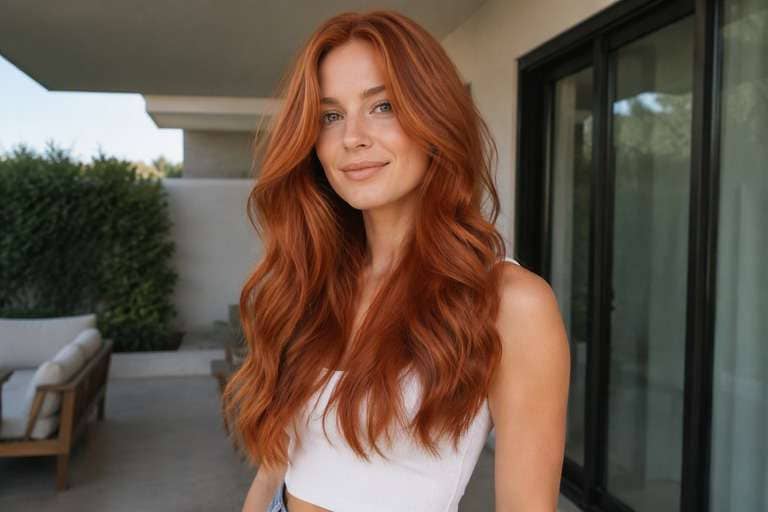
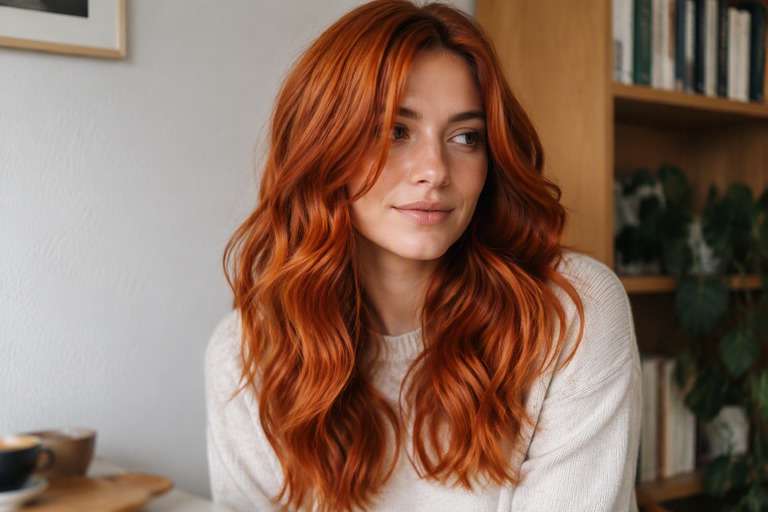
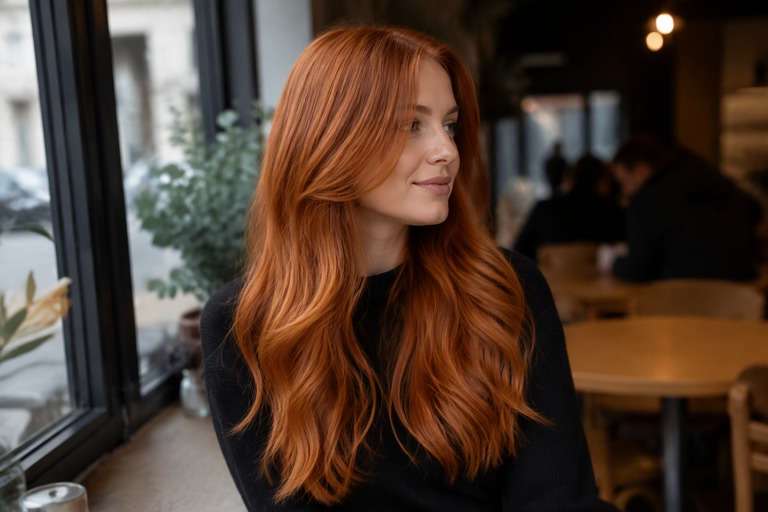
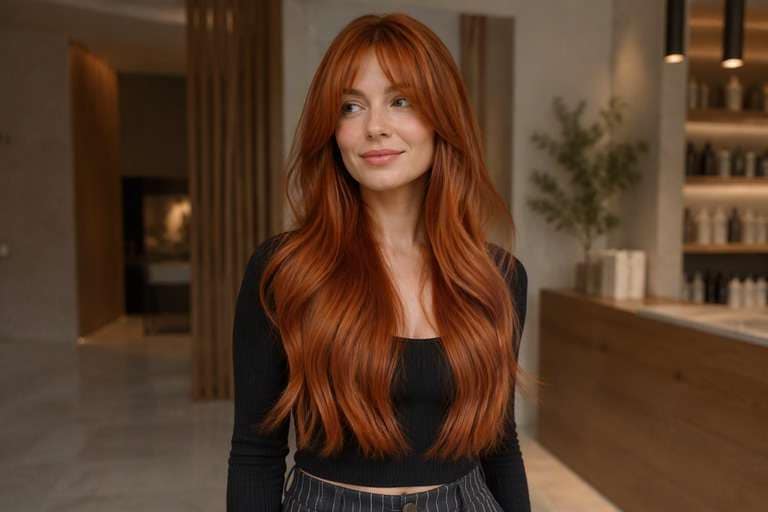
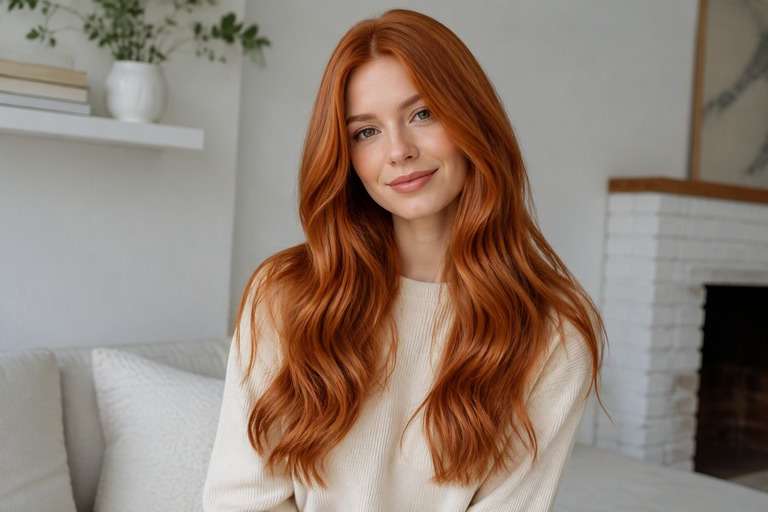
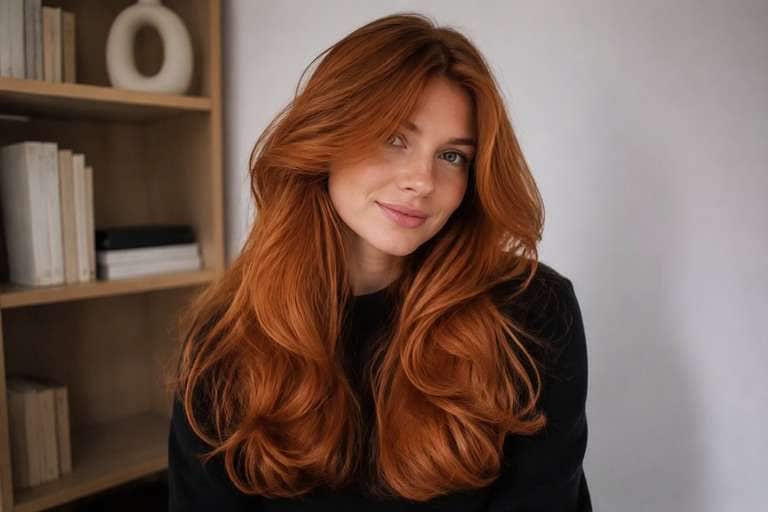
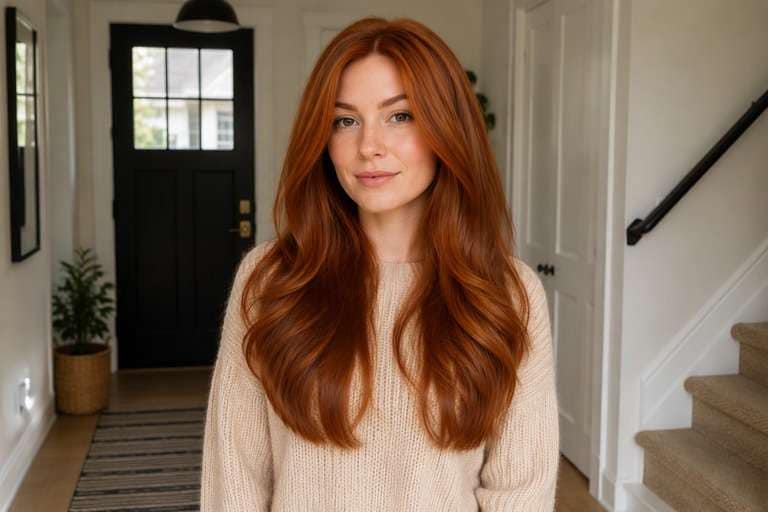
Thinking about going copper but unsure how orange or red you want it to look? Preview ginger, cowgirl copper and deeper auburn on your own photo with the AI copper hair filter. Use the same face, brows and haircut as you compare shades, so the color is the only big change. A softer brown-copper might suit your everyday style, while a brighter ginger makes more of a statement. See the difference first, then choose the photo you would actually take to your colorist.
A daylight photo is useful for copper. Keep skin tones natural and compare the hair at the part, temples and ends.
Copper Hair Color Photo Editing Prompts
Choose how much color you want to see, not just a shade name. Warm red-orange richness that reads copper rather than bright red. The prompts below separate delicate daytime finishes from stronger statement looks. Keep your face, hair length, existing cut and background fixed to compare color alone.
Balanced Copper
Edit my uploaded portrait to preview balanced copper: luminous medium copper with soft orange-red warmth. Warm red-orange richness that reads copper rather than bright red. Keep my exact identity, skin, eyebrow shape, expression, haircut, hair length, pose, clothing, camera angle and background unchanged. Adjust only hair color and realistic color placement; maintain natural individual strands, root shadows and convincing highlights. No new hairstyle, makeup, accessories, text, logos, phones or mirrors. Keep intensity subtle and wearable.
Muted Cowgirl Copper
Edit my uploaded portrait to preview muted cowgirl copper: luminous medium copper with soft orange-red warmth. Warm red-orange richness that reads copper rather than bright red. Keep my exact identity, skin, eyebrow shape, expression, haircut, hair length, pose, clothing, camera angle and background unchanged. Adjust only hair color and realistic color placement; maintain natural individual strands, root shadows and convincing highlights. No new hairstyle, makeup, accessories, text, logos, phones or mirrors. Add medium contrast with blended transitions.
Deeper Auburn-Copper
Edit my uploaded portrait to preview deeper auburn-copper: luminous medium copper with soft orange-red warmth. Warm red-orange richness that reads copper rather than bright red. Keep my exact identity, skin, eyebrow shape, expression, haircut, hair length, pose, clothing, camera angle and background unchanged. Adjust only hair color and realistic color placement; maintain natural individual strands, root shadows and convincing highlights. No new hairstyle, makeup, accessories, text, logos, phones or mirrors. Make the shade vivid but believable.
Subtle Copper
Edit my uploaded portrait to preview subtle copper: luminous medium copper with soft orange-red warmth. Warm red-orange richness that reads copper rather than bright red. Keep my exact identity, skin, eyebrow shape, expression, haircut, hair length, pose, clothing, camera angle and background unchanged. Adjust only hair color and realistic color placement; maintain natural individual strands, root shadows and convincing highlights. No new hairstyle, makeup, accessories, text, logos, phones or mirrors. Use softly diffused color rather than hard stripes.
Dimensional Copper
Edit my uploaded portrait to preview dimensional copper: luminous medium copper with soft orange-red warmth. Warm red-orange richness that reads copper rather than bright red. Keep my exact identity, skin, eyebrow shape, expression, haircut, hair length, pose, clothing, camera angle and background unchanged. Adjust only hair color and realistic color placement; maintain natural individual strands, root shadows and convincing highlights. No new hairstyle, makeup, accessories, text, logos, phones or mirrors. Preserve multi-tonal depth and believable natural shadow.
Face-Framing Copper
Edit my uploaded portrait to preview face-framing copper: luminous medium copper with soft orange-red warmth. Warm red-orange richness that reads copper rather than bright red. Keep my exact identity, skin, eyebrow shape, expression, haircut, hair length, pose, clothing, camera angle and background unchanged. Adjust only hair color and realistic color placement; maintain natural individual strands, root shadows and convincing highlights. No new hairstyle, makeup, accessories, text, logos, phones or mirrors. Give the front strands a slightly brighter tonal emphasis.
Glossy Copper
Edit my uploaded portrait to preview glossy copper: luminous medium copper with soft orange-red warmth. Warm red-orange richness that reads copper rather than bright red. Keep my exact identity, skin, eyebrow shape, expression, haircut, hair length, pose, clothing, camera angle and background unchanged. Adjust only hair color and realistic color placement; maintain natural individual strands, root shadows and convincing highlights. No new hairstyle, makeup, accessories, text, logos, phones or mirrors. Favor reflective shine without changing overall exposure.
Natural-Light Copper
Edit my uploaded portrait to preview natural-light copper: luminous medium copper with soft orange-red warmth. Warm red-orange richness that reads copper rather than bright red. Keep my exact identity, skin, eyebrow shape, expression, haircut, hair length, pose, clothing, camera angle and background unchanged. Adjust only hair color and realistic color placement; maintain natural individual strands, root shadows and convincing highlights. No new hairstyle, makeup, accessories, text, logos, phones or mirrors. Show credible window-light color reflections.
Soft-Root Copper
Edit my uploaded portrait to preview soft-root copper: luminous medium copper with soft orange-red warmth. Warm red-orange richness that reads copper rather than bright red. Keep my exact identity, skin, eyebrow shape, expression, haircut, hair length, pose, clothing, camera angle and background unchanged. Adjust only hair color and realistic color placement; maintain natural individual strands, root shadows and convincing highlights. No new hairstyle, makeup, accessories, text, logos, phones or mirrors. Keep natural root depth and smooth transition.
Bold Copper
Edit my uploaded portrait to preview bold copper: luminous medium copper with soft orange-red warmth. Warm red-orange richness that reads copper rather than bright red. Keep my exact identity, skin, eyebrow shape, expression, haircut, hair length, pose, clothing, camera angle and background unchanged. Adjust only hair color and realistic color placement; maintain natural individual strands, root shadows and convincing highlights. No new hairstyle, makeup, accessories, text, logos, phones or mirrors. Make the target shade immediately legible at a glance.
Copper Hair Color: Ginger, Auburn or Cowgirl Copper?
Ginger, Copper or Auburn?
Pure ginger feels lighter and more orange; auburn sits closer to brown-red. Try all three on the same portrait before deciding what you actually mean by copper. The distinction matters most beside your face.
Keep the Hairline Believable
Copper can look like a flat orange overlay when every strand is equally saturated. Check whether roots, flyaways and lighter face-framing pieces still have depth, especially on darker starting hair.
Test a Softer Everyday Version
Not ready for a bold redhead moment? Try a muted, brown-based copper first. It can help you decide whether you like the warmth itself or only the vivid effect in an inspiration photo.
Look Beyond a Single Lighting Setup
Copper often appears brighter in direct sun and more brown indoors. Compare two generated versions side by side, then pick a reference that communicates the richness you want without exaggerating it.
How to Try Copper Hair Color on Your Photo
Use one well-lit image for every version so differences come from the color prompt rather than the photo.
Step 1
Upload Your Photo
Upload a clear front or three-quarter hair photo with the roots and color area visible. Use even light and keep your face, cut and background unfiltered.
Step 2
Choose a Haircut Filter or Enter a Prompt
Choose a suitable hair color preset if available or describe the target color and placement in a prompt. Keep the original haircut and facial features unchanged.
Step 3
Click Generate
Click Generate. Check the color only against your original image, then refine its tone or placement if the first preview is too strong or too subtle.
The most useful copper preview is one you can compare against your current color and discuss in specific terms.
Planning a First Redhead Appointment
Save your favorite muted and vivid versions. Showing a stylist both makes it easier to explain your comfort zone, while your current base color determines whether the actual process will need lifting or color correction.
Refreshing Brown Hair for Fall
If you like brown hair but want warmth around the face, preview copper-brown rather than an all-over orange shade. Focus on the part and front layers, where color has the biggest effect in everyday photos.
Picking a New Profile Photo Look
A copper edit can give portraits a different mood without changing the haircut or makeup. Hold the outfit and background constant and choose the version where the hair complements rather than overwhelms the face.
What to Check in Your Copper Hair Preview
Visible Color Change
Image review checklist
"Does the color match the idea?" The before must show neutral medium brown hair without red tones. The after should show luminous medium copper with soft orange-red warmth. Reject an edit that only increases overall photo warmth.
Same Face and Hairstyle
Image review checklist
"Did the edit preserve your features?" Compare face shape, hair length, haircut, background and clothing. A useful virtual color test leaves these unchanged.
Placement and Strands
Image review checklist
"Does color follow real strands?" Look for warm red-orange richness that reads copper rather than bright red. Check that color follows actual strands and is not painted onto skin or the background.
Real-World Expectations
Image review checklist
"Is this a reference, not a promise?" Use this image to discuss your preferred appearance. Real coloring depends on your starting color, treatment history and the technique chosen by your stylist.
1. Is cowgirl copper different from bright ginger?
Yes. Cowgirl copper usually has a softer brown base, while ginger can appear lighter and more orange. Use the same portrait to compare both color directions before choosing a reference.
2. Can I try copper hair on dark brown hair?
You can preview the appearance on a dark-haired photo. An edit does not show the steps needed to achieve that shade in real life; starting pigment and previous color matter.
3. What if copper looks too orange in my preview?
Ask for a more muted, brown-based copper and less saturation around the hairline. Also review the original photo lighting before deciding that every copper tone will look equally bright.
4. How do I get a copper hair try on with Media.io?
Upload a photo with visible hair, select a suitable preset if offered or enter a copper color prompt, and generate a preview. Compare muted and richer versions while keeping your face and haircut unchanged.
5. Should I match copper hair to my eyebrows?
Your brows are a useful visual reference, but they do not need to be the same color as your hair. Review how the result frames your face without recoloring the eyebrows.
6. Will AI tell me how the dye will turn out?
No. It is a visual styling reference, not a color formula or prediction. A stylist can assess your starting hair color, condition and any previous treatments before making a plan.