Click or drag to upload, or choose from My HistoryClick To UploadMy History
No ideas? Generate an image first >
Upload jpg, jpeg, png images up to 50 MB, with a minimum width/height of 300 px.
AI Platinum Blonde Hair Filter: See Icy Blonde on You
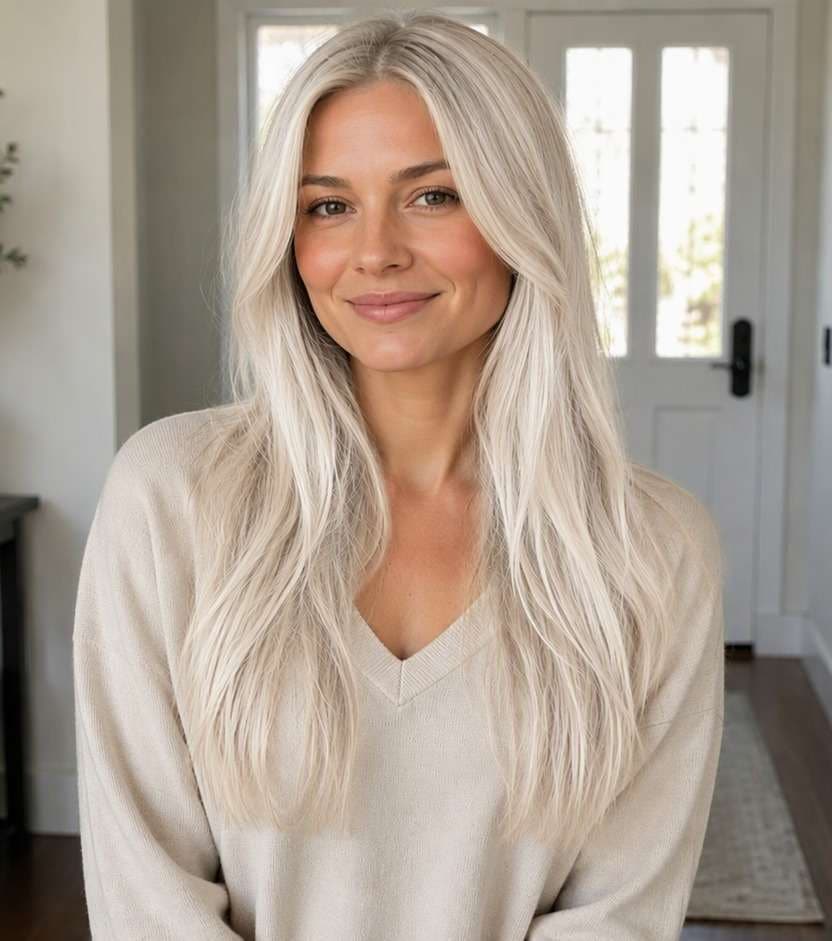
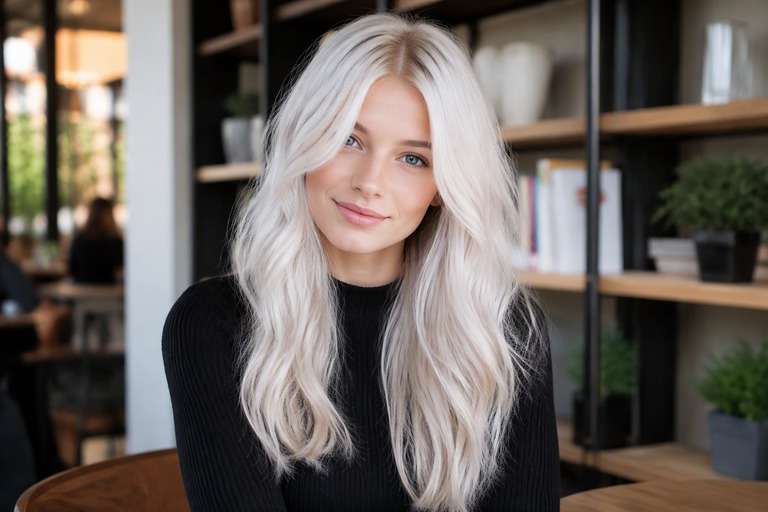
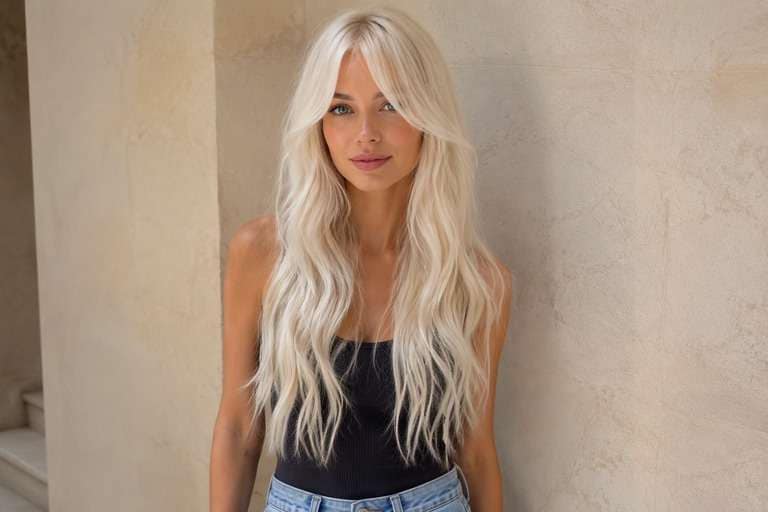
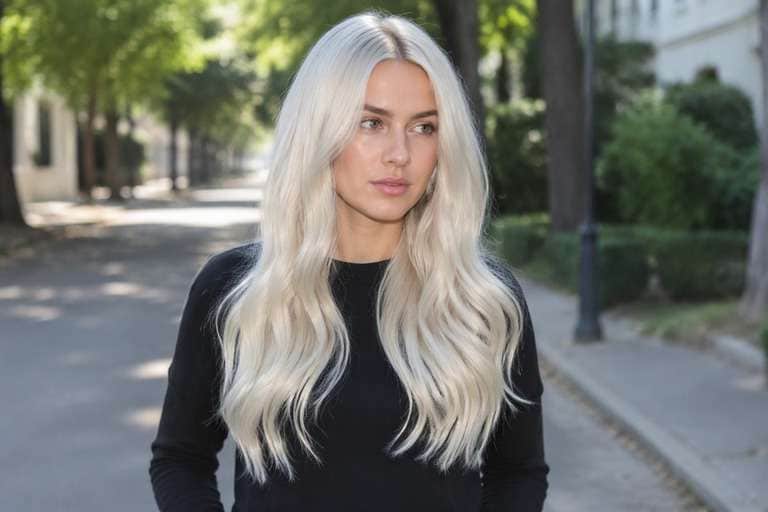
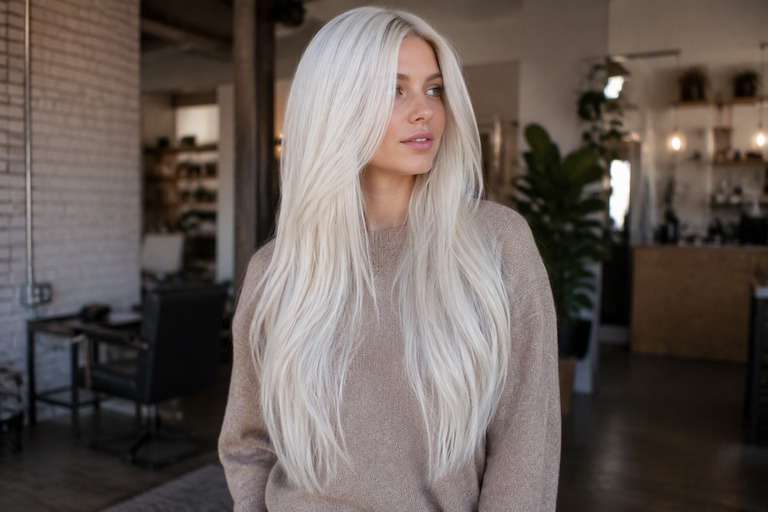
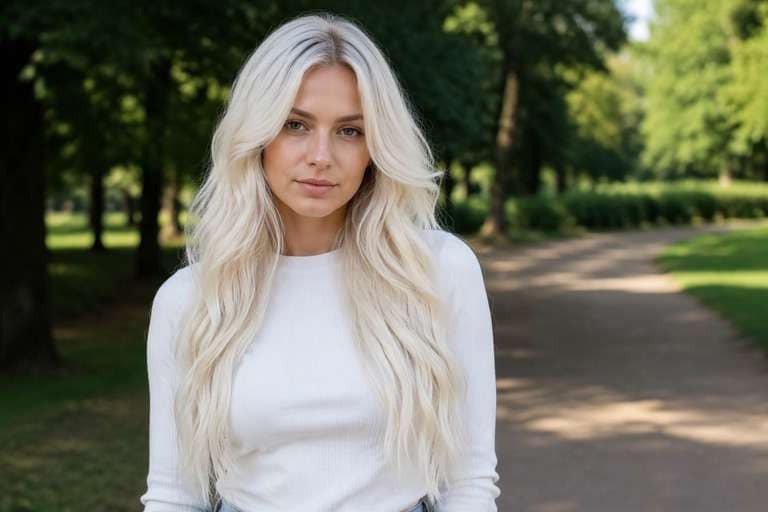
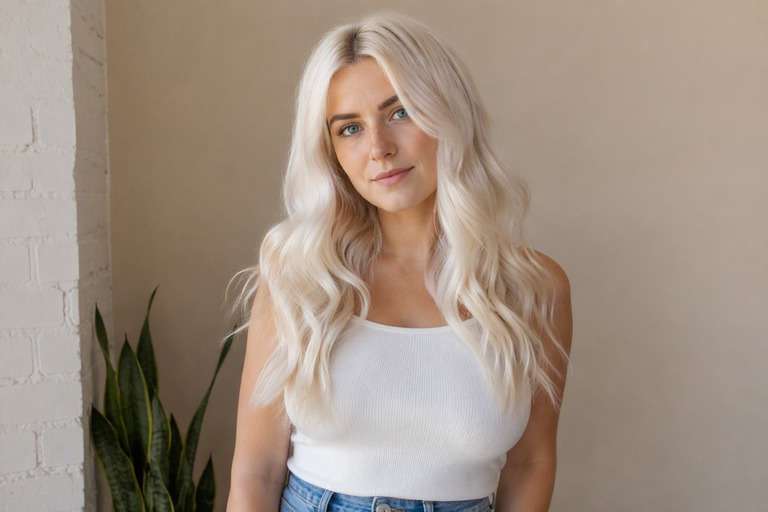
Platinum blonde is a dramatic change, especially if your natural hair and brows are dark. Before considering a bleach appointment, use the AI platinum blonde hair filter to preview icy white-blonde, soft pearl and pale cream shades with your current face and hairstyle. Compare the roots and hairline as well as the overall tone; those details change how striking the result feels. Choose a reference you love, then ask a professional what your real hair can safely achieve.
Use a portrait with both roots and ends in view. Keep eyebrow color and skin texture unchanged to judge platinum honestly.
Platinum Blonde Hair Color Photo Editing Prompts
Choose how much color you want to see, not just a shade name. Near-white high-lightness finish clearly different from beige blonde. The prompts below separate delicate daytime finishes from stronger statement looks. Keep your face, hair length, existing cut and background fixed to compare color alone.
Ice Platinum
Edit my uploaded portrait to preview ice platinum: very pale icy platinum blonde with neutral-cool reflection. Near-white high-lightness finish clearly different from beige blonde. Keep my exact identity, skin, eyebrow shape, expression, haircut, hair length, pose, clothing, camera angle and background unchanged. Adjust only hair color and realistic color placement; maintain natural individual strands, root shadows and convincing highlights. No new hairstyle, makeup, accessories, text, logos, phones or mirrors. Keep intensity subtle and wearable.
Creamy Platinum
Edit my uploaded portrait to preview creamy platinum: very pale icy platinum blonde with neutral-cool reflection. Near-white high-lightness finish clearly different from beige blonde. Keep my exact identity, skin, eyebrow shape, expression, haircut, hair length, pose, clothing, camera angle and background unchanged. Adjust only hair color and realistic color placement; maintain natural individual strands, root shadows and convincing highlights. No new hairstyle, makeup, accessories, text, logos, phones or mirrors. Add medium contrast with blended transitions.
Silver-Toned Platinum
Edit my uploaded portrait to preview silver-toned platinum: very pale icy platinum blonde with neutral-cool reflection. Near-white high-lightness finish clearly different from beige blonde. Keep my exact identity, skin, eyebrow shape, expression, haircut, hair length, pose, clothing, camera angle and background unchanged. Adjust only hair color and realistic color placement; maintain natural individual strands, root shadows and convincing highlights. No new hairstyle, makeup, accessories, text, logos, phones or mirrors. Make the shade vivid but believable.
Subtle Platinum Blonde
Edit my uploaded portrait to preview subtle platinum blonde: very pale icy platinum blonde with neutral-cool reflection. Near-white high-lightness finish clearly different from beige blonde. Keep my exact identity, skin, eyebrow shape, expression, haircut, hair length, pose, clothing, camera angle and background unchanged. Adjust only hair color and realistic color placement; maintain natural individual strands, root shadows and convincing highlights. No new hairstyle, makeup, accessories, text, logos, phones or mirrors. Use softly diffused color rather than hard stripes.
Dimensional Platinum Blonde
Edit my uploaded portrait to preview dimensional platinum blonde: very pale icy platinum blonde with neutral-cool reflection. Near-white high-lightness finish clearly different from beige blonde. Keep my exact identity, skin, eyebrow shape, expression, haircut, hair length, pose, clothing, camera angle and background unchanged. Adjust only hair color and realistic color placement; maintain natural individual strands, root shadows and convincing highlights. No new hairstyle, makeup, accessories, text, logos, phones or mirrors. Preserve multi-tonal depth and believable natural shadow.
Face-Framing Platinum Blonde
Edit my uploaded portrait to preview face-framing platinum blonde: very pale icy platinum blonde with neutral-cool reflection. Near-white high-lightness finish clearly different from beige blonde. Keep my exact identity, skin, eyebrow shape, expression, haircut, hair length, pose, clothing, camera angle and background unchanged. Adjust only hair color and realistic color placement; maintain natural individual strands, root shadows and convincing highlights. No new hairstyle, makeup, accessories, text, logos, phones or mirrors. Give the front strands a slightly brighter tonal emphasis.
Glossy Platinum Blonde
Edit my uploaded portrait to preview glossy platinum blonde: very pale icy platinum blonde with neutral-cool reflection. Near-white high-lightness finish clearly different from beige blonde. Keep my exact identity, skin, eyebrow shape, expression, haircut, hair length, pose, clothing, camera angle and background unchanged. Adjust only hair color and realistic color placement; maintain natural individual strands, root shadows and convincing highlights. No new hairstyle, makeup, accessories, text, logos, phones or mirrors. Favor reflective shine without changing overall exposure.
Natural-Light Platinum Blonde
Edit my uploaded portrait to preview natural-light platinum blonde: very pale icy platinum blonde with neutral-cool reflection. Near-white high-lightness finish clearly different from beige blonde. Keep my exact identity, skin, eyebrow shape, expression, haircut, hair length, pose, clothing, camera angle and background unchanged. Adjust only hair color and realistic color placement; maintain natural individual strands, root shadows and convincing highlights. No new hairstyle, makeup, accessories, text, logos, phones or mirrors. Show credible window-light color reflections.
Soft-Root Platinum Blonde
Edit my uploaded portrait to preview soft-root platinum blonde: very pale icy platinum blonde with neutral-cool reflection. Near-white high-lightness finish clearly different from beige blonde. Keep my exact identity, skin, eyebrow shape, expression, haircut, hair length, pose, clothing, camera angle and background unchanged. Adjust only hair color and realistic color placement; maintain natural individual strands, root shadows and convincing highlights. No new hairstyle, makeup, accessories, text, logos, phones or mirrors. Keep natural root depth and smooth transition.
Bold Platinum Blonde
Edit my uploaded portrait to preview bold platinum blonde: very pale icy platinum blonde with neutral-cool reflection. Near-white high-lightness finish clearly different from beige blonde. Keep my exact identity, skin, eyebrow shape, expression, haircut, hair length, pose, clothing, camera angle and background unchanged. Adjust only hair color and realistic color placement; maintain natural individual strands, root shadows and convincing highlights. No new hairstyle, makeup, accessories, text, logos, phones or mirrors. Make the target shade immediately legible at a glance.
Platinum Blonde Hair: Icy, Pearl or Soft Root Shadow?
Icy or Creamy?
Not every pale blonde needs to read blue-white. Compare a crisp icy finish with a warmer pearl-platinum so you can see which one feels wearable near your complexion.
Notice the Root Contrast
Very light hair makes darker regrowth more noticeable. Try the look with visible natural roots rather than editing them away, especially if you are thinking about ongoing maintenance.
Keep Strands From Turning Pure White
A flat white edit can erase hair texture. Look for small cool shadows and separate strands in the preview so the result still resembles hair, not an overexposed area.
See It With Your Usual Makeup
Platinum can change how you perceive your brows, lashes and clothing colors. Keep the rest of the image untouched to see the effect of the hair alone.
How to Preview Platinum Blonde Hair on Your Photo
Compare icy and pearl versions side by side; preserve strand detail rather than asking for featureless pure white.
Step 1
Upload Your Photo
Upload a clear front or three-quarter hair photo with the roots and color area visible. Use even light and keep your face, cut and background unfiltered.
Step 2
Choose a Haircut Filter or Enter a Prompt
Choose a suitable hair color preset if available or describe the target color and placement in a prompt. Keep the original haircut and facial features unchanged.
Step 3
Click Generate
Click Generate. Check the color only against your original image, then refine its tone or placement if the first preview is too strong or too subtle.
An image can help you test a look, but a salon consultation is still essential for a large lift.
Thinking About a Dramatic Makeover
Compare your original color, a pearl blonde and an icy platinum side by side. Looking at all three can tell you whether you prefer very pale hair or simply a brighter blonde.
Planning a Statement Photoshoot
Test white-blonde against your planned outfit and backdrop so hair separation and facial contrast stay visible. Do not change the hairstyle between versions, or the comparison becomes misleading.
Preparing for a Color Consultation
Bring the edited image as a visual preference, not a technical instruction. Ask about achievable lift, hair strength, timing and upkeep based on your natural and previously treated hair.
Check the Details in Your Platinum Blonde Preview
Visible Color Change
Image review checklist
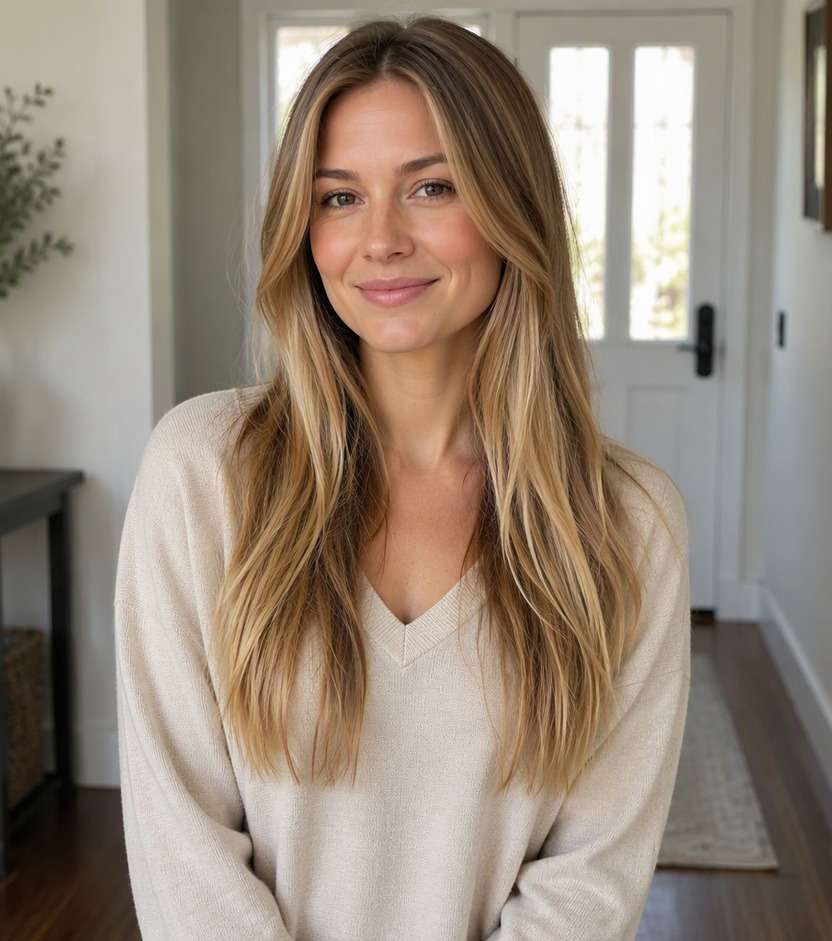
"Does the color match the idea?" The before must show medium natural blonde without extreme lightness. The after should show very pale icy platinum blonde with neutral-cool reflection. Reject an edit that only increases overall photo warmth.
Same Face and Hairstyle
Image review checklist
"Did the edit preserve your features?" Compare face shape, hair length, haircut, background and clothing. A useful virtual color test leaves these unchanged.
Placement and Strands
Image review checklist
"Does color follow real strands?" Look for near-white high-lightness finish clearly different from beige blonde. Check that color follows actual strands and is not painted onto skin or the background.
Real-World Expectations
Image review checklist
"Is this a reference, not a promise?" Use this image to discuss your preferred appearance. Real coloring depends on your starting color, treatment history and the technique chosen by your stylist.
1. What is the difference between platinum and ash blonde?
Platinum describes extreme lightness; ash describes cooler undertones and can be darker. A pale ash look and an icy platinum look will give different levels of contrast with brows and roots.
2. Can I test platinum on very dark hair?
Yes, a photo edit can show the appearance. It cannot establish whether your real hair can safely reach that level in one session; a trained colorist should assess your hair.
3. Why does my platinum preview look white instead of blonde?
An overly bright edit may flatten highlights and remove strand detail. Try pearl-platinum with subtle shadows and avoid increasing the exposure of the entire photograph.
4. Will the preview show how damaged hair might become?
No. A color preview changes appearance in the image; it does not measure hair condition, chemical processing risk, or the maintenance required to keep platinum tones.
5. How can I try platinum hair with Media.io?
Upload a clear photo, use a suitable color preset if one is available or enter a platinum-blonde prompt, then generate. Keep your face, cut, background and roots consistent across variations.
6. Which photo is best for an icy blonde comparison?
Use neutral light and make sure the full hair shape is visible. Very warm lighting and blown-out highlights can make pale shades difficult to distinguish accurately.
Compare Platinum Blonde with Other Light Hair Colors