Vos créations sont conservées pendant seulement 7 jours. Les éléments créés après la mise à niveau de l'Abonnement seront stockés de façon permanente.
Libérez votre potentiel créatif et découvrez la magie de l'IA médiatique dès mIAntenant!
Filtre photo bal de promo des années 1980 pour des portraits rétro glamour instantanés
Transformez n'importe quel selfie ou photo de groupe en portrait de bal plein de nostalgie grâce à notre filtre photo bal années 1980. Téléchargez votre photo, choisissez un filtre glamour années 80, un look album de fin d'année ou un style neon studio, et créez en quelques minutes un retour dans le passé amusant, partageable et en haute résolution.
Tapez votre idée -> L'IA la conçoit. Essai gratuit.
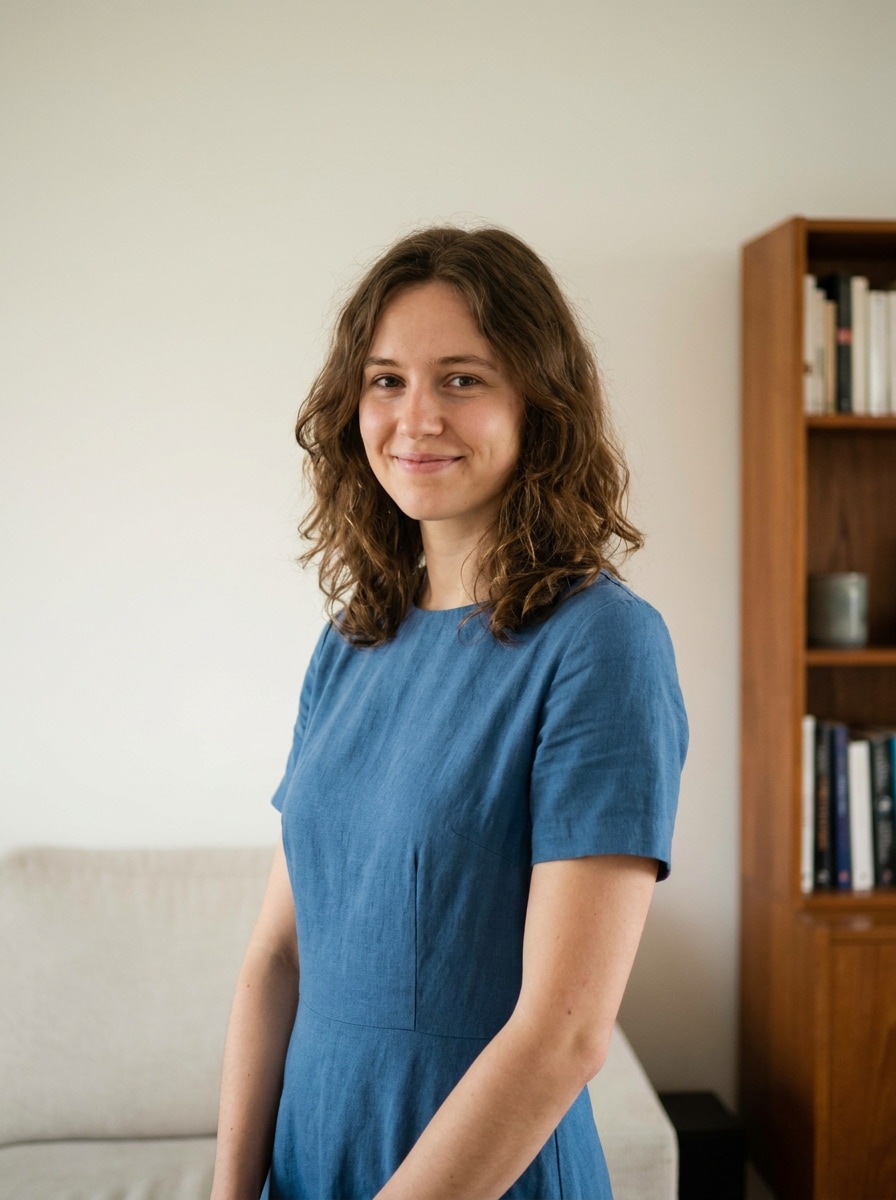
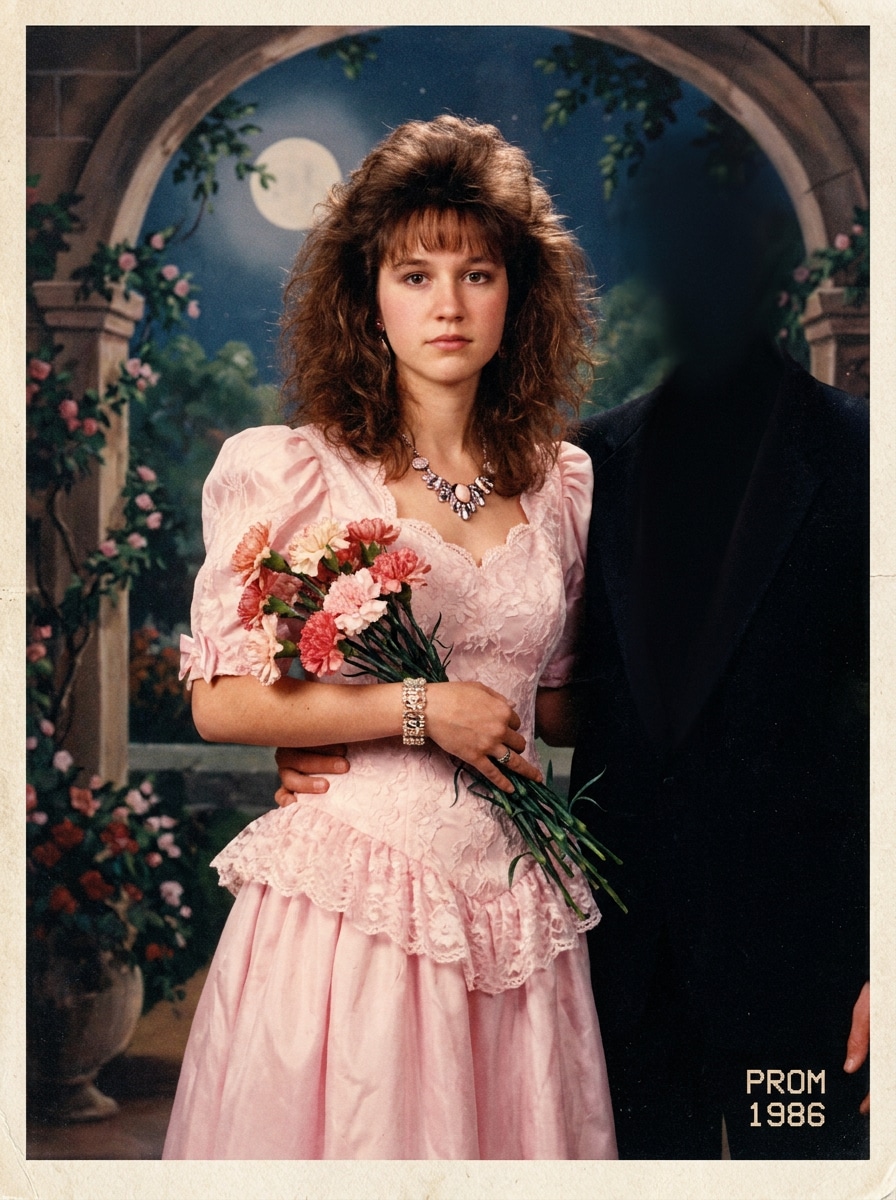
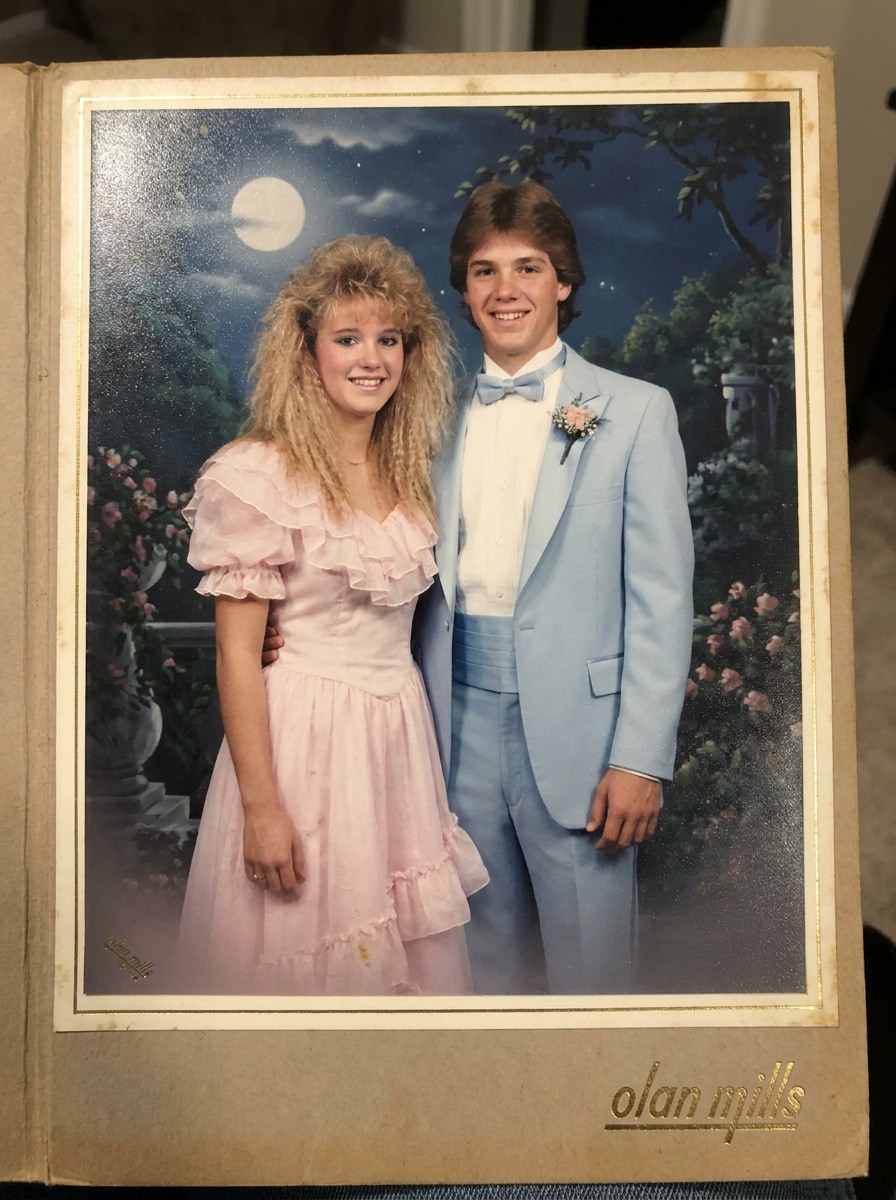
Parcourez ces exemples, puis adaptez le prompt à votre photo et au rendu recherché avec le filtre IA bal années 80 et le filtre IA bal années 1980.
Portrait de bal des années 80 décalé
Utilisez la personne de l'image importée comme sujet et transformez-la en portrait de bal décalé des années 1980 : coiffure volumineuse, tenue pastel, pose un peu figée, éclairage doux, fond de studio peint, léger grain argentique et ambiance typique d'un studio photo de grand magasin.
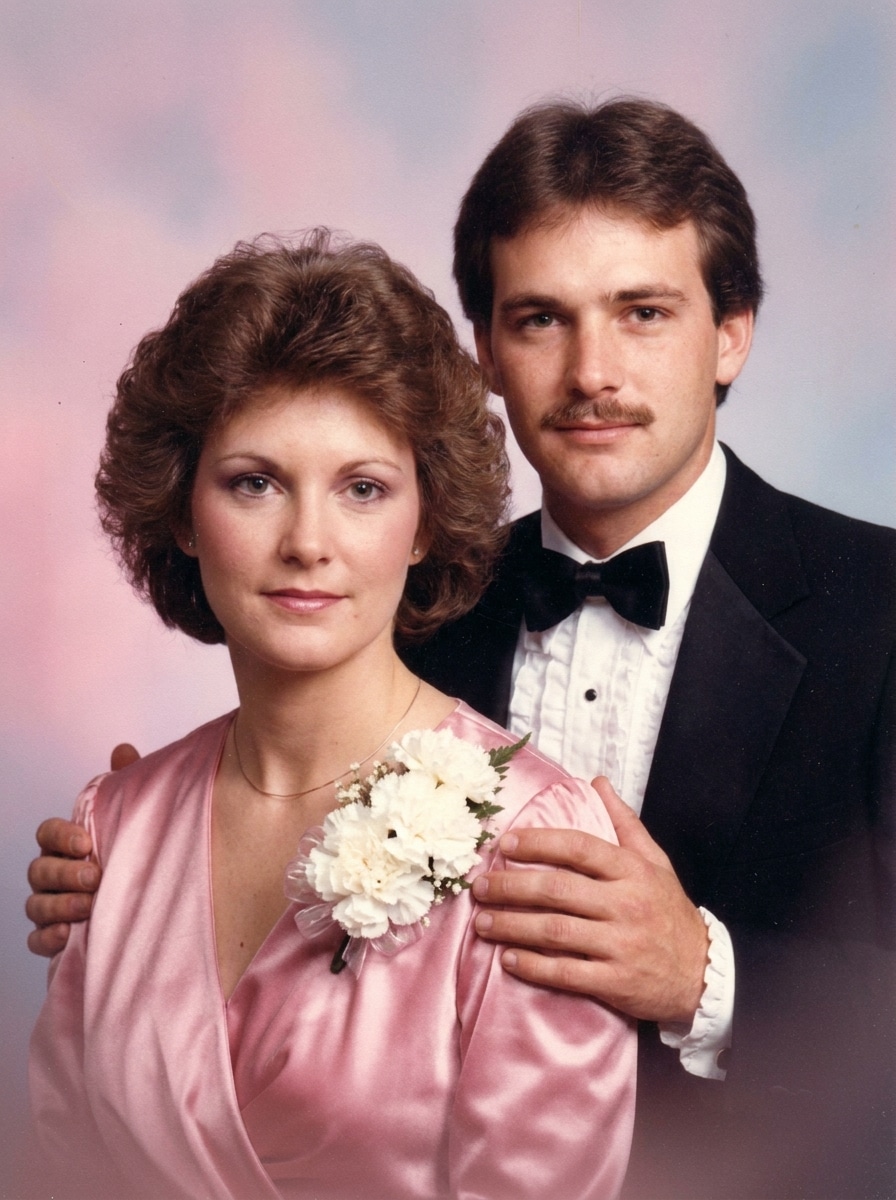
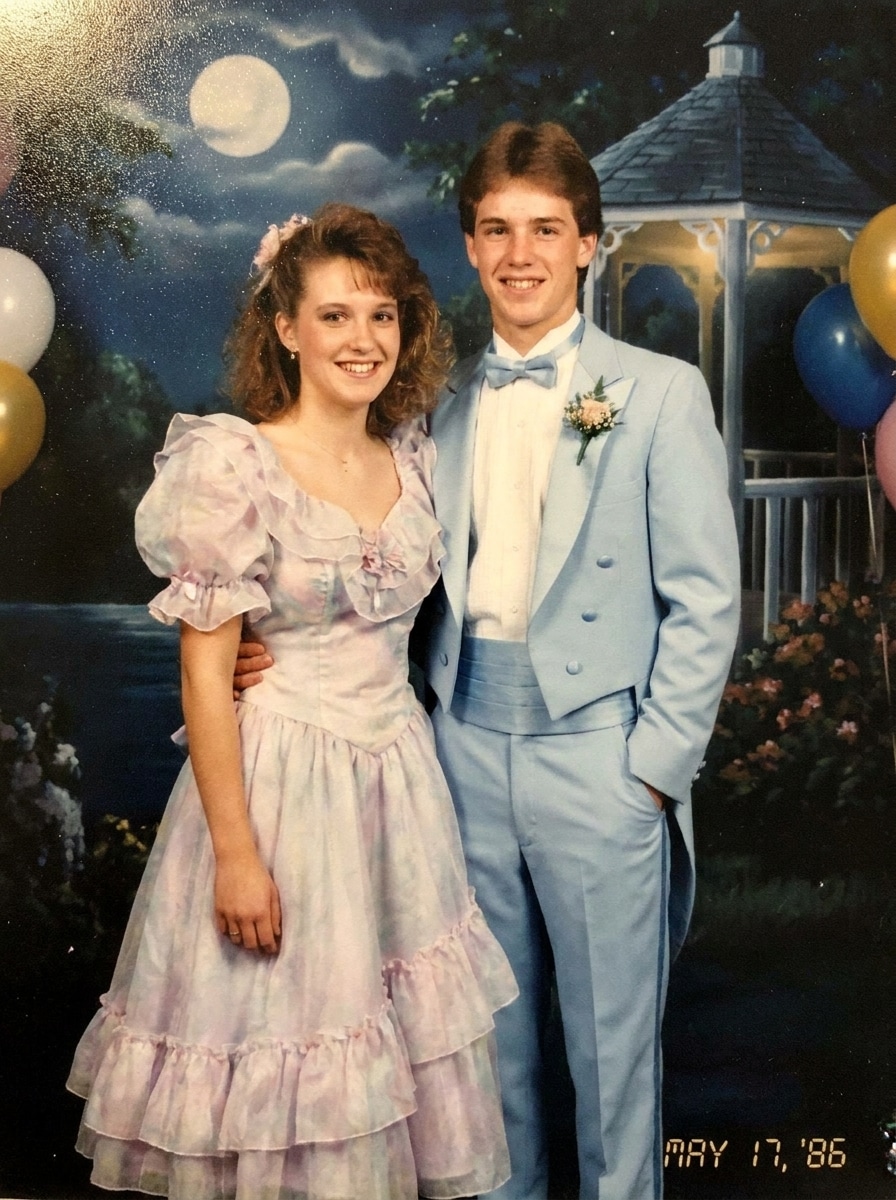
Photo de couple pour le bal
Utilisez les personnes de la photo importée comme sujets et donnez-leur le style d'un portrait de couple pris lors d'un bal des années 80 : corsage fleuri, smoking à volants, robe en satin, mains posées sur les épaules, éclairage de studio doux, fond pastel en dégradé, sourires nostalgiques et texture argentique légèrement passée.
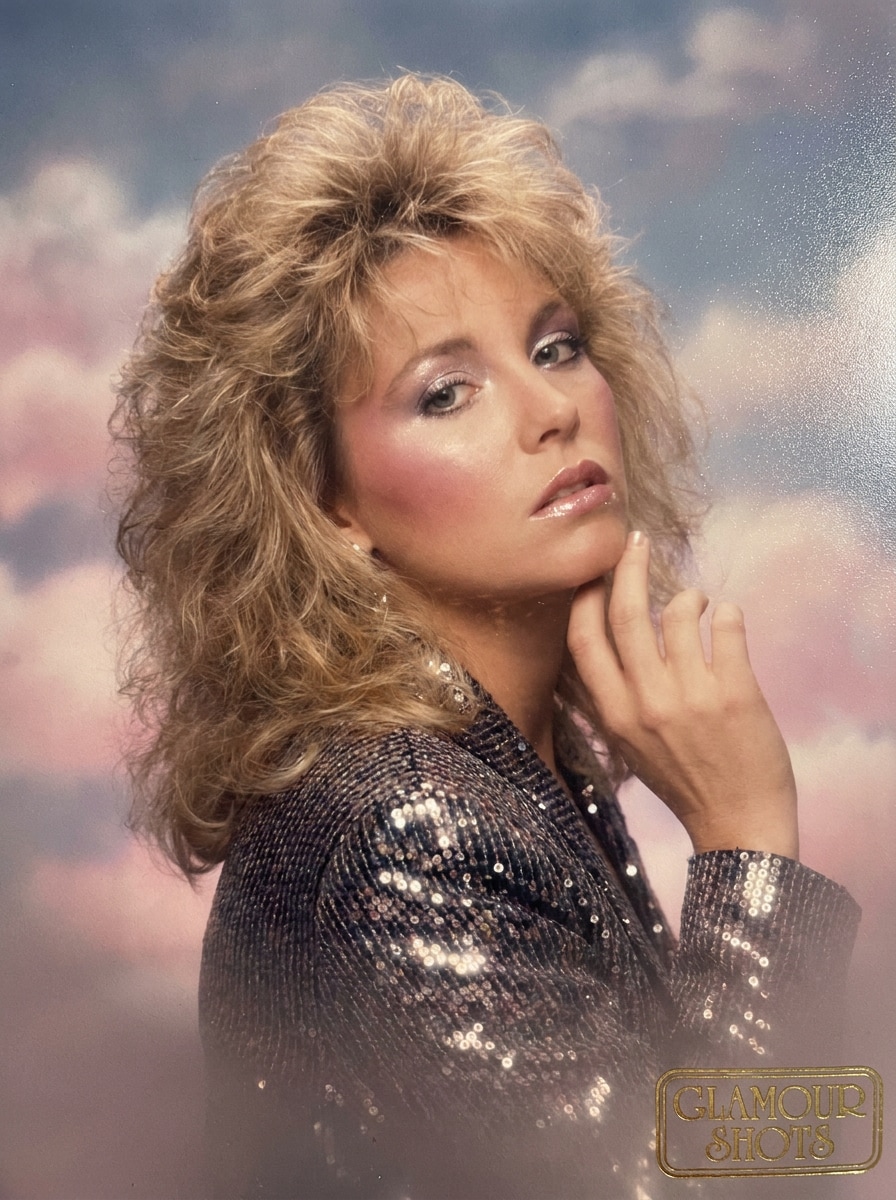
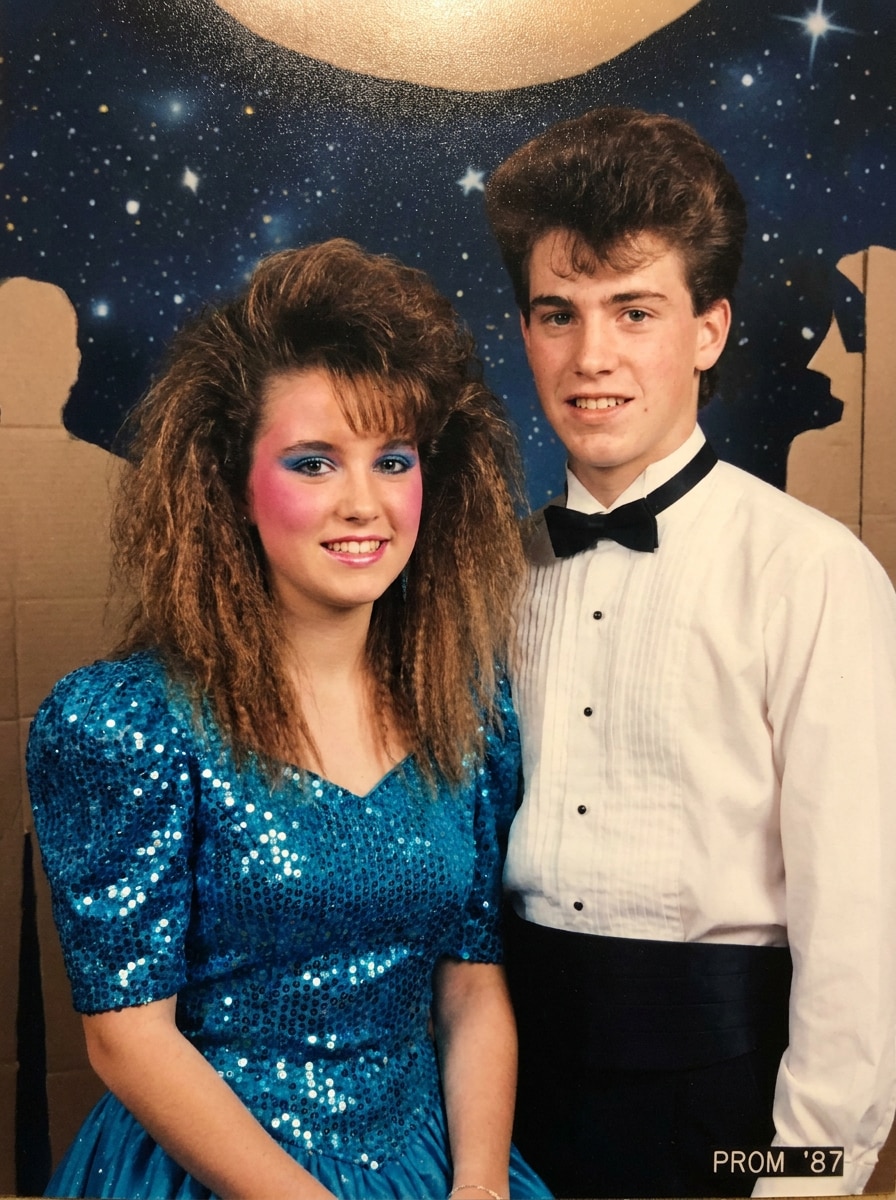
Portrait glamour façon studio de centre commercial
Utilisez la personne de l'image importée comme sujet et transformez-la en portrait glamour façon studio de centre commercial des années 80 : brushing volumineux, maquillage coloré, pose de trois-quarts marquée, flou artistique, fond rose et bleu et finition aérographe sur tirage photo.
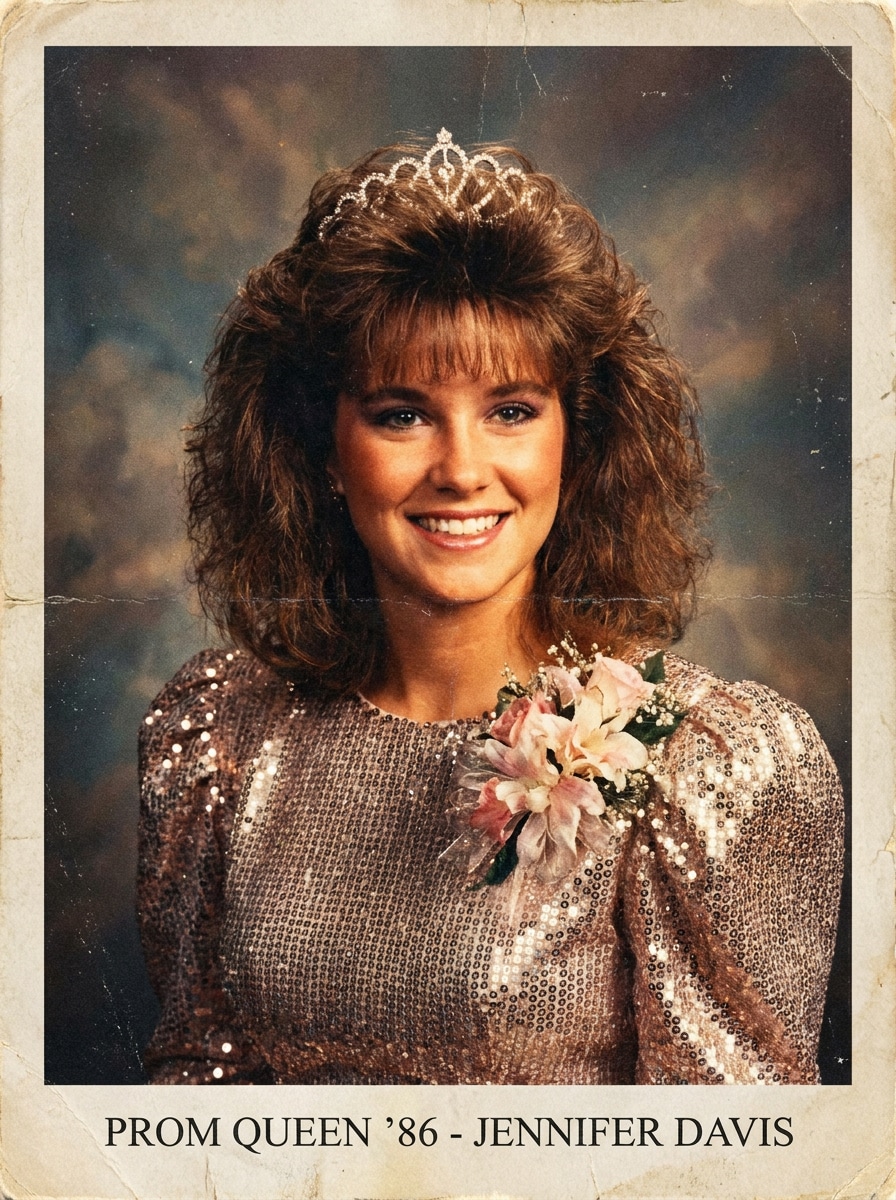
Reine de bal dans l'album de fin d'année
Utilisez la personne de l'image importée comme sujet et transformez-la en reine de bal des années 80 photographiée pour un album scolaire : frange crêpée, robe scintillante, corsage fleuri, flash aux tons chauds, sourire assuré, couleurs légèrement passées et texture discrète de papier photo.
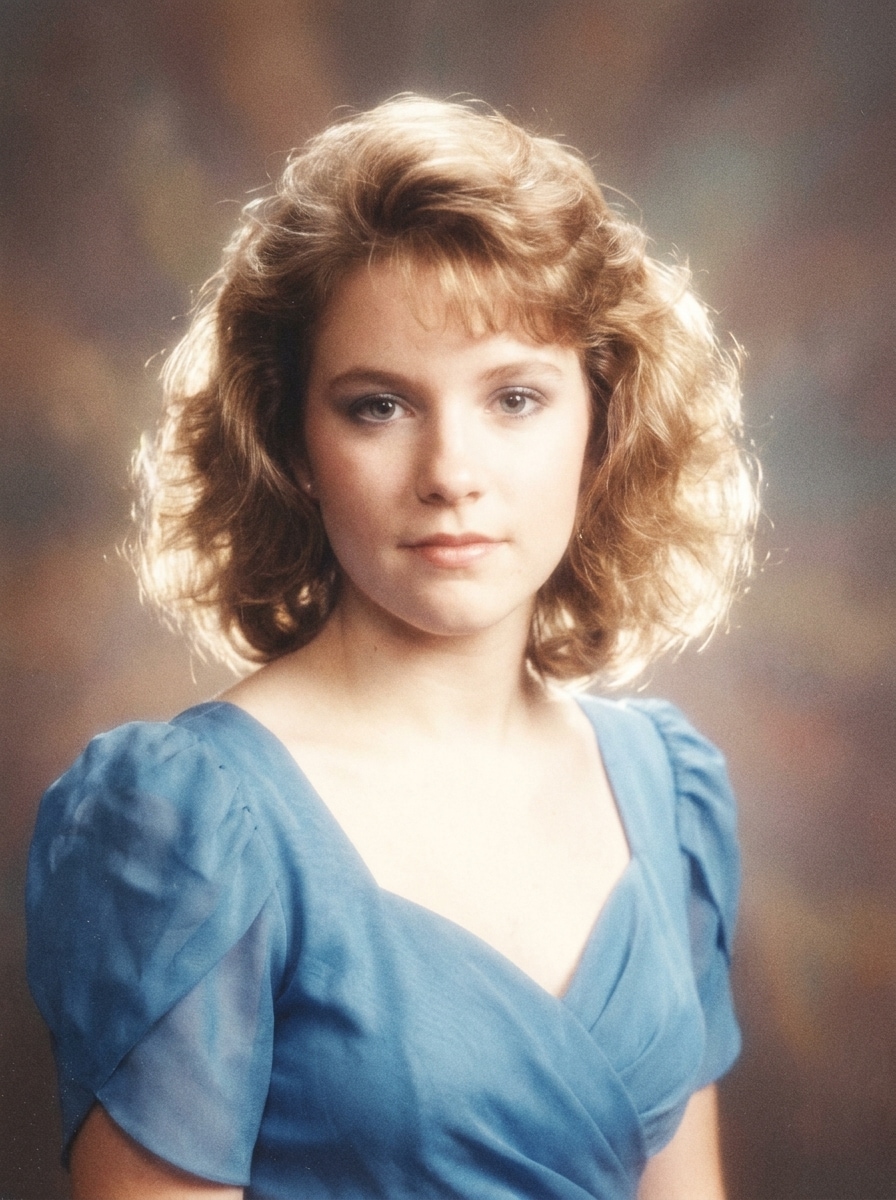
Portrait argentique au flou artistique
Utilisez le portrait importé comme sujet et appliquez-lui un rendu de bal des années 80 onirique : halo lumineux, grain argentique, légère surexposition au flash, couleurs délicatement passées, teint lissé et texture de photo imprimée.
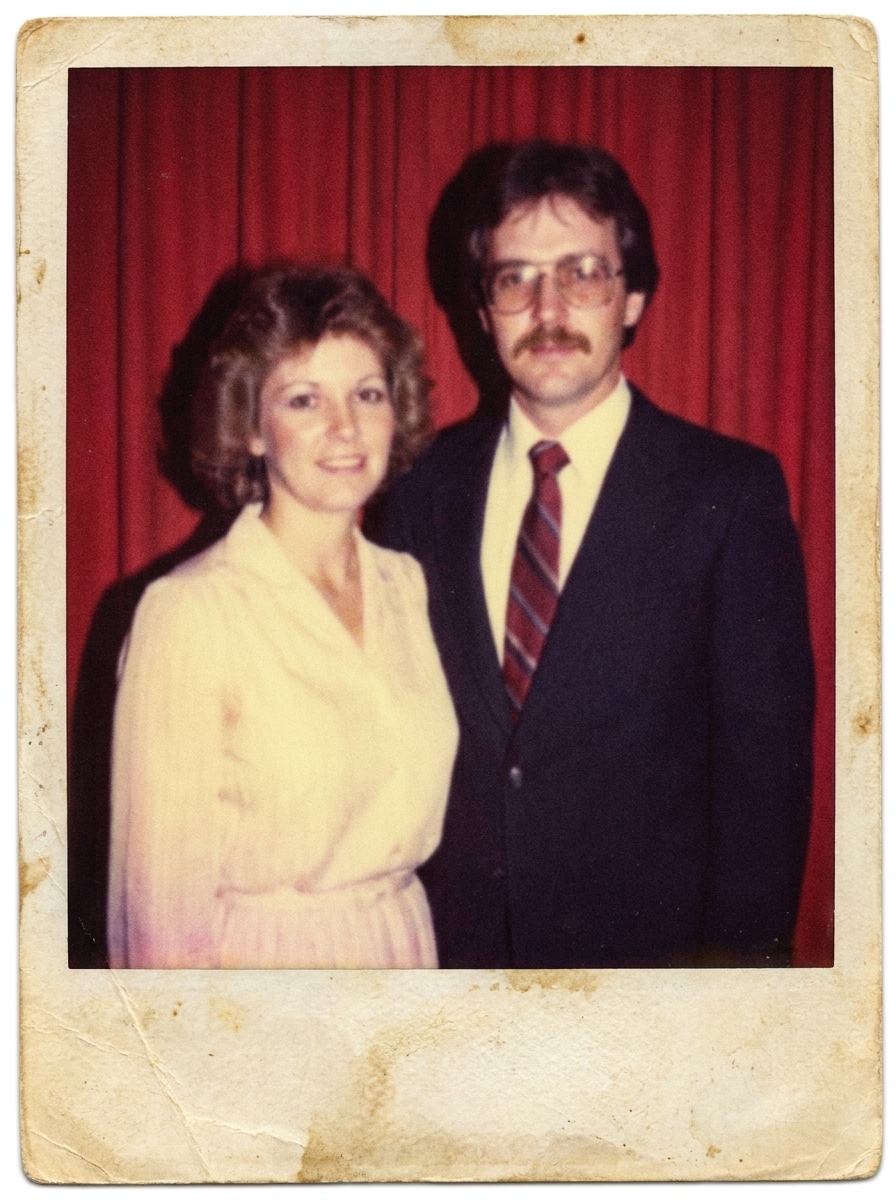
Tirage vintage fané
Utilisez la personne de l'image importée comme sujet et donnez au résultat l'apparence d'une photo de bal des années 80 imprimée puis numérisée : couleurs passées, ombres peu contrastées, léger flou, papier vieilli, éclairage au flash et grain argentique réaliste.
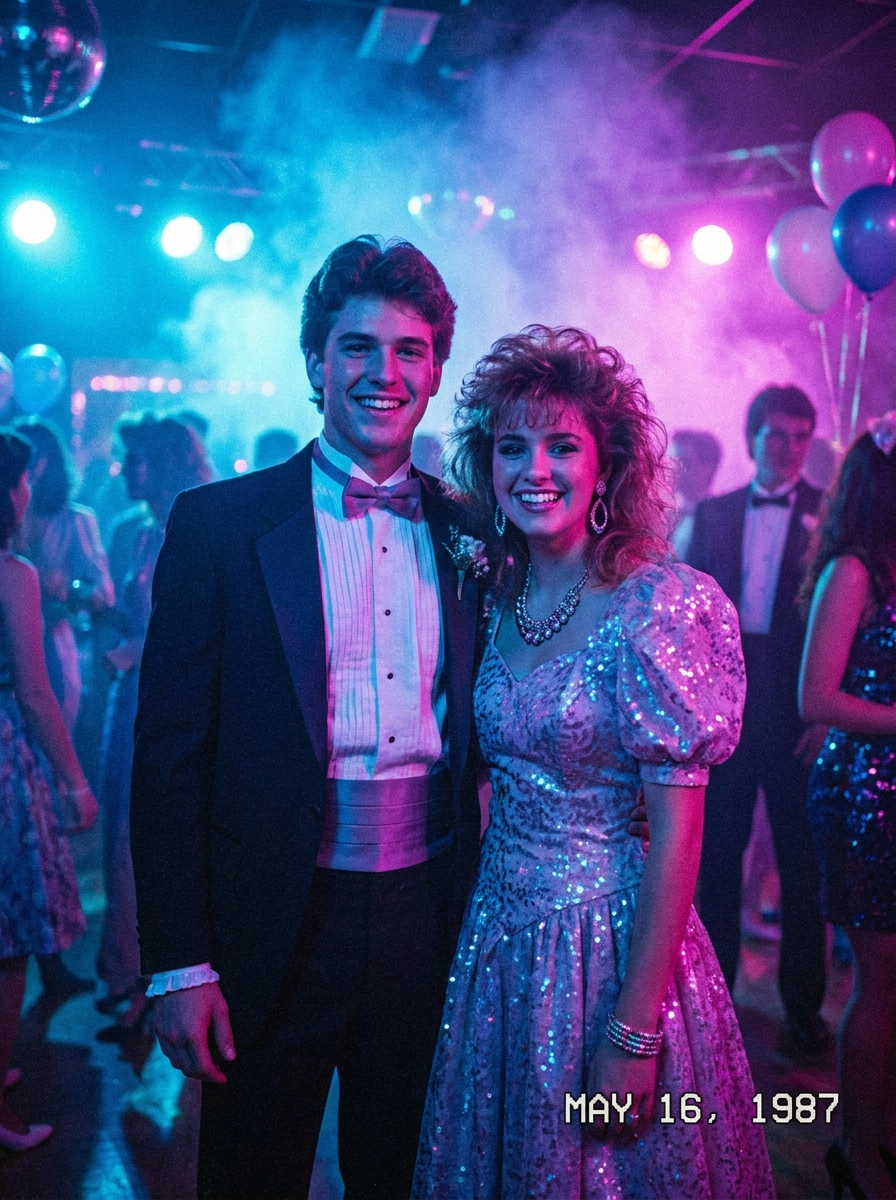
Soirée de bal sous les néons
Utilisez la personne de l'image importée comme sujet et transformez-la en portrait de bal fluo des années 80 : éclairages bleus et magenta, brume légère, accessoires brillants, tenue rétro, ambiance synth-pop, textures laquées et discrète colorimétrie inspirée des VHS.
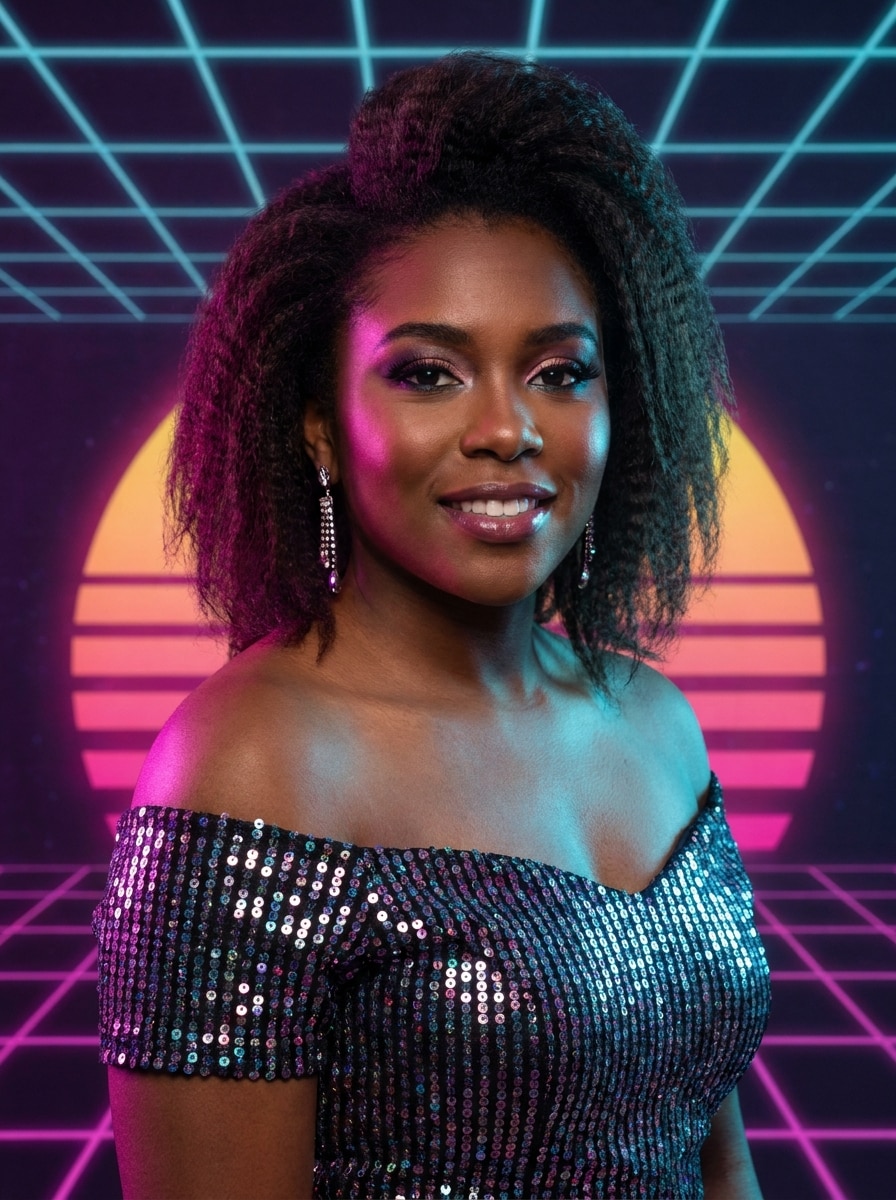
Portrait de bal synthwave
Utilisez la personne de l'image importée comme sujet et donnez-lui le style d'un portrait de bal inspiré du synthwave des années 80 : touches magenta et cyan, dégradés rétro, halo doux, composition de studio soignée, tenue élégante et ambiance lumineuse empreinte de nostalgie.
Mème de bal “chevelure XXL”
Utilisez la personne de l'image importée comme sujet et créez un relooking de bal des années 80 volontairement excessif : cheveux crêpés XXL, frange spectaculaire, maquillage vif, tenue pailletée, pose figée et décor de studio fidèle à l'époque.
Portrait kitsch de grand magasin
Utilisez la personne de l'image importée comme sujet et donnez-lui l'allure d'un portrait de bal kitsch pris dans un grand magasin des années 80 : pose gauche, décor peint, grain argentique visible, flash adouci et palette de couleurs d'époque.
Pourquoi utiliser Media.io pour une transformation d'une photo de bal années 80 ?
Changer de look style tout en gardant des traits reconnaissables
Importez votre selfie ou votre photo de couple, puis guidez la transformation avec une consigne. Le filtre portrait années 80 s'appuie sur les visages de l'image d'origine pour leur donner un look de bal crédible et une ambiance de studio rétro.
Explorer le filtre photo bal années 80 sous toutes ses coutures
À partir d'une même photo, modifiez vos consignes et comparez plusieurs déclinaisons : ambiance néon, portrait rétro, album de promo ou studio pop. Libérez votre créativité en quelques clics.
Obtenir une photo haute définition prête à partager ou imprimer
Avec Media.io, appliquez le filtre photo bal 1980s et exportez votre rendu jusqu'en 4K. Graphisme net et détails préservés : idéal pour alimenter vos réseaux sociaux, concevoir une invitation rétro ou créer une affiche imprimée.
Retoucher partout grâce à un flux de travail rapide sur navigateur
Media.io conserve tout le flux du filtre bal années 80 sur le navigateur, ce qui facilite le démarrage sur téléphone puis la finition sur ordinateur sans installation.
Comment appliquer un effet photo bal années 80 ?
Transformez vos mots en visuels bluffants en trois étapes simples, puis continuez à affiner le résultat si vous voulez aller plus loin.
Étape 1
Téléchargez votre image de référence
Ajoutez un selfie, un portrait ou une photo de couple ou de groupe nette au format JPG, PNG ou JPEG. Une image bien éclairée, avec des visages visibles, facilite l'obtention d'un rendu vintage crédible.
Étape 2
Décrivez le changement et réglez les options
Rédigez une consigne précise, par exemple « album de fin d'année au flou artistique », « bal néon » ou filtre bal rétro glamour. Choisissez ensuite le modèle, puis ajustez le format, la qualité d'image et le nombre de variantes.
Étape 3
Générez, téléchargez et ajustez le résultat
Générez votre image, comparez les variantes, puis téléchargez celle qui vous plaît. Pour accentuer le volume de la coiffure, adoucir le grain ou changer le fond, modifiez la consigne et relancez la génération.
Découvrez comment les créateurs utilisent ce filtre photo bal années 1980 pour leurs contenus, leur marketing ou leurs projets personnels, puis adaptez chaque idée à vos envies.
Créez des posts rétro viraux
Transformez un simple selfie en un portrait de bal fictif, tout droit sorti d'un studio photo de centre commercial. Ce style rétro fonctionne à la perfection pour TikTok, Instagram, des anniversaires ou des mèmes sur le thème big hair, corsage et flash vaporeux.
Amusez-vous avec des retouches en couple ou entre amis
Importez une photo de soirée, le portrait d'un ami ou une ancienne photo de groupe, et donnez-lui une pose officielle délicieusement kitsch avec des détails vintage assortis. Une idée facile à personnaliser pour vos anniversaires, retrouvailles ou soirées à thème.
Créez des invitations rétro et des photos de profil uniques
Adoptez un look glamour années 80 très tendance pour vos invitations, affiches, avatars ou visuels à thème. Le rendu haute résolution garantit un portrait de bal parfait sur tous les supports : réseaux sociaux, cartes imprimées ou souvenirs numériques.
Ce que disent les utilisateurs à propos de cet effet bal rétro
Alyssa M.
Créatrice de contenu
«Hilarant et étonnamment authentique»J'ai téléchargé un simple selfie et obtenu une transformation bal 80s complète, avec lumière douce, chevelure volumineuse et ambiance studio maladroite. Le rendu était très drôle et super facile à partager !
Jordan T.
Community Manager
«Idéal pour les campagnes à thème»Nous l'avons utilisé pour créer des portraits rétro pour la promo d'un événement ; le résultat était bien plus précis qu'un simple effet vintage. Les différents styles nous ont permis de mixer look fun et raffiné.
Priya S.
Étudiante
«Parfait pour des photos d'amis»Je voulais une photo façon couple de bal old school avec ma meilleure amie, et le résultat avait tout du cliché vintage kitsch de magasin. Nos visages étaient encore reconnaissables, avec tous les détails rétro ajoutés.
Marcus L.
Designer événementiel
«Utile au-delà des memes»Je m'attendais juste à un effet drôle, mais le rendu haute résolution était aussi parfait pour invitations ou bannières. Le flux sur navigateur était rapide, et pas besoin d'autre logiciel de retouche !
Découvrez Les Effets Vidéo et d'Image IA Les Plus Populaires
1. Comment donner à une photo un effet bal des années 80 ?
Téléchargez un selfie, un portrait ou une photo de couple ou de groupe sur Media.io. Décrivez ensuite le style recherché : coiffure volumineuse, tenue satinée, flou glamour, studio pastel ou texture rétro. L'outil s'appuie sur votre image pour créer un portrait de bal vintage tout en conservant des traits reconnaissables.
2. Le filtre photo bal des années 1980 est-il gratuit ?
Oui, vous pouvez essayer l'effet gratuitement avec les crédits offerts. Pour effectuer davantage de générations ou télécharger en HD sans filigrane, consultez les formules proposées sur la page des tarifs.
3. Quels styles puis-je choisir pour un portrait de bal des années 80 ?
Vous pouvez tester un portrait de studio kitsch, une pose de couple, un flou artistique, un effet album scolaire, une ambiance néon ou un look glamour des années 80. Votre consigne permet d'orienter le résultat vers un rendu nostalgique, décalé ou plus élégant.
4. Puis-je utiliser ce filtre rétro sur mon téléphone ?
Media.io fonctionne dans un navigateur sur smartphone, tablette ou ordinateur. Importez une photo et créez votre effet rétro en ligne, sans application à installer.
5. Combien de temps faut-il pour générer une photo de bal des années 80 ?
La génération d'un premier aperçu est généralement rapide. Vous pouvez ensuite ajuster la consigne et relancer le traitement sans repartir de zéro.
6. Mon image restera-t-elle en haute résolution après l'application du filtre ?
Media.io propose des résolutions 1K, 2K ou 4K pour la génération d'image à image. Vous pouvez ainsi obtenir un portrait rétro adapté au partage, à une photo de profil ou à l'impression. Un filigrane peut apparaître avec la version gratuite.