Vos créations sont conservées pendant seulement 7 jours. Les éléments créés après la mise à niveau de l'Abonnement seront stockés de façon permanente.
Libérez votre potentiel créatif et découvrez la magie de l'IA médiatique dès mIAntenant!
Appliquez un filtre photo des années 1950 pour des portraits rétro authentiques
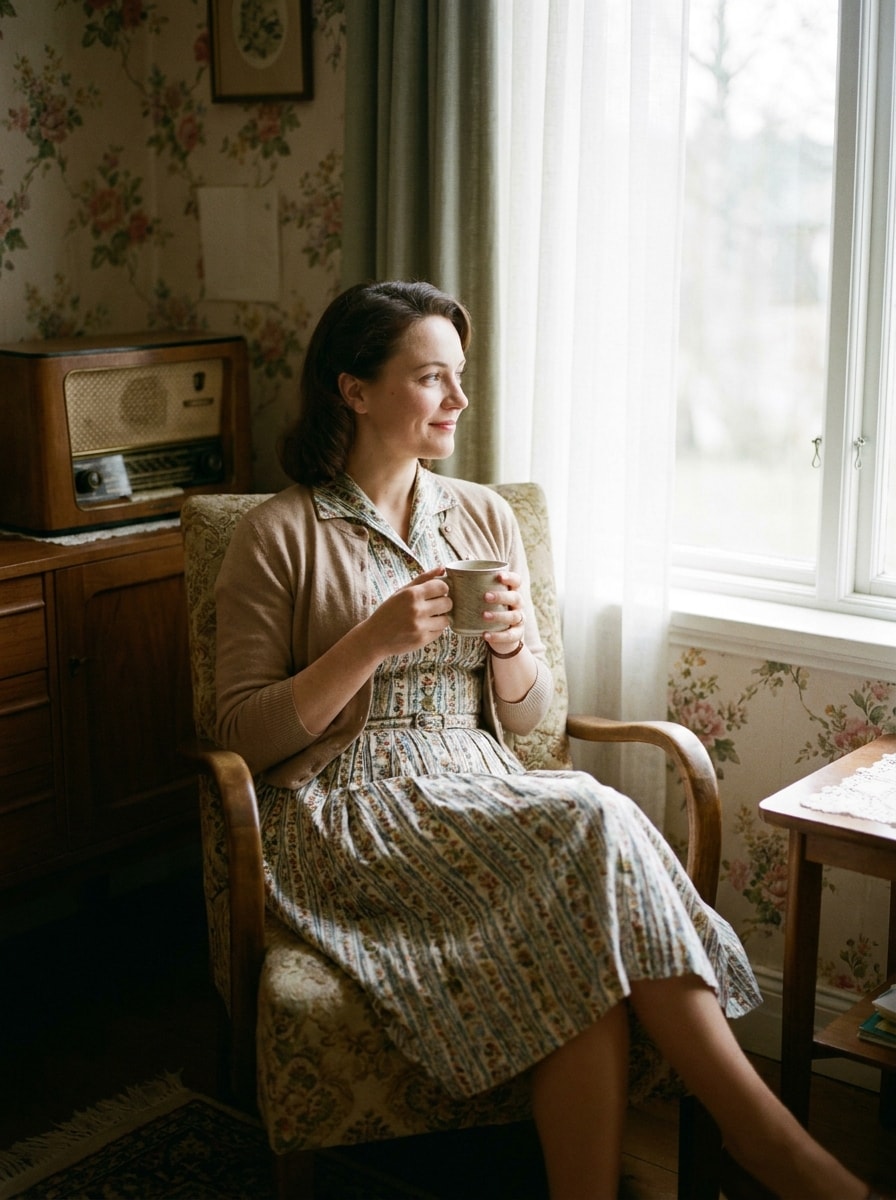
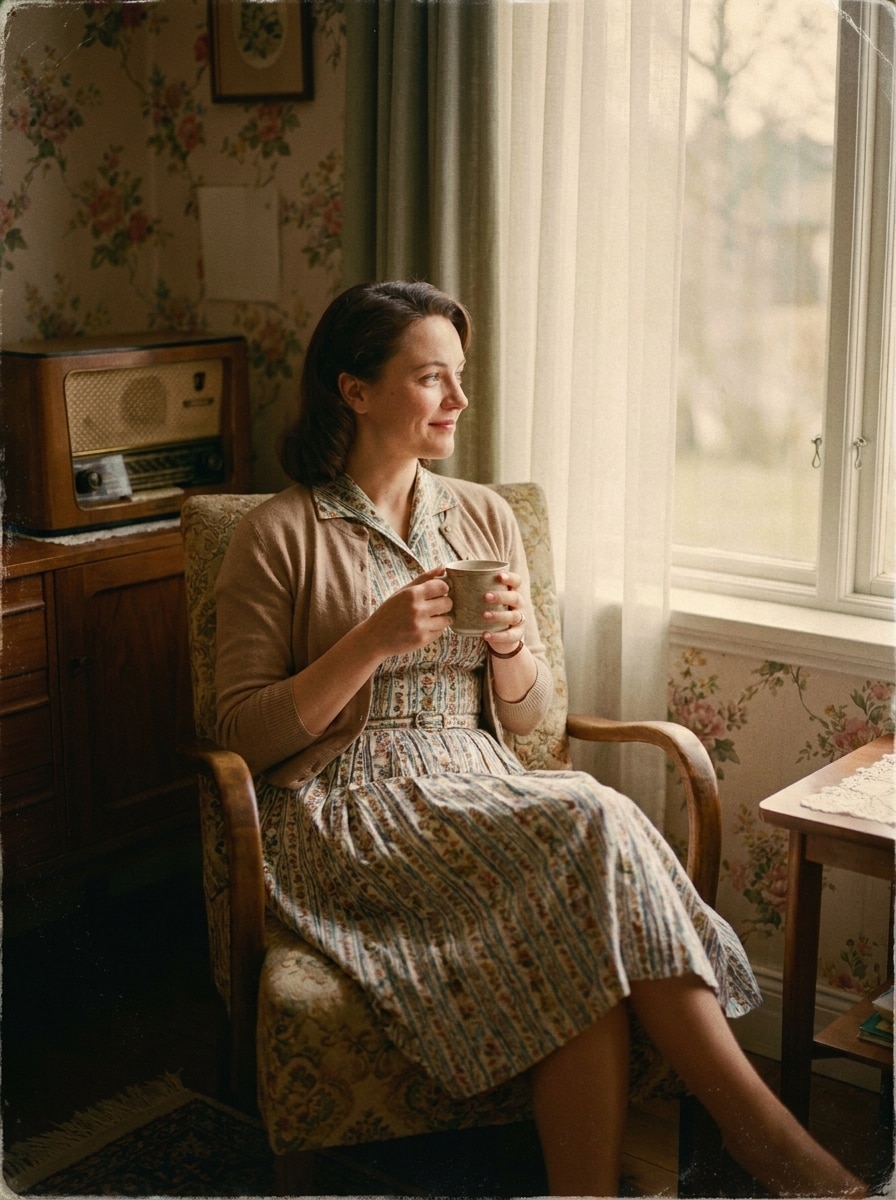
Transformez des photos modernes en images sophistiquées au style des années 1950, avec des scènes de diner, des portraits en studio, des tirages délavés et le charme du vieux Hollywood. Ce filtre photo des années 1950 vous aide à obtenir rapidement en ligne des résultats nostalgiques, que vous souhaitiez un simple filtre 1950s discret ou une transformation IA complète. Il peut aussi servir pour un filtre diner années 1950.
Consultez ces exemples d'instructions, puis ajustez les détails de l’invite pour obtenir de meilleurs résultats avec ce filtre photo années 1950 alimenté par l'IA. Il prend aussi en charge le filtre rétro années 50.
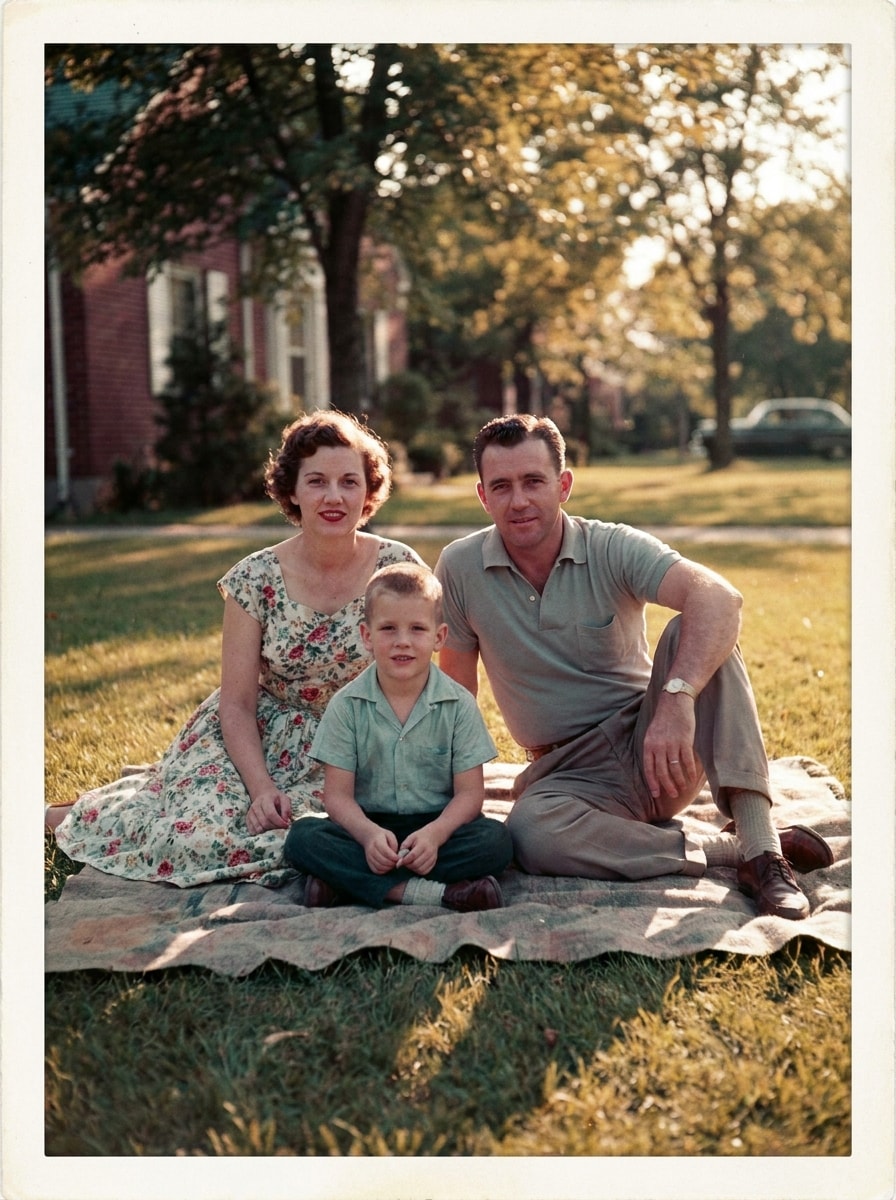
Instantané familial Kodachrome
Utilisez l'image téléchargée comme sujet principal et transformez-la en une photo de famille réaliste des années 1950 avec une palette de couleurs inspirée du Kodachrome, des rouges et des bleus légèrement délavés, une lumière chaude d'après-midi, un contraste doux, un grain subtil, une texture de photo imprimée et une ambiance authentique du milieu du siècle, avec des détails naturels du visage.
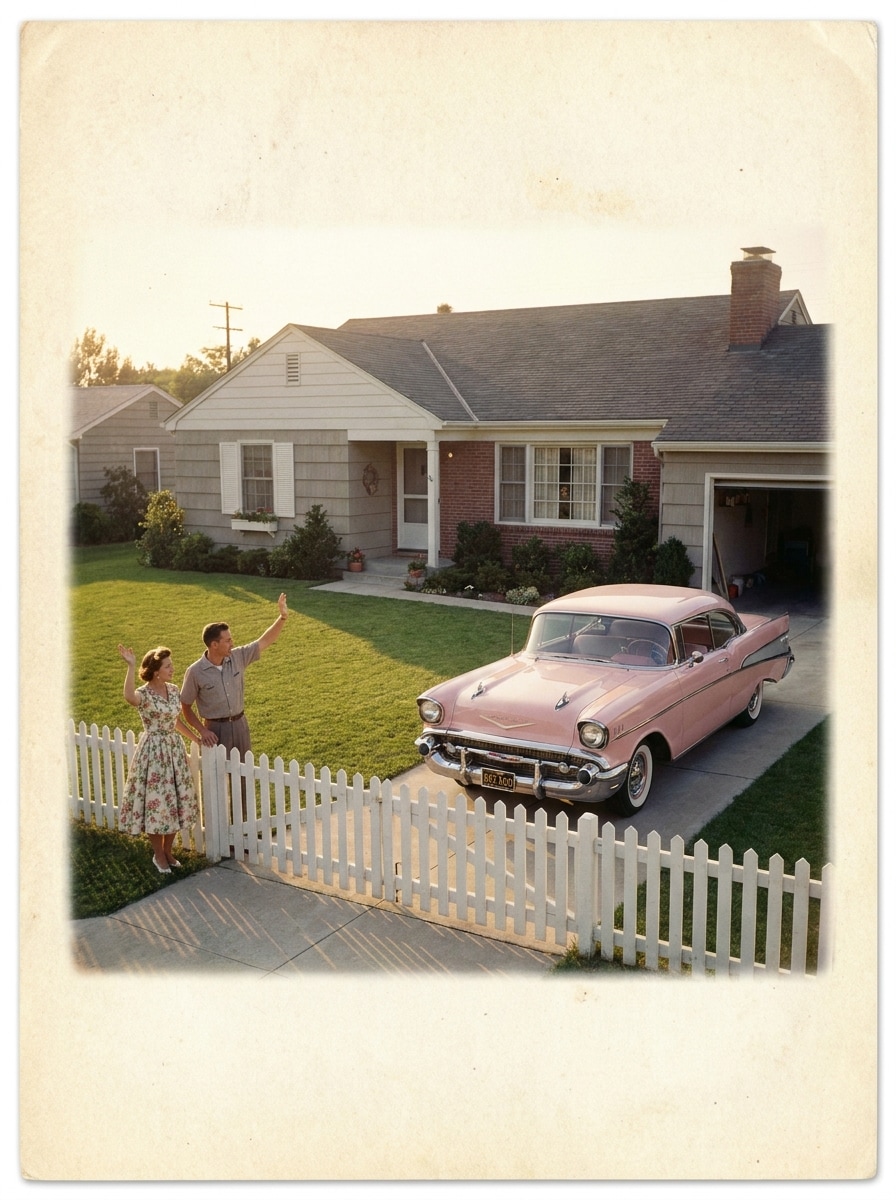
Photo Américaine en banlieue
Utilisez l'image téléchargée comme sujet et redonnez-lui le style d'une photo des banlieues américaines des années 1950 avec des tons pastels, une lumière du jour chaleureuse, des pelouses impeccables, une voiture classique à l'arrière-plan, des ombres douces, un léger grain, une texture vieillie et une ambiance nostalgique propre et typique du milieu du siècle.
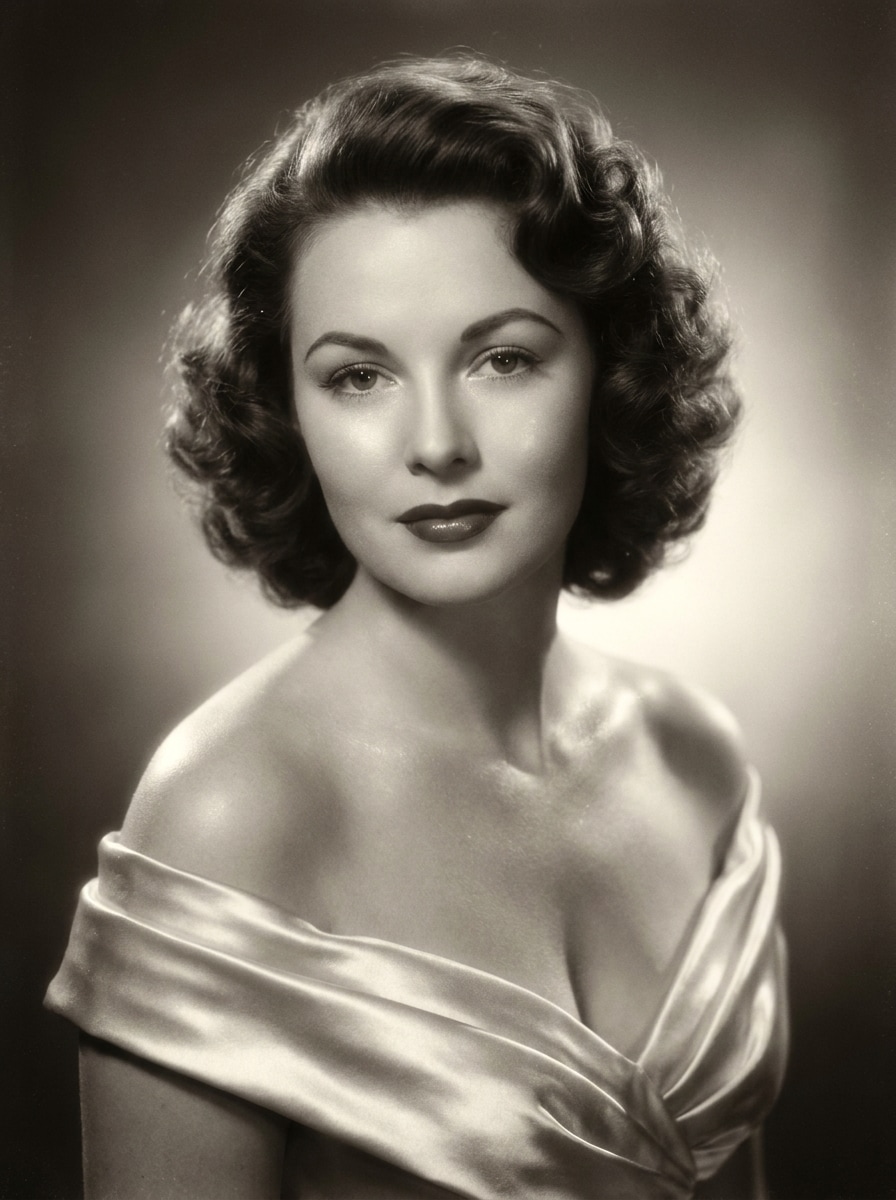
Glamour Vieux Hollywood années 1950
Utilisez le portrait téléchargé comme sujet et convertissez-le en une photo glamour de studio hollywoodien années 1950 avec un éclairage élégant, des reflets satinés, des cheveux bouclés avec soin, un maquillage raffiné, un effet doux, une finition monochrome ou légèrement teintée, et une ambiance luxueuse de cinéma classique.
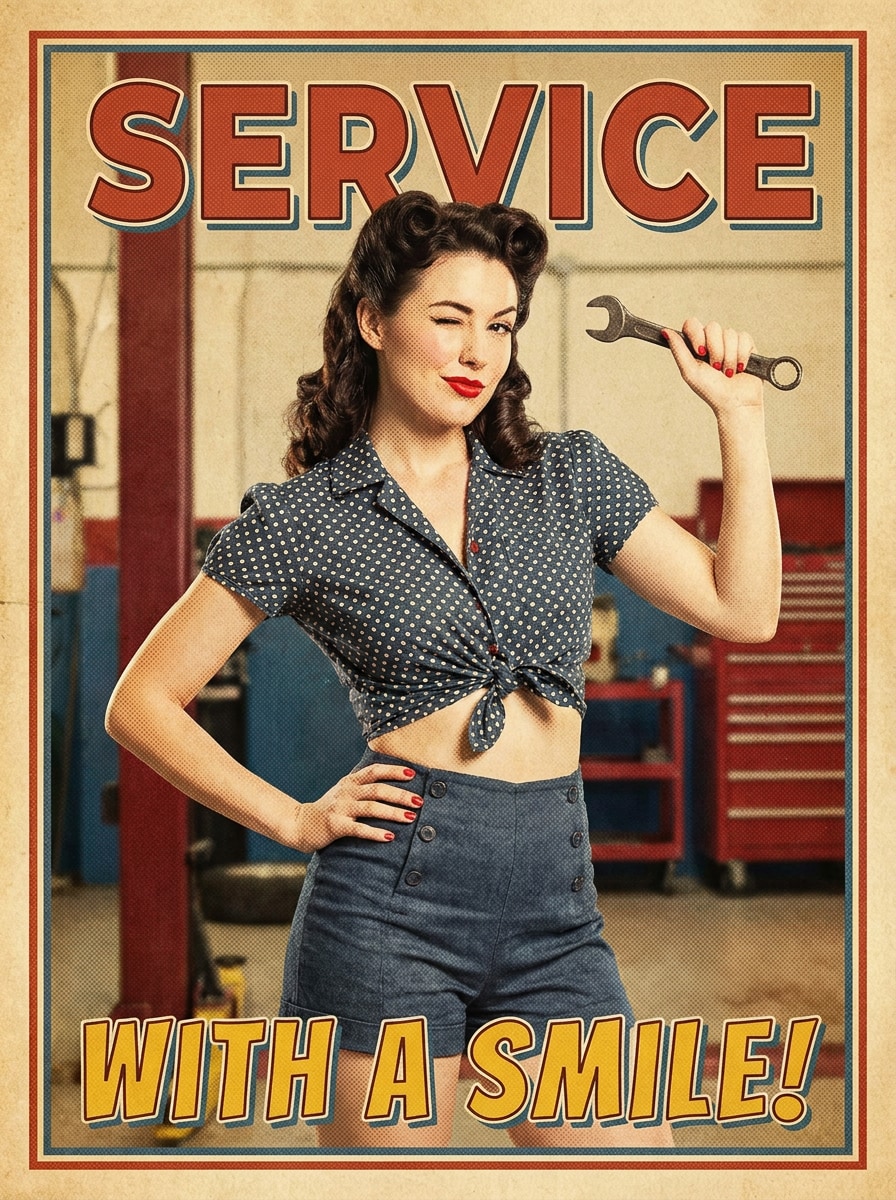
Portrait Affiche Pin-Up
Utilisez l’image téléchargée comme sujet et transformez-la en un portrait pin-up sophistiqué inspiré des années 1950 avec un style rétro éclatant, une pose assurée, un maquillage soigné, des cheveux bouclés, un cadrage façon affiche, des tons chauds et nostalgiques, une texture d’impression discrète, et une ressemblance préservée pour un effet d’affiche vintage affirmé.
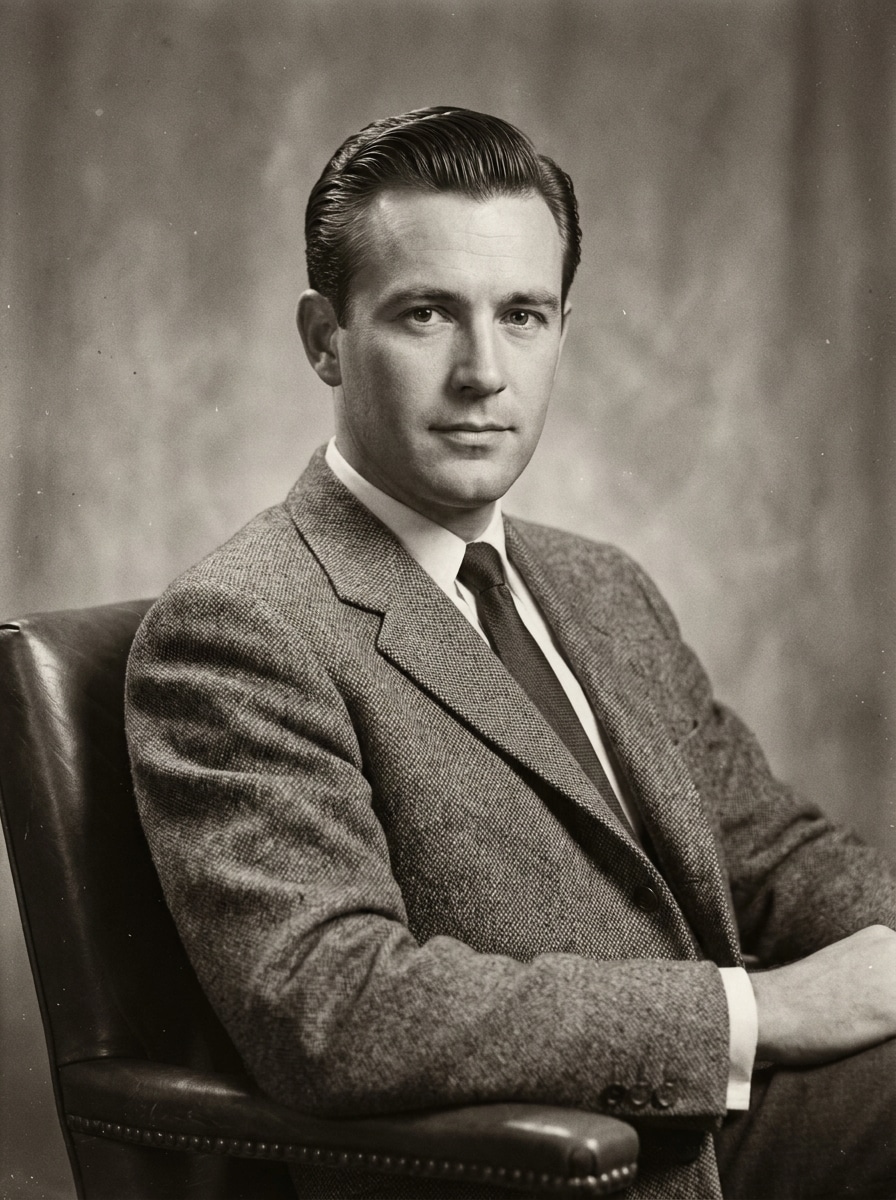
Portrait studio monochrome
Utilisez le portrait téléchargé comme sujet et appliquez un effet studio noir et blanc années 1950 avec des nuances de gris lisses, un éclairage classique, une douceur légère, des poussières et un grain subtils, des ombres équilibrées, des détails de peau réalistes, et un rendu formel de la photographie mid-century.
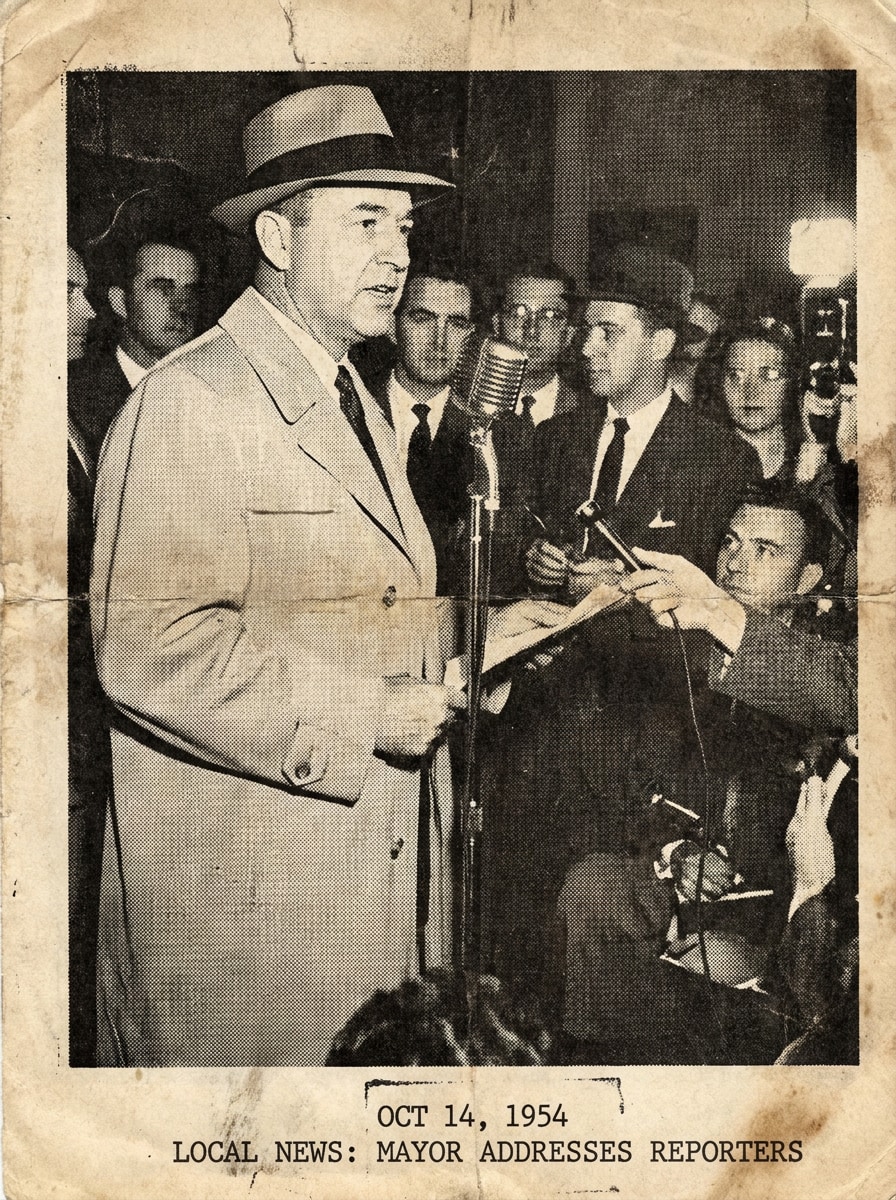
Effet Archive de Journal
Utilisez l'image téléchargée comme sujet principal et redonnez-lui l'aspect d'une photo d’archive de journal des années 1950 avec un noir et blanc à fort contraste, un léger débordement d’encre, un grain d’archive, un cadrage documentaire, une teinte papier vieilli et une texture éditoriale usée tout en gardant le visage lisible et réaliste.
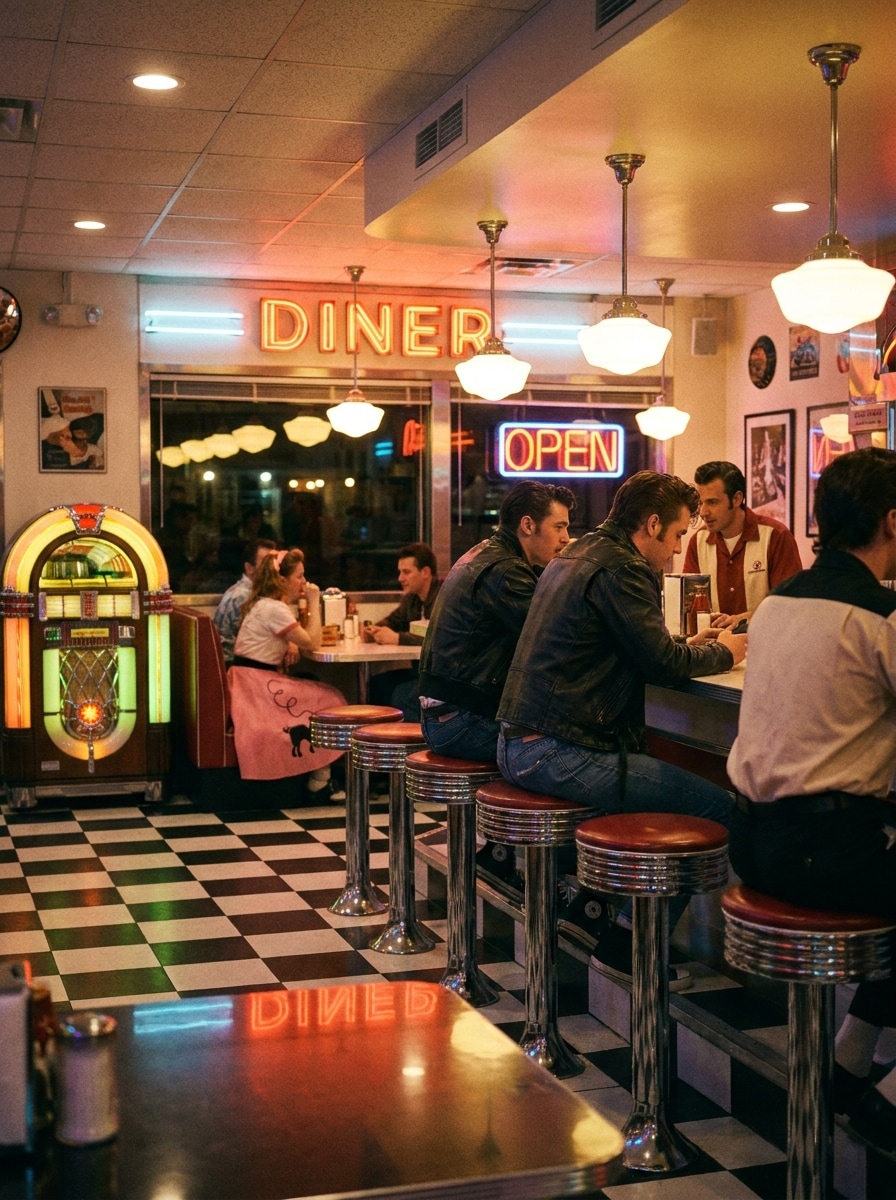
Scène de Diner années 1950
Utilisez l'image téléchargée comme sujet et transformez-la en une scène filtre diner années 1950 vibrante avec tabourets chromés, détails de jukebox, sol à damier, touches néon, style vestimentaire rétro, nostalgie cinématographique, surfaces brillantes, ambiance lumineuse et un léger grain pour un effet authentique de l’époque.
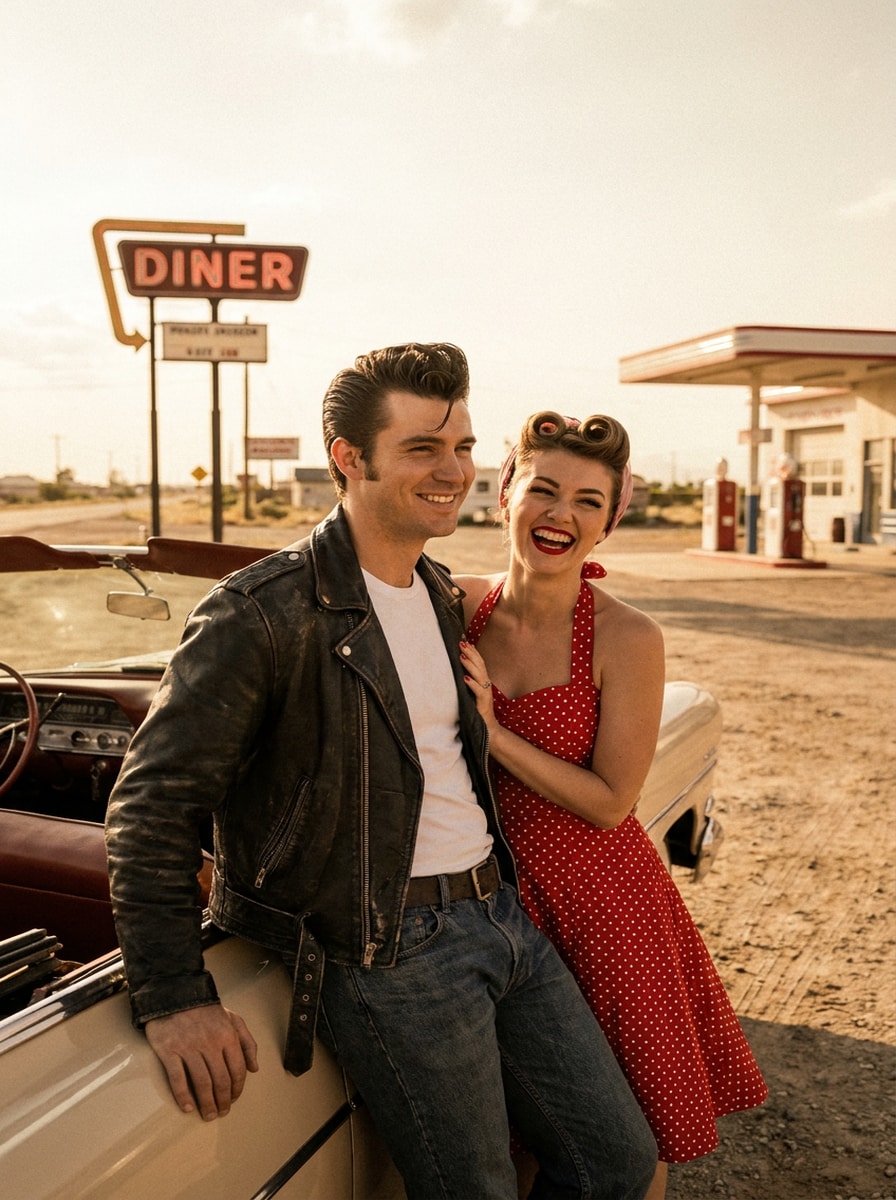
Couple Rockabilly
Utilisez la photo du couple téléchargée comme base et transformez les deux sujets en une image rockabilly des années 1950 avec vestes en cuir ou tenues à pois, coiffures audacieuses rétro, ambiance au bord de la route, tons vintage chaleureux, grain analogique authentique et composition dynamique gardant les visages reconnaissables.
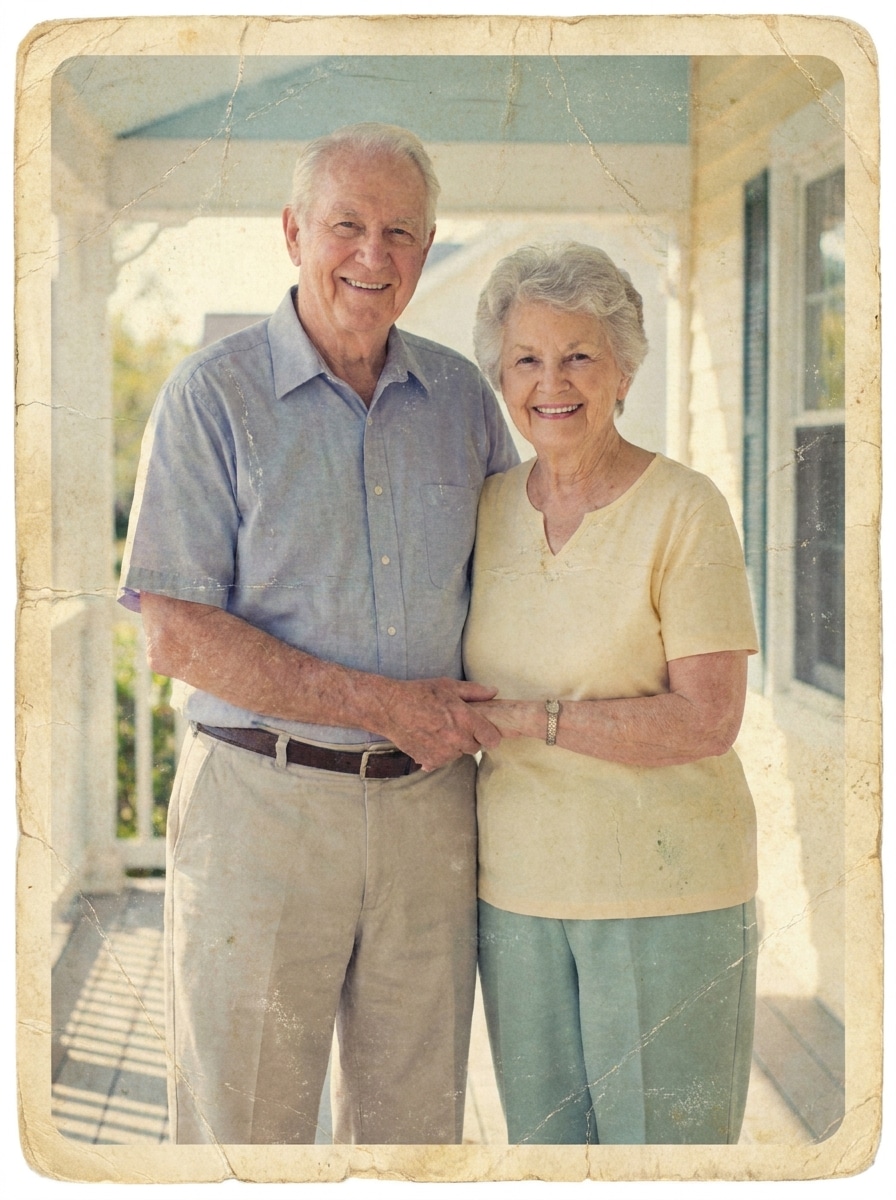
Tirage Album Délavé
Utilisez l’image téléchargée comme sujet et donnez-lui un effet album délavé années 1950 avec une légère perte de couleur, du papier usé, de légères plis, des bords arrondis, un grain subtil, des nuances pastel atténuées et un vieillissement crédible tout en gardant le sujet principal net et chaleureusement émouvant.
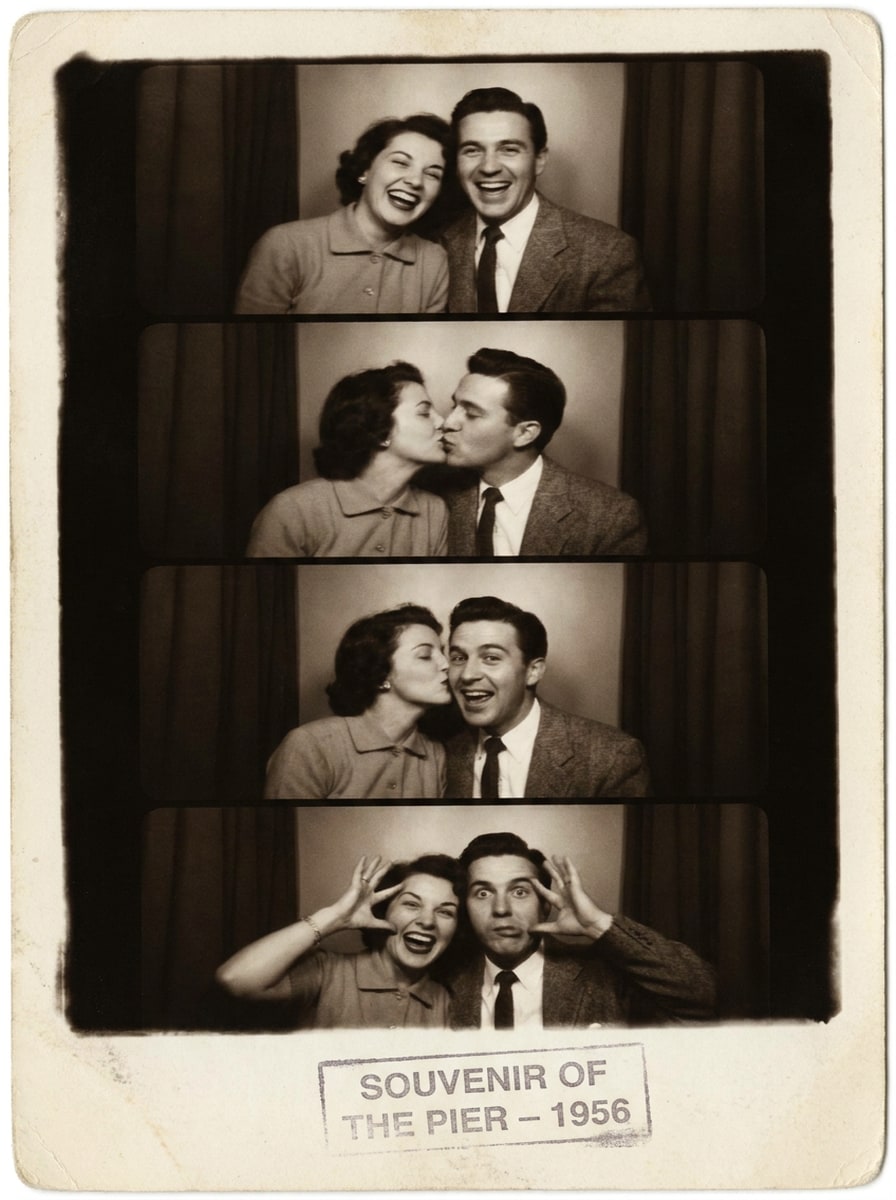
Bande Photomaton Vintage
Utilisez le selfie téléchargé comme sujet et transformez-le en une bande de photomaton années 1950 avec des tons sépia ou noir et blanc, des cadres répétés ludiques, un contraste doux, du grain analogique, un léger flou, un éclairage réaliste, des bordures nostalgiques et une énergie souvenir pleine de charme mid-century.
Pourquoi utiliser Media.io comme éditeur photo style années 1950
Un style d’époque renforcé à partir de votre propre photo
Media.io vous permet de télécharger un vrai selfie, portrait ou photo de couple, puis de guider la transformation avec une invite, pour que le résultat soit plus proche d’un vrai filtre IA années 1950 qu’un simple préréglage tout en gardant l’identité reconnaissable.
Alternez entre styles diner, glamour et studio
Lorsque la direction artistique est ouverte, Media.io vous permet de tester plusieurs styles autour d’une même idée de filtre années 1950, ce qui facilite la recherche du bon look sans tout recommencer à zéro.
Générez un rendu plus net jusqu’en 4K
Pour les projets nécessitant plus que la qualité d’ébauche, Media.io permet de produire un filtre photo années 1950 jusqu’en 4K afin que les détails restent nets lors de la présentation, la découpe ou la réutilisation du fichier final.
Montage rapide dans le navigateur sur tous les appareils
Quand une idée de filtre années 1950 démarre loin de votre ordinateur principal, Media.io vous permet de la créer et modifier dans le navigateur pour une transition fluide entre mobile et ordinateur sans interruption.
Comment utiliser le filtre photo des années 1950 en ligne
Transformez vos mots en visuels bluffants en trois étapes simples, puis continuez à améliorer le résultat si vous souhaitez aller plus loin.
Étape 1
Téléchargez votre image de référence
Commencez avec un selfie net, un portrait, une photo de couple ou une scène de vie en JPG, PNG ou JPEG. Une image bien éclairée et avec des détails faciaux visibles permettra à l’outil de mieux réussir la transformation mid-century.
Étape 2
Décrivez la transformation et paramétrez les options
Indiquez le style années 1950 que vous souhaitez : vieux Hollywood, studio noir et blanc, tirage album délavé ou ambiance diner. Puis sélectionnez votre modèle et réglez le ratio, la résolution et le nombre d’images à générer selon votre usage final.
Étape 3
Générez, téléchargez, et continuez à affiner
Créez plusieurs variations, comparez les ambiances et la fidélité, puis téléchargez votre préféré. Pour un effet plus marqué ou plus doux, modifiez l’invite, régénérez ou affinez le style jusqu’à obtenir une finition rétro qui vous satisfait.
Découvrez comment les créateurs utilisent ce filtre photo années 1950 pour le contenu, le marketing ou des projets personnels, puis adaptez chaque idée à votre besoin.
Créez des portraits rétro à partager sur les réseaux sociaux
Transformez les selfies en portraits mid-century sophistiqués avec grain de film, couleur douce délavée et style d’époque accrocheur dans les fils d’actu. Media.io rend pratique la création d'une image de profil à thème ou d’une transformation avant/après tendance avec un filtre portrait années 1950 naturel, sans montage complexe.
Réalisez des visuels de fêtes, diners ou événements à thème
Créez des images stylisées pour invitations, affiches, cartes ou déco, avec des détails de diner chromés, ambiance jukebox, et codes visuels classiques. Media.io vous aide à transformer un seul téléchargement en visuels de marque adaptés à un concept événementiel nostalgique rapidement.
Réinventez les photos de famille en souvenirs mid-century
Offrez à des portraits modernes un aspect album délavé ou tirage studio pour des cadeaux, albums ou projets mémoire. Si vous voulez un résultat plus personnalisé d’éditeur photo années 1950 qu’un simple preset, Media.io permet de télécharger votre image préférée et de façonner vous-même les styles d’époque.
Avis d’utilisateurs sur cet effet rétro
Ava Martinez
Créatrice lifestyle
« Idéal pour des selfies rétro raffinés » Je cherchais quelque chose de plus précis qu’un simple effet vintage, et j’ai été servie. Mon selfie a eu une vraie ambiance studio années 1950, pas juste un sépia au hasard.
Jordan Kim
Designer événementiel
« Parfait pour des visuels ambiance diner » Je l’ai utilisé pour créer des visuels promotionnels pour une soirée rétro, et le rendu diner faisait vraiment authentique. Pouvoir changer le ratio pour affiches ou réseaux sociaux m’a fait gagner du temps.
Priya Shah
Photographe portraitiste
« Pratique pour les moodboards clients »Les effets portrait noir et blanc et tirage délavé sont excellents pour présenter des idées. Les visages restent reconnaissables tout en accentuant le style pour bien marquer l’époque.
Marcus Bell
Responsable marketing de contenu
« Facile à utiliser sur téléphone et ordinateur » Je l’ai d’abord testé sur mobile, puis tout finalisé sur mon ordinateur portable. Le process était simple et le résultat années 1950 assez net pour être utilisé dans des mockups de campagnes.
Découvrez Les Effets Vidéo et d'Image IA Les Plus Populaires
1. Que fait un filtre photo des années 1950 à une image ?
Un filtre photo des années 1950 redonne à une image l’aspect d’une photographie mid-century. Selon votre demande, Media.io peut ajouter des caractéristiques comme des couleurs délavées, un grain de film, un éclairage studio monochrome, une texture de tirage vieilli ou un style diner pour un rendu d’époque plus précis.
2. Quelle est la différence entre un filtre 1950s et un simple filtre vintage ?
Un effet vintage générique ajoute en général des codes rétro larges comme le sépia ou le grain. Un filtre années 1950 vise des détails d’époque plus précis, et Media.io le permet en important une image de référence et en décrivant le style voulu : glamour old Hollywood, scènes familiales ou diner rétro années 50.
3. Puis-je transformer un selfie moderne en portrait réaliste années 1950 en ligne ?
Media.io est conçu pour l’édition image à image : vous pouvez donc télécharger un selfie moderne et guider la transformation en portrait d’époque réaliste. Media.io est donc pratique si vous voulez un style studio classique, une transformation diner ou un portrait rétro noir et blanc, directement dans le navigateur.
4. Existe-t-il un filtre photo années 1950 gratuit à essayer ?
Les utilisateurs gratuits peuvent tester Media.io grâce à des crédits avant de décider s’ils veulent plus de créations. Pour une utilisation étendue et des téléchargements HD sans watermark, consultez la page des tarifs pour passer à une offre payante si besoin.
5. La photo restera-t-elle en haute résolution après édition ?
Media.io prend en charge la sortie haute résolution, avec des options 1K, 2K ou 4K. Pratique si vous souhaitez utiliser votre image éditée pour les réseaux, photo de profil, cartes à imprimer ou autre où la netteté finale importe. Les utilisateurs gratuits peuvent avoir des filigranes.
6. Puis-je utiliser le filtre photo années 1950 sur iPhone, Android ou PC ?
Media.io est un outil en ligne, donc fonctionne sur tout appareil avec navigateur : iPhone, Android, Windows, Mac. Vous pouvez télécharger, éditer et enregistrer vos effets rétro sans installer de logiciel supplémentaire.
Au-delà du filtre photo années 1950 en ligne par IA