Consejos: Utilice consejos en inglés para obtener mejores resultados.
1K
9:16
1
Modo Ilimitado Banana Pro
Creaciones
Centro de Ideas
Cómo funciona
Todo
Funciones populares
Ver todo
Historia de Frutas con IA
Ver todo
Video de Historia de IA
Ver todo
Videos Virales Hoy
Ver todo
Videos de Productos de IA
Ver todo
Personaje de IA
Ver todo
Tendencias de Baile
Ver todo
GPT Image 2
Ver todo
Seedance 2.0
Ver todo
Emparejamiento de Celebridades con IA
Ver todo
Indicaciones de Poses para Parejas
Ver todo
Prompts de Poses de Chica AI Estética
Ver todo
Sugerencias de Pose Elegante para Chicos AI
Ver todo
Lista de generación
Tus creaciones solo se guardan durante 7 días. Los recursos creados después de actualizar a Membresía se almacenarán de forma permanente.
¡Desbloquea tu potencial creativo y experimenta la magia de Media AI ahora mismo!
Generador de Recursos de Juego con IA para Arte Rápido y Consistente para Juegos Indie
Convierte indicaciones de texto en recursos de juego refinados en minutos con Media.io. Crea sprites, iconos, objetos, fondos e imágenes conceptuales para proyectos indie, móviles y prototipos con estilos flexibles, salida en HD y un flujo de trabajo fácil basado en navegador.
Escribe tu idea -> La IA la diseña. Gratis para probar.
Explora nuestra colección seleccionada de AI recursos de juego generador de estilos.
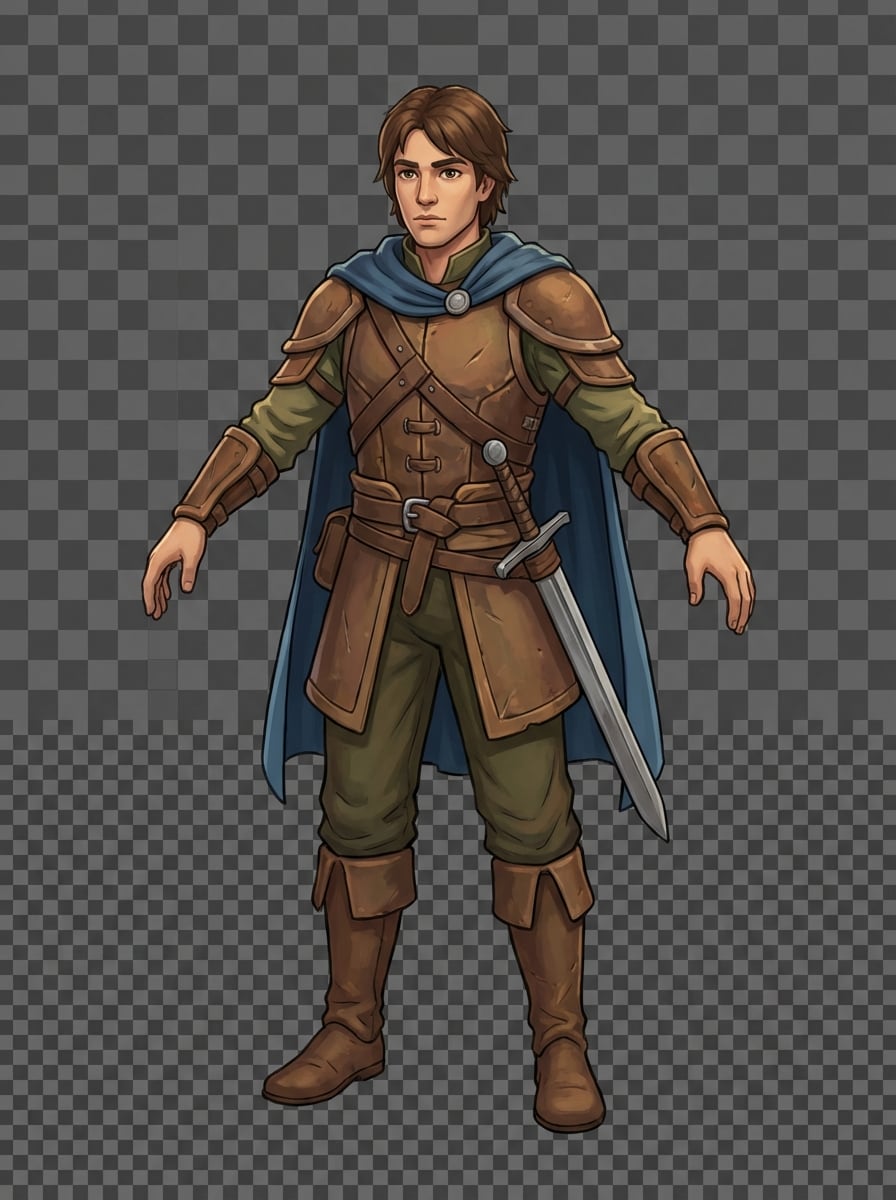
Sprite de Héroe de RPG Fantástico
Crea un recurso pulido de héroe de RPG fantástico en 2D, de cuerpo completo y centrado en una pose frontal neutral, con una silueta limpia, armadura de cuero, capa corta azul, espada de hierro al costado, sombreado suave tipo cel, colores terrosos legibles, sutiles reflejos, fondo transparente y calidad lista para producción de juegos indie.
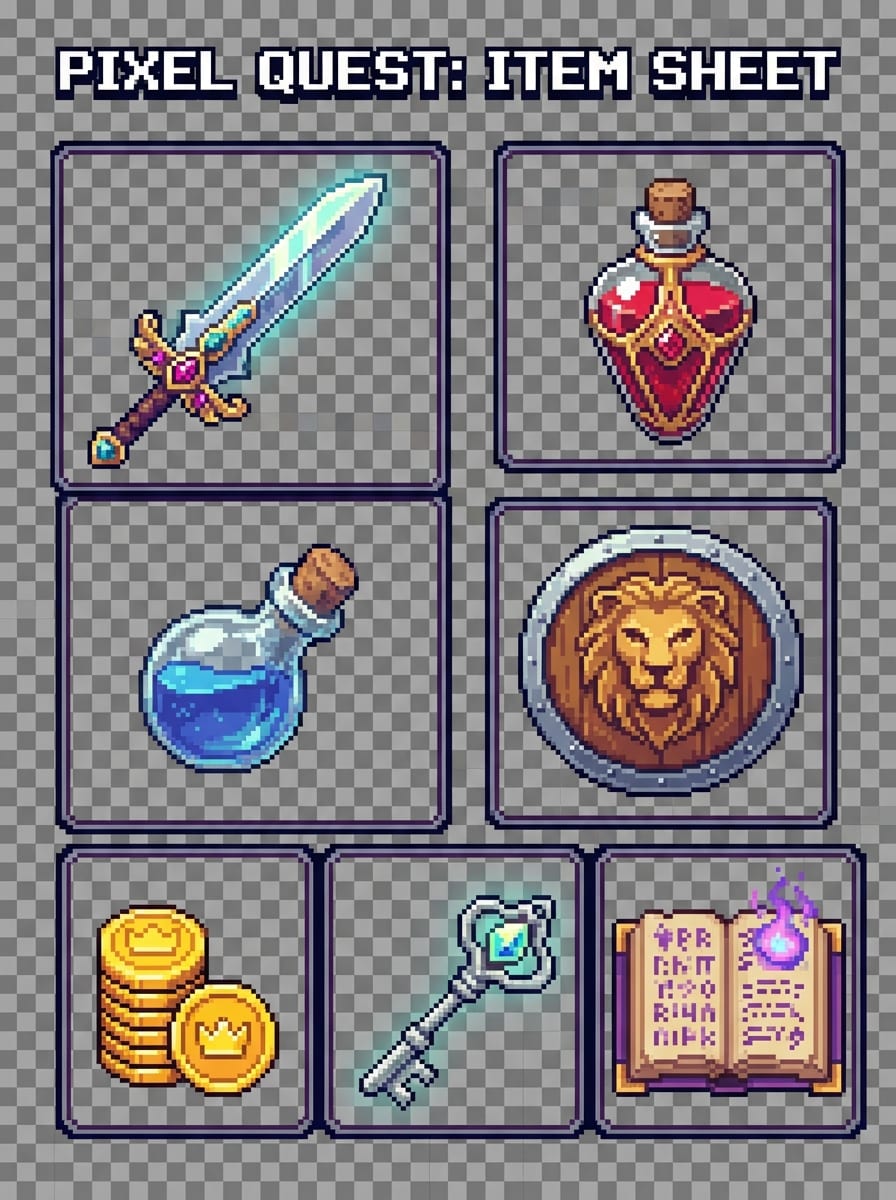
Pack de Objetos Pixelados
Genera una hoja de objetos de arte pixel retro para un juego con una espada, botella de poción, escudo, moneda de oro, llave de tesoro y pergamino mágico, dispuestos con espaciado uniforme, bordes nítidos, paleta limitada pero legible, nivel de detalle inspirado en 32-bits de alto nivel, fondo transparente y presentación coherente lista para el mercado.
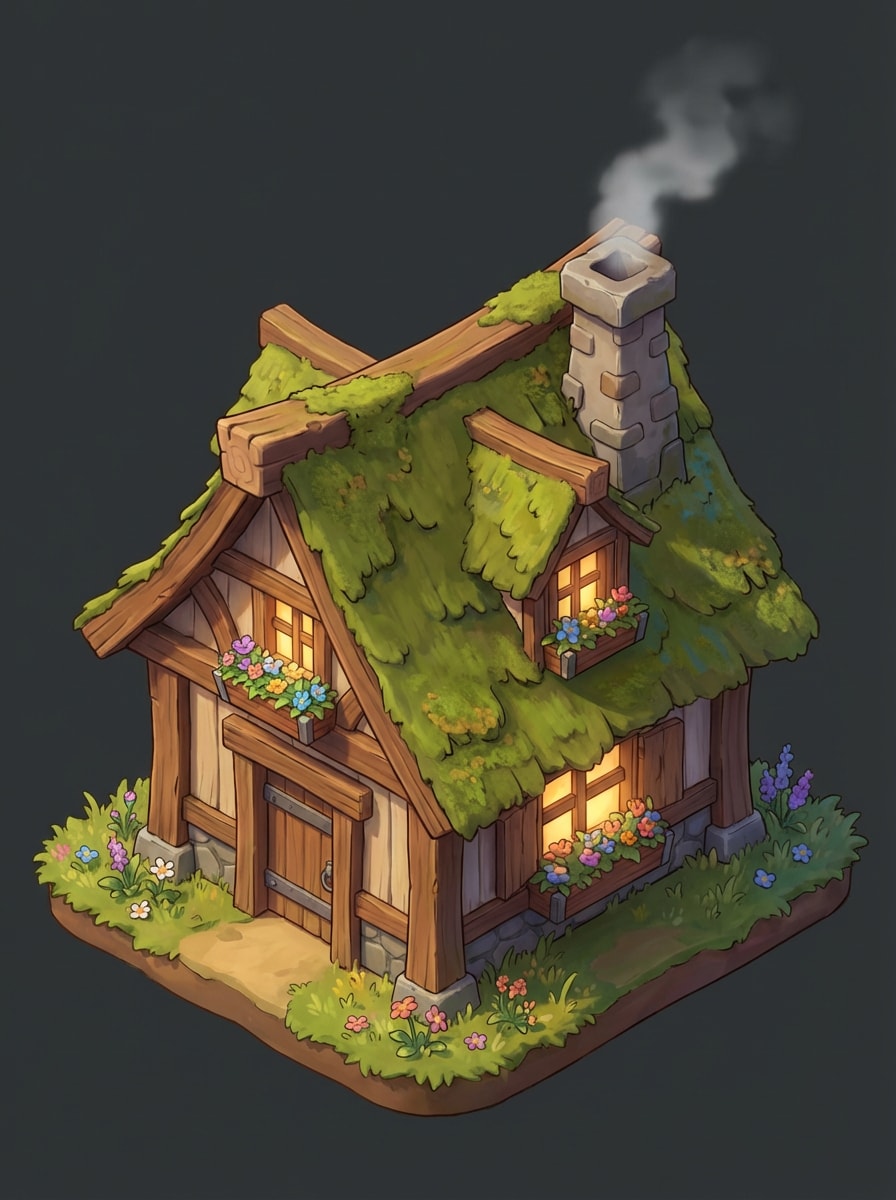
Casa Fantástica Isométrica
Crea un recurso de edificio fantástico isométrico para un juego de simulación acogedor, mostrando una casita de madera con techo cubierto de musgo, chimenea de piedra, jardineras, luz cálida en las ventanas, texturas estilizadas de madera, separación clara de bordes, iluminación natural suave, ambiente acogedor, composición aislada y detalle listo para el juego.
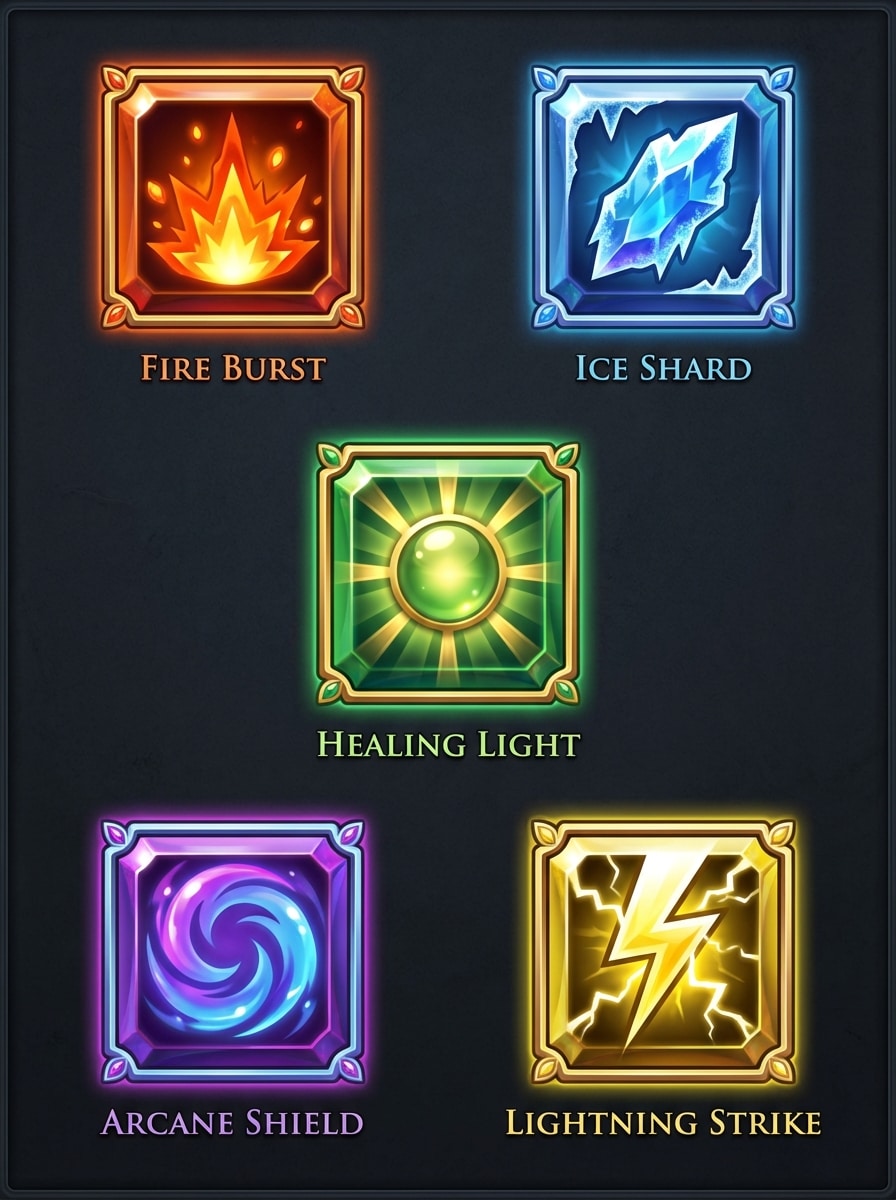
Iconos de Habilidades de RPG
Genera un conjunto coherente de iconos de habilidades de RPG fantástico en marcos cuadrados, incluyendo explosión de fuego, fragmento de hielo, luz curativa, escudo arcano y rayo, con efectos luminosos, alto contraste, codificación de color tipo joya, acabado brillante de interfaz de usuario, buena legibilidad en tamaños pequeños y estilo de interfaz móvil consistente.
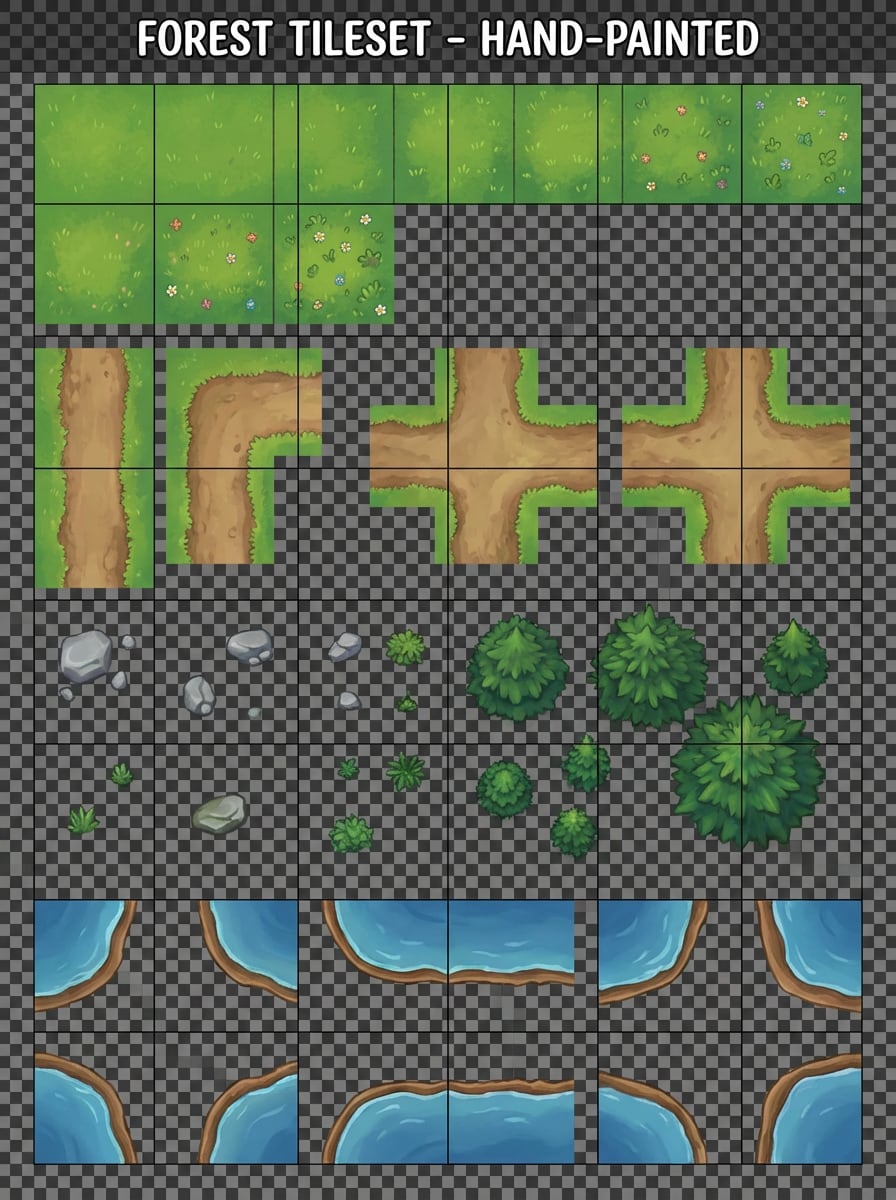
Conjunto de Baldosas de Bosque Vista Superior
Crea un conjunto de tiles de bosque en 2D vista superior con baldosas de césped, variaciones de camino de tierra, rocas, arbustos, pinos y bordes de estanques, organizados en una hoja de recursos limpia con escala coherente, texturas estilizadas pintadas a mano, paleta de verdes frescos y marrones terrosos, separación legible y usabilidad práctica para el desarrollo de juegos.
Por Qué Usar Media.io para la Generación de Recursos de Juego con IA
Diseñado para Muchos Estilos de Arte de Juego
Genera sprites, iconos, objetos, fondos e imágenes conceptuales en estilos como pixel art, render 3D, realista, anime, cyberpunk y más, facilitando el ajuste al estilo artístico de tu proyecto.
Salida de Recursos en Alta Resolución
Crea recursos de juego en resoluciones de 1K, 2K o 4K para mockups más detallados, vistas previas de UI, propuestas y archivos de referencia de producción cuando necesitas más detalle.
Ratios Flexibles para Mockups de Juegos
Elige entre proporciones comunes como 1:1, 16:9, 9:16, 4:3 y más, ya sea que estés diseñando iconos, arte de portada, hojas de objetos o imágenes verticales para juegos móviles.
Modelos de IA Avanzados en el Navegador
Utiliza potentes modelos de texto a imagen como Nano Banana Pro y Nano Banana 2 directamente en tu navegador para convertir ideas en recursos de juego de texto a imagen rápidamente sin software complejo.
Cómo Usar el Generador de Recursos de Juego con IA
1
2
3
1
Abre el Generador de Imágenes con IA de Media.io
Ve a Generador de Imágenes por Texto IA y abre el Generador de Imágenes bajo IA -> Imagen. Esta herramienta online funciona en tu navegador, por lo que puedes crear recursos de juego en Windows, Mac, iPhone, Android o cualquier dispositivo con navegador web.
2
Ingresa una Indicación
Escribe una indicación detallada, como “Crea una hoja de objetos pixelados con espada, poción, escudo, moneda de oro y llave de tesoro en una paleta retro coherente.” Luego elige tu estilo, proporción y resolución preferida para tu proyecto.
3
Genera, Refina y Descarga
Haz clic en Generar para crear el concepto de tu recurso. Si es necesario, refina la indicación para un estilo más consistente o mejor legibilidad de objetos y luego descarga tu imagen en alta resolución para conceptos, mockups o planeación de desarrollo de juegos.
Desbloquea el Potencial del Generador de Recursos de Juego con IA
Descubre cómo creadores y profesionales están usando nuestro Generador de Recursos de Juego potenciado por IA para transformar sus flujos creativos y llevar ideas únicas a la vida.
Prototipa Personajes y Objetos Más Rápido
Los desarrolladores indie y equipos pequeños pueden convertir ideas iniciales en recursos visuales rápidamente, desde sprites de héroe hasta objetos coleccionables. Es una forma práctica de probar la dirección del juego, el inventario y los temas visuales antes de invertir en arte de producción completo.
Construye UI y Conjuntos de Iconos Consistentes
Crea iconos de habilidades, símbolos de recursos y menús visuales a juego con un lenguaje de estilo unificado. Esto ayuda a los creadores de juegos para móvil y PC a mantener una interfaz limpia y coherencia en pantallas, tiendas y sistemas de juego.
Explora Mundos, Biomas y Conceptos de Fondos
Usa el generador de recursos de juego con IA para visualizar conjuntos de tiles, piezas de entornos y arte de fondo para proyectos de fantasía, ciencia ficción, simulación acogedora o retro. Es especialmente útil para paneles de inspiración, planificación de niveles y proponer una clara dirección artística.
Qué Dicen los Creadores Sobre Este Generador de Recursos de Juego con IA
Mason Lee
Desarrollador Indie de Juegos
"Excelente para arte de prototipos rápidos" Lo utilicé para generar ideas tempranas de personajes, objetos e iconos para un proyecto de game jam. Me ayudó a pasar de notas de texto a algo visual en minutos, lo que facilitó mucho las discusiones del equipo.
Priya Nair
Diseñadora de UI para Juegos Móviles
"Útil para conceptos coherentes de iconos" El mayor beneficio para mí fue crear direcciones de iconos de UI rápidamente. Pude probar diferentes estilos para recursos y habilidades sin tener que abrir un software de diseño pesado.
Daniel Brooks
Creador de RPG en Solitario
"Útil para ideación de recursos de fantasía" Necesitaba imágenes listas para concepto de objetos, casas y elementos de entorno en vista superior. Media.io hizo fácil explorar varios estilos de fantasía y guardar las mejores opciones para producción.
Elena Park
Productora Creativa
"Flujo de trabajo sencillo para no artistas" No necesitas habilidades artísticas avanzadas para obtener resultados útiles. Nuestro equipo usó indicaciones para crear mockups para materiales de propuesta y el flujo en navegador lo hizo muy accesible.
Explora los efectos de video e imagen con IA más populares
Preguntas Frecuentes sobre el Generador de Recursos de Juego con IA
1. ¿Puedo usar un generador de recursos de juego con IA gratis?
Sí. Media.io ofrece créditos gratuitos para usuarios nuevos y gratuitos, así que puedes probar el generador de recursos de juego con IA antes de mejorar a pago. Si necesitas más generaciones o beneficios adicionales, puedes consultar la página de precios para los planes disponibles. Los usuarios gratuitos pueden usar créditos gratis. Para más uso, los usuarios pueden suscribirse a un plan en la página de precios.
2. ¿Qué tipo de recursos de juego puedo crear a partir de indicaciones de texto?
Puedes generar muchos tipos de recursos visuales de juego a partir de texto, como personajes, sprites, iconos, objetos, hojas de objetos, fondos y conceptos de entornos. Esto es útil para juegos indie, móviles, prototipos y desarrollo de conceptos iniciales. Esto te ayuda a crear resultados más coherentes con el generador de recursos de juego con IA.
3. ¿Esta herramienta puede generar sprites, iconos y fondos en un solo estilo?
Sí. Media.io admite estilos visuales diversos y es ideal para crear recursos relacionados con una apariencia coherente. Con indicaciones claras, puedes generar sprites, iconos UI y conceptos de fondo que siguen la misma dirección artística para un proyecto de juego más cohesivo. Incluye **Nano Banana Pro** (Modelo de generación de IA de siguiente generación) y **Nano Banana 2** (Generación más rápida, funciones creativas mejoradas). También admite Seedream 5.0 Lite, Soul Character (Hiperrealista), Nano Banana, Seedream 4.0 e Imagen 4. Esto te ayuda a crear resultados más coherentes con el generador de recursos de juego con IA.
4. ¿Los recursos generados son de alta resolución?
Sí. Media.io admite generación de imágenes en 1K, 2K y 4K, lo que es útil cuando necesitas recursos visuales más nítidos para arte conceptual, mockups, presentaciones o referencia de producción. Los usuarios gratuitos pueden tener marcas de agua. Esto te ayuda a crear resultados más coherentes con el generador de recursos de juego con IA.
5. ¿Puedo crear arte pixelado o recursos de juego 2D con IA?
Sí. Puedes indicarle a Media.io que cree arte pixelado, recursos de juego 2D, iconos estilizados, escenas isométricas y otros formatos comunes de arte para juegos. La plataforma soporta una amplia variedad de estilos, por lo que es ideal para estéticas retro, fantasía, ciencia ficción y juegos móviles casuales. Esto te ayuda a crear resultados más coherentes con el generador de recursos de juego con IA.
6. ¿Qué tan rápido puedo generar recursos de juego a partir de texto?
La generación está diseñada para ser rápida, así que puedes pasar de una idea escrita a un concepto visual en minutos. Media.io también ofrece opciones de modelo como Nano Banana 2 para una generación más rápida, útil cuando quieres iterar rápidamente con múltiples ideas de recursos de juego. Incluye **Nano Banana Pro** (Modelo de generación de IA de siguiente generación) y **Nano Banana 2** (Generación más rápida, funciones creativas mejoradas). También admite Seedream 5.0 Lite, Soul Character (Hiperrealista), Nano Banana, Seedream 4.0 e Imagen 4. Esto te ayuda a crear resultados más coherentes con el generador de recursos de juego con IA.
Más Allá del Generador de Recursos de Juego Online con IA