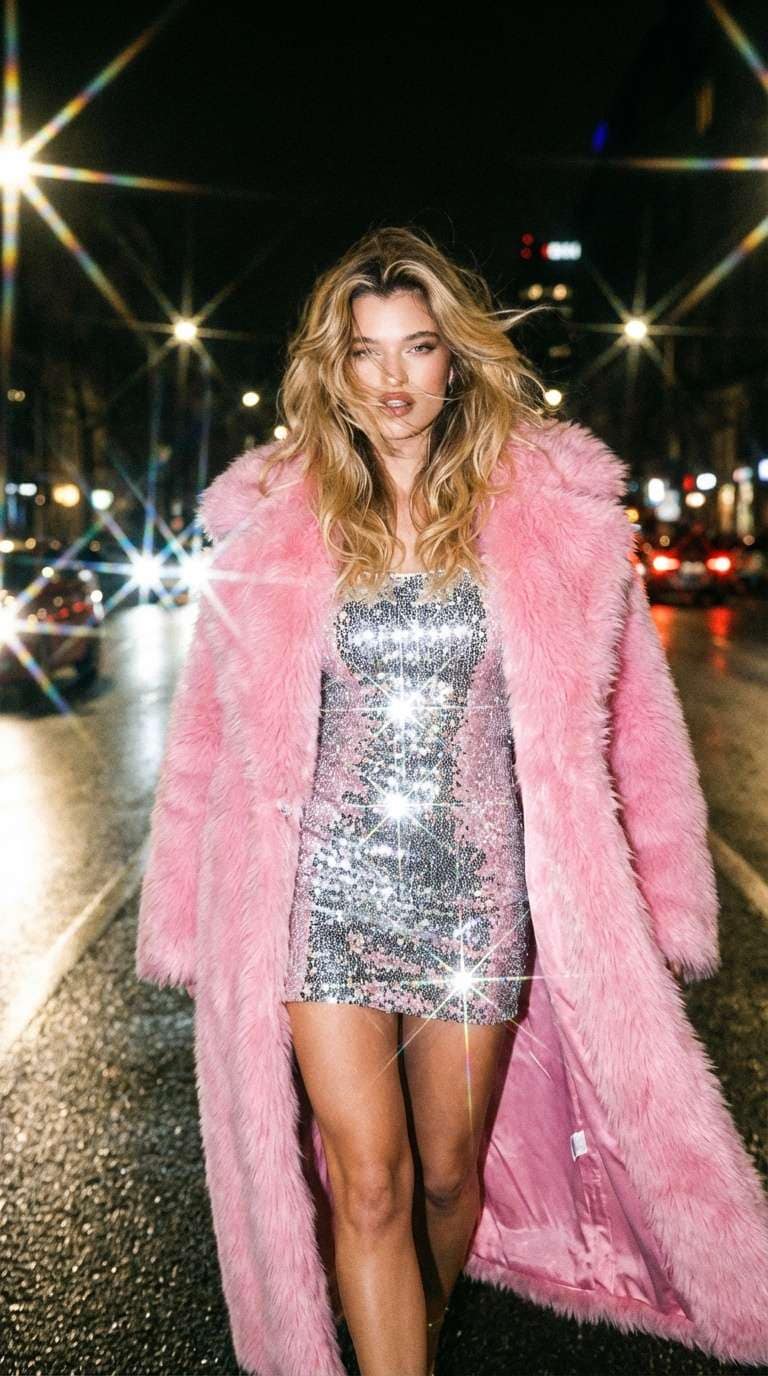
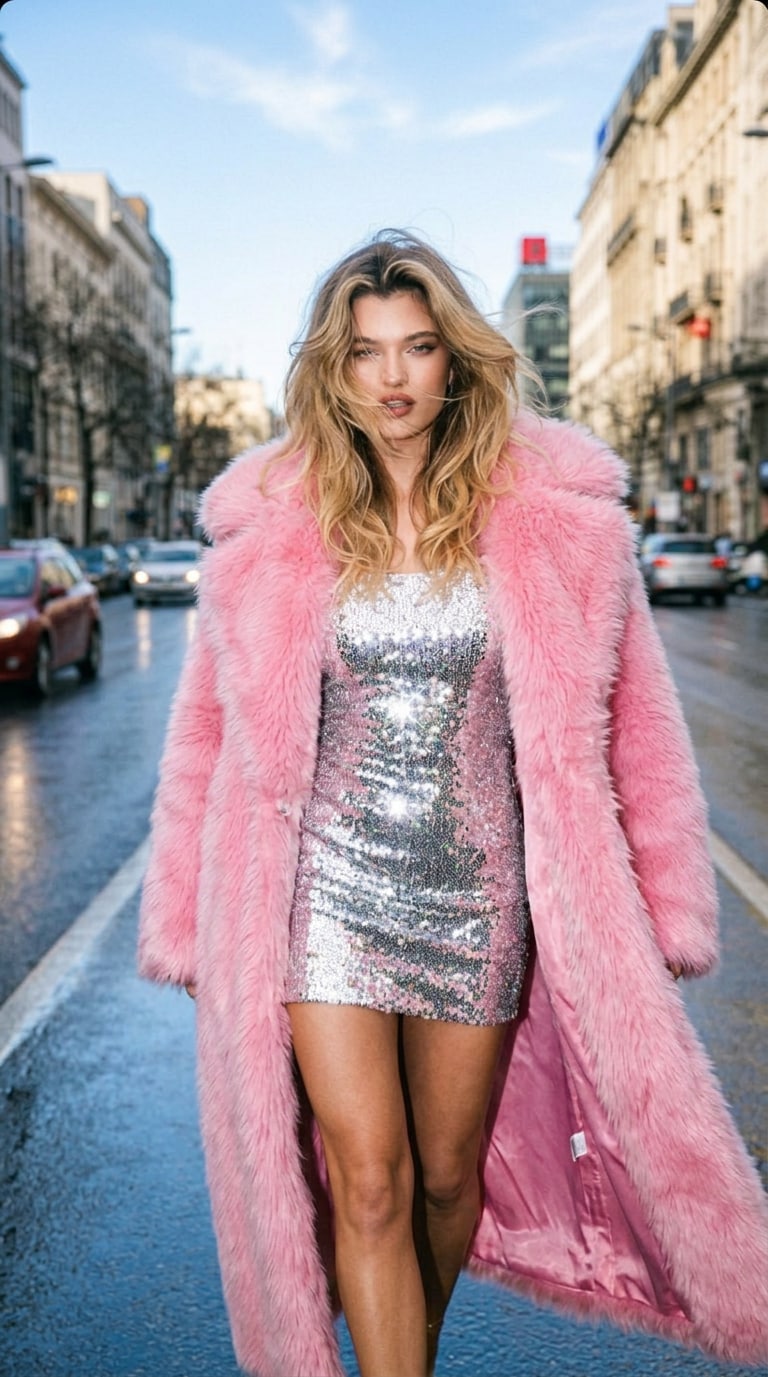
Iluminar fotos oscuras al instante
Nuestro Convertidor de fotos de noche a día con IA analiza escenas oscuras y las restaura con una luz diurna más brillante, sombras más limpias y una exposición más equilibrada, todo con un solo clic.
 Nano Banana Pro
 ¡Desbloquea tu potencial creativo y experimenta la magia de Media AI ahora mismo!
Transforma fotos nocturnas oscuras en imágenes diurnas brillantes y realistas en segundos. El Convertidor de fotos de noche a día con IA de Media.io restaura la iluminación natural, el tono del cielo, las sombras y los detalles automáticamente, perfecto para retratos, escenas urbanas, fotos de viajes y fotos de propiedades.
Transición de video de día a noche con IA
Sube una foto diurna y conviértela en un video cinematográfico de transición de día a noche. Observa cómo la escena cambia de la luz del sol a la luz de la luna con transiciones suaves del cielo, sombras realistas y un movimiento estilo time-lapse dramático.
Nuestro Convertidor de fotos de noche a día con IA analiza escenas oscuras y las restaura con una luz diurna más brillante, sombras más limpias y una exposición más equilibrada, todo con un solo clic.
Convierte una foto nocturna en una imagen diurna creíble con tono de cielo restaurado, color natural, edificios más nítidos y detalles más visibles, sin que la foto parezca sobreditada.
Ya sea que necesites convertir una foto nocturna de la calle en una diurna, corregir un retrato oscuro o iluminar el exterior de un inmueble, Media.io crea resultados más limpios y más utilizables rápidamente.
Olvídate de Photoshop y del complicado trabajo de Reiluminación. Solo sube tu imagen y deja que la IA la reconstruya con un aspecto diurno realista en segundos.
Sube cualquier retrato oscuro, foto urbana, imagen de viaje o foto de propiedad al Convertidor de fotos de noche a día con IA de Media.io.
Selecciona el efecto Noche → Día y deja que la IA reilumine la escena con una luz diurna más brillante, tonos más limpios, detalles restaurados y un cielo más natural.
Haz clic en generar para convertir tu foto en una imagen diurna brillante, luego previsualiza y descarga el resultado final al instante.

Fotógrafo de viajes

"Rescató una foto que creía inutilizable." Convertí una foto urbana muy oscura en una imagen diurna brillante con un tono de cielo realista y detalles de edificios más nítidos. El resultado se veía sorprendentemente natural.

Creadora de contenido
"Perfecto para corregir retratos oscuros." Usé el efecto Noche → Día en un retrato con poca luz y al instante iluminó la escena manteniendo el rostro natural. Mucho más rápido que editar manualmente.

Agente inmobiliario
"Genial para mejorar fotos de anuncios." Tenía varias fotos exteriores de propiedades tomadas demasiado tarde por la noche. Media.io las convirtió en fotos diurnas más brillantes que se veían más limpias y más atractivas para el mercado.

Diseñadora
"Una herramienta de Reiluminación súper rápida." Quería convertir una foto oscura en diurna sin pasar tiempo en Photoshop. Esta herramienta de IA manejó la iluminación y el color automáticamente y me ahorró mucho trabajo.
Media.io es un Convertidor de fotos de noche a día con IA fácil y eficaz que transforma imágenes oscuras en escenas diurnas brillantes y realistas. Mejora automáticamente la iluminación, la exposición, el color y la claridad de la escena sin Edición manual.
Solo sube tu imagen nocturna, selecciona el efecto Noche → Día y haz clic en generar. Media.io reiluminará la foto automáticamente y la convertirá en una versión diurna más brillante en segundos.
Sí. La herramienta funciona bien para escenas urbanas oscuras, fotos de viajes, retratos al aire libre y fotos de propiedades al atardecer. Ayuda a recuperar detalles y hace que la imagen se vea más brillante, más nítida y con aspecto más diurno.
No. Media.io está diseñado para obtener resultados rápidos con un solo clic. No necesitas ningún software de edición ni habilidades de retoque para iluminar y reiluminar una foto oscura.
Sí. Si quieres el efecto Retroceder, puedes probar el Convertidor de fotos de día a noche con IA de Media.io o crear un efecto de transición cinematográfico con Transición de día a noche.


