Seleccione / @ carácter, describa la escena que desea generar.
0/2000
9:16
1K
1
Modo Ilimitado Banana Pro
Creaciones
Centro de Ideas
Cómo funciona
Todo
Funciones populares
Ver todo
Desafío creativo de Halloween
Ver todo
Historia de Frutas con IA
Ver todo
Video de Historia de IA
Ver todo
Videos Virales Hoy
Ver todo
Videos de Productos de IA
Ver todo
Personaje de IA
Ver todo
Tendencias de Baile
Ver todo
GPT Image 2
Ver todo
Seedance 2.0
Ver todo
Emparejamiento de Celebridades con IA
Ver todo
Indicaciones de Poses para Parejas
Ver todo
Prompts de Poses de Chica AI Estética
Ver todo
Sugerencias de Pose Elegante para Chicos AI
Ver todo
Lista de generación
Tus creaciones solo se guardan durante 7 días. Los recursos creados después de actualizar a Membresía se almacenarán de forma permanente.
¡Desbloquea tu potencial creativo y experimenta la magia de Media AI ahora mismo!
Generador de Carteles de Películas con IA a partir de Fotos para Arte de Carteles Cinematográficos
Sube cualquier retrato, escena o imagen conceptual y conviértelo en arte clave de película pulido en segundos. Media.io te ayuda a crear carteles dramáticos de acción, ciencia ficción, thriller, horror, romance y estilo indie con rápida transformación de imagen a imagen por IA.
Escribe tu idea -> La IA lo diseña. Prueba gratis.
Explora nuestra colección seleccionada de generador de carteles de películas estilos.
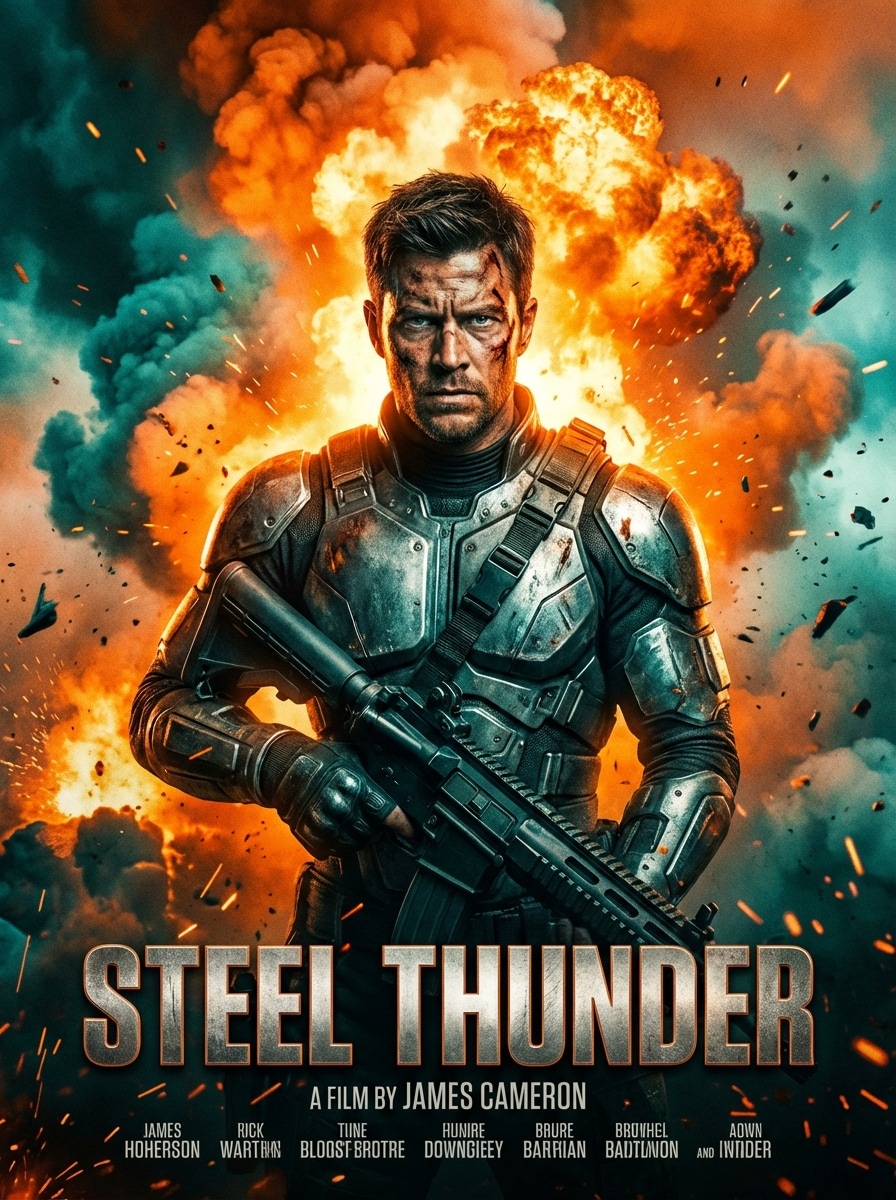
Épica Acción de Taquilla
Usa la imagen subida como el personaje principal y transfórmala en un cartel de acción épico de Hollywood con composición centrada, fondo explosivo, humo cinematográfico, luz de contorno fuerte, expresión intensa, gradación de color naranja y azul, detalles de textura metálica, atmósfera dramática y un área de título teatral audaz cerca de la parte inferior.
Ciencia Ficción Futurista Neón
Usa la foto subida como el personaje destacado y restílalo en un cartel de película futurista de ciencia ficción con diseño vertical, luces de ciudad neón, efectos de interfaz holográfica, neblina atmosférica, superficies reflectantes, paleta azul profundo y magenta, luz de fondo cinematográfica, detalle digital pulido y espacio limpio para bloque de título premium.
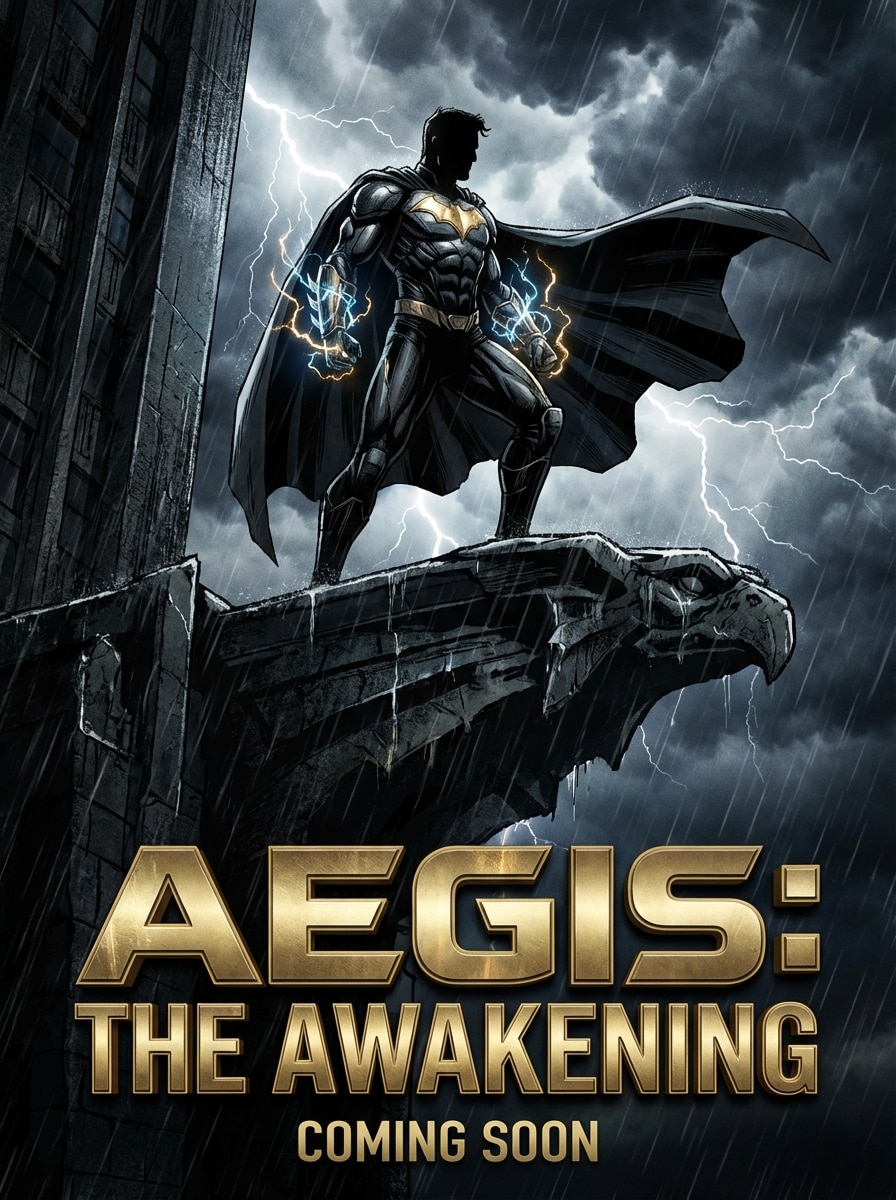
Cartel de Avance de Superhéroe
Usa la imagen subida como el personaje principal y conviértelo en un cartel teaser de superhéroe con pose poderosa, nubes de tormenta dramáticas, acentos de energía luminosa, realismo cómico-cinematográfico de alto contraste, sombras profundas, texturas metálicas, destacados azules y dorados, ambiente teatral y zona de título fuerte para estilo de cartel de blockbuster.
Thriller Psicológico
Usa la imagen subida como el sujeto principal y transfórmala en un cartel oscuro de thriller psicológico con iluminación de bajo perfil, sombras ominosas, tonos desaturados, acentos rojos sutiles, textura fría, atmósfera de suspenso, composición centrada, fondo mínimo y espacio refinado para título y créditos.
Horror Vintage
Usa la foto subida como figura central y restílalo en un cartel de película de horror vintage con iluminación dramática y misteriosa, textura de papel envejecido, textura de impresión retro, sombras negras profundas, destellos rojo sangre, desgaste de cartel antiguo, realismo ilustrado, ambiente inquietante y colocación clásica del título inspirada en el arte teatral de los años 70 y 80.
Detective de Cine Negro
Usa la imagen subida como personaje detective principal y tranfórmala en un cartel de cine negro con tonos blanco y negro o sepia apagado, sombras duras, atmósfera de callejón oscura, humo flotante, reflejos de lluvia brillantes, luz lateral aguda, bloque de título vintage elegante y una composición tensa y clásica para una historia de detectives.
Cartel de Festival de Cine Indie
Usa la imagen subida como centro emocional de un cartel de festival indie con composición de retrato artística, gradación de color sutil, luz natural suave, espacio negativo reflexivo, textura fina similar a papel, paleta contenida, sofisticación editorial y área de tipografía limpia que resulta moderna, minimalista y lista para festivales.
Cartel de Drama Romántico
Usa la imagen subida como personaje principal y restílalo en un cartel de drama romántico con luz cálida dorada, resplandor cinematográfico suave, fondo desenfocado, encuadre emocional en primer plano, tonos de piel delicados, destacados en pasteles elegantes, textura suave, ambiente sentimental y colocación pulida del título para arte clave de romance teatral.
Cartel de Documental de Prestigio
Usa la imagen subida como sujeto real principal y transfórmala en un cartel de documental de prestigio con iluminación realista de retrato cinematográfico, tonos naturales apagados, textura sutil, composición limpia, sofisticación editorial, detalle facial enfocado, ambiente serio y calmado y área de título refinada adecuada para promoción de temporada de premios.
Pulpa Retro de Ciencia Ficción
Usa la foto subida como héroe principal y restílalo en un cartel de película pulp de ciencia ficción retro con aspecto ilustrado fuerte, fondo cósmico, textura vintage de semitonos, rojos y azules saturados, formas retro-futuristas, resplandor dramático, composición nostálgica teatral y colocación de título inspirada en carteles clásicos de aventuras pulp.
Por qué usar Media.io para generación de carteles de películas con IA
Convierte cualquier foto en Arte Clave de Estilo Cartel
Sube un JPG, PNG o JPEG y transforma retratos, escenas o imágenes conceptuales en cartel de película cinematográfica visuales con estilo de imagen a imagen por IA.
Elige Modelos Avanzados de IA
Crea conceptos de cartel pulidos usando modelos potentes como Nano Banana Pro, Nano Banana 2, Media 2.0, Seedream 5.0 Lite y Media 1.0 para orientación visual flexible.
Controla tamaño, formato y variaciones
Genera de 1 a 4 opciones de cartel a la vez, elige proporciones como 3:4 o 2:3 y exporta en 1K, 2K o resolución 4K.
Funciona online en tus dispositivos
Media.io se ejecuta en tu navegador en Windows, Mac, iPhone, iPad y Android, así puedes crear un AI cartel de película a partir de foto sin instalar software de diseño.
Cómo hacer un cartel de película a partir de una foto
1
2
3
1
Abre el Generador de Carteles de Película con IA de Media.io
Ve a media.io/ai y abre el generador de imagen a imagen IA en IA -> Imagen a Imagen. Esta herramienta online funciona en tu navegador, por lo que puedes crear visuales de estilo cartel en escritorio o móvil sin instalar ningún software.
2
Sube tu imagen y escribe un prompt de estilo
Sube un JPG, PNG o JPEG y luego escribe un prompt detallado como: “Usa la imagen subida como sujeto y transfórmala en un cartel de thriller psicológico oscuro con sombras dramáticas, acentos rojos sutiles, iluminación cinematográfica y espacio audaz para el título.” Ajusta el modelo, proporción, resolución y cantidad de imágenes si lo necesitas.
3
Genera, Refina y Descarga
Haz clic en Generar para crear tu cartel. Si lo necesitas, refina el prompt, prueba otro estilo de género o haz varias variaciones. Después descarga tu arte final de cartel de película en alta resolución para redes sociales, fan art o promoción de cine indie.
Qué dicen los usuarios sobre este generador de carteles de películas
Maya Chen
Cineasta Independiente
"Rápido para visualizar ideas de carteles de festival" Subí un retrato del elenco y probé varios prompts para estilos thriller e indie. Los resultados se parecían mucho más al arte clave real de película que los filtros genéricos, y me ayudó a montar una dirección para el cartel en minutos.
Jordan Ellis
Creador de Contenido
"Genial para publicaciones sociales cinematográficas" Quería un look dramático de cartel a partir de una sesión de fotos común. Los estilos de acción y ciencia ficción me dieron imágenes teatrales de alto contraste que lucían lo suficientemente pulidas para promociones de Instagram y miniaturas de YouTube.
Sofia Ramirez
Estudiante de Diseño Gráfico
"Útil cuando necesitas inspiración rápida" En lugar de crear todo desde cero, usé Media.io para transformar retratos de referencia en conceptos de cartel estilo noir, horror y romance. Fue una forma muy eficiente de explorar el ambiente, la luz y la composición.
Ethan Brooks
Productor de Cortometrajes
"Útil para probar varias direcciones de cartel" Los controles de proporción y resolución hicieron fácil generar varias versiones para nuestra campaña de película. Me gustó especialmente poder subir una imagen y probar géneros muy distintos sin un flujo de trabajo complicado.
Explora los efectos de video e imagen con IA más populares
Preguntas frecuentes sobre el generador de carteles de películas
1. ¿Cómo puedo hacer mi propio cartel de película a partir de una foto?
Con Media.io puedes subir un JPG, PNG o JPEG al generador de imagen a imagen con IA, y luego añadir un prompt que describa el estilo de cartel que quieres, como thriller, ciencia ficción, horror, noir o romance. Después selecciona opciones como proporción, resolución y cantidad de imágenes, y genera tu resultado estilo cartel online.
2. ¿Puede la IA generar un cartel de película a partir de una foto?
Sí. Media.io soporta creación de imagen a imagen, lo que significa que puedes subir una foto de referencia y usar IA para transformarla en arte de cartel cinematográfico. Esto es útil para convertir retratos, tomas de personajes o fotos de escenas en cartel de película con IA conceptos con estilos de diferentes géneros.
3. ¿Hay un generador gratuito de carteles de películas?
Media.io ofrece 3 créditos gratuitos al día, por lo que los usuarios gratuitos pueden probar el generador online de carteles. Las descargas gratuitas pueden incluir marcas de agua, mientras que los suscriptores pagados pueden descargar imágenes en alta resolución sin marca. Si necesitas más generaciones o exportaciones más limpias, puedes comparar planes aquí: https://www.media.io/es/pricing.html
4. ¿Qué tipo de imágenes puedo subir para convertir en cartel de película?
Media.io admite archivos JPG, PNG y JPEG. Puedes usar un retrato, selfie, imagen de escena, referencia de personaje u otro visual como base para tu transformación de cartel de película.
5. ¿Puedo elegir tamaño y calidad del cartel de mi diseño generado?
Sí. Media.io ofrece múltiples proporciones incluyendo Auto, 1:1, 9:16, 16:9, 4:3, 3:4, 3:2 y 2:3, útiles para composiciones tipo cartel. También puedes escoger resolución 1K, 2K o 4K y generar de 1 a 4 imágenes a la vez.
6. ¿Funciona Media.io en móviles para crear carteles cinematográficos?
Sí. Media.io es basado en web y funciona en dispositivos con navegador, incluyendo Windows, Mac, iOS y Android. Puedes subir tu foto, ingresar un prompt de cartel cinematográfico, generar el resultado y descargarlo directamente desde tu teléfono, tablet o computadora.
Más allá del generador online de carteles de películas con IA