Haz clic o arrastra para subir, o elige de Mi HistorialHaga clic para cargarMi Historial
¿Sin ideas? Genera primero una imagen. >
Sube imágenes jpg, jpeg o png de hasta 50 MB, con un ancho/alto mínimo de 300 px.
Black Cherry Hair Color: Preview Deep Red on Your Photo
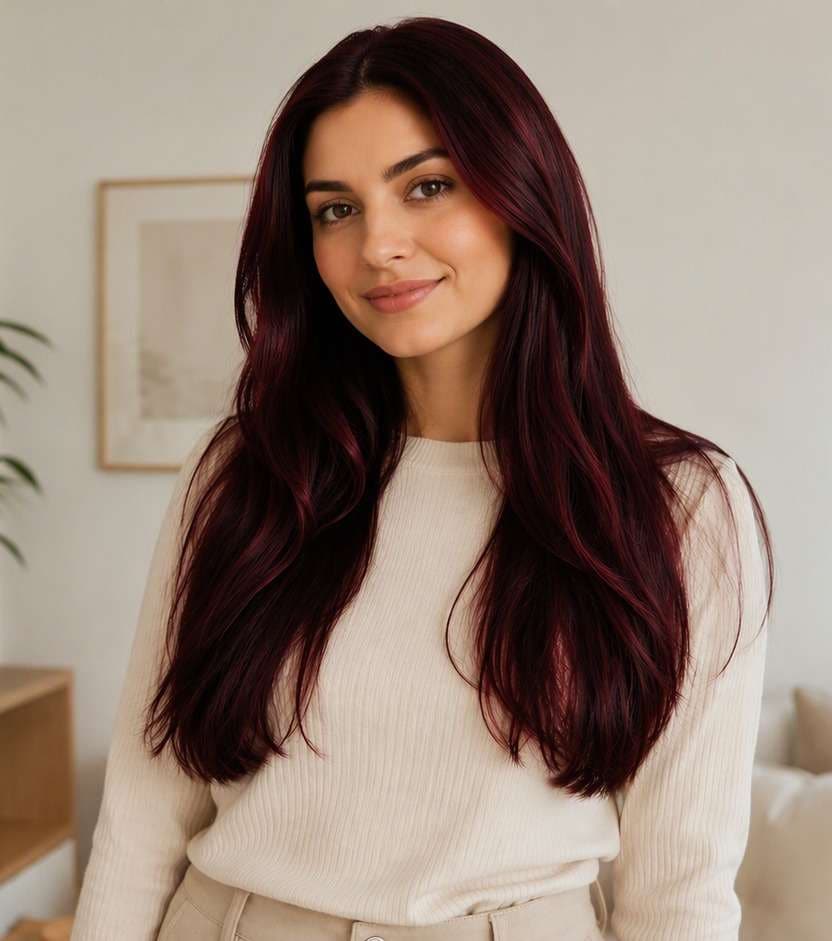
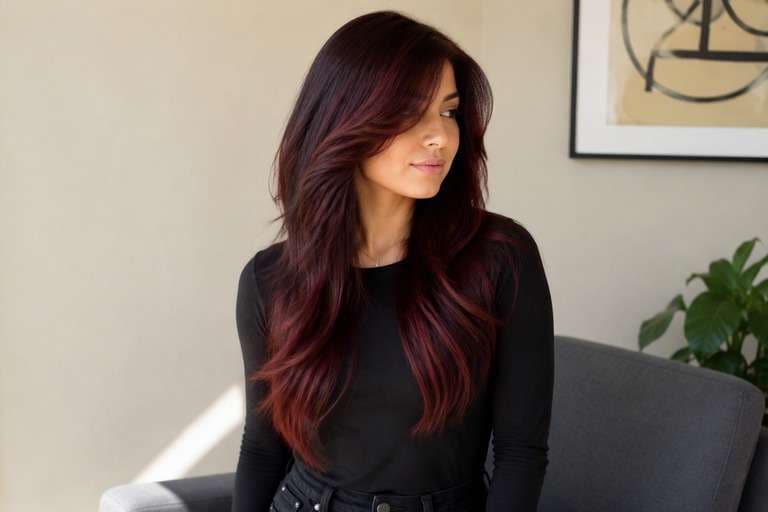
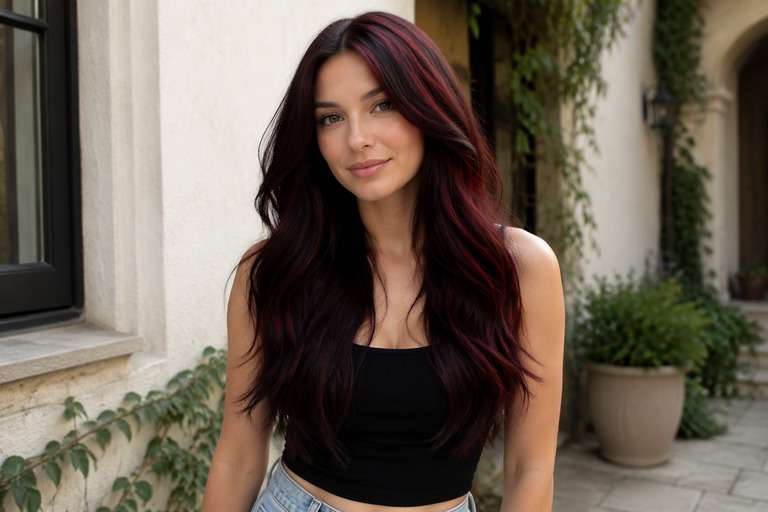
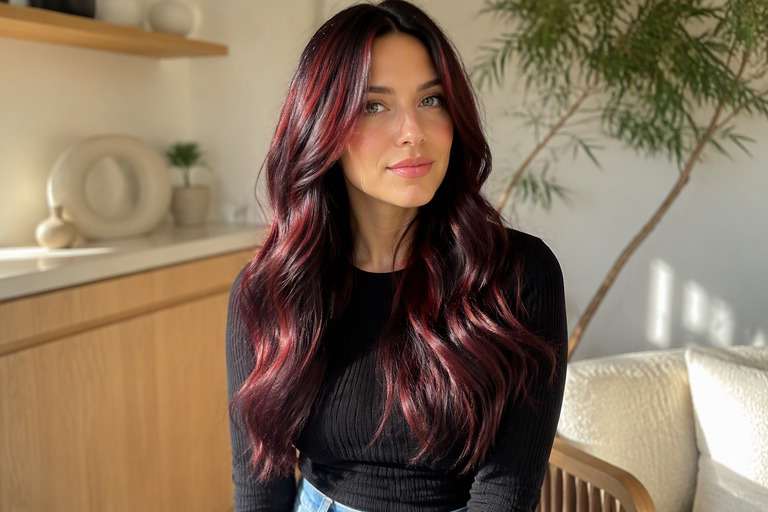
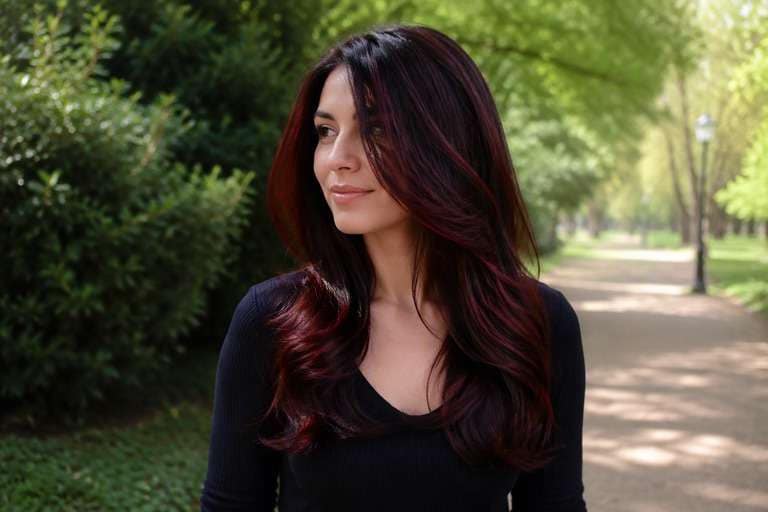
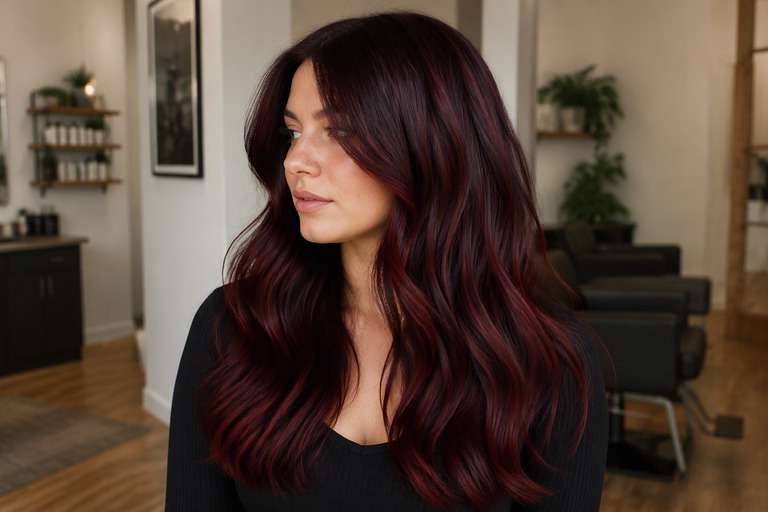
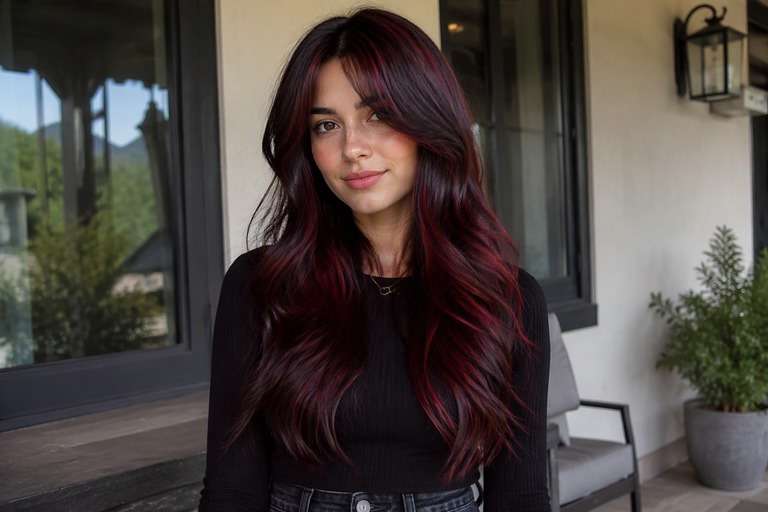
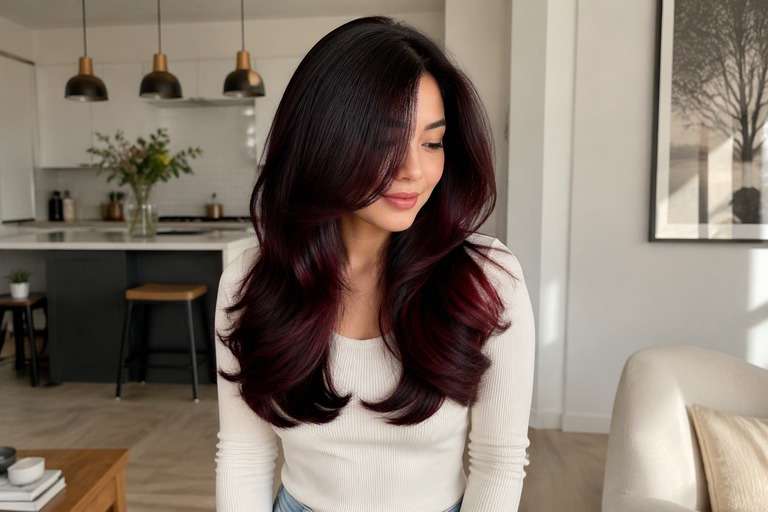
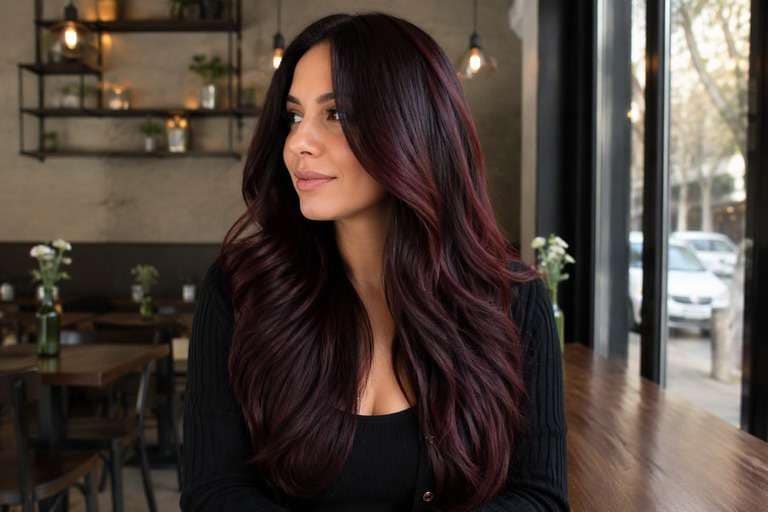
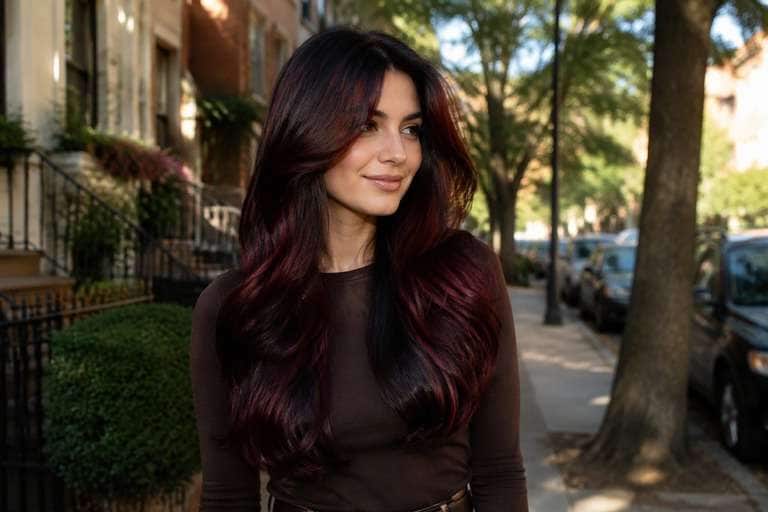
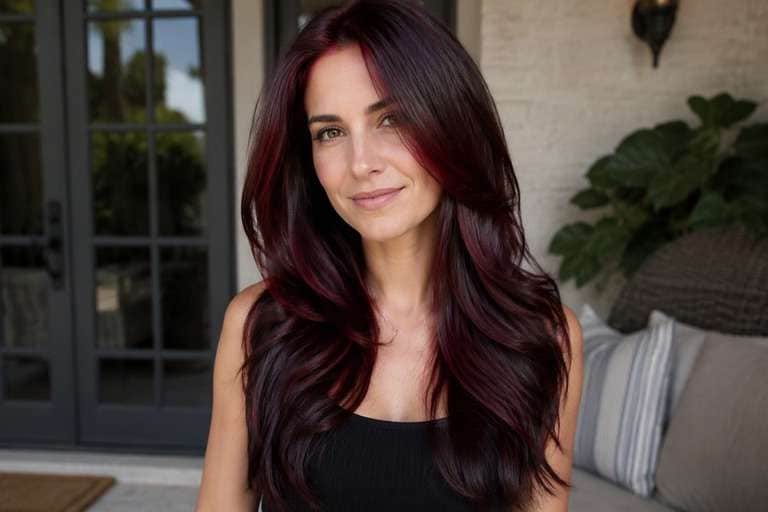
Love dark hair but want a hint of red when the light hits? The AI black cherry hair filter lets you explore deep brunette with subtle berry reflections, rather than committing to a bright red all over. Compare an almost-black cherry shade with a more visible wine-red sheen on the same portrait. Pay attention to the strands around your face and the way the highlights show against your existing dark base before choosing a salon reference.
A sharp photo in balanced light helps preserve dark strand detail. Try a second lighting reference if the red reflection is hard to see.
Black Cherry Hair Color Photo Editing Prompts
Choose how much color you want to see, not just a shade name. Nearly black base contrasted against luminous cherry-red reflections. The prompts below separate delicate daytime finishes from stronger statement looks. Keep your face, hair length, existing cut and background fixed to compare color alone.
Deep Black Cherry
Edit my uploaded portrait to preview deep black cherry: inky brunette with vivid cherry-red glints concentrated where light hits. Nearly black base contrasted against luminous cherry-red reflections. Keep my exact identity, skin, eyebrow shape, expression, haircut, hair length, pose, clothing, camera angle and background unchanged. Adjust only hair color and realistic color placement; maintain natural individual strands, root shadows and convincing highlights. No new hairstyle, makeup, accessories, text, logos, phones or mirrors. Keep intensity subtle and wearable.
Cherry Cola
Edit my uploaded portrait to preview cherry cola: inky brunette with vivid cherry-red glints concentrated where light hits. Nearly black base contrasted against luminous cherry-red reflections. Keep my exact identity, skin, eyebrow shape, expression, haircut, hair length, pose, clothing, camera angle and background unchanged. Adjust only hair color and realistic color placement; maintain natural individual strands, root shadows and convincing highlights. No new hairstyle, makeup, accessories, text, logos, phones or mirrors. Add medium contrast with blended transitions.
Red-Black Gloss
Edit my uploaded portrait to preview red-black gloss: inky brunette with vivid cherry-red glints concentrated where light hits. Nearly black base contrasted against luminous cherry-red reflections. Keep my exact identity, skin, eyebrow shape, expression, haircut, hair length, pose, clothing, camera angle and background unchanged. Adjust only hair color and realistic color placement; maintain natural individual strands, root shadows and convincing highlights. No new hairstyle, makeup, accessories, text, logos, phones or mirrors. Make the shade vivid but believable.
Subtle Black Cherry
Edit my uploaded portrait to preview subtle black cherry: inky brunette with vivid cherry-red glints concentrated where light hits. Nearly black base contrasted against luminous cherry-red reflections. Keep my exact identity, skin, eyebrow shape, expression, haircut, hair length, pose, clothing, camera angle and background unchanged. Adjust only hair color and realistic color placement; maintain natural individual strands, root shadows and convincing highlights. No new hairstyle, makeup, accessories, text, logos, phones or mirrors. Use softly diffused color rather than hard stripes.
Dimensional Black Cherry
Edit my uploaded portrait to preview dimensional black cherry: inky brunette with vivid cherry-red glints concentrated where light hits. Nearly black base contrasted against luminous cherry-red reflections. Keep my exact identity, skin, eyebrow shape, expression, haircut, hair length, pose, clothing, camera angle and background unchanged. Adjust only hair color and realistic color placement; maintain natural individual strands, root shadows and convincing highlights. No new hairstyle, makeup, accessories, text, logos, phones or mirrors. Preserve multi-tonal depth and believable natural shadow.
Face-Framing Black Cherry
Edit my uploaded portrait to preview face-framing black cherry: inky brunette with vivid cherry-red glints concentrated where light hits. Nearly black base contrasted against luminous cherry-red reflections. Keep my exact identity, skin, eyebrow shape, expression, haircut, hair length, pose, clothing, camera angle and background unchanged. Adjust only hair color and realistic color placement; maintain natural individual strands, root shadows and convincing highlights. No new hairstyle, makeup, accessories, text, logos, phones or mirrors. Give the front strands a slightly brighter tonal emphasis.
Glossy Black Cherry
Edit my uploaded portrait to preview glossy black cherry: inky brunette with vivid cherry-red glints concentrated where light hits. Nearly black base contrasted against luminous cherry-red reflections. Keep my exact identity, skin, eyebrow shape, expression, haircut, hair length, pose, clothing, camera angle and background unchanged. Adjust only hair color and realistic color placement; maintain natural individual strands, root shadows and convincing highlights. No new hairstyle, makeup, accessories, text, logos, phones or mirrors. Favor reflective shine without changing overall exposure.
Natural-Light Black Cherry
Edit my uploaded portrait to preview natural-light black cherry: inky brunette with vivid cherry-red glints concentrated where light hits. Nearly black base contrasted against luminous cherry-red reflections. Keep my exact identity, skin, eyebrow shape, expression, haircut, hair length, pose, clothing, camera angle and background unchanged. Adjust only hair color and realistic color placement; maintain natural individual strands, root shadows and convincing highlights. No new hairstyle, makeup, accessories, text, logos, phones or mirrors. Show credible window-light color reflections.
Soft-Root Black Cherry
Edit my uploaded portrait to preview soft-root black cherry: inky brunette with vivid cherry-red glints concentrated where light hits. Nearly black base contrasted against luminous cherry-red reflections. Keep my exact identity, skin, eyebrow shape, expression, haircut, hair length, pose, clothing, camera angle and background unchanged. Adjust only hair color and realistic color placement; maintain natural individual strands, root shadows and convincing highlights. No new hairstyle, makeup, accessories, text, logos, phones or mirrors. Keep natural root depth and smooth transition.
Bold Black Cherry
Edit my uploaded portrait to preview bold black cherry: inky brunette with vivid cherry-red glints concentrated where light hits. Nearly black base contrasted against luminous cherry-red reflections. Keep my exact identity, skin, eyebrow shape, expression, haircut, hair length, pose, clothing, camera angle and background unchanged. Adjust only hair color and realistic color placement; maintain natural individual strands, root shadows and convincing highlights. No new hairstyle, makeup, accessories, text, logos, phones or mirrors. Make the target shade immediately legible at a glance.
Black Cherry Hair: Keep the Dark Base, Show the Red
Dark Base First, Cherry Second
If most of the hair appears red, the edit may be closer to burgundy. Keep inky brunette shadows and add cherry reflection where strands catch the light.
See the Color Without a Neon Filter
The red should look like pigment in hair, not a magenta glow pasted over the photograph. Check around the temples and against the background for unwanted red spill.
Choose Subtle or Noticeable Reflection
Try a restrained black-cherry gloss and a more visible red-highlighted version. The comparison tells you how dramatic you want the color to be in ordinary portraits.
Retain Your Natural Hairstyle
A darker color can change how layers and curls read. Keep the length, part and texture unchanged so you see the new color rather than a newly styled model.
How to Preview Black Cherry Hair Color with AI
Preview color concentrated in light-catching strands instead of replacing your dark base.
Step 1
Upload Your Photo
Upload a clear front or three-quarter hair photo with the roots and color area visible. Use even light and keep your face, cut and background unfiltered.
Step 2
Choose a Haircut Filter or Enter a Prompt
Choose a suitable hair color preset if available or describe the target color and placement in a prompt. Keep the original haircut and facial features unchanged.
Step 3
Click Generate
Click Generate. Check the color only against your original image, then refine its tone or placement if the first preview is too strong or too subtle.
When Black Cherry Hair Makes Sense for Dark Brunettes
Test how the color reads in the situations where you will actually see it.
Staying Close to Your Dark Hair
If you like deep brunette but want a hint of color, start with low-key cherry reflections. A preview helps you see whether the effect is noticeable enough without lightening the entire look.
Considering a Dark Alternative to Burgundy
Generate one wine-burgundy and one black-cherry concept on the same portrait. Choose black cherry if the near-black base matters more to you than full-head red-purple color. The result should retain the deep near-black root and reveal cherry red only in reflected highlights, rather than become a uniformly burgundy head of hair.
Planning Low-Light Portraits
Dark red may disappear in a dim photograph. Review whether the cherry reflection survives normal lighting and avoid an edit that boosts overall exposure just to make the pigment visible.
Check the Cherry-Red Shine in Your Hair Preview
Visible Color Change
Image review checklist
"Does the color match the idea?" The before must show ordinary natural black-brown hair without cherry reflection. The after should show inky brunette with vivid cherry-red glints concentrated where light hits. Reject an edit that only increases overall photo warmth.
Same Face and Hairstyle
Image review checklist
"Did the edit preserve your features?" Compare face shape, hair length, haircut, background and clothing. A useful virtual color test leaves these unchanged.
Placement and Strands
Image review checklist
"Does color follow real strands?" Look for nearly black base contrasted against luminous cherry-red reflections. Check that color follows actual strands and is not painted onto skin or the background.
Real-World Expectations
Image review checklist
"Is this a reference, not a promise?" Use this image to discuss your preferred appearance. Real coloring depends on your starting color, treatment history and the technique chosen by your stylist.
It is a very dark brown or black-looking base with cherry-red or berry reflections. The red can become more noticeable under brighter light.
2. How is black cherry different from burgundy?
Black cherry usually preserves more near-black depth. Burgundy can show a broader wine-red or violet cast across the hair, even when the overall shade is dark.
3. Can I try black cherry without lightening my photo?
Yes. Ask for red reflections in existing dark strands and keep face and background unchanged. The preview does not predict whether any lightening will be needed for the real color.
4. Why is my black cherry preview almost black?
Darkness is part of the look, but the red glints should still be detectable. Ask for brighter cherry reflections on exposed strands instead of increasing the brightness of the whole photograph.
5. How can I try black cherry on Media.io?
Upload a well-lit portrait, choose an available style preset or enter a dark-cherry prompt, then Generate. Compare subtle and more visible red versions while preserving your original hair texture.
6. Will cherry reflections look the same in every light?
No. Red undertones may appear stronger outdoors and subtler indoors. A single AI preview is not a prediction of dye chemistry or lighting conditions.