

Seedream 5.0 Pro KI-Bildgenerator
Erstellen Sie professionelle Bilder mit Seedream 5.0 Pro auf Media.io – die verbesserte Wahl gegenüber Seedream 5.0 für Kreative, die präzisere Bearbeitung, stärkere Referenzführung, besseres Verständnis komplexer Prompts und professionellere visuelle Ergebnisse benötigen. Erstellen Sie Porträts, Produktfotos, Poster, Anzeigen, Thumbnails und Social-Media-Grafiken aus Prompts, oder laden Sie ein Bild hoch und beschreiben Sie genau, was Sie ändern möchten.
Früher Zugang verfügbar. Kostenlose Credits bei der Anmeldung.

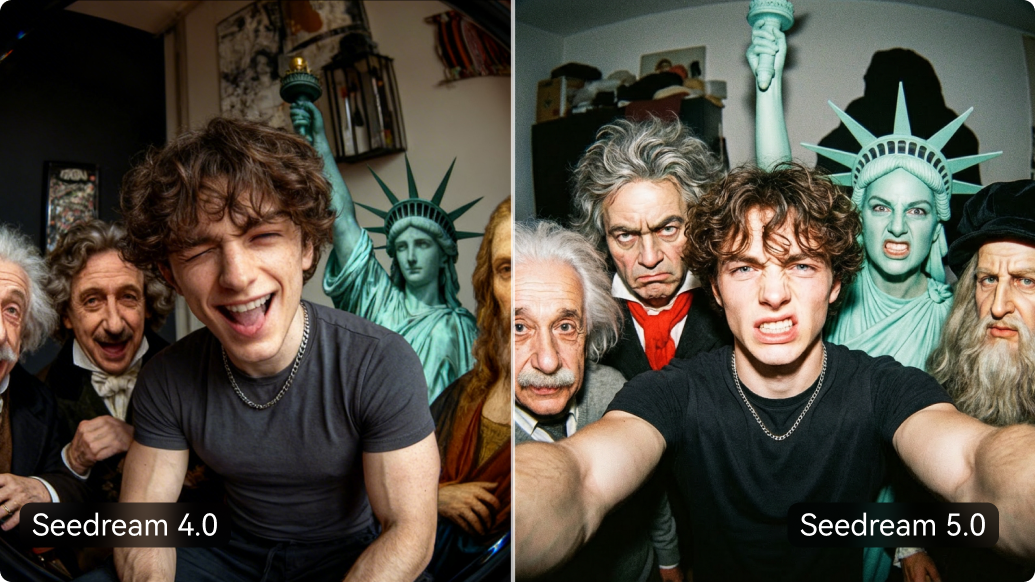
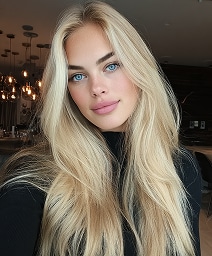
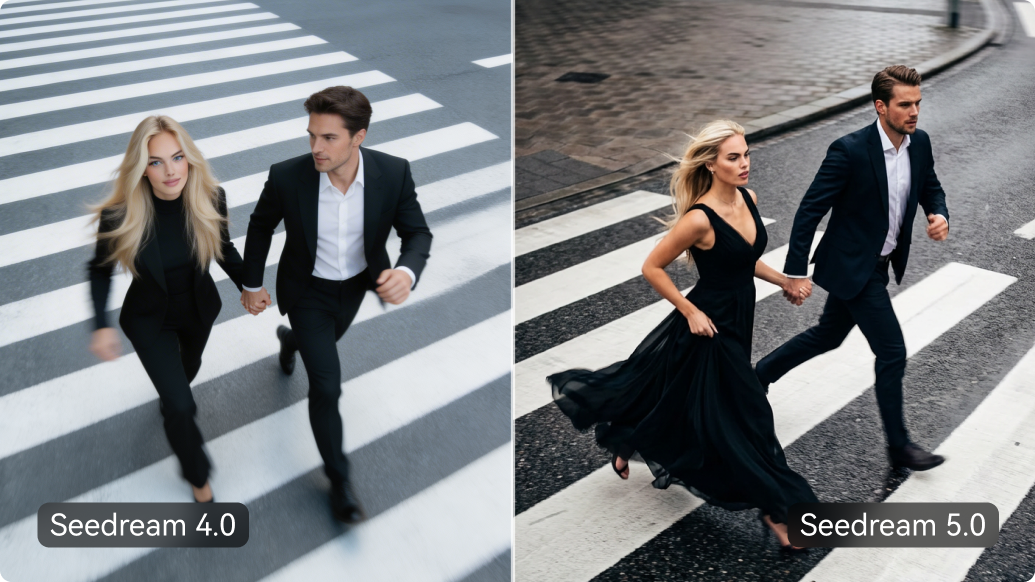
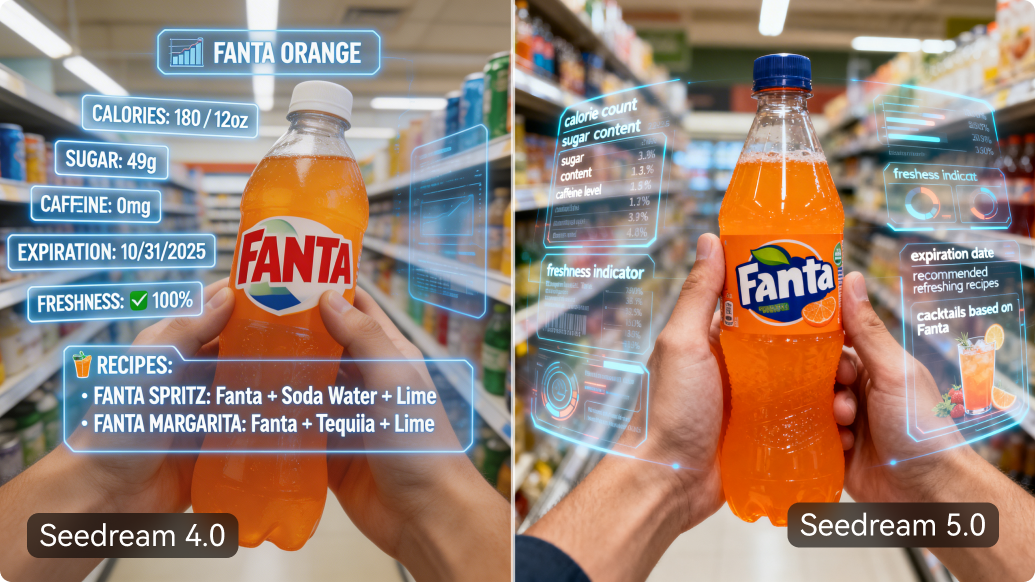

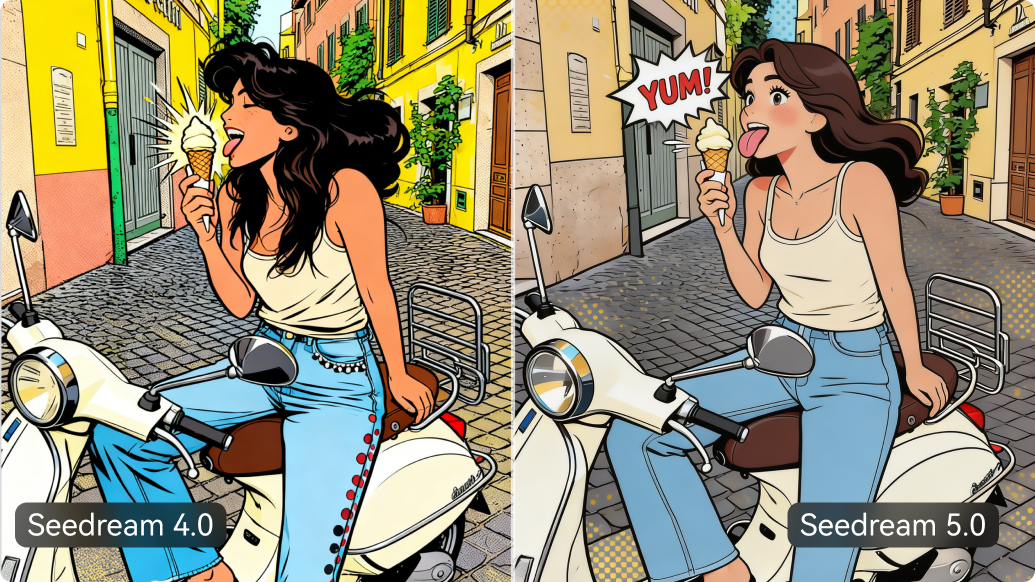
Was ist neu in Seedream 5.0 Pro?
Noch ausgereiftere Endergebnisse
Gehen Sie über schnelle KI-Entwürfe hinaus. Seedream 5.0 Pro ist entwickelt für sauberere, professionellere visuelle Ergebnisse und ist damit die bessere Wahl für Porträts, Produktfotos, Poster, Anzeigen, Thumbnails, E-Commerce-Kreationen und Social-Media-Grafiken.
Prompt-basierte Bildbearbeitung
Laden Sie ein Bild hoch und beschreiben Sie einfach, was Sie ändern möchten. Verwenden Sie natürlichsprachige Prompts, um Fotos neu zu gestalten, Hintergründe anzupassen, Details zu verfeinern, Szenen zu wechseln oder neue visuelle Richtungen zu entwickeln ohne komplexe Bearbeitungsschritte.
Intelligentere Referenzführung
Verwenden Sie Referenzbilder, um den gewünschten Look zu steuern. Seedream 5.0 Pro kann helfen, Produkte, Charaktere, Outfits, Stile und Kompositionen über verschiedene Generationen und Bearbeitungen hinweg konsistenter zu halten.
Stärkeres Verständnis komplexer Prompts
Beschreiben Sie mehr in einem Prompt und erhalten Sie Ergebnisse, die Ihrer Idee besser entsprechen. Seedream 5.0 Pro ist besonders nützlich für Prompts mit spezifischer Beleuchtung, Kamerawinkeln, Materialien, Layout, Stimmung, Charakterdetails und mehrteiligen Anweisungen .
Bessere textlastige kreative Visualisierungen
Erstellen Sie visuelle Inhalte, die mehr als nur ein hübsches Bild erfordern. Seedream 5.0 Pro eignet sich besser für Poster, Infografiken, Produktetiketten, Anzeigenkreationen, Thumbnails und Kampagnenbilder bei denen Layout, Formulierung und Designdetails eine Rolle spielen.
Seedream 5.0 Pro vs Seedream 5.0 Lite
Der einfache Unterschied: Pro ist für ausgefeilte finale Visualisierungen , während Lite für schnelle Entwürfe und einfache Bildideen geeignet ist .
| Vergleichen | Seedream 5.0 Pro | Seedream 5.0 Lite |
|---|---|---|
| Hauptverwendung |
Finalfertige Visualisierungen
Besser für ausgefeilte Ergebnisse, die vollständiger wirken sollen |
Schnelle Entwürfe
Besser für schnelle Ideen und einfache Bildgenerierung |
| Am besten geeignet für | Produktfotos, Poster, Anzeigen, Porträts, Thumbnails | Einfache Bilder, schnelle Ideen, entspanntes Erstellen |
| Prompt-Schwierigkeit | Detaillierte Prompts mit Beleuchtung, Layout, Text, Stil und Referenzen | Kurze Prompts und einfache visuelle Konzepte |
| Bearbeitung | Besser für prompt-basierte Bearbeitungen und visuelle Verfeinerung | Besser für grundlegende Änderungen und schnelle Experimente |
| Referenzen | Hilft bei der Steuerung von Produkten, Charakteren, Outfits und Stilen | Gut für leichtere Referenznutzung |
| Text in Bildern | Besser geeignet für Poster, Etiketten, Thumbnails und Anzeigenvisuals | Besser, wenn Text nicht im Mittelpunkt steht |
| Für wen ist es geeignet | Marketer, Designer, E-Commerce-Verkäufer, Kreative, Agenturen | Einsteiger, Gelegenheitsnutzer, schnelle Tester |
| Wählen Sie es, wenn Sie benötigen | Politur, Genauigkeit, Referenzen und professionelle Ergebnisse | Geschwindigkeit, Einfachheit und schnelles Ideentesten |
Hinweis: Genaue Geschwindigkeit, Credit-Kosten, Auflösung und Exportoptionen können je nach aktuellen Produkteinstellungen von Media.io variieren.
So verwenden Sie Seedream 5.0 Pro auf Media.io
Erstellen oder bearbeiten Sie Bilder in drei einfachen Schritten. Keine komplexe Einrichtung, kein technischer Workflow – einfach prompt eingeben, generieren und verfeinern.
Schritt 1: Prompt eingeben oder Bild hochladen
Starten Sie mit Text, wenn Sie ein neues Bild generieren möchten, oder laden Sie ein Foto hoch, wenn Sie ein vorhandenes Bild bearbeiten, neu gestalten oder verfeinern möchten.
Schritt 2: Seedream 5.0 Pro auswählen
Wählen Sie Seedream 5.0 Pro für ausgereiftere Ergebnisse, besseres Prompt-Verständnis, referenzgeführte Bearbeitungen und professionell wirkende Visualisierungen.
Schritt 3: Generieren, Bearbeiten und Herunterladen
Sehen Sie sich Ihr Ergebnis in der Vorschau an, passen Sie den Prompt bei Bedarf an, und fahren Sie dann mit dem Bearbeiten, Verbessern, Skalieren, Entfernen von Hintergründen oder dem Herunterladen Ihres endgültigen Bildes fort.
Entdecken Sie die heißesten KI-Video- & Bildeffekte



Häufig gestellte Fragen zu Seedream 5.0 Pro
1. Was ist Seedream 5.0 Pro?
Seedream 5.0 Pro ist ein KI-Modell zur Bildgenerierung und -bearbeitung, mit dem sich aus Eingabeaufforderungen und Referenzbildern hochwertige Grafiken erstellen lassen. Auf Media.io können Sie es nutzen, um Porträts, Produktfotos, Poster, Werbeanzeigen, Thumbnails, E-Commerce-Bilder und Social-Media-Grafiken online zu erstellen.
2. Was ist der Unterschied zwischen Seedream 5.0 Pro und Seedream 5.0 Lite?
Seedream 5.0 Pro eignet sich besser für polierte finale Grafiken, während Seedream 5.0 Lite besser für schnelle Entwürfe und einfache Bildideen geeignet ist. Wählen Sie Pro, wenn Sie ein stärkeres Verständnis von Eingabeaufforderungen, referenzgestützte Bearbeitungen, textlastige Grafiken, Produktfotos, Anzeigen oder professioneller wirkende Ergebnisse benötigen.
3. Was kann ich mit Seedream 5.0 Pro erstellen?
Sie können Produktfotos, Lifestyle-Szenen, Porträts, Poster, Werbemittel, Thumbnails, Social-Media-Beiträge, E-Commerce-Grafiken, Konzeptkunst sowie textlastige Designs wie Etiketten, Banner und Kampagnenbilder erstellen.
4. Kann Seedream 5.0 Pro mein hochgeladenes Bild bearbeiten?
Ja. Sie können ein Bild hochladen und beschreiben, was Sie ändern möchten. Zum Beispiel können Sie ein Foto neu gestalten, den Hintergrund anpassen, Details verfeinern, die Szene ändern oder mit promptbasierter Bearbeitung eine neue visuelle Richtung einschlagen.
5. Kann Seedream 5.0 Pro Text in Bildern generieren?
Seedream 5.0 Pro ist im Vergleich zu vielen älteren Bildmodellen besser für textlastige Grafiken wie Poster, Etiketten, Thumbnails und Werbemittel geeignet. KI-generierter Text sollte jedoch weiterhin überprüft werden, insbesondere wenn es auf genaue Schreibweise, Produktnamen oder Markenwortlaut ankommt.
6. Ist Seedream 5.0 Pro auf Media.io kostenlos nutzbar?
Media.io kann je nach aktuellen Produkteinstellungen kostenlose Testversionen oder begrenzten kostenlosen Zugang anbieten. Genaue Kreditkosten, kostenlose Nutzung, Exportqualität und Wasserzeichenregeln können variieren. Bitte prüfen Sie daher die neuesten Details auf der Generierungsseite.
7. Kann ich Seedream 5.0 Pro-Bilder kommerziell nutzen?
Die kommerzielle Nutzung hängt von den aktuellen Nutzungsbedingungen von Media.io und den Nutzungsregeln des Modellanbieters ab. Wenn Sie Bilder für Anzeigen, E-Commerce, Markenkampagnen oder Kundenaufträge verwenden möchten, prüfen Sie bitte die aktuelle Richtlinie zur kommerziellen Nutzung von Media.io, bevor Sie veröffentlichen.


 4.7 (162.357 Stimmen)