
AI Rap Duo Video Generator
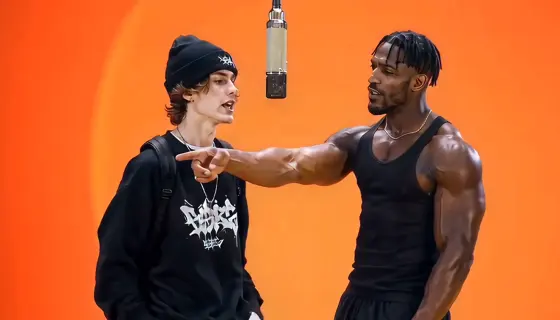
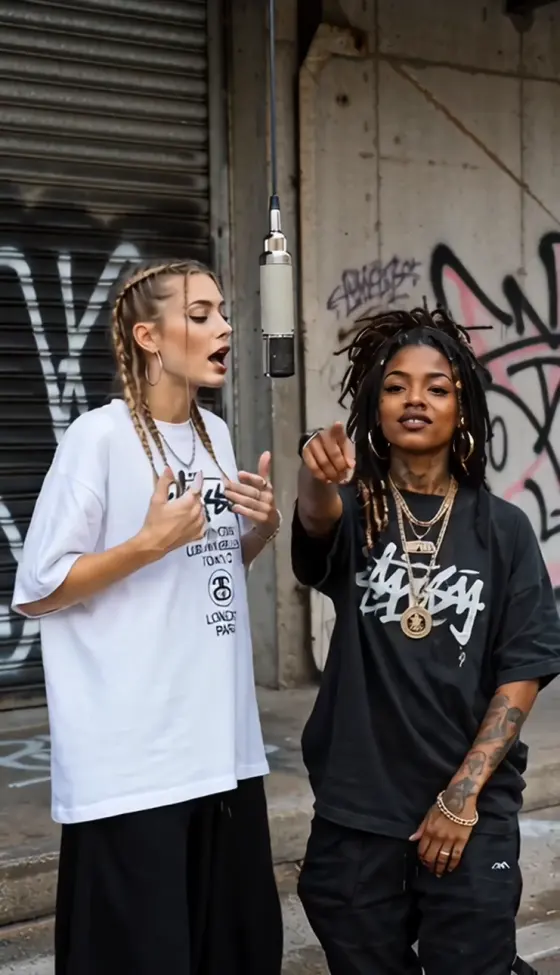
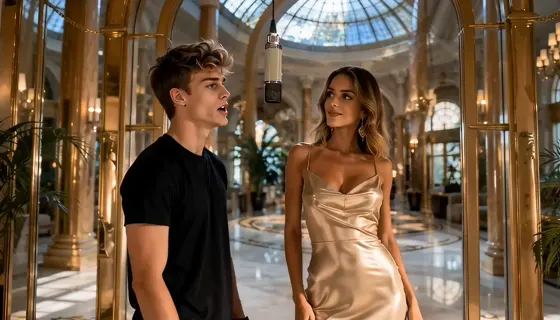
Join the AI rap duo trend with two character images and an orange-studio performance. Use this AI Rap Duo Video Generator guide to recreate the Hotel Lobby-inspired look: two performers, one hanging microphone, and rhythmic rap gestures. Copy prompts for friends, couples, pets, or original characters, then keep both identities consistent from the first frame to the last.
Use images of yourself, consenting adults, pets, or characters you own. Choose a mode with compatible reference inputs; multi-character control, audio, lip-sync, and output settings depend on the selected model.
What Is the AI Rap Duo Trend?
The AI rap duo trend places two subjects side by side in a minimalist orange studio with one hanging microphone. Inspired by Quavo and Takeoff’s HOTEL LOBBY performance on A COLORS SHOW, it is also searched as the Hotel Lobby AI or Migos AI trend. Creators recast the performers using images of friends, couples, pets, or characters. Reference-based remakes follow an existing performance; original rap duets create a new performance and require separate support for music and vocals.
Two Images, Two Consistent Performers
Assign Image 1 to the left performer and Image 2 to the right performer. Keep each subject’s face, hairstyle, outfit, and accessories consistent without swapping roles or blending identities. If your selected mode cannot accept two separate character references, prepare one combined duo image with both subjects clearly visible.
One Microphone, Reference-Guided Rap Performance
Guide the rap gestures, head movements, body rhythm, performer roles, and camera timing with your chosen reference clip. Keep the orange studio and one hanging microphone stable. Follow the source’s lead and supporting roles rather than making both performers repeat the same actions. Accurate lip-sync requires compatible audio support or a dedicated synchronization step.
How to Make an AI Rap Duo Video from Images
Step 1: Prepare Your Two Character Images
Open Reference-to-Video AI and check the selected mode’s reference inputs. Prepare one clear waist-up or full-body image per subject, with visible faces and the outfits you want to keep. Assign the first subject to the left and the second to the right. If needed, combine them into one orange-studio duo image before animation.
Step 2: Add a Rap Duo Reference and Prompt
Use a two-person performance clip you have permission to edit, then copy an AI rap duo video prompt below. Start with a supported 5–10-second segment and 9:16 framing that keeps both subjects visible. Let the reference guide the gestures, performer roles, timing, and camera. Without a video reference, use an orange-studio duo image to create an original performance instead.
Step 3: Review Both Performers and Audio
Preview your AI rap duo video and check that the left and right identities stay separate. Review faces, hands, outfits, microphone position, and scene continuity. Check whether your selected mode generates or retains sound. Add suitable audio and synchronize mouth movements through supported tools; a visual prompt alone cannot guarantee vocals or precise lip-sync.
Copy-Ready AI Rap Duo Video Prompts

Two Friend Images + One Rap Duo Reference

Best Friends AI Rap Duo Prompt: Use @Image1 for the LEFT performer and @Image2 for the RIGHT performer in @Video1. Replace both source performers with the two consenting adult friends. Each image defines that subject’s face, hair, skin tone, build, outfit, and accessories. Keep SAME IDENTITY throughout every gesture and head turn. Follow each source performer’s rap gestures, body rhythm, expressions, mouth movements, lead/support changes, and timing. Preserve the orange studio, exactly ONE hanging microphone, source lighting, framing, camera movement, and shot order. LEFT stays @Image1; RIGHT stays @Image2. NO ROLE SWAP. NO DUPLICATE. NO NEW SCENES. No extra people, blended faces, distorted hands, outfit flicker, or microphone drift. Use a supported 5–10-second excerpt in 9:16 without cropping either person. Retain or add suitable audio through supported tools; precise lip-sync requires audio conditioning.

Two Partner Images + One Rap Duo Reference
Couple AI Rap Duo Prompt: Recast the LEFT performer in @Video1 with the consenting adult partner in @Image1 and the RIGHT performer with the consenting adult partner in @Image2. Keep both faces, hairstyles, skin tones, proportions, outfits, and accessories faithful to their own images. SAME IDENTITY in every frame. Match each performer’s reference gestures, expressions, body sways, mouth movements, pauses, and lead/support timing. Preserve the orange studio, ONE hanging microphone between them, lighting, camera path, framing, and cuts. Keep the pair in their assigned positions without adding hugs, kisses, greetings, or new choreography. NO ROLE SWAP. NO DUPLICATE. NO NEW SCENES. Avoid face blending, distorted fingers, sliding feet, clothing flicker, and body-microphone fusion. Use a supported 5–10-second 9:16 segment with both performers visible. Handle suitable audio and lip-sync through compatible tools.

Two Pet Images + One Rap Duo Reference
Pet AI Rap Duo Prompt: Use the pet in @Image1 as the LEFT performer and the pet in @Image2 as the RIGHT performer in @Video1. Keep each pet’s species, face, coat markings, ears, size, and visible accessories distinct. Adapt each source performer’s head rhythm, expressive gestures, and body motion into a playful stylized pet performance while preserving action order and timing. Keep SAME IDENTITY for both pets. Preserve the orange studio, exactly ONE hanging microphone, lighting, framing, camera motion, and cuts. Do not exchange coat patterns or merge the pets. NO ROLE SWAP. NO DUPLICATE. NO NEW SCENES. No extra animals, human faces, extra paws, tangled limbs, accessory flicker, or microphone drift. Use a supported 5–10-second 9:16 excerpt with both pets visible. Pet vocal animation is stylized; audio and mouth synchronization depend on the selected tools.

Two Character Images + One Rap Duo Reference
Character Duo AI Video Prompt: Replace the LEFT performer in @Video1 with the original humanoid character in @Image1 and the RIGHT performer with the original humanoid character in @Image2. Each image defines that character’s face, hairstyle, silhouette, colors, proportions, costume, and accessories. Maintain SAME IDENTITY and a consistent visual style for both characters. Adapt each source performer’s gestures, head movement, expressions, mouth movements, and body rhythm to the assigned character without changing action order or timing. Preserve the orange studio, ONE hanging microphone, source framing, lighting, camera movement, and shot sequence. Keep left/right roles fixed through close views and turns. NO ROLE SWAP. NO DUPLICATE. NO NEW SCENES. No character fusion, extra limbs, distorted hands, costume flicker, or background drift. Use a supported 5–10-second excerpt in 9:16. Handle audio and lip-sync separately unless supported.
Explore the Hottest AI Features and Effects




FAQs About the AI Rap Duo Video Generator
1. What is the AI rap duo trend?
The AI rap duo trend is a two-person performance format inspired by Quavo and Takeoff’s HOTEL LOBBY session on A COLORS SHOW. Two subjects share one hanging microphone in an orange studio. Also called Hotel Lobby AI or Migos AI, the format can use reference-based character replacement or a newly generated rap performance.
2. How do I make an AI rap duo video from two images?
Choose an AI rap duo video generator workflow with compatible character inputs. Prepare one clear image per performer and assign left/right roles. If separate references are unsupported, create a combined duo image first. Use a performance reference where supported, paste a role-specific prompt, and review both identities, gestures, and audio before exporting.
3. Can I make a rap duo video without a reference clip?
Yes. A combined duo image and a prompt can guide an original AI rap duet in an orange studio. That approach recreates the visual idea rather than the exact source performance. To follow a specific gesture sequence, role change, or camera movement, use a compatible video-reference workflow or prepared template. Music and vocals require supported audio features.
4. Will my rap duo video include music and accurate lip-sync?
Audio depends on the selected mode. An AI rap duo prompt describes the scene and performance but cannot supply the HOTEL LOBBY recording or guarantee synchronized vocals. Check for native audio, source-audio retention, or audio-driven lip-sync. If needed, add suitable licensed or original audio separately and synchronize each performer’s mouth movements with their assigned part.
5. How do I keep both characters consistent?
Assign Image 1 to the left performer and Image 2 to the right. Specify SAME IDENTITY for each subject and preserve their individual faces, hairstyles, outfits, and accessories. Add NO ROLE SWAP and NO DUPLICATE. If using one combined image, label the subjects by position. Review head turns, hand gestures, overlaps, and close views for identity drift; reduce motion or test a shorter segment if the faces begin to blend.
Explore More AI Performance Videos and Character Tools
 Upload. Cast Your Duo. Generate.