Check the Setting First
A clothing preview cannot supply palm trees, shoreline or island light. Pick a source photo whose background already tells the beach story you want; if the location looks wrong, choose another photo before comparing bikinis.















Wondering whether a different swimsuit would look right in your beach photo before you post it or book a shoot? Use the AI tropical vacation photo generator to preview a bikini style on your source photo. Only the clothing changes; the setting, pose and lighting stay the same. Results vary.
Start with a photo that already has the beach setting you want. This tool does not turn an indoor photo into an island scene.
A clothing preview cannot supply palm trees, shoreline or island light. Pick a source photo whose background already tells the beach story you want; if the location looks wrong, choose another photo before comparing bikinis.
A standing pose and a seated pose show different parts of a swimsuit. Compare necklines, waistlines and bottom coverage against the pose in your actual photo, rather than choosing a style solely because it looks good in a sample.
The source photo's lighting stays as it is, so a color that stands out in bright sun may read differently in shade. Compare a few swimsuit colors against the tones already present before deciding which preview to use.
An illustrative outfit swap can help you narrow down a look before posting or planning a shoot. It cannot confirm how a physical swimsuit will fit, and results vary. Check the garment edges and overall plausibility before sharing.
For a tropical beach photoshoot AI preview, begin with an adult photo that already shows the setting and lighting you want to keep. The workflow changes the outfit, not the location.
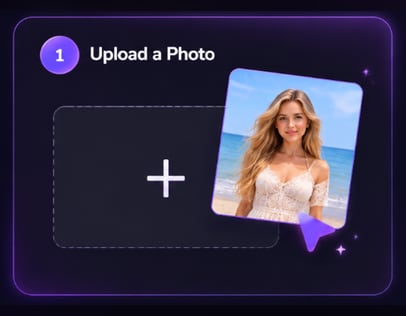
Choose a clear photo of yourself as an adult in the beach setting you want to keep. Check that your pose and the visible light already work for the result you have in mind.
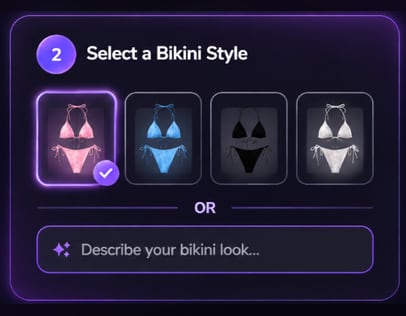
Select a preset bikini style sample or upload a reference photo of the bikini you want. Compare its cut, coverage and color with your source photo before generating.
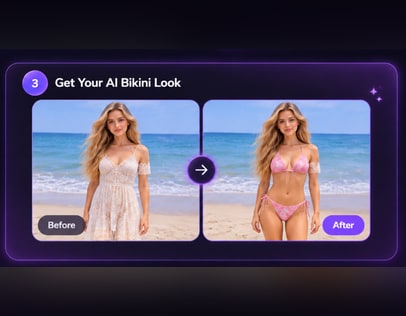
Click Generate for an illustrative preview that swaps only the clothing. The original background, pose and lighting stay unchanged. Review the result before using it; results vary.
Whether you are considering AI summer vacation pictures for a post or testing an outfit before a real shoot, use a source photo with the beach setting you intend to show.
You like the shoreline and expression in a photo but are unsure about the swimsuit. Compare a few cuts in that same image, then inspect the preview for believable garment edges. If you share an edited image, avoid presenting the outfit as one you actually wore.
Use an existing beach photo to compare coverage and color before discussing wardrobe for a future shoot. The preview can help you communicate a direction, but it does not predict physical fit or replace trying on a swimsuit.
If several beach photos are candidates for an album, start with the one whose pose, setting and light already feel right. Test a bikini reference there rather than expecting the tool to repair a crowded background or create an island location.
April 23, 2025

“I use this platform for my work, and it's amazing. The generated video is awesome. No need for a long prompt, but a short one is okay.”
April 10, 2025
No. This workflow previews a bikini on an adult's source photo; it does not change the background. For an island look, start with a photo that already shows the beach or island setting you want.
For an adult beach photo, choose one with a clear subject, a pose you like and lighting that suits the setting. If the shoreline is obscured or the subject is hard to see, try another source photo before comparing swimwear.
No. For an adult's photo, choose a preset bikini style sample or upload a reference photo of the bikini you want. Compare the cut, coverage and color before generating; there is no text-prompt step in this workflow.
No. An adult's generated image is an illustrative clothing preview, not a fitting room. Fabric placement and garment edges may vary. If fit matters for a purchase or shoot, check the actual swimsuit rather than relying on the image.
The adult source photo's lighting stays unchanged. Try a different preset or upload a bikini reference with a color that works better against the existing light and background. Review the generated result rather than assuming the reference color will reproduce exactly.
If an adult's posted photo could lead viewers to believe the pictured swimsuit was worn, consider disclosing that the outfit was AI-edited. The original setting remains, but the clothing preview is illustrative; use a caption that matches what actually happened.
 4.7 (162,357 Votes)