Design One-Of-A-Kind Asymmetrical Face Models with AI

Bring personality and imperfection into your creations using Media.io's AI Character Generator. Whether you want realistic portraits, stylized avatars, or experimental faces, asymmetry adds life and character to every image. Capture subtle differences that enhance storytelling and authenticity.

Generate My Asymmetrical Face Now

Start free - no login required

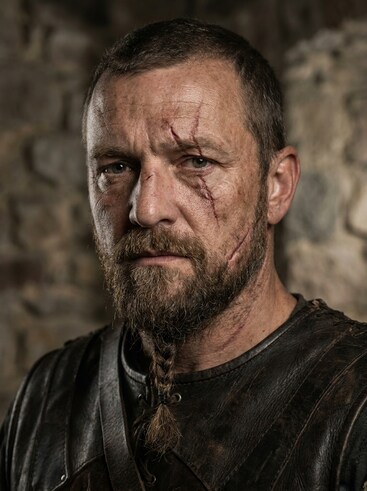
AI-generated fantasy warrior with asymmetrical facial scars

Fantasy Warrior with Asymmetrical Scars

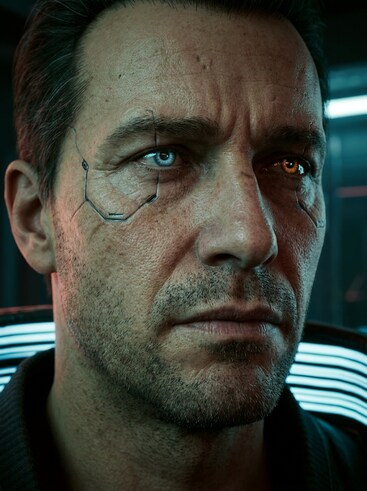
AI-rendered cyberpunk avatar with asymmetrical glowing eyes

Cyberpunk Avatar with Uneven Eye Glow

AI anime-style heroine showing distinct facial asymmetry

Anime Heroine with Distinct Facial Angles

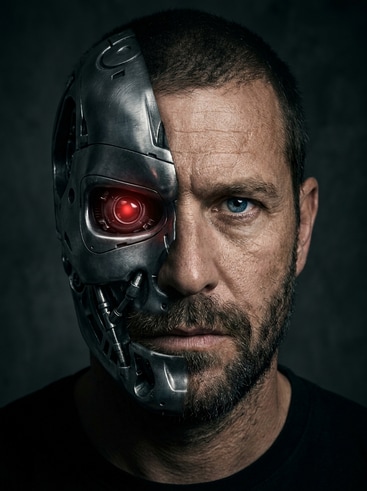
Stylized villain AI model with one metallic asymmetrical side

Stylized Villain with Half Metallic Face

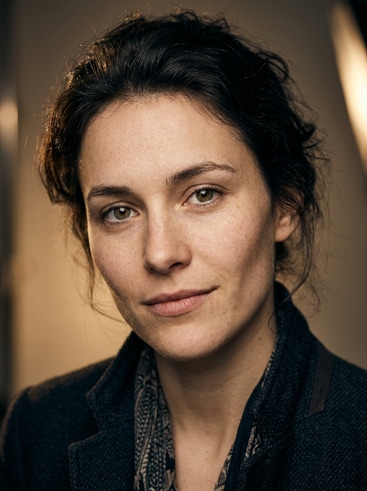
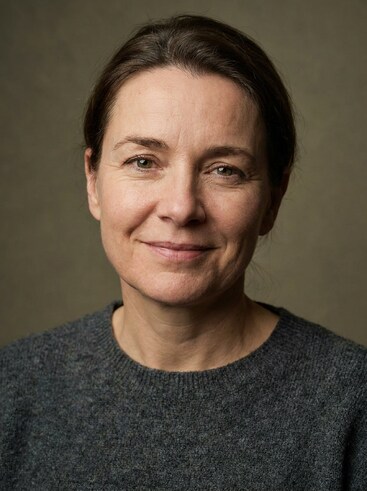
AI portrait character with naturally asymmetrical face

Modern Portrait Showing Subtle Imbalance

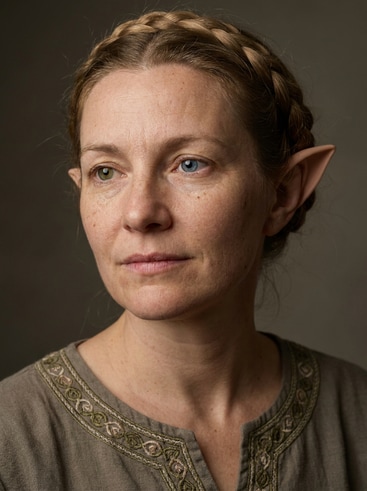
AI fantasy elf character showing asymmetrical eyes

Fantasy Elf with Differently Shaped Eyes

Why Choose Media.io for Asymmetrical Face Models

Media.io's AI Character Generator helps creators embrace unique beauty in digital art. With high-resolution AI rendering, you can shape asymmetrical features that look natural and appealing. Artists, storytellers, and designers can explore expressive imperfections without technical hurdles. Every output reflects authenticity, giving your characters a more relatable, human-like aura.

Expressive Asymmetry with Precision

Balance realism and creativity using our AI-driven asymmetrical model feature. Each face reflects natural diversity, making your designs more distinctive. You can refine subtle facial differences like eye height, jawline shifts, or expression intensity. It's perfect for creators aiming for authentic depth and emotion.

Automatic and Customizable Generation

Media.io automatically generates base asymmetrical faces in seconds. If you prefer nuanced control, fine-tune symmetry, lighting, or artistic style with built-in sliders. This mix of automation and personalization ensures efficiency while maintaining your signature touch. Your final character looks handcrafted yet digitally enhanced.

Consistency Across Character Sets

Maintain consistent design cues across multiple AI character portraits. Once you find a look you love, replicate it in future generations using Media.io's saved model settings. This helps you build recognizable character lineups that share visual DNA. It's ideal for games, comics, and recurring visual themes.

Optimized for Multi-Platform Use

Export your asymmetrical face models for use in games, social media, storyboards, or animated projects. Media.io formats each image for flexible compatibility, eliminating tedious resizing. Share seamlessly on TikTok, YouTube, or Instagram to impress your audience. Every export maintains the quality of your original style.

How to Generate Asymmetrical Face Models with Media.io

01

1. Upload or Choose a Base Concept

Start by uploading a reference image or selecting a base portrait from the AI gallery. The system detects facial structures and prepares a balanced foundation ready for asymmetry tuning. This gives you a fast creative jumpstart for your character workflow.

02

2. Adjust Asymmetry and Visual Style

Use sliders or text prompts to enhance asymmetrical details such as jawline tilt, eye distance, or smile variation. Media.io's engine refines changes instantly, letting you preview emotional and stylistic differences in real time. You remain in full artistic control throughout the process.

03

3. Export and Reuse in Your Projects

Once your model feels right, export in high definition for immediate creative use. Add the image to concept sheets, animation frames, or promotional materials. Media.io keeps every export optimized for multi-platform sharing while preserving the design's character integrity.

Creator Reviews for Asymmetrical Face Models

user
Lara Nguyen

3D Artist

starstarstarstarstar

"Adds Realism Without Extra Work" I often struggled to design faces that looked natural instead of mirrored duplicates. Media.io's asymmetrical face generator introduced subtle variations that improved believability. It handles highlights and angles beautifully without requiring deep editing. My character lineups now feel much more human and expressive.

user
David Romero

Game Designer

starstarstarstarstar

"Fast Character Development for NPCs" Creating believable game NPCs requires details that break symmetry. Media.io gave me multiple asymmetrical references in one click. The variety of styles and moods speeds up my ideation phase dramatically. It makes developing unique in-game characters faster and visually richer.

user
Ivy Chen

Digital Illustrator

starstarstarstarstar

"Organic Results Every Time" The AI understands imperfection as art. I love how each asymmetrical model I generate has charm that feels intentional rather than accidental. Media.io gives me confidence to experiment with untraditional features. It's been a huge help for sketching expressive portraits quickly.

user
Marcus Li

Video Producer

starstarstarstarstar

"Perfect for Music Video Visuals" I used asymmetrical faces from Media.io for stylized characters in a music video concept. The individuality in each face made the story arc more emotional. The export quality worked seamlessly with my animation software. It has now become my go-to tool for concept visualization.

user
Nadia Patel

Indie Creator

starstarstarstarstar

"Makes My OCs Stand Out" My original characters used to look too similar before I discovered Media.io. The asymmetrical generation tool introduced nuanced differences that dramatically boosted personality. Now, my audience instantly recognizes each OC's face. It makes storytelling visually captivating and authentic.

Artists and designers are loving how Media.io brings personality to digital characters.

FAQs About Asymmetrical Face Models

1. What Are Asymmetrical Face Models in AI Character Design?
faqfaq

Asymmetrical face models are digital characters featuring facial variations on each side rather than perfect mirroring. These models appear more natural and relatable in artistic storytelling. In AI design, asymmetry improves realism by simulating subtle differences found in real faces. Media.io's generator lets artists easily integrate this organic diversity into their projects.

Yes, you can adjust the degree of asymmetry using sliders or descriptive prompts. Whether you want gentle variation or dramatic imbalance, Media.io offers instant preview and refinement control. It ensures precision for each creative need while maintaining high visual harmony. This flexibility helps you sculpt unique designs effortlessly.

Absolutely, asymmetry enhances expressiveness across artistic styles. In anime or fantasy art, it adds a sense of individuality and drama to characters. Media.io's AI captures these stylistic traits while respecting your artistic tone. The result fits perfectly into both realism-based and stylized creative formats.

Media.io outputs 2D renders, but they're excellent references for 3D character modeling. Artists can use them as blueprint visuals to refine digital sculpting. Asymmetrical details help guide topology and texturing for lifelike realism. This makes development pipelines smoother for game-ready characters.

Yes, visual imperfection often conveys character depth and emotion. By introducing asymmetry, you can highlight personality traits that symmetry hides. Media.io allows you to deliberately craft these traits through controlled variation. It enriches storytelling across games, animations, and comics.

You can easily store and reuse output files for future edits. Media.io supports persistent project organization so you can revisit and build from earlier designs. This helps maintain a cohesive art direction across multiple works. It's especially useful for serial content or character collections.

Yes, simply duplicate your base face and rerun the generator with prompt adjustments. Media.io's fast rendering engine delivers alternate looks instantly. You can compare results side by side to choose the best fit. This rapid iteration saves immense time during the creative process.

No design background is required to begin creating asymmetrical faces. Media.io's interface is intuitive and beginner-friendly with clear visual feedback. It provides professional-level outcomes that even seasoned artists appreciate. You get impressive, balanced results in just a few clicks.

Media.io Online AI Tools Quality Rating:
vote 4.7 (162,357 Votes)



