As criações são armazenadas por apenas 7 dias. Os recursos criados após o upgrade para um plano de assinatura serão armazenados permanentemente.
Desbloqueie seu potencial criativo e experimente a magia da IA de mídia hoje!
Filtro de Maquiagem de Halloween para Transformações Realistas de Selfie Online
Envie uma selfie para criar looks assustadores, glamorosos ou aterrorizantes de Halloween em segundos. Este filtro de maquiagem de halloween funciona como um editor de rosto de halloween com IA, ajudando você a adicionar efeitos de vampiro, caveira, bruxa e pele rachada, mantendo seu rosto reconhecível.
Digite sua ideia -> A IA cria. Grátis para experimentar.
Revise estes exemplos de direções e personalize os detalhes do prompt para obter resultados mais fortes com este Filtro de Maquiagem de Halloween e criar um look que combine com sua foto.
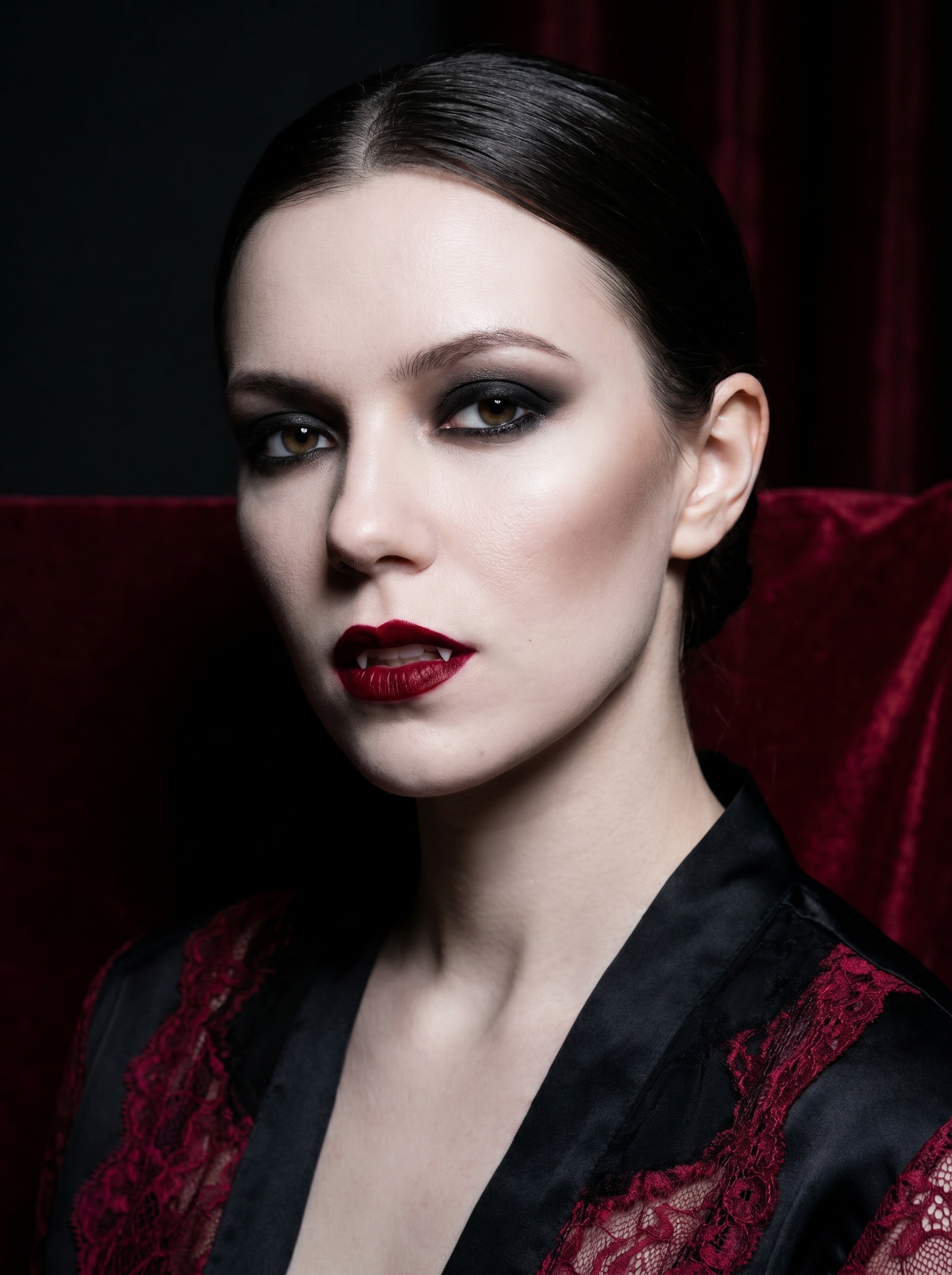
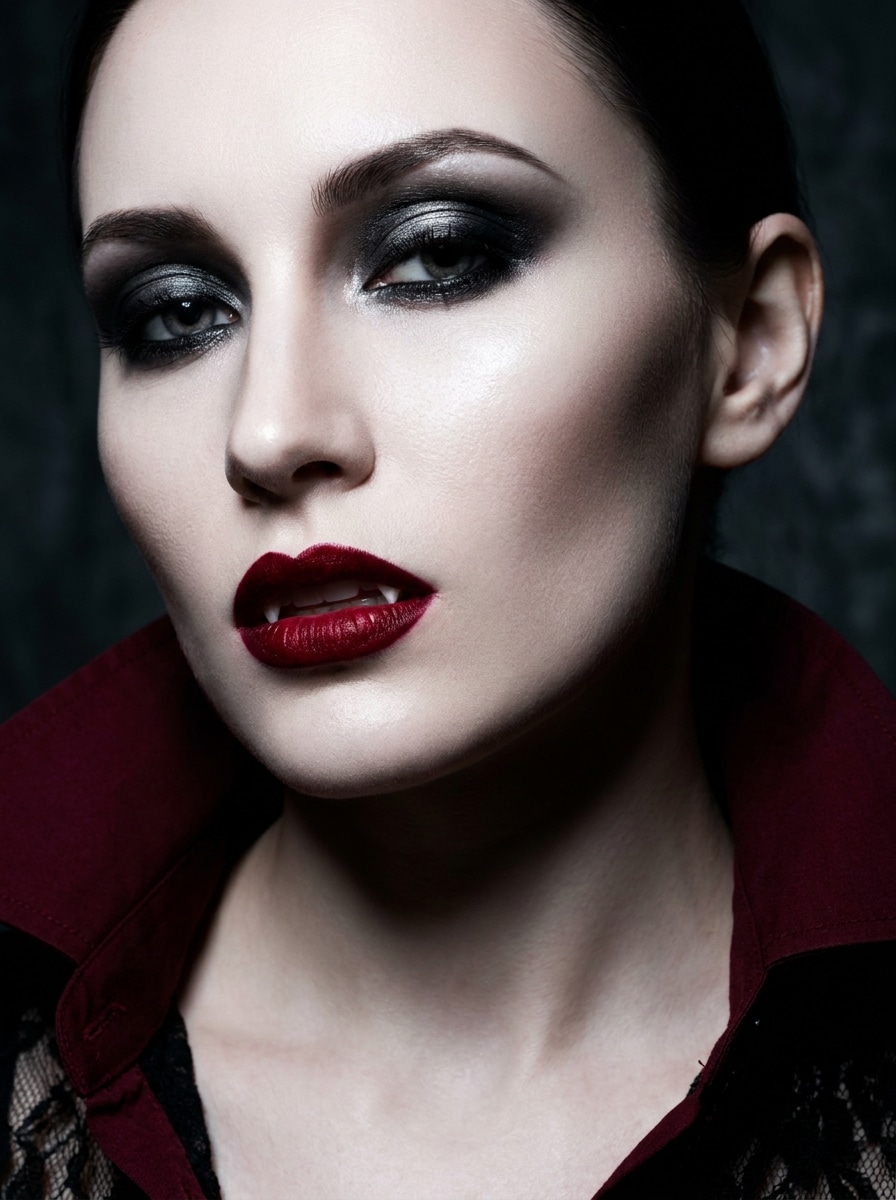
Vampiro Glamoroso
Use a imagem enviada como sujeito e transforme-a em um retrato de vampiro glamoroso com pele porcelana pálida, lábios de veludo vermelho profundo, sombra preta esfumada, presas sutis, maçãs do rosto esculpidas, iluminação cinemática de baixa intensidade, paleta de cores preto e carmesim, textura editorial de beleza brilhante e um clima polido de Halloween.
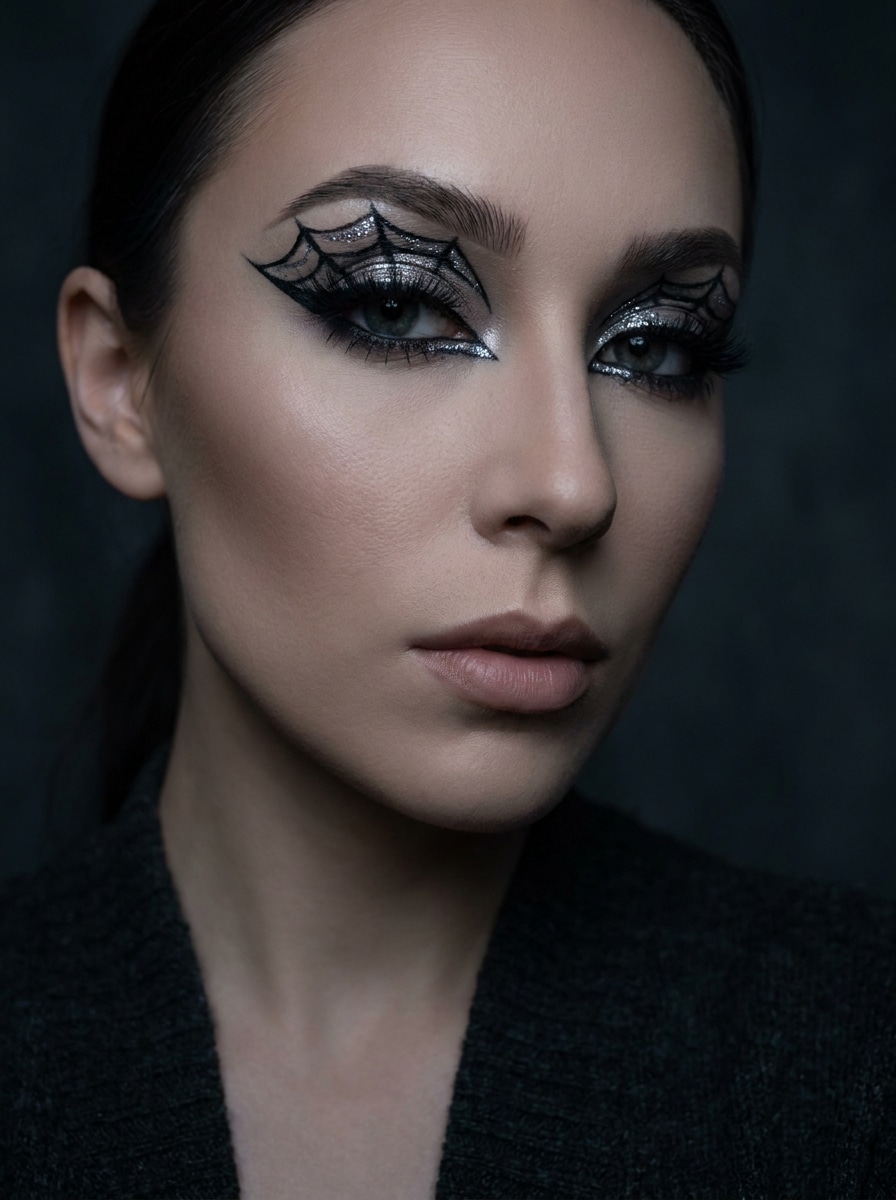
Maquiagem de Olhos com Teia de Aranha
Use a imagem enviada como sujeito e adicione maquiagem de olhos com teia de aranha para Halloween com delineador preto preciso, detalhes metálicos prateados, cílios definidos, sobrancelhas marcadas, contorno suave, iluminação de estúdio sombria, tons carvão e prata, textura de pele limpa e um acabamento gótico-beauty elegante perfeito para compartilhar nas redes sociais.
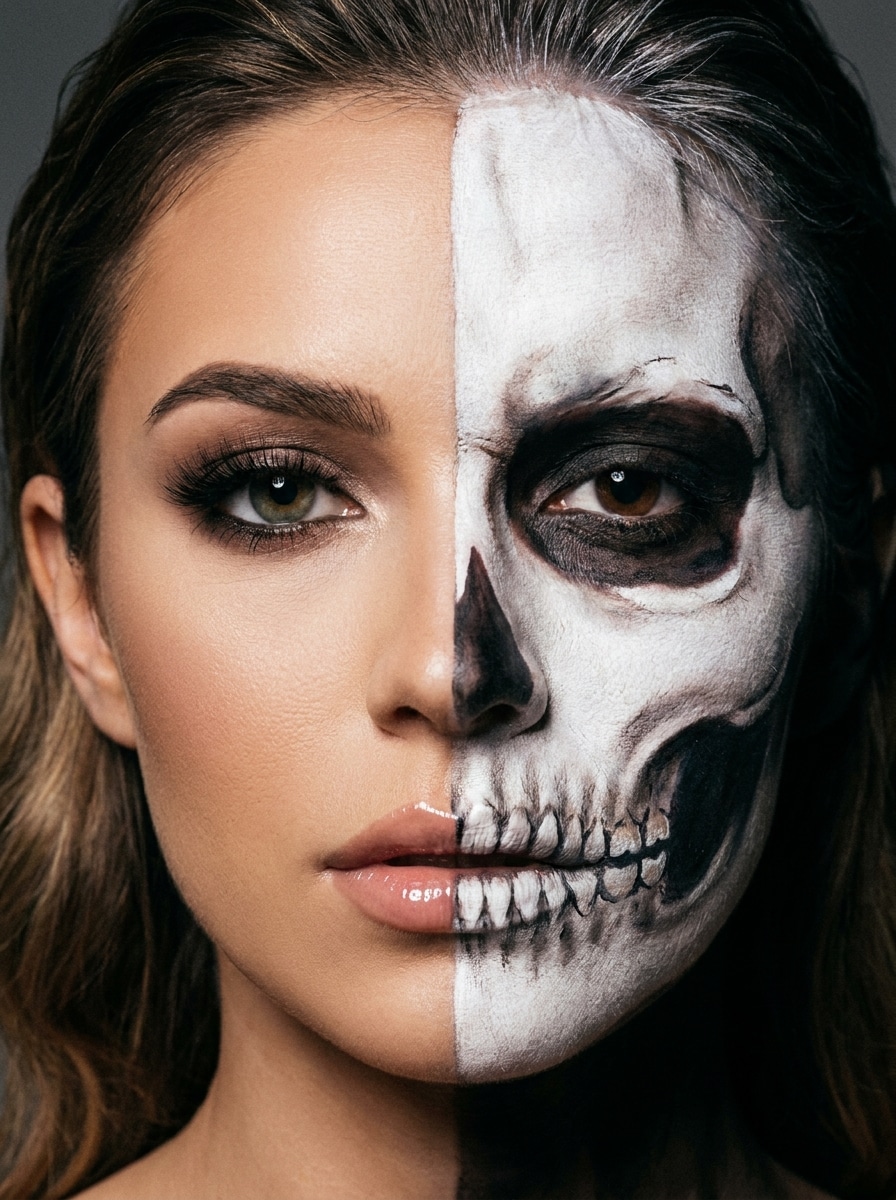
Rosto Meio Caveira
Use a imagem enviada como sujeito e crie uma transformação de rosto dividido com um lado mantido como beleza glamorosa suave e o outro transformado em pintura facial realista de caveira, com simetria limpa, textura de osso branco, sombreamento escuro das órbitas oculares, contraste dramático e um look editorial marcante de Halloween.
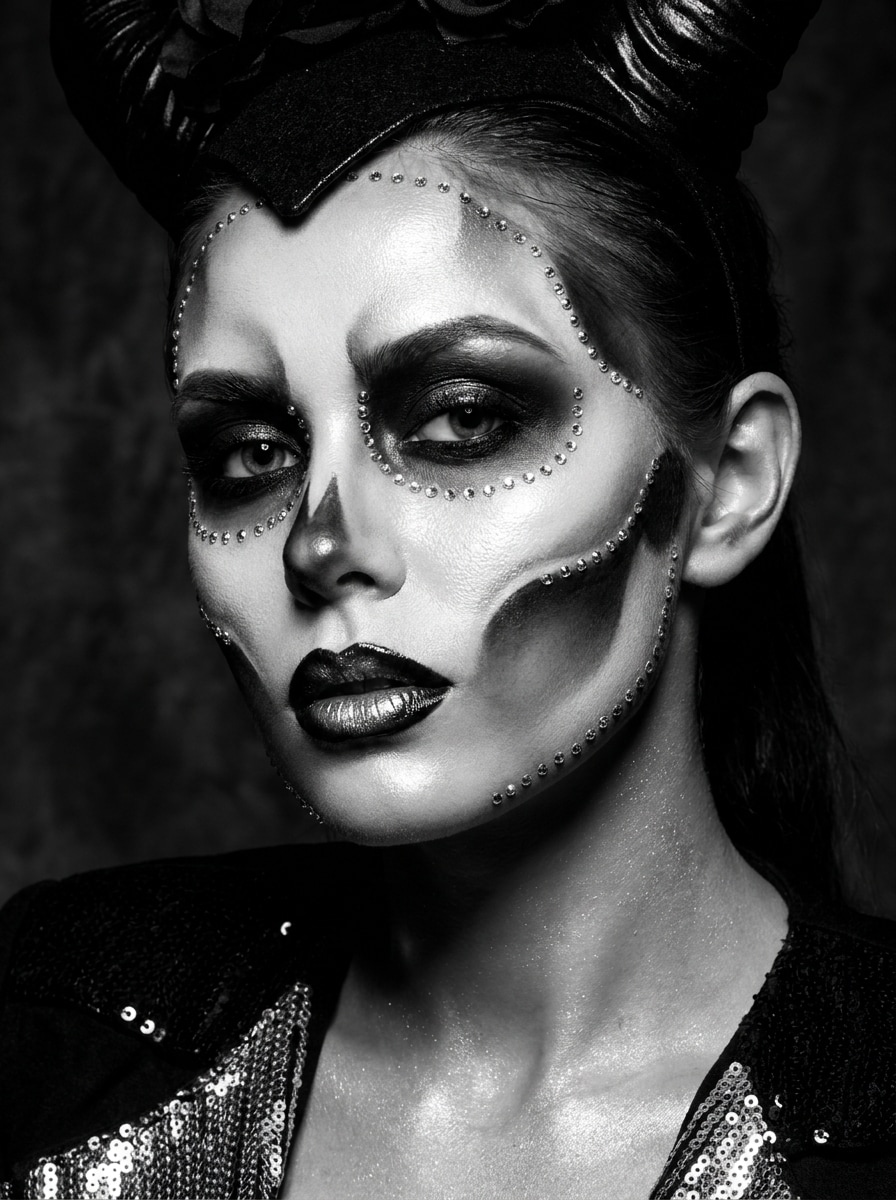
Esqueleto Glamoroso
Use a imagem enviada como sujeito e aplique uma maquiagem glamorosa inspirada em esqueleto com destaques de pintura facial branca, contorno oco preto, lábios brilhantes, detalhes de strass, acabamento luminoso da pele, iluminação de estúdio de alto contraste e uma paleta preto-branco-prata que parece assustadora mas à frente da moda.
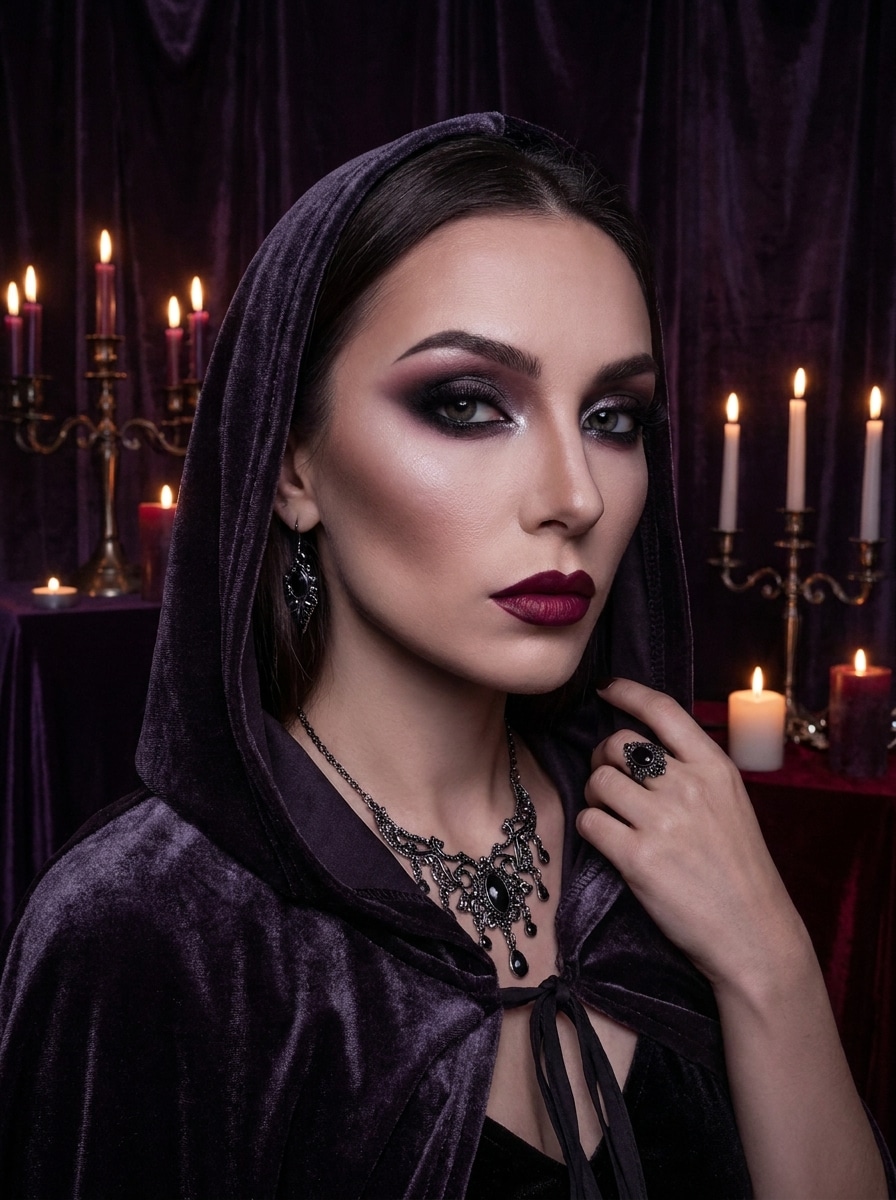
Maquiagem de Bruxa Sombria
Use a imagem enviada como sujeito e transforme-a em um look de beleza de bruxa sombria com sombra preta e ameixa esfumada, contorno marcado, lábios berry profundos, brilho sutil, sombreamento místico, atmosfera sombria de luz de vela e tons roxo-preto ricos para um elegante retrato gótico de Halloween.
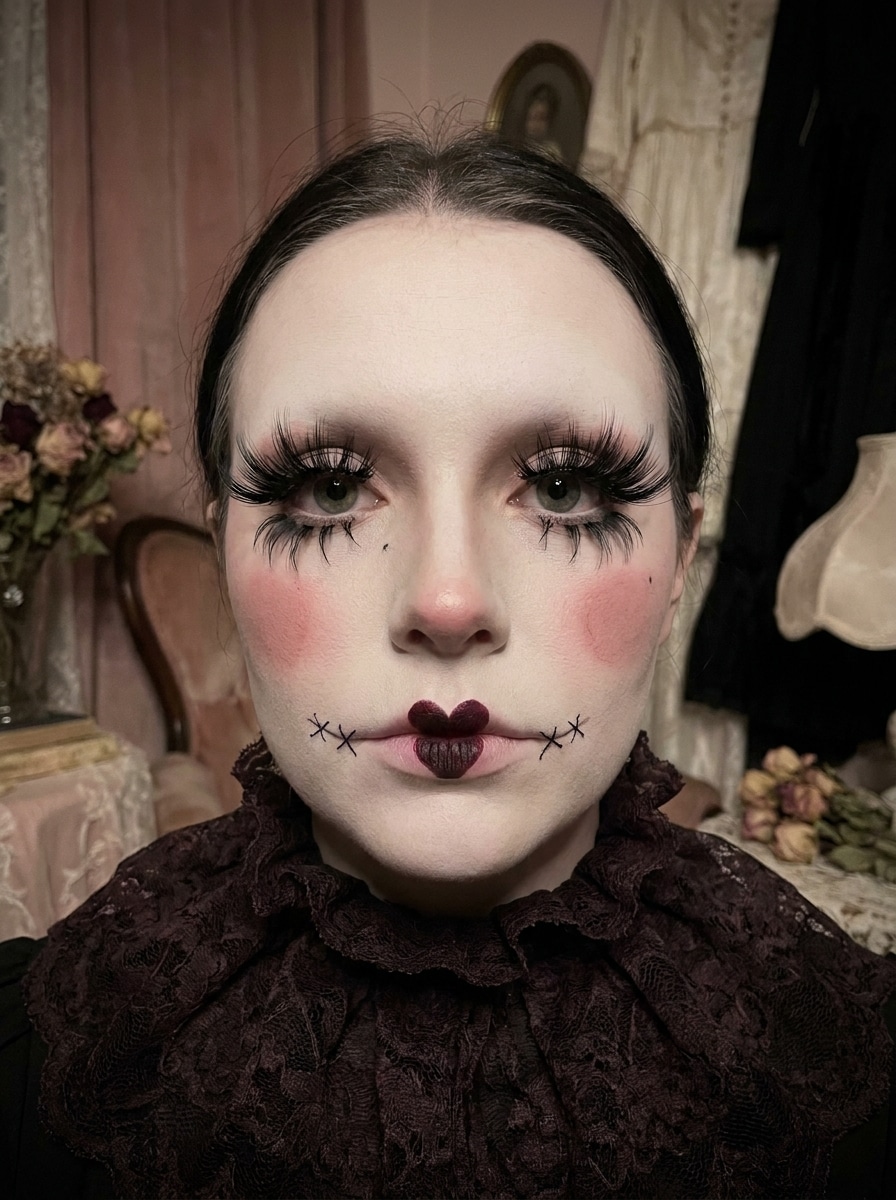
Boneca Gótica
Use a imagem enviada como sujeito e crie um estilo de maquiagem de boneca gótica assustadora com pele porcelana, cílios enormes, bochechas rosadas, lábios escuros, detalhes de costura delicados, simetria delicada, iluminação suave e perturbadora e uma paleta rosa apagado, marfim e preto que parece fofa e assombrada.
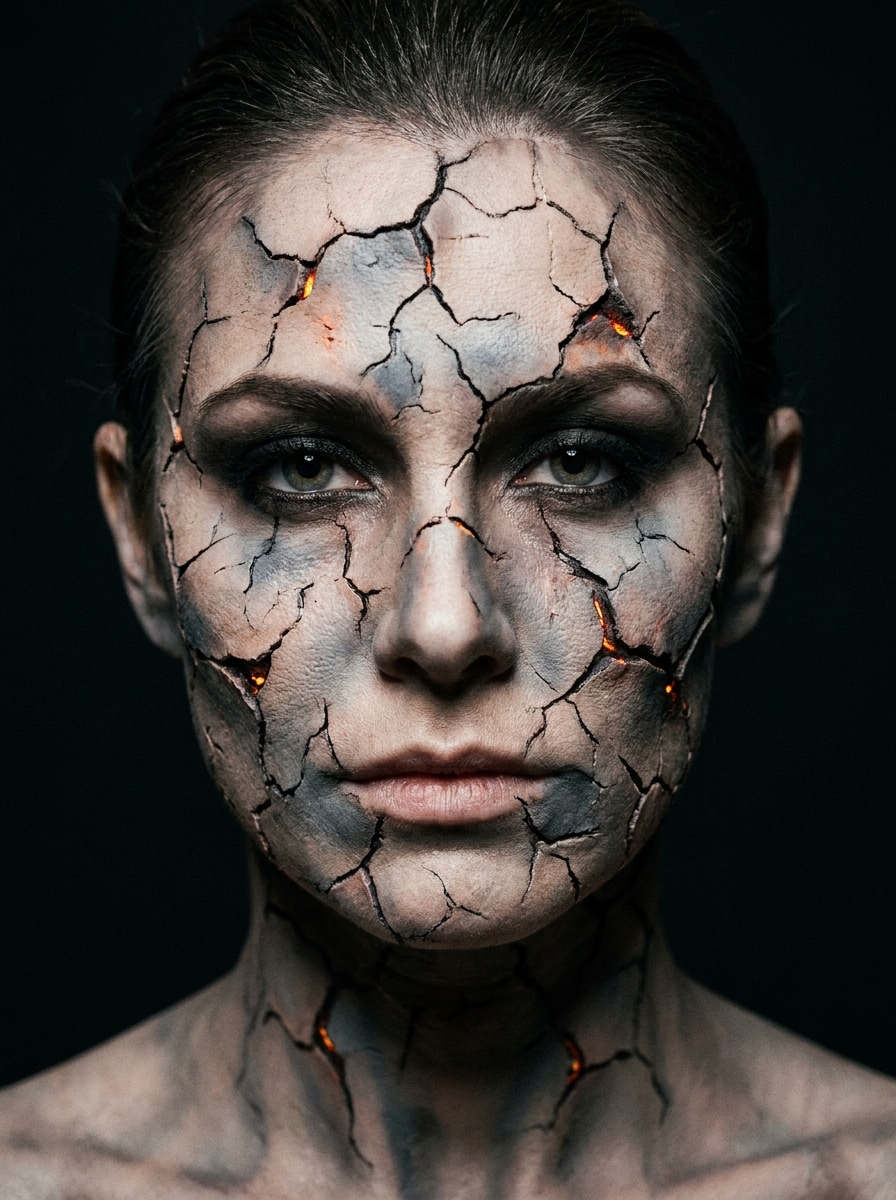
Efeito de Pele Rachada
Use a imagem enviada como sujeito e adicione um dramático efeito de pele rachada para Halloween com fissuras realistas no rosto, profundidade brilhante sutil, maquiagem olhos esfumados, tons frios acinzentados, forte separação de sombras e um acabamento cinemático de horror-beauty que ainda preserva a identidade facial.
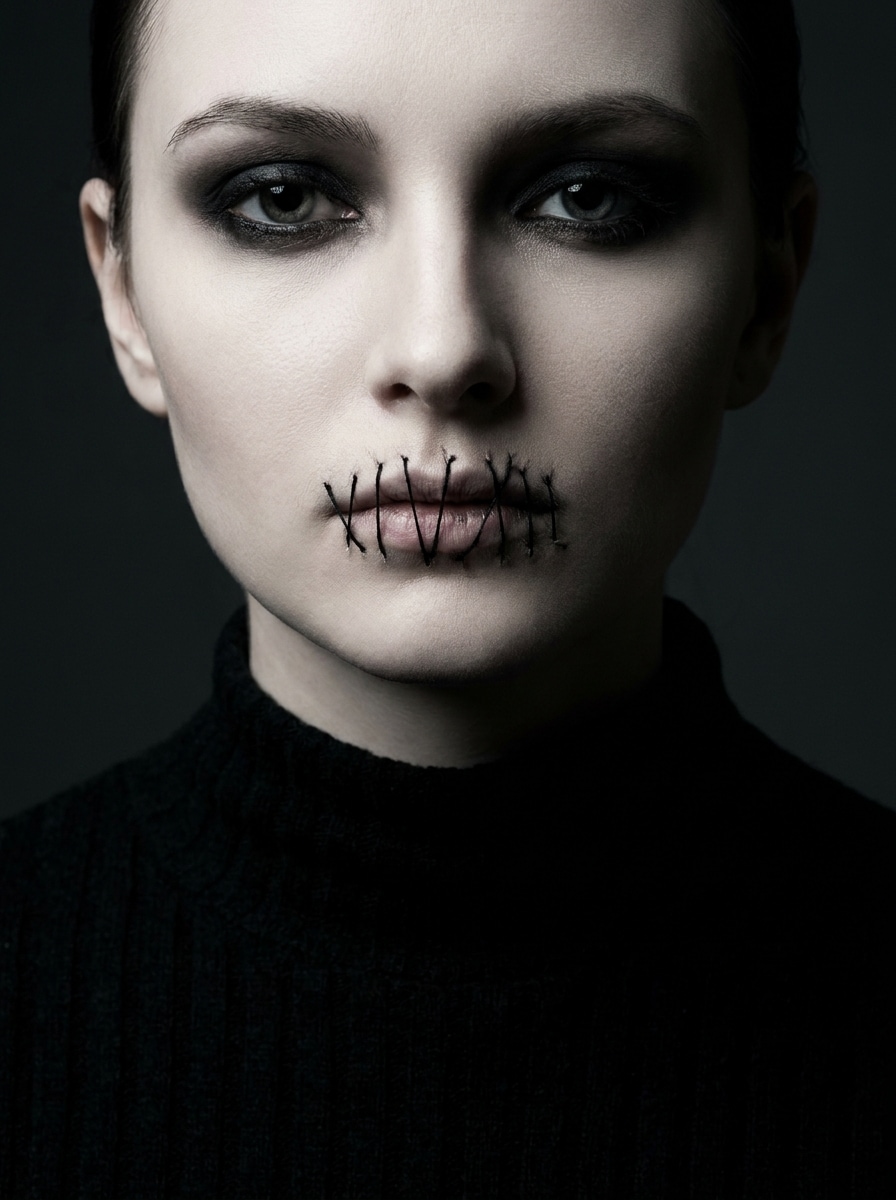
Boca Costurada
Use a imagem enviada como sujeito e aplique maquiagem de Halloween de boca costurada com detalhes realistas de linha, pele pálida, olhos esfumados escuros, redução sutil do blush, iluminação cinemática perturbadora, tons carvão e marfim e uma estética polida de beleza assustadora projetada para uma edição de retrato marcante.
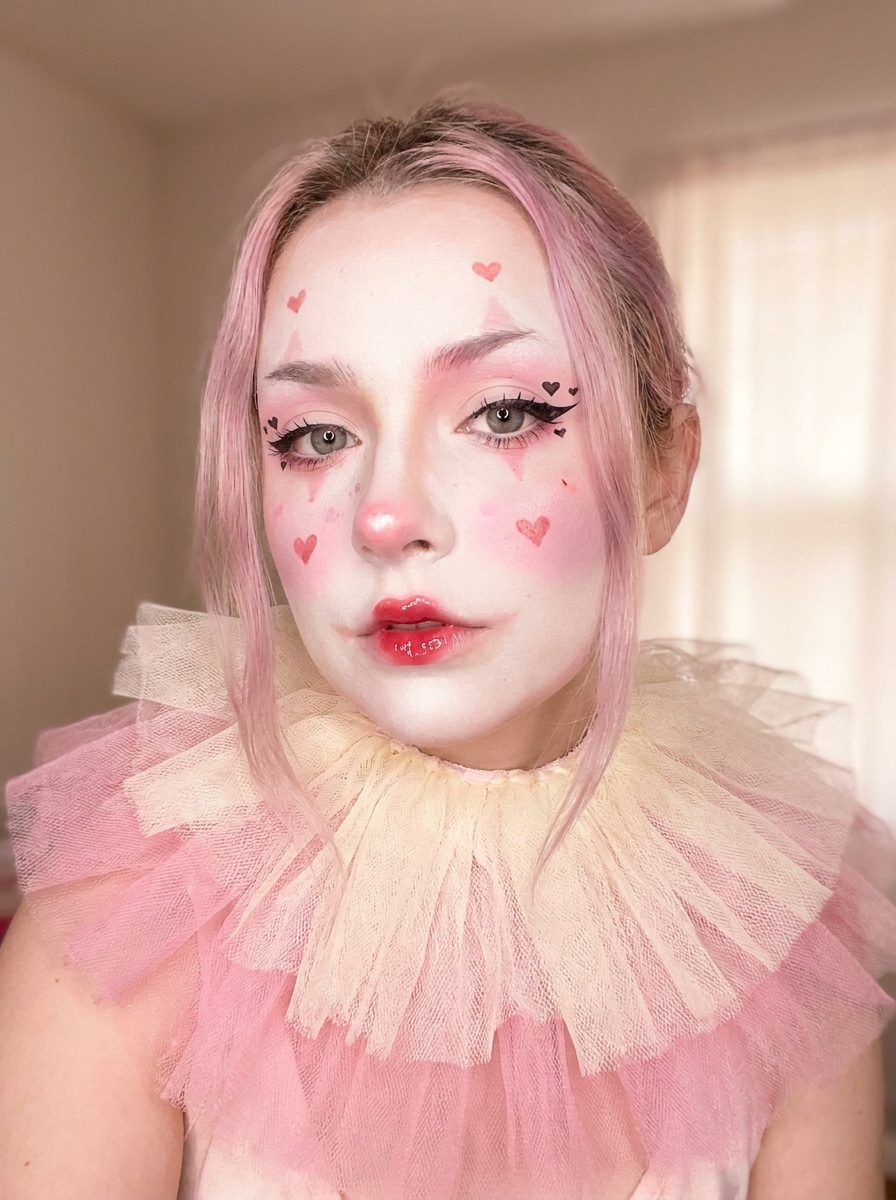
Maquiagem de Palhaço Fofo
Use a imagem enviada como sujeito e transforme-a em um estilo fofo de palhaço de Halloween com detalhes de coração, lábios vermelhos brilhantes, blush pastel, detalhes faciais brancos suaves, delineador divertido, clima alegre mas assustador, iluminação difusa e uma paleta rosa, vermelho e creme para uma transformação pronta para as redes sociais.
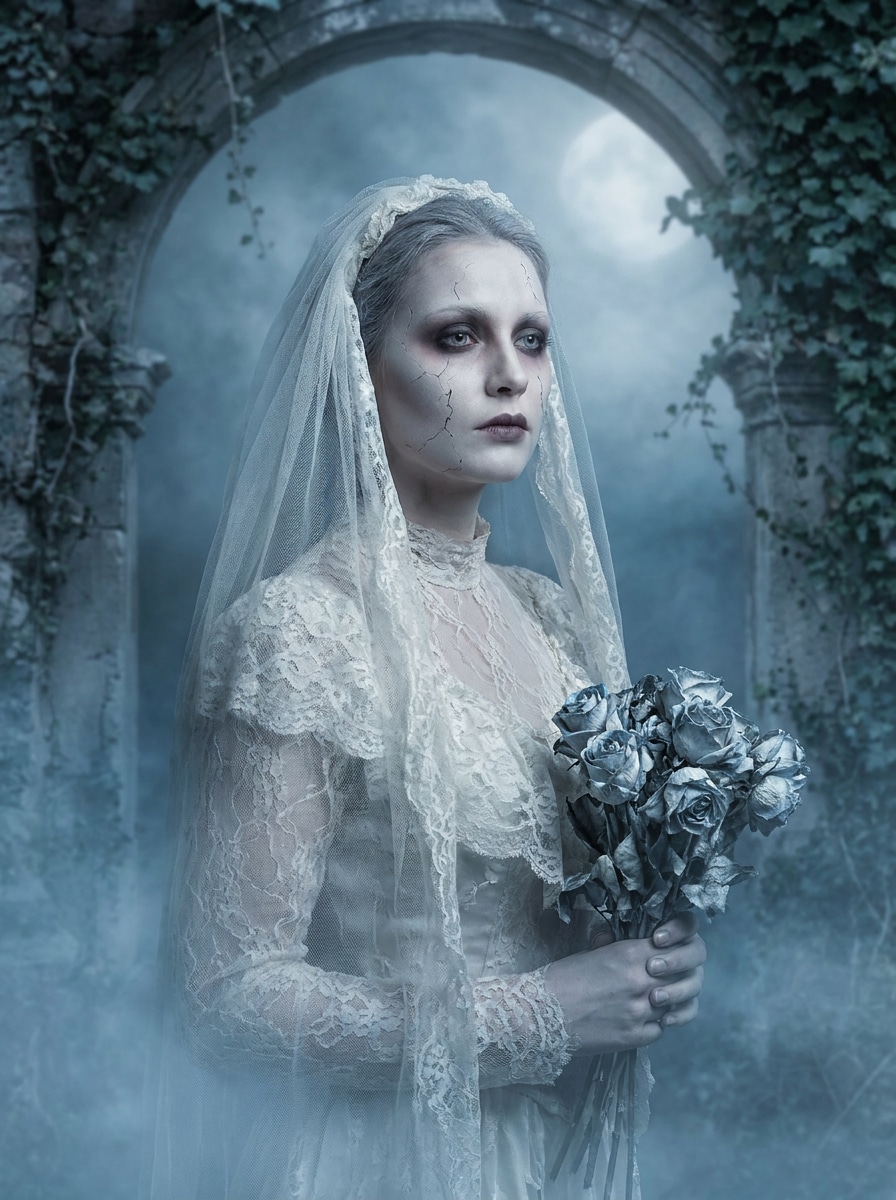
Noiva Fantasma
Use a imagem enviada como sujeito e transforme-a em um retrato de noiva fantasma com pele translúcida pálida, olhos românticos escuros, lábios apagados, estilo nupcial vintage, rachaduras faciais sutis, névoa suave, iluminação fria de luar e uma paleta prata-azul dessaturada para um clima elegante e assombrado.
Por Que Usar o Media.io para um Filtro de Maquiagem de Halloween
Edite Online Sem Aprender Ferramentas Fotográficas Complicadas
Precisa de um look rápido para posts nas redes sociais? O Media.io oferece um filtro de maquiagem de halloween direto no navegador, transformando um simples upload de selfie e um prompt em uma produção polida para que você possa dispensar mascaramento manual, pintura e retoque camada por camada.
Alterne Entre Estilos Glamorosos, Góticos e Assustadores Rapidamente
Se sua direção criativa ainda está evoluindo, o Media.io facilita o teste de múltiplas versões do mesmo conceito de filtro de maquiagem de halloween. Você pode comparar estilos, ajustar o clima e encontrar o resultado certo sem recomeçar do zero a cada vez.
Gere Resultados Mais Nítidos em até 4K
Para apresentações, promoções ou ativos reutilizáveis, o Media.io ajuda você a criar visuais de filtro de maquiagem de halloween com saída de até 4K. Esse resultado mais nítido facilita cortar, compartilhar ou reutilizar a imagem final mantendo os detalhes de maquiagem mais precisos.
Trabalhe em Qualquer Dispositivo Sem Instalações Extras
Alternar entre telefone e computador é mais simples com o Media.io porque o fluxo de trabalho do filtro de maquiagem de halloween permanece no navegador. Isso ajuda a manter o processo prático quando você não está preso a um único dispositivo.
Como Usar Este Filtro de Rosto de Halloween Online
Transforme suas palavras em visuais impressionantes em três etapas simples e continue refinando o resultado se quiser ir mais longe.
Etapa 1
Envie Sua Imagem de Referência
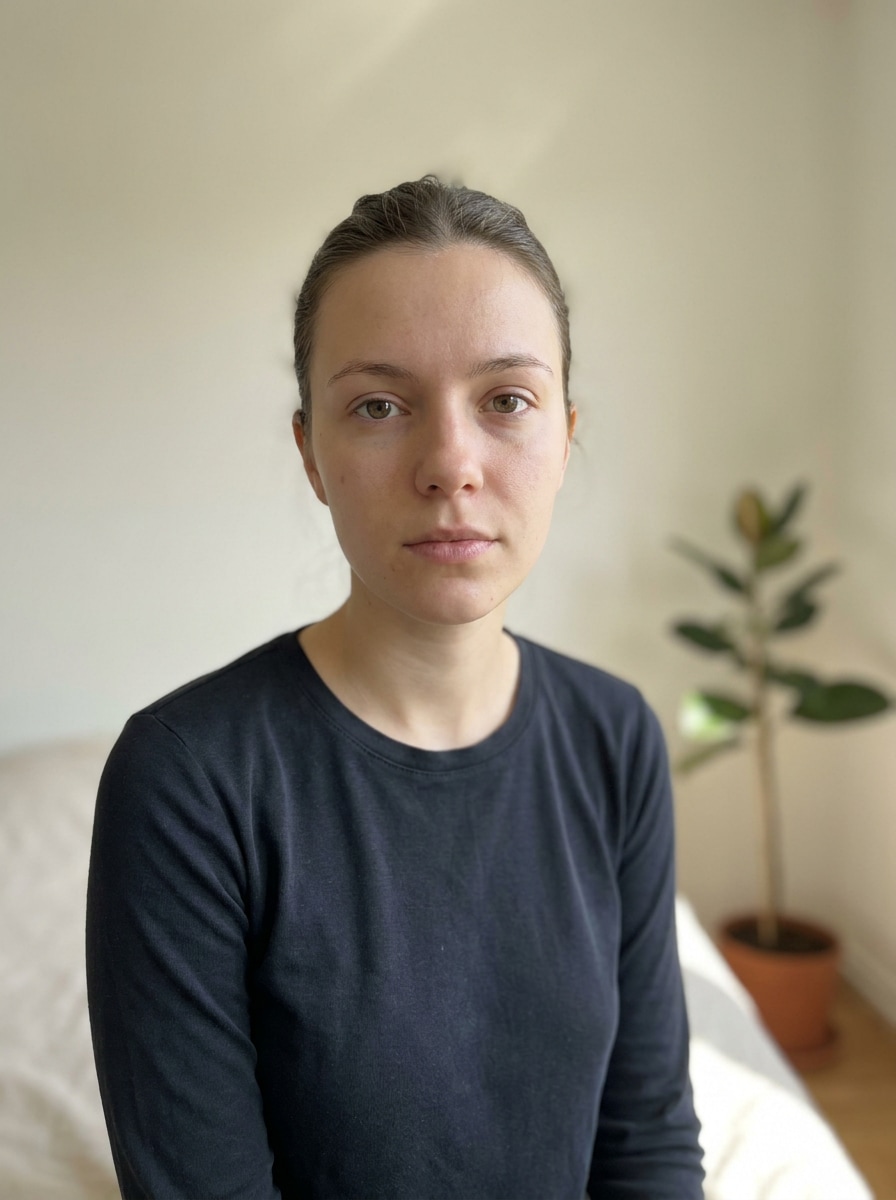
Comece com uma selfie ou retrato nítido no formato JPG, PNG ou JPEG. Uma imagem frontal com boa iluminação funciona melhor se você quiser maquiagem virtual de vampiro, bruxa, caveira ou horror glamoroso aplicada de forma limpa aos seus traços faciais.
Etapa 2
Descreva a Mudança e Defina as Opções
Digite o look de Halloween que você deseja, como pele rachada, boca costurada, delineador de teia de aranha ou estilo de noiva fantasma. Em seguida, escolha seu modelo preferido e ajuste a proporção, resolução e contagem de imagens para corresponder ao local onde você planeja postar ou compartilhar.
Etapa 3
Gere, Baixe e Continue Melhorando
Crie sua transformação, compare as variações e baixe a versão que mais gostar. Se necessário, refine o prompt para obter detalhes de maquiagem mais fortes, um acabamento de beleza mais suave ou um efeito assustador mais dramático e gere novamente.
Desbloqueie o Potencial do Filtro de Maquiagem de Halloween
Veja como os criadores usam este Filtro de Maquiagem de Halloween para conteúdo, marketing e projetos pessoais e adapte cada ideia para atender ao briefing.
Planeje um Look de Fantasia de Última Hora
Teste vários conceitos de maquiagem antes de comprar produtos ou sentar para pintar o rosto. O Media.io permite que você adicione maquiagem de halloween à foto em pré-visualizações usando sua própria selfie, para que possa comparar estilos de vampiro glamoroso, bruxa, palhaço ou caveira e escolher o look mais favorável para sua festa ou evento.
Crie Posts para Redes Sociais que Chamam Atenção Instantaneamente
Transforme um retrato padrão em um visual sazonal dramático para stories, reels, fotos de perfil ou promoções de eventos. O Media.io funciona como um editor de fotos de maquiagem assustadora que ajuda criadores e usuários casuais a criar conteúdo de antes e depois atraente sem passar horas em um editor manual.
Crie Convites Temáticos e Imagens de Capa
Use seu retrato transformado para convites digitais, capas de playlists assustadoras, banners de festas ou gráficos de cartões de Halloween. Com o Media.io, o rosto reconhecível e o efeito de maquiagem estilizado tornam a imagem final mais pessoal do que ilustrações de banco de imagens e mais polida do que adesivos simples.
O Que os Usuários Dizem
Kayla M.
Criadora de Conteúdo
"Perfeito para selfies rápidas de Halloween" Enviei uma selfie e obtive vários looks assustadores e polidos em minutos. Os estilos de vampiro e meio-caveira pareceram surpreendentemente realistas e meu rosto ainda parecia ser eu.
Jordan T.
Estudante Universitário
"Fácil de usar sem aplicativo" Eu queria uma edição rápida de foto de Halloween no meu celular e isso funcionou direto no navegador. Foi muito mais fácil do que tentar sobrepor efeitos manualmente em outro editor.
Sofia R.
Blogueira de Beleza
"Ótima mistura de glamour e terror" Muitas ferramentas deixam os looks de Halloween com aparência cartunesca, mas esses resultados pareciam focados em beleza e dramáticos ao mesmo tempo. A maquiagem de olhos com teia de aranha e os efeitos de noiva fantasma foram meus favoritos.
Marcus L.
Promotor de Eventos
"Útil para gráficos promocionais temáticos" Usei para criar uma imagem de campanha de Halloween a partir de um simples retrato. O resultado ficou limpo o suficiente para posts nas redes sociais e flyers digitais, e alterar o formato foi simples.
Explore os efeitos de vídeo e imagem de IA mais quentes
Perguntas Frequentes sobre o Filtro de Maquiagem de Halloween
1. Como posso adicionar um filtro de maquiagem de Halloween à minha foto online?
Envie uma selfie nítida para o Media.io, descreva o look de Halloween que deseja e gere a imagem editada no seu navegador. O Media.io funciona como um editor de rosto de halloween com IA, ajudando você a aplicar efeitos de vampiro, caveira, bruxa, palhaço ou pele rachada sem edição manual avançada.
2. Este filtro de rosto de Halloween é gratuito?
Sim, usuários gratuitos podem experimentar o Media.io com créditos grátis. Se precisar de mais gerações ou quiser downloads em alta resolução sem marca d'água, você pode verificar a página de preços do Media.io para conhecer os planos disponíveis.
3. Quais estilos de maquiagem de Halloween posso criar com IA?
Você pode criar uma ampla variedade de looks, incluindo vampiro glamoroso, maquiagem de olhos com teia de aranha, pintura facial de meio-caveira, esqueleto glamoroso, estilo de bruxa sombria, maquiagem de boneca gótica, efeitos de pele rachada, edições de boca costurada, looks de palhaço fofo e retratos de noiva fantasma. A melhor escolha depende de você querer um resultado focado em beleza, perturbador ou de horror dramático.
4. O filtro manterá meu rosto realista e reconhecível?
Sim. O Media.io suporta edição com imagem de referência, portanto sua selfie enviada ajuda a orientar a transformação final. Isso mantém a transformação de Halloween alinhada com sua estrutura facial, pose e expressão, o que é especialmente útil quando você deseja um retrato realista em vez de uma troca de rosto genérica.
5. Posso usar o filtro de maquiagem de Halloween no iPhone, Android ou desktop?
O Media.io é baseado na web, portanto você pode usar a ferramenta de transformação de Halloween no iPhone, Android, Windows ou Mac desde que tenha um navegador. Isso facilita editar uma selfie no seu celular e revisar ou refinar o resultado mais tarde no desktop.
6. Quanto tempo leva para gerar uma transformação de Halloween a partir de uma selfie?
Normalmente você pode obter um primeiro rascunho rapidamente e depois melhorá-lo com edições curtas no prompt em vez de reconstruir todo o design do zero.
Além do Filtro de Maquiagem de Halloween Online com IA