Selecione / @ personagem, descreva a cena que você deseja gerar.
0/2000
9:16
1K
1
Modo Ilimitado do Banana Pro
Criações
Hub de Ideias
Como funciona
Todos
Recursos populares
Ver tudo
Desafio Criativo de Halloween
Ver tudo
História de Frutas com IA
Ver tudo
Vídeo de História com IA
Ver tudo
Vídeos Virais Hoje
Ver tudo
Vídeos de Produto com IA
Ver tudo
Personagem AI
Ver tudo
Tendências de Dança
Ver tudo
GPT Image 2
Ver tudo
Seedance 2.0
Ver tudo
Correspondência de Celebridade por IA
Ver tudo
Dicas de Poses para Casais
Ver tudo
Prompts de Poses de Garota AI Estética
Ver tudo
Sugestões de Pose de Garoto Elegante com IA
Ver tudo
Lista de geração
As criações são armazenadas por apenas 7 dias. Os recursos criados após o upgrade para um plano de assinatura serão armazenados permanentemente.
Desbloqueie seu potencial criativo e experimente a magia da IA de mídia hoje!
Localizador de Cor de Cabelo para Experimentações Realistas de Selfie e Combinação de Tons
Use este localizador de cor de cabelo para visualizar tons favorecidos na sua própria selfie antes de tingir. O Media.io ajuda a responder qual cor de cabelo combina comigo, comparar tons naturais e ousados, e obter resultados rápidos e realistas de um localizador de cor de cabelo com IA baseado em navegador, incluindo um útil fluxo de trabalho de localizador de cor de cabelo a partir de foto. Também pode ajudar com melhor cor de cabelo para mim.
Digite sua ideia -> A IA a transforma em design. Grátis para experimentar.
Revise estes exemplos de direções e depois personalize os detalhes do prompt para obter resultados mais fortes com este Localizador de Cor de Cabelo, seja para um simples resultado de seletor de cor de cabelo ou uma análise de cor de cabelo mais detalhada a partir de prompts com fotos. Também suporta localizador de nível de cor de cabelo.
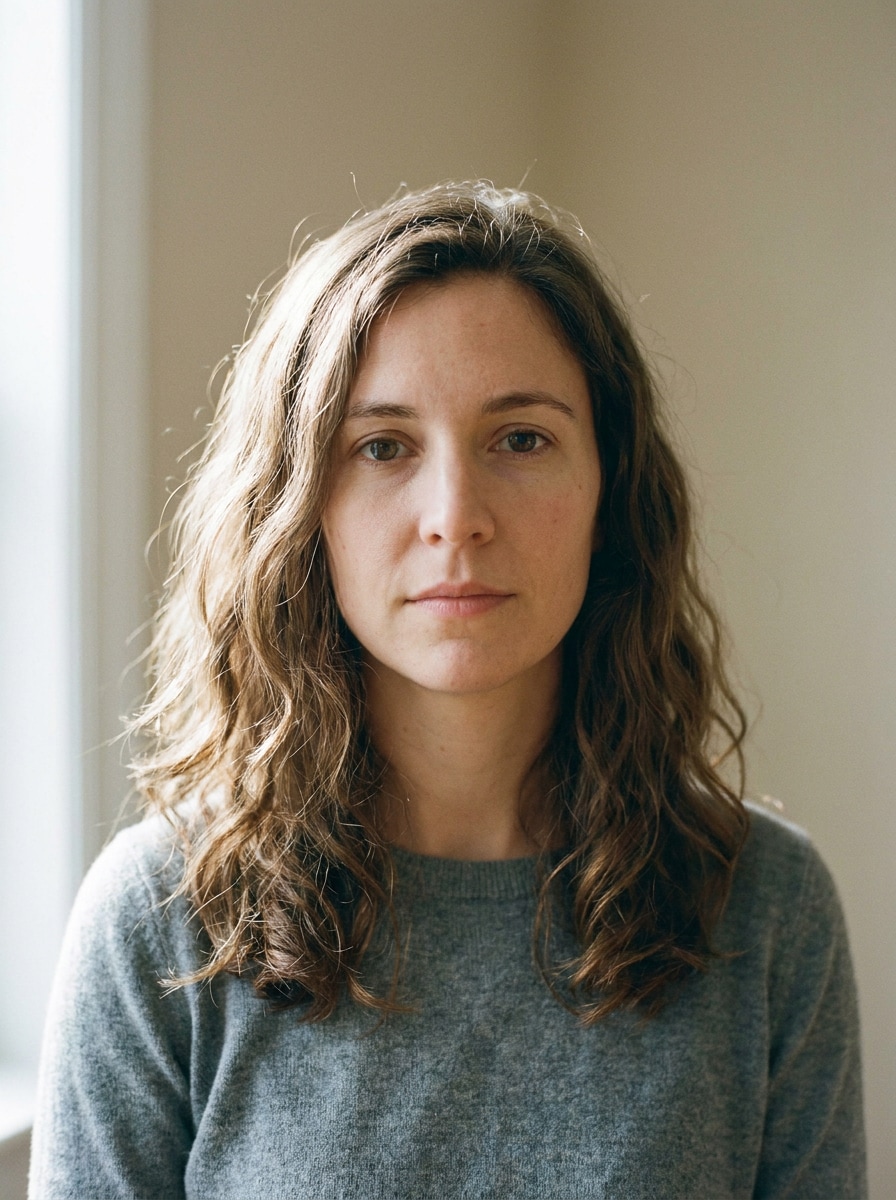
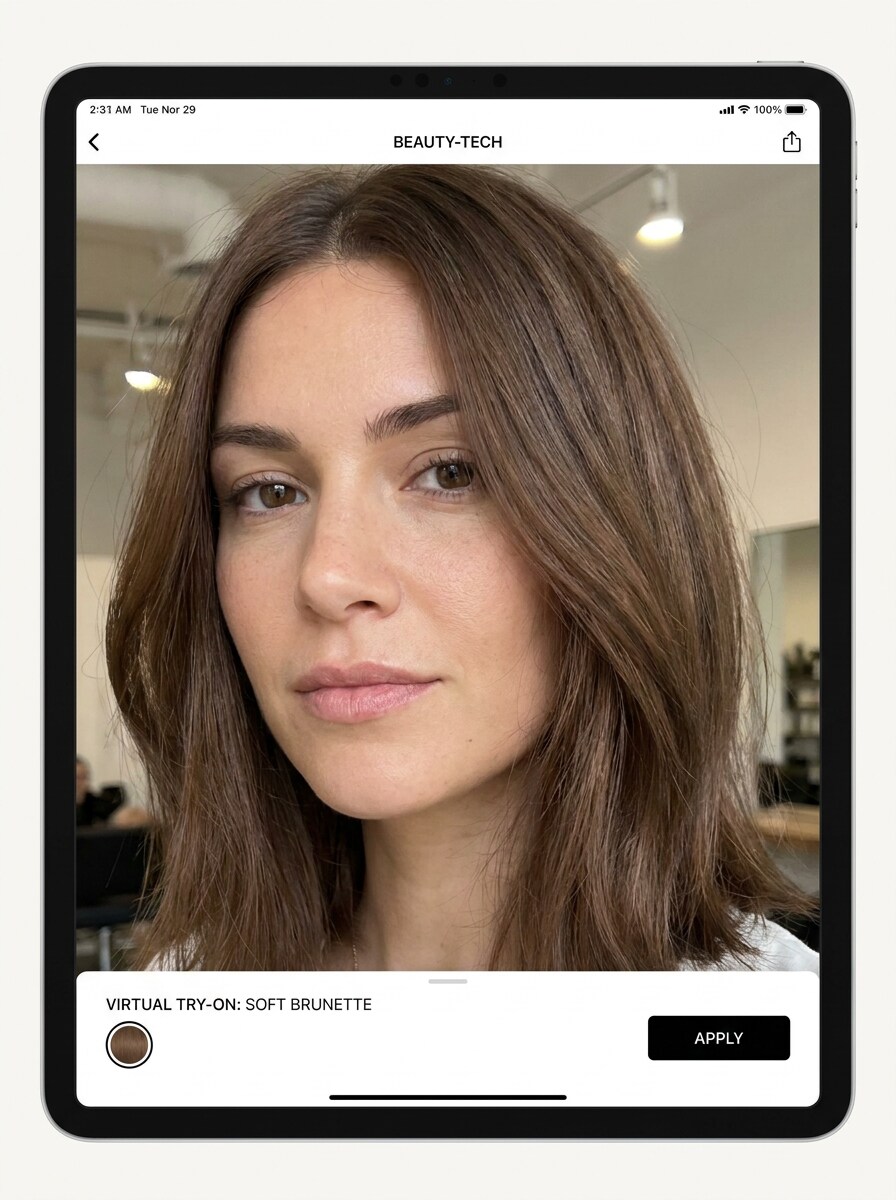
Combinação de Castanho Suave
Use a imagem enviada como referência e transforme o cabelo atual em um tom castanho natural suave que combine com o rosto e o tom de pele. Mantenha textura realista dos fios, dimensão suave da raiz às pontas, brilho leve, bordas limpas ao redor da linha do cabelo, iluminação equilibrada de luz do dia e um acabamento de beleza polido estilo salão.
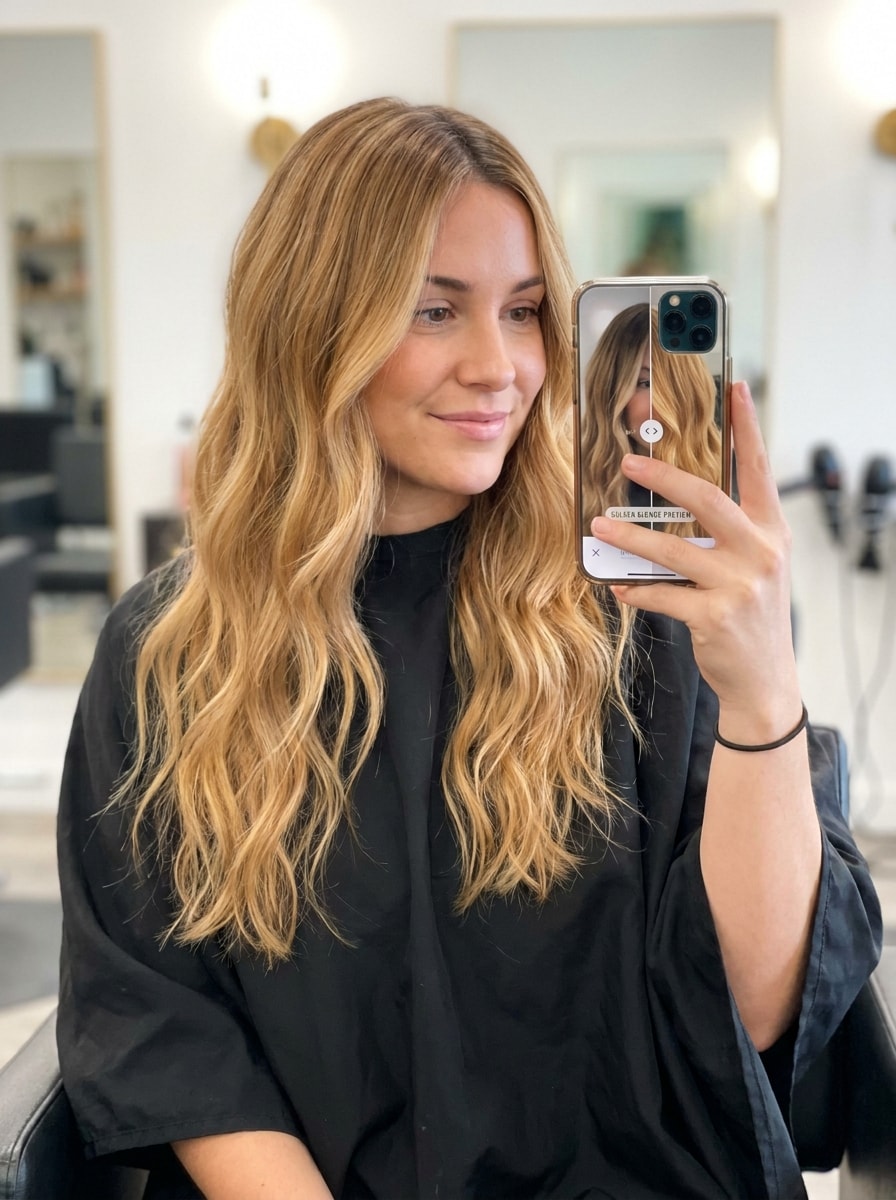
Prévia de Loiro Dourado
Use a imagem enviada como referência e recolora o cabelo em um tom loiro dourado favorecedor. Preserve o volume natural, reflexos realistas, suave mesclagem na raiz, brilho luminoso, harmonia com o tom de pele e detalhes faciais fiéis. Mantenha o resultado crível, polido e luminoso como uma prévia premium de consulta em salão.
Brilho Cobre
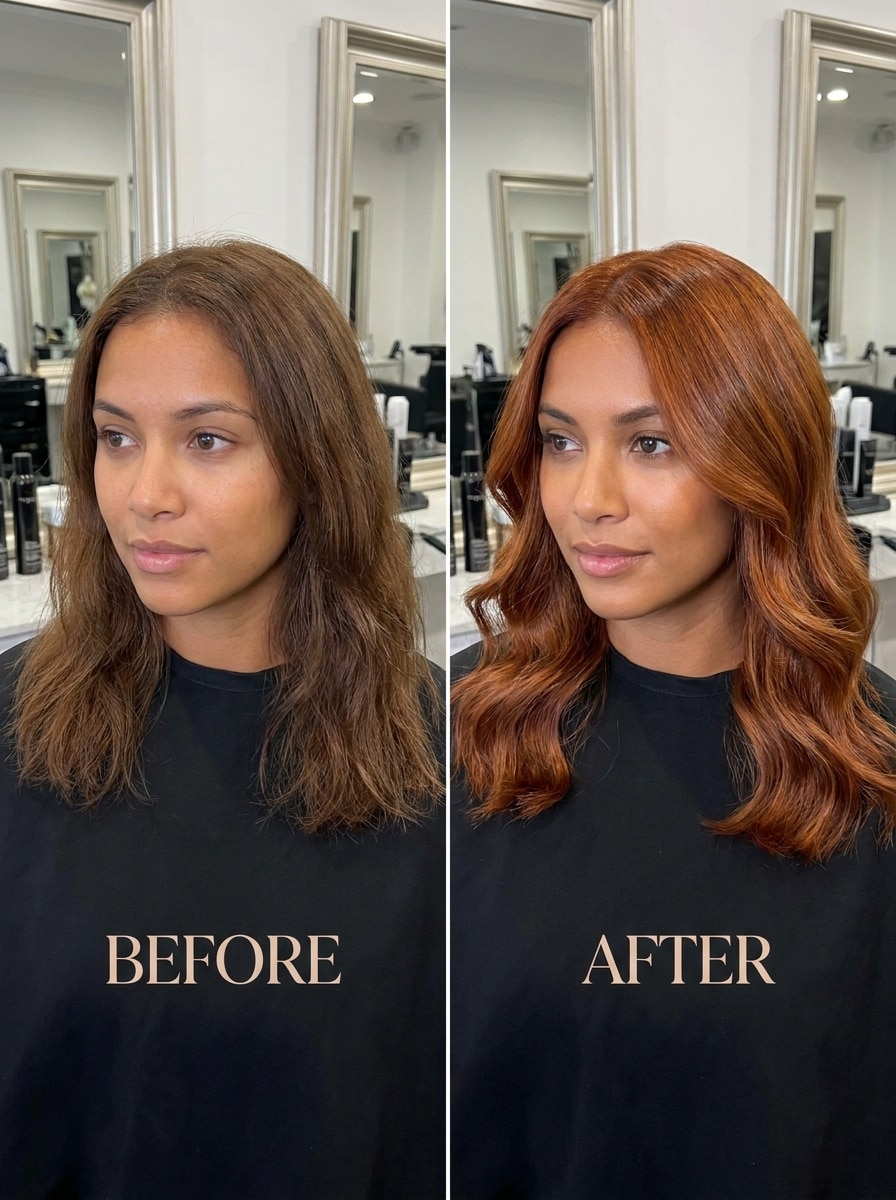
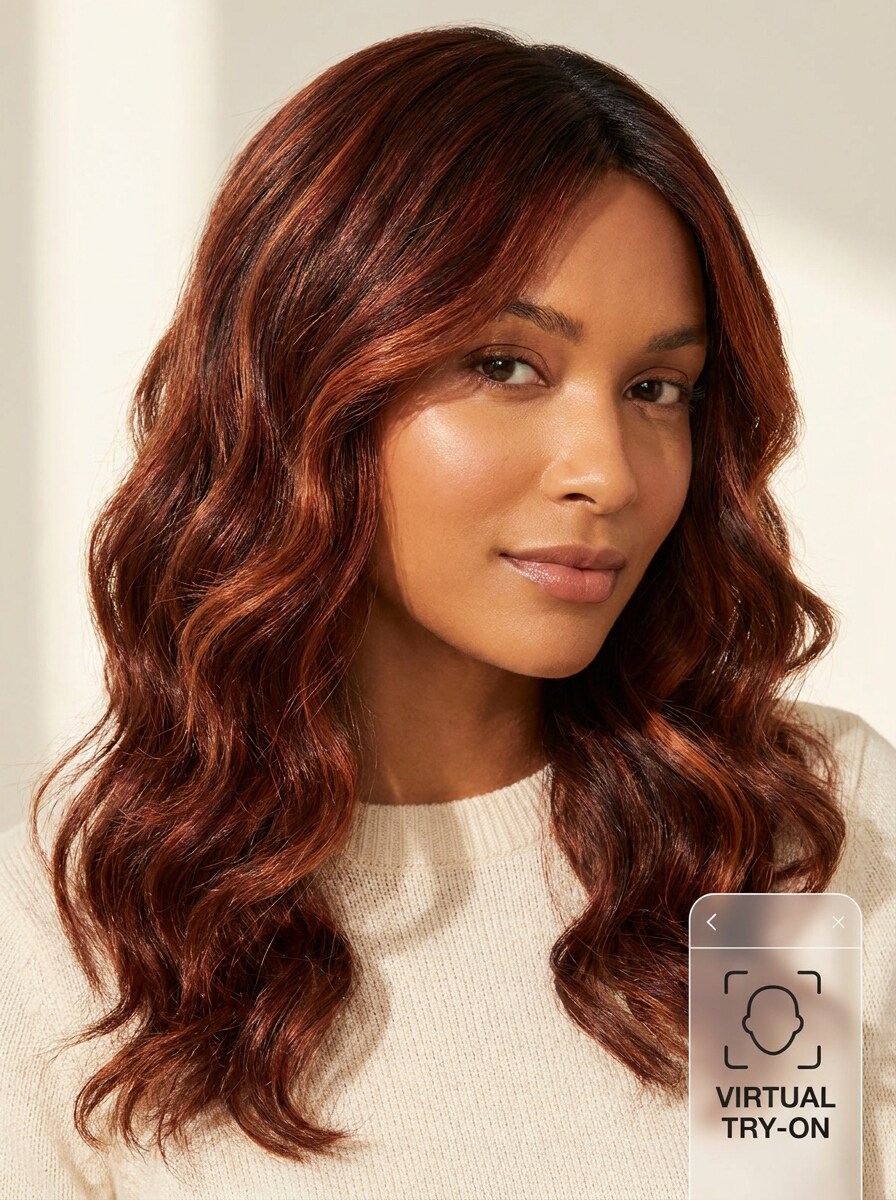
Use a imagem enviada como referência e transforme o penteado em um tom cobre rico com calor luminoso. Mantenha sombras realistas, textura brilhante, mascaramento preciso em torno dos fios individuais e contraste favorecedor com a pele. O resultado deve parecer moderno, vibrante e ainda natural o suficiente para uma experimentação do dia a dia.
Vermelho Acobreado
Use a imagem enviada como referência e recolora o cabelo em um vermelho acobreado dimensional com profundidade suave de castanho-avermelhado. Preserve o movimento natural, transições suaves próximas às raízes, brilho sutil, iluminação realista e contornos limpos ao redor do rosto para que a transformação pareça elegante, utilizável e altamente crível.
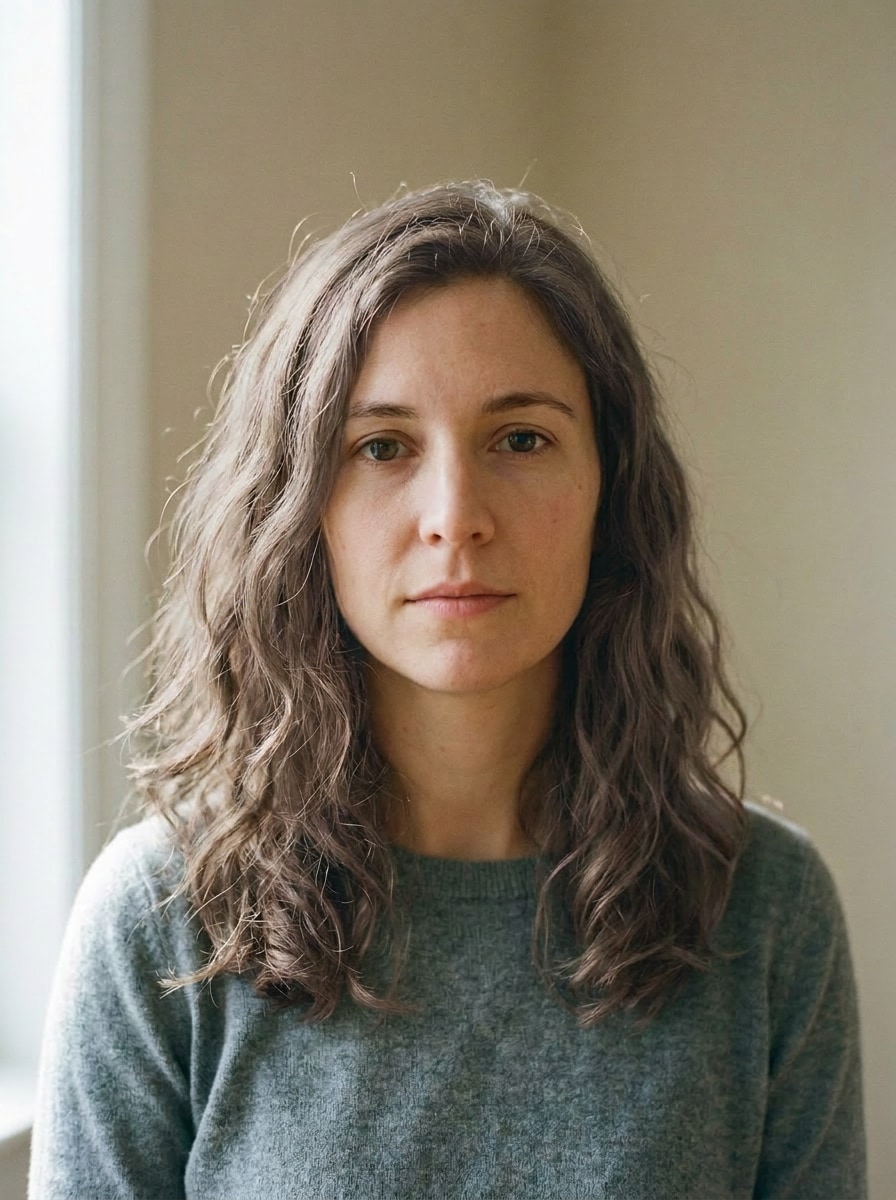
Castanho Acinzentado
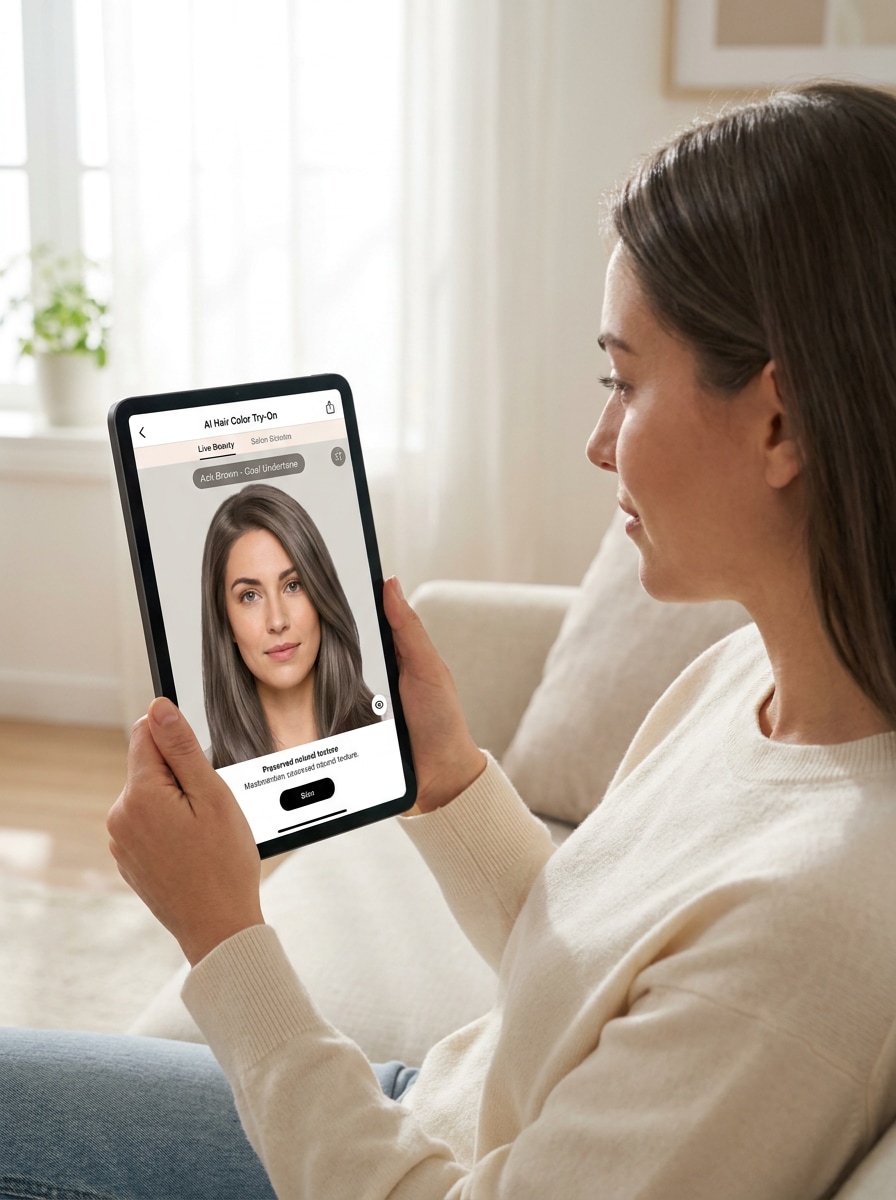
Use a imagem enviada como referência e visualize uma cor de cabelo castanho acinzentado frio com subtônus discretos. Mantenha mascaramento preciso, iluminação interna suave, separação realista dos fios, textura matte-acetinada e tons faciais equilibrados. A imagem final deve parecer moderna, refinada e precisa para comparar opções de tons mais frios.
Loiro Platinado
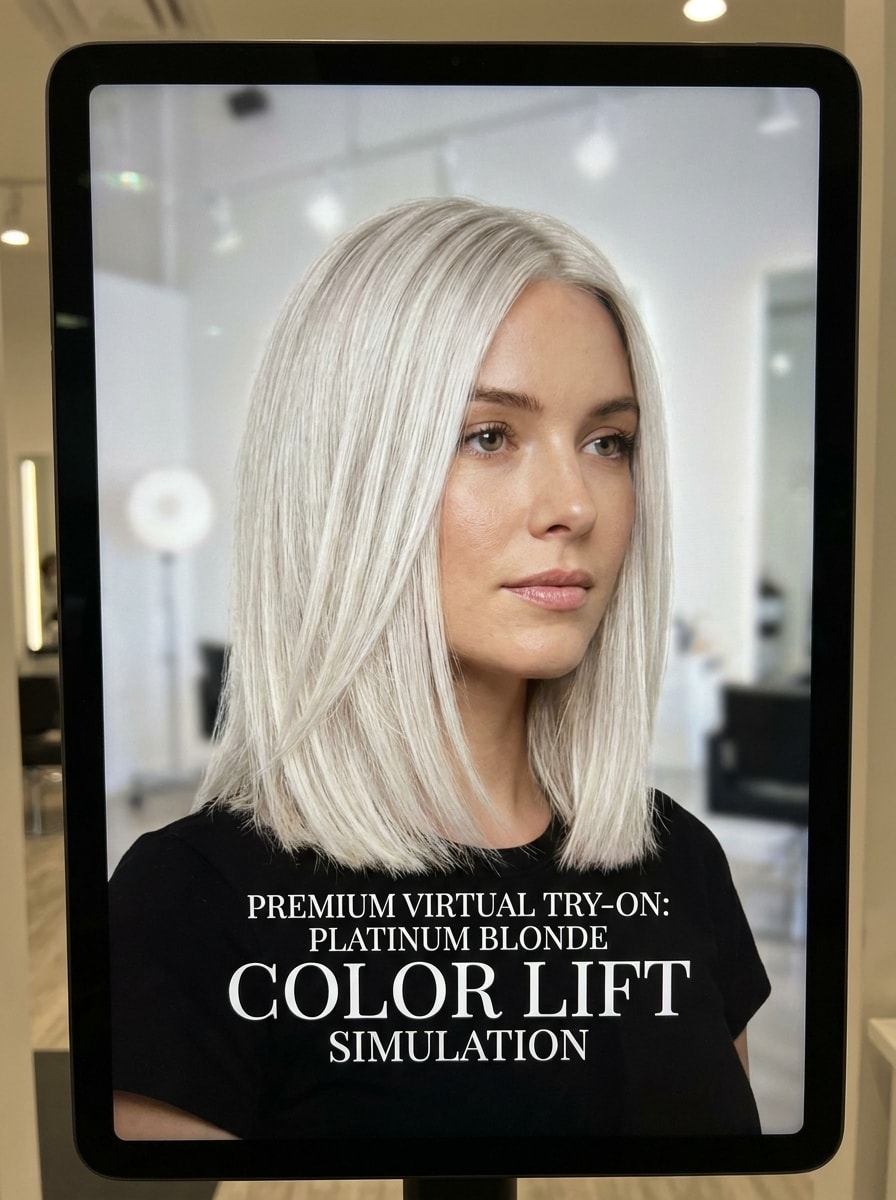
Use a imagem enviada como referência e transforme o cabelo em um loiro platinado brilhante com equilíbrio de tons frios e limpos. Preserve os fios visíveis, brilho realista, definição suave na raiz e resposta precisa à iluminação. A prévia deve parecer sofisticada e dramática, mantendo ainda o aspecto de um resultado crível de salão.
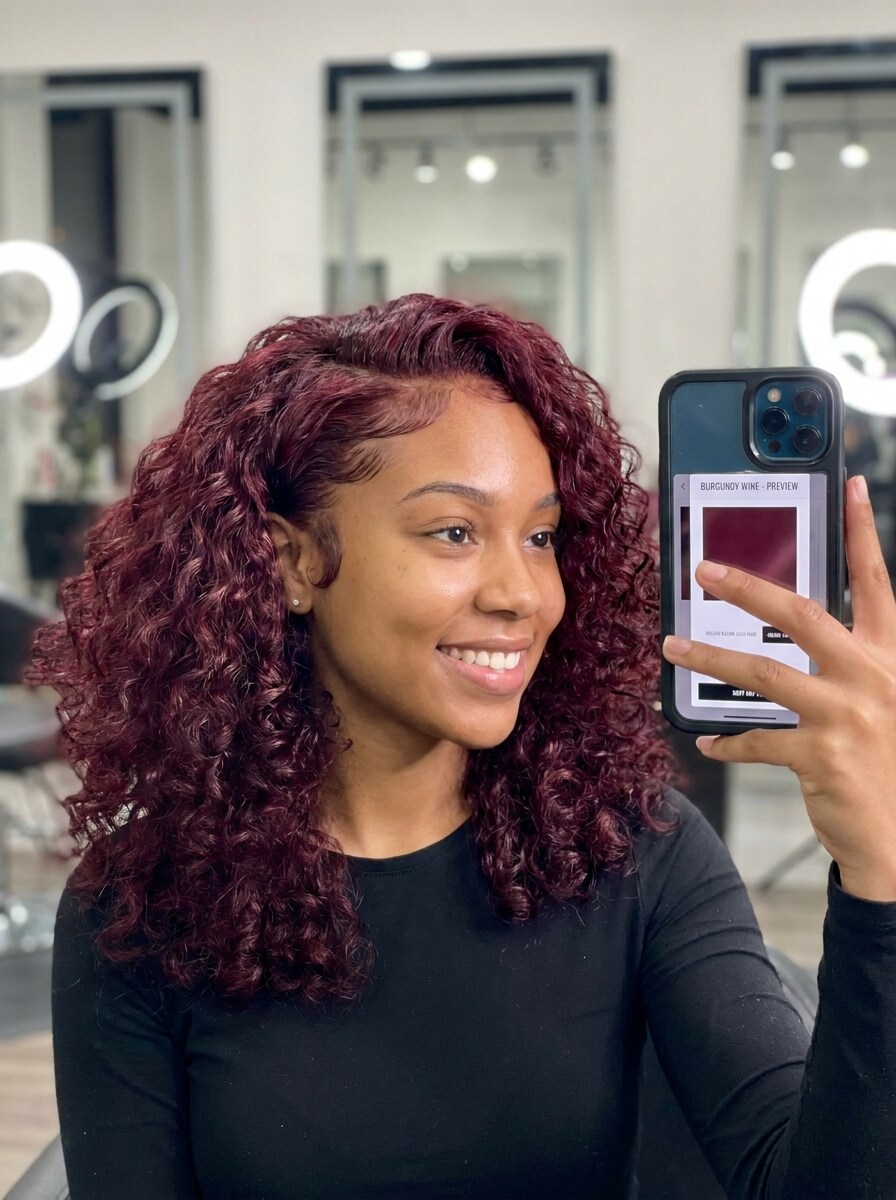
Vinho Bordô
Use a imagem enviada como referência e recolora o cabelo em um tom vinho bordô profundo com profundidade brilhante. Mantenha contraste realista, bordas limpas, fios definidos e equilíbrio favorecedor com a pele. A imagem deve parecer pronta para as redes sociais, rica e polida sem perder a estrutura natural do penteado original.
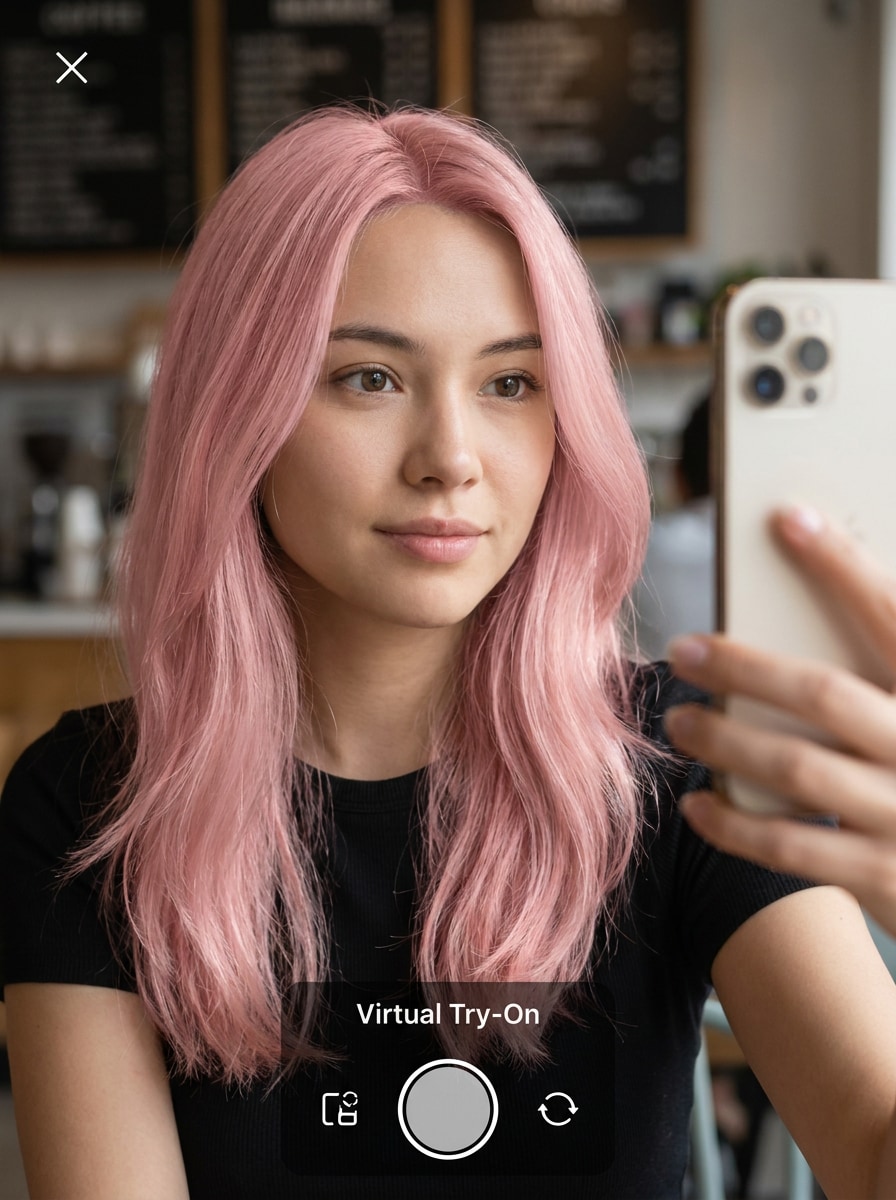
Rosa Rosê
Use a imagem enviada como referência e visualize uma cor fashion rosa rosê suave com luminosidade leve. Preserve o realismo facial, textura fina dos fios, saturação suave e sombras naturais. A transformação deve parecer divertida e moderna, mostrando ainda uma distribuição crível da cor desde as raízes até os comprimentos.
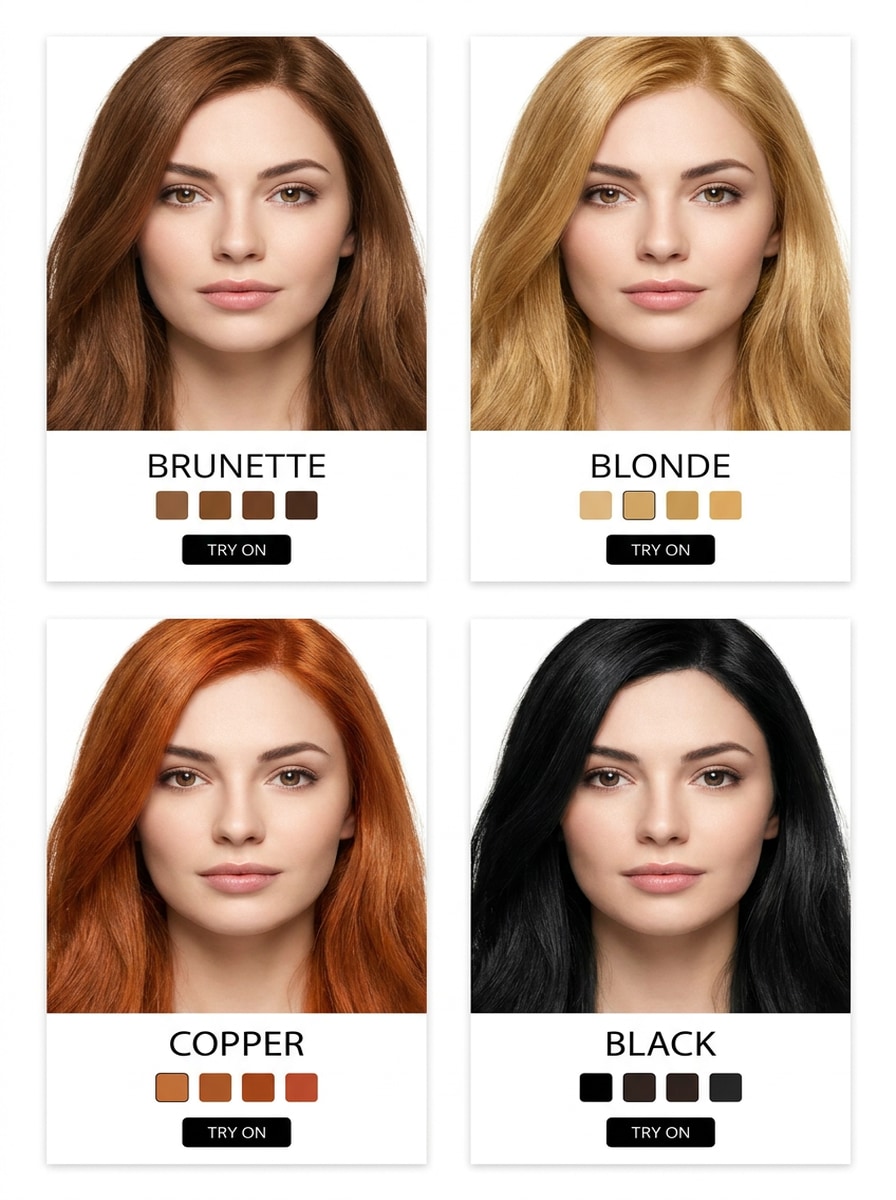
Prévia em Grade de 4 Tons
Use a imagem enviada como referência e crie uma comparação em quatro painéis mostrando opções de cabelo castanho, loiro, cobre e preto lado a lado. Mantenha o mesmo rosto, penteado, iluminação e enquadramento em todos os painéis, com recoloração realista, mascaramento preciso e um layout limpo de ferramenta de beleza para fácil comparação de tons.
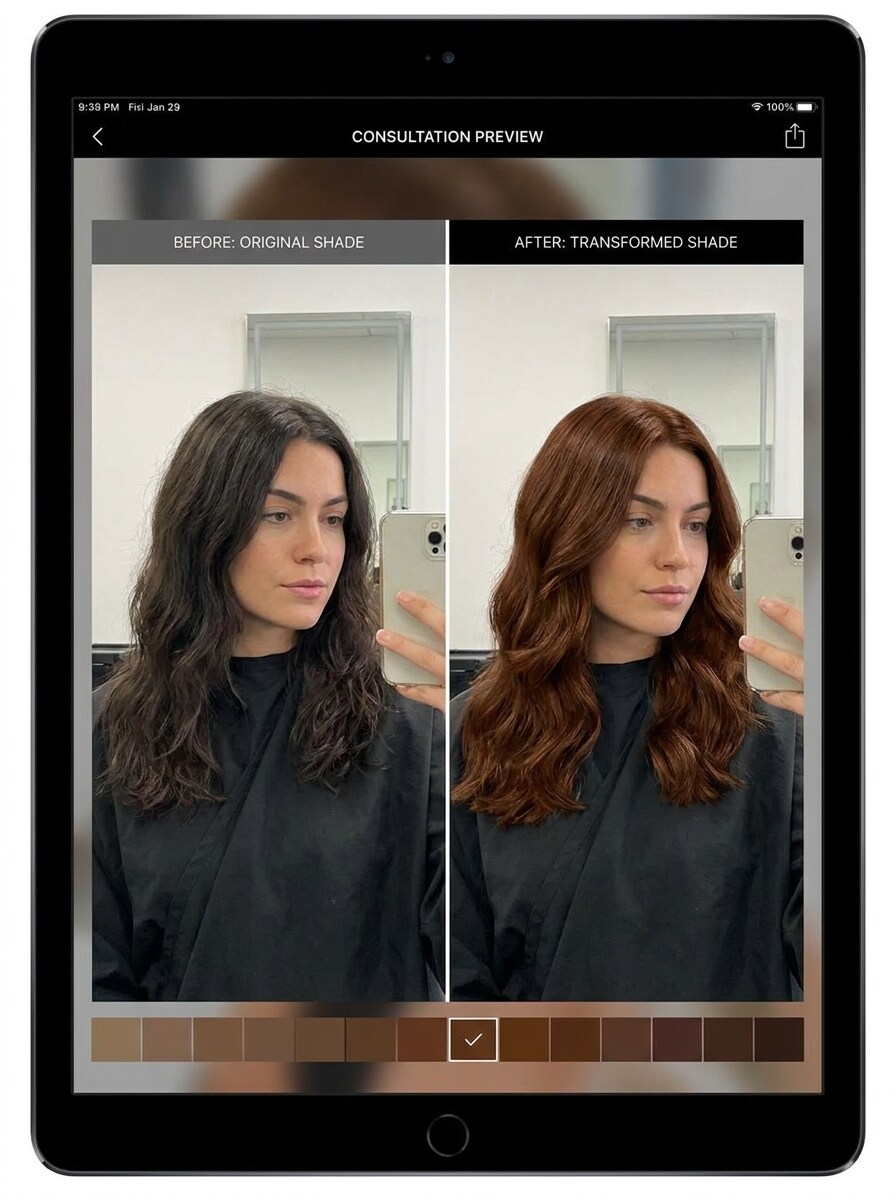
Estilo Controle Deslizante Antes e Depois
Use a imagem enviada como referência e gere uma prévia dividida antes e depois comparando a cor de cabelo original com um novo tom favorecedor. Mantenha pose, iluminação e detalhes faciais idênticos em ambos os lados, com recoloração realista, bordas precisas e um layout de comparação limpo que facilite julgar a transformação.
Por que Usar o Media.io para Experimentações de Cor de Cabelo
Personalize Resultados em Torno de um Sujeito de Referência
Se você está se perguntando qual cabelo combina comigo, o Media.io permite que você envie uma selfie real e teste ideias de cor no seu corte, comprimento e formato de rosto reais. Esta configuração funciona bem para como saber se uma cor de cabelo combina com você.
Explore Diferentes Visuais Sem Perder a Direção
Quando a direção criativa ainda está em aberto, o Media.io permite testar múltiplos visuais em torno da mesma ideia visual do localizador de cor de cabelo, facilitando encontrar o estilo certo sem recomeçar do zero.
Gere Resultados Mais Nítidos em até 4K
Se o visual final do localizador de cor de cabelo será reutilizado além de uma pequena prévia, o Media.io ajuda a entregar resultados mais nítidos em até 4K para que a imagem seja mais confiável em trabalhos práticos de design e apresentação.
Mantenha o Fluxo de Trabalho em Movimento Entre Dispositivos
O planejamento de cores frequentemente transita entre dispositivos, e o Media.io mantém o fluxo de trabalho no seu navegador para que você possa começar no celular e terminar no computador sem softwares adicionais.
Como Usar o Localizador de Cor de Cabelo
Transforme suas palavras em visuais impressionantes em três passos simples e continue refinando o resultado se quiser ir mais longe.
Passo 1
Envie Sua Imagem de Referência
Comece com uma selfie ou retrato nítido no formato JPG, PNG ou JPEG. Escolha uma foto com cabelo visível, iluminação natural e mínimas obstruções para que a ferramenta possa entregar um resultado mais preciso de localizador de cor de cabelo a partir de foto.
Passo 2
Descreva a Mudança e Defina as Opções
Digite o tom que deseja testar, como castanho acinzentado, cobre, loiro dourado ou bordô, depois escolha seu modelo preferido e ajuste a proporção, qualidade ou número de resultados. Isso ajuda se você está se perguntando como saber qual cor de cabelo combina comigo ou deseja uma comparação rápida no estilo localizador de nível de cor de cabelo.
Passo 3
Gere, Baixe e Continue Melhorando
Crie a prévia, compare os resultados e baixe a versão que mais gostar. Você pode então refinar o prompt, experimentar mais tons ou gerar várias variações para entender melhor como saber se uma cor de cabelo combina com você antes de se comprometer.
Desbloqueie o Potencial de Qual Cabelo Combina Comigo
Veja como os criadores usam este Localizador de Cor de Cabelo para conteúdo, marketing e projetos pessoais e adapte cada ideia para atender às necessidades.
Teste ideias de salão antes da sua consulta
Chegue com mais confiança à sua próxima consulta de coloração visualizando tons com antecedência na sua própria foto. O Media.io oferece uma maneira prática de responder qual cor de cabelo combina comigo, refinar a inspiração e entrar no salão com visuais que correspondam ao seu tom de pele e objetivos de estilo.
Compare tons sutis e ousados lado a lado
Se você está em dúvida entre dimensão castanha natural, calor cobre, iluminação loira ou tons fashion, gere múltiplos visuais a partir de uma única selfie. Isso facilita encontrar minha melhor cor de cabelo e responder perguntas como como saber qual cor de cabelo combina comigo antes de escolher uma atualização suave ou uma transformação dramática.
Crie visuais de experimentação compartilháveis para feedback nas redes sociais
Transforme um retrato em imagens polidas de antes e depois ou de comparação de múltiplos tons que você pode enviar para amigos ou publicar de forma privada para obter opiniões. O Media.io é especialmente útil para quem busca saber como conhecer qual cor de cabelo combina com você, deseja um analisador rápido de cor de cabelo ou quer comparar resultados por meio de análise de cor de cabelo a partir de foto antes de tingir.
O que os Usuários Dizem Sobre Este Localizador de Cor de Cabelo
Maya R.
Criadora de Conteúdo de Beleza
"Realista e fácil de comparar" Eu queria uma forma rápida de ver cobre, loiro e castanho na mesma selfie. Os resultados pareceram muito mais realistas do que filtros simples, e as comparações lado a lado tornaram a escolha muito mais fácil.
Danielle P.
Cliente de Salão
"Útil antes de uma consulta real de coloração" Usei antes de agendar minha sessão de coloração porque ficava me perguntando qual cor de cabelo combina comigo. Ver os tons no meu próprio rosto me ajudou a descartar algumas opções imediatamente.
Jordan T.
Gerente de Redes Sociais
"Boa ferramenta de navegador, sem complicações com aplicativo" Poder enviar uma foto, testar vários visuais e baixar a melhor versão em um único fluxo de trabalho no navegador me economizou tempo. Pareceu simples mesmo no celular.
Elena S.
Experimentadora Frequente de Cor de Cabelo
"Ótimo para prévias de cabelo escuro" Tenho cabelo naturalmente escuro, então estava preocupada que os tons mais claros parecessem falsos. As prévias ainda mantiveram a textura do meu cabelo e me deram uma ideia crível de como a cor poderia ficar.
Explore os efeitos de vídeo e imagem de IA mais quentes
Perguntas Frequentes sobre o Localizador de Cor de Cabelo
1. Como funciona um localizador de cor de cabelo com IA?
Um localizador de cor de cabelo com IA usa sua foto enviada como imagem de referência e aplica um novo tom preservando seu penteado, detalhes faciais e iluminação geral. No Media.io, você pode enviar uma selfie, descrever a cor desejada, escolher um modelo e gerar variações realistas de experimentação para explorar diferentes visuais.
2. Posso experimentar cores de cabelo na minha própria foto?
Sim. O Media.io suporta edição de imagem para imagem, para que você possa enviar sua própria selfie em formato JPG, PNG ou JPEG e testar diferentes tons diretamente na sua foto. Isso torna o Media.io uma opção prática de localizador de cor de cabelo a partir de foto se você deseja uma experiência personalizada de recomendação de cor de cabelo com IA em vez de depender de imagens de modelos ou questionários específicos de marcas.
3. Este localizador de cor de cabelo é gratuito?
Sim, usuários gratuitos podem começar com os créditos disponíveis e testar o Media.io antes de fazer upgrade. Se precisar de mais uso ou downloads em alta resolução sem marca d'água, você pode consultar os planos na página de preços.
4. Qual cor de cabelo combina melhor com meu tom de pele?
A escolha mais favorecida geralmente depende do seu subtom, nível de contraste e quão claro ou profundo você quer que o resultado final pareça. O Media.io ajuda permitindo que você visualize tons quentes, frios, naturais e ousados na sua selfie real, o que frequentemente é uma resposta mais prática para qual cor de cabelo combina comigo do que adivinhar apenas por um questionário de texto.
5. A prévia virtual de cor de cabelo parecerá realista em cabelos escuros?
Pode parecer realista quando você começa com uma selfie nítida e usa um prompt detalhado, especialmente para tons como cobre, vermelho acobreado, bordô, castanho acinzentado ou loiros mais escuros. O Media.io é projetado para preservar a textura do cabelo e a iluminação na prévia, o que ajuda a transformação a parecer mais natural em bases mais escuras.
6. Posso comparar múltiplos tons de cabelo lado a lado?
O Media.io suporta geração em lote e pode criar múltiplas variações a partir da mesma foto, para que você possa comparar opções com mais facilidade. Isso o torna útil se você está se perguntando como saber se uma cor de cabelo combina com você, como saber se uma cor de cabelo te favorece ou como saber qual cor de cabelo combina com você antes de fazer uma escolha final.
Além do Localizador de Cor de Cabelo Online com IA