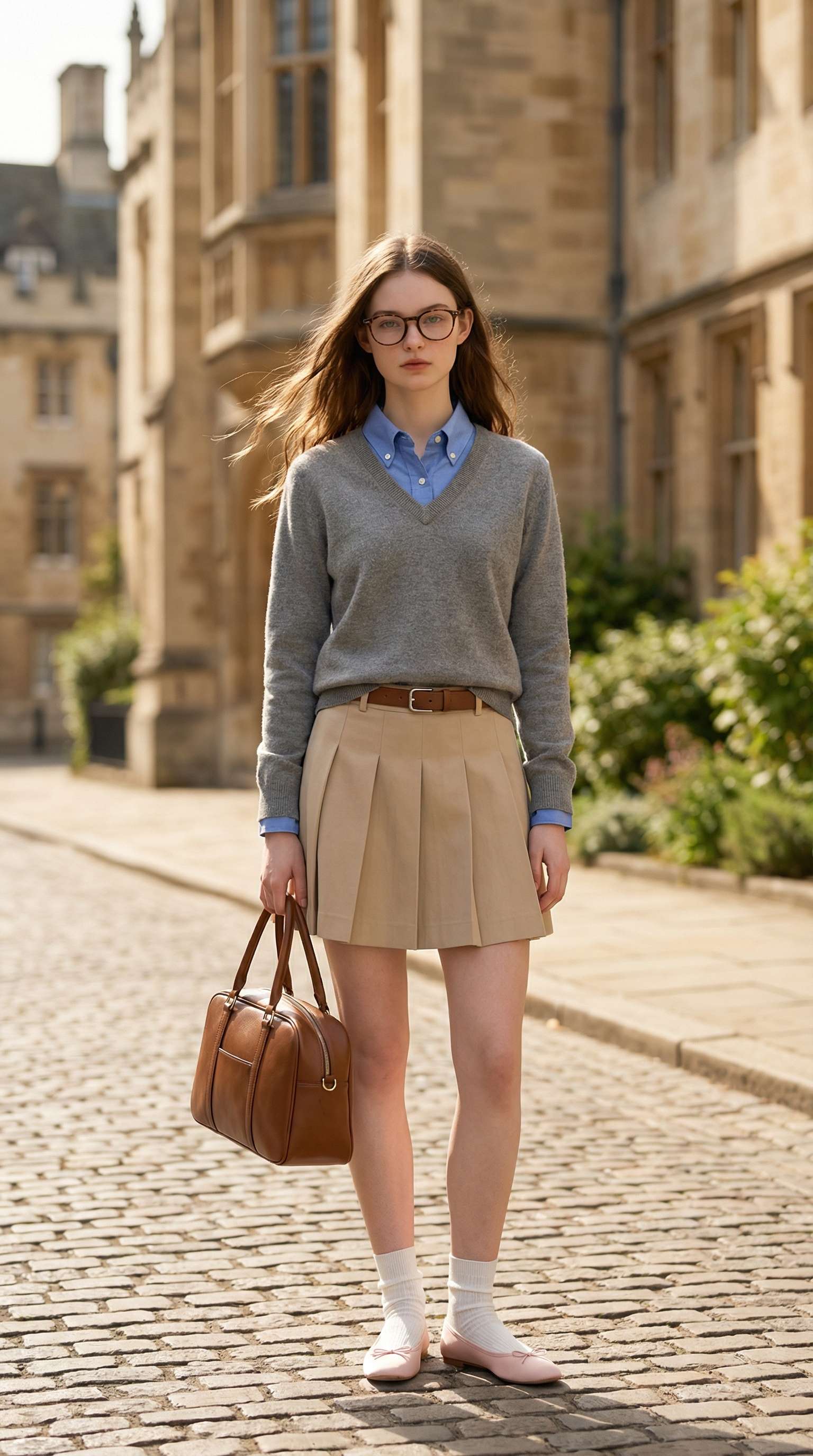
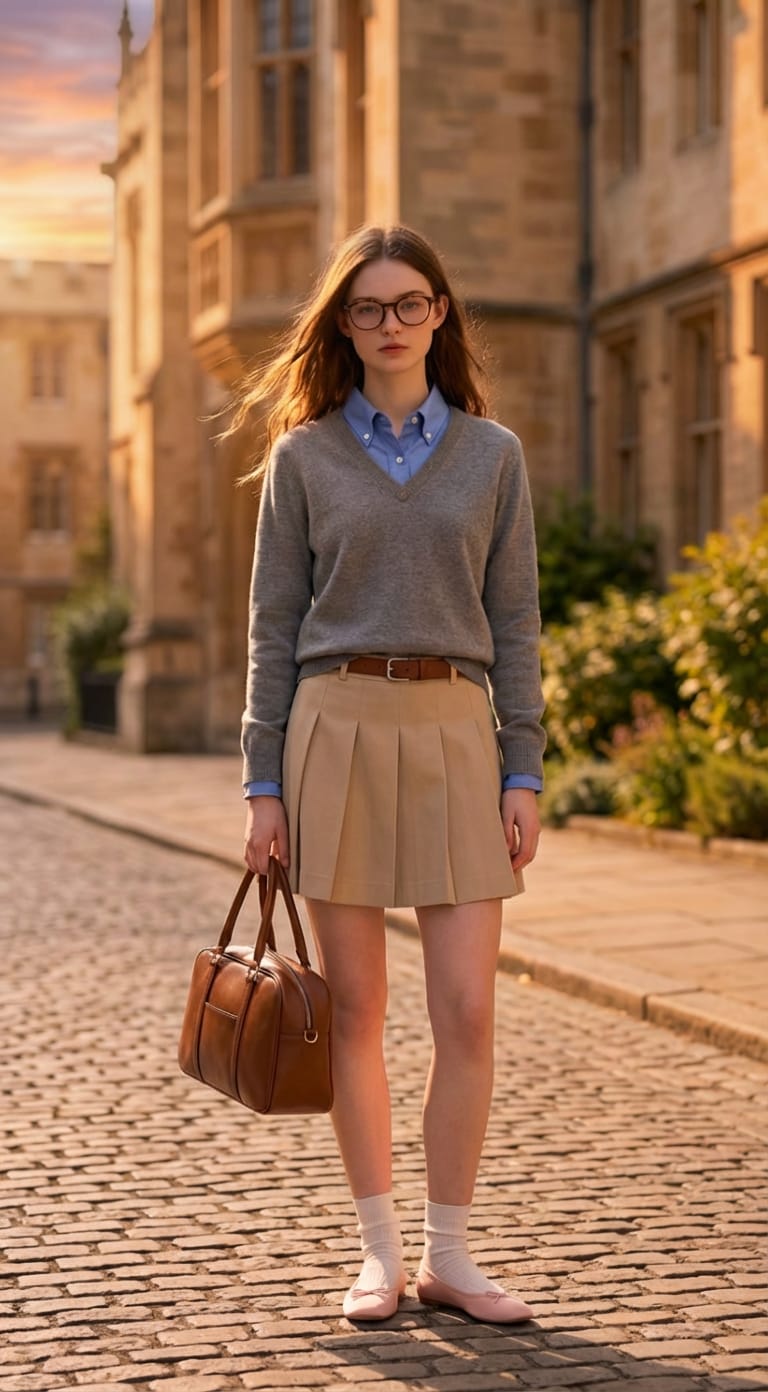
Iluminação Natural de Entardecer em Segundos
Transforme a luz intensa do dia em um visual noturno realista com destaques mais quentes, sombras mais profundas e um clima de pôr do sol mais atmosférico — sem retoques manuais.
 Nano Banana Pro
 Desbloqueie seu potencial criativo e experimente a magia da IA de mídia hoje!
Transforme fotos brilhantes do dia em deslumbrantes cenas de entardecer com tons realistas de pôr do sol, sombras mais suaves e um clima cinematográfico noturno. Envie sua foto, descreva o visual que deseja e deixe o Media.io criar uma edição polida de dia para entardecer em segundos.
Créditos gratuitos no cadastro.
Transforme a luz intensa do dia em um visual noturno realista com destaques mais quentes, sombras mais profundas e um clima de pôr do sol mais atmosférico — sem retoques manuais.
Simplesmente envie sua imagem, diga à IA que você deseja uma transformação de dia para entardecer e obtenha um resultado polido rapidamente. Nenhum fluxo de edição complicado é necessário.
Melhore retratos, cenas urbanas e fotos ao ar livre com uma atmosfera inspirada na hora dourada que parece mais cinematográfica e visualmente impactante.
Crie uma foto estilo entardecer totalmente online com créditos gratuitos no cadastro. Baixe resultados sem marca d'água em alta qualidade para publicações em redes sociais ou projetos criativos.
Comece com um retrato, imagem de viagem, foto de rua ou paisagem que você deseja transformar em uma cena realista estilo entardecer.
Insira um prompt como transforme esta foto diurna em entardecer cinematográfico com luz quente de pôr do sol e sombras suaves da tarde para guiar a edição.
Visualize a transformação, gere novamente se necessário e baixe sua edição de foto de dia para entardecer sem marca d'água.

Criadora de Conteúdo de Viagem

"Minhas fotos de viagem com luz do dia finalmente parecem cinematográficas." Eu usei a edição de fotos de dia para entardecer com IA para adicionar uma luz mais quente e um clima noturno mais dramático sem precisar aprender softwares de edição complexos.
Envie sua imagem para o Media.io, descreva a atmosfera de entardecer que você deseja e deixe a IA reiluminar a cena com tons de tarde mais quentes, sombras mais profundas e clima cinematográfico.
Sim. O Media.io pode ajudar a transformar a iluminação intensa do dia em uma iluminação mais suave no estilo hora dourada ou entardecer para um resultado mais atmosférico.
Não. O Media.io oferece um fluxo de trabalho online que torna a edição de dia para entardecer muito mais rápida para usuários que desejam transformação de fotos sem ferramentas avançadas de edição manual.
Retratos, cenas de rua, paisagens e fotos de viagem funcionam bem, especialmente quando a imagem original tem assuntos claros e direção de iluminação visível.
Quando os prompts e as fotos de origem são adequados, o Media.io pode preservar os detalhes do assunto enquanto adiciona tons realistas de entardecer, sombras e mudanças de luz ambiente.
 4,7 (162.357 Votos)


