Copy-Ready Halloween Prompts
Use prompts that define the costume, setting, lighting, framing, camera style, and what should stay unchanged from your original photo.
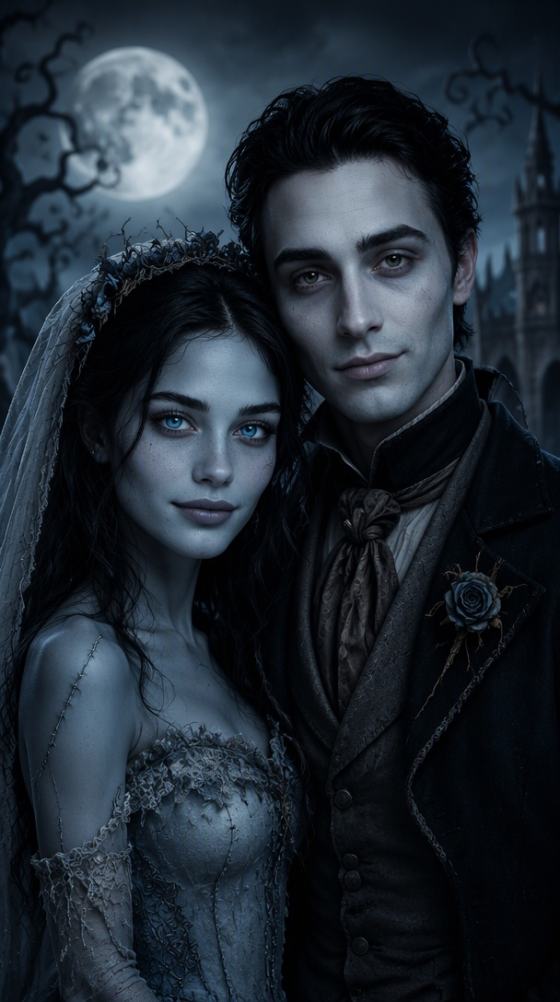
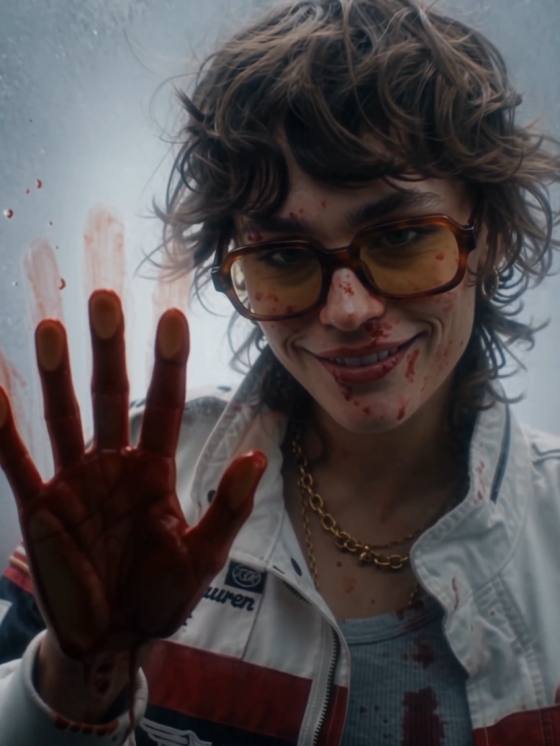
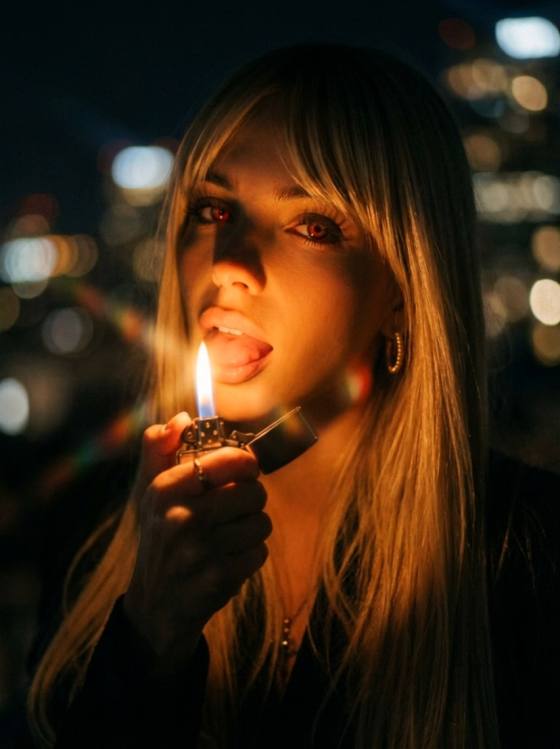
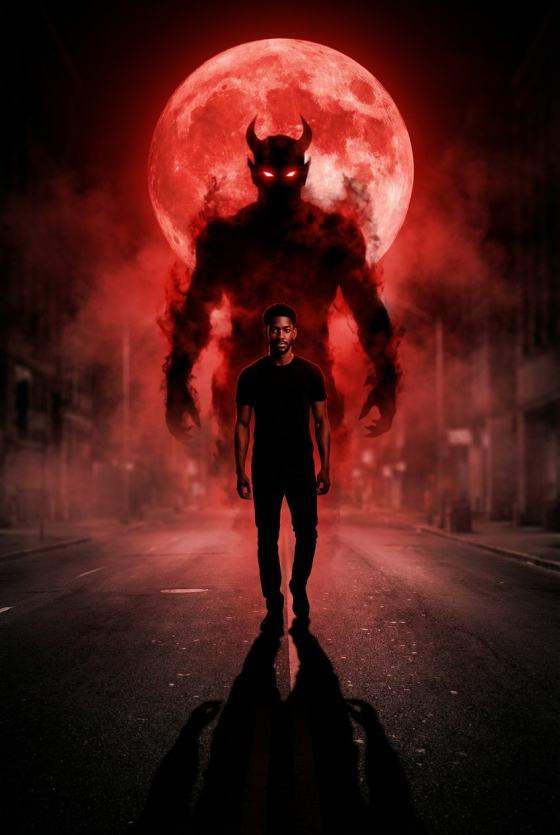
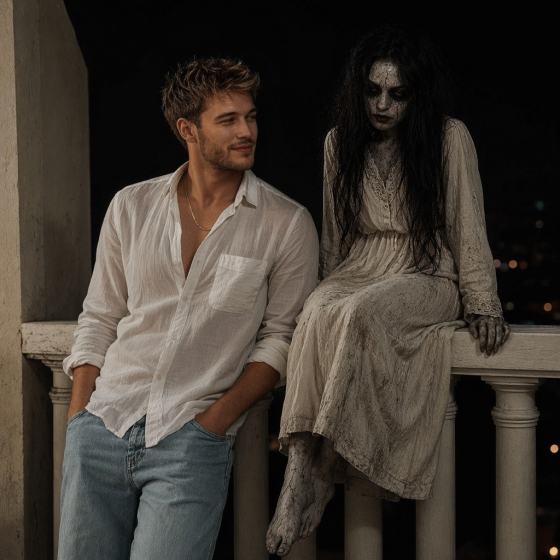
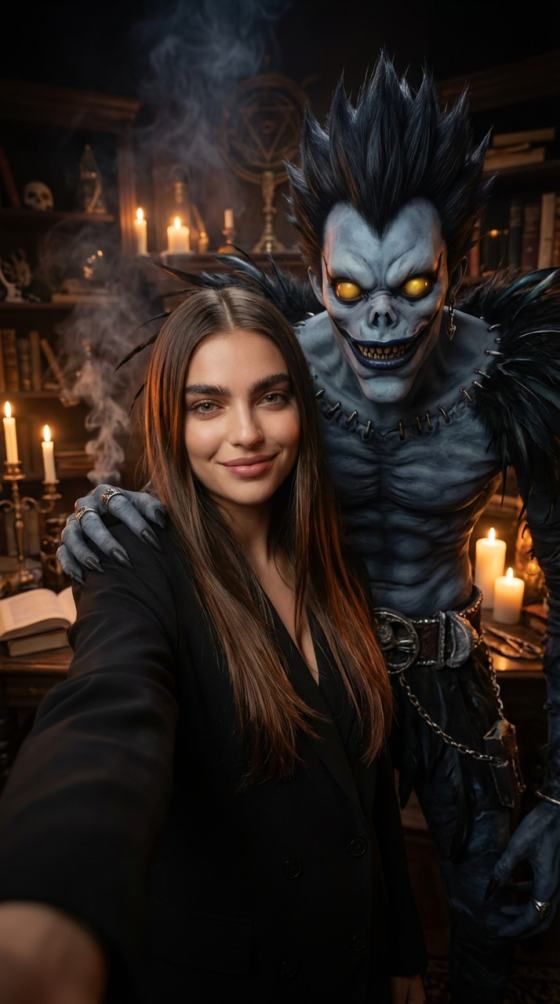
Turn one photo into your Halloween alter ego. Explore Halloween AI photo prompts for vampires, witches, ghosts, gothic portraits, Y2K looks, couples, pumpkin patches, and more—then create your own Halloween AI photo with Media.io.
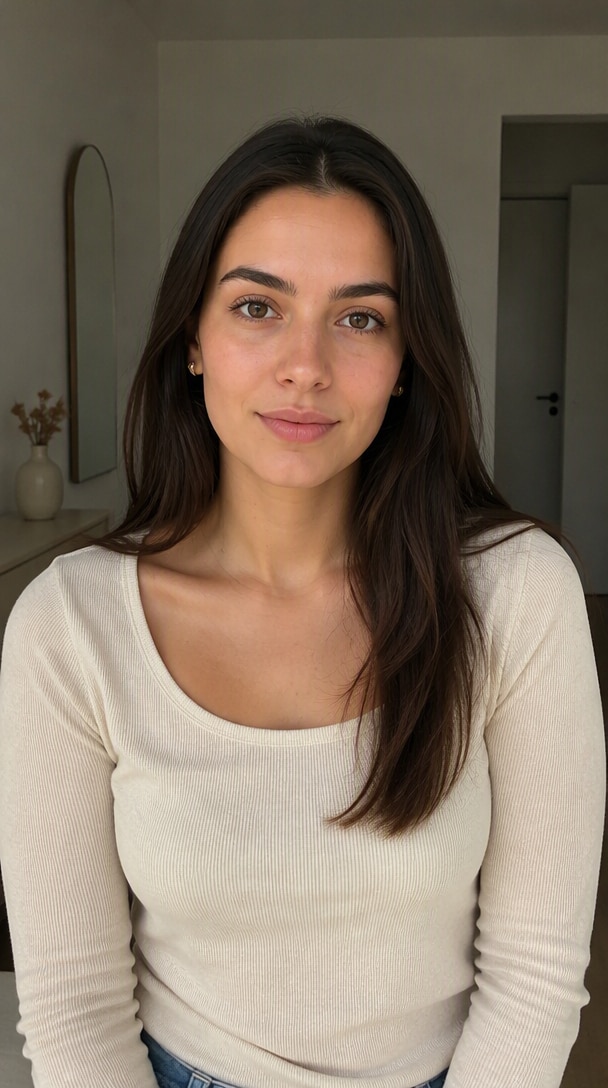
Start with one clear portrait
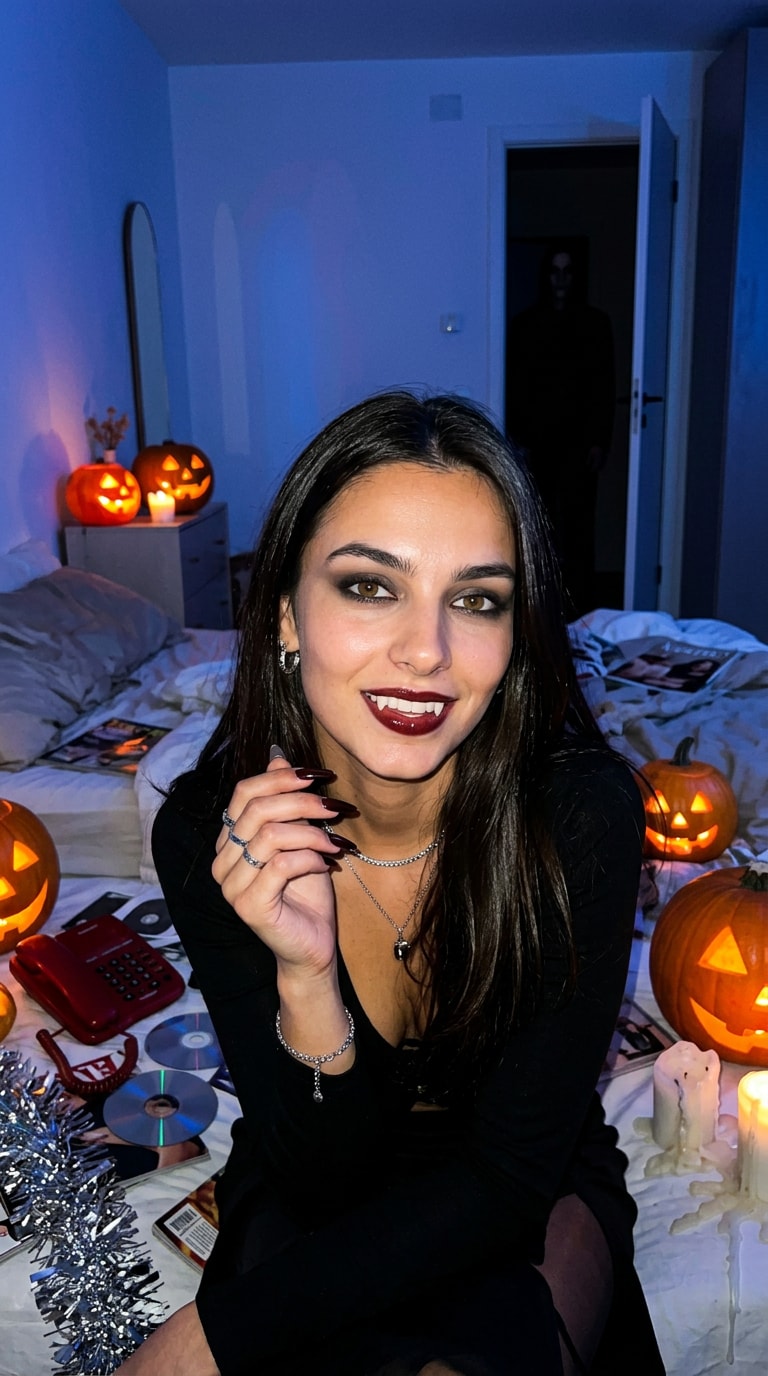
Direct flash, cinematic lighting, strong character styling & a hidden horror moment
Start with a copy-ready prompt, find the look that matches your photo, and jump into Media.io to create the image instead of stopping at inspiration.
Use prompts that define the costume, setting, lighting, framing, camera style, and what should stay unchanged from your original photo.
Move from Y2K vampire and dark-fantasy witch portraits to ghost edits, gothic glamour, pumpkin-patch photos, couples, and social profile pictures.
Every featured prompt can be adapted with identity-preservation instructions so the costume and environment change without turning you into someone else.
Create the still image first, then animate it with the Halloween AI Video Generator for TikTok, Reels, and Shorts.
Choose a clear selfie, portrait, couple photo, or family picture. Visible facial features and clean lighting give the AI a stronger reference.
Pick a trending prompt below or write your own. Describe the costume, setting, lighting, camera style, mood, and what should remain unchanged.
Generate a few versions, check face consistency and details, then use your favorite as a post, profile picture, invitation, or starting frame for an AI Halloween video.
Nine story-driven Halloween AI photo ideas built around the visual patterns people actually stop for: direct flash, hidden figures, mirror reveals, cinematic lighting, haunted locations, and dramatic character moments.
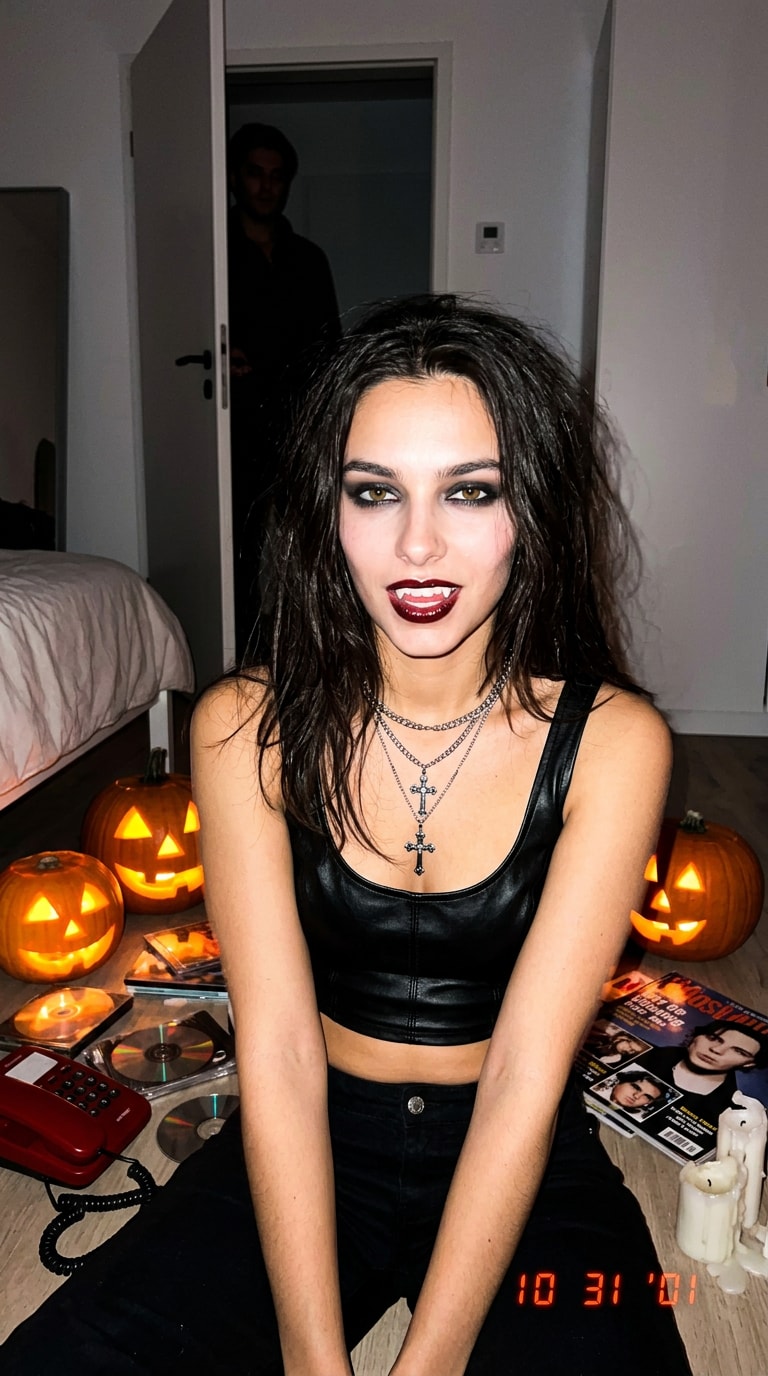
Direct-flash Y2K chaos, glossy vampire styling, a red corded phone, party clutter, and a mysterious figure watching from the doorway.
Prompt: Transform the uploaded portrait into a viral Y2K vampire Halloween photo while preserving the subject's exact facial identity, skin tone, facial structure, and recognizable features. Create a dramatic late-night Halloween party scene in a messy early-2000s bedroom. The subject is sitting casually on the floor beside a bed, looking directly into the camera with a confident, slightly dangerous expression. Give them glossy dark hair, subtle realistic vampire fangs, smudged smoky eye makeup, dark cherry lip gloss, a black leather or metallic Y2K outfit, silver jewelry, and long dark nails. Scatter glowing jack-o'-lanterns, CDs, old magazines, a red corded phone, melted candles, silver tinsel, and disposable-camera photos around the room. In the open doorway behind the subject, include a barely visible mysterious dark figure watching from the shadows. Shoot it like a candid 2000s party photo with harsh direct on-camera flash, deep background shadows, slight overexposure on the skin, cool blue ambient light mixed with warm orange pumpkin glow, realistic compact-camera grain, imperfect framing, and subtle motion blur. The result should feel spontaneous, unsettling, fashionable, and genuinely photographed at a chaotic Halloween party—not a polished studio portrait or illustration.
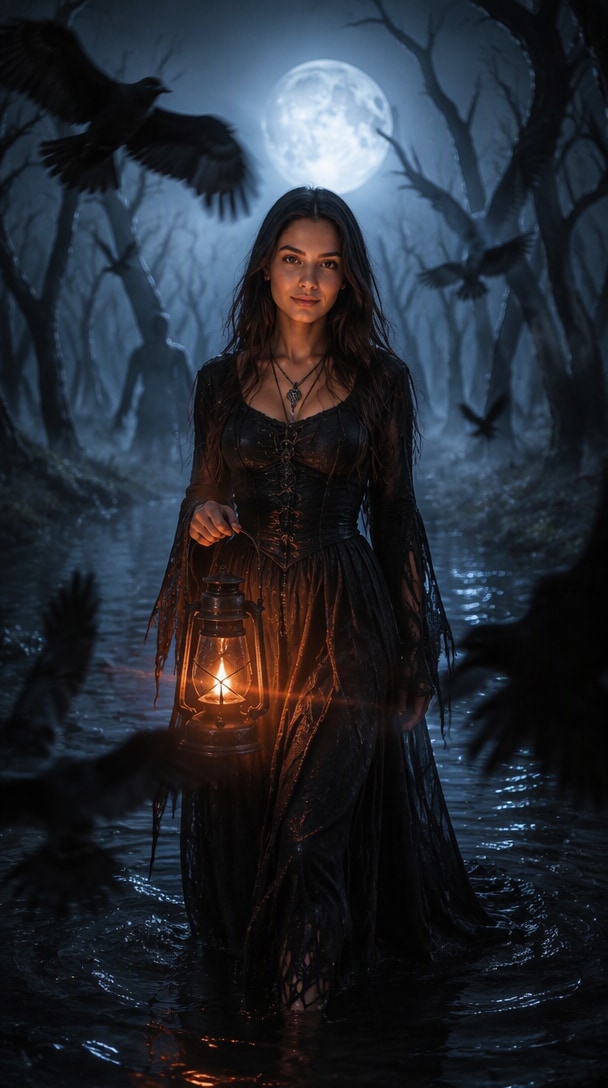
A giant moon, black water, ravens, moving fog, and distant silhouettes turn the witch portrait into a supernatural movie still.
Prompt: Transform the uploaded person into a cinematic cursed-forest witch while keeping her exact face, skin tone, facial proportions, and identity clearly recognizable. Place her alone in the center of a dead forest at midnight, standing ankle-deep in black water. She wears a torn floor-length black dress with flowing fabric, wet hair, subtle dark eye makeup, antique silver jewelry, and a mysterious but controlled expression. Behind her, twisted leafless trees bend inward unnaturally as if closing around her. Thick fog rolls between the trunks. Several ravens fly across the foreground, partially crossing the camera frame. In the far background, faint human-like silhouettes are barely visible between the trees. A huge cold full moon shines through the branches behind her, producing strong blue-white backlight and a glowing rim around her silhouette. Add one warm lantern in her hand to illuminate her face from below, creating dramatic blue-versus-orange lighting. Use a low camera angle, 35mm cinematic photography, shallow depth of field, volumetric fog, realistic wet textures, flying fabric, subtle film grain, and strong foreground-background depth. Make the image feel like a frozen frame from a supernatural horror film—beautiful, threatening, atmospheric, and visually dramatic rather than a calm fantasy portrait.
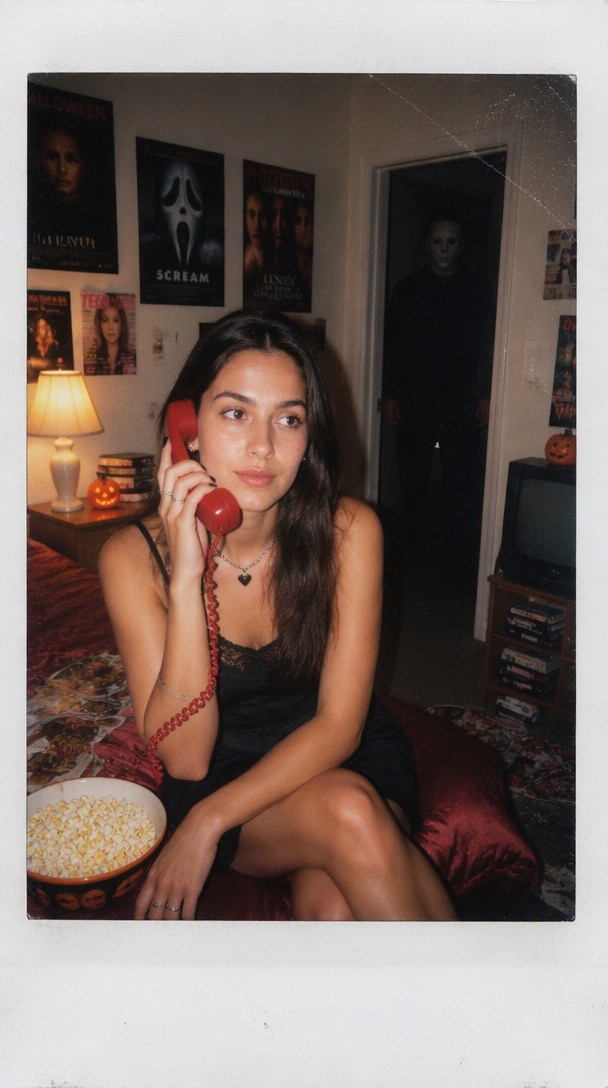
A disposable-camera bedroom snapshot that looks fun first—until you notice the masked figure standing in the dark doorway.
Prompt: Create a disturbing but playful Halloween instant-film snapshot from the uploaded photo while keeping the subject's exact face and identity recognizable. The subject is sitting on the edge of a bed in a messy late-1990s bedroom, holding a bright red corded telephone to one ear and looking distractedly away from the camera. Style the subject with glossy dark hair, soft Y2K makeup, silver jewelry, black nails, and a simple dark Halloween outfit. Fill the room with horror posters, scattered magazines, VHS tapes, a bowl of popcorn, glowing jack-o'-lanterns, a bedside lamp, and rumpled satin bedding. Deep in the open doorway behind the subject stands a tall anonymous masked Halloween figure dressed entirely in black, mostly hidden in darkness. The subject appears completely unaware that someone is behind them. Photograph the scene with harsh disposable-camera flash. The foreground is brightly illuminated while the hallway falls rapidly into darkness. Add slightly washed colors, red-eye-like flash reflections, imperfect focus, realistic film grain, subtle dust, light leaks, and a thick white instant-film border. Use an awkward candid composition rather than a perfect centered portrait. The final image should feel like a real Halloween party Polaroid that becomes creepy only after you notice the figure in the background.
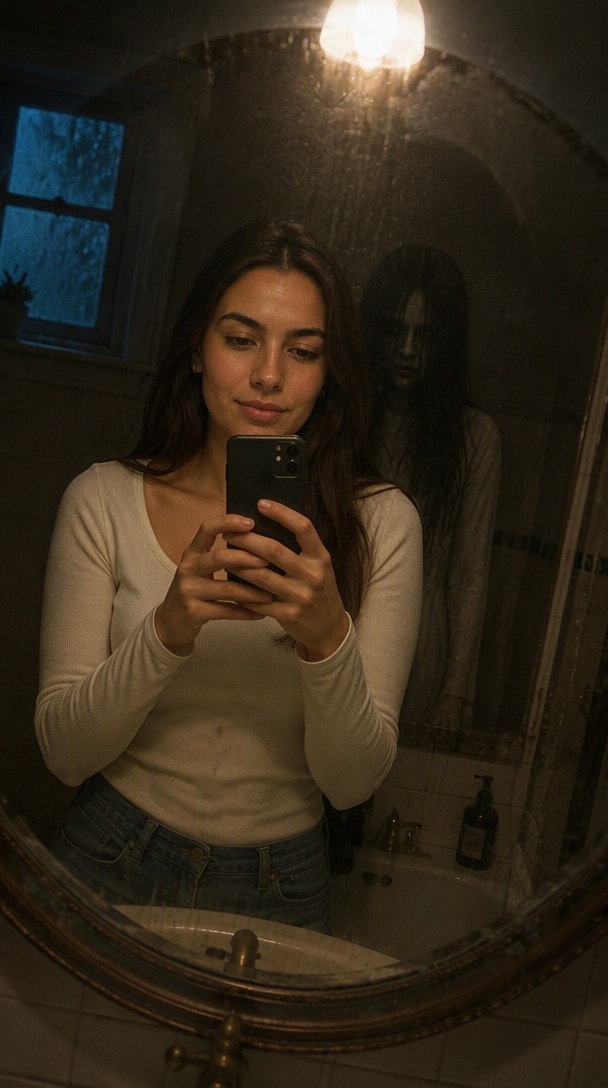
The room looks empty, but the mirror shows a ghost standing inches behind the subject—a stronger visual hook than a basic ghost overlay.
Prompt: Transform the uploaded photo into a realistic haunted-mirror Halloween photograph while preserving the person's exact face, clothing details, body proportions, and identity. Place the subject alone inside a dim vintage bathroom at night, standing in front of a large aged mirror. The person is looking down at their phone and appears completely unaware of anything unusual. In the physical room behind the subject, there should be nobody. But inside the mirror reflection only, reveal a pale translucent human-like ghost standing extremely close behind the subject's shoulder. Its face is partially hidden by long dark hair and shadow, with only a faint silhouette and unnatural posture visible. Use flickering warm overhead light in the bathroom, mixed with cold moonlight entering from a small window. Let the mirror have condensation, fingerprints, water streaks, and subtle cracks near one corner. Frame the image as an accidental smartphone photo with slight camera tilt, realistic low-light noise, shallow shadows, imperfect exposure, subtle motion blur, and believable reflections. Do not make the ghost cartoonish or brightly glowing. It should initially look like a normal nighttime mirror photo, with the supernatural figure becoming noticeable only after a second look.
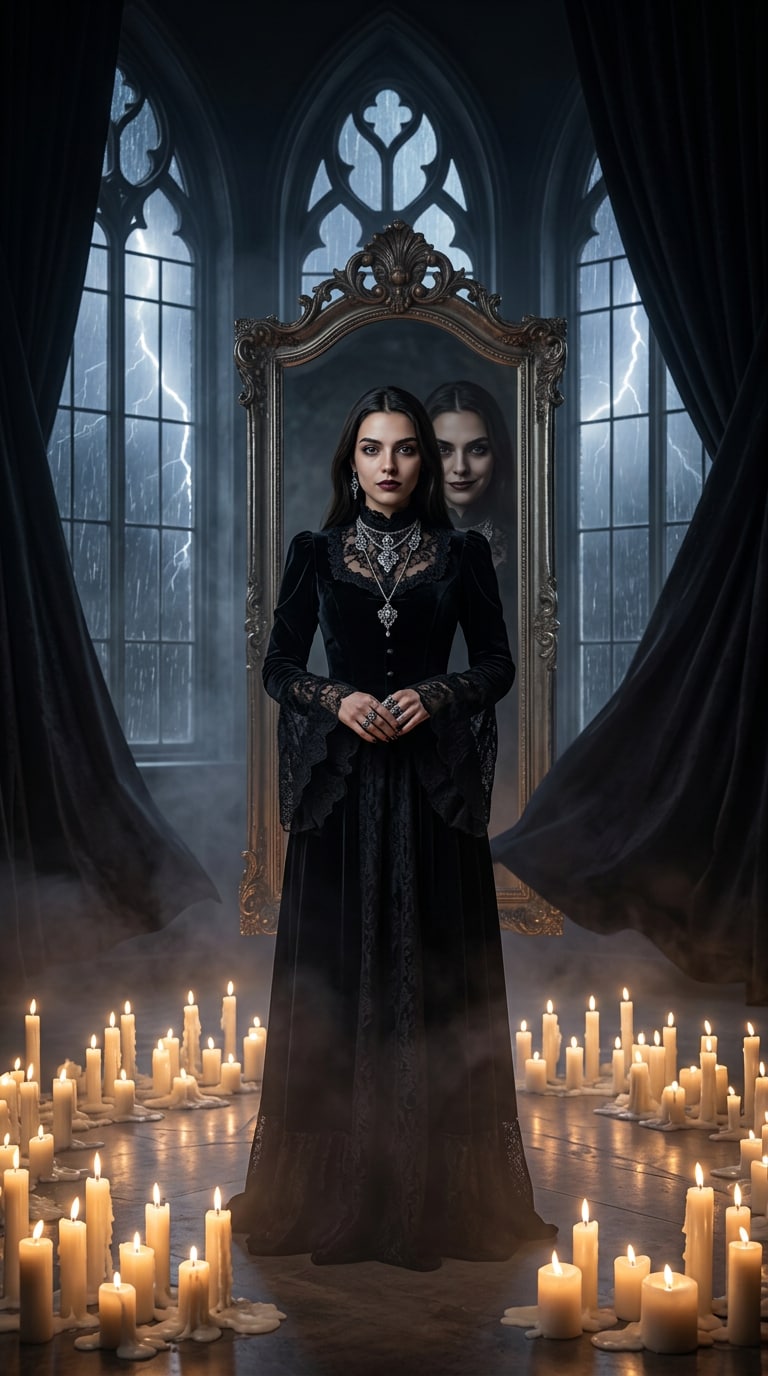
A candlelit Victorian fashion portrait with one unsettling detail: the reflection is staring back with a different expression.
Prompt: Transform the uploaded person into a dramatic gothic Halloween fashion photograph while preserving their exact facial identity, skin texture, and recognizable features. Place the subject at the center of an enormous abandoned Victorian ballroom at midnight. Dress them in an elaborate black velvet and lace outfit with antique silver jewelry, dark romantic makeup, and elegant styling. Hundreds of partially melted candles cover the floor around the subject, creating pools of warm flickering light. Tall gothic windows reveal a storm outside with rain and occasional lightning. Heavy black curtains move in the wind. Behind the subject stands a huge antique mirror. The subject faces the camera calmly—but their reflection in the mirror has a subtly different expression and is staring directly toward the viewer. Use dramatic candlelight from below, cold lightning from behind, deep black shadows, rich burgundy accents, atmospheric haze, realistic skin, an 85mm editorial photography look, shallow depth of field, and high-fashion composition. The result should combine luxury gothic fashion with a disturbing supernatural detail—visually beautiful at first glance and unsettling when the viewer notices the reflection.
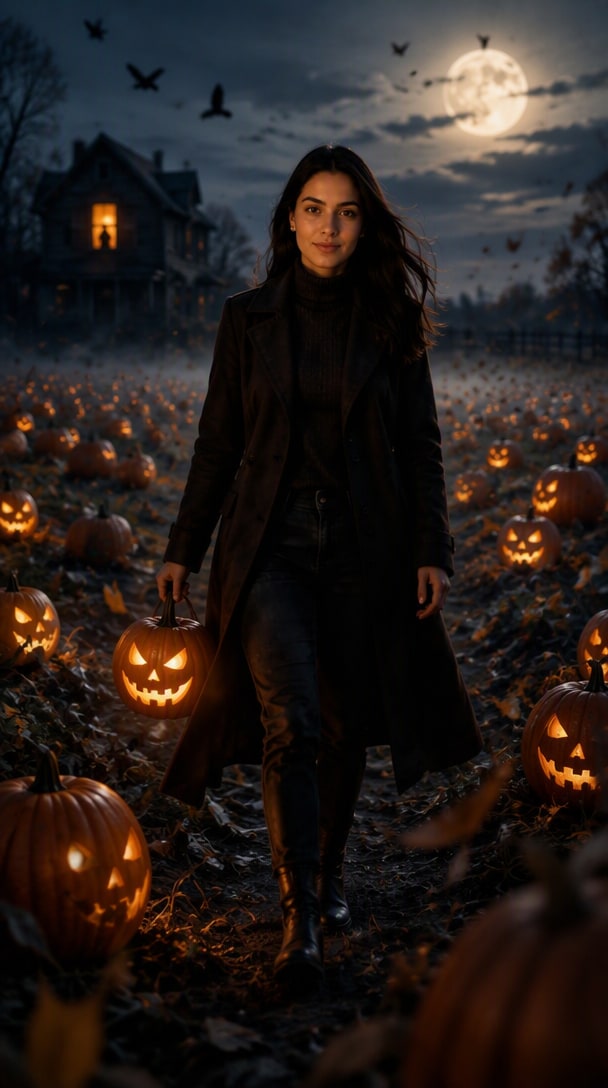
Glowing jack-o'-lanterns, blue-hour fog, flying crows, and a watcher in the farmhouse window make this feel like a Halloween movie still.
Prompt: Transform the uploaded person into a cinematic haunted pumpkin-patch Halloween photograph while preserving their exact face, skin tone, proportions, and recognizable identity. Place the subject in the middle of an enormous pumpkin field at blue hour just after sunset. They are walking toward the camera wearing a stylish dark autumn outfit with boots and a long coat, holding one glowing carved jack-o'-lantern like a lantern. Surround them with dozens of pumpkins at different depths, with several jack-o'-lanterns glowing intensely from within. Thick ground fog moves between the pumpkin rows. In the distant background, an old wooden farmhouse stands almost completely dark except for one illuminated upstairs window. Inside that window, a tiny unexplained silhouette appears to be watching the subject. Add a flock of crows flying overhead, wind blowing through the subject's coat and hair, scattered autumn leaves crossing the foreground, and a large rising moon behind thin clouds. Use a low cinematic camera angle, dramatic orange jack-o'-lantern light against deep blue twilight, volumetric fog, realistic 35mm photography, shallow depth of field, strong foreground objects, and subtle film grain. The result should feel like a premium Halloween movie still—atmospheric, visually rich, mysterious, and much more dramatic than a normal autumn pumpkin-patch portrait.
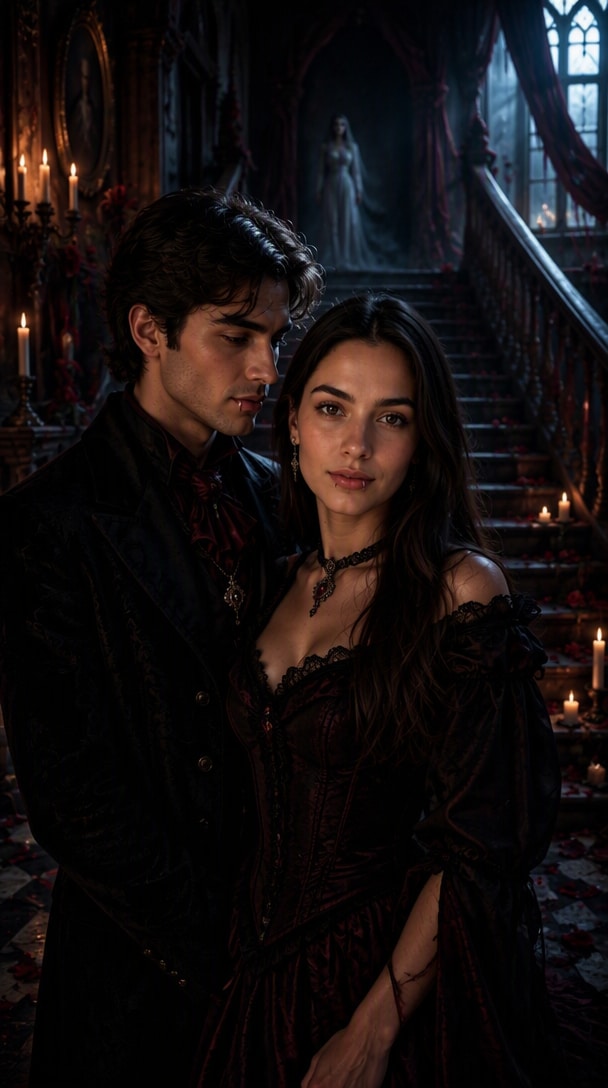
Dark-romance styling, candlelight, red roses, and a ghost watching from the staircase create a stronger couple story than a normal costume portrait.
Prompt: Transform the uploaded couple photo into a cinematic haunted Halloween couple portrait while preserving both people's exact facial identities, natural skin tones, facial structures, and recognizable features. Style the couple as an elegant vampire pair standing closely together inside the entrance hall of an abandoned Victorian mansion. Dress them in coordinated black and deep burgundy outfits with subtle vampire details, antique silver jewelry, realistic makeup, and only slightly visible fangs. The woman looks directly into the camera while the man turns slightly toward her, creating an intimate dark-romance composition. Their poses should feel natural and connected rather than like two separately generated characters. Surround them with dozens of melted candles, drifting fog, dark red roses scattered across the floor, an ornate staircase, torn curtains moving in the wind, and moonlight entering through tall windows. At the top of the staircase behind the couple, include a faint translucent female figure in an old white dress watching them from the darkness. Use dramatic warm candlelight on their faces contrasted with cold blue moonlight from behind, realistic skin texture, deep cinematic shadows, subtle film grain, shallow depth of field, and a 35mm horror-romance movie still aesthetic. Make the image feel romantic at first glance but increasingly disturbing after the viewer notices the figure upstairs. Keep both people equally recognizable and visually important.
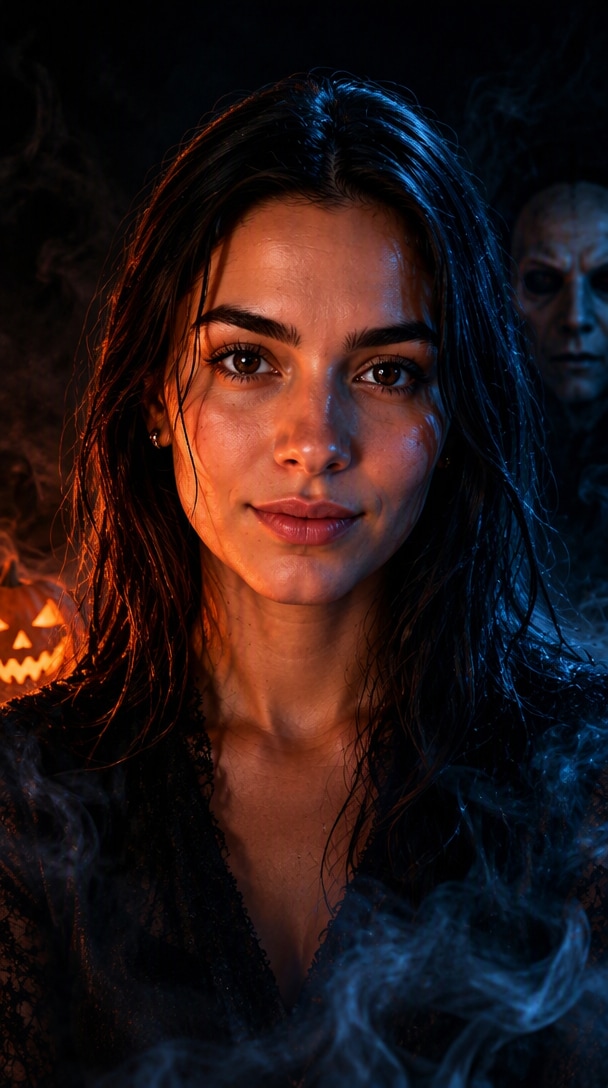
A tight square close-up with orange-blue split light and a masked figure over one shoulder—designed to stay readable as a small avatar.
Prompt: Transform the uploaded portrait into a striking Halloween AI profile picture while preserving the person's exact facial identity, skin tone, facial structure, eyes, and recognizable features. Create a tight shoulders-up composition with the face occupying most of the square frame. The subject looks directly into the camera with a calm, confident expression. Style them with subtle Halloween makeup, slightly wet textured hair, dark clothing, and realistic skin—fashionable rather than costume-like. Light one side of the face with intense warm orange jack-o'-lantern light and the opposite side with cold moonlit blue light, creating dramatic Halloween color contrast. Behind the subject, keep the background almost completely black with swirling fog. Over one shoulder, reveal only part of a mysterious pale masked figure emerging from the darkness—close enough to be immediately noticeable, but not covering the subject. Add a tiny catchlight in the eyes, subtle mist crossing the foreground, realistic skin pores, deep shadows, crisp facial focus, and cinematic horror photography. Compose specifically for a 1:1 social-media profile picture. Keep the face and the mysterious background figure readable even when the image is displayed as a small circular avatar. The final result should feel bold, viral, cinematic, and instantly Halloween at thumbnail size rather than like a normal portrait with a dark background.
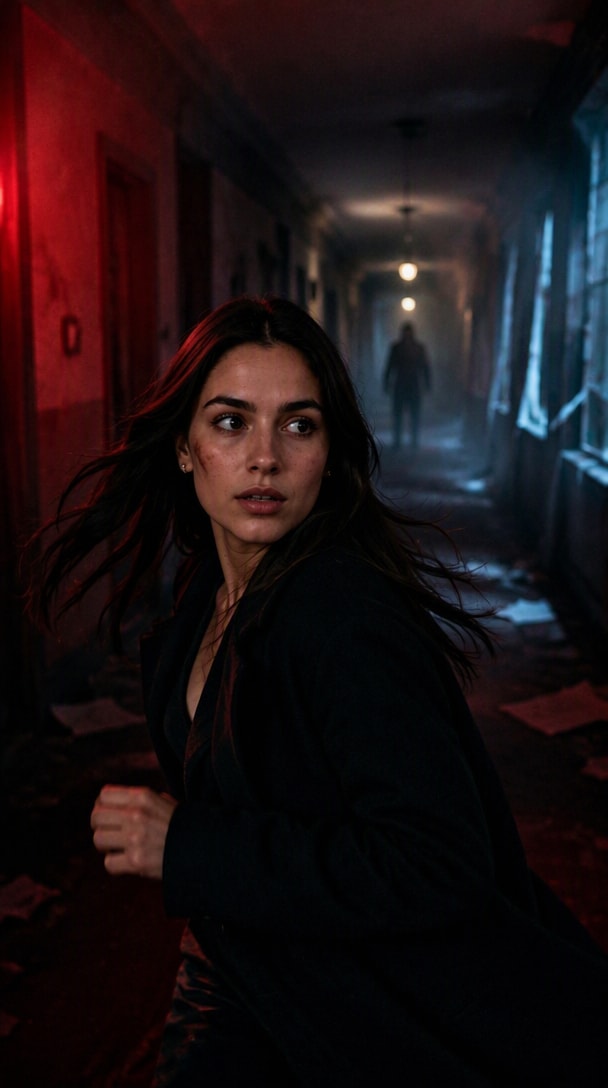
Motion, red emergency light, an off-center running subject, and a shadow figure at the far end give the ninth card a true horror-movie action beat.
Prompt: Transform the uploaded portrait into a cinematic Halloween 'final girl' movie still while preserving the subject's exact face, skin tone, facial structure, and recognizable identity. Place the subject in a long old hotel hallway at night, captured mid-run as they look back over one shoulder toward the camera with a tense but focused expression. Keep the styling realistic: slightly messy hair, dark modern clothing, subtle smudged makeup, and natural skin texture. Flood the hallway with deep red emergency light from one side and cold blue moonlight leaking through broken windows on the other. Add flickering ceiling lights, thin smoke, scattered papers on the floor, and strong perspective lines leading into the distance. At the far end of the corridor, include a tall indistinct shadow figure standing motionless beneath a flickering light. Use a low handheld camera angle, slight motion blur in the coat and hair, crisp focus on the subject's face, cinematic 35mm grain, deep blacks, realistic contrast, and a 16:9 horror-thriller still aesthetic cropped safely for a 4:5 card. Make the scene feel urgent, dynamic, and story-driven—as if the viewer has paused a tense moment from a modern Halloween movie.
Use this hub to move from broad inspiration to a more specific Halloween tool, character, or prompt page.
Y2K bedroom horror, cinematic masked portraits, and viral Ghostface looks.
Ghostface AI Photo →Instant-film party snapshots, direct flash, grain, and candid framing.
See Polaroid Prompt →Try dark-glam vampires, moonlight witches, gothic queens, haunted brides, black-lace portraits, and Y2K horror aesthetics.
Create midnight vampires, haunted gentlemen, dark gothic portraits, cinematic masked characters, and cursed-forest looks.
Keep both faces consistent while coordinating outfits, lighting, pose, and atmosphere across vampire, ghost, and gothic styles.
Use friendly vampires, witches, pumpkin-patch outfits, or classic spooky-family looks while preserving each family member's identity.
Prompt by Model
Use the same core recipe across image-capable models: define the subject, costume, setting, lighting, framing, mood, and what must remain unchanged. Then tune the wording for the model you use.
1. Preserve: face, skin tone, identity, pose
2. Transform: costume, hair, makeup, props
3. Place: party, forest, mansion, pumpkin patch
4. Light: flash, moonlight, candlelight, pumpkin glow
5. Frame: 85mm portrait, 4:5 feed, 1:1 PFP, 9:16 Story
Add: “Keep the person's face, skin tone, facial structure, and identity recognizable.”
Replace “make me spooky” with costume, materials, makeup, props, era, and mood details.
Use direct flash, moonlight, candlelight, 85mm portrait, film grain, shallow depth of field, or instant-film cues.
Choose a pumpkin patch, haunted mansion, foggy forest, gothic hall, Halloween party, or moonlit graveyard.
Already created the perfect Halloween look? Animate your vampire, witch, ghost, gothic portrait, or pumpkin-patch photo with motion and cinematic atmosphere for TikTok, Reels, Shorts, and Halloween posts.

Lifestyle Creator

“The face still looked like me.” The prompt gave me the costume and lighting change I wanted without losing the original portrait.

Reels Creator
“Much better than a vague filter.” The Polaroid prompt gave me a clear flash, film, and party look that felt made for Halloween.

Social Media Editor
“Easy to turn into a Reel.” I created the still first, then animated the same Halloween image for a short social video.
Halloween AI photo prompts are instructions that tell an AI how to transform or generate a Halloween-themed photo. A strong prompt can define the costume, character, setting, lighting, pose, camera style, mood, and the features that should stay unchanged from the source image.
Use this page's Trending Now section to follow seasonal looks such as Y2K vampire party portraits, cursed-forest witches, Halloween Polaroids, ghost mirror reveals, gothic reflection portraits, haunted pumpkin-patch scenes, vampire couple photos, horror profile pictures, and final-girl movie stills.
Start with a clear reference photo and explicitly ask the AI to preserve your facial structure, skin tone, expression, age, and identity. Keep style instructions specific so the model changes the costume, environment, and lighting rather than replacing the subject.
Yes. The prompts use explicit visual instructions that can be adapted across image-capable AI tools. Results may differ by model, so keep the same structure—identity preservation, costume, setting, lighting, framing, and mood—and adjust individual details if needed.
A useful formula is subject + costume + setting + lighting + framing + mood + identity-preservation instructions. For example, specify a Y2K vampire, compact-camera direct flash, a dim party background, cool shadows, 4:5 framing, and instructions to keep the face recognizable.
Yes. Upload a group photo and ask the AI to preserve every person's identity, relative position, and natural proportions while applying coordinated costumes, lighting, and Halloween styling.
Yes. After creating your Halloween photo, open the Media.io Halloween AI Video Generator to add motion and create short Halloween content for TikTok, Reels, Shorts, and other social posts.



