BLACK FRIDAY: ATÉ50% DE DESCONTO!
Resgatar oferta
Alternar biquíni com IA
Carregar personagem
Clique ou arraste para enviar, ou escolha de Meu HistóricoClique para carregarMeu Histórico
Sem ideias? Gere uma imagem primeiro >
Dica: Por favor, adicione uma foto nítida da pessoa cujo traje deseja alterar. São suportados os formatos PNG, JPG e JPEG.
Enviar biquíni
Clique ou arraste para enviar, ou escolha de Meu HistóricoClique para carregarMeu Histórico
Sem ideias? Gere uma imagem primeiro >
Dica: Use uma foto apenas do biquíni, sem modelo.
Exemplos:
Taxa de proporção

See Yourself in a Sunset Bikini Look

Wondering whether a different bikini would make your beach vacation photo worth posting, without booking a new shoot? Start with an adult photo taken at the beach near sunset. Choose a bikini style or upload a bikini reference for an illustrative sunset bikini photoshoot preview. Only the clothing changes; your source photo's setting, pose, and lighting stay the same. Results vary.

Everyday photo before swimsuit preview
Swimsuit swap preview on the same photo
Preview a Bikini Style

Use a photo that already has the shoreline and sunset light you want. A clothing swap will not turn an indoor portrait into a beach scene.

Decide What Makes the Photo Believable

Keep the Shoreline You Actually Liked

If the waterline, sand, and horizon already make your photo feel like your trip, keep them. An outfit preview lets you consider a different bikini without replacing those details. If the setting is wrong, choose another source photo before comparing swimwear.

Compare Coverage Before You Post

A high-waisted bottom, a full-coverage cut, and a lighter-coverage style can give the same pose different visual balance. Compare options against your actual photo rather than a model image, then pick the cut you feel comfortable sharing.

Check the Pose Against the Cut

Your stance and arm placement stay as photographed, so look at where straps, necklines, and waistbands meet the pose. A style that looks appealing on its own may be harder to judge when an arm crosses the torso or hair covers a shoulder.

Let the Existing Sunset Do the Work

Warm backlight, a visible sunlit edge, and shadows across the sand are qualities of the source photo, not effects the clothing swap adds. Pick a bikini color that reads well in that light, and use a different photo if the original lighting feels flat.

Preview a Bikini on Your Sunset Beach Photo

For a beach photoshoot AI preview that still feels connected to your trip, select an adult photo with a clear view of the outfit and the sunset setting you want to keep.

Adult uploads sunset beach photo
Step 1

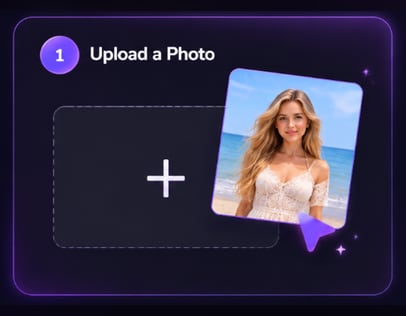
Upload Your Photo

Choose an adult photo that already shows your preferred beach background, pose, and lighting. Check that the clothing area is visible enough to assess a bikini style.

Adult selects bikini style reference
Step 2

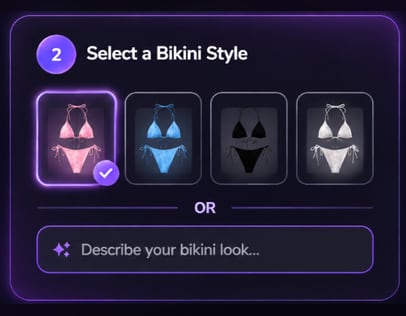
Choose a Bikini Style or Upload Your Own

Select a preset bikini style sample, or upload a reference photo of the bikini you want to preview. Compare its neckline and coverage with your pose.

Adult reviews bikini clothing preview
Step 3

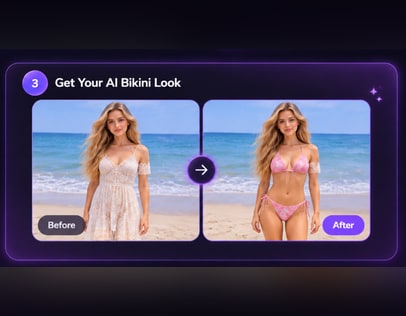
Click Generate

Click Generate to swap only the clothing. The original background, pose, and lighting stay unchanged. Review the illustrative result before deciding whether it works; results vary.

When a Style Preview Helps You Decide

Use AI sunset beach photos as a style check, not as a way to invent a vacation you did not photograph. The strongest starting point is an adult photo with a beach setting you already want to use.

Choosing a Vacation Post

You like the sunset and your expression, but the swimsuit in the photo is not the one you want to feature. Preview another cut on that same image, then check the straps and waistline before deciding whether the result belongs in your vacation post.

Planning What to Pack

You have a beach trip coming up and a previous sunset photo with a similar pose and light. Compare bikini colors and coverage on that photo to narrow your packing choices, while remembering that an illustrative preview cannot tell you how a garment will fit.

Skipping a Separate Beach Shoot

You already have a shoreline portrait with a clear horizon and warm light. Rather than arranging another shoot just to see a different swimsuit look, try a reference style on the existing photo. If the pose or setting still feels wrong, a new photo is the better fix.


What Media.io Users Say About AI Beach Photo Previews

SP
Shari Parker

May 17, 2025

star star star star star

“I was able to make some really cool content of high quality with the free trial.”

View original review on Trustpilot

DD
Danni Damm

May 30, 2025

star star star star star

“Seems like a good product, haven't been able to fully try it yet.”

View original review on Trustpilot

Questions to Settle Before You Use the Photo

1. Can an adult turn an indoor portrait into a sunset beach photo here?

No. This is a bikini clothing preview, not a beach sunset photo generator. The source background and lighting stay the same. If you want shoreline, sand, and golden-hour light in the result, start with an adult photo that already contains them.

Choose an adult photo with the beach setting you want to keep and a reasonably clear view of the clothing area. Check for hair, arms, or objects covering the neckline or waist. If those details hide the style you want to compare, try another source photo.

No. Clicking Generate swaps the clothing while the original pose, background, and lighting stay unchanged. Look at the source image first: if a shadow obscures the swimsuit area or the pose feels awkward, choose a better photo rather than expecting the preview to fix it.

Choose a preset when its cut and coverage are close to what you want to compare. Upload a bikini reference when you have a particular garment in mind. Either way, treat the result as an illustrative style preview, not a promise of exact color, construction, or fit.

Look at the light in your actual photo. A darker color may stand apart from a bright horizon, while a warm color may sit closer to the tones of the sand and sky. Preview a few references and judge their visibility against the unchanged background.

Inspect the result first, especially garment edges, straps, and areas where hair or arms overlap the clothing. Results vary. Decide whether the image represents your trip and your posting standards; if you share an edited photo, consider being clear that the outfit was changed.

Media.io Online AI Tools Quality Rating:
vote 4.7 (162,357 Votes)