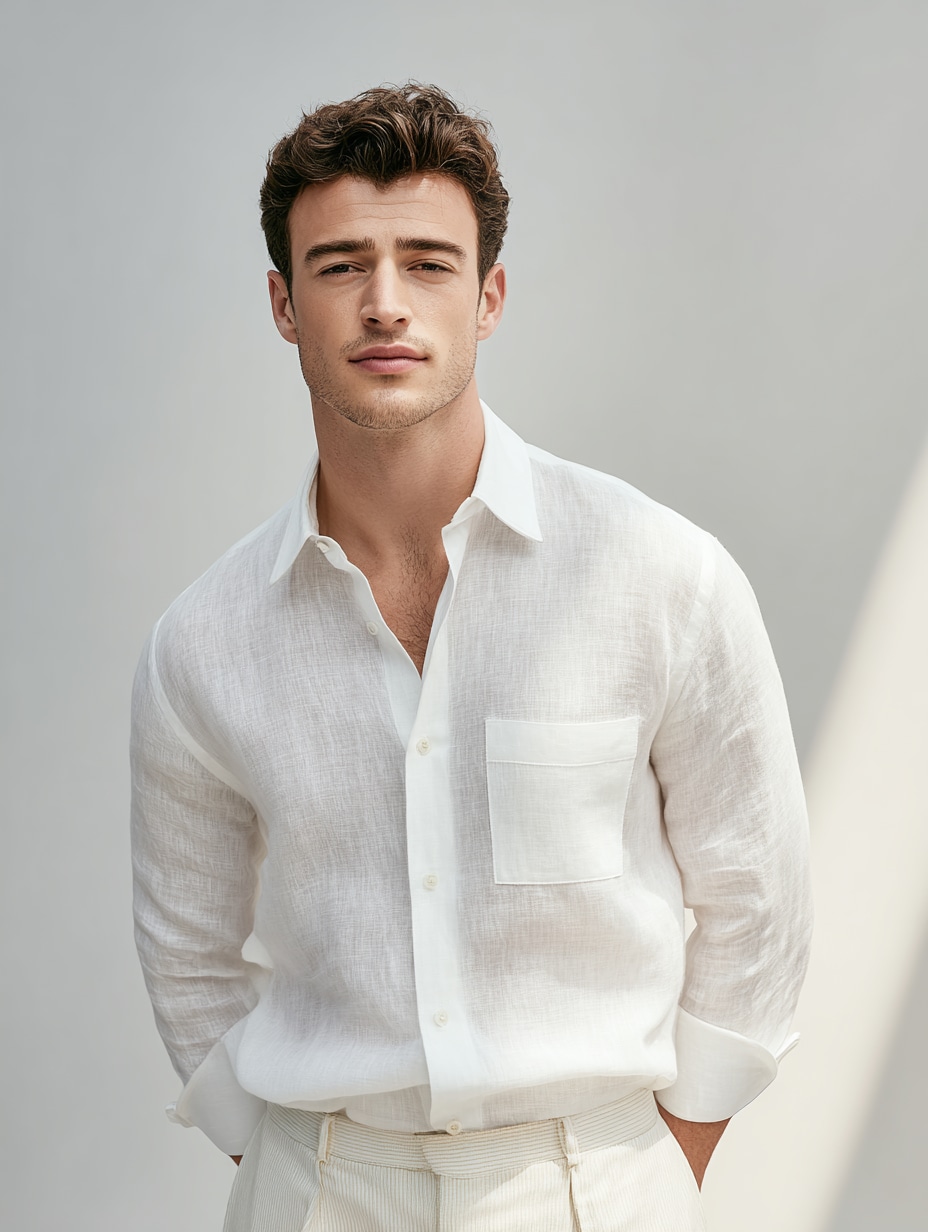
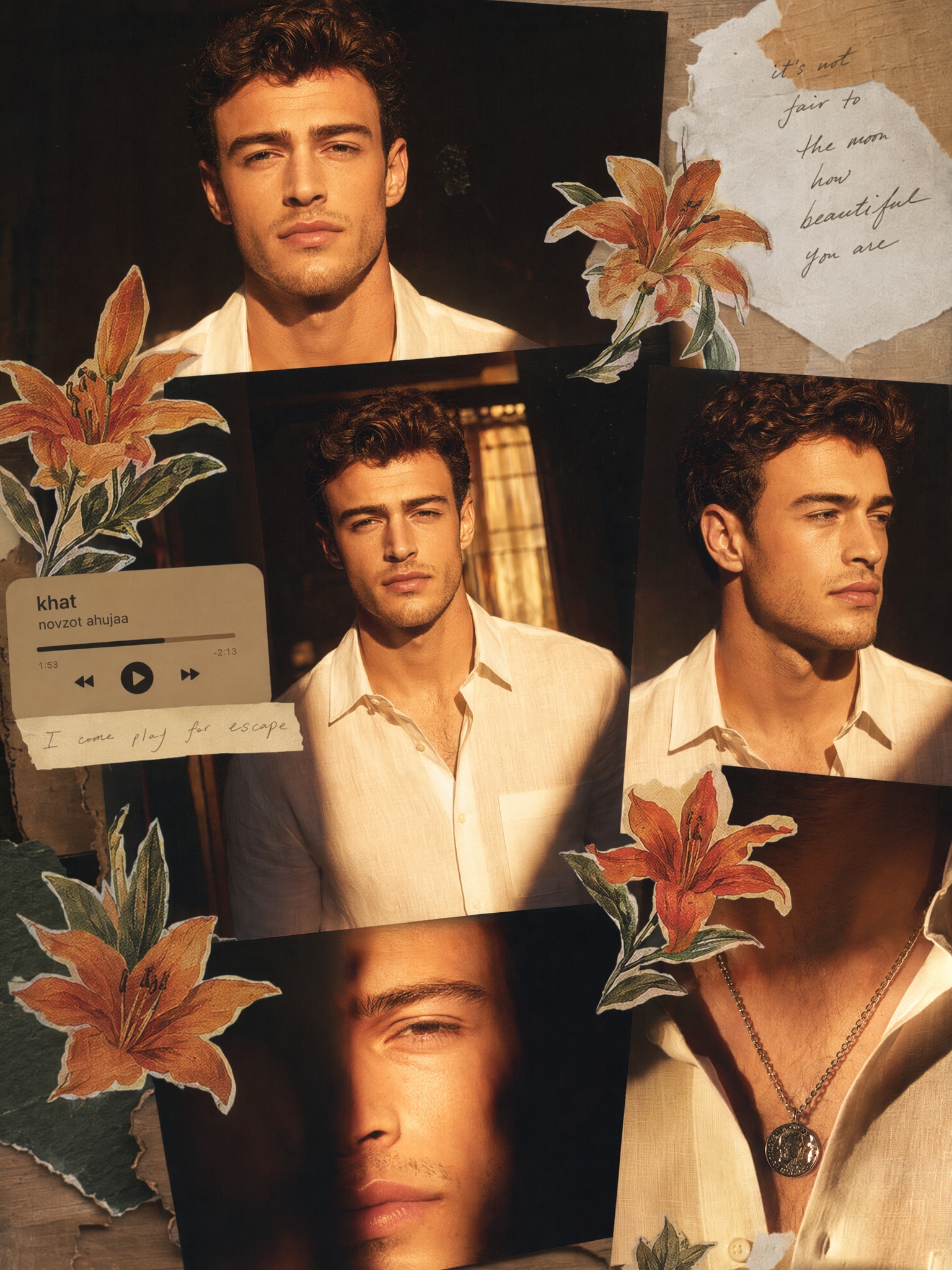
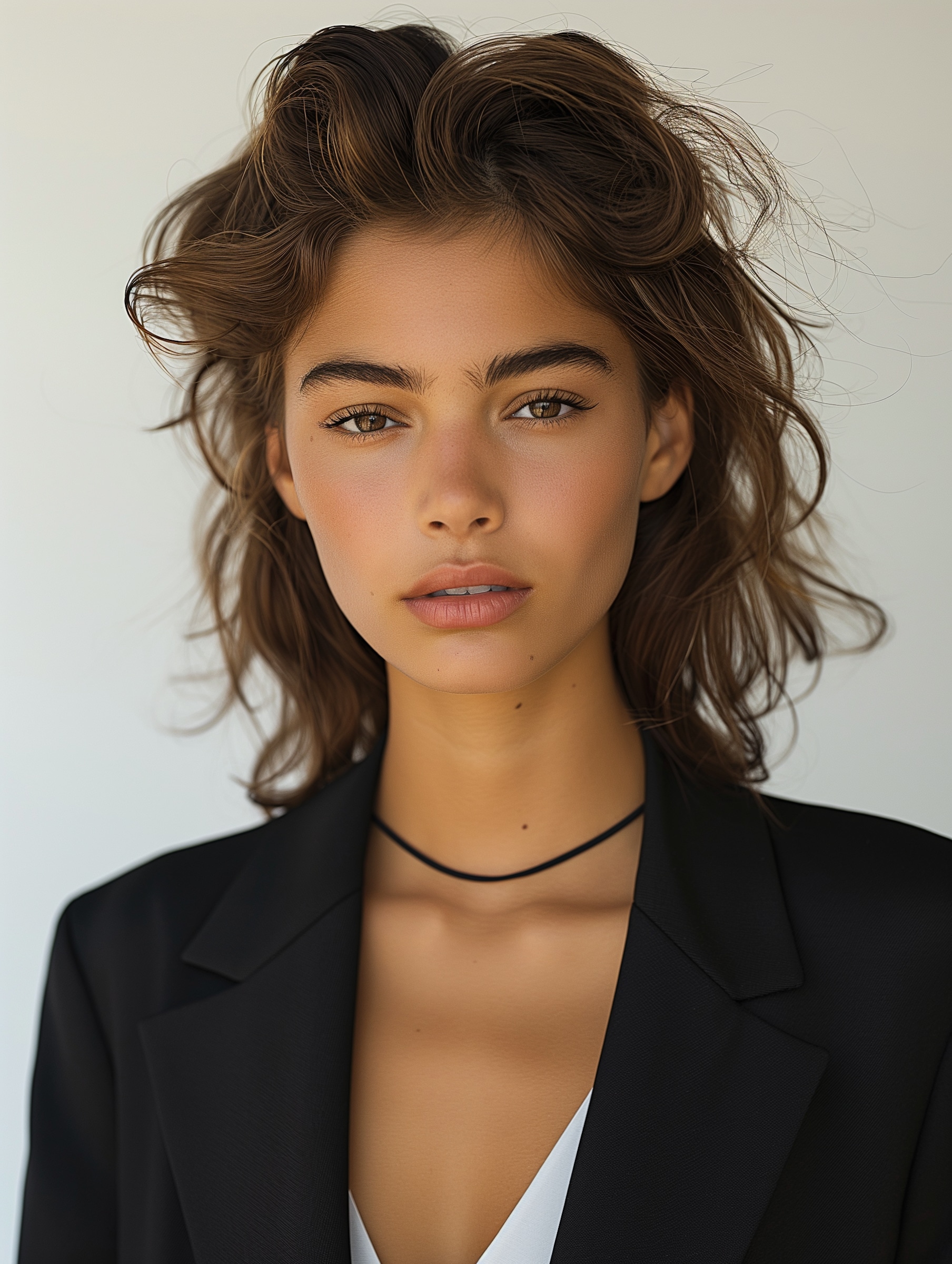
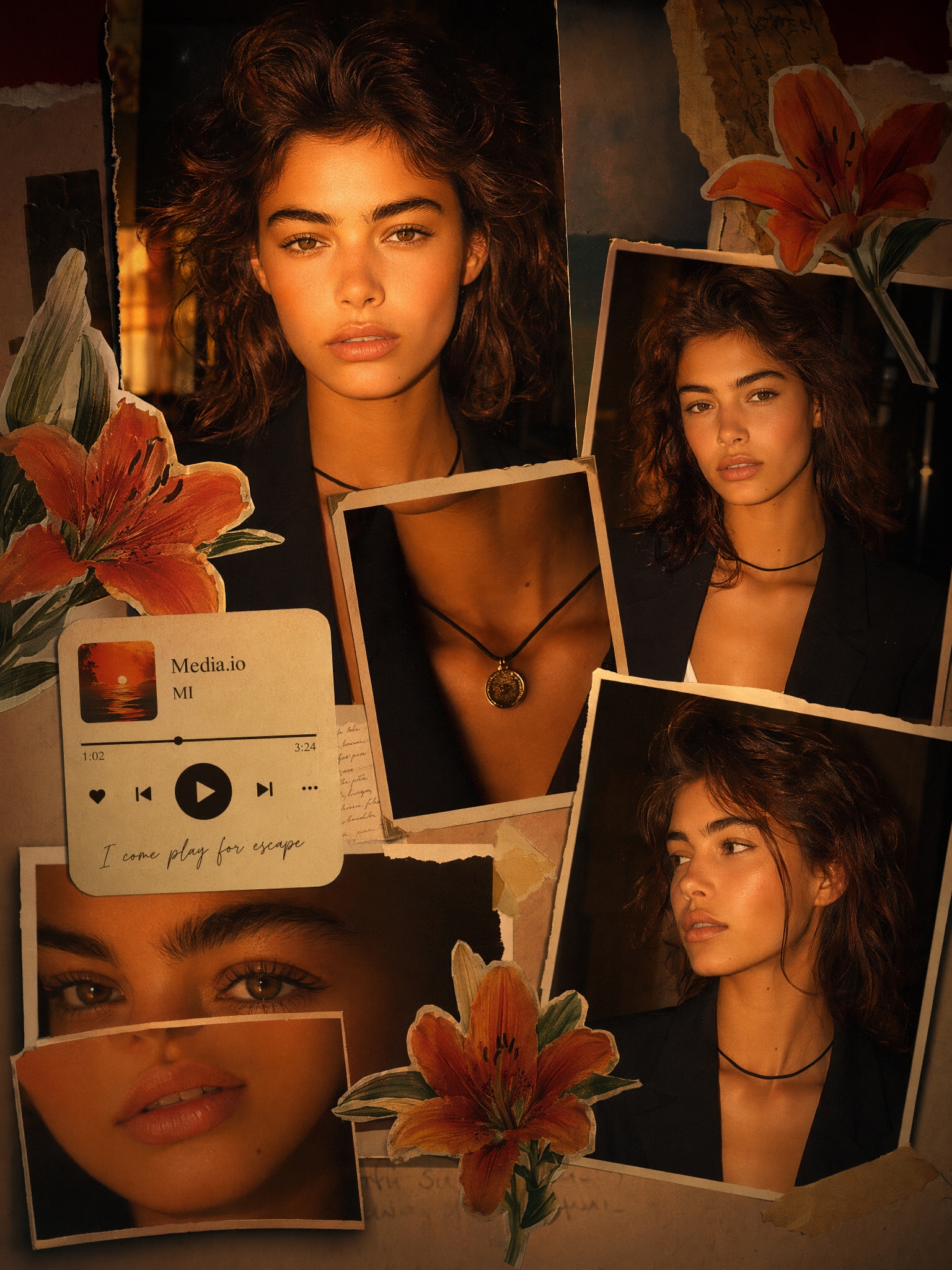
Create stunning ChatGPT AI collage photos with ready-to-use prompts. Turn portraits, fashion shots, selfies, and social images into golden night edits, Kurti fashion collages, scrapbook layouts, cyberpunk art, and magazine-style visuals with Media.io.
Upload a photo and generate a stylish AI collage in seconds.
Before
AI Collage
Before
Prompt Edit
10 ChatGPT AI Collage Prompts for Photo Editing
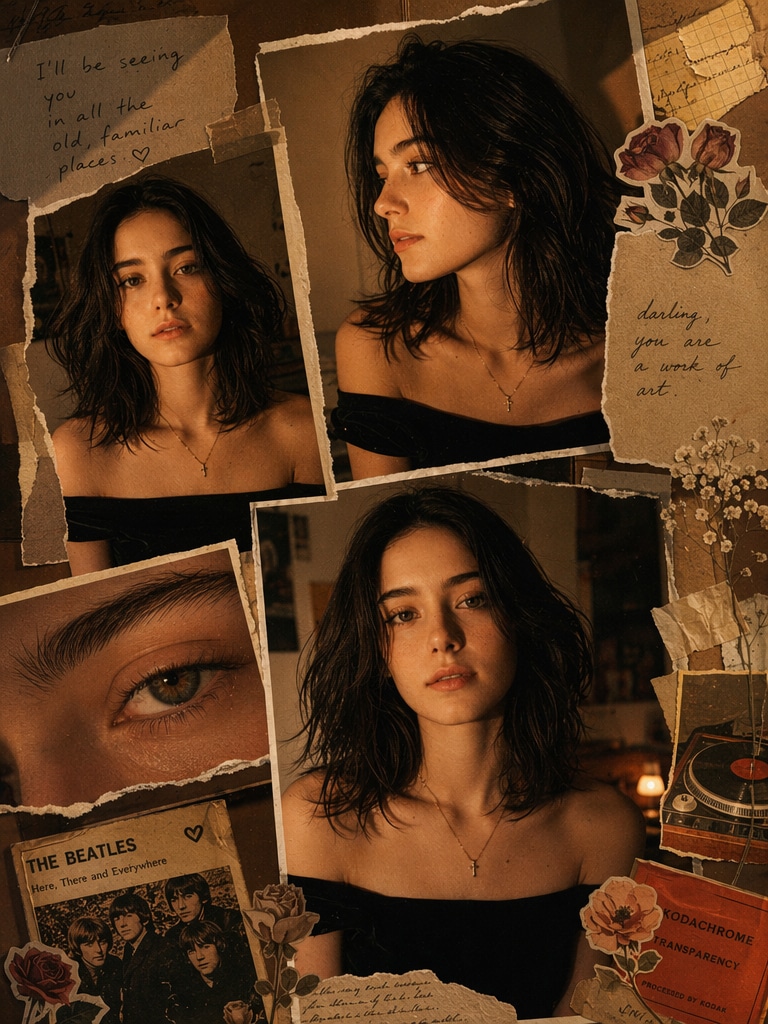
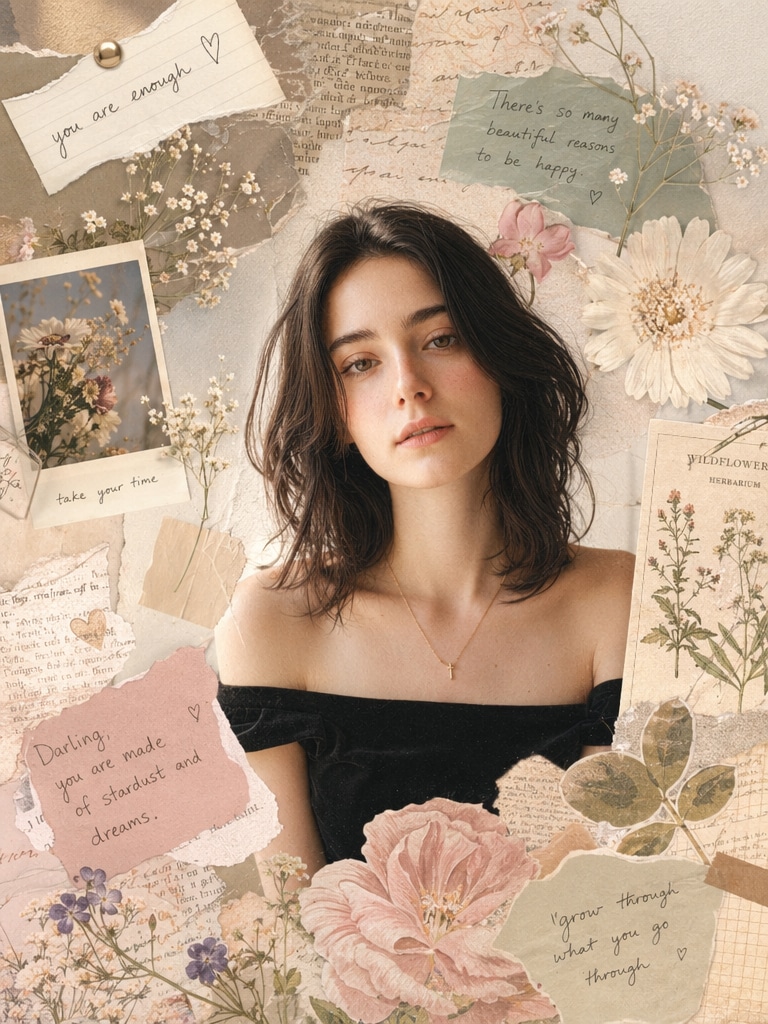
Moody Scrapbook Portrait
A warm, moody scrapbook-style portrait collage of the uploaded person with messy dark hair, glowing tan skin, black shirt, and a gold cross necklace. Multiple overlapping printed portrait photos of the same person, including front view, side profile, and extreme eye close-up. Add torn paper, masking tape, vintage floral stickers, aged notebook scraps, and a retro music-card detail. Use amber low light, flash-photo look, deep shadows, subtle grain, brown-orange vintage color grading, and an intimate indie Tumblr/Pinterest moodboard aesthetic.
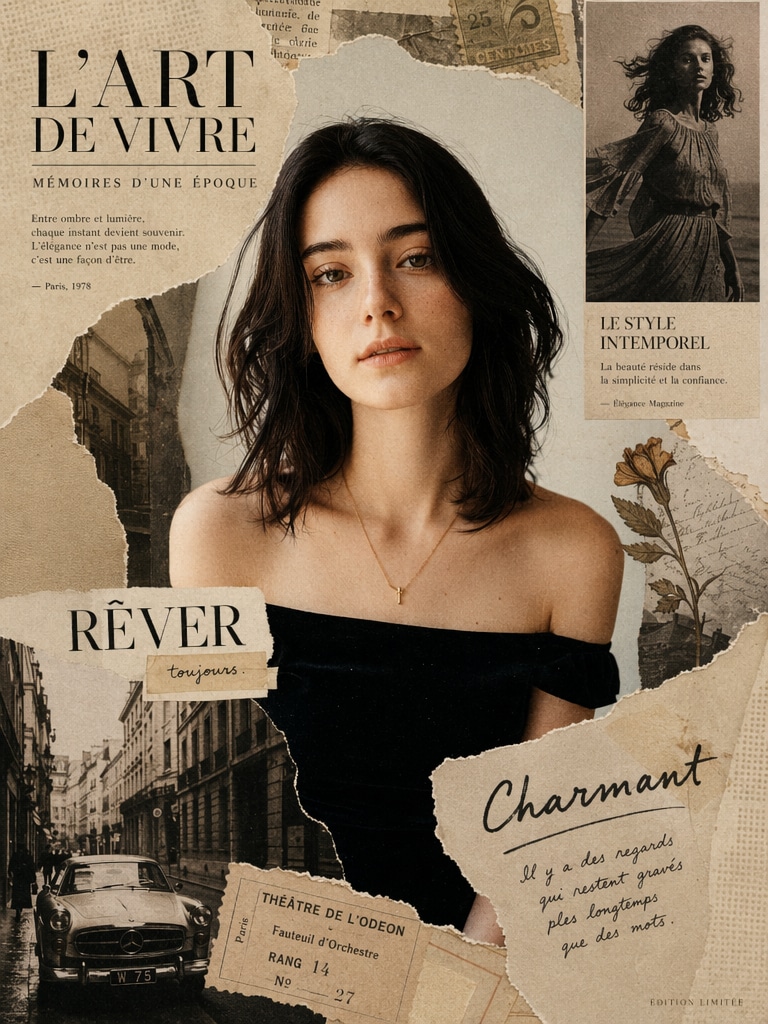
Vintage Magazine Collage
vintage magazine collage, retro fashion model, sepia tones mixed with muted colors, torn paper edges, analog textures, classic editorial layout, soft grain, nostalgic lighting, layered composition, ultra detailed
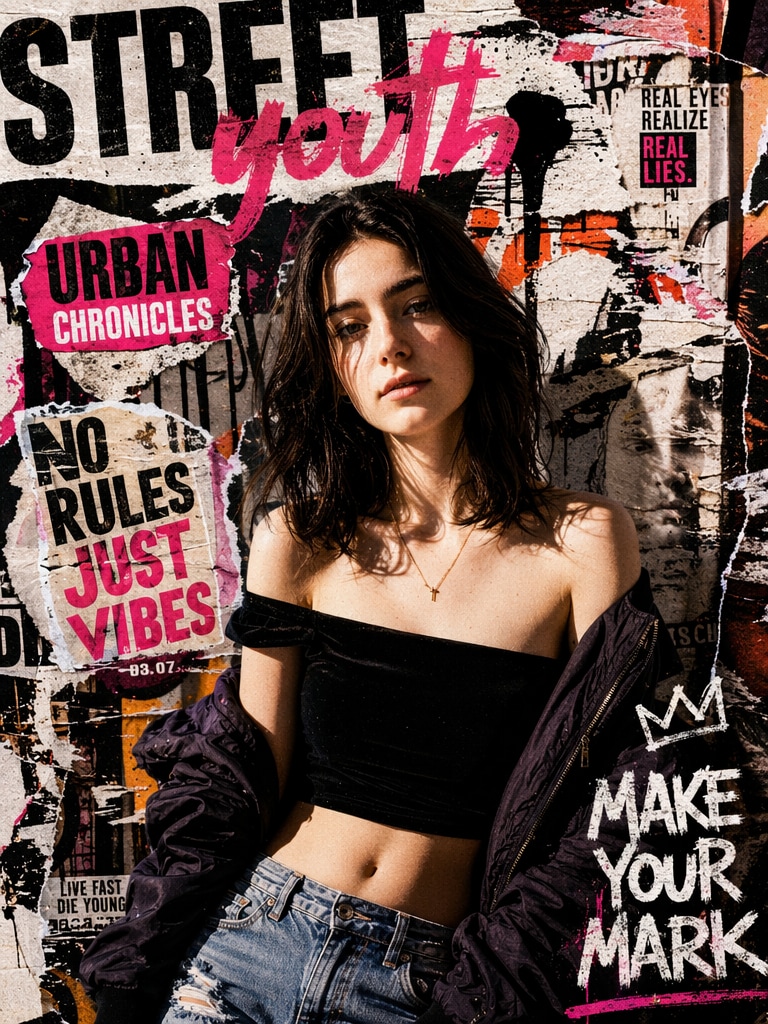
Urban Street Collage
urban street fashion collage, young model, graffiti textures, ripped posters, bold typography layers, vibrant colors, harsh lighting, editorial magazine style, dynamic composition, high contrast shadows, gritty aesthetic, ultra realistic
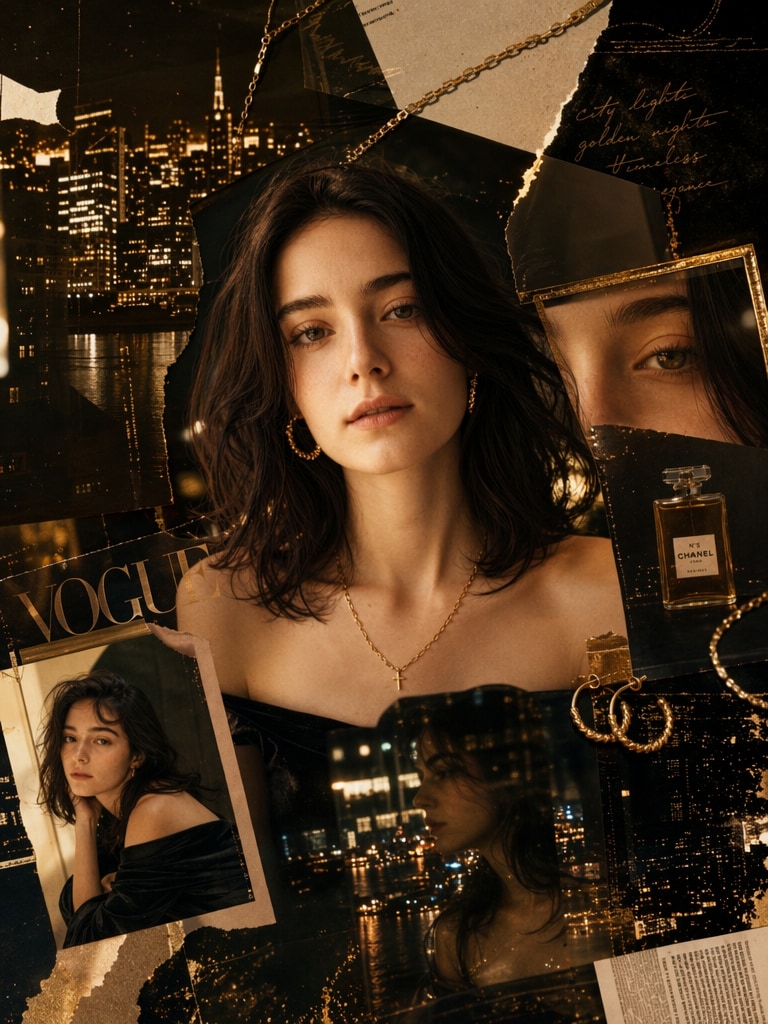
Golden Night Collage
A stylish woman portrait collage, golden night theme, glowing city lights, luxury jewelry fragments, layered magazine cutouts, cinematic lighting, deep shadows, gold and black color palette, surreal reflections, high fashion editorial style, ultra detailed, soft glow, 4k
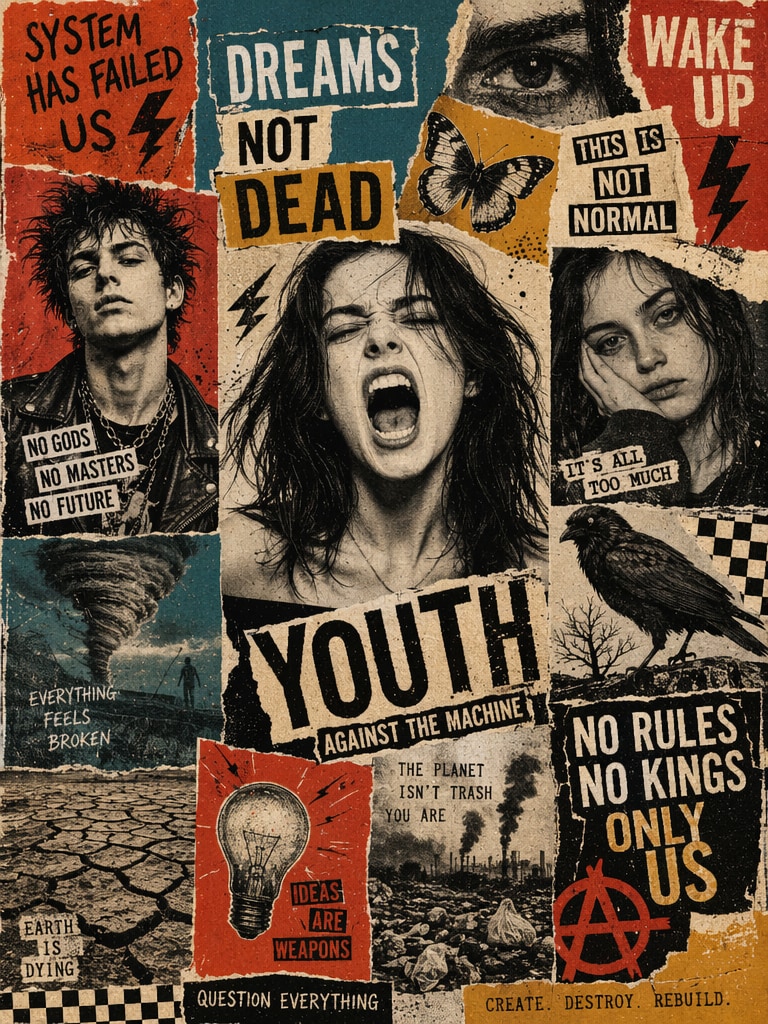
Punk Zine Protest Poster
Create a punk editorial collage poster in a handmade torn-paper zine style, combining vintage magazine cutouts, ransom-note typography, screen-print textures, and gritty protest-poster aesthetics. Use a multi-panel grid layout filled with black-and-white portrait photography, bold cutout headlines, and high-contrast blocks of burnt orange, muted red, teal blue, mustard yellow, black, and cream. Include visual elements such as: a screaming young woman in the center, a punk male portrait, tired or emotionally detached faces, a butterfly, a black bird, an eye, lightning bolts, a tornado icon, a barren tree, cracked dry earth, pollution / garbage imagery, a light bulb, checkerboard motifs, and anarchy-style symbols. The poster should feel like a mix of 1970s punk zine, underground political poster, DIY editorial collage, Dada-inspired cut-paper composition, and rebellious music-cover artwork. Add rough paper edges, visible paper fibers, misprinted ink, print grain, worn textures, imperfect alignment, and distressed vintage poster details. Theme and mood: rebellion, youth unrest, dream vs reality, fragile earth, mental chaos, no rules, social criticism, environmental anxiety. Composition: vertical 4:5 poster, dense layout, bold central figure, multiple separate collage blocks, dramatic visual rhythm, strong handmade typography, high emotional tension. Style keywords: punk zine, protest poster, editorial collage, torn paper, handmade typography, vintage print, screen print texture, distressed paper, underground magazine, rebellious, raw, expressive
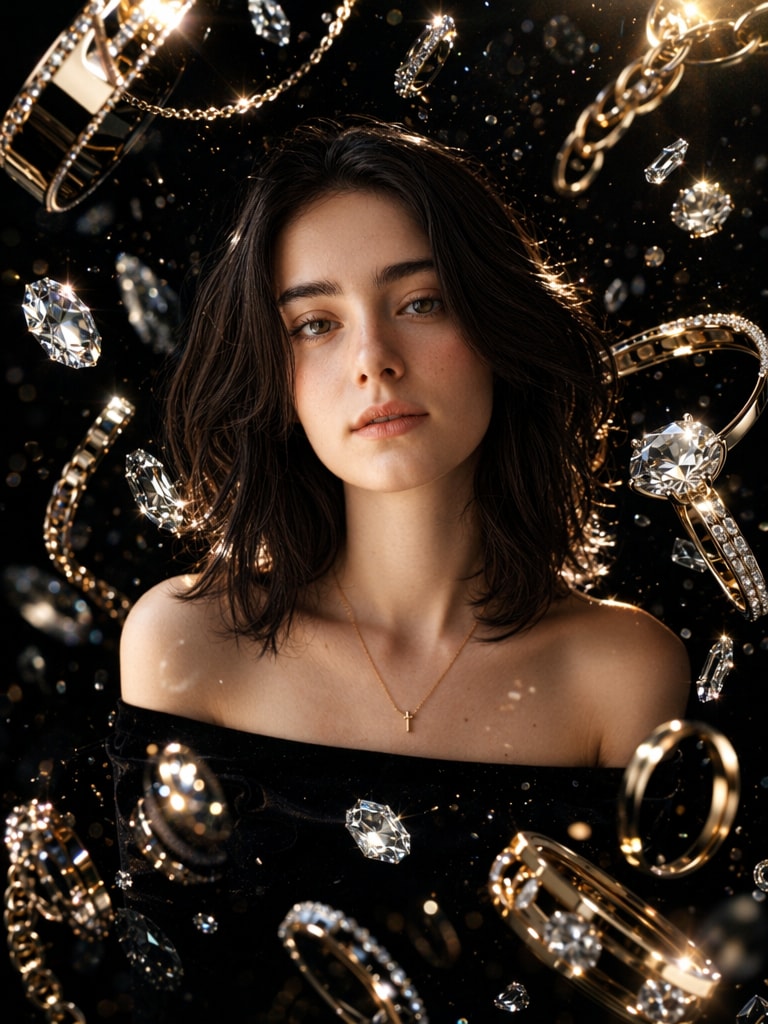
Luxury Jewelry Collage
luxury jewelry collage, diamonds and gold elements floating around portrait, glossy reflections, dark background, high-end fashion editorial look, dramatic lighting, sharp highlights, surreal composition, ultra detailed textures, cinematic glow
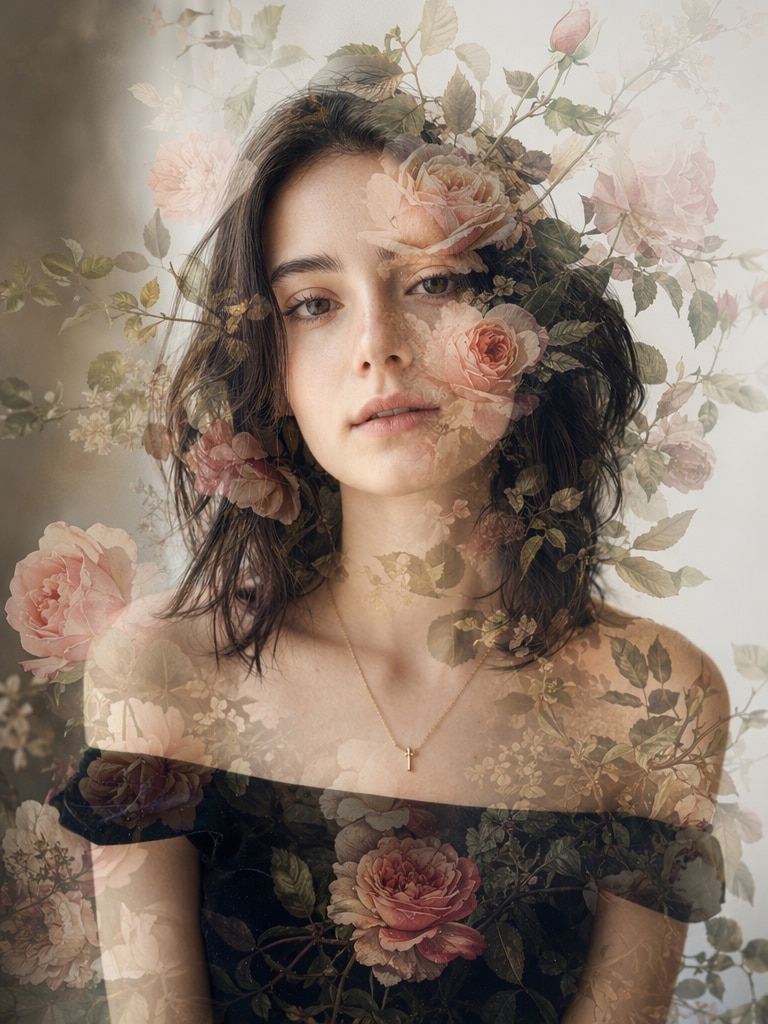
female portrait with floral overlay collage, roses and leaves blending into face, double exposure effect, soft lighting, pastel + natural tones, romantic aesthetic, smooth gradients, artistic composition, ultra detailed
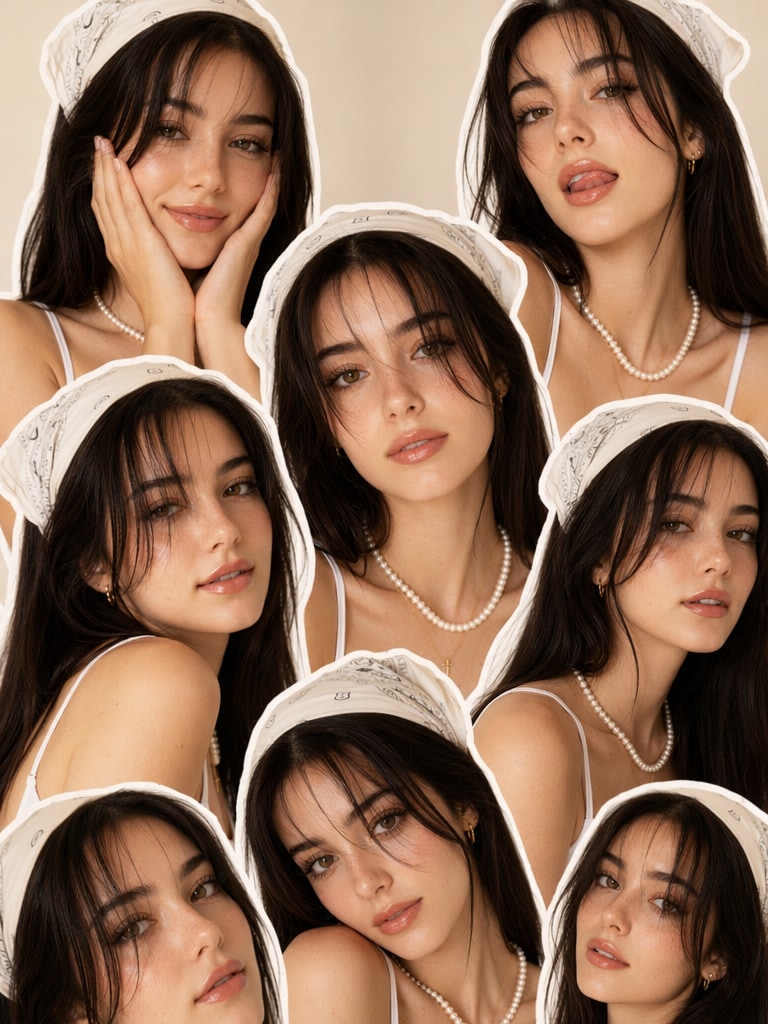
Y2K Beauty Sticker Collage
Using the photo as reference, create a high-resolution collage of a stylish young woman repeated in multiple cutout poses. She has long, straight dark hair, soft glam makeup with glossy lips and long, dramatic lashes. She wears a white bandana headscarf, some bangs covering her face, a white spaghetti-strap top, pearl necklace and minimal jewelry. Her expressions are: playful hands on cheeks, tongue slightly out, and more subtle smiles. One image can be in the center. Warm studio lighting, smooth skin texture, clean background, Y2K aesthetic, trendy beauty editorial style, seamless overlapping sticker-like collage layout.
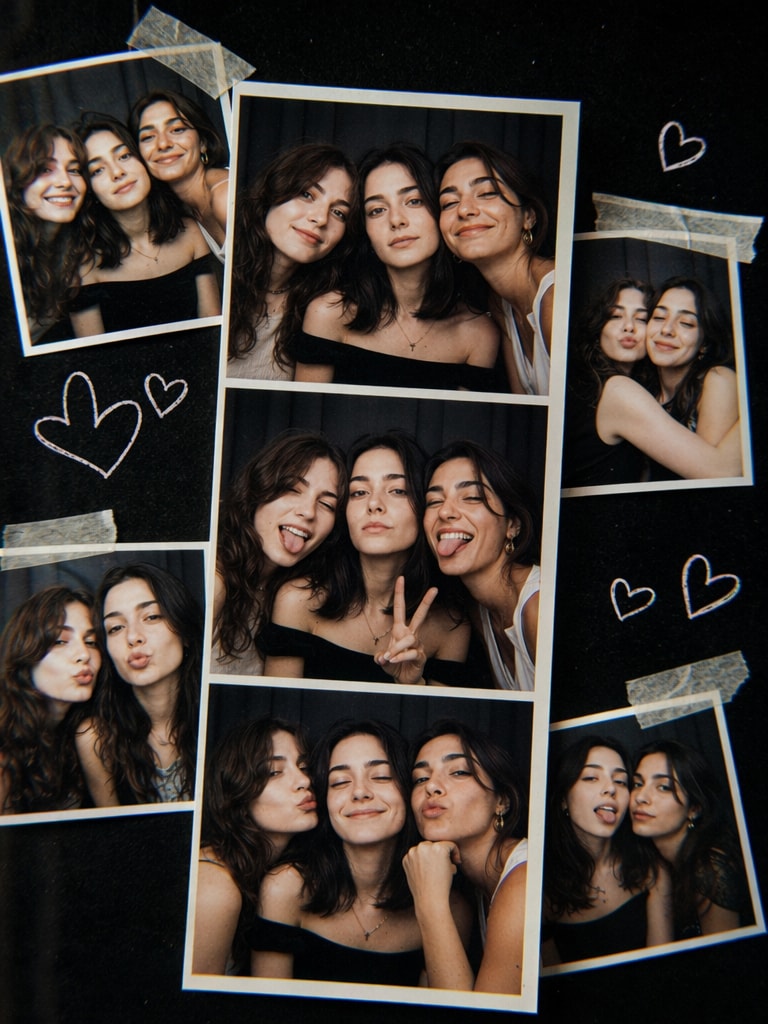
Photo Booth Friends Collage
Photorealistic collage of three best friends in a photo booth strip plus extra snapshots taped around it, glossy prints with slight curls, doodled hearts, retro flash look, dark background, high contrast, Fujifilm X-T5 23mm, subtle chromatic aberration for authenticity, fun nostalgic vibe
Why Use Media.io for ChatGPT AI Collage Photo Edits?
Instant AI Collage Generation
Media.io helps creators turn a normal portrait into a polished ChatGPT AI collage photo without Photoshop skills.
Upload your image, paste a ChatGPT collage prompt, and generate a visual with layered textures, cinematic lighting, and social-ready style.
Prompt-Based Creative Control
Test different ChatGPT AI collage prompts for golden night, Kurti fashion, cyberpunk, scrapbook, floral, or vintage magazine effects.
This makes it easy to create a consistent visual direction while still keeping every image unique.
Social Media Ready Output
ChatGPT collage photo edit styles are popular for Instagram posts, reels, profile photos, mood boards, and short-form visual content.
Media.io helps you create high-impact images with strong colors, layered composition, and editorial detail.
Beginner-Friendly AI Editing
You do not need design experience to make a ChatGPT AI collage photo.
Media.io keeps the workflow simple, so casual users, creators, bloggers, and fashion sellers can create polished AI collage visuals quickly.
How to Create a ChatGPT AI Collage Photo
01
Step 1 – Upload Your Photo
Choose a clear portrait, selfie, fashion image, or product-style photo as your base image.
A sharp image helps the AI preserve the subject while adding collage layers, textures, lighting, and artistic elements.
02
Step 2 – Paste a ChatGPT Collage Prompt
Use a prompt for your target style, such as golden night, ChatGPT Kurti prompt, cyberpunk neon, floral overlay, or vintage magazine collage.
For better image-to-image results, add “based on the uploaded image, keep face structure consistent” to your prompt.
03
Step 3 – Generate and Download
Generate your ChatGPT AI collage photo, compare results, and refine the prompt if needed.
Download the final image for Instagram, profile photos, mood boards, blog visuals, product campaigns, or creative portfolios.
Core Use Cases of ChatGPT Collage Prompt
Instagram Viral Content
Create aesthetic AI collage posts inspired by trending social edits, with layered cutouts, dramatic lighting, bold colors, and editorial effects.
Personal Photo Enhancement
Turn selfies and portraits into artistic visuals using scrapbook textures, floral overlays, luxury details, or surreal face-fragment collage prompts.
Fashion and Branding Visuals
Use ChatGPT Kurti prompt ideas, streetwear collage prompts, and magazine-style AI edits for outfit showcases, creator branding, and product storytelling.
What Users Say About ChatGPT Collage Prompts
Emma
Content Creator
“Amazing collage results”
I created Instagram-ready AI collage photos in minutes. The golden night prompt gave my portraits a polished editorial look without manual editing.
Raj
Fashion Blogger
“Perfect Kurti visuals”
The ChatGPT Kurti prompt helped me design unique outfit visuals with cultural texture, futuristic details, and a strong fashion-blog style.
Liam
Designer
“Super easy workflow”
I only needed one base image and a prompt. Media.io made it simple to create professional-looking collage edits for mood boards and client concepts.
Frequently Asked Questions about ChatGPT Collage Prompt
1. What is a ChatGPT collage prompt?
A ChatGPT collage prompt is a text instruction used to create or edit an AI collage image. It usually describes the subject, collage elements, visual style, lighting, colors, texture, and final mood. For example, a strong prompt may combine “portrait,” “torn paper textures,” “golden night lighting,” “magazine cutouts,” and “high fashion editorial style.”
2. How do I create a ChatGPT AI collage photo?
To create a ChatGPT AI collage photo, upload a clear image to Media.io, choose a prompt from this page, paste it into the image-to-image workflow, and generate the result. You can refine the prompt by adding specific details such as “keep face structure consistent,” “add torn paper edges,” “use cinematic lighting,” or “make it suitable for Instagram.”
3. What is the best ChatGPT AI collage prompt for Instagram?
The best ChatGPT AI collage prompt for Instagram depends on your visual goal. Golden night prompts work well for luxury and glam portraits, cyberpunk prompts are great for neon edits, scrapbook prompts fit soft aesthetic posts, and vintage magazine prompts suit editorial-style content. For stronger results, include lighting, background, texture, and color palette in your prompt.
4. Can I use a ChatGPT Kurti prompt for fashion collage edits?
Yes. A ChatGPT Kurti prompt is useful for fashion bloggers, clothing sellers, and creators who want to turn a Kurti portrait into a modern AI collage. You can ask the AI to blend traditional fabric textures with neon accents, digital patterns, cultural motifs, magazine layers, or futuristic fashion styling.
5. How can I make my ChatGPT collage photo edit look better?
Start with a clear, high-quality photo and use a detailed prompt. Mention the subject, collage type, colors, lighting, background, textures, and output style. Phrases like “layered magazine cutouts,” “torn paper edges,” “cinematic lighting,” “ultra detailed,” “soft glow,” and “high fashion editorial style” can help produce a more polished ChatGPT collage photo edit.