







AI换脸
上传源图片
上传一张人脸清晰的图片
点击或拖拽上传,或选择 历史记录点击上传历史记录
没灵感?先生成一张图片试试 >
支持上传最大50MB的jpg、jpeg、png图片,图片宽度/高度至少为300px。
上传人脸
上传你想要替换进去的人脸
product model face swap

Transform Product Model Photos with AI Face Swap

Media.io's AI Product Model Face Swap tool helps you create customized product images for any e-commerce or brand presentation. Swap faces on model photos to fit regional audiences, new collections, or personalized demos within seconds. No complex editing, no Photoshop needed-just upload two images and let AI do the rest. Ideal for marketers, photographers, and online sellers who want visual diversity at scale.

Try Product Model Face Swap Now
Free Trial AvailableBrowser-Based ToolSafe & PrivateE-commerce Ready
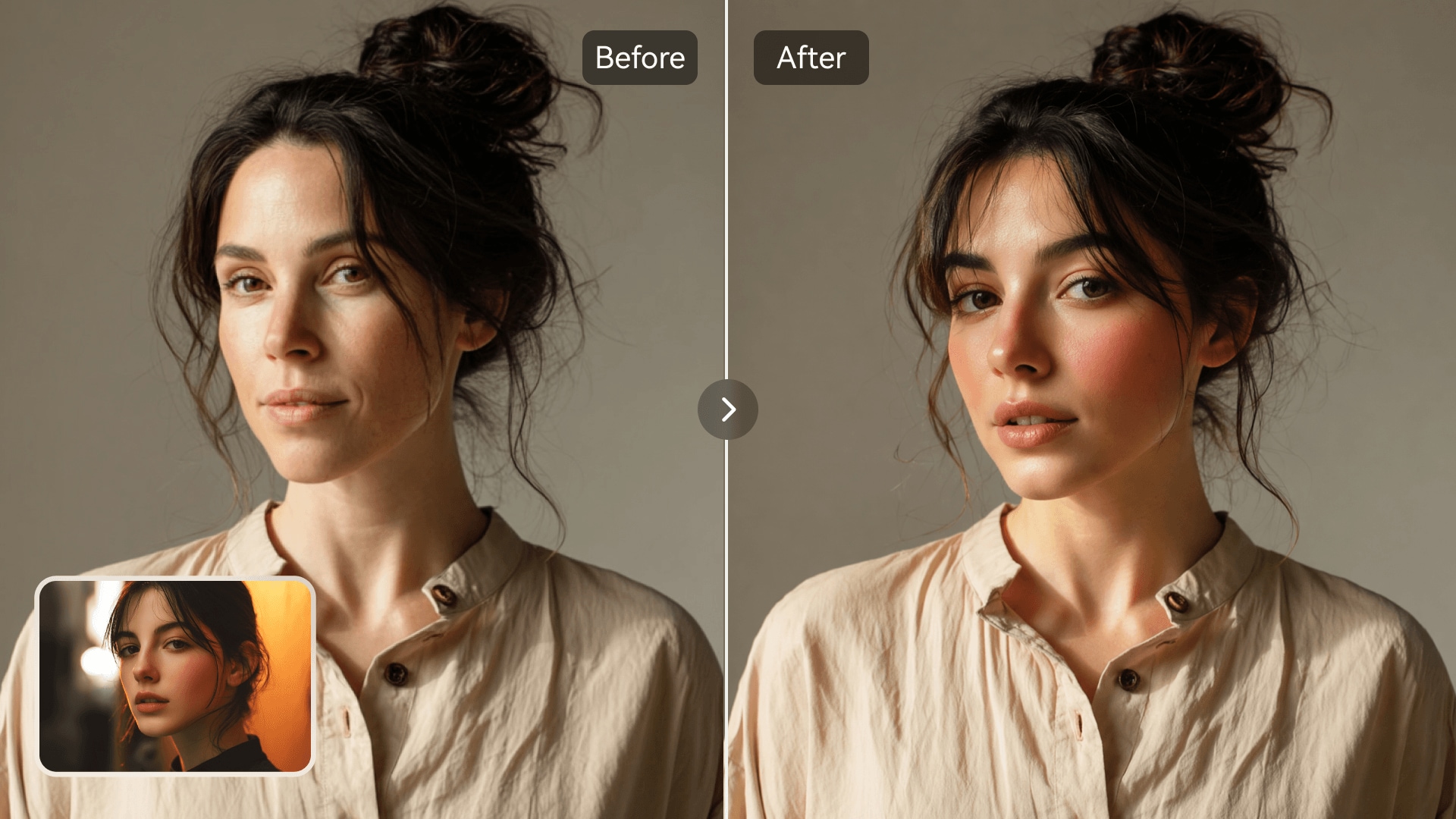
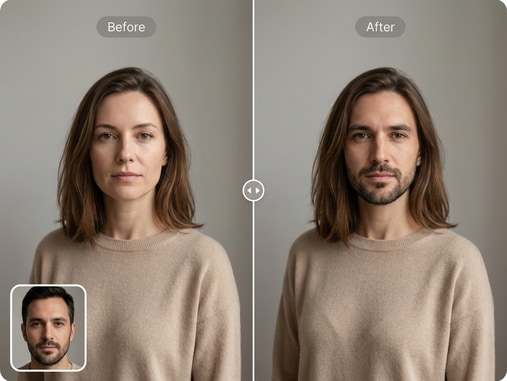
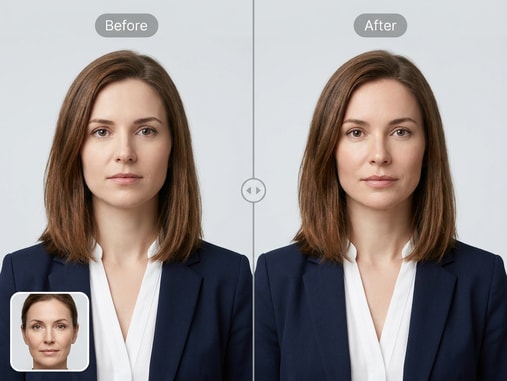
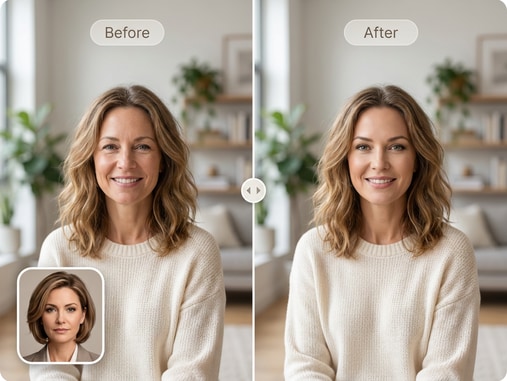
Before and after AI product model face swap example with e-commerce models
Example of diverse model presentation using face swap on product images

Create Brand-Ready Product Photos

Produce high-quality images showcasing your products on different models without costly photo shoots. This tool allows you to preview how designs appear on various faces and features. Build visual variety for marketing campaigns, catalogs, and ads. Media.io ensures consistent lighting and natural blend for professional appearance.
Enhance Product Diversity

Show your products on diverse faces to reflect inclusive branding. The AI automatically adjusts facial alignment and skin tone to produce realistic outcomes. You can generate multiple model variations from a single base image. Simplify content localization for different markets without reshooting assets.

Simplify Workflow for Creators

Skip traditional editing tools and manual retouching. Upload the source face and target product model image, and Media.io instantly completes the swap. Achieve natural-looking results suitable for e-commerce listings, portfolio images, and visual campaigns. Cut down hours of post-production into seconds.

Boost Engagement with Realism

Capture attention with visually realistic and appealing product visuals. AI analyzes lighting, expression, and angle to blend faces smoothly into the target body. Viewers perceive an authentic look, improving trust and engagement in online product displays. Enhance click-through rates and conversions effortlessly.

Create Engaging YouTube Thumbnails with AI Face Swap

Swap faces creatively to design catchy YouTube thumbnails that grab attention. Instantly align expressions, lighting, and realism for perfect overlays.

YouTube thumbnail before and after face swap example

How to Do a Product Model Face Swap Online

01

1. Upload the Product Model Photo

Select your target image featuring a product model. Ensure the lighting and face angle are clear for best results. Media.io supports various file types with quick upload.

02

2. Add the Source Face Image

Upload the face you want to apply onto the product model. The AI automatically maps facial landmarks to align it accurately. Preview the swap area before generating.

03

3. Generate and Download

Click Generate to create the realistic face swap instantly. You can download the finished photo or adjust inputs for another variation. Perfect for refining e-commerce product visuals.

What Users Say About Media.io Face Swap

user
Maria L.

E-commerce Manager

starstarstarstarstar

"Made Product Shoots So Much Easier" Media.io helped me create model variations for our store without extra photo sessions. It saved both time and budget for our brand updates. The outcomes look perfectly natural on our site. Highly recommend for e-commerce marketing projects.

user
Daniel P.

Creative Photographer

starstarstarstarstar

"Realistic Results Every Time" This tool makes my post-production smoother. The AI blending matches face tones and lighting seamlessly. My clients appreciate that we can deliver more options fast. It's great for promotional visual work and digital catalog layouts.

user
Linda H.

Product Designer

starstarstarstarstar

"Perfect for Prototype Visuals" I use Media.io Face Swap to test how new clothing looks on different models. The realism is impressive, even with casual lighting. It allows me to visualize product presentation ideas efficiently. A real boost for creative concept pitches.

user
Chris M.

Online Seller

starstarstarstarstar

"No Design Skills Needed" I don't have editing experience but still created professional-looking product model photos. The whole process is intuitive and fast. The anonymity and data safety features are reassuring too. Great for anyone selling products online.

user
Nadia J.

Marketing Specialist

starstarstarstarstar

"Saves So Much Production Time" Instead of scheduling multiple shoots, I can build a photo library with one main shoot and use face swaps. It made campaign visuals consistent across markets. Media.io's UI is clean and easy to handle. This tool became part of our workflow quickly.

Creators, marketers, and shop owners use Media.io to scale product images fast and professionally.

Frequently Asked Questions About Product Model Face Swap

1. What Is a Product Model Face Swap?
faqfaq

A product model face swap replaces the face of a model in a product photo with another face to create new variations. It is ideal for e-commerce brands needing diverse visuals without new photo shoots. The AI matches lighting and expression automatically. It keeps image quality professional for online use.

Media.io uses advanced AI to detect and map facial landmarks on both source and target photos. It aligns them precisely for a natural swap result. The process ensures smooth facial blending, tone consistency, and realistic expressions. All it takes is uploading images and clicking Generate.

Yes, you can use the swapped images for e-commerce product listings, catalogs, and online promotional materials. Ensure you have proper rights to use the original photos and faces added. The results maintain high resolution for commercial usage. It's perfect for testing product imagery or campaign concepts.

Yes, Media.io prioritizes privacy and data safety. Uploaded photos are processed securely and deleted after task completion. The platform does not store personal data unnecessarily. Users can safely explore and create realistic visual results.

No installation is needed. Media.io Face Swap runs completely online through your web browser. You can upload images, create swaps, and download results instantly. It works across desktop, tablet, and mobile devices smoothly.

The tool supports common image formats such as JPG, PNG, and JPEG. Media.io processes files up to large resolutions efficiently. For best quality, use well-lit faces and clear frontal angles. This ensures the AI produces seamless and realistic swaps.

Currently, the product model face swap works one image at a time for high precision. However, you can process several swaps consecutively within seconds. The speed of generation makes it efficient for bulk visual creation. Future updates may include batch processing features.

Yes, the AI creates photorealistic outputs suitable for product catalogs and ads. The technology blends skin tone, shadows, and lighting naturally. It avoids distortion and maintains visual integrity. Many marketers use it to scale brand visuals confidently.

Media.io Online AI Tools Quality Rating:
vote4.7 (162,357 Votes)







