







//
AI换脸
上传源图片
上传一张人脸清晰的图片
点击或拖拽上传,或选择 历史记录点击上传历史记录
没灵感?先生成一张图片试试 >
支持上传最大50MB的jpg、jpeg、png图片,图片宽度/高度至少为300px。
上传人脸
上传你想要替换进去的人脸
示例图片

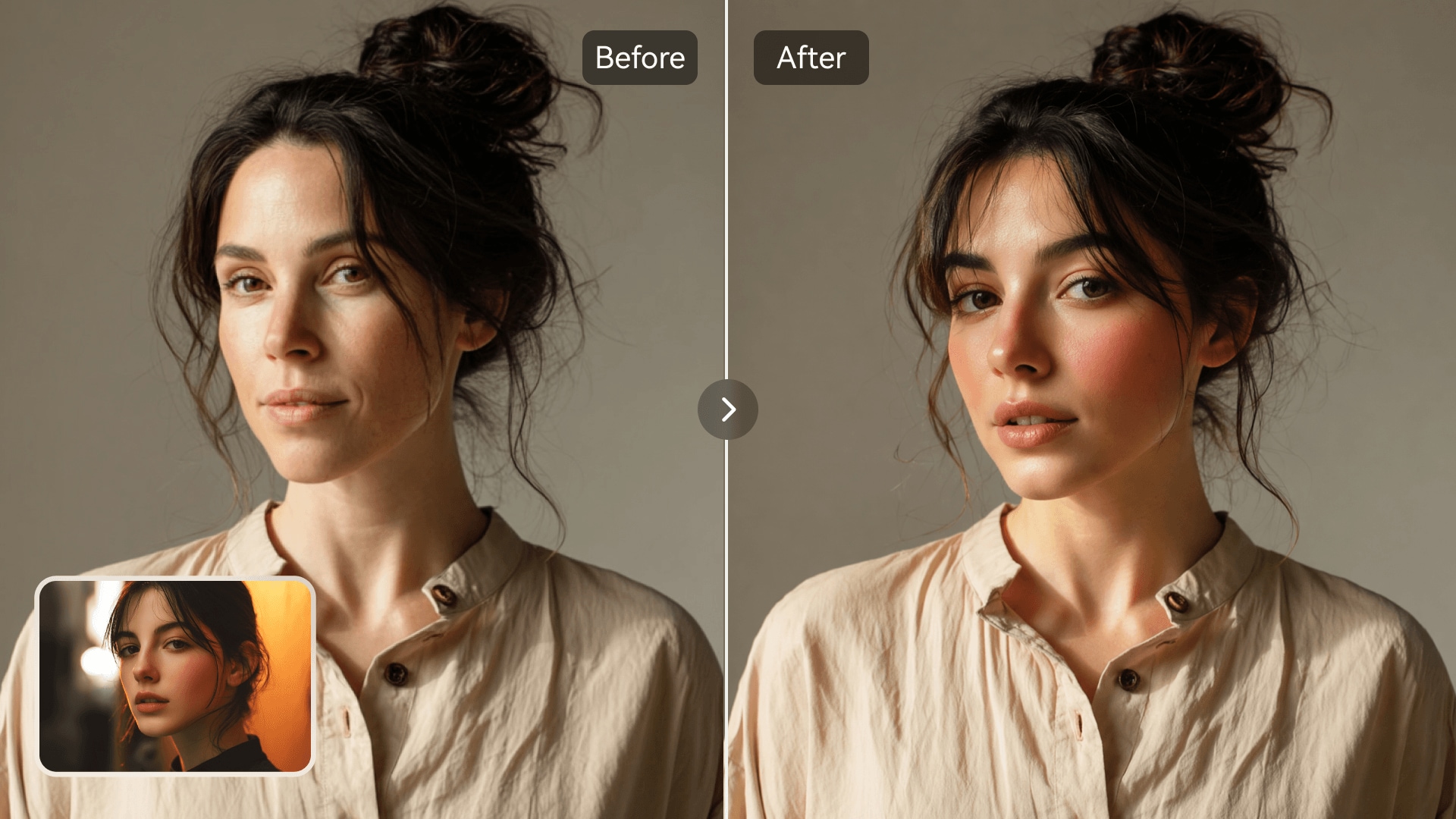
AI Model Face Swap for Realistic Fashion Photos

Media.io AI Model Face Swap lets you replace faces in model and fashion photos with one click. Visualize new looks, try out hairstyles, or create marketing visuals without a camera or studio. It is perfect for fashion creators, designers, and personal styling experiments. Upload your photo, choose any model image, and watch your transformation come to life in seconds.

Try AI Face Swap Now
Free to TryOnline & SecureNo Signup NeededFast AI Rendering
Before and after AI model face swap showcasing realistic face replacement on fashion model
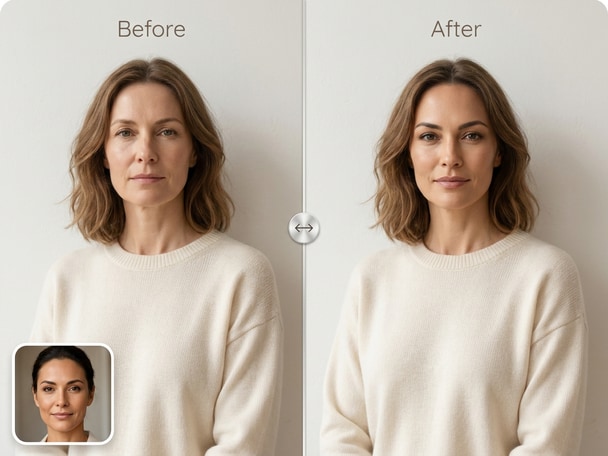
AI fashion face swap comparison on clothing model photo

One-Click AI Swaps

Media.io transforms your uploaded face and model photo instantly using precision AI mapping. You don't need design experience or editing skills. Just upload and let the system align expressions and lighting for a realistic output. Every swap looks natural and professionally balanced.
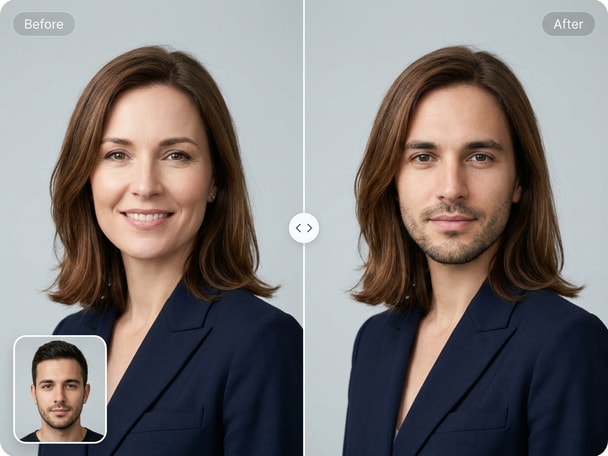
Fashion Visualization Made Easy

See how you would look in different fashions before buying or designing. The AI model face swap tool allows users to virtually try on styles or concepts. It's ideal for bloggers, stylists, and anyone planning a new image. Get a photorealistic result in seconds to use in creative projects.

High-Quality Face Matching

Our AI algorithm detects facial structure and adjusts tones for perfect integration. The result maintains lighting consistency and realistic skin blending. You get professionally enhanced photos without manual editing steps. It's precise, natural-looking, and surprisingly fast.

Privacy and Data Protection

Your images are processed securely on Media.io servers and promptly deleted after editing. We ensure full safety and transparency so your photos remain private. Media.io does not store or reuse uploaded content.

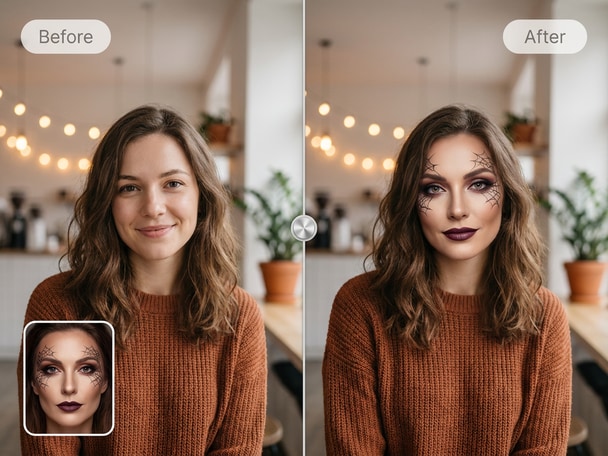
Create Fun Halloween Face Swaps Online

Turn your Halloween selfies into spooky fun scenes using Media.io's Halloween Face Swap tool. Replace faces with themed costumes or creative edits in seconds.

Before and after Halloween AI face swap example

How to Use AI Model Face Swap Online

01

Step 1: Upload Photos

Choose one photo of yourself and one model or fashion photo you want to swap with. The clearer and well-lit your photos are, the better the AI results.

02

Step 2: AI Face Swap

Click the start button and let Media.io's AI automatically detect and match the faces. It maps skin tone, angle, and lighting for a seamless result.

03

Step 3: Preview and Download

See your transformed model photo instantly. You can download the edited picture or share it directly on your preferred platform.

What Our Users Say

user
Rachel P.

Fashion Blogger

starstarstarstarstar

"Exactly What I Needed for Outfit Mockups" I tried the AI model face swap to see how I'd look in a product photo. The output was so realistic that it looked like my actual shoot. It saved me hours of editing and gave my blog a more professional appearance. I liked that Media.io kept the ai model face swap workflow simple enough to use without editing experience.

user
Anthony D.

Marketing Designer

starstarstarstarstar

"Instant Visual Prototypes for Campaigns" Media.io helped me create mockups for client ads instantly. The realistic lighting and smooth blending were impressive. It saves time and the swap process is intuitive and fast. I highly recommend it for visual advertising work.

user
Sophia L.

Freelance Creator

starstarstarstarstar

"Fun and Professional Tool in One" This tool works great for both creative fun and professional tasks. I used it to make portraits for my portfolio and to try new styling ideas. The face swaps come out clean, natural, and ready to post. I liked that Media.io kept the ai model face swap workflow simple enough to use without editing experience.

user
Megan C.

Image Editor

starstarstarstarstar

"Saves Me Time on Complex Edits" I used to rely on manual photoshop work for fashion composites. Media.io's AI model face swap does it faster and looks just as authentic. It's now a regular part of my workflow when prepping visual drafts for clients.

user
Jordan F.

Digital Artist

starstarstarstarstar

"Realistic Results Without Effort" I was surprised by how naturally the AI blended my face into model photos. It's fun to experiment with lighting and pose variations. The site runs smoothly and doesn't require heavy software installs. I liked that Media.io kept the ai model face swap workflow simple enough to use without editing experience.

Creative users and fashion enthusiasts love how simple and realistic the results look.

AI Model Face Swap FAQs

1. What Is an AI Model Face Swap?
faqfaq

An AI model face swap is a technology that replaces the face in a fashion or model photo with your own. The AI automatically aligns angles and lighting for a realistic finishing. It allows easy visualization of yourself in various fashion poses or scenes. Media.io makes this process simple and secure online.

Upload two photos - your face and the model or fashion image. The AI detects facial features and blends them perfectly using advanced mapping. In a few seconds, you'll see your face seamlessly integrated onto the model's body. Then you can save or share your edited photo.

Yes, you can download and post your AI-swapped model photos. Many users share them for creative or fashion inspiration purposes. The results are lifelike and suitable for personal or non-commercial social sharing. Always make sure you have rights to the base images you use.

Yes. Media.io ensures your privacy by processing swaps securely in the cloud. All uploads are deleted after use, and no personal data is stored. The platform protects your content with encryption standards.

Not at all. Media.io's AI system does all the detailed mapping automatically. You don't need any prior image editing experience. Just choose clear photos with good lighting for optimal accuracy.

Once your AI model face swap is complete, you can preview and download it. For additional customization, you can re-run the process with different images. This helps you choose the best look or lighting combination easily. Every result can be refined in seconds.

Yes, Media.io offers free trials for AI photo face swaps. You can test a few swaps without charges to check realism and quality. The free option is ideal for first-time users or curiosity-driven edits. Premium plans add more advanced resolution and editing controls.

Use high-resolution photos with clear front-facing faces. Balanced lighting and neutral expressions produce the most natural outcomes. Avoid blurry, shadowed, or low-quality uploads. With proper images, Media.io AI delivers crisp, photo-realistic swaps easily.

Media.io Online AI Tools Quality Rating:
vote4.7 (162,357 Votes)







