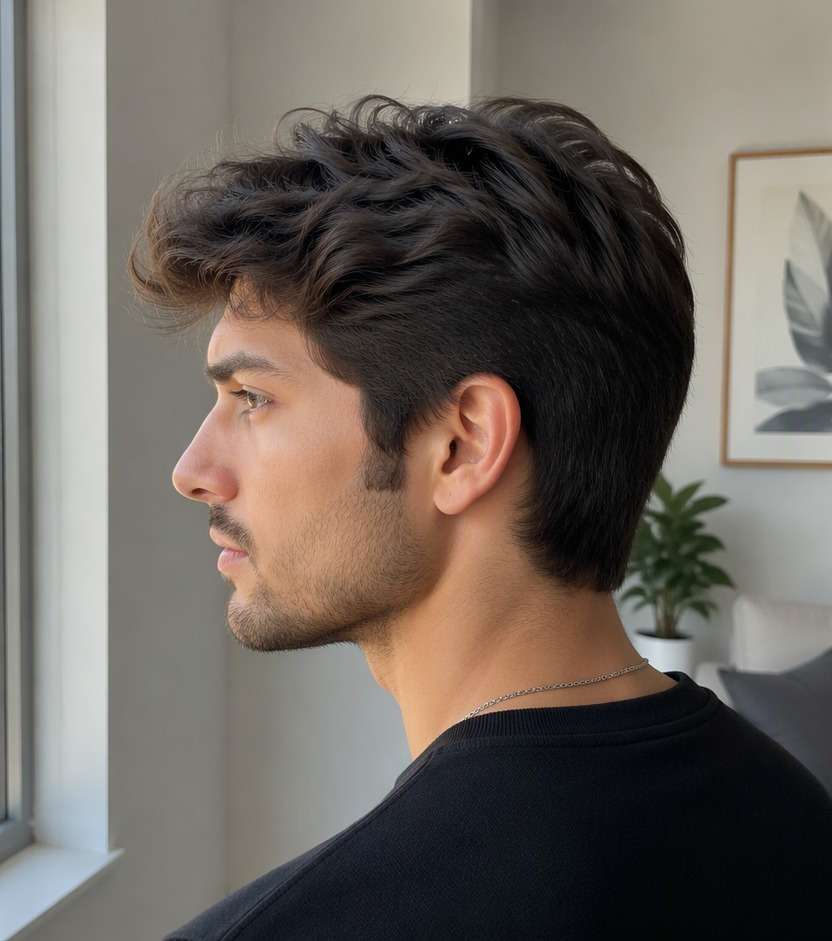
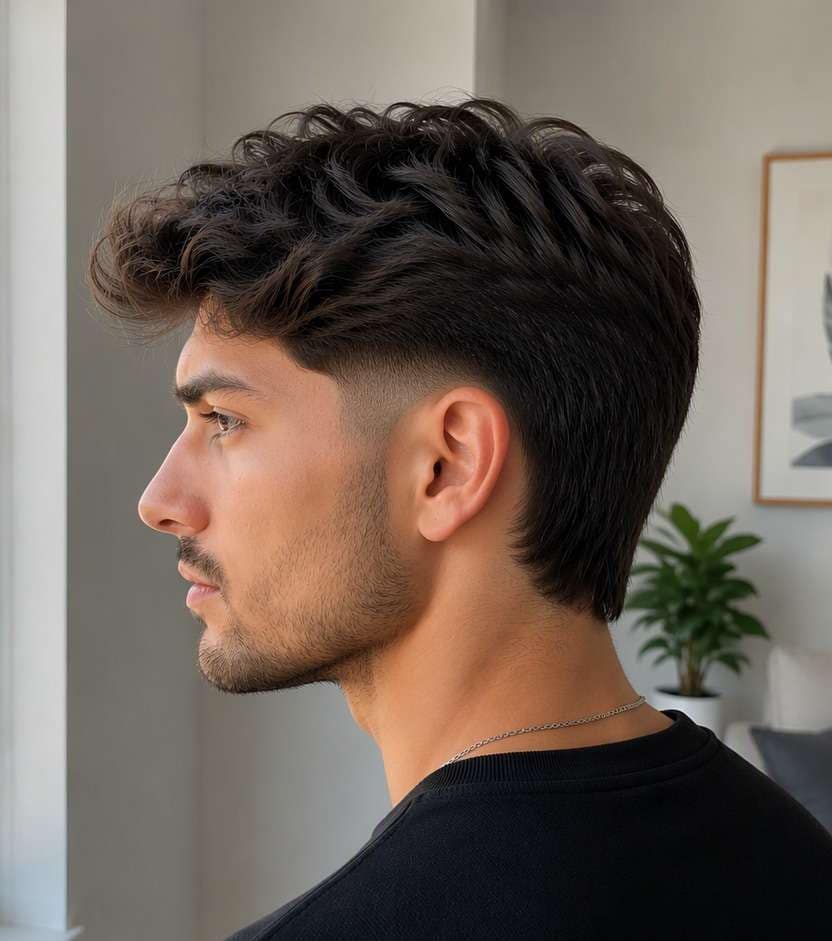
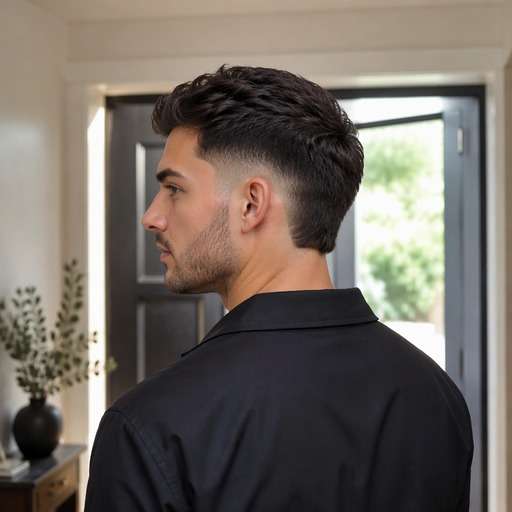
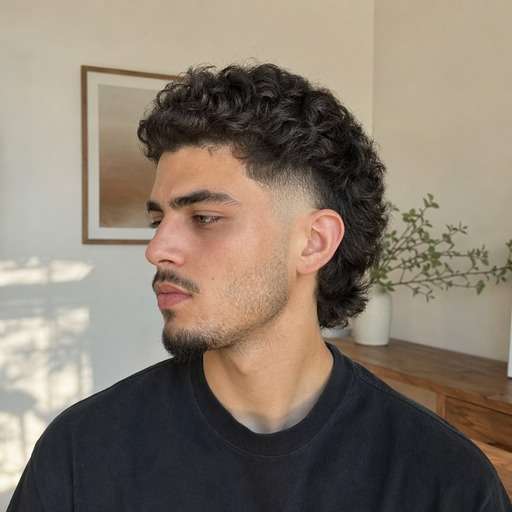
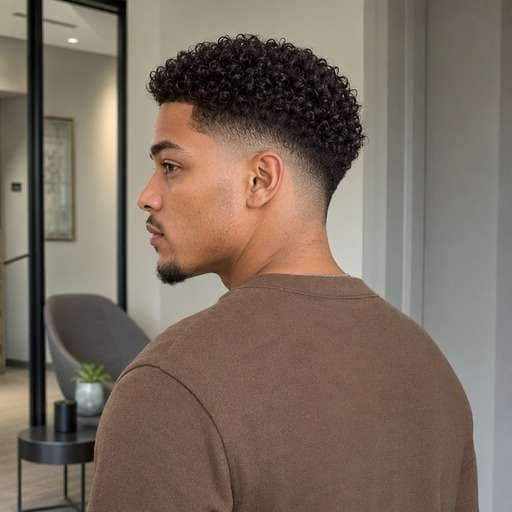
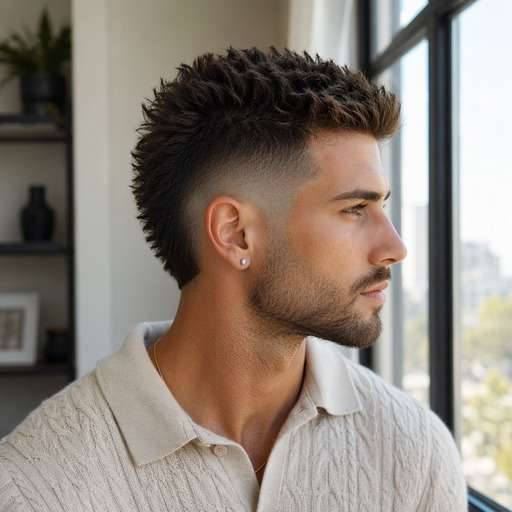
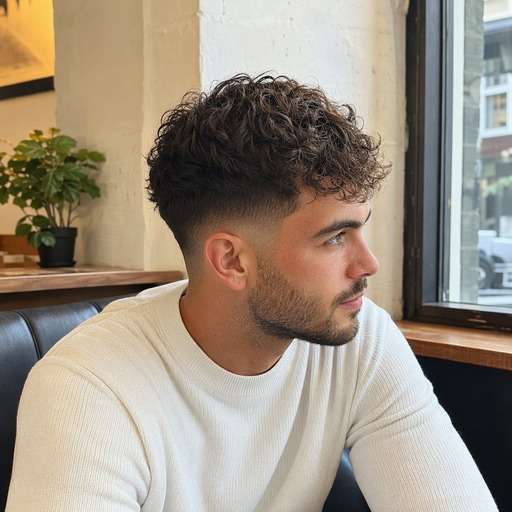
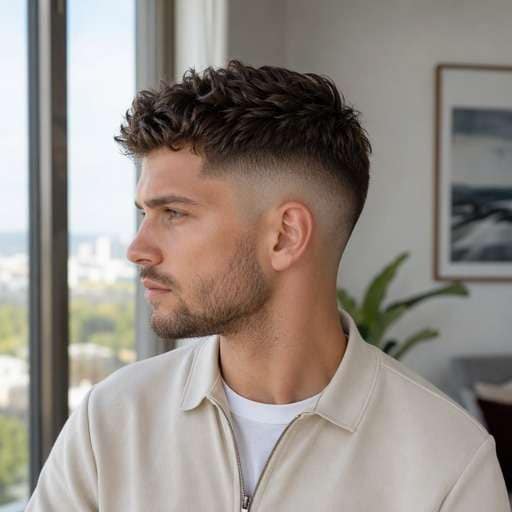
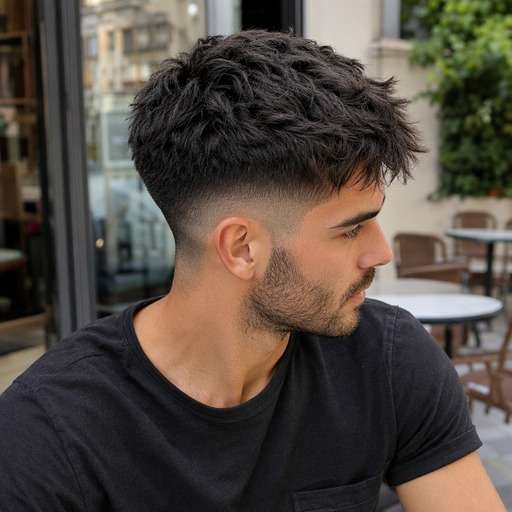
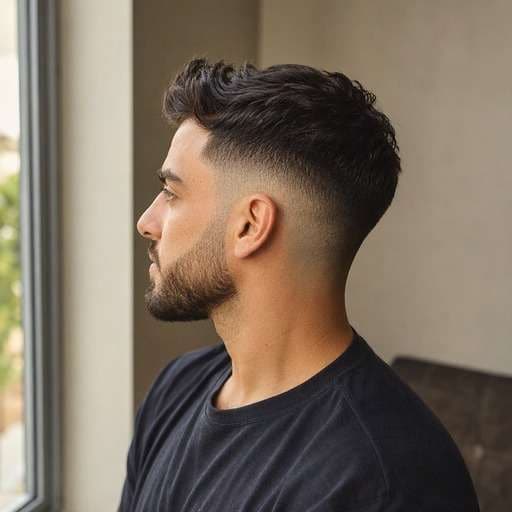
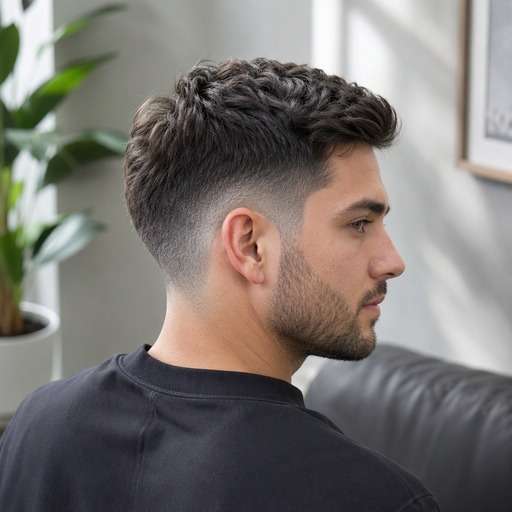
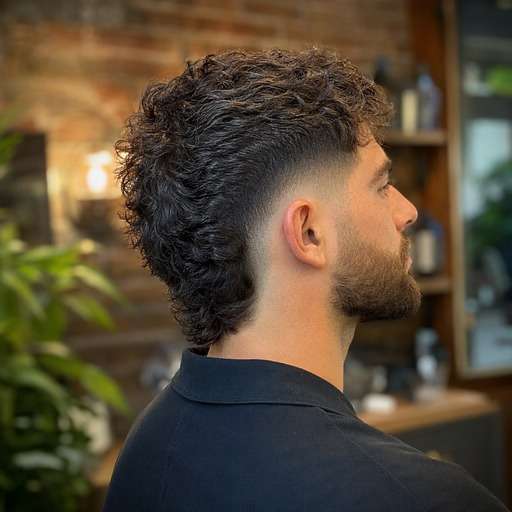
Wondering whether a rounded burst fade would work with your curls or a mullet? A burst fade filter helps you see the curved blend around the ear while keeping more length toward the back. Compare the arc, side exposure and longer nape before asking for the cut.
For a clearer preview, upload a well-lit photo with side/rear three-quarter portrait showing the entire ear and nape.
Burst Fade Haircut Photo Prompts
Not every burst fade looks the same. Start by comparing rounded fade blooming around and behind the ear, keeping visible back hair. Choose the variation whose silhouette you want to test, copy the prompt into Face Editor and upload one clear photo. Keep the same face and viewpoint between versions so the hairstyle difference is easy to judge.
Classic Burst Fade
Use my uploaded photo of the same person as the starting image. Try classic burst fade: curved short arc centered around the ear with a fuller nape. Keep a believable rounded fade blooming around and behind the ear, keeping visible back hair. Preserve my face, skin tone, facial hair, expression and outfit, along with the original background and viewpoint. Use a hairstyle-revealing camera angle with realistic hair growth, clean but natural barber transitions and individually visible strands. Make the new haircut clear enough to compare with my original, without adding accessories, mirrors, phones, text or logos.
Burst Fade Mullet
Use my uploaded photo of the same person as the starting image. Try burst fade mullet: defined ear-side fade and visibly longer hair at the back. Keep a believable rounded fade blooming around and behind the ear, keeping visible back hair. Preserve my face, skin tone, facial hair, expression and outfit, along with the original background and viewpoint. Use a hairstyle-revealing camera angle with realistic hair growth, clean but natural barber transitions and individually visible strands. Make the new haircut clear enough to compare with my original, without adding accessories, mirrors, phones, text or logos.
Burst Fade Curly Top
Use my uploaded photo of the same person as the starting image. Try burst fade curly top: preserve tight natural curls over the curved ear fade. Keep a believable rounded fade blooming around and behind the ear, keeping visible back hair. Preserve my face, skin tone, facial hair, expression and outfit, along with the original background and viewpoint. Use a hairstyle-revealing camera angle with realistic hair growth, clean but natural barber transitions and individually visible strands. Make the new haircut clear enough to compare with my original, without adding accessories, mirrors, phones, text or logos.
Burst Fade Mohawk Shape
Use my uploaded photo of the same person as the starting image. Try burst fade mohawk shape: keep a fuller center ridge with a taper blooming at the ears. Keep a believable rounded fade blooming around and behind the ear, keeping visible back hair. Preserve my face, skin tone, facial hair, expression and outfit, along with the original background and viewpoint. Use a hairstyle-revealing camera angle with realistic hair growth, clean but natural barber transitions and individually visible strands. Make the new haircut clear enough to compare with my original, without adding accessories, mirrors, phones, text or logos.
Low Burst Fade
Use my uploaded photo of the same person as the starting image. Try low burst fade: keep the circular blend close to the lower ear area. Keep a believable rounded fade blooming around and behind the ear, keeping visible back hair. Preserve my face, skin tone, facial hair, expression and outfit, along with the original background and viewpoint. Use a hairstyle-revealing camera angle with realistic hair growth, clean but natural barber transitions and individually visible strands. Make the new haircut clear enough to compare with my original, without adding accessories, mirrors, phones, text or logos.
High Burst Fade
Use my uploaded photo of the same person as the starting image. Try high burst fade: extend the arc farther above and behind the ear without erasing the back. Keep a believable rounded fade blooming around and behind the ear, keeping visible back hair. Preserve my face, skin tone, facial hair, expression and outfit, along with the original background and viewpoint. Use a hairstyle-revealing camera angle with realistic hair growth, clean but natural barber transitions and individually visible strands. Make the new haircut clear enough to compare with my original, without adding accessories, mirrors, phones, text or logos.
Burst Fade With Textured Fringe
Use my uploaded photo of the same person as the starting image. Try burst fade with textured fringe: add a forward choppy top and ear-focused fade. Keep a believable rounded fade blooming around and behind the ear, keeping visible back hair. Preserve my face, skin tone, facial hair, expression and outfit, along with the original background and viewpoint. Use a hairstyle-revealing camera angle with realistic hair growth, clean but natural barber transitions and individually visible strands. Make the new haircut clear enough to compare with my original, without adding accessories, mirrors, phones, text or logos.
Burst Fade With Beard
Use my uploaded photo of the same person as the starting image. Try burst fade with beard: let the curved side shape meet a subtle beard taper. Keep a believable rounded fade blooming around and behind the ear, keeping visible back hair. Preserve my face, skin tone, facial hair, expression and outfit, along with the original background and viewpoint. Use a hairstyle-revealing camera angle with realistic hair growth, clean but natural barber transitions and individually visible strands. Make the new haircut clear enough to compare with my original, without adding accessories, mirrors, phones, text or logos.
Soft Burst Fade
Use my uploaded photo of the same person as the starting image. Try soft burst fade: use a gentle gray-to-dark transition instead of exposed skin. Keep a believable rounded fade blooming around and behind the ear, keeping visible back hair. Preserve my face, skin tone, facial hair, expression and outfit, along with the original background and viewpoint. Use a hairstyle-revealing camera angle with realistic hair growth, clean but natural barber transitions and individually visible strands. Make the new haircut clear enough to compare with my original, without adding accessories, mirrors, phones, text or logos.
Burst Fade With Wavy Nape
Use my uploaded photo of the same person as the starting image. Try burst fade with wavy nape: keep a naturally wavy back section visible beyond the ear curve. Keep a believable rounded fade blooming around and behind the ear, keeping visible back hair. Preserve my face, skin tone, facial hair, expression and outfit, along with the original background and viewpoint. Use a hairstyle-revealing camera angle with realistic hair growth, clean but natural barber transitions and individually visible strands. Make the new haircut clear enough to compare with my original, without adding accessories, mirrors, phones, text or logos.
Find the Details That Matter in a Burst Fade Preview
Make the Ear Curve Visible
Unlike a straight fade line, a burst fade expands around the ear. A side/rear three-quarter view is essential. Choose the preview where the arc is unmistakable, not a generic low fade.
Keep Length Where It Matters
Many burst fade looks retain weight behind the ears or at the nape. Compare the mullet-like back with a cleaner cropped back before deciding how much length to ask your barber to leave.
Match the Curve to Your Top
Curly tops, faux-hawk ridges and shorter fringes create different overall proportions above the same ear fade. Preview them separately so you can judge the side curve rather than just the amount of volume.
Avoid an Artificial Ring
Image generators may draw a circular shaved stripe. A convincing result has a gradual blend around the ear and a natural transition into the back hair, not a bright isolated semicircle.
How to Try Burst Fade on Your Photo
Keep the same source portrait while comparing rounded fade blooming around and behind the ear, keeping visible back hair. Start with a clear head-and-shoulders image, then change one hairstyle detail at a time.
Step 1
Upload Your Photo
Upload a clear portrait showing side/rear three-quarter portrait showing the entire ear and nape. Leave enough room around the head to view the haircut from top to lower edges.
Step 2
Choose a Haircut Filter or Enter a Prompt
Choose a suitable haircut preset if available, or enter a custom prompt describing a distinct curved graduation hugging the ear, with longer hair behind it. Ask for a natural hairline and realistic transition.
Step 3
Click Generate
Click Generate to preview the new hairstyle on your photo. Compare the original against the target shape and refine the fade height, texture or length that matters to this cut.
Use the image to decide on visible shape and proportion before changing your real hair. The key is rounded fade blooming around and behind the ear, keeping visible back hair, not an invented change to your face.
Test a Burst Fade Mullet
If you like length at the nape but want tidier sides, compare a curved ear fade with your current side bulk. Keep the back visible to decide whether the shape reads balanced.
Prepare a Barbershop Reference
One front photo rarely shows a burst fade properly. Save the side or rear three-quarter version where the arc and longer back section can both be seen clearly.
Try a Curly Burst Fade
Keep the curls you already like on top while previewing a tighter ear-side blend. Check where the natural curl volume meets the faded side so the result looks intentional.
Check Your Burst Fade Preview Before Saving
Defining Shape
Image review checklist
"Is the key haircut feature visible?" Look for rounded fade blooming around and behind the ear, keeping visible back hair. If that detail is missing, make the instruction more specific before keeping the preview.
Before & After
Image review checklist
"Can you see a real hair change?" The baseline should show uniform longer sideburn and ear-side hair with no rounded burst fade. The new version should clearly show a distinct curved graduation hugging the ear, with longer hair behind it with the same person and photo.
Natural Hair Edges
Image review checklist
"Check the scalp and temples" Look around the ear, forehead and nape for unrealistic lines or missing strands. Ask for a more natural transition when an edit looks artificial.
Barber Reference
Image review checklist
"Save a photo you can explain" Use the preview to discuss shape and length with your barber. The image cannot measure real hair density, growth direction or styling hold.
No. A burst fade follows a curved shape centered on the ear, while a conventional low fade generally follows a lower, more continuous band around the sides and back.
2. Does a burst fade always need a mullet?
No. It can work with curls, short crops and faux hawks too. A longer nape is one common combination, not a required feature.
3. What photo angle works best for a burst fade?
Use a side or rear three-quarter portrait showing the ear and nape. The defining arc can be impossible to assess in a straight-on face photo.
4. Can the burst fade reach skin?
It can be blended close to skin, but the distinctive feature is the curved fade placement. Tell the barber both the skin exposure you want and how much back length to retain.
5. What photo gives the clearest burst fade preview?
Use a sharp, evenly lit photo with side/rear three-quarter portrait showing the entire ear and nape. Keep hair boundaries visible rather than hidden by hats or dramatic shadows. A consistent camera angle makes comparisons more useful.
6. Will the burst fade preview match a real haircut exactly?
No. This is a visual reference that helps compare rounded fade blooming around and behind the ear, keeping visible back hair. Real length, growth patterns, density, scalp exposure and day-to-day styling depend on your hair and your barber.