/@ karakterini seçin ve oluşturmak istediğiniz sahneyi tanımlayın.
0/2000
9:16
1K
1
Unlimited Banana Pro
Creations
Ideas Hub
How It Works
All
Popular features
View All
Cadılar Bayramı Yaratıcılık Yarışması
View All
AI Meyve Hikayesi
View All
AI Hikaye Videosu
View All
Bugünün Viral Videoları
View All
Yapay Zeka Ürün Videoları
View All
Yapay Zeka Karakteri
View All
Dans Trendleri
View All
GPT Image 2
View All
Seedance 2.0
View All
Yapay Zeka Ünlü Eşleştirme
View All
Çift Pozları İpuçları
View All
Estetik AI Kız Pozu İstekleri
View All
Şık AI Erkek Poz İpuçları
View All
Generate List
Creations are stored for only 7 days. Assets created after upgrading to a Membership plan will be stored permanently.
Unlock your creative potential and experience the magic of Media AI right away!
Hızlı Selfie Tabanlı Palet Eşleştirmesi için Mevsimsel Renk Analizi Yapay Zekası
Keşfetmek için bir selfie yükleyin mevsimsel renk analizi yapay zekası palet önizlemeleri, kumaş sürükleme tarzı karşılaştırmalar ve pratik güzellik rehberliği ile sonuçlar elde edin. Media.io, hangi renklerin bana yakıştığını kontrol etmenize, bir renk analizi iş akışı denemenize ve fotoğraftan hızlı mevsimsel renk analizi deneyimi yaşamanıza yardımcı olur. Aynı zamanda kişisel renk analizi yapay zekası.
Fikrinizi yazın -> Yapay zeka tasarlar. Ücretsiz deneyin.
Bu örnek yönergeleri inceleyin, ardından Media.io'nun Mevsimsel Renk Analizi Yapay Zekasından daha güçlü sonuçlar almak için ayrıntıları özelleştirin. Bu kurulum benim için en iyi renkler yapay zekası.
için iyi çalışır. Temiz Selfie Analiz Kartı
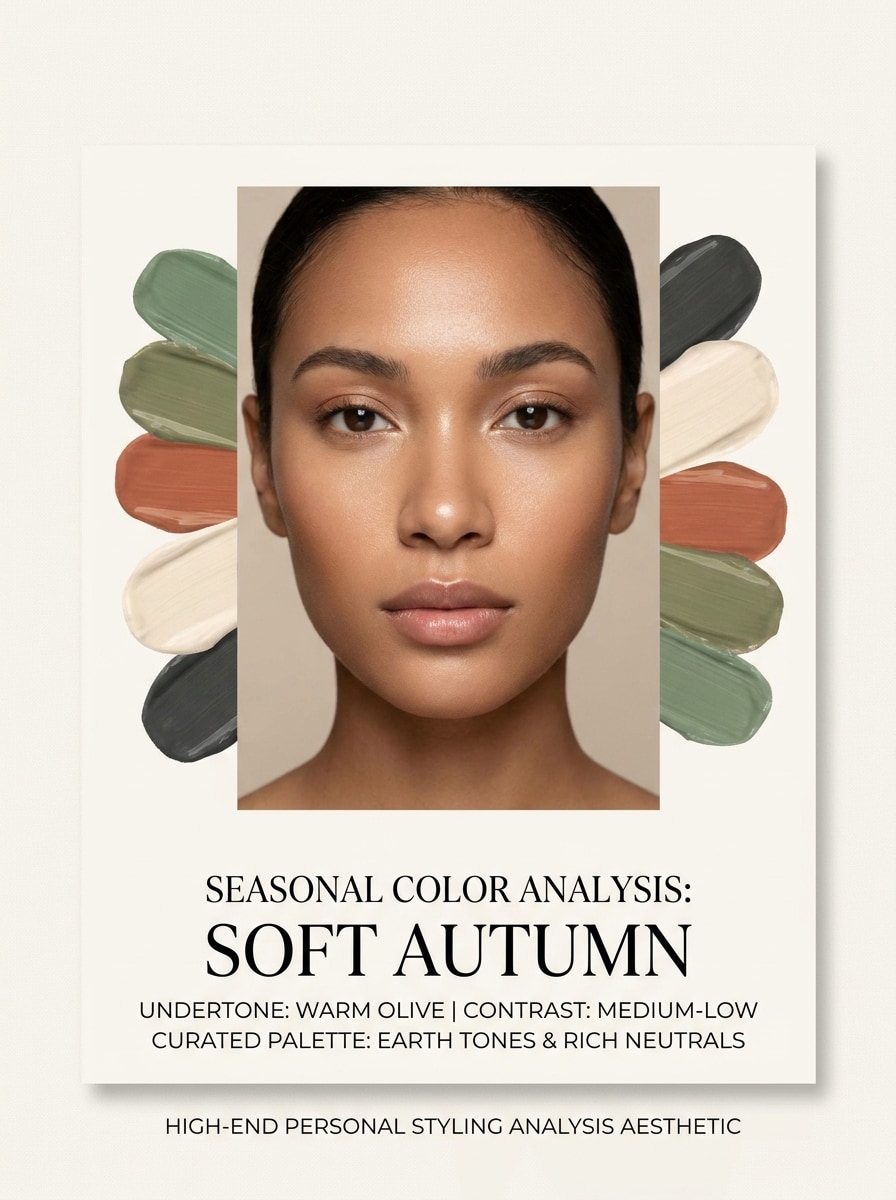
Yüklenen görüntüyü konu olarak kullanın ve onu cilalı bir güzellik danışmanlık kartına dönüştürün. Gerçekçi cilt tonunu ve yüz hatlarını koruyun, portreyi yumuşak nötr aydınlatmayla ortada konumlandırın, yüzün etrafına etiketli mevsimsel sonuç, alt ton notları ve zarif palet örnekleri ekleyin, temiz editoryal düzen, minimal fildişi arka plan, premium tanı estetiği.
Önce ve Sonra Renk Sürükleme
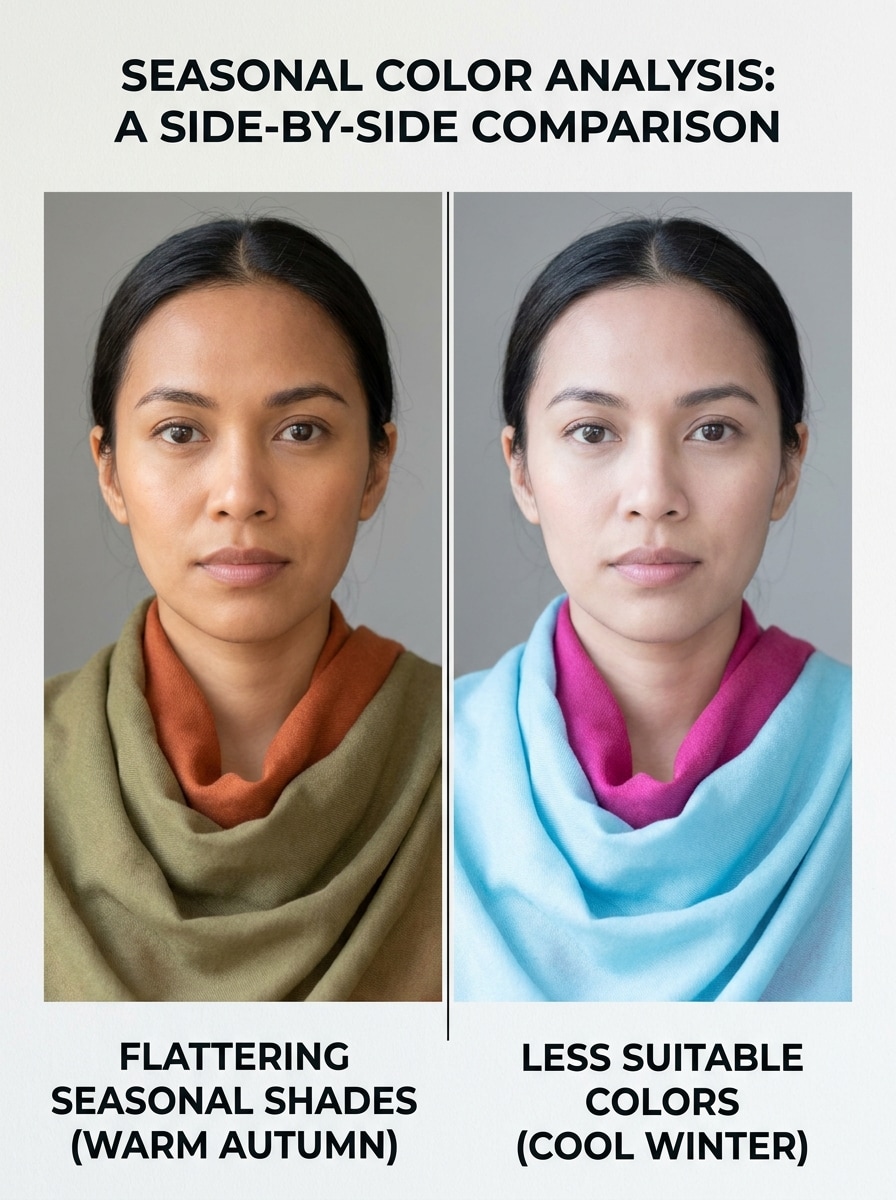
Yüklenen görüntüyü konu olarak kullanın ve yan yana bir sürükleme karşılaştırması oluşturun. Her iki panelde de aynı yüzü, pozu ve doğal ifadeyi koruyun, bir tarafta daha iyi görünen renkleri, diğer tarafta soldurucu renkleri gösterin, gerçekçi cilt tepkisi, güzellik danışmanlığı etiketleri, dengeli gün ışığı aydınlatması, temiz bölünmüş düzen, bilgilendirici ve güvenilir atmosfer.
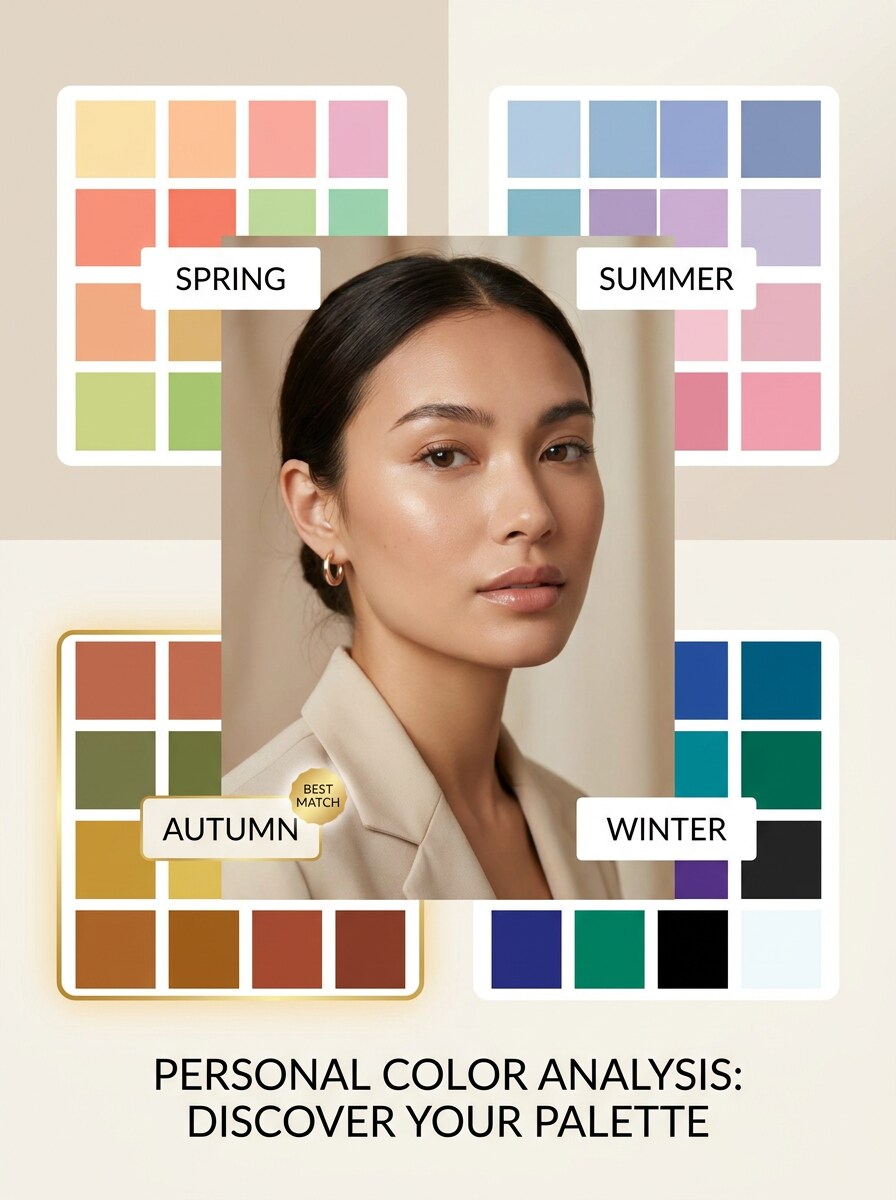
4 Mevsim Palet Panosu
Yüklenen görüntüyü konu olarak kullanın ve modern bir mevsimsel palet panosu oluşturun. Portreyi belirgin şekilde yerleştirin, İlkbahar, Yaz, Sonbahar ve Kış örneklerini temiz bir infografik düzeninde sergileyin, en iyi eşleşmeyi rafine bir çerçeveyle vurgulayın, yumuşak editoryal aydınlatma, nötr arka plan, okunabilir etiketler, şık moda-güzellik sunumu kullanın.
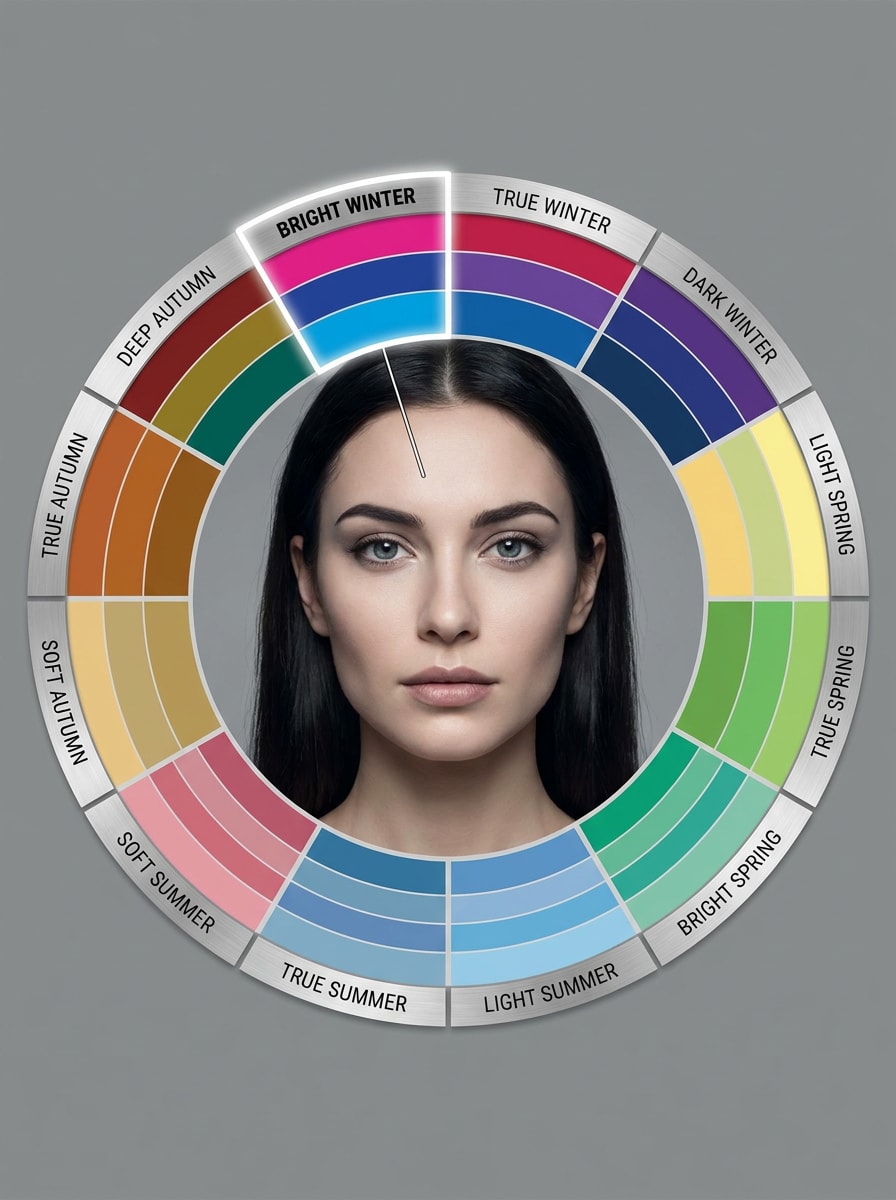
12 Mevsim Alt Tip Grafiği
Yüklenen görüntüyü konu olarak kullanın ve onu ayrıntılı bir 12 mevsim alt tip analiz grafiğine dönüştürün. Gerçekçi yüz ayrıntısını koruyun, Yumuşak Yaz, Parlak Kış ve Derin Sonbahar gibi açıkça etiketlenmiş bölümler ekleyin, muhtemel alt tipi vurgulayın, düzenli editoryal grafikler, sakin nötr tonlar ve hassas bir danışmanlık tarzı düzen kullanın.
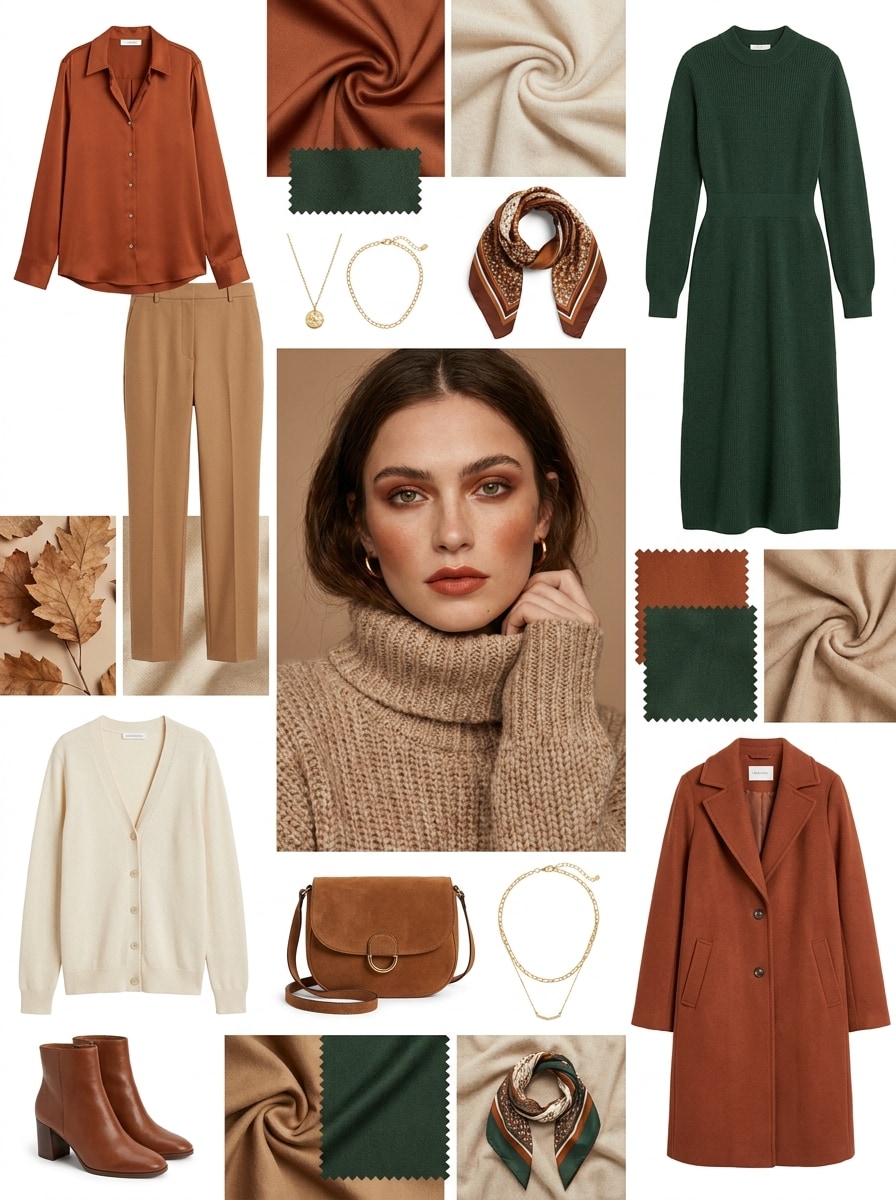
Mevsime Göre Kıyafet Önerileri
Yüklenen görüntüyü konu olarak kullanın ve tespit edilen renk mevsimine göre bir moda öneri mood board'u oluşturun. Uyumlu kıyafet parçalarını, üstleri, elbiseleri ve aksesuarları uyumlu tonlarda gösterin, yüzü tanınabilir tutun, temiz editoryal kompozisyon, yumuşak lüks aydınlatma, giyilebilir stil ve cilalı bir e-ticaret sunumu kullanın.
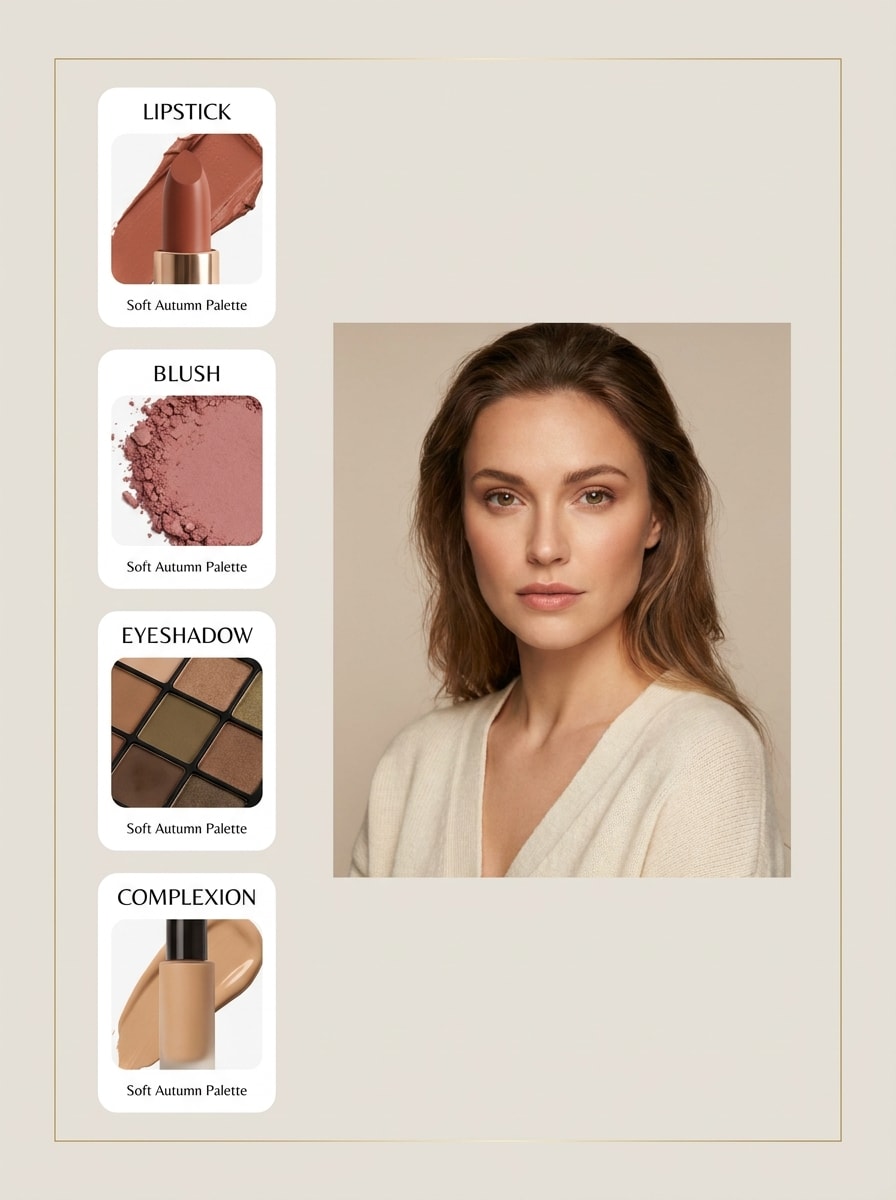
Makyaj Tonları Eşleştirmesi
Yüklenen görüntüyü konu olarak kullanın ve kişinin mevsimsel paletine uygun makyaj tonlarıyla eşleştirilmiş bir güzellik öneri panosu oluşturun. Ruj, allık, göz farı ve alt tona uygun cilt önerilerini dahil edin, gerçekçi cilt tonunu koruyun, temiz ürün kartı stili, yumuşak stüdyo aydınlatması ve zarif bir güzellik tezgahı atmosferi kullanın.
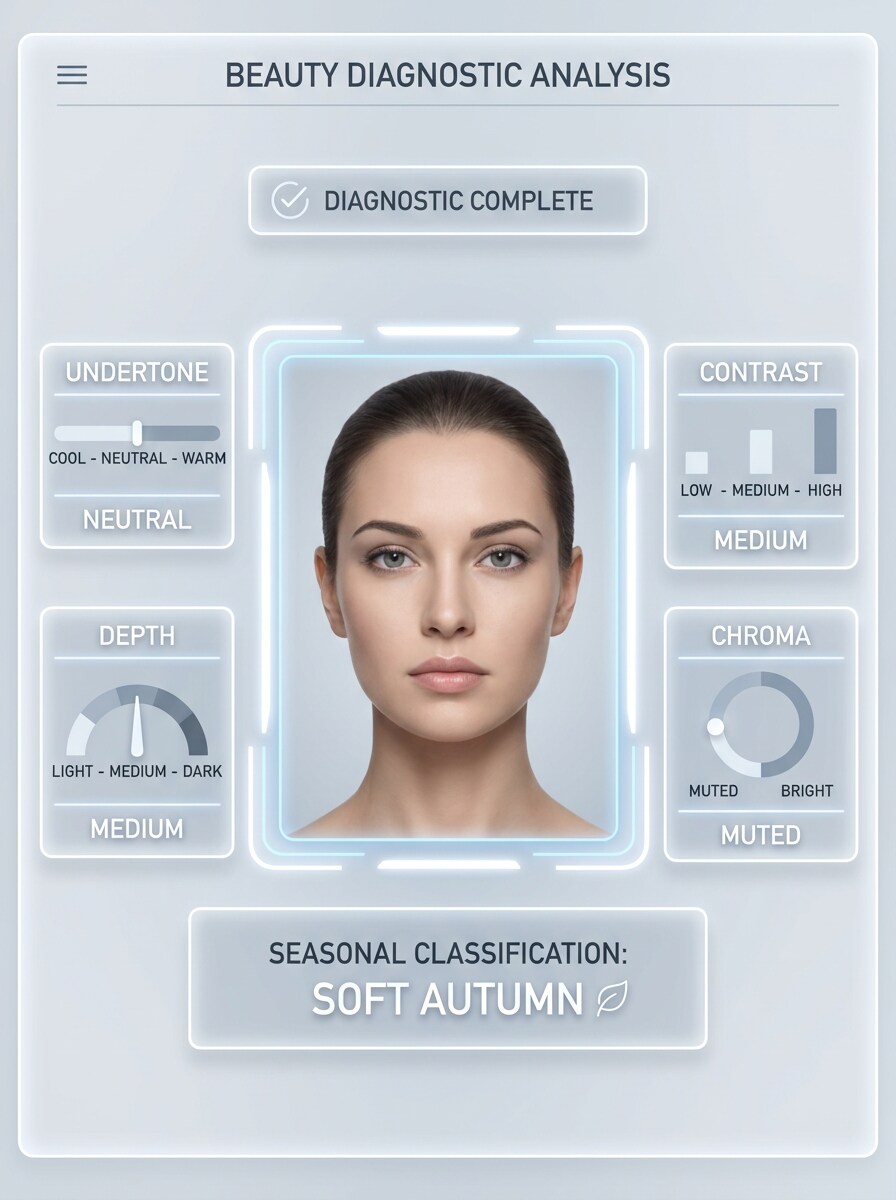
Alt Ton Tespiti Katmanı
Yüklenen görüntüyü konu olarak kullanın ve renk sonucunu açıklayan bir kullanıcı arayüzü tarzı analiz ekranı oluşturun. Alt ton, kontrast, derinlik ve kroma için net göstergeler ekleyin, son mevsimsel sınıflandırmayı ekleyin, portreyi gerçekçi ve ortalanmış tutun, hassas etiketler, soğuk beyaz arayüz aydınlatması ve güvenilir bir uygulama tarzı tasarım kullanın.
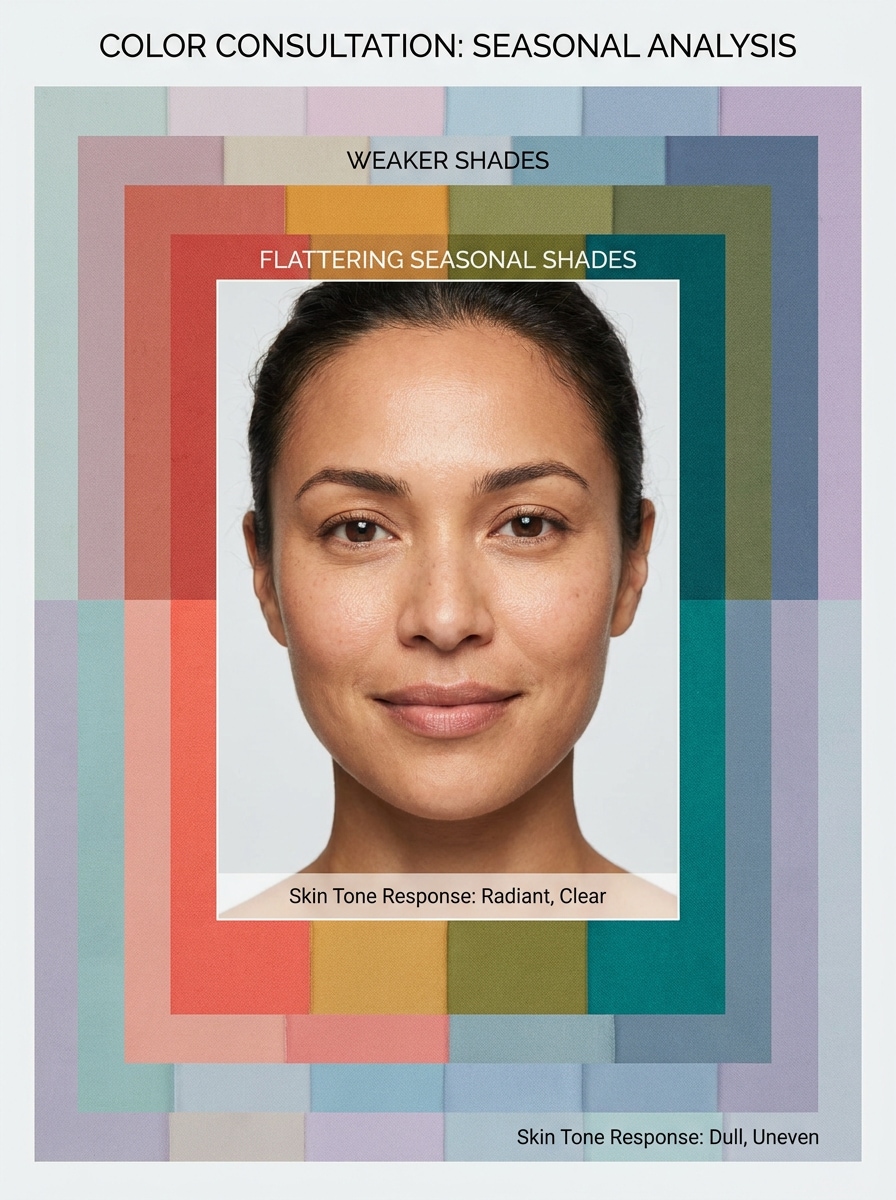
Yüzü Çerçeveleyen En İyi Renkler
Yüklenen görüntüyü konu olarak kullanın ve yüzün etrafında birden fazla renk çerçevesiyle bir portre oluşturun. En güçlü mevsimsel tonları vurgulayın, zayıf seçenekleri soldurun, gerçekçi cilt tepkisini ve yüz kimliğini koruyun, parlak temiz aydınlatma, minimal arka plan ve anlık görsel karşılaştırmaya odaklanan bir güzellik danışmanlığı düzeni kullanın.
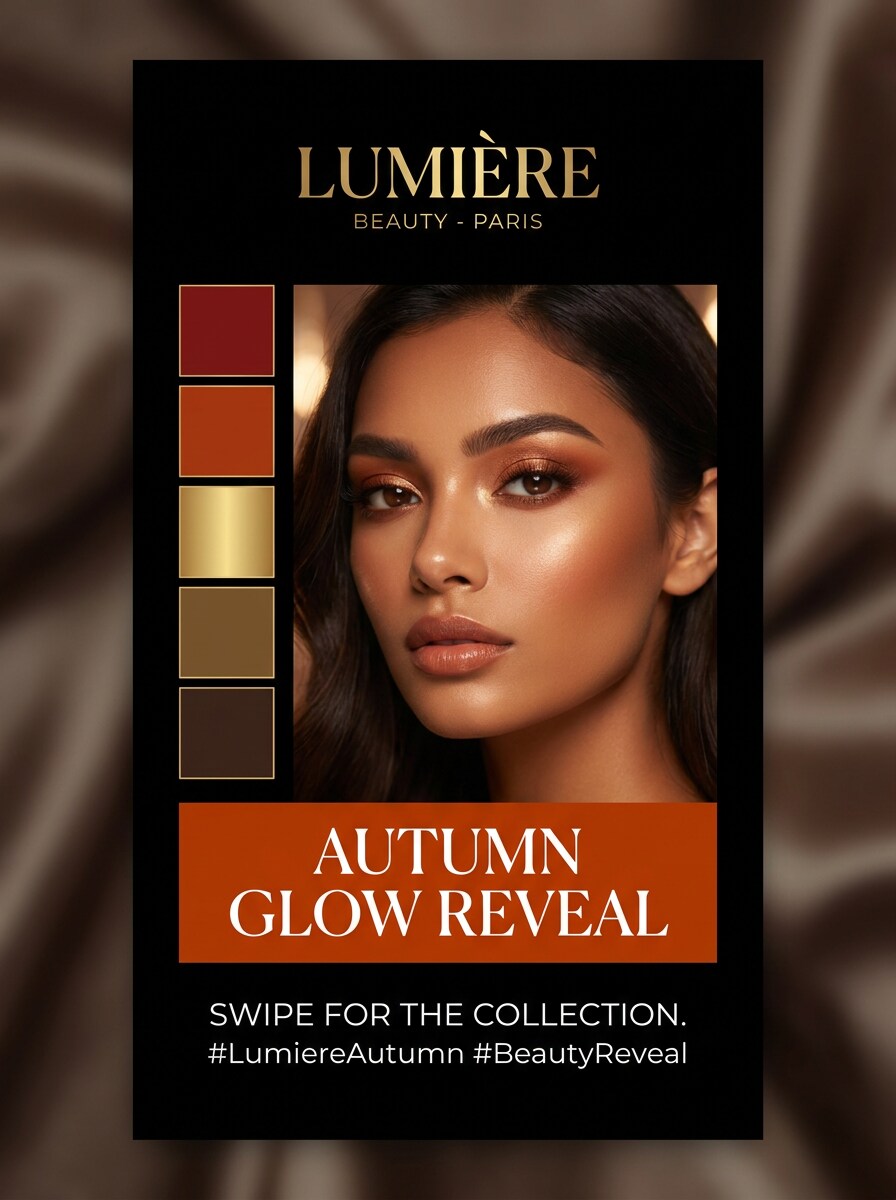
Mevsim Açıklama Döngüsü
Yüklenen görüntüyü konu olarak kullanın ve onu önce mobil bir sosyal medya açıklama kapağına dönüştürün. Kalın mevsimsel etiket, rafine palet örnekleri, premium güzellik markalaması, okunabilir metin yerleşimi, dikey kompozisyon, güçlü odak noktası portresi, yumuşak göz alıcı aydınlatma ve reels veya döngü gönderileri için tasarlanmış paylaşılabilir cilalı bir görünüm ekleyin.
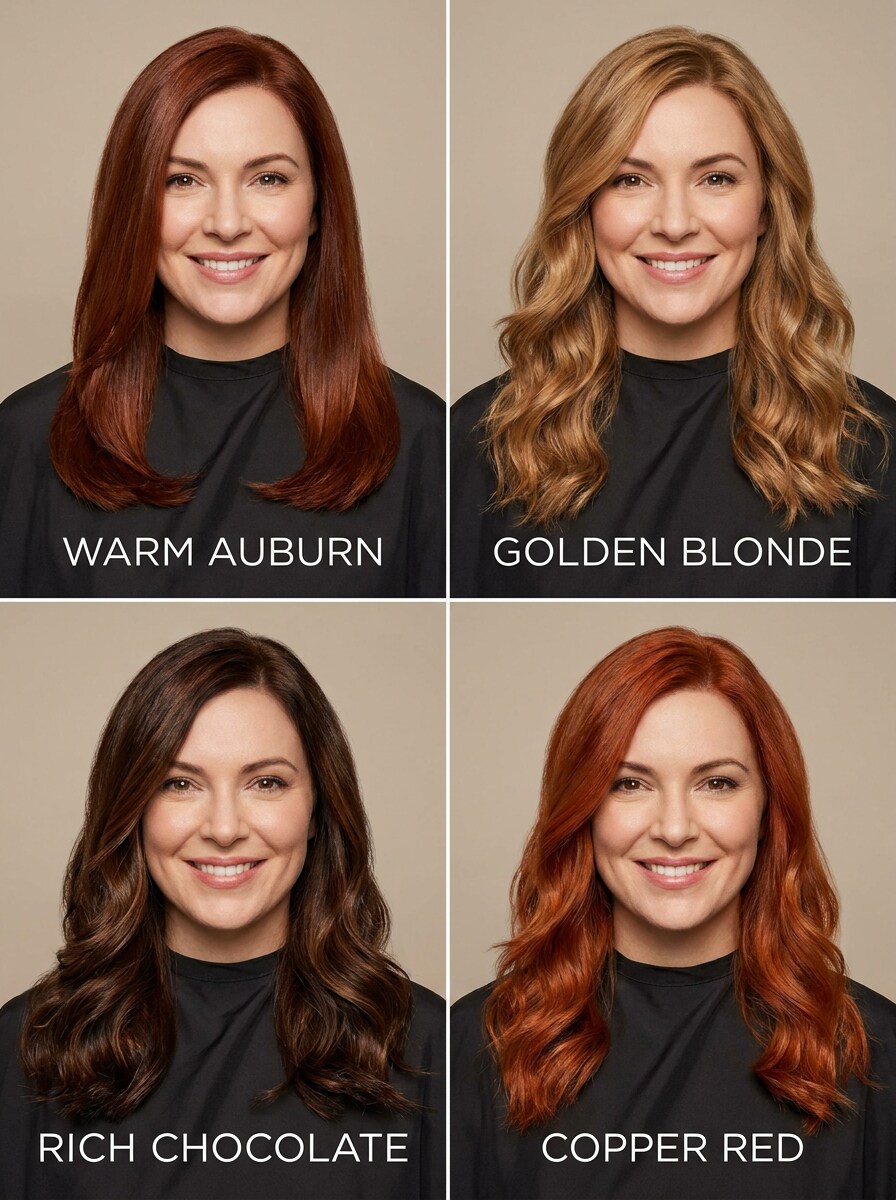
Mevsime Göre Saç Rengi Önizlemesi
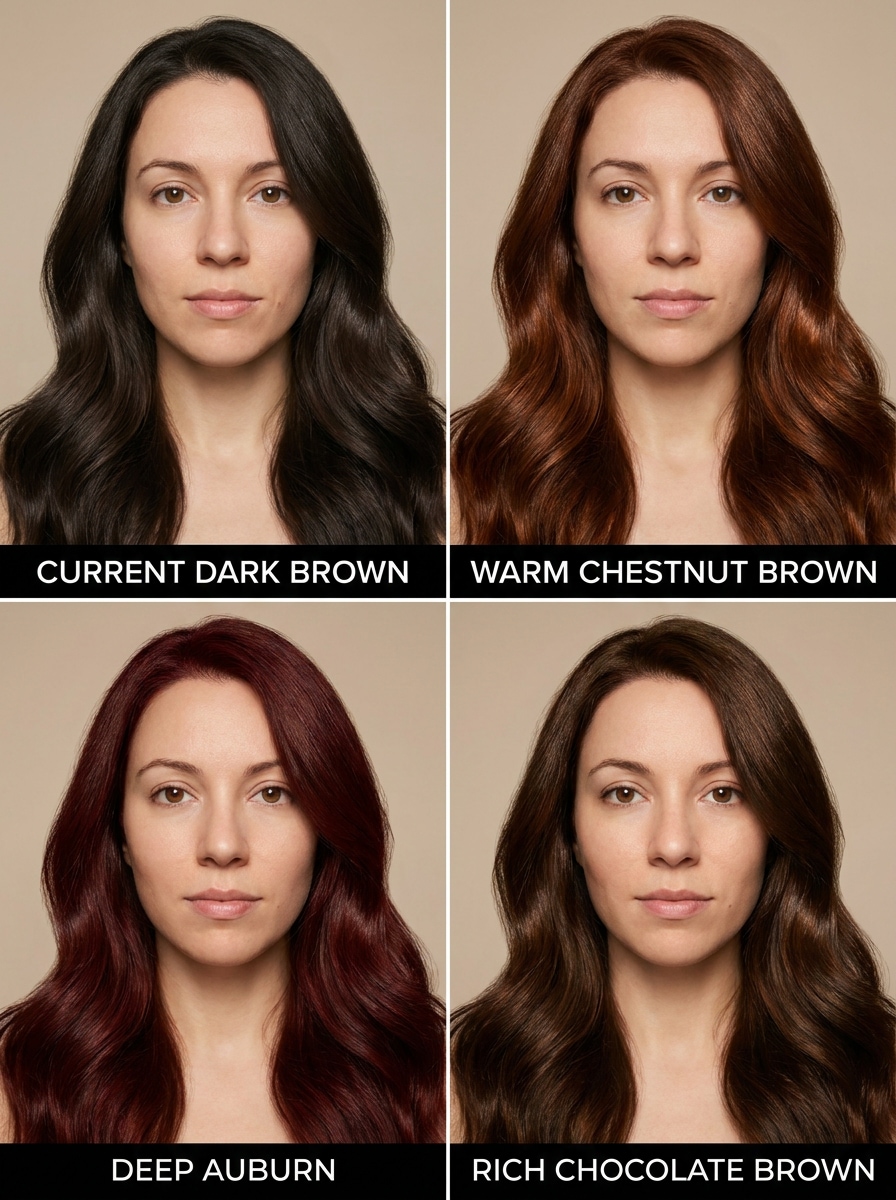
Yüklenen görüntüyü konu olarak kullanın ve tespit edilen mevsime göre daha iyi görünen saç rengi seçenekleriyle çok panelli bir salon danışmanlık önizlemesi oluşturun. Yüz kimliğini koruyun, gerçekçi saç dokusu ve parlaklık gösterin, temiz etiketler, yumuşak stüdyo aydınlatması, nötr arka plan ve profesyonel güzellik danışmanlığı atmosferi kullanın.
Kişisel Renk Mevsimi Görselleri için Media.io Neden Kullanılmalı
Yeni Stillerde Konuyu Tanınabilir Tutun
Media.io, basit bir portre yüklemenize ve palet örnekleri, sürükleme karşılaştırmaları ve alt ton ipuçlarıyla cilalı analiz tarzı görseller oluşturmanıza olanak tanır.
Stil Testlerinde Yüzünüzü Tanınabilir Tutun
Stil karar verme sürecinin bir parçasıysa, Media.io aynı mevsimsel renk analizi görsel tabanından birden fazla yönü karşılaştırmanıza yardımcı olur; bu da yaratıcı seçimi daha verimli hale getirir.
4K'ya Kadar Daha Temiz Çıktı Oluşturun
Bir mevsimsel renk analizi görseli gerçek yayın kullanımına yönelikse, Media.io size 4K'ya kadar daha keskin çıktı sağlar; bu da görüntünün sunumlar, arka planlar ve yeniden kullanılan varlıklar genelinde net kalmasına yardımcı olur.
Tarayıcıyla Her Cihazda Hızlı Çalışın
Masaüstü ve mobil cihazlarda Media.io, iş akışını tarayıcı tabanlı tutar; böylece taslakları inceleyebilir, istemleri iyileştirebilir ve renk analizi yapay zekası sürecinizi tek bir cihaza bağlı kalmadan sürdürebilirsiniz.
Selfie'den Mevsimsel Renk Analizi Nasıl Kullanılır
Kelimelerinizi üç basit adımda çarpıcı görsellere dönüştürün, ardından sonucu daha da geliştirmek istiyorsanız iyileştirmeye devam edin.
Adım 1
Referans Görüntünüzü Yükleyin
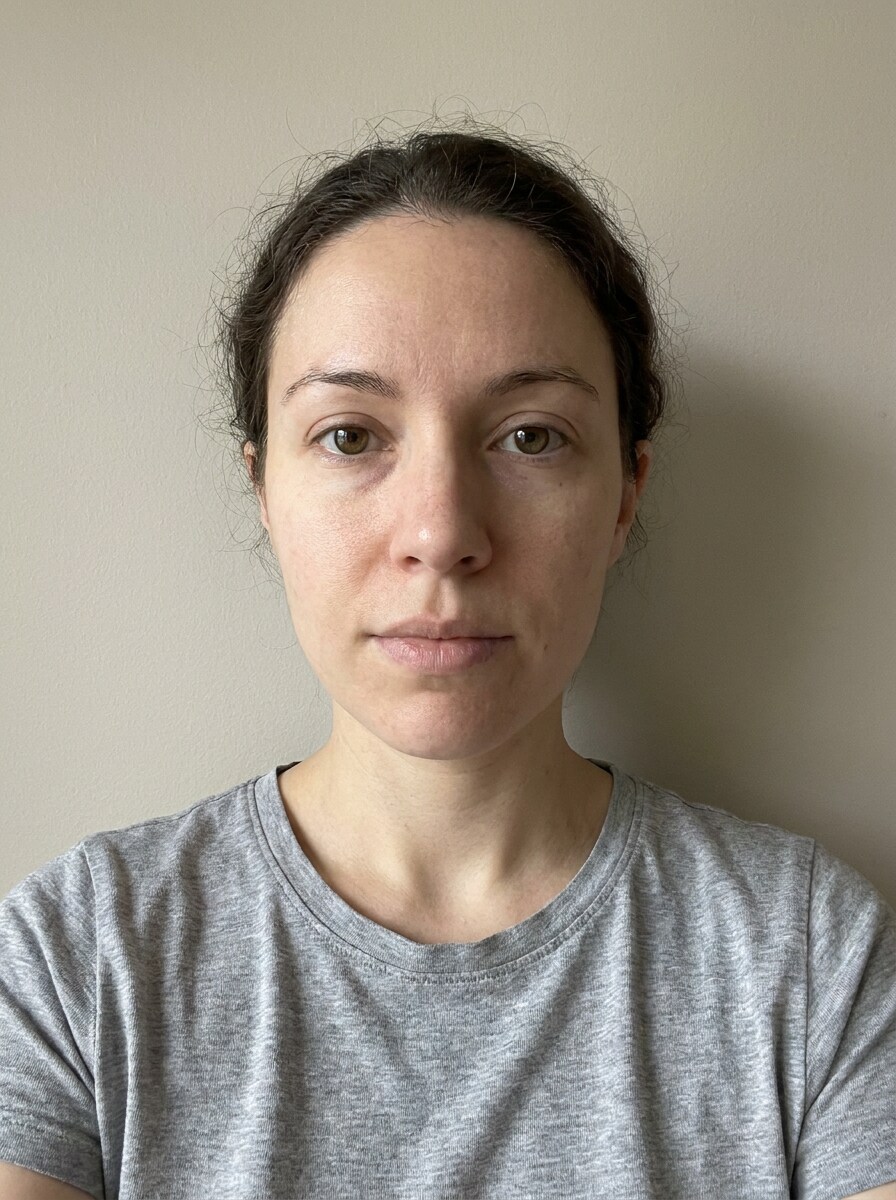
JPG, PNG veya JPEG formatında net bir selfie, portre veya güzellik fotoğrafıyla başlayın. Düz aydınlatmalı ve görünür cilt tonu olan yüze dönük bir görüntü, Media.io'ya renk mevsimi görselleri, sürükleme karşılaştırmaları ve palet tabanlı öneriler için daha iyi bir referans sağlar.
Adım 2
Değişikliği Tanımlayın ve Seçenekleri Belirleyin
4 mevsim grafiği, 12 mevsim alt tip panosu, makyaj paleti veya kıyafet önizlemesi gibi istediğiniz analiz stilini açıklayan bir istem girin. Ardından modelinizi seçin ve tercih ettiğiniz çıktıyla eşleşecek şekilde en boy oranı, çözünürlük ve görüntü sayısını ayarlayın.
Adım 3
Oluşturun, İndirin ve İyileştirmeye Devam Edin
Birden fazla varyasyon oluşturun, hangi sonucun paletinizi en net şekilde açıkladığını karşılaştırın ve en beğendiğiniz sürümü indirin. İstemi iyileştirebilir, daha temiz bir selfie deneyebilir veya moda, makyaj ya da saç rengi fikirleri için yeni panolar oluşturabilirsiniz.
Hangi Renklerin Bana Yakıştığının Potansiyelini Ortaya Çıkarın
İçerik oluşturucuların bu Mevsimsel Renk Analizi Yapay Zekasını içerik, pazarlama ve kişisel projeler için nasıl kullandığını görün, ardından her fikri kısa açıklamaya uyacak şekilde uyarlayın.
Daha Akıllı Bir Gardırop Planı Oluşturun
Kıyafet, aksesuar veya iş kıyafeti almadan önce palet panoları ve sürükleme önizlemeleri oluşturun. Media.io, cildinizi aydınlatan tonları daraltmanıza ve hangi tonların sizi daha bakımlı gösterdiğine dair günlük soruyu yanıtlamanıza yardımcı olur.
Ürün Satın Almadan Önce Güzellik Görünümlerini Test Edin
Dudak tonlarını, allık ailelerini, kahverengileri, sarışınları veya daha zengin tonları karşılaştırmak için portre tabanlı makyaj ve saç rengi önizlemelerini kullanın. Media.io, kozmetik ve salon seçimlerinde hangi renklerin bana yakıştığını sadece tahmine güvenmeden keşfetmek için pratik bir yol sunar.
Paylaşılabilir Mevsim Açıklama İçeriği Oluşturun
TikTok, Reels veya Pinterest için zarif analiz kartları, dikey açıklama kapakları ve önce-sonra renk karşılaştırmaları tasarlayın. Yalnızca metin cevabından daha görsel bir renk analizi yapay zekası sonucu istiyorsanız, Media.io mevsiminizi açıklamayı ve paylaşmayı kolaylaştırır.
Kullanıcılar Bu Renk Mevsimi İş Akışı Hakkında Ne Diyor
Maya R.
Güzellik İçerik Oluşturucusu
"Görsel mevsim açıklamaları için harika" Belirsiz bir metin sonucu okumak yerine tek bir selfie yükleyip birkaç mevsimsel pano oluşturabilmemi çok beğendim. Sürükleme tarzı karşılaştırmalar, bazı tonların kamerada neden daha iyi çalıştığını açıklamayı çok daha kolaylaştırdı.
Jordan T.
Kişisel Stilist
"Müşteri dostu önizlemeler için kullanışlı" Referans görüntü iş akışı yardımcı oluyor çünkü renk sunumu değişirken yüz tanınabilir kalıyor. Erken danışmanlıklar için palet kartlarını, kıyafet önerilerini ve saç önizlemelerini çok daha hızlı hazırlayabiliyorum.
Elena C.
Moda Alışverişçisi
"Daha iyi görünen renkleri daraltmama yardımcı oldu" Fotoğrafımdan paletimi test etmenin hızlı bir yolunu istedim ve bu bana net görsel seçenekler sundu. Özellikle yeni üstler ve makyaj satın almadan önce sıcak ve soğuk görünümleri karşılaştırmak için çok kullanışlıydı.
Sophie L.
Sosyal Medya Yöneticisi
"Cilalı mobil öncelikli grafikler için iyi" Dikey düzenler paylaşılabilir açıklama gönderileri için iyi çalıştı. Ayrı bir tasarım aracında baştan başlamadan bir mevsim kartı oluşturabilir, istemi ayarlayabilir ve daha temiz bir sürüm indirebiliyordum.
Mevsimsel renk analizi yapay zekası, bir selfie'yi palet kartları, sürükleme karşılaştırmaları ve mevsim tarzı öneriler gibi görsellere dönüştüren fotoğraf tabanlı bir iş akışıdır. Media.io'da bir referans görüntüsü yükler ve daha net önce-sonra görsellerle kişisel renk incelemesini destekleyen düzenlenmiş analiz panoları oluşturursunuz.
2. Yapay zeka, fotoğrafımdan renk mevsimimi nasıl belirler?
Media.io, yüklenen görüntünüzü referans olarak kullanır ve mevsimsel renk değerlendirmesinde kullanılan faktörleri vurgulayan görseller oluşturur; alt ton, kontrast, derinlik ve farklı tonların yüzle nasıl etkileşime girdiği gibi. Yalnızca tek bir etiket vermek yerine, Media.io hangi renklerin en iyi uyduğunu daha iyi yargılayabilmeniz için görüntü tabanlı palet yönlerini karşılaştırmanıza yardımcı olur.
3. Mevsimsel renk analizi yapay zekasını ücretsiz kullanabilir miyim?
Media.io, yeni kullanıcılara ücretsiz krediler sunar, böylece yükseltme yapmadan önce iş akışını deneyebilirsiniz. Daha fazla üretim, ekstra kredi veya filigransız yüksek çözünürlüklü indirmeler için fiyatlandırma sayfasındaki ücretli plan seçeneklerini inceleyebilirsiniz.
4. Yapay zeka renk mevsimi testi ne kadar doğrudur?
Doğruluk büyük ölçüde kaynak fotoğrafa ve istem kalitesine bağlıdır, ancak Media.io net ve eşit aydınlatmalı bir selfie sağladığınızda en iyi şekilde çalışır. Sert gölgeler, ağır filtreler veya aşırı makyaj sonucu daha az kullanışlı hale getirebilir; bu nedenle Media.io, yüz yüze danışmanlığın yerini almak yerine palet yönlerini karşılaştırmak için hızlı bir görsel yardım olarak en iyi şekilde kullanılır.
5. Yapay zeka kişisel renk analizi için en iyi selfie türü hangisidir?
En iyi selfie, yüze dönük, net ve eşit aydınlatmalıdır; cilt tonu açıkça görünür ve arka plan sade tutulur. Media.io için JPG, PNG veya JPEG formatında temiz bir portre, genellikle filtrelenmiş bir görüntüden, loş aydınlatmadan veya güçlü renk döküntüsü olan bir fotoğraftan daha iyi çalışır.
6. Araç yalnızca İlkbahar, Yaz, Sonbahar ve Kışı mı yoksa 12 mevsim türünü de tanımlayabilir mi?
Media.io'yu hem geniş 4 mevsim görselleri hem de 12 mevsim tarzı düzenler dahil daha ayrıntılı alt tip panoları oluşturmak için yönlendirebilirsiniz. Bu, İlkbahar, Yaz, Sonbahar ve Kış ile başlayıp ardından daha derin bir palet dökümü için sonucu daha spesifik kategorilere daraltabileceğiniz anlamına gelir.
Yapay Zeka Destekli Çevrimiçi Mevsimsel Renk Analizi Yapay Zekasının Ötesinde