/@ karakterini seçin ve oluşturmak istediğiniz sahneyi tanımlayın.
0/2000
9:16
1K
1
Unlimited Banana Pro
Creations
Ideas Hub
How It Works
All
Popular features
View All
Cadılar Bayramı Yaratıcılık Yarışması
View All
AI Meyve Hikayesi
View All
AI Hikaye Videosu
View All
Bugünün Viral Videoları
View All
Yapay Zeka Ürün Videoları
View All
Yapay Zeka Karakteri
View All
Dans Trendleri
View All
GPT Image 2
View All
Seedance 2.0
View All
Yapay Zeka Ünlü Eşleştirme
View All
Çift Pozları İpuçları
View All
Estetik AI Kız Pozu İstekleri
View All
Şık AI Erkek Poz İpuçları
View All
Generate List
Creations are stored for only 7 days. Assets created after upgrading to a Membership plan will be stored permanently.
Unlock your creative potential and experience the magic of Media AI right away!
Hızlı, Tasarıma Hazır Renk Örnekleri İçin Görüntüden Renk Paleti Çıkarın
Bir fotoğraf yükleyerek görüntüden renk paleti oluşturun, yalnızca birkaç saniye içinde. Media.io, ürün çekimlerini, oda fotoğraflarını, moda görsellerini ve ekran görüntülerini; masaüstü veya mobil cihazlarda markalama, duygu panoları ve yaratıcı planlama için etiketli renk örnekleriyle temiz palet görsellerine dönüştürmenize yardımcı olur. Bu iş akışı özellikle görüntü için renk paleti.
Fikrinizi yazın -> Yapay zeka tasarlar. Ücretsiz deneyin.
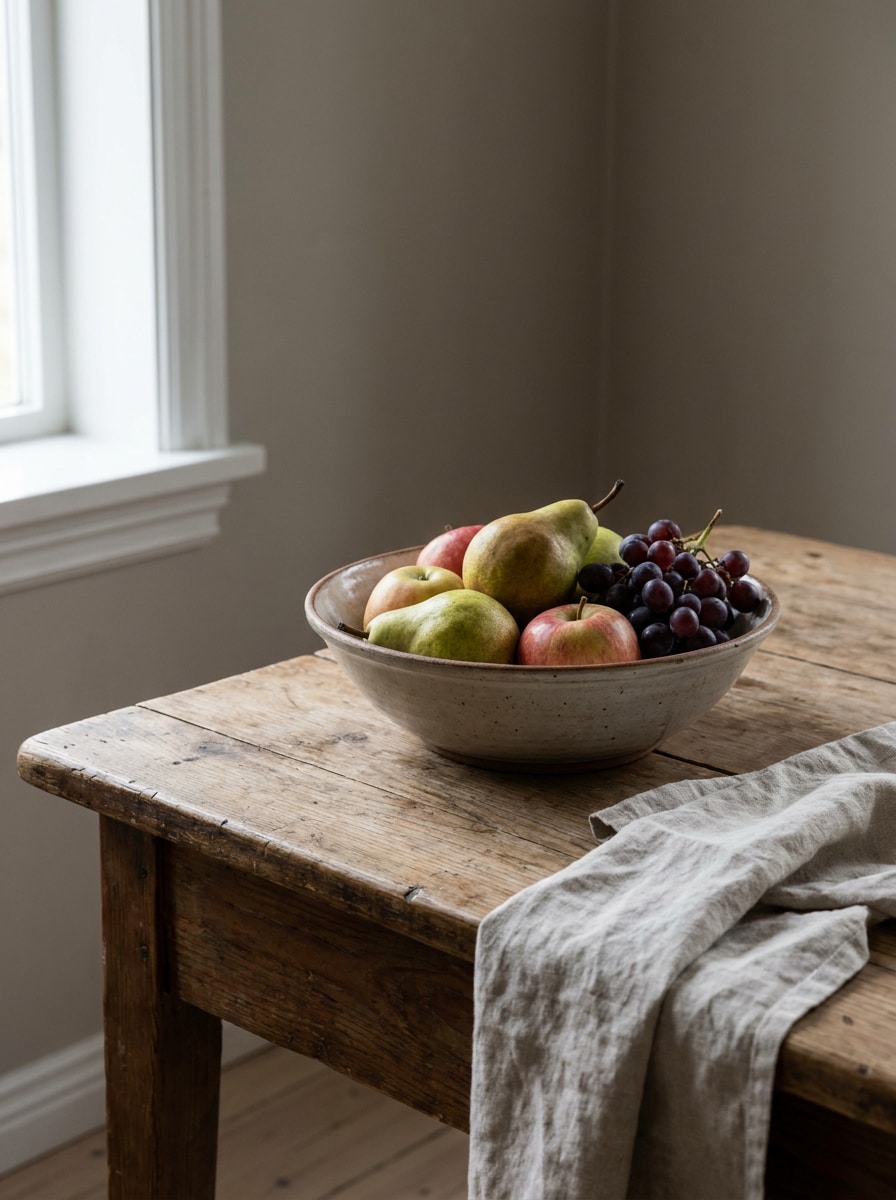
Bu örnek yönergeleri inceleyin, ardından Media.io'daki bu görüntüden renk paleti oluşturucuyla daha güçlü sonuçlar elde etmek için istem ayrıntılarını özelleştirin. Bu kurulum bir fotoğraftan renk paleti.
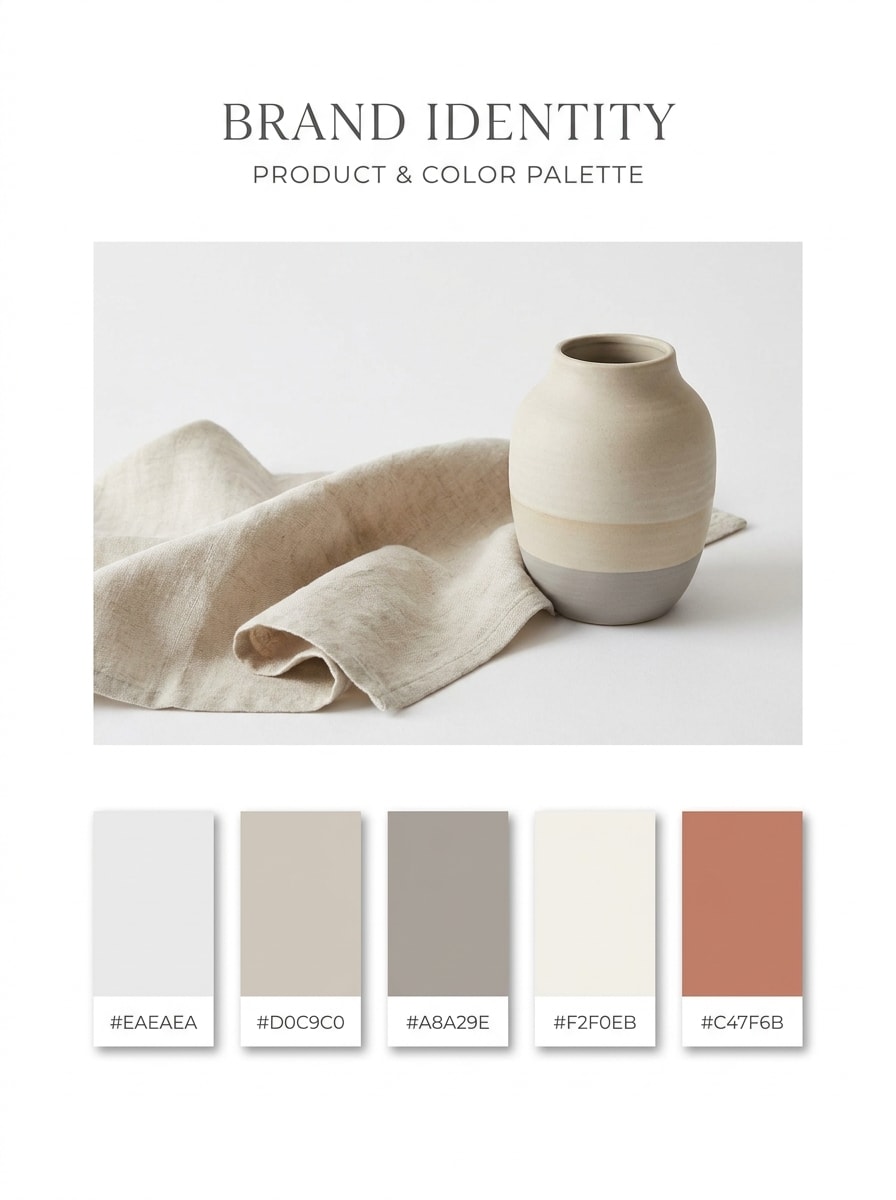
Minimal Marka Panosu
Yüklenen görüntüyü kaynak olarak kullanın ve temiz, minimalist bir palet panosuna dönüştürün. Beş baskın ve destekleyici rengi çıkarın, bunları HEX etiketleriyle eşit aralıklı renk örnekleri olarak düzenleyin; yumuşak gölgeler, geniş boşluklar ve dengeli nötr tonlar ile belirgin bir vurgu rengiyle cilalı modern bir marka sunumu oluşturun.
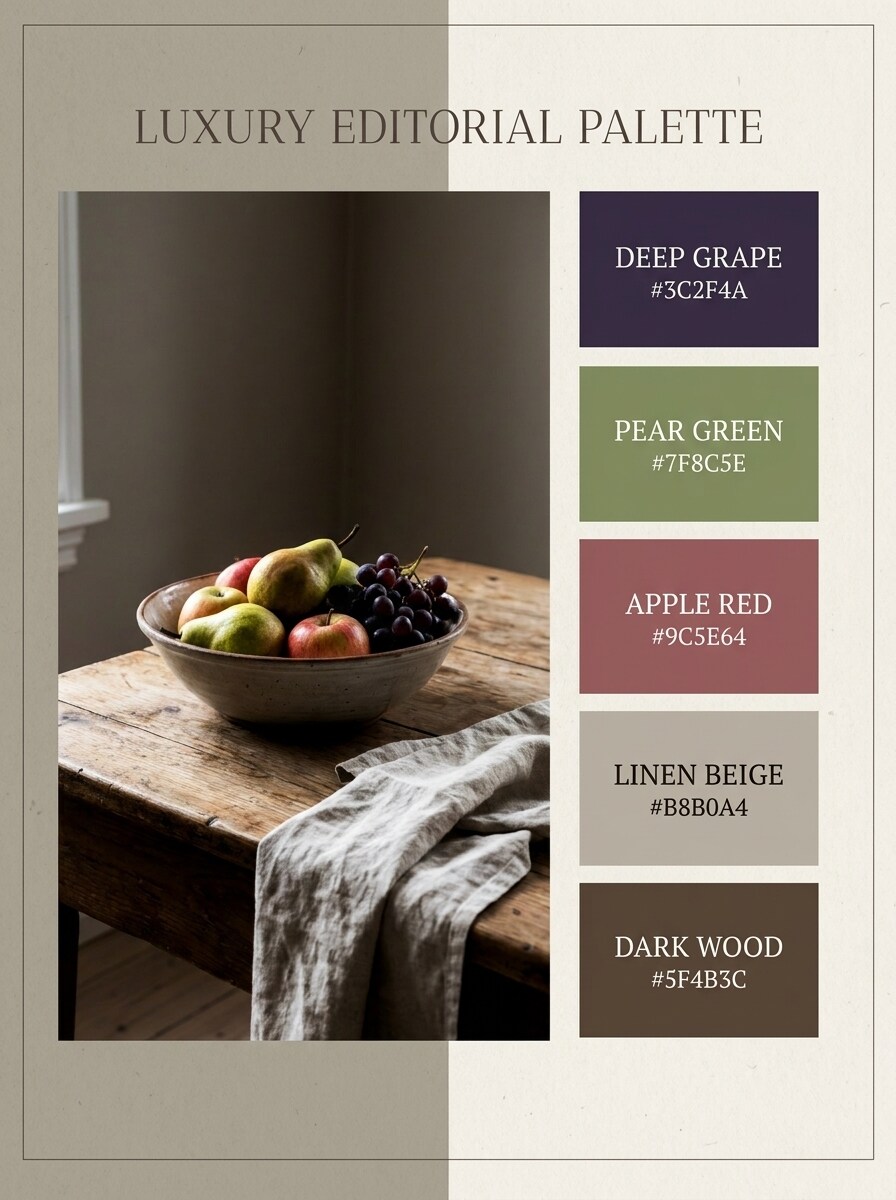
Lüks Editoryal Paleti
Yüklenen moda görselini konu olarak kullanın ve lüks bir editoryal palet sayfasına dönüştürün. Kumaş, arka plan ve gölgelerden beş sofistike renk çıkarın; ardından bunları HEX etiketleri, derin kontrast, sönük nötr tonlar, zarif serif stili, parlak dergi havası ve premium yüksek moda kompozisyonuyla sunun.
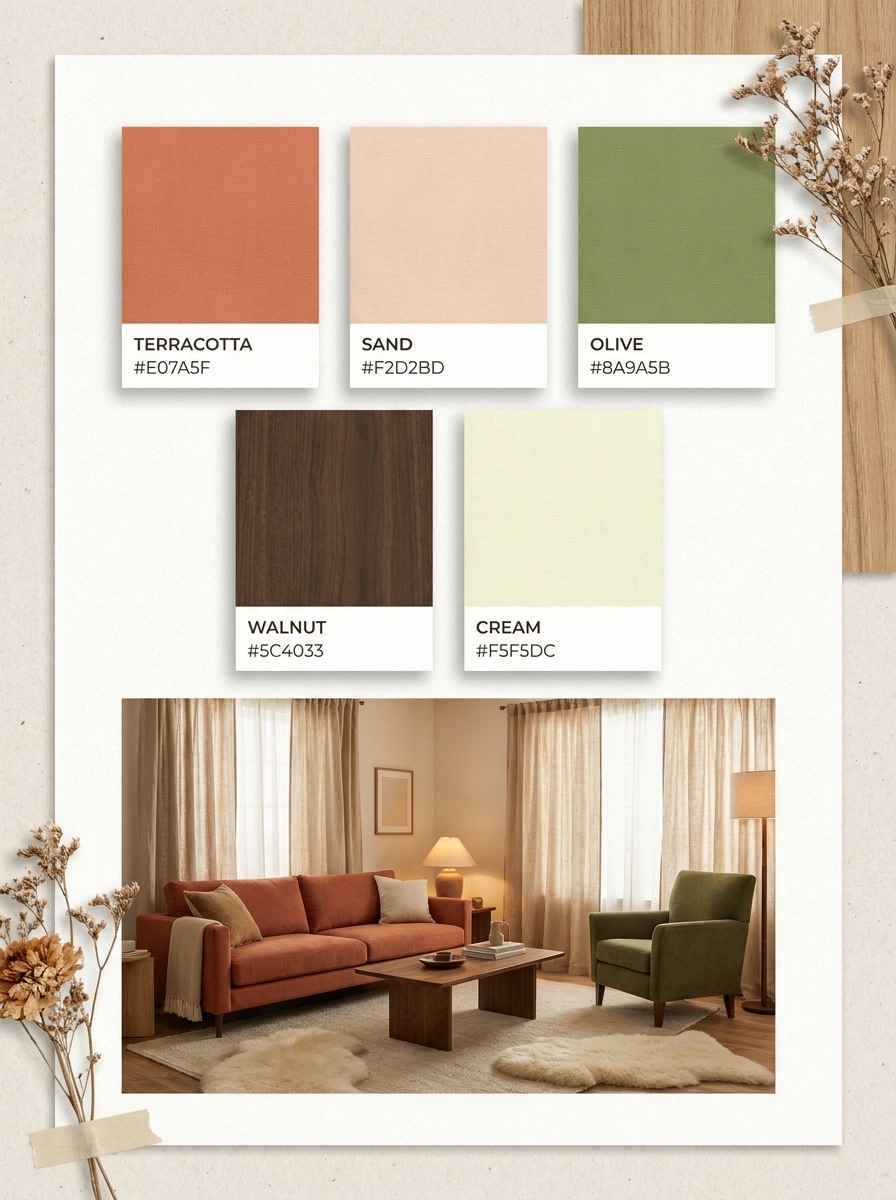
Sıcak Toprak Tonlu Oda Paleti
Yüklenen oda fotoğrafını kullanın ve sıcak bir iç mekan palet panosuna dönüştürün. Duvarlar, ahşap, tekstil ve dekordan beş sıcak renk çıkarın; ardından bunları HEX kodlarıyla etiketlenmiş renk örnekleri olarak, yumuşak toprak tonları, doğal dokular, sakin aydınlatma ve davetkar bir ev tasarımı sunumuyla gösterin.
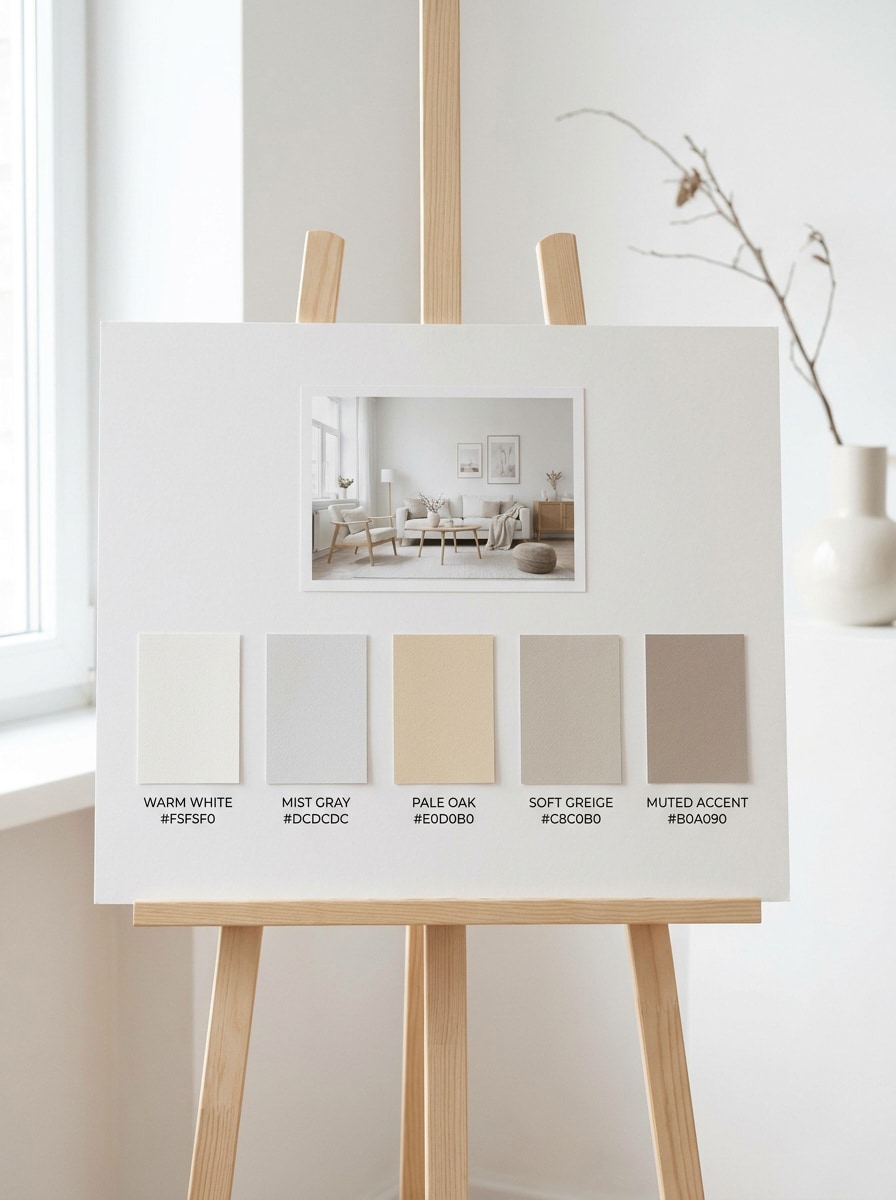
İskandinav Nötr Paleti
Yüklenen iç mekan görselini referans olarak kullanın ve bir İskandinav nötr paletine dönüştürün. Boyalı yüzeyler, ahşap kaplamalar ve tekstilden beş açık ve havadar ton çıkarın; bunları HEX etiketleriyle minimalist bir panoda yumuşak griler, sıcak beyazlar, soluk meşe notları ve sakin temiz bir stille düzenleyin.
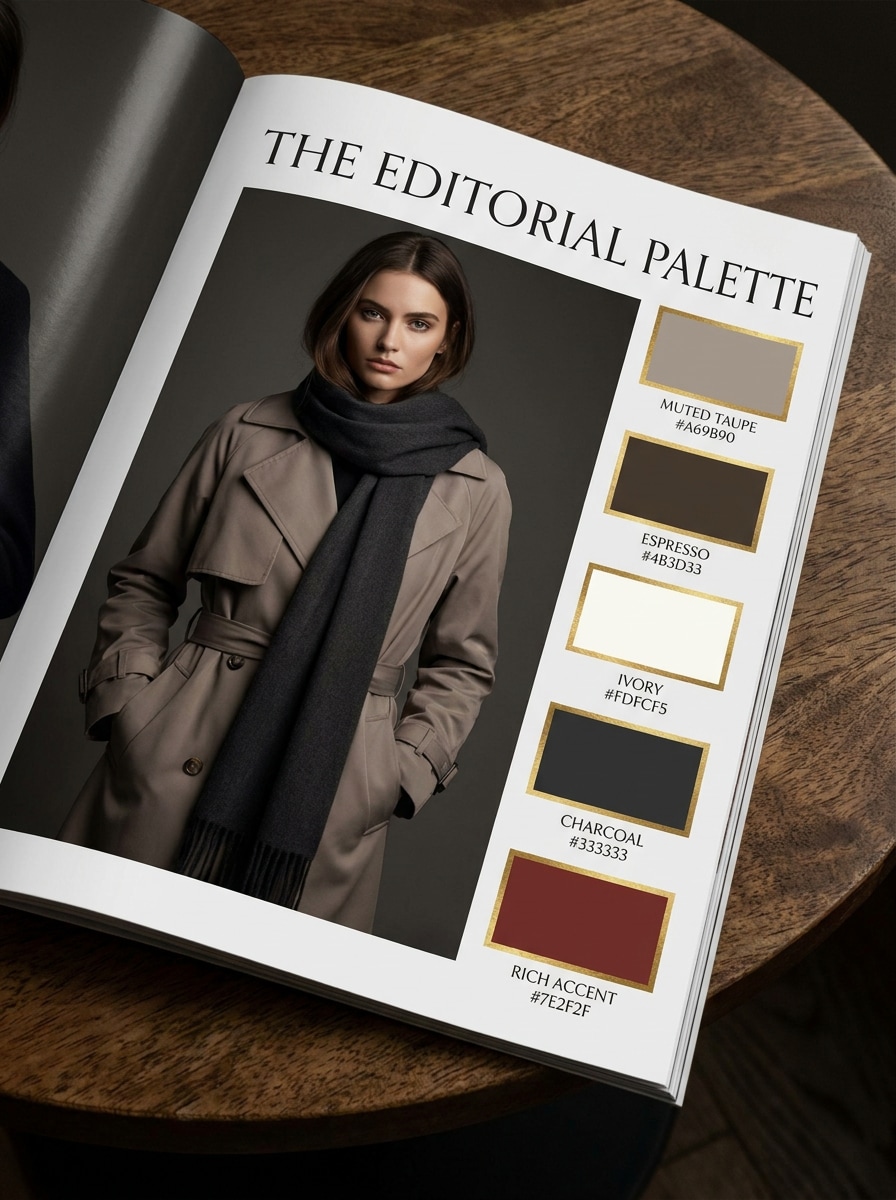
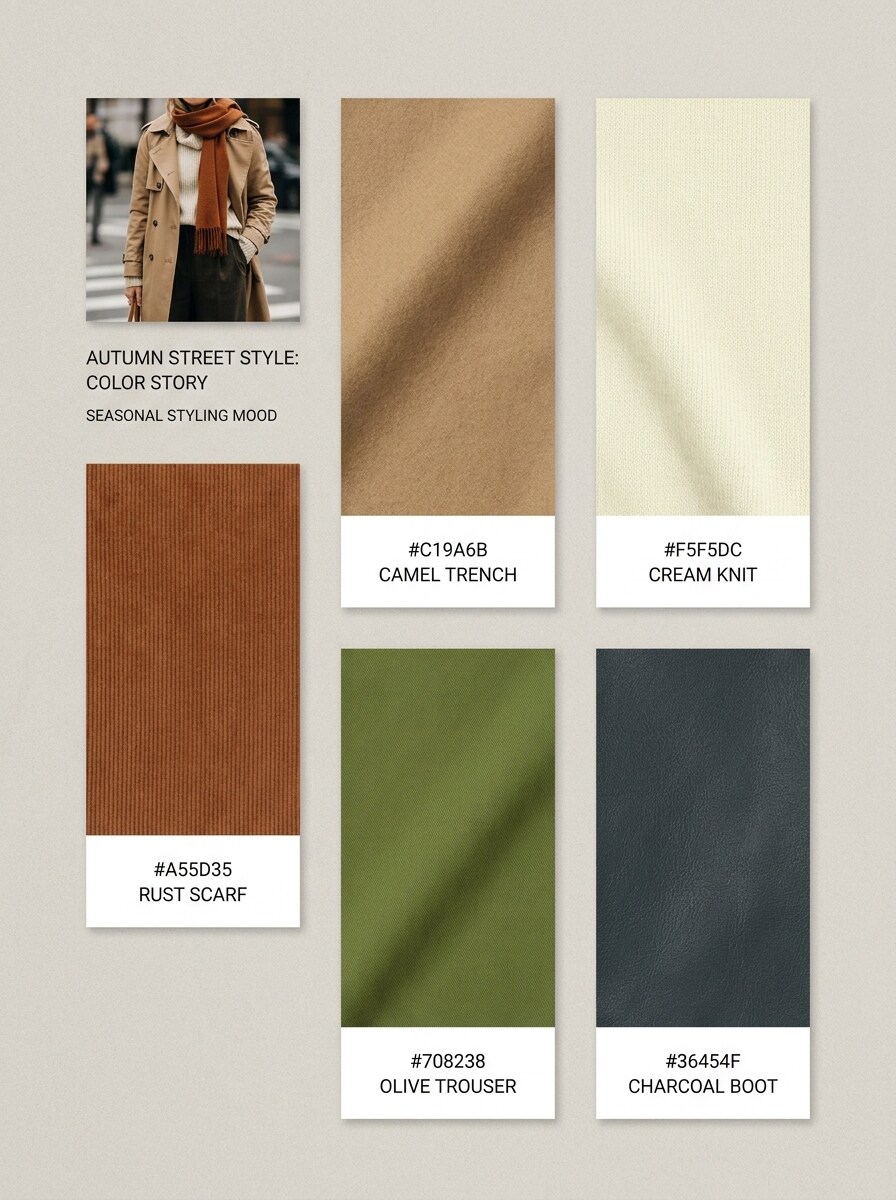
Kıyafet Renk Hikayesi
Yüklenen kıyafet fotoğrafını kullanın ve giyilebilir bir renk hikayesi panosu oluşturun. Kıyafetler, aksesuarlar ve arka plan ayrıntılarından beş koordineli ton çıkarın; ardından bunları HEX etiketleriyle cilalı renk örnekleri olarak, mevsimsel moda havası, yumuşak editoryal boşluk ve gardırop ilhamı için stil odaklı bir düzenle sunun.
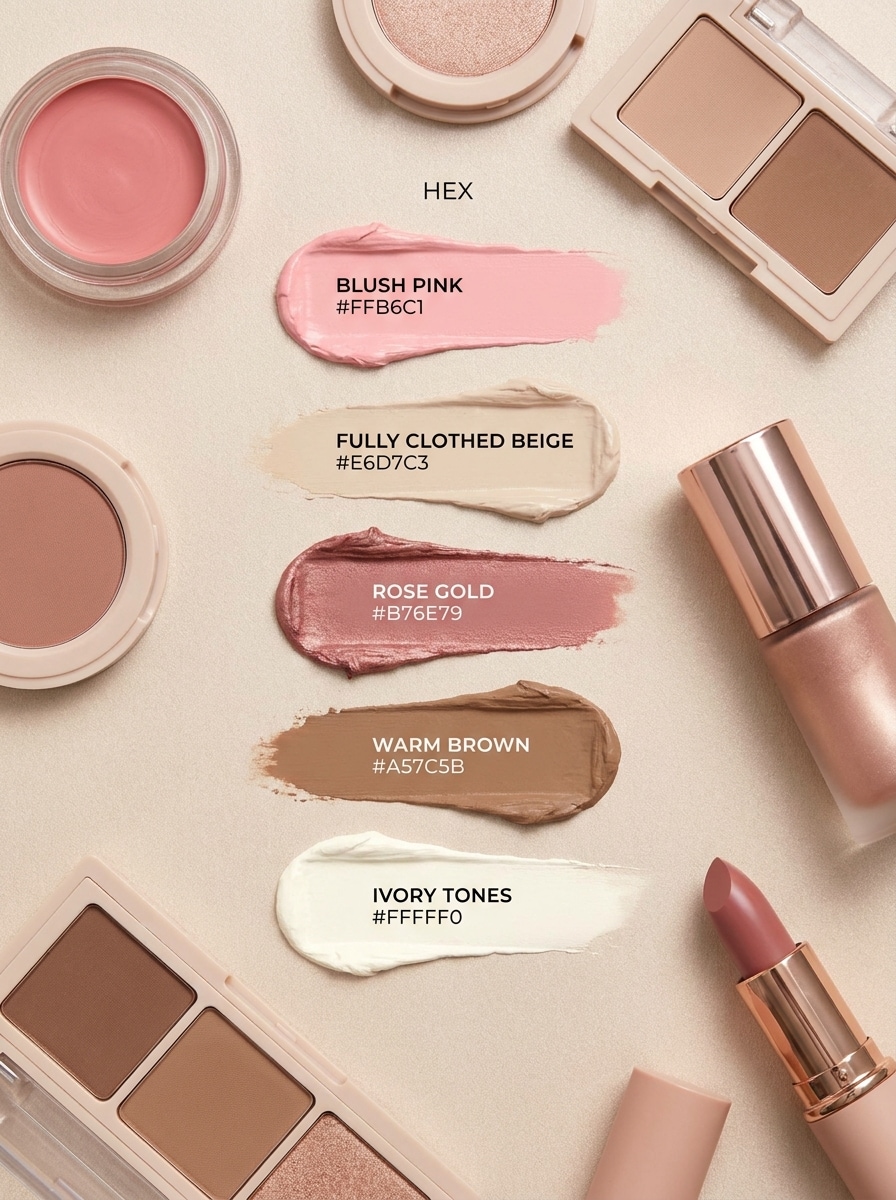
Güzellik Düz Çekim Paleti
Yüklenen güzellik düz çekimini kaynak olarak kullanın ve yumuşak bir kozmetik palet panosu oluşturun. Ambalaj, pudra ve aksesuarlardan beş çekici ton çıkarın; ardından bunları HEX etiketleriyle renk örnekleri olarak, narin gölgeler, pastel veya sönük glamur stili, pürüzsüz yüzeyler ve temiz bir güzellik editoryal kompozisyonuyla gösterin.
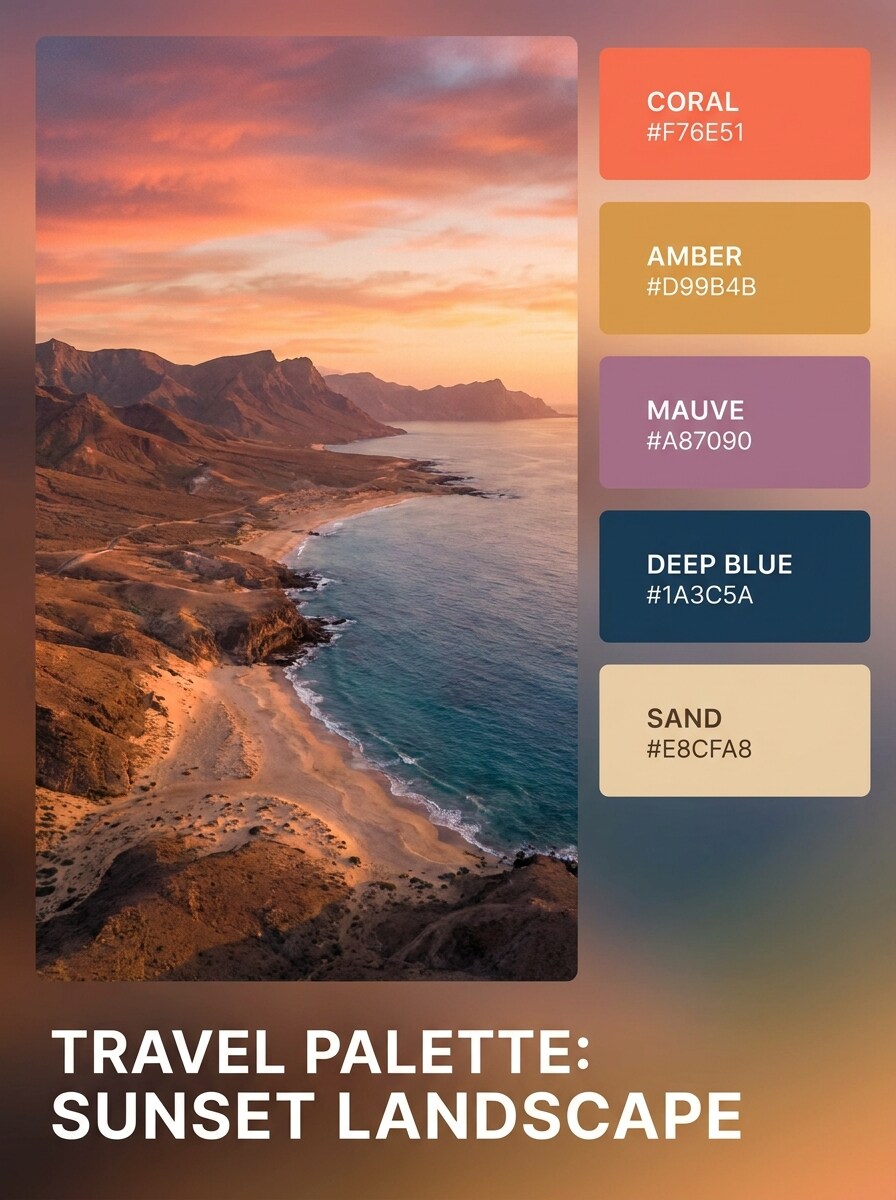
Gün Batımı Seyahat Paleti
Yüklenen seyahat fotoğrafını kullanın ve gün batımından ilham alan bir palet panosuna dönüştürün. Gökyüzü, manzara, su ve ışık noktalarından beş canlı renk çıkarın; ardından bunları HEX etiketleri, sinematik parıltı, yumuşak degrade uyumu ve duygu panoları ile görsel hikaye anlatımı için uygun bir keşif havası ile gösterin.
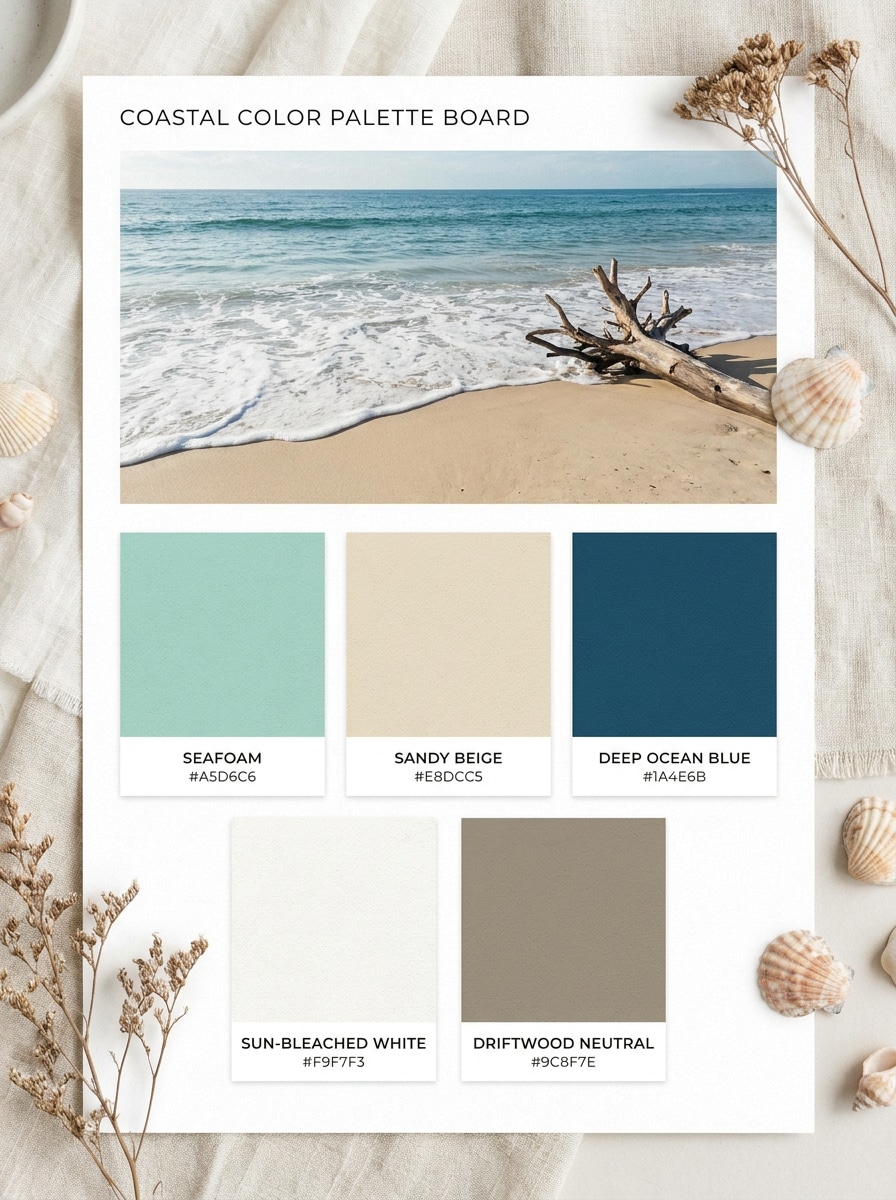
Kıyı Kaçışı Paleti
Yüklenen plaj veya okyanus görselini referans olarak kullanın ve ferah bir kıyı paleti oluşturun. Kum, deniz köpüğü, ufuk mavisi ve güneşli nötrlerden beş ton çıkarın; ardından bunları HEX kodlarıyla etiketlenmiş renk örnekleri olarak, havadar boşluk ve taze tatil enerjisiyle temiz ve rahat bir düzende sunun.
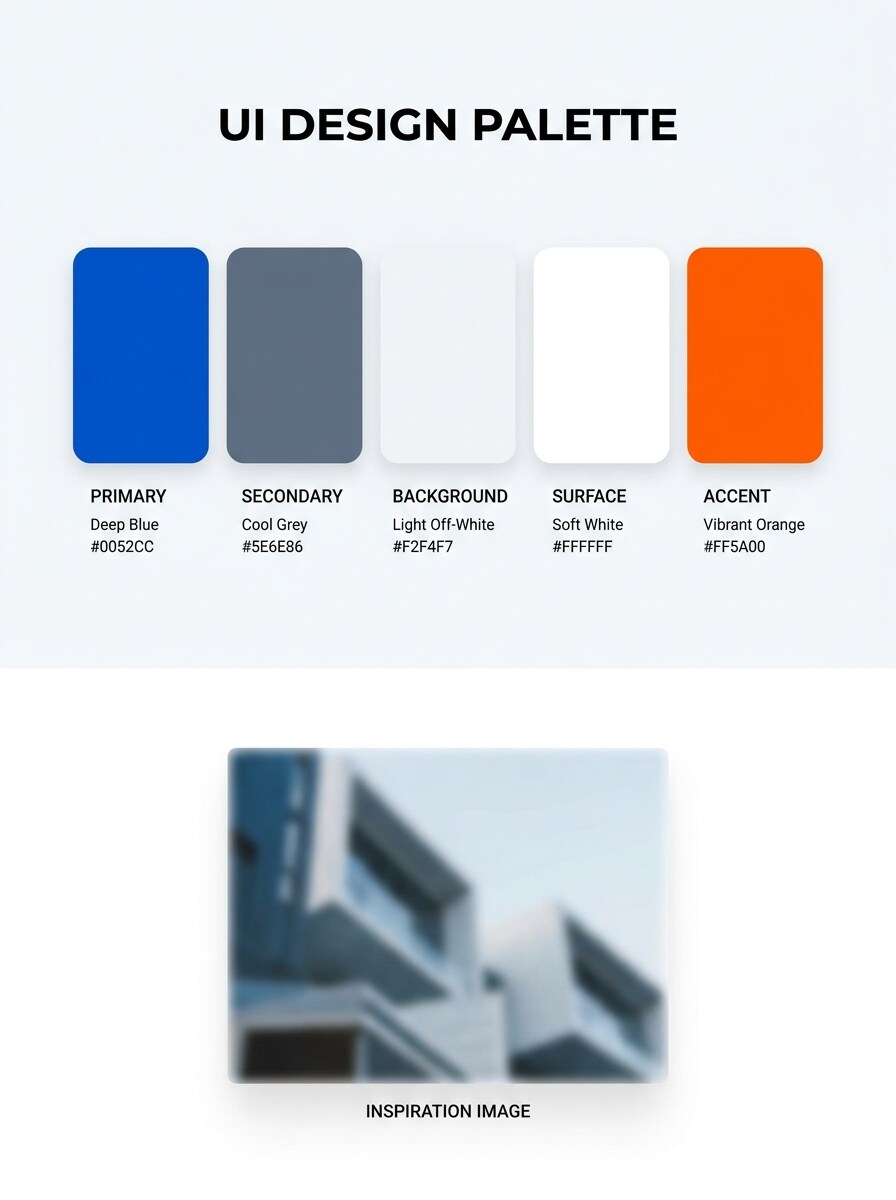
Uygulama Arayüzü Paleti
Yüklenen ilham görselini kullanın ve arayüze hazır bir palet panosuna dönüştürün. Birincil, ikincil, arka plan, yüzey ve vurgu kullanımı için beş pratik renk çıkarın; ardından her renk örneğini HEX kodlarıyla modern kontrast, kullanılabilirlik odaklı denge ve şık ürün tasarımı stiliyle temiz dijital bir düzende etiketleyin.
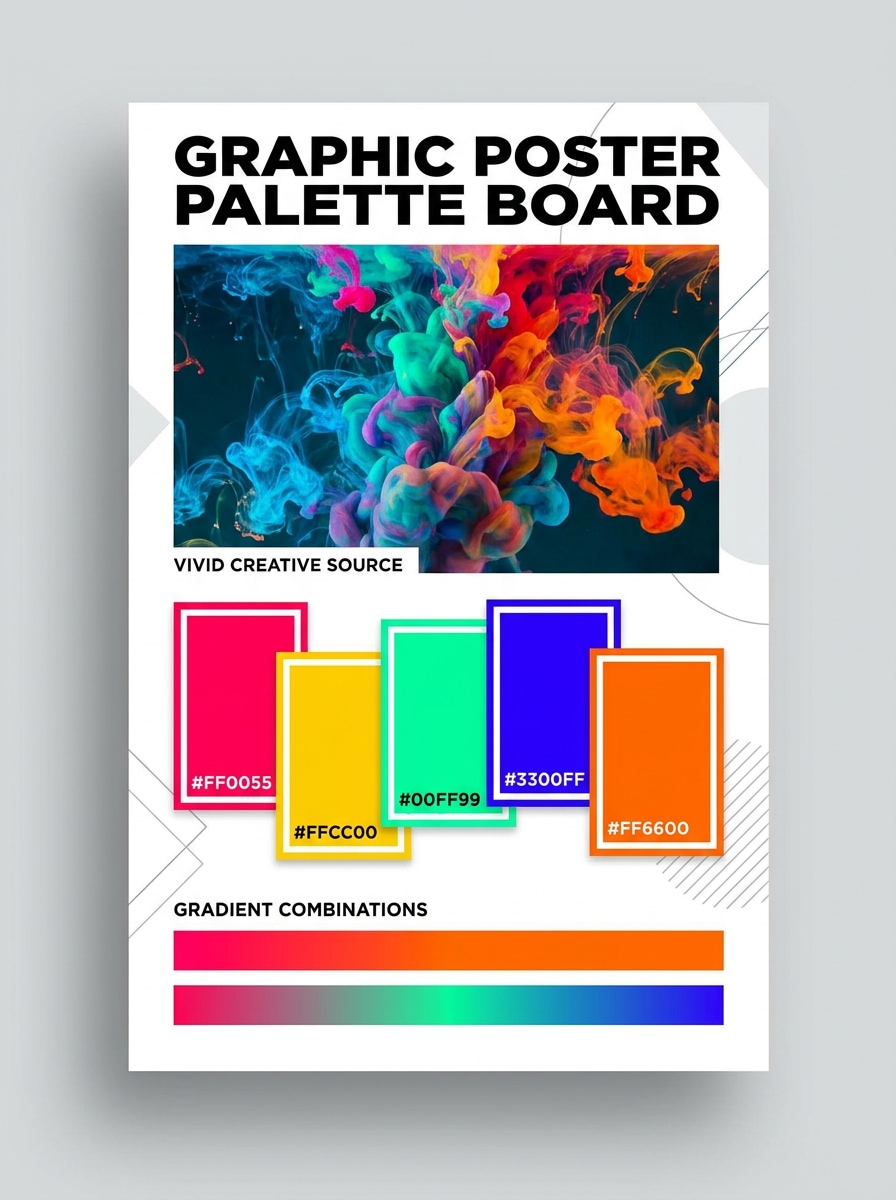
Poster Degrade Paleti
Yüklenen yaratıcı görseli kullanın ve cesur bir poster palet sayfasına dönüştürün. Grafik ve degradeler için uygun beş yüksek etkili renk çıkarın; ardından bunları HEX etiketleri, güçlü kontrast, canlı aydınlatma ipuçları, çağdaş poster enerjisi ve sosyal medya ile baskı konseptleri için temiz yapılandırılmış bir düzenle sunun.
Renk Çıkarma ve Palet Stili İçin Neden Media.io Kullanmalısınız?
Bir Referans Fotoğraf Yükleyin ve Gerçek Renk Hikayesini Koruyun
Media.io, halihazırda sahip olduğunuz tam fotoğraf, ekran görüntüsü, sanat eseri veya ilham görseli ile başlamanıza olanak tanır; böylece bir fotoğraftan renk paleti or görüntüye göre renk paleti gerçek malzemeler, aydınlatma ve marka ipuçlarıyla bağlantılı kalır ve sapmaz. Aynı zamanda fotoğraftan renk paleti için pratik bir seçenektir.
Yönü Kaybetmeden Farklı Görünümleri Keşfedin
Sanat yönü hâlâ açık olduğunda, Media.io aynı görüntüden renk paleti fikri etrafında birden fazla görünümü test etmenize olanak tanır; bu da sıfırdan yeniden başlamadan doğru stili bulmayı kolaylaştırır. Bu iş akışı özellikle fotoğraftan renk şeması için kullanışlıdır.
Son Görselleri Gerçek Projeler İçin Keskin Tutun
Görüntüden elde edilen son renk paleti küçük bir önizlemenin ötesinde yeniden kullanılacaksa, Media.io 4K'ya kadar daha keskin sonuçlar sunarak görüntünün pratik tasarım ve sunum çalışmalarında daha güvenilir kalmasını sağlar. İçerik üreticileri bunu genellikle fotoğraftan renk paleti için kullanır.
Telefon, Tablet veya Masaüstünde Sorunsuz Çalışın
Görüntüden renk paleti fikri ana kurulumunuzdan uzakta başladığında, Media.io tarayıcıda oluşturmanıza ve geliştirmenize olanak tanır; böylece mobil ve masaüstü arasında geçiş yapmak kesintisiz hissettirir.
Bir Fotoğraftan Renk Paleti Nasıl Yapılır
Kelimelerinizi üç basit adımda çarpıcı görsellere dönüştürün, ardından sonucu daha da geliştirmek isterseniz iyileştirmeye devam edin.
Adım 1
Referans Görselinizi Yükleyin
Net bir JPG, PNG veya JPEG fotoğraf, ekran görüntüsü, sanat eseri, oda görseli, kıyafet çekimi veya ürün görseli ile başlayın. Temiz bir kaynak görsel, tanınabilir tonlar ve daha iyi renk örneği dengesiyle kullanışlı bir fotoğraftan renk paleti iş akışı oluşturmayı kolaylaştırır.
Adım 2
Değişikliği Tanımlayın ve Seçenekleri Ayarlayın
Media.io'ya istediğiniz palet stilini söyleyin; minimal marka panosu, iç mekan duygu panosu veya arayüze hazır renk sayfası gibi. Ardından modeli seçin ve sunum ihtiyaçlarınıza uygun en boy oranı, kalite ve görüntü sayısını ayarlayın.
Adım 3
Oluşturun, İndirin ve İyileştirmeye Devam Edin
Birkaç palet varyasyonu oluşturun, hangi renk örneklerinin projenize en iyi uyduğunu karşılaştırın ve tercih ettiğiniz sonucu indirin. İstemi iyileştirebilir, başka bir düzen deneyebilir veya palet doğru hissettirene kadar aynı görüntüden yeni versiyonlar oluşturabilirsiniz.
Görüntüye Göre Renk Paletinin Potansiyelini Ortaya Çıkarın
İçerik üreticilerinin bu görüntüden renk paleti iş akışını içerik, pazarlama ve kişisel projeler için nasıl kullandığını görün, ardından her fikri kılavuza uyacak şekilde uyarlayın.
Ürün Fotoğraflarını Anında Marka Yönlerine Dönüştürün
Ambalaj, sosyal medya şablonları, açılış sayfaları veya sunum dosyaları için temiz bir palet panosu oluşturmak amacıyla kahraman ürün çekimini kullanın. Bu, gerçek ambalaj tonlarını yansıtan ve tahmin edilen marka renklerine dayanmayan bir fotoğraftan renk paleti oluşturucu giriş veya görüntüden renk paleti oluşturucu süreci istediğinizde özellikle yararlıdır.
Odalardan, Kıyafetlerden ve Yaşam Tarzı Fotoğraflarından Duygu Panoları Oluşturun
İç mekan tasarımcıları, stilistler ve içerik üreticileri, dekor, gardırop planlaması veya mevsimsel içerik için rehberlik etmek amacıyla günlük görsellerden uyumlu renk örnekleri çıkarabilir. Görüntü tabanlı referansla oluşturulan renk paleti, ilham için bir renk resmi veya fotoğraftan renk şeması ister misiniz, son duygu panosunu malzemeler, aydınlatma ve dokuya dayalı tutar.
Görsel İlhamdan Arayüz ve Pazarlama Paletleri Oluşturun
Tasarım ekipleri, ekran görüntülerini, posterleri ve kampanya görsellerini arayüzler, reklamlar ve web varlıkları için pratik renk sistemlerine dönüştürebilir. Dijital ürünler ve promosyonlarda görsel tutarlılığa ihtiyaç duyduğunuzda görüntü referansından renk şeması oluşturucu veya renk paleti başlangıç noktasının fotoğrafı olarak iyi çalışır.
Kullanıcılar Ne Diyor
Lena Morris
Marka Tasarımcısı
"Hızlı marka panoları için kullanışlı" Müşteriler ürün fotoğrafları gönderip hızlı bir görsel yön istediğinde kullanıyorum. Oluşturulan palet panoları erken sunumlar için yeterince cilalı görünüyor ve bir görüntüden birden fazla versiyon oluşturmak bana zaman kazandırıyor.
Marco Jensen
Arayüz Tasarımcısı
"İlhamı kullanılabilir renk setlerine dönüştürmek için iyi" Ekran görüntüleri ve fotoğraf referanslarıyla test ettim ve ilhamdan daha yapılandırılmış bir palet konseptine geçmeme yardımcı oldu. Düzen seçenekleri, ekip incelemeleri için net bir şeye ihtiyaç duyduğumda kullanışlı oluyor.
Priya Shah
İçerik Üreticisi
"Mobil ve masaüstünde kullanımı kolay" Sosyal medya içerikleri için moda ve seyahat fotoğraflarından sıklıkla palet fikirleri çıkarıyorum. Telefonumdan yükleyebilmek, temiz bir sonuç oluşturabilmek ve hızlıca indirebilmek iş akışını çok daha sorunsuz hale getiriyor.
Ethan Cole
İç Mekan Stilisti
"Dekor duygu panoları için yardımcı" Malzeme temin etmeden önce renk yönlerini keşfetmek için oda fotoğrafları kullanmayı seviyorum. Oluşturulan palet görselleri, özellikle sıcak nötr veya kıyı havası ihtiyacı duyduğumda müşterilerle seçenekleri tartışmayı kolaylaştırıyor.
Referans görselinizi Media.io'ya yükleyin, ardından marka panosu, iç mekan renk örneği sayfası veya arayüz renk düzeni gibi istediğiniz palet stilini tanımlayın. Media.io görselinizi görsel referans olarak kullanır, palet tarzı çıktılar oluşturur ve daha kolay karşılaştırma için aynı kaynaktan birden fazla varyasyon oluşturmanıza olanak tanır.
2. Bir fotoğraftan HEX kodlarını ücretsiz çıkarabilir miyim?
Ücretsiz kullanıcılar, taahhütte bulunmadan önce görüntüden renk paleti oluşturucu iş akışını test etmek istiyorsanız ücretsiz kredilerle Media.io'yu deneyebilir. Daha fazla kullanım için fiyatlandırma sayfasını inceleyebilirsiniz. Ücretsiz indirmeler filigran içerebilirken, ücretli planlar filigransız yüksek çözünürlüklü sonuçları destekler.
3. Palet oluşturmak için hangi görüntü formatlarını yükleyebilirim?
Media.io, JPG, PNG ve JPEG yüklemelerini destekler. Bu, halihazırda kaydettiğiniz ürün fotoğrafları, ekran görüntüleri, sanat eserleri, marka referansları, oda görselleri veya moda çekimlerini kullanarak bir fotoğraftan renk paleti iş akışı için pratik hale getirir.
4. Bir görüntü palet oluşturucu kaç renk çıkarabilir?
Media.io, yüklenen görüntüden palet tarzı çıktılar oluşturmanıza yardımcı olur ve görünür renk örneği sayısı, seçtiğiniz istem ve düzene bağlıdır. Örneğin, basit beş renkli bir pano, daha geniş bir görüntü renk paleti veya baskın ve vurgu tonlarını karşılaştırmak için birkaç varyasyon isteyebilirsiniz.
5. Çıkarılan renk paletini marka veya web tasarımı için kullanabilir miyim?
Media.io, bir ürün fotoğrafını, kampanya görselini veya arayüz referansını; marka panoları, sosyal medya görselleri, maketler ve web tasarımı konseptlerini destekleyen görüntüden renk paleti oluşturucu iş akışına dönüştürmek için kullanışlıdır. Esnek düzenler ayrıca sonucu sunumlar ve yaratıcı incelemeler için uyarlamanıza yardımcı olur; web tabanlı araç ise masaüstü ve mobil cihazlarda her tarayıcıda çalışır.
6. Araç mobil cihazlarda da masaüstü gibi çalışıyor mu?
Telefonunuzdan bir görüntünün renk paletini test ediyor olun ya da masaüstünde görüntüden renk şeması oluşturucu sürecini geliştiriyor olun, Media.io temel iş akışını erişilebilir tutar.
Yapay Zeka Destekli Çevrimiçi Görüntüden Renk Paletinin Ötesinde