














AI Face Swap
Upload Source Image
Upload an image with clear faces
Click or drag to upload, or choose from My HistoryClick To UploadMy History
No ideas? Generate an image first >
Upload jpg, jpeg, png images up to 50 MB, with a minimum width/height of 300 px.
Upload Face
Upload the face you want to swap in
Rapunzel Face Swap

Bring Fairytale Magic to Your Photos

Step into the world of creativity with the Rapunzel Face Swap from Media.io. Our AI technology makes it effortless to apply character-style transformations with realistic shading and tone balance. Perfect for themed portraits, cosplay edits, or fantasy-inspired content, the tool works entirely online for instant results. Experience natural-looking swaps that retain your facial structure, lighting, and expression for a seamless, lifelike finish.

Try Rapunzel AI Face Swap Now
AI-Powered Precision Realistic Skin Tones Instant Online Processing No Design Skills Needed
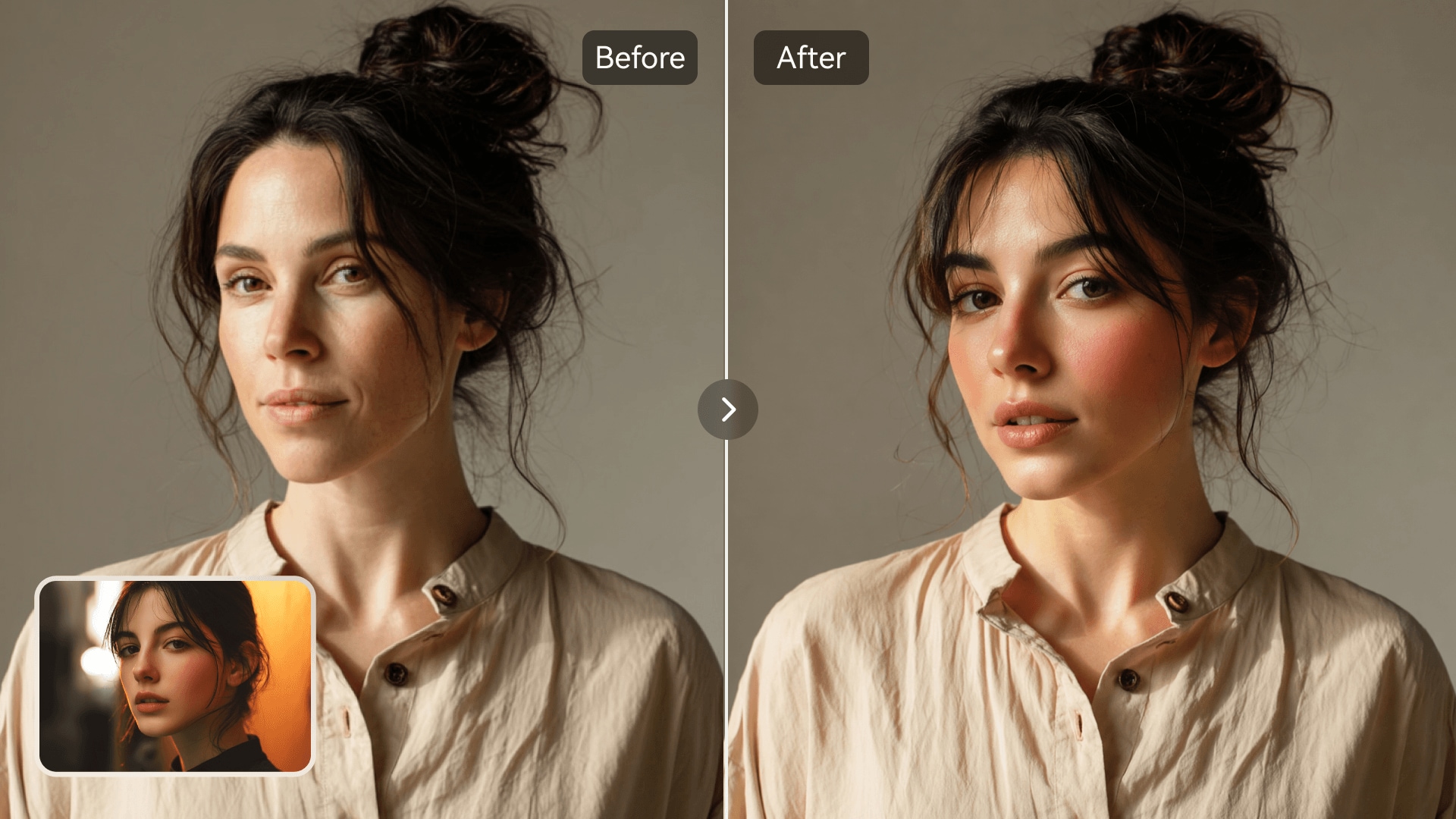
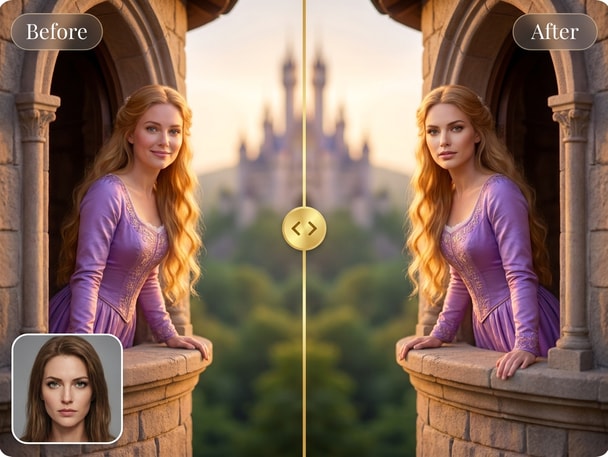
AI-generated Rapunzel face swap portrait example
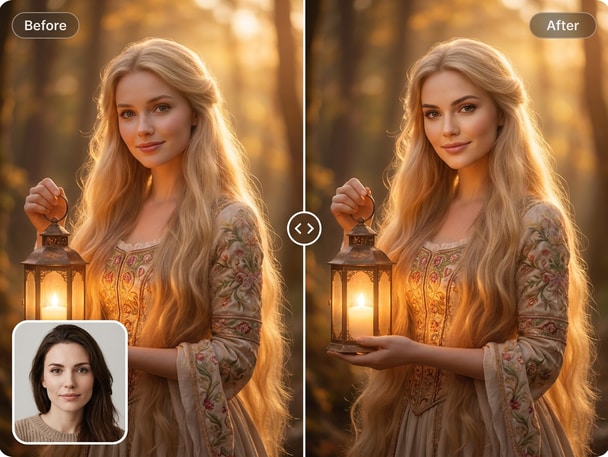
Fantasy theme photo transformed with face swap

Create Charming Fairytale Portraits

Reimagine your photos with the Rapunzel Face Swap to capture a whimsical, fairy-tale feel. Media.io's AI engine maintains balanced lighting and natural detail so your transformed photo looks professional. Whether preparing a fantasy profile picture or editing for creative storytelling, you can achieve magical results in seconds. Transform ordinary portraits into imaginative character visuals with one click.
Perfect for Social and Creative Projects

Use the Rapunzel Face Swap to design captivating social media posts, creative marketing visuals, or fun digital avatars. The AI system ensures that each swap blends convincingly with realistic facial texture. Showcase your imaginative side on TikTok, Instagram, or YouTube with attractive and shareable visuals. Let your audience engage with your unique artistic edits effortlessly through Media.io.

Simple Workflow for Any User

With Media.io's intuitive interface, swapping faces is simple, even for beginners. Upload a photo, choose your desired look, and let the AI do the work in seconds. No background editing or manual adjustments are required to achieve the perfect Rapunzel-style effect. Enjoy a smooth, quick workflow that keeps your creative energy focused on content, not complexity.

High-Quality, Natural Blending

Media.io's AI ensures natural facial contours and authentic color tones when performing each Rapunzel Face Swap. It avoids awkward seams or mismatched lighting by analyzing each layer for accurate alignment. The final images appear clean, balanced, and visually cohesive-ready for creative uses. Experience photo realism married with artistic flair through advanced AI blending.

Try Gaston Belle Face Swap for Realistic Character Edits

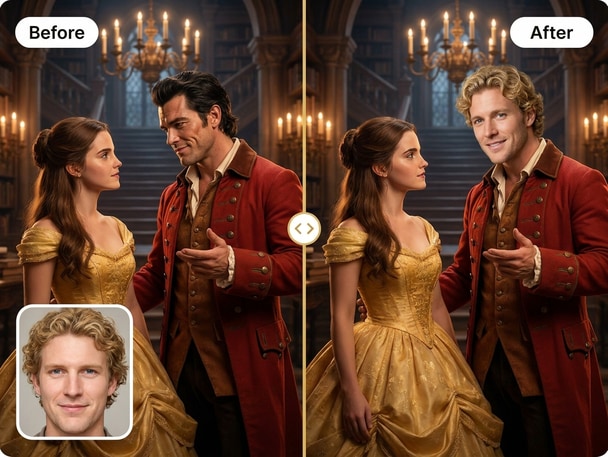
Take your creative edits further with the Gaston Belle Face Swap powered by Media.io AI. Perfect for themed portraits and storytelling visuals, it produces natural, high-quality blends in seconds so you can reimagine your photos into dramatic character scenes.

How to Create a Rapunzel Face Swap Online

01

Upload Your Original Photo

Start by uploading a clear portrait photo from your computer or phone to Media.io's AI Photo Face Swap platform. The tool automatically analyzes facial angles and lighting for best alignment.

02

Choose the Rapunzel Look

Select the Rapunzel character style or upload a reference image that matches your creative theme. The AI engine applies realistic skin tones and texture preservation during the swap.

03

Download or Share Instantly

Once processed, preview your Rapunzel-inspired face swap and download it in high resolution. You can share directly on social media or use it for personal creative projects.

What Users Say About the Rapunzel Face Swap

user
Sophie M.

Digital Artist

starstarstarstarstar

"Transformative AI That Feels Real" I used the Media.io tool for an ai cosplay face swap, and it completely exceeded my expectations. The details around the eyes and lighting made my Rapunzel portrait look truly authentic. I didn't need to adjust anything manually, which saved me a ton of editing time. It has become my go-to for themed photo concepts.

user
Lucas J.

Content Creator

starstarstarstarstar

"Fast and Fun for Social Media" I tried the Rapunzel Face Swap for a fun post, and the results looked like professional work. The character portrait swap blended seamlessly and was ready to upload immediately. My followers loved the creative twist, and it worked perfectly for short video clips. It's now part of my weekly content routine.

user
Ava K.

Photographer

starstarstarstarstar

"Seamless Results With Little Effort" I used Media.io for a princess photo transformation project and was amazed by the clarity. The software matched skin tone and lighting perfectly, even in different backgrounds. The ai cosplay face swap function is perfect for stylized shoots or marketing campaigns. It's a complete time-saver for creative professionals.

user
Ryan S.

Animator

starstarstarstarstar

"Perfect for Concept Visuals" When working on a fairytale ai edit, I turned to Media.io and achieved realistic outcomes instantly. The colors were balanced and the edges between swapped features looked natural. It gives plenty of versatility for composing story-based illustrations. I'll be using it again for future animation previews.

user
Emma D.

Social Marketer

starstarstarstarstar

"Simple Tool, Stunning Results" I needed a cartoon face swap for a playful campaign idea, and this tool made the process effortless. Media.io produced balanced, natural-looking compositions with easy downloads. The character portrait swap looked refined enough for ad-level use. Highly recommend this platform for photo creatives.

Real users love how naturally Media.io blends artistic creativity with precision in every face transformation.

Frequently Asked Questions About the Rapunzel Face Swap

1. How Does the Rapunzel Face Swap by Media.io Work?
faqfaq

Media.io uses advanced AI algorithms to analyze your uploaded photo and apply a Rapunzel-inspired transformation with lifelike blending. It preserves the original lighting and angle to give your image a natural character finish. You upload, select, and let the system process it instantly online. The end result is a seamless artistic edit ready for download or sharing.

Yes, many designers and social creators use this AI cosplay face swap for professional visuals. Media.io offers consistent output with controlled lighting and realistic skin texture. It's great for thematic campaigns, fantasy edits, or creative mockups. The quality holds up for digital marketing and content design.

Absolutely. Media.io's tools are designed for creative use while respecting personal boundaries and privacy. The character portrait swap feature focuses on artistic appearances, not impersonation. You can try fairytale or cartoon themes knowing your content stays secure and ethical.

No editing experience is necessary with Media.io. The system automates all alignment and blending work so any user can create a polished Rapunzel-style transformation effortlessly. You simply upload a clear image and get final results in seconds. It's convenient for both casual and creative users.

Media.io offers flexible access options where you can preview the Rapunzel face swap online before saving final results. Some processing features may be free, while higher-resolution options could be part of premium plans. It's ideal for testing your creative ideas instantly.

Media.io combines AI precision with professional-grade image rendering to produce realistic fairytale ai edits. It doesn't rely on simple filter overlays but matches lighting, color, and skin tone for believable transformations. Unlike many fast filters, it delivers photo-quality artistic swaps perfect for creative projects. Plus, it runs securely in your browser without downloads.

Yes, you can perform multiple face swaps and explore various styles using Media.io's tool. From a Rapunzel look to other fantasy-inspired characters, it supports several creative directions. Each result saves separately for flexible use across your digital media. It's designed for experimentation and visual storytelling.

Media.io supports major image files including JPG, PNG, and JPEG for uploading. This ensures compatibility with most photos taken from phones or cameras. The tool quickly processes standard resolutions for high-quality Rapunzel face swaps. You can also export your final image in similar common formats for easy sharing.

Media.io Online AI Tools Quality Rating:
vote 4.7 (162,357 Votes)







