Deine Werke werden nur 7 Tage lang gespeichert. Assets, die nach dem Upgrade auf einen Mitgliedschaftstarif erstellt werden, werden dauerhaft gespeichert.
Entfalten Sie Ihr kreatives Potenzial und erleben Sie jetzt die Magie der Media-KI!
Spiderman AI Generator für Poster, Avatar, Hintergrundbilder und Comics
Verwandeln Sie originelle Spider-Man-Charaktere und Szenen in Sekunden in KI-Kunst mit Media.io. Dasspider man oc makerGenerieren Sie Filmposter, Comic-Panels, Anime-Varianten, Avatare und Hintergrundbilder aus Texteingaben mit flexiblen Stilen, scharfen Details und hochauflösender Ausgabe direkt in Ihrem browser.
Geben Sie Ihre Idee ein-> KI entwirft sie. Kostenlos zu versuchen.
Entdecken Sie unsere kuratierte Sammlung vonspiderman KIstyles, um Ideen für Ihre eigenen zu schürenKI spider manKreationen.
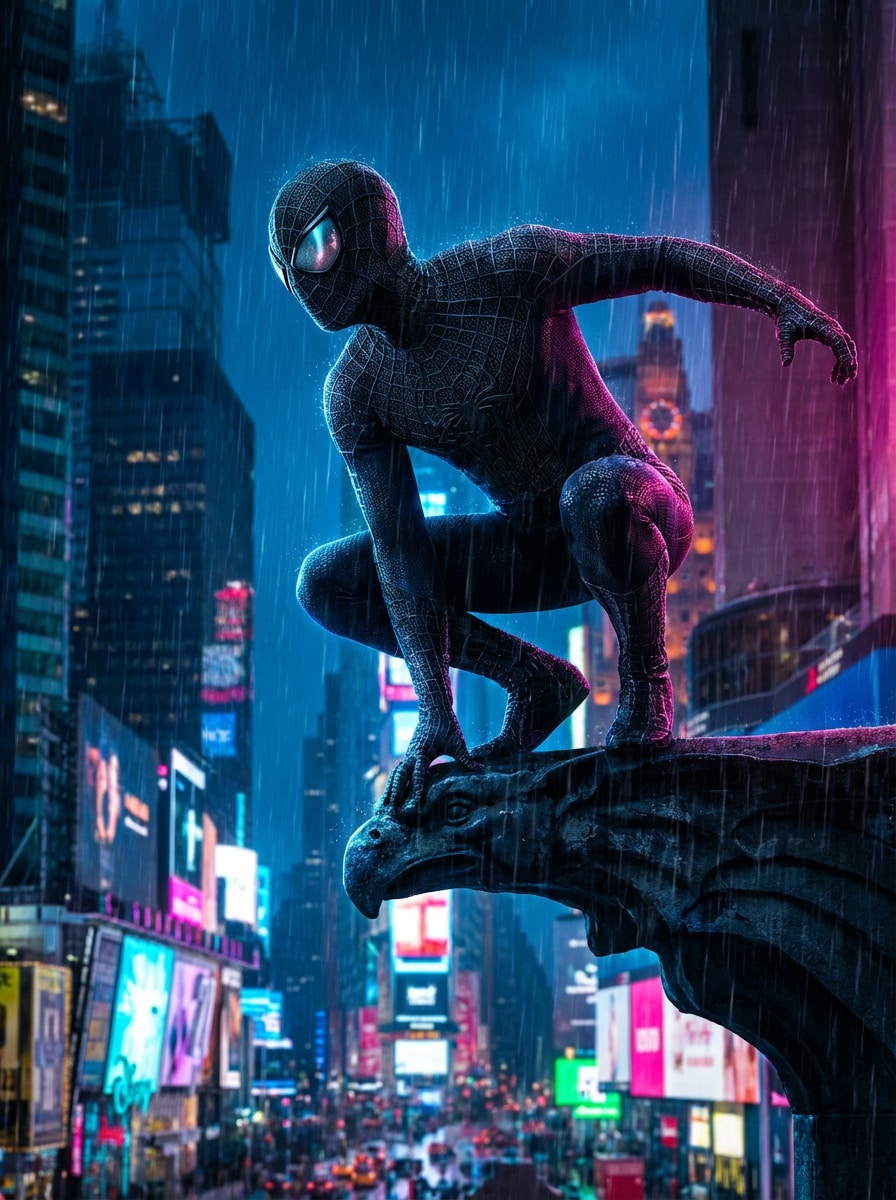
Neon Regen Film Poster
Erstellen Sie ein filmisches poster eines von Spider-Man inspirierten maskierten Superhelden, der bei starkem Regen am Rand eines Wolkenkratzers steht, darunter leuchtende Neon-Werbetafeln, dramatische Felgenbeleuchtung, ultradetaillierte rot-blaue Anzugsstruktur, Sturmwolken, stimmungsvolle blaue und magenta-Palette, geringe Schärfentiefe, Blockbuster-Komposition, kein text.
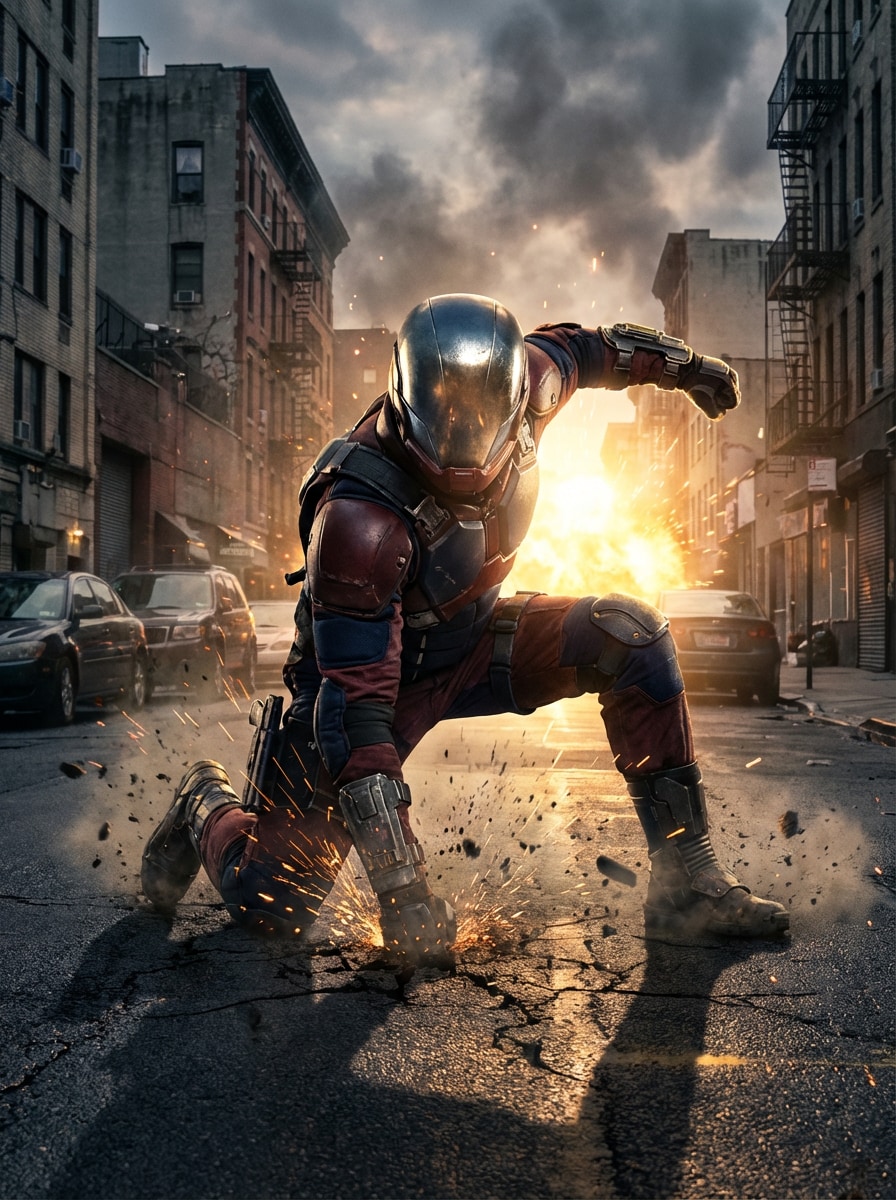
Epischer Landungsschuss
Erzeugen Sie eine actionreiche Szene eines von Spider-Man inspirierten rot-blau maskierten Superhelden, der in einer Dreipunktpose auf einer Stadtstraße landet, rissige Bürgersteige, Funken in der Luft, dramatische Hintergrundbeleuchtung, filmische Objektivblendung, realistische urbane Texturen, hohe Kontrastschatten, dynamische Komposition, ultra-detaillierte Superhelden-Konzeptkunst.
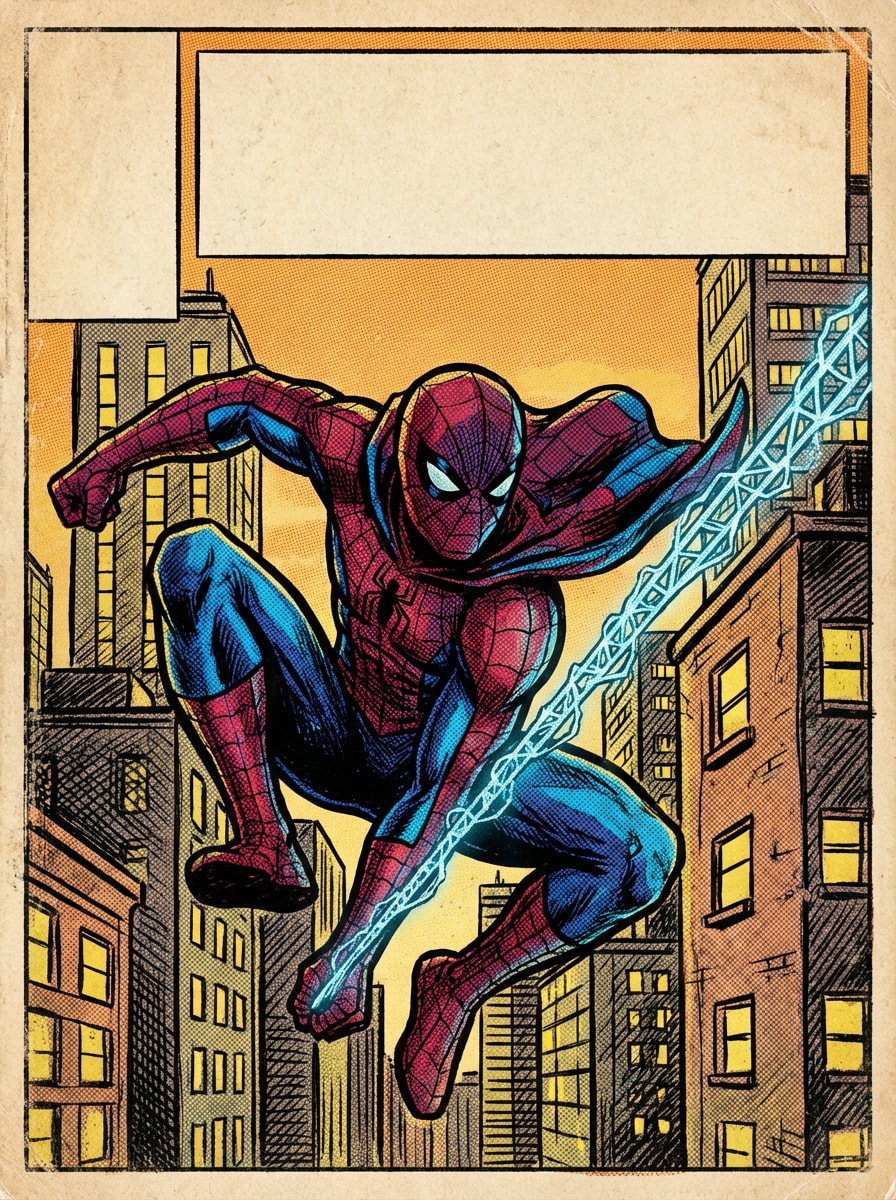
Klassisches Comic-Cover
Illustrieren Sie ein Retro-Comic-Cover mit einem von Spider-Man inspirierten Superheld, der sich zwischen Wolkenkratzern schwingt, kräftige schwarze Tintenumrisse, halbtonige Schattierungen, Vintage-Comic-Farben, dramatische Perspektive, ausdrucksstarke Action-Pose, strukturiertes Druckgefühl, rot-blau-gelbe palette und freien Platz für ein Titel-Layout.
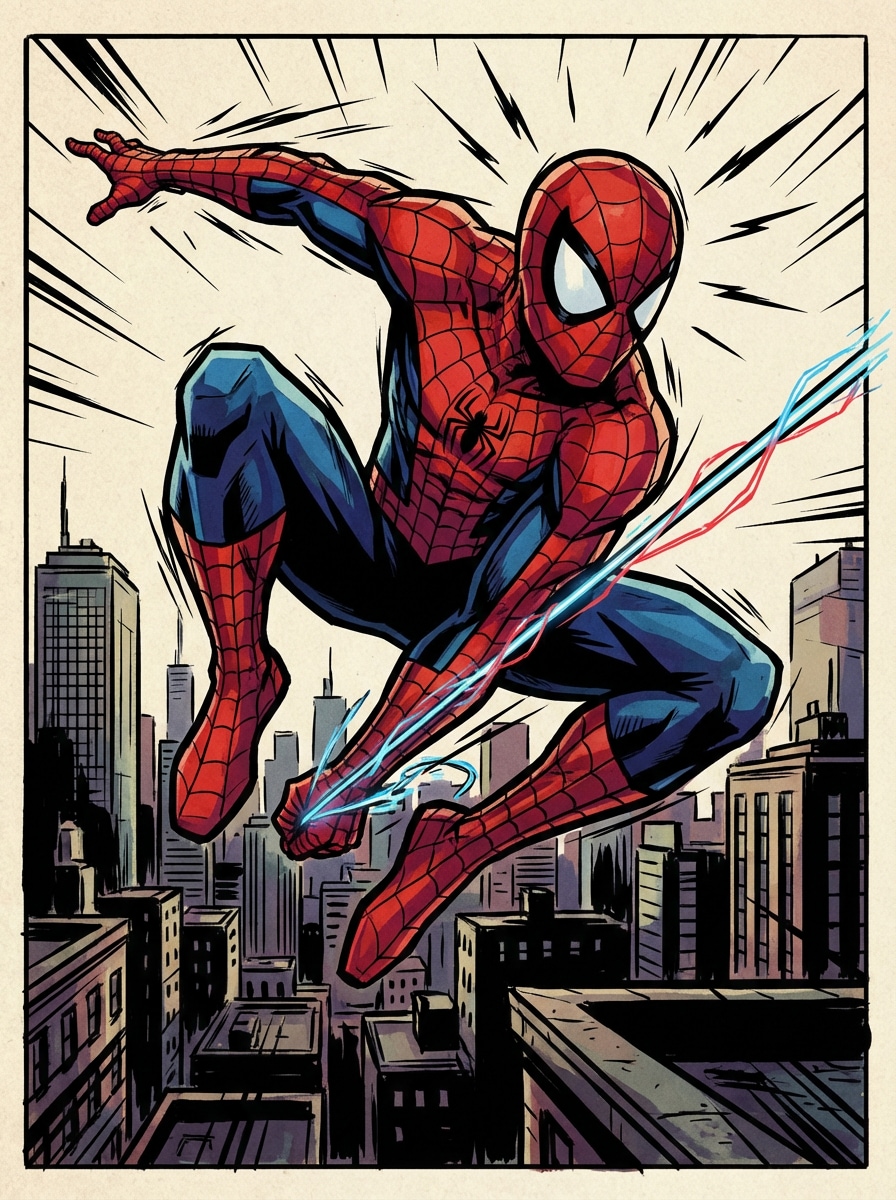
Moderne Comic Panel Art
Erstellen Sie ein modernes Action-Panel im Comic-Stil, in dem ein von Spider-Man inspirierter maskierter Held über Dächer springt, während er Netze schießt, dynamisches Vorhortening, scharfe CEL-Schattierungen, dramatische Geschwindigkeitslinien, reich detaillierter Stadthintergrund, lebendige Rot-Blau-Palette, energiegeladenes storytelling, scharfe Linienarbeit und poliertes Graphic-Novel-Finish.
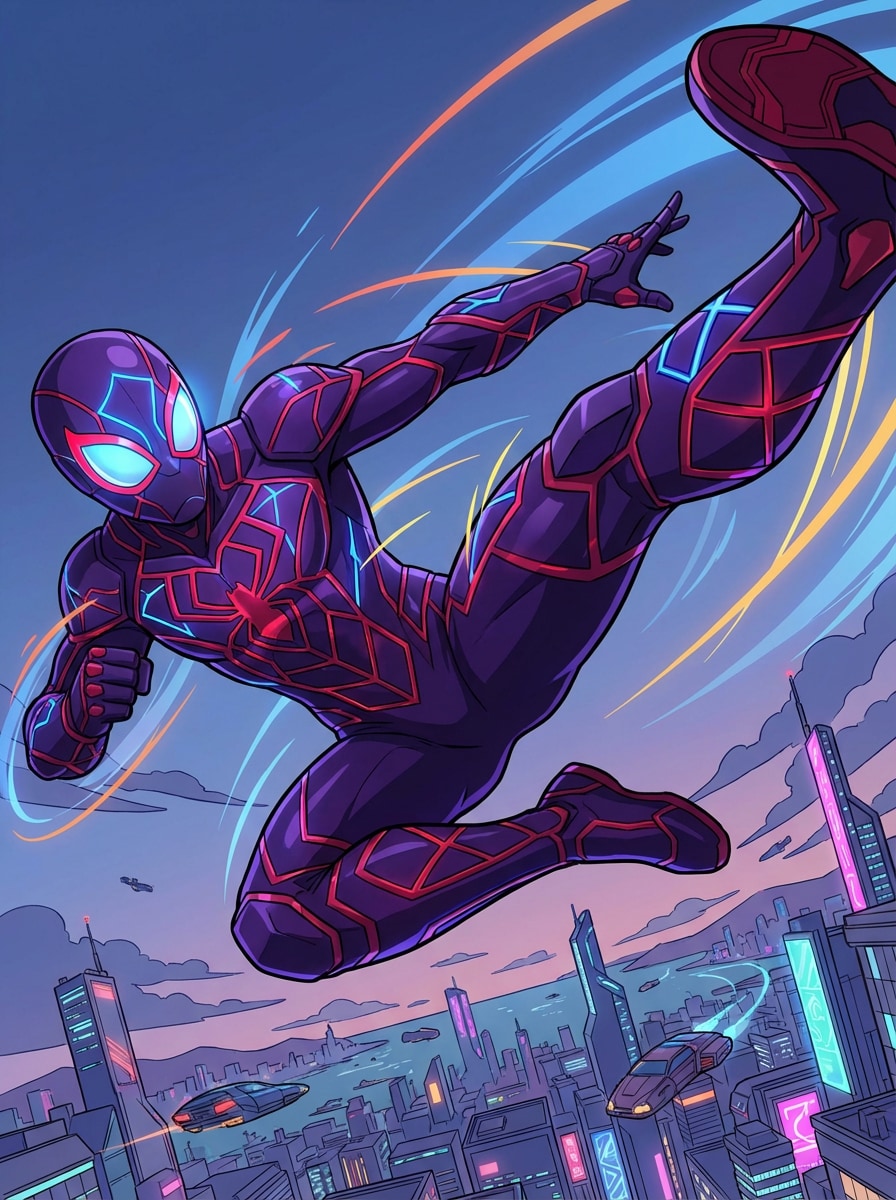
Shonen Anime-Held
Generieren Sie einen Shonen-Anime-inspirierten Spider-Man-inspirierten Superhelden mitten in der Luft in einer energischen Action-Pose, stilisierten Bewegungseffekten, cel-shaded Beleuchtung, ausdrucksstarken Maskenlinsen, futuristischer Stadtbild im Hintergrund, lebendigen rot-blauen highlights, sauberer Anime-Linie-Art, dynamischer Kamerawinkel und farbenfroher, wirkungsstarker Szenen-Komposition.
Warum Media.io für Spiderman AI Art verwenden?
Mehrere KI-Modelle für verschiedene Heldenstile
erstellenspiderman KI KunstMit leistungsstarken Text-in-Bild-Modellen wie Nano Banana Pro, Nano Banana 2, Seedream 5.0 Lite, Soul Character, Seedream 4.0 und Imagen 4. Wechseln Sie zwischen comic-, Film-, anime-, realistischen oder 3D-Rendering-Looks, um beliebige Designs zu entwerfenKI spidermanOder ein origineller Superheld, den Sie sich vorstellen können.
Hohe Auflösung für Poster, Avatare und Hintergrundbilder
Generieren Sie scharfe Superheldenbilder in 1K, 2K und 4K Auflösung. Egal, ob Sie einen Profil-Avatar, eine Telefon-Hintergrundbild oder ein Filmposter wünschen, Media.io hilft Ihnen, detaillierte Ausgaben zu erstellen, die auf Bildschirmen und kreativen Projekten poliert aussehen, wenn Sie spiderman oder ähnliche Charaktere anpassen.
Flexible Seitenverhältnisse für jedes Format
machen aspiderman ai Hintergrundbild, square social post oder breites Kinobanner mit integrierten Seitenverhältnissen wie Auto, 1:1, 9:16, 16:9, 4:3, 3:4, 3:2 und 2:3. Mit diesem flexiblen spiderman Maker-Workflow ist es einfach, Ihr Bild an Mobilgeräte, Desktops oder Sharing-Anforderungen anzupassen.
Browserbasiert und anfängerfreundlich
Media.io läuft direkt in Ihrem browser unter Windows, Mac, iOS und Android, sodass Sie schnell starten können, ohne software zu installieren. Geben Sie einfach eine Eingabeaufforderung auf Englisch ein, wählen Sie einen Stil aus und generieren SieSpider-Man-inspirierte KI-Bilderin einem anfängerfreundlichen flow, der wie ein rationalisierter Spider-Man-Maker für Superhelden-Konzepte funktioniert.
Wie man Spiderman AI-Bilder auf Media.io erstellt
1
2
3
1
Schritt 1: Öffnen Sie Media.io Text to Image
gehe zuKI Text-zu-Bild-GeneratorUnd öffnen Sie das Text-zu-Bild-Tool unter AI-> Bild. Dieses Online-Tool läuft in Ihrem browser, sodass Sie Spider-Man-inspirierte Poster, Avatare, Hintergrundbilder und Comic-Bilder auf Ihrem desktop oder Mobiltelefon erstellen können, ohne irgendetwas zu installieren.
2
Schritt 2: Eingeben Sie eine Eingabeaufforderung oder hochladen
Geben Sie eine detaillierte Eingabeaufforderung ein, wie zum Beispiel „Erstellen Sie ein filmisches poster eines von Spider-Man inspirierten maskierten Superhelden, der bei Neonregen auf einem Wolkenkratzer steht, dramatische Felgenbeleuchtung, ultradetaillierte Anzugtextur, Blockbuster-Komposition. " Wählen Sie dann Ihren bevorzugten Stil, Modell, Seitenverhältnis und Auflösung aus.
3
Schritt 3: Generieren, verfeinern & herunterladen
Klicken Sie auf Generieren. Passen Sie Ihre Formulierung an, wechseln Sie den Stil oder versuchen Sie bei Bedarf ein neues Verhältnis. Wenn Sie den gewünschten look bekommen, laden Sie Ihr hochauflösendes KI-Bild zum Teilen, Hintergrundbilder, Moodboards oder kreative inspiration herunter.
"Großartig für Superhelden poster Konzepte"Ich habe Media.io verwendet, um Spider-Man-inspirierte Poster-Ideen zu erstellen, und die filmischen Stile kamen überraschend poliert heraus. Die Eingabeaufforderungen waren leicht zu verfeinern und die unterschiedlichen Seitenverhältnisse machten es einfach, sowohl Tapeten als auch Poster-Versionen zu erstellen.
Ava R.
Inhaltsersteller
"Schnelle Avatar-und Wallpaper-Generierung"Ich wollte einen spiderman ai avatar und einen passenden Telefonhintergrund. Media.io machte den Prozess anfängerfreundlich, und mir gefiel es, zwischen anime, realistischen und minimalistischen Stilen wechseln zu können, ohne den workflow zu kompliziert zu machen.
Ethan K.
Comic-Fan
"Nützliche Prompt-Beispiele für Anfänger"Das Prompt-First-Setup hat mir sehr geholfen. Anstatt zu erraten, was ich tippen soll, könnte ich mit starken Superhelden-Aufforderungen beginnen und sie dann in alternative Universumsversionen wie cyberpunk oder samurai anpassen.
Sophie L.
Grafikdesign-Student
"Schöne Qualität im browser"Mir gefällt, dass alles im browser auf meinem laptop und Telefon funktioniert. Für Moodboards und Stilerkundung ist Media.io eine praktische Möglichkeit, hochauflösende, von Comics inspirierte Kunst schnell zu generieren.
Entdecken Sie die beliebtesten KI-Video- und Bildeffekte
Spiderman AI bezieht sich normalerweise auf die Verwendung eines KI-Bildgenerators, um Spiderman-inspirierte Kunstwerke aus einer Textaufforderung zu erstellen. Mit Media.io können Sie Superhelden-Szenen, Avatare, Poster oder Hintergrundbilder beschreiben und dann Bilder in Stilen wie anime, Realistisch, 3D-Rendering, cyberpunk und vieles mehr generieren. Dadurch ist Media.io als einfacheSpider-Man KIWerkzeug oder spiderman oc maker für Originalfiguren.
2. Wie verwende ich einen Spiderman AI generator auf Media.io?
Öffnen Sie Media.io Text to Image in Ihrem browser, geben Sie eine detaillierte Eingabeaufforderung auf Englisch ein, wählen Sie ein Modell aus, stellen Sie Ihr Seitenverhältnis und Ihre Auflösung ein und klicken Sie auf Generieren. Media.io unterstützt mehrere Modelle, darunter Nano Banana Pro und Nano Banana 2, sowie Ausgabegrößen bis zu 4K für verfeinerte Ergebnisse, wenn Sie Spider-Man-KI-Szenen oder andere Superhelden-Kunst erstellen.
3. Kann ich mit KI Superheldenbilder für Avatare, Poster und Hintergrundbilder generieren?
Ja. Media.io unterstützt flexible Seitenverhältnisse wie 1:1 für Profilbilder, 9:16 für Telefon-Hintergrundbilder und 16:9 für breitere Poster-oder Banner-Kompositionen. Sie können auch aus Stilen wie realistisch, anime, 3D-Rendering, Ölmalerei und cyberpunk wählen, um verschiedene Superhelden-Konzepte zu passen, egal ob Sie sich auf einen klassischen KI-Spiderman-Look oder einen einzigartigen originellen Charakter konzentrieren.
4. Wie schreibe ich eine gute Superheld AI art prompt?
Beginnen Sie mit dem Motiv und fügen Sie dann details zu pose, Einstellung, Beleuchtung, Stil, Farbpalette und Bildqualität hinzu. Beschreiben Sie beispielsweise, ob Sie einen maskierten Superhelden auf einem Dach, ein Comic-Action-Panel oder ein filmisches Neon-Regen-Poster wünschen. Media.io ist für englische Eingabeaufforderungen optimiert, die Ihnen helfen können, genauere Ergebnisse zu erzielen, wenn Sie einen Spider-Man-KI-Charakter oder eine Szene im Spider-Man-Maker-Stil entwerfen.
5. Ist Media.io kostenlos zu testen für Spiderman AI art?
Ja. Kostenlose Benutzer erhalten 3 credits pro Tag, um den generator auszuprobieren. Kostenlose downloads können Wasserzeichen enthalten, während bezahlte Abonnenten hochauflösende Bilder ohne Wasserzeichen herunterladen können. Wenn Sie mehr credits oder eine sauberere Ausgabe benötigen, können Sie Pläne hier vergleichen: https: / /www.media.io/pricing.html und dann den plan verwenden, der am besten zu Ihren laufenden KI-Spider-Man-oder Superhelden-Artwork-Bedürfnissen passt.
6. Mit welchen Geräten kann ich Spider-Man-inspirierte KI-Bilder erzeugen?
Media.io ist webbasiert, sodass es auf jedem Gerät mit einem browser funktioniert, einschließlich Windows, Mac, iOS und Android. Sie können von Superhelden inspirierte KI-Bilder erstellen, ohne zusätzliche software zu installieren, was es für schnelle Experimente und sofortige Tests unterwegs bequem macht, egal ob Sie einen Spider-Man-OC-Maker-Workflow erstellen oder einfach nur eine schnelle KI-Spider-Man-Idee ausprobieren.