
Crea videos cinematográficos de historias con un generador de drama con IA
Escribe una confesión, rivalidad, conflicto familiar, recreación en el aula o escena de cortometraje y deja que Media.io le dé forma de drama visual. Este generador de drama con IA ayuda a los creadores a partir de Scripts detallados, extraer un esquema utilizable, guiar personajes, revisar imágenes de guion gráfico y generar videos con voz en off y Música basadas en el Script.
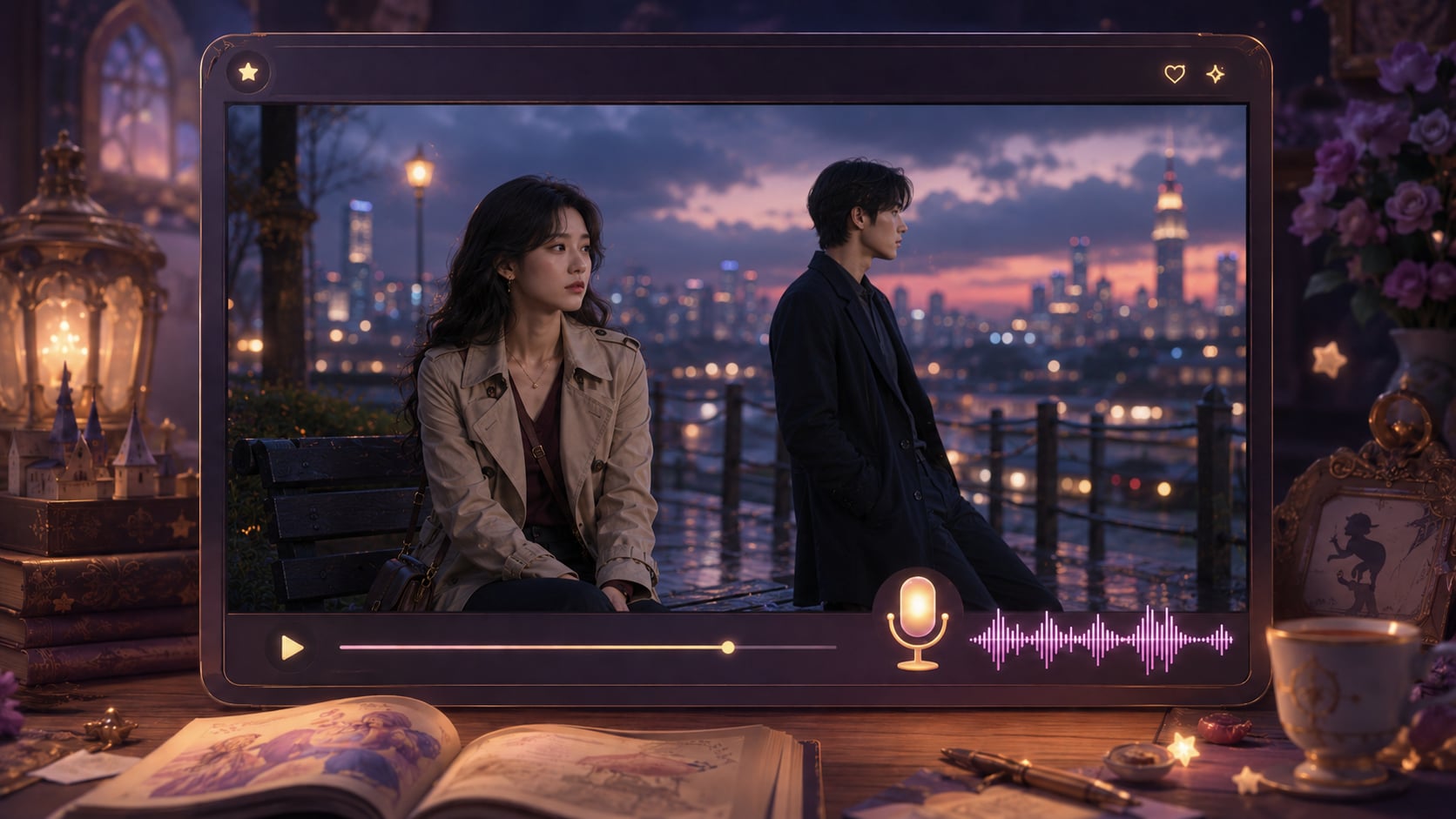
Moldea cada escena en torno al conflicto, el personaje y el desenlace
Crea videos dramáticos que se sientan planificados, bien ritmados y listos para la audiencia que quieres conmover.
Construye una escena que se sienta como drama, no como metraje aleatorio
Enmarca la historia en torno a la tensión, la duda, la revelación y la consecuencia. También se adapta a flujos de trabajo de creadores de videos de historias con IA cuando la audiencia espera escenas específicas por tema.
- Dirección de ambiente - Elige una dirección visual que respalde las emociones en juego
- Atmósfera de escena - Guía interiores, calles, aulas, oficinas o escenarios teatrales
- Flexibilidad de género - Moldea romance, drama social, melodrama, conflicto laboral o escenas de época
- Enfoque cinematográfico - Mantén los elementos visuales vinculados a la tensión, la reacción y la Resolución
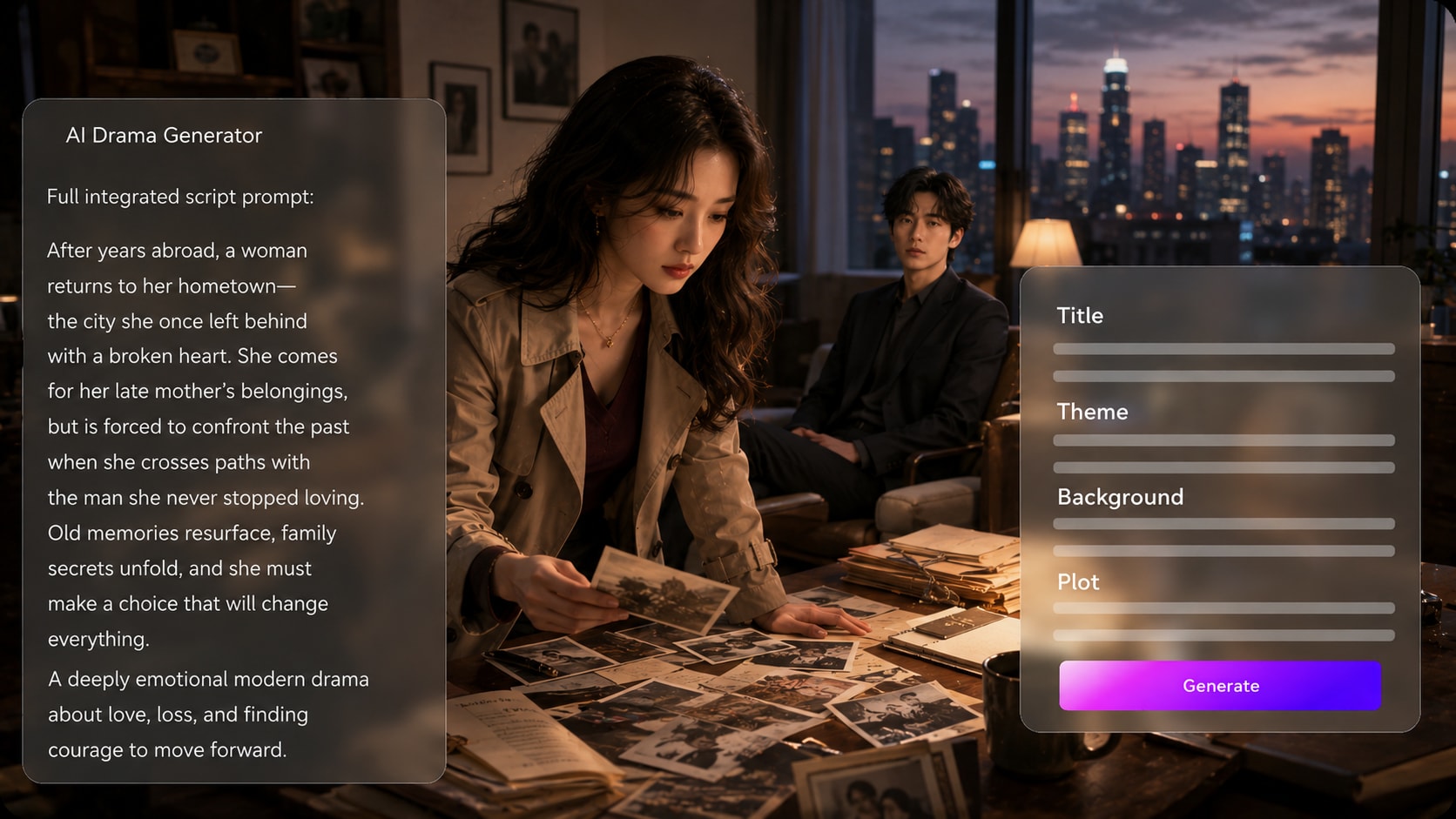
Convierte diálogos y puntos de trama en un esquema de historia utilizable
Comienza con un Script detallado, un borrador de narración o una entrada de historia estructurada en lugar de un prompt vago. Úsalo para ideas de generador de Script a video sin añadir otro paso de Edición.
- Entrada de Script - Pega escenas, narración, diálogos o Notas de trama estructuradas
- Esquema editable - Revisa título, tema, contexto, trama y personajes
- Lógica de la historia - Verifica planteamiento, conflicto, clímax y desenlace antes de la generación
- Control del creador - Refina el esquema para que el drama siga tu mensaje previsto
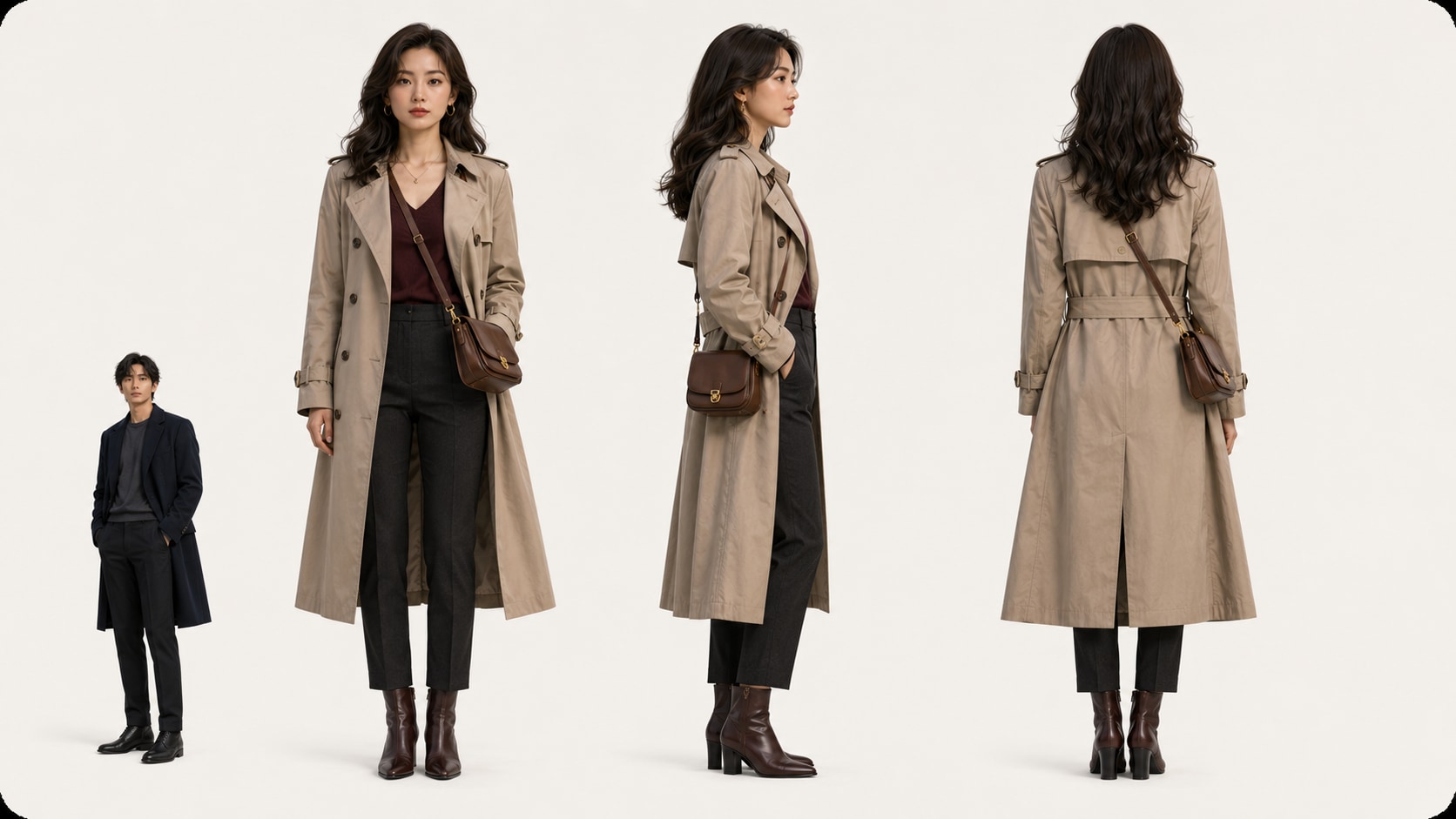
Mantén al elenco fácil de reconocer a lo largo de los momentos emocionales
Guía quién aparece en la historia con descripciones de texto, fotos reales o bocetos.
- Personajes por texto - Describe edad, rol, vestuario, estado de ánimo y relación
- Referencias fotográficas - Usa imágenes reales cuando importa un aspecto reconocible
- Soporte de bocetos - Convierte ideas visuales aproximadas en una guía de personajes más clara
- Roles dramáticos - Separa protagonista, antagonista, amigo, padre, profesor o narrador
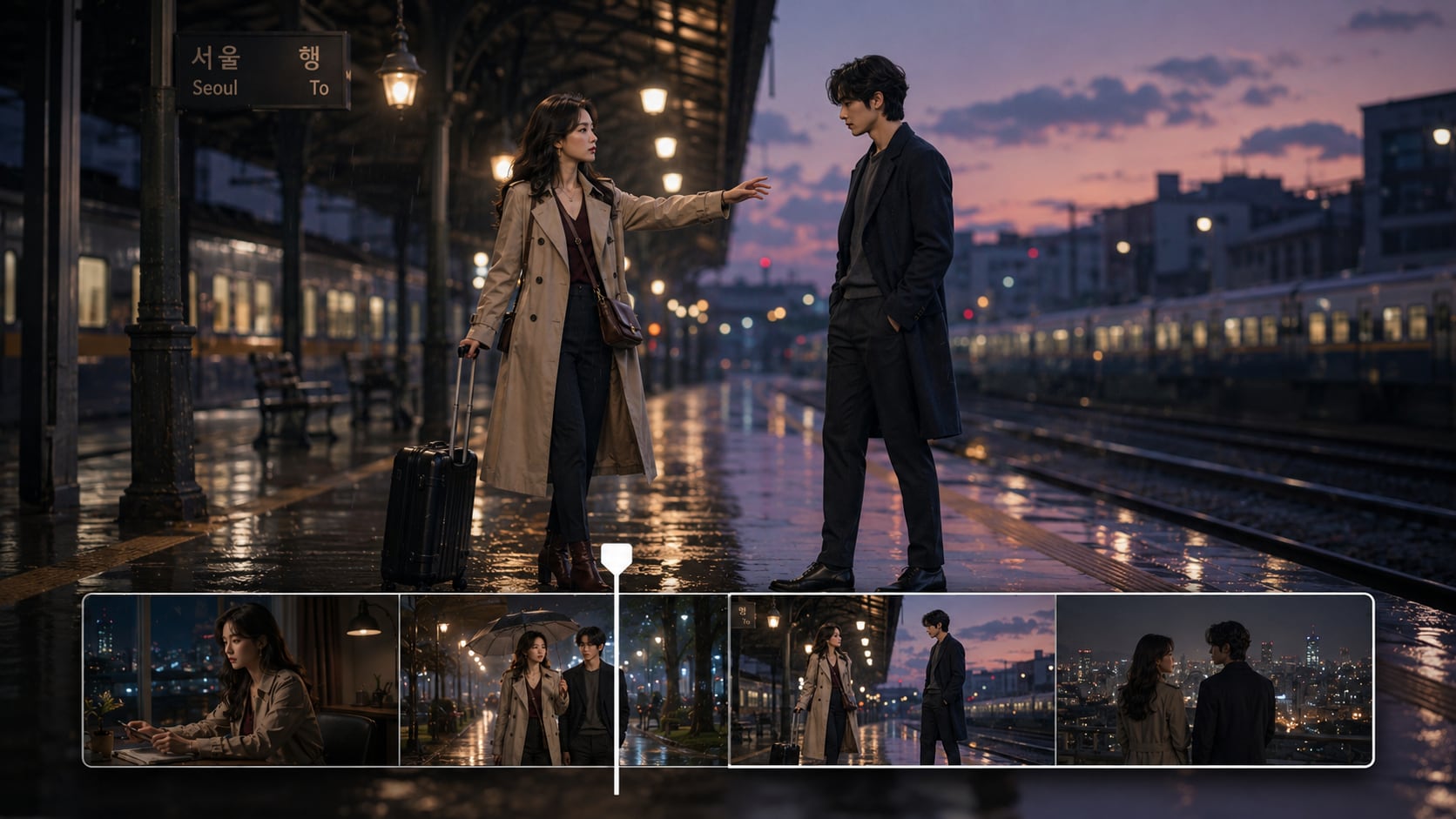
Revisa y pule el guion gráfico antes de comprometerte con el corte final
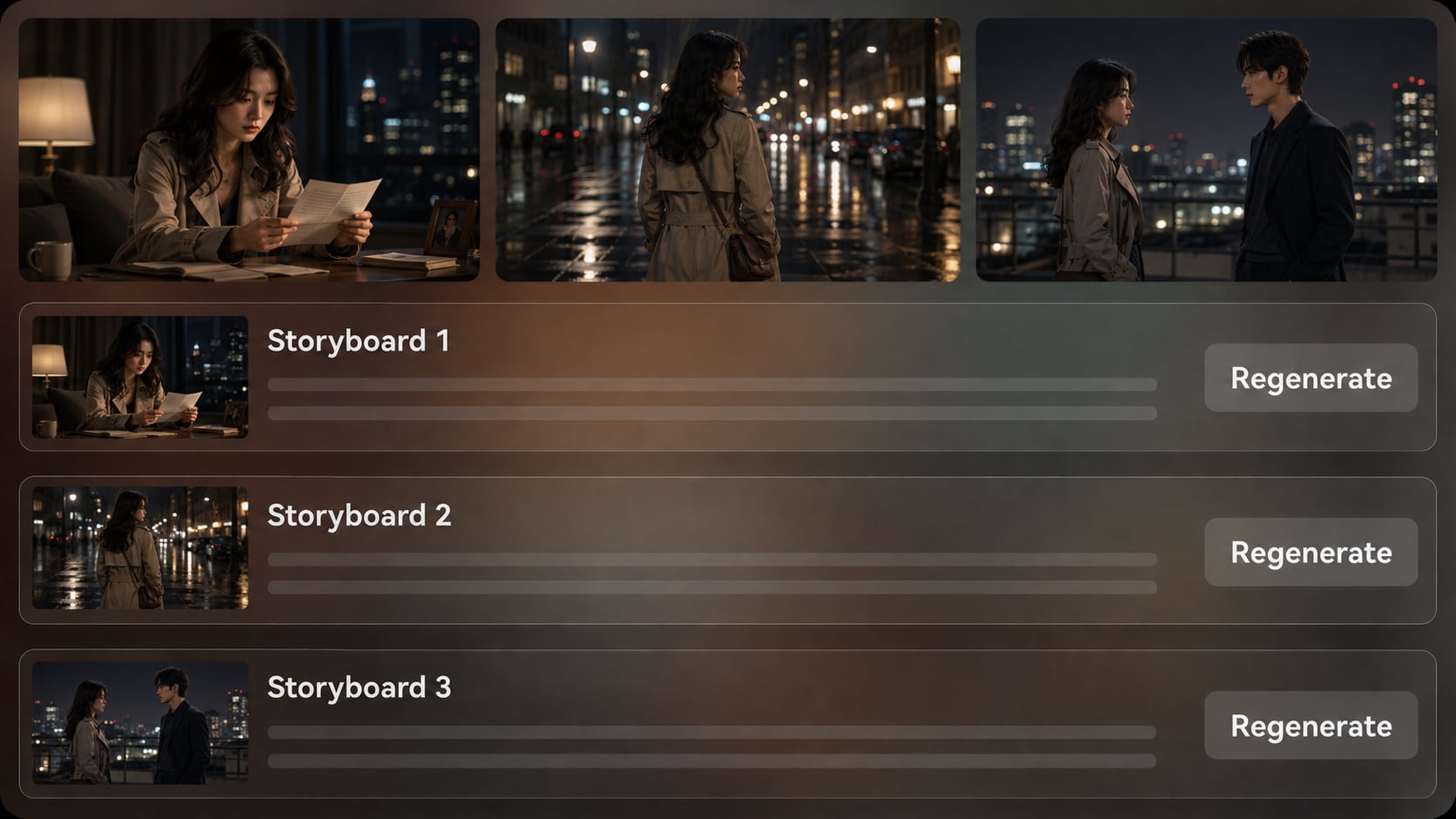
Revisa las imágenes del guion gráfico generadas después del esquema para ver si el orden de las escenas, las reacciones y la ambientación coinciden con el Script.
- Vista previa del guion gráfico - Ve las escenas visuales antes de que se cree el video final
- Regeneración de toma - Actualiza una imagen del guion gráfico insatisfactoria cuando sea necesario
- Audio basado en el Script - Genera voz en off y Música guiadas por el texto de la historia
- Pulido final - Revisa el video y mejóralo con las herramientas de Media.io cuando sea necesario
Crea un video de drama del Script a la pantalla
Usa un flujo de trabajo que priorice el Script para que el arco emocional se mantenga claro desde el planteamiento hasta la revisión final.

Pega el Script
Proporciona un Script detallado o una entrada de historia estructurada con personajes, puntos de escena, diálogos, ambientación y desenlace. Revisa y edita los campos del esquema extraído, incluyendo título, tema, contexto, trama de la historia y personajes, y luego elige una Relación de aspecto como 9:16, 1:1 o 16:9 durante la configuración.

Guía al elenco
Añade detalles de personajes a partir de texto, fotos reales o bocetos cuando el drama dependa de un protagonista, rival, profesor, cliente o familiar reconocible. Revisa las imágenes del guion gráfico generadas para verificar el momento emocional, la ambientación y el orden de las escenas antes de la generación final.

Genera y pule
Genera el video con voz en off y Música basadas en el Script, luego observa el resultado con atención. Si una imagen específica del guion gráfico no es satisfactoria, regenera esa toma antes de la generación final cuando esté disponible, y utiliza las herramientas de Media.io como Mejorar la calidad del video cuando el video terminado necesite un pulido adicional.
Elige un generador de drama con IA diseñado para arcos narrativos
Un flujo de trabajo de drama debe proteger la motivación de los personajes, el ritmo emocional y la continuidad de las escenas en lugar de limitarse a un clip corto de texto a video.
Crea videos de drama para las audiencias que necesitan historia

Creadores de YouTube
Produce cortometrajes dramáticos centrados en personajes, Introducciónducciones de canal, episodios serializados y videos narrativos con una estructura de escenas más clara.

Creadores de TikTok
Crea clips de drama verticales con un gancho rápido, conflicto visible y un desenlace que los espectadores puedan entender rápidamente.

Cineastas independientes
Visualiza escenas de guion, conflictos de personajes, conceptos de avance y materiales de Tono antes de organizar una producción completa.

Educadores
Convierte escenarios de lecciones, conflictos históricos, ejemplos socioemocionales o escenas literarias en videos de aula más claros.
Más ejemplos de Script a drama corto
Explora cómo los videos de historias basados en Script pueden ir desde clips de confesiones hasta lecciones, adaptaciones y narrativas de marca.
Amado por los creadores de drama
A los creadores les gusta tener un camino que priorice el Script y que mantenga visibles el conflicto, los personajes y el orden de las escenas antes de la generación final.


"Lo usé para planificar un drama familiar en tres partes, y el paso del esquema me ayudó a corregir el final antes de generar el video."

"La vista previa del guion gráfico hizo mucho más fácil mostrar un concepto de escena dramática a los colaboradores sin filmar una prueba preliminar."

"Mis Scripts cortos se sienten más organizados ahora porque puedo verificar el gancho, el conflicto y la revelación final antes de publicar."

"Convertí un conflicto literario en una recreación visual, y los estudiantes entendieron la motivación del personaje más rápido."

"Nos ayudó a convertir un problema del cliente en una historia más humana en lugar de otro video explicativo de producto sin vida."

"Ver cómo las descripciones de personajes se convertían en escenas me ayudó a detectar dónde mi diálogo necesitaba momentos emocionales más fuertes."
Preguntas frecuentes sobre el generador de drama con IA
¿Qué es un generador de drama con IA?
Un generador de drama con IA ayuda a convertir un Script dramático detallado o una entrada de historia estructurada en un flujo de trabajo de video con un esquema, personajes, imágenes de guion gráfico y generación de video final. Media.io es útil para creadores que quieren escenas emotivas, conflicto y arcos de personajes en lugar de clips desconectados.
¿Qué debo pegar en Media.io para crear un video de drama?
Usa un Script detallado, un borrador de narración, una escena de guion cinematográfico, un intercambio de diálogos o un esquema de trama estructurado. Incluye la ambientación, los personajes, el conflicto, las emociones en juego, el orden de las escenas y el desenlace para que el esquema generado tenga suficiente información de la historia con la que trabajar.
¿Puede el Script guiar la voz en off y la Música en un video de drama?
Sí. El video final generado puede incluir voz en off y Música basadas en el Script, por lo que las escenas tensas, las confesiones silenciosas, las revelaciones emocionales y las resoluciones pueden estar respaldadas por el texto de la historia.
¿Cómo escribo un mejor Script para un video de drama con IA?
Escribe en puntos de escena claros: quién quiere qué, qué lo impide, qué cam
¿Cómo puedo evitar un video dramático que se sienta genérico?
Evita las indicaciones de una sola línea y las etiquetas vagas como "historia triste" o "escena emocional". Proporciona a Media.io roles de personajes específicos, detalles del escenario, puntos de inflexión, ambiente visual y la razón por la que el conflicto importa a la audiencia.
¿Puedo crear personajes reconocibles para una historia dramática?
Media.io admite la extracción de características de personajes y la generación de personajes a partir de fotos reales, bocetos o descripciones de texto. Esto le da a la herramienta una orientación más clara sobre los personajes, ayudando a los espectadores a reconocer los roles importantes a lo largo de la historia sin prometer una orientación de personajes perfectamente clara.
¿Puedo crear videos dramáticos para YouTube Shorts, TikTok o uso en el aula?
Sí. Durante la configuración, puedes elegir un formato y una Relación de aspecto adecuados para tu destino previsto, como videos sociales verticales, publicaciones cuadradas o uso en aula y Presentación en pantalla panorámica.
¿Puedo revisar el guion gráfico después de que se genere?
Puedes editar el esquema extraído antes de la generación del guion gráfico, incluyendo título, tema, fondo, trama y personajes. Las imágenes del guion gráfico en sí no se pueden editar manualmente, pero si una imagen específica del guion gráfico no es satisfactoria, puedes Regenerar esa toma.
¿Por qué usar Media.io en lugar de un generador de video con IA genérico para drama?
El drama necesita estructura, ritmo emocional y claridad en los personajes. Media.io admite entrada detallada de Script, extracción de esquemas editables, orientación de personajes, revisión de guion gráfico, regeneración de tomas, y voz en off y Música basadas en Script, lo que lo hace más adecuado para escenas narrativas.
Explora más generadores de Guiones con IA a drama

Haz que tu próxima escena valga la pena verla
Comienza con un Script de drama detallado, guía a los personajes, revisa el guion gráfico y crea un video que tu audiencia pueda seguir emocionalmente.
 4.8 (281 votos)