
Generador de vídeos de historia de marca con IA para confianza liderada por el fundador
Transforma Notas del fundador, textos de misión, propósito del producto o Scripts de impacto en el cliente en vídeos de historia listos para campañas. El Generador de vídeos de historia de marca con IA de Media.io ayuda a los profesionales del marketing a construir un arco narrativo claro, guiar la identidad visual, revisar las imágenes del guion gráfico y crear vídeos con voz en off y Música basados en el Script.
Crea historias de marca que se sientan estratégicas, no aleatorias
Usa un flujo de trabajo basado en Script para mantener tu mensaje, elementos visuales y arco emocional alineados con la marca.
Da forma a un arco de marca que la gente pueda seguir
Comienza con la razón por la que tu marca existe y luego deja que el flujo de trabajo lo organice en un inicio claro, una tensión y un desenlace.
- Origen del fundador - Enmarca el momento que inició la misión
- Problema del cliente - Muestra la necesidad real detrás del producto
- Promesa de marca - Conexión de valores con un beneficio concreto para la audiencia
- Esquema editable - Revisa la narrativa antes de que comiencen los elementos visuales
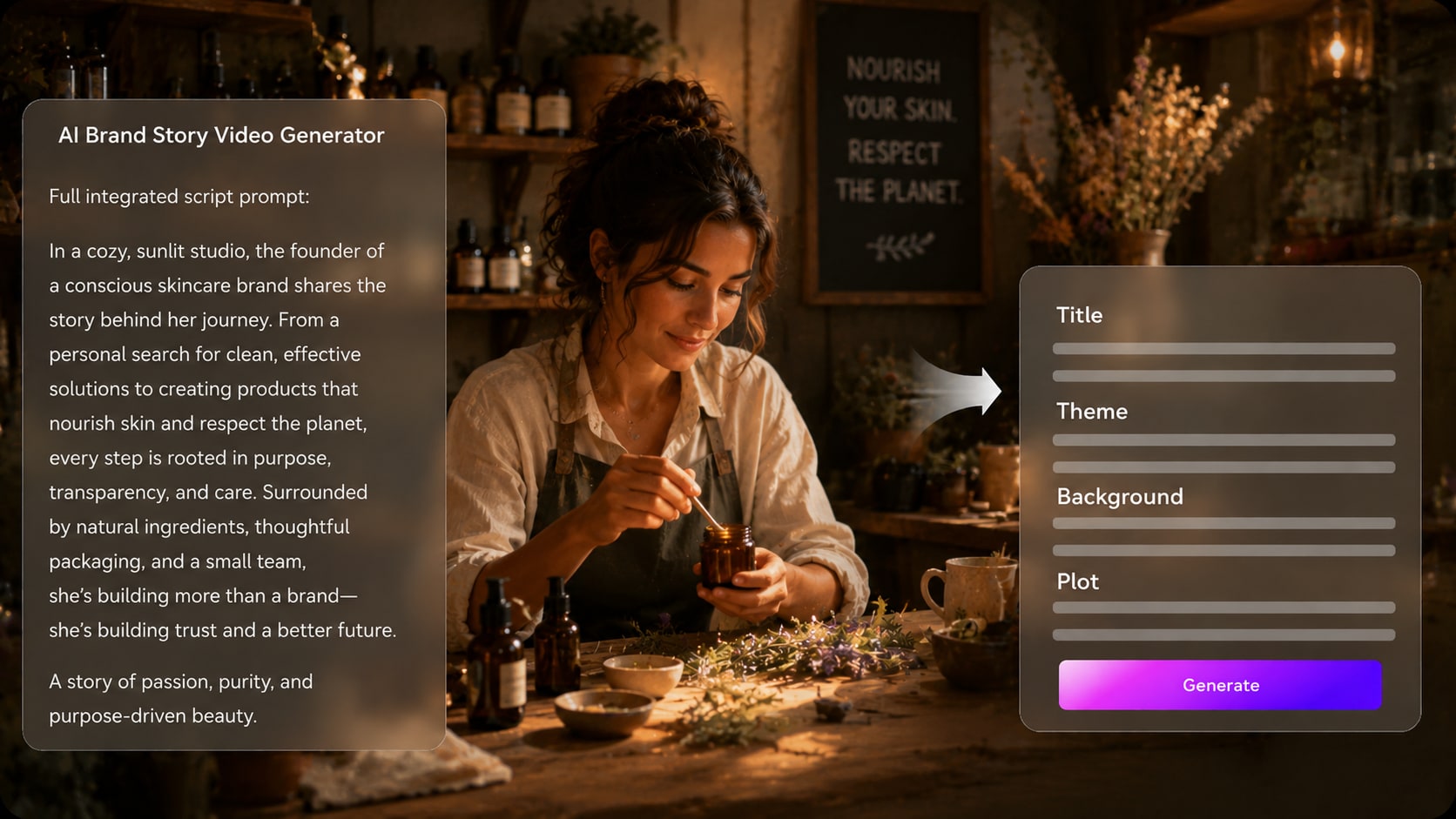
Convierte el texto de campaña en escenas visuales
Usa tu brief de lanzamiento, mensaje de Página de inicio o narrativa de producto como base para un flujo de trabajo del generador de vídeos de historia de marca. Úsalo para ideas de vídeos de historia del fundador sin añadir otro paso de Edición.
- Briefs de campaña - Adapta el texto de marketing en momentos listos para vídeo
- Dirección visual - Ajusta el ambiente a un posicionamiento Premium, amigable, audaz o educativo
- Lógica de escenas - Avanza del problema a la creencia y al propósito del producto
- Opciones de formato - Prepara para ubicaciones verticales, cuadradas o panorámicas
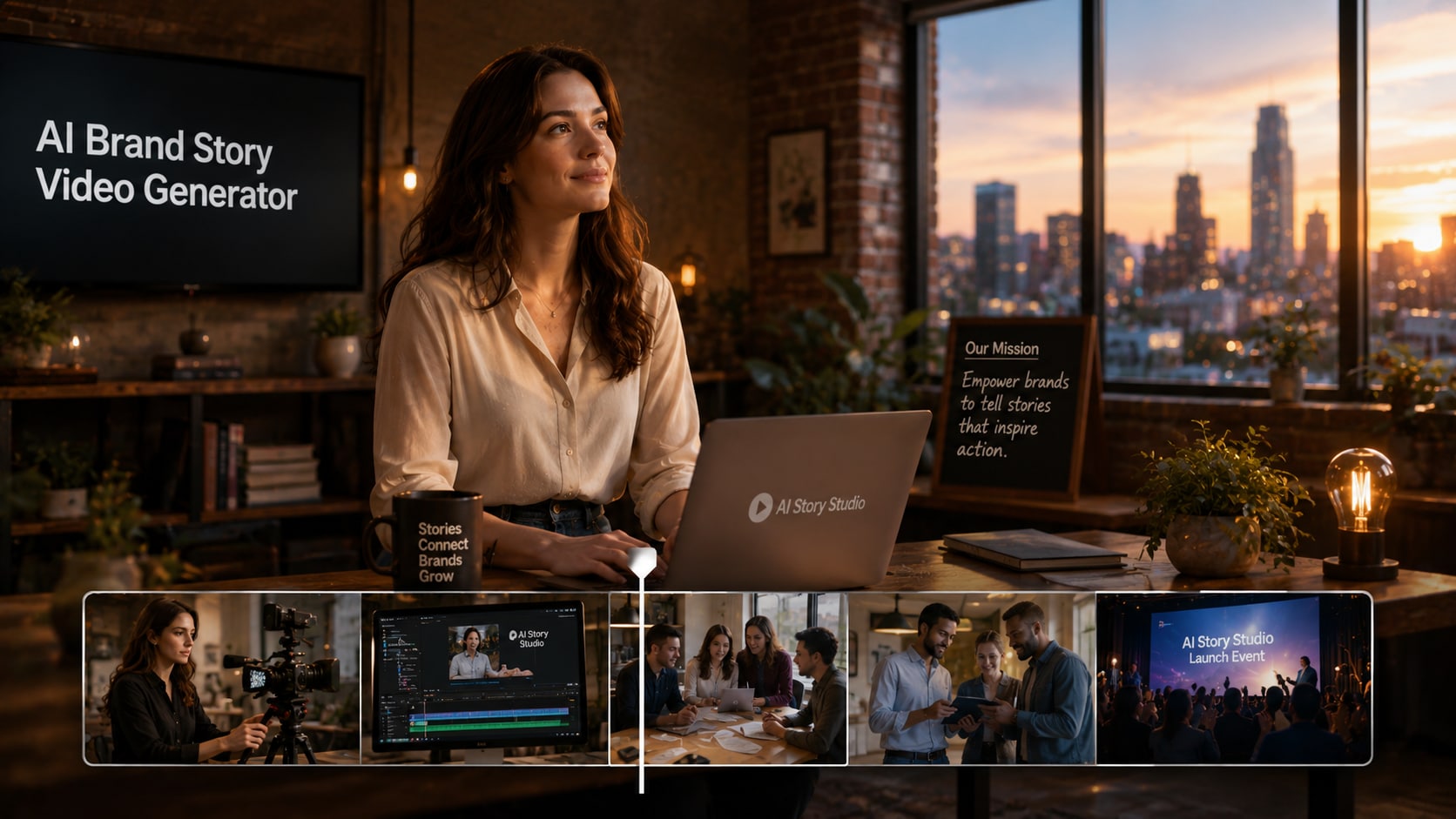
Mantén a fundadores, clientes y rostros de marca reconocibles
Guía a las personas de tu historia con fotos reales, bocetos o descripciones de texto.
- Presencia del fundador - Usa una foto o un brief de texto para una guía visual más clara
- Personajes de clientes - Representa los perfiles de audiencia con detalles intencionales
- Historias de equipo - Mantén los roles y las relaciones fáciles de entender
- Ajuste de marca - Alinea vestuario, escenario y Tono con tu identidad

Revisa y pule el momento de marca antes de publicar
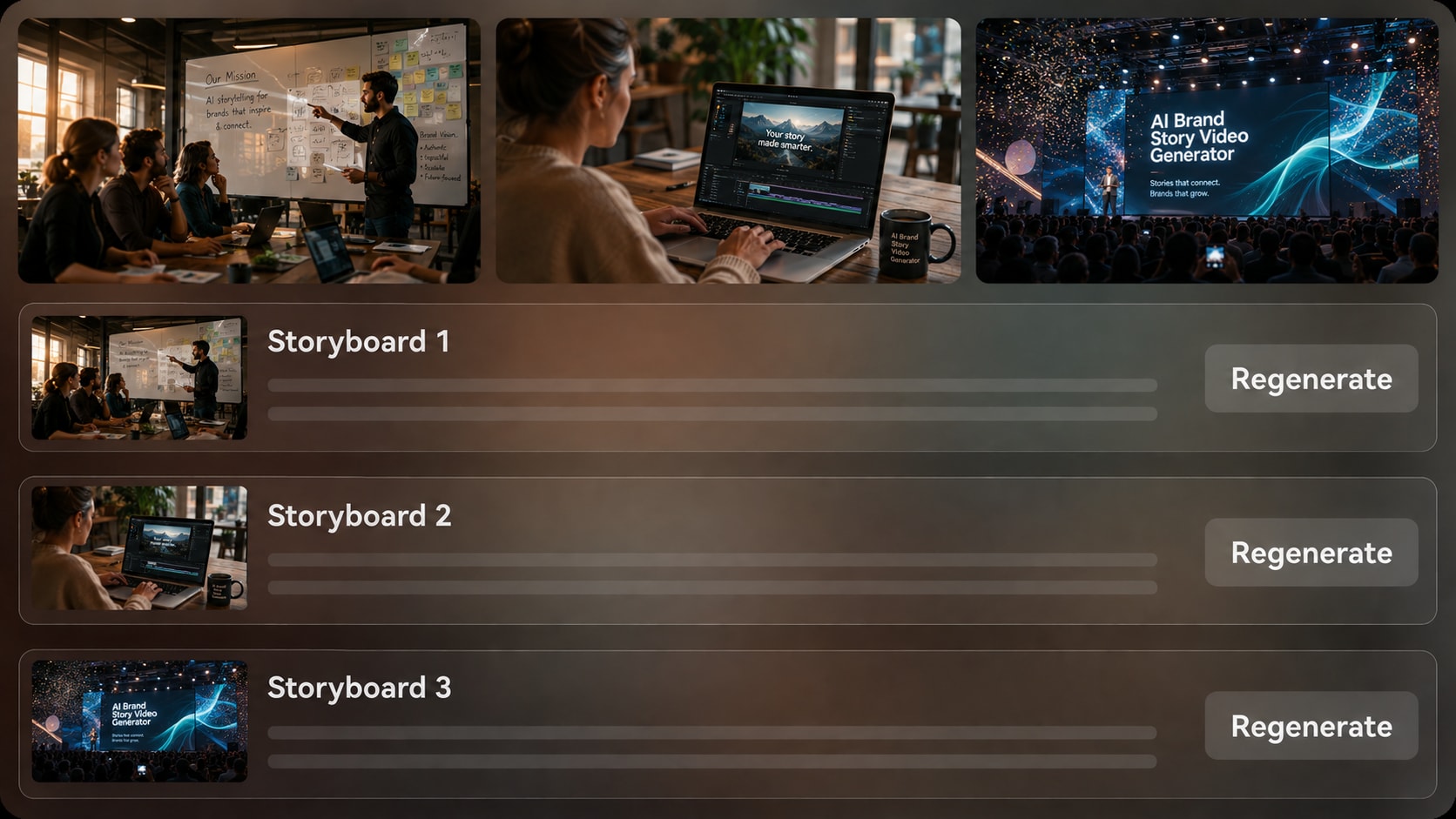
Genera imágenes de guion gráfico después del esquema e inspecciona los momentos clave antes del vídeo final.
- Vista previa del guion gráfico - Comprueba si la historia se siente creíble
- Regeneración de imagen específica - Actualiza un elemento visual que no encaje con la marca
- Audio basado en Script - Deja que la narración y la Música sigan el mensaje
- Pulido post-generación - Revisa y mejora el recurso final
Crea un vídeo de historia de marca del Script al recurso de campaña
Usa un flujo de trabajo realista basado en Script que protege tu mensaje antes de generar el vídeo.

Pega tu Script
Proporciona un Script detallado o una entrada de historia estructurada, como Notas del fundador, textos de misión, mensajes de campaña o una narrativa de impacto en el cliente. Revisa y edita los campos del esquema extraído, incluyendo título, tema, escenario / fondo, trama de la historia y personajes, y luego elige una Relación de aspecto como 9:16, 1:1 o 16:9 durante la configuración.

Guía las escenas
Prepara la dirección del vídeo con las opciones de formato, estilo y visuales disponibles. Añade guía de personajes a partir de fotos reales, bocetos o descripciones de texto cuando los fundadores, clientes, educadores o figuras tipo portavoz deban sentirse más reconocibles en la historia.

Genera y pule
Genera las imágenes del guion gráfico y revisa los momentos clave de la marca antes de crear el vídeo final. Si una imagen específica del guion gráfico no transmite el mensaje adecuado, usa Regenerar en esa imagen, luego genera el vídeo con voz en off y Música basados en el Script y perfecciona el resultado con herramientas de Media.io como Mejorar la calidad de vídeo cuando sea necesario.
Compara el generador de vídeos de historia de marca con IA de Media.io con herramientas de vídeo genéricas
El storytelling de marca necesita más que clips rápidos; necesita estructura de mensaje, intención visual y control de revisión.
Crea historias de marca para los equipos que necesitan confianza rápidamente

Equipos de marketing
Convierte posicionamiento, briefs de lanzamiento y Scripts de campaña en vídeos narrativos para redes sociales, publicidad de pago y páginas de destino.

Fundadores
Explica el origen, la misión y el propósito del producto detrás de tu empresa con una narrativa que se sienta humana y enfocada.

Creadores de YouTube
Crea Introducciónducciones de canal, explicaciones de patrocinadores e historias de marca de creadores a partir de Scripts que ya coincidan con tu voz.

Creadores de TikTok
Crea narrativas de marca cortas que presenten una misión, producto o transformación del cliente sin parecer un anuncio plano.
Explora más ejemplos de Guiones con IA a vídeo
Descubre cómo la generación de vídeo basada en Script puede apoyar campañas de marca junto con otros formatos de historias de creadores.
Amado por creadores de historias de marca
Creadores y profesionales de marketing usan el flujo de trabajo para mantener los vídeos de marca claros, estructurados y más fáciles de revisar.


"El paso del esquema me ayudó a separar nuestro origen, misión y promesa de producto antes de generar los elementos visuales. Hizo que la historia se sintiera mucho menos dispersa."

"Me gustó poder empezar desde texto de campaña real en lugar de un prompt de una línea. La vista previa del guion gráfico facilitó la revisión del cliente."

"Lo usé para una historia de marca de canal y pude mantener el Tono cercano a mi Script. La voz en off y la Música siguieron bien el mensaje."

"Convirtió una narrativa de lanzamiento de producto en escenas que explicaban el problema, el valor y el resultado para el cliente de una forma más atractiva."

"La capacidad de Regenerar una imagen del guion gráfico ahorró tiempo cuando una escena no encajaba con el ambiente de marca del cliente."

"Lo usé para demostrar la estructura del storytelling de marca en clase. Los estudiantes pudieron ver cómo un Script se convierte en escenas y ritmo."
Preguntas frecuentes sobre el generador de vídeos de historia de marca con IA
¿Qué es un generador de vídeos de historia de marca con IA?
Un generador de vídeos de historia de marca con IA ayuda a convertir Scripts de marca detallados, Notas del fundador, textos de misión o narrativas de impacto en el cliente en escenas de vídeo estructuradas. Media.io admite extracción de esquemas, dirección visual, generación de imágenes de guion gráfico, y voz en off y Música basados en el Script.
¿Qué debo pegar en Media.io para un mejor vídeo de historia de marca?
Usa un Script detallado o una entrada estructurada, no solo un eslogan. Incluye tu audiencia, el problema, la idea fundacional, los valores de marca, el propósito del producto, el resultado para el cliente, el Tono preferido y cualquier personaje importante del fundador o cliente.
¿Puede el Script guiar la voz en off y la Música en un vídeo de historia de marca?
Sí. El vídeo final generado puede incluir voz en off y Música basadas en el Script, por lo que el Tono de narración y el ritmo emocional deben escribirse claramente en la entrada.
¿Cómo escribo un Script sólido para un vídeo de historia de marca con IA?
Escríbelo como una narrativa corta: define el problema del cliente, muestra por qué existe la marca, explica la misión, presenta el producto o servicio de forma natural y termina con el cambio que la audiencia puede
¿Qué errores debo evitar en un vídeo de historia de marca?
Evita escribir una lista de características sin arco emocional, añadir demasiados mensajes, usar valores de marca vagos u omitir la perspectiva del cliente. Un Script más sólido le da a la IA escenas, Tono y propósito narrativo más claros.
¿Puedo usar fotos del fundador o descripciones de personajes de marca?
Sí. Media.io puede usar fotos reales, bocetos o descripciones de texto para la extracción y generación de rasgos de personajes. Esto ayuda a crear personajes reconocibles u orientaciones de personaje más claras, pero no debe considerarse como un bloqueo perfecto de personaje.
¿Dónde puedo publicar un vídeo de historia de marca con IA?
Puedes preparar vídeos de historia de marca para páginas de destino, YouTube, TikTok, Reels, presentaciones de Tono, campañas de lanzamiento, incorporación interna y ejemplos para el aula. Elige el formato y la Relación de aspecto que se adapten al canal durante la configuración.
¿Puedo revisar el guion gráfico si una escena de marca se ve incorrecta?
Puedes revisar y editar el esquema extraído antes de la generación del guion gráfico. Las imágenes del guion gráfico en sí no son editables manualmente, pero si una imagen específica del guion gráfico no es satisfactoria, puedes Regenerar esa imagen antes de crear el video final.
¿Por qué usar Media.io en lugar de un generador de video con IA genérico para historias de marca?
Media.io es útil para historias de marca porque trabaja a partir de Scripts detallados, extrae un esquema de historia editable, admite guía de personajes reconocibles, genera imágenes de guion gráfico para revisión y crea videos finales con voz en off basada en el Script y Música.
Explora más generadores de videos de historias con IA para storytelling de marca
¿Quieres crear más allá de videos de historias de marca? Explora más generadores de videos de historias con IA de Media.io para historias de productos, campañas de marketing, narración sin rostro, escenas realistas, explicaciones animadas, historias estilo cliente, videos educativos y otros flujos de trabajo de Script a video diseñados para diferentes mensajes de marca, audiencias y canales de publicación.















Convierte el mensaje de tu marca en una historia que la gente recuerde
Comienza con un Script detallado, guía los elementos visuales, revisa las imágenes del guion gráfico y crea un video de historia de marca listo para tu próxima campaña.
 4.8 (281 votos)