
Generador de videos de historias de viaje con IA para videos narrativos con control de escenas
Convierte una ruta, diario de viaje, Script de destino o narración de vlog en un recorrido visual con Media.io. Este Generador de videos de historias de viaje con IA ayuda a los creadores a construir un esquema editable, guiar personajes de viajeros o presentadores, previsualizar imágenes de guion gráfico y generar videos de viaje con voz en off para YouTube, TikTok, lecciones y campañas de turismo.
Crea videos de viaje que se sientan como un recorrido real
Pasa de Notas de viaje dispersas a una historia estructurada y centrada en el destino que tu audiencia pueda seguir.
Convierte Notas de viaje en una ruta que los espectadores puedan seguir
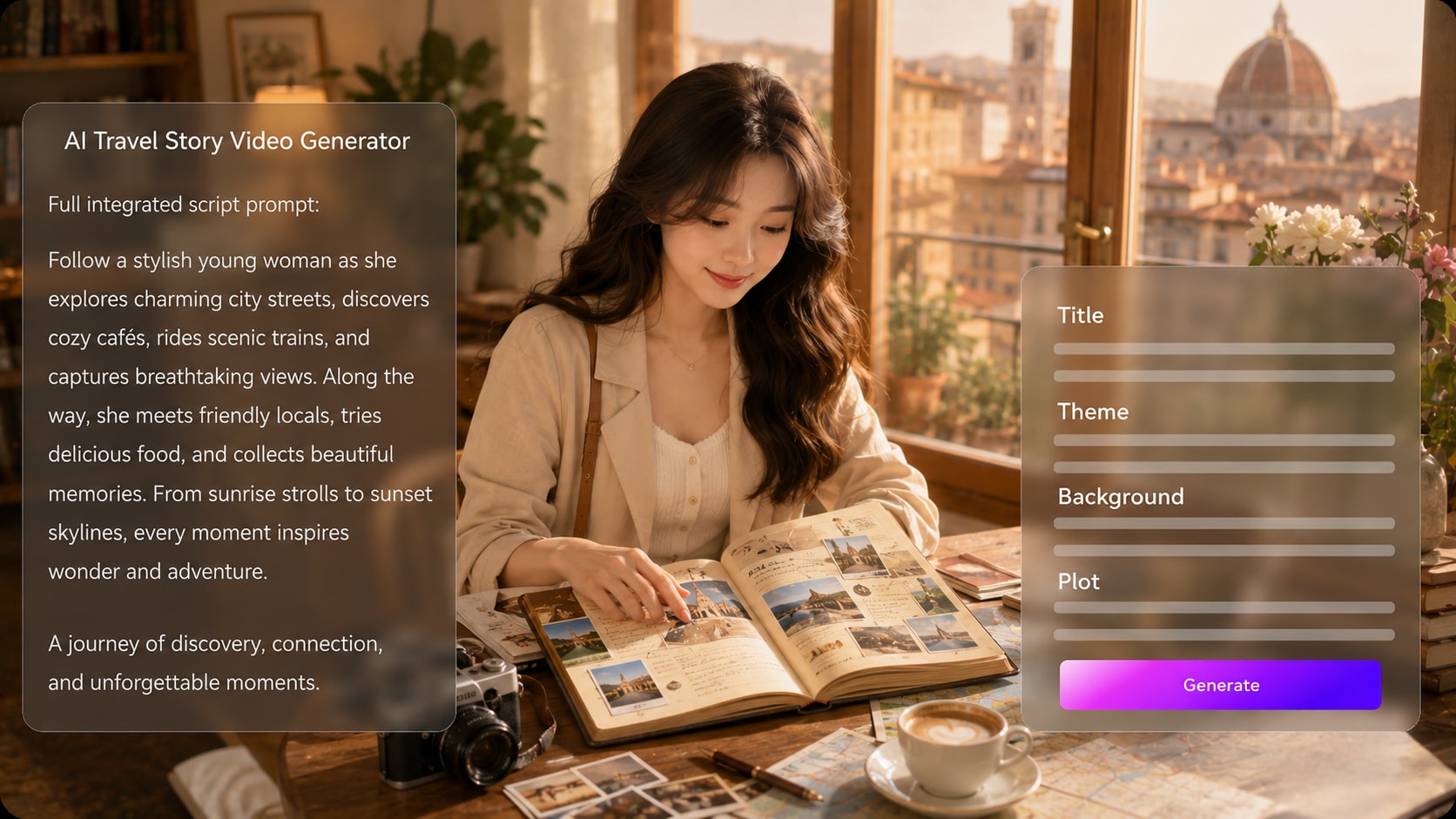
Comienza con un itinerario detallado, diario de viaje o borrador de narración, y deja que Media.io extraiga un esquema estructurado con título, tema, escenario / contexto, trama y personajes. También se adapta a flujos de trabajo de creadores de videos de historias con IA cuando la audiencia espera escenas específicas por tema.
- Primero el esquema - Revisa el título del viaje, tema, escenario de la ruta, trama y personajes antes de la generación
- Lógica del viaje - Organiza llegadas, descubrimientos locales, conflictos y reflexiones finales en un flujo visual atractivo
- Mejores entradas - Usa Notas de destino, detalles de ruta, contexto cultural y ritmos de narración para escenas más potentes
- Control del creador - Edita el esquema extraído antes de pasar a la configuración visual
Crea escenas de destino con un ambiente de viaje claro
Guía la dirección del video con opciones de formato, estilo y visuales que coincidan con el lugar: carreteras de montaña con niebla, mercados nocturnos con neón, paseos costeros, pasillos de museos o travesías por el desierto. Úsalo para ideas de generador de Script a video sin añadir otro paso de Edición.
- Ambiente del lugar - Describe el clima, la luz, el paisaje, la vida callejera y el contexto de los puntos de referencia
- Elección de formato - Prepara shorts verticales, cortes cuadrados para redes sociales o Diseños panorámicos durante la configuración
- Variedad de escenas - Mezcla tomas de llegada, detalles en primer plano, movimiento tipo mapa y momentos de reflexión
- Enfoque visual - Mantén el destino, la cultura y el propósito del viaje visibles en la dirección de cada escena
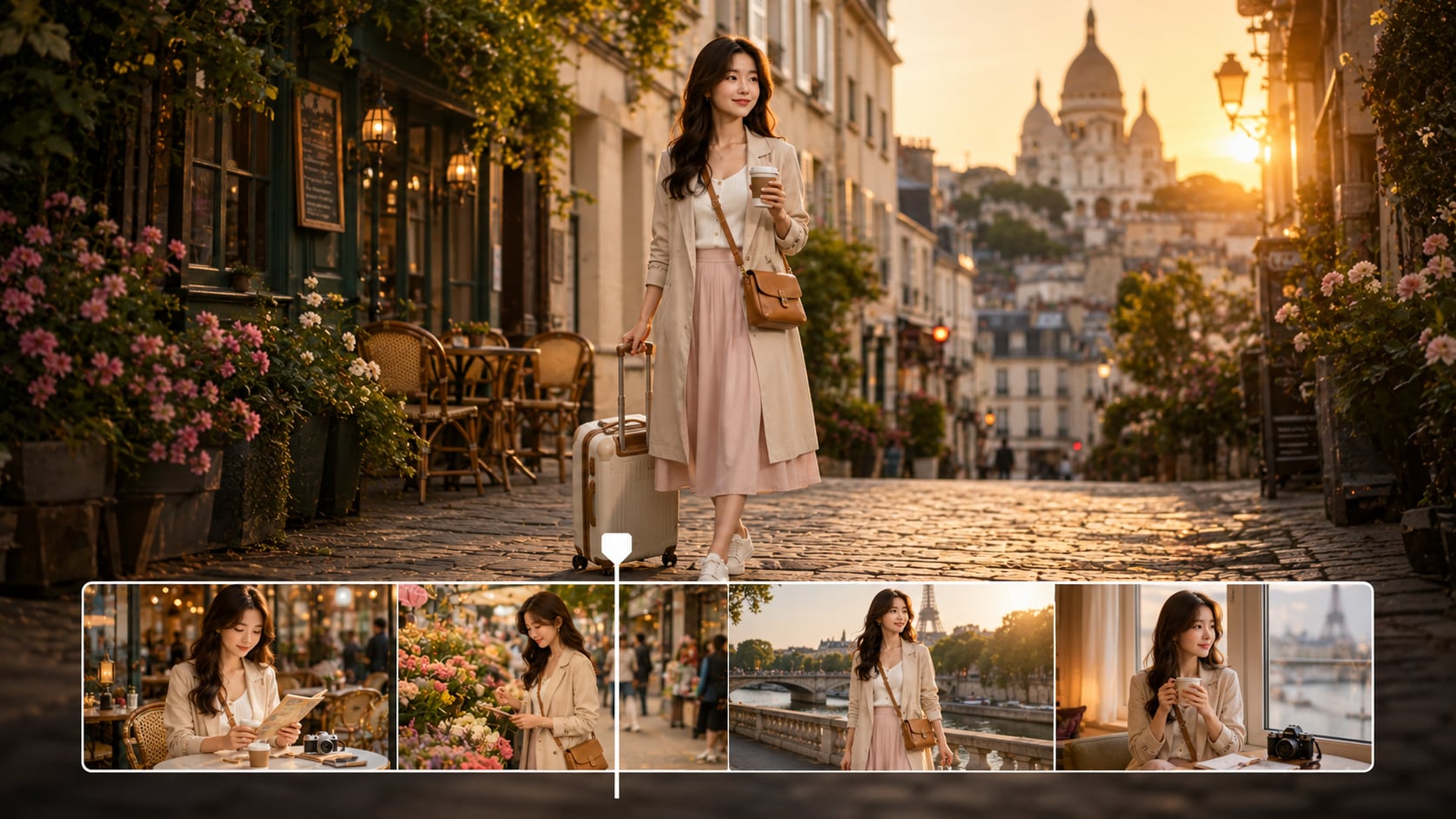
Mantén reconocibles a viajeros, presentadores y guías
Usa fotos reales, bocetos o descripciones de texto para guiar la generación de personajes: viajero, narrador, guía o personaje local.
- Guía con fotos - Comienza con una foto real del viajero o presentador cuando encaje con tu historia
- Soporte de bocetos - Usa bocetos simples de personajes para guiar la identidad visual
- Personajes por texto - Describe vestimenta, rango de edad, rol en el viaje, personalidad y propósito en la escena
- Elenco recurrente - Construye mayor continuidad para presentadores, acompañantes, guías y representantes del público

Ajusta la narración, la Música y el ritmo al viaje
Crea pensando en cómo se consume el contenido de viaje: un gancho, sensación de movimiento, detalles locales y un cierre satisfactorio. El video final puede incluir voz en off y Música basadas en tu Script, mientras que las imágenes del guion gráfico te permiten revisar el recorrido antes de la generación.
- Audio basado en el Script - La voz en off y la Música pueden seguir el tono y los ritmos de tu Script de viaje
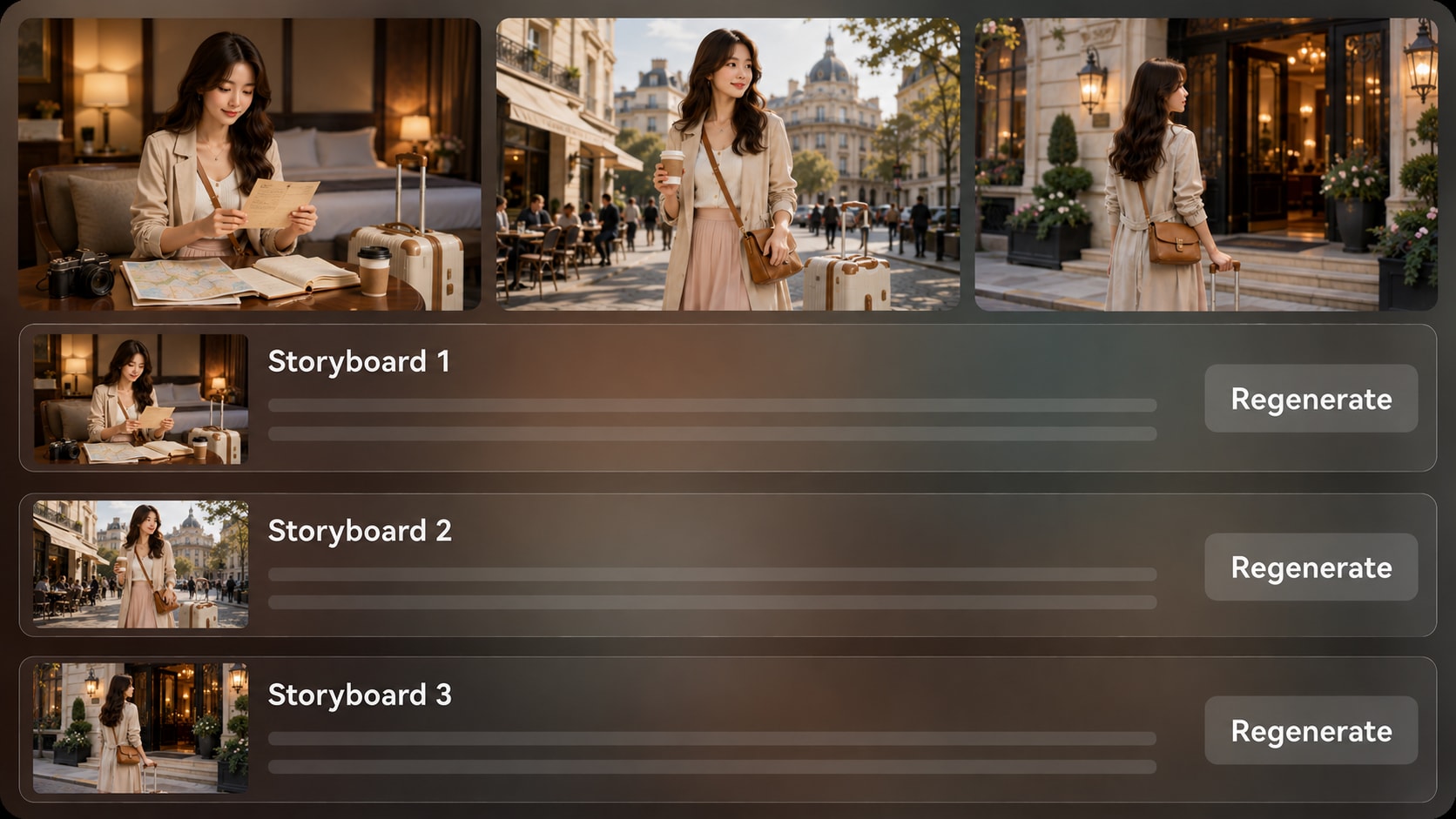
- Revisión del guion gráfico - Revisa las imágenes de escenas generadas para verificar el ritmo, la lógica de la ruta y el ambiente del destino
- Regeneración de tomas - Regenerar una imagen específica del guion gráfico si una escena no se siente bien
- Pulido final - Revisa el video generado y refínalo con las herramientas de Media.io cuando sea necesario
Crea un video de historia de viaje en tres pasos prácticos
Usa un flujo de trabajo basado en Script para que la historia, el destino y el formato de publicación estén alineados.

Prepara el Script
Proporciona un Script detallado o una entrada de historia estructurada con tu ruta, detalles del destino, Notas del narrador y escenas clave. Revisa y edita los campos del esquema extraído, incluyendo título, tema, escenario / contexto, trama de la historia y personajes, luego elige una Relación de aspecto como 9:16, 1:1 o 16:9 durante la configuración.

Guía las escenas
Configura la dirección del video con opciones de formato, estilo y visuales que se ajusten al viaje. Añade guía de personajes a partir de fotos reales, bocetos o descripciones de texto, luego revisa las imágenes del guion gráfico generadas para ver si las ubicaciones, los viajeros y los momentos clave de la historia coinciden con el recorrido que tenías en mente.

Genera y refina
Genera el vídeo final de historia de viaje con voz en off y Música basada en el Script. Si una imagen del guion gráfico no se ajusta al destino o al ambiente, usa Regenerar en esa imagen específica antes de la generación final. Después, revisa el vídeo y púlelo con las herramientas de Media.io como Mejorar la calidad del vídeo cuando sea necesario.
Elige un generador de videos de historias de viaje con IA diseñado para recorridos reales
Una historia de viaje necesita lógica de ruta, ambiente de destino, ritmo de narración y control de revisión que los creadores de clips genéricos suelen omitir.
Crea historias de viaje para cada tipo de creador

Creadores de viajes en YouTube
Crea episodios de destinos, resúmenes de viajes e historias de viaje sin rostro a partir de borradores de narración y Notas de ruta.

Creadores de TikTok y Reels
Crea historias de viaje cortas y verticales con un gancho, movimiento rápido y un cierre claro centrado en el destino.

Educadores y profesores de geografía
Explica lugares, culturas, rutas y contexto histórico a través de historias visuales narradas que los estudiantes puedan seguir.

Especialistas en marketing de destinos
Convierte resúmenes de turismo, Notas de marca y aspectos destacados locales en videos narrativos para campañas y páginas de destino.
Ver más ejemplos de videos de historias con IA
Usa estilos de historia adyacentes para crear mejores ganchos, ritmo, narración y retención de audiencia en videos de viaje.
Amado por los creadores de viajes
Los creadores usan el flujo de trabajo para convertir rutas, Scripts y Notas de destino en historias más claras sin tener que construir cada escena desde cero.


"Mis Notas de itinerario por fin parecían una historia en lugar de una carpeta de clips aleatorios. El paso del esquema me ayudó a corregir la ruta antes de generar."

"Me gustó poder dar forma a un resumen vertical alrededor de un gancho, algunos momentos emblemáticos y una revelación final para espectadores de formato corto."

"Le dio a nuestros aspectos destacados locales un arco narrativo más claro, lo que hizo que el video se sintiera más útil que un simple Montaje panorámico."

"El enfoque basado en Script funcionó bien para explicaciones en el aula. Pude estructurar el lugar, la ruta y el contexto cultural antes de revisar las escenas."

"Reutilicé una guía escrita de una ciudad como una historia visual narrada y aún tuve margen para ajustar el esquema antes de la generación."

"La vista previa del guion gráfico me ayudó a ver qué momentos del destino sostenían la historia y qué tomas necesitaban otra pasada de generación."
Preguntas frecuentes sobre el generador de videos de historias de viaje con IA
¿Qué es un generador de videos de historias de viaje con IA?
Un generador de vídeos de historias de viaje con IA ayuda a convertir Scripts de viaje, diarios de viaje, itinerarios y notas de destinos en vídeos visuales narrados. Media.io funciona mejor cuando proporcionas una entrada de historia detallada para que pueda extraer un esquema claro y generar escenas que sigan el viaje.
¿Puedo empezar con un itinerario o un diario de viaje en lugar de un Script terminado?
Sí. Puedes usar notas de viaje estructuradas, secciones de itinerario, aspectos destacados del destino o un diario de viaje como material de origen, pero el resultado suele ser mejor cuando añades pautas de narración, orden de escenas, detalles del entorno y el punto emocional del viaje.
¿Puede el vídeo de viaje incluir voz en off y Música basada en mi Script?
Sí. El vídeo final generado puede incluir voz en off y Música basada en el Script, de modo que el tono de narración, los cambios de escena y el ambiente del viaje pueden guiar la dirección del Audio. Revisa el vídeo terminado después para asegurarte de que el ritmo se ajusta a tu audiencia.
¿Cómo debo escribir un mejor Script para un vídeo de historia de viaje?
Escribe tu Script como una ruta con propósito: gancho de apertura, presentación del lugar, movimiento entre lugares, detalles locales, una sorpresa o reflexión, y una conclusión final. Añade indicaciones visuales como la hora del día, el clima, puntos de referencia, vida callejera, comida o contexto cultural.
¿Qué errores debo evitar en los videos de viajes con IA?
Evita indicaciones vagas como "un hermoso viaje a Italia" sin ruta, narrador, ambiente ni detalles de escena. También evita incluir demasiados destinos en una sola historia corta, porque los videos de viajes necesitan espacio para el lugar, el movimiento y la recompensa emocional.
¿Puedo crear un personaje recurrente como presentador o guía de viajes?
Puedes guiar la Creación de personajes con fotos reales, bocetos o descripciones de texto para una figura de viajero, presentador, guía o narrador. Media.io puede ayudar a crear personajes reconocibles y una guía clara de personajes, pero debes revisar los elementos visuales generados para mantener la continuidad.
¿Puedo hacer videos de viajes para YouTube Shorts, TikTok, Reels o lecciones?
Sí. Durante la configuración, puedes elegir una orientación de formato como vertical, cuadrado o panorámico para diferentes contextos de publicación. Los creadores de viajes suelen usar formatos verticales para resúmenes cortos y formatos más amplios para episodios de YouTube, lecciones o narrativas estilo documental.
¿Puedo revisar o cambiar una escena de viaje antes del video final?
Media.io extrae un esquema editable antes de la generación del guion gráfico, para que puedas ajustar el título, el tema, el escenario/fondo, la trama y los personajes primero. Las imágenes del guion gráfico en sí no son editables manualmente, pero si una imagen específica no se ve bien, puedes Regenerar esa toma.
¿Por qué usar Media.io en lugar de un generador de video con IA genérico para historias de viajes?
Media.io es útil para historias de viajes porque admite un flujo de trabajo de Script a esquema, opciones de configuración centradas en el destino, guía de personajes, revisión de imágenes del guion gráfico, regeneración de tomas, y voz en off y Música basadas en Script. Eso ayuda a que un viaje se sienta como un recorrido en lugar de un clip desconectado.
Explora más formas de convertir Scripts en videos narrativos
Los creadores de viajes a menudo toman prestadas técnicas de explicaciones educativas, historias de marca, narrativas infantiles y formatos de historias para redes sociales. Explora generadores adyacentes de Guiones con IA a video para lograr un mejor ritmo, narración y narrativa visual.















Crea una historia de viaje que tu audiencia pueda seguir
Pega una ruta detallada, un diario o un borrador de narración y comienza a dar forma a un video de viaje cinematográfico con Media.io.
 4.8 (281 votos)