Выберите / @ символ и опишите сцену, которую хотите создать.
0/2000
9:16
1K
1
Unlimited Banana Pro
Creations
Ideas Hub
How It Works
All
Popular features
View All
Творческий челлендж на Хэллоуин
View All
История фруктов с ИИ
View All
Видео с историей ИИ
View All
Вирусные видео сегодня
View All
Видео о продуктах ИИ
View All
Персонаж ИИ
View All
Танцевальные тренды
View All
GPT Image 2
View All
Seedance 2.0
View All
Соответствие знаменитостей ИИ
View All
Подсказки для поз пар
View All
Эстетические подсказки поз для девушки ИИ
View All
Стильные подсказки для поз ИИ-мальчика
View All
Generate List
Creations are stored for only 7 days. Assets created after upgrading to a Membership plan will be stored permanently.
Unlock your creative potential and experience the magic of Media AI right away!
Идентификатор грибов по фото для более чёткого и безопасного онлайн-анализа
Используйте этот идентификатор грибов для подготовки более чётких фотографий к анализу и сравнению видов. Media.io помогает в рабочих процессах идентификации грибов по фото, улучшая изображения шляпок, пластинок, ножек и оснований, что упрощает идентификацию грибов по фото, определение грибов по фотографии и проверку результатов онлайн-сканера грибов.
Введите идею -> ИИ создаст дизайн. Попробуйте бесплатно.
Ознакомьтесь с примерами инструкций, затем настройте детали запроса, чтобы получить более качественные результаты с этим идентификатором грибов. Media.io особенно хорошо работает для онлайн-идентификации грибов, когда вам нужны более чёткие эталонные изображения перед сравнением видимых признаков.
Улучшение чёткости: до и после
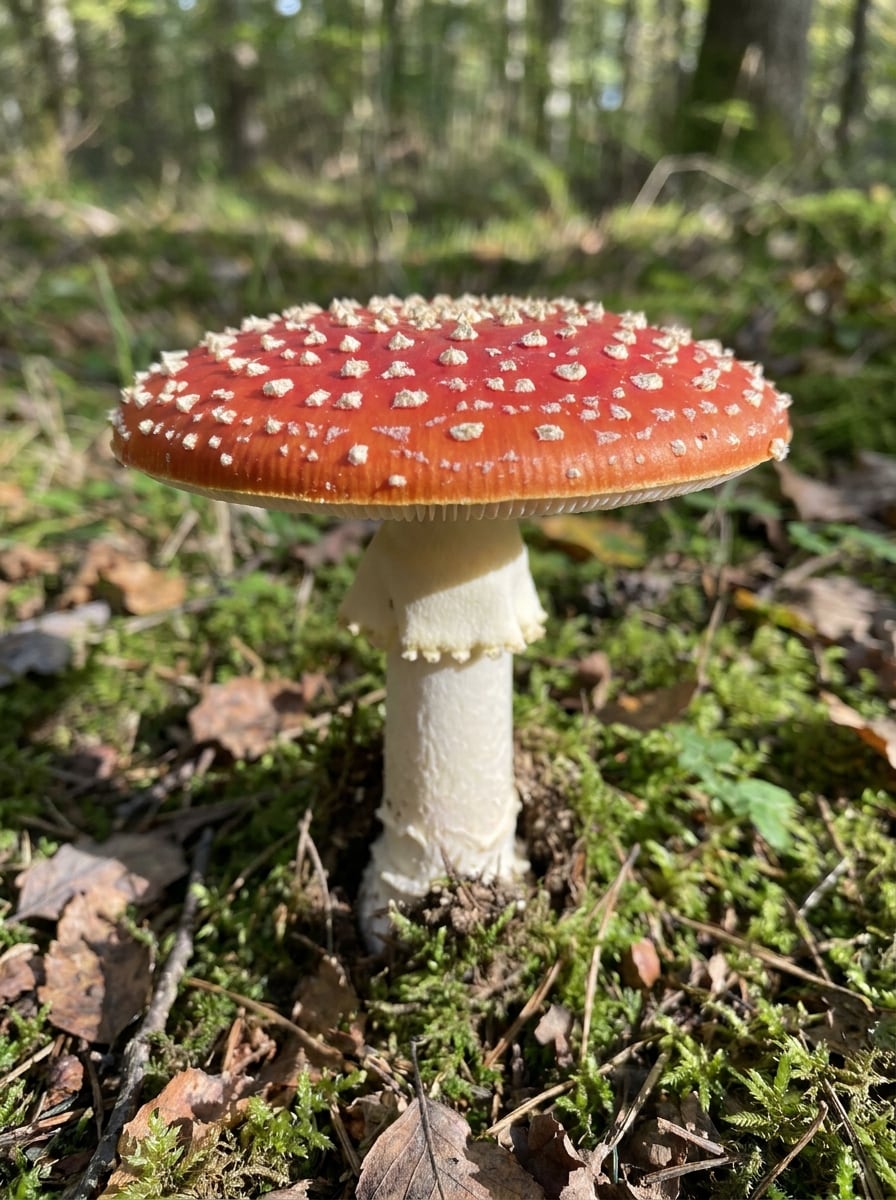
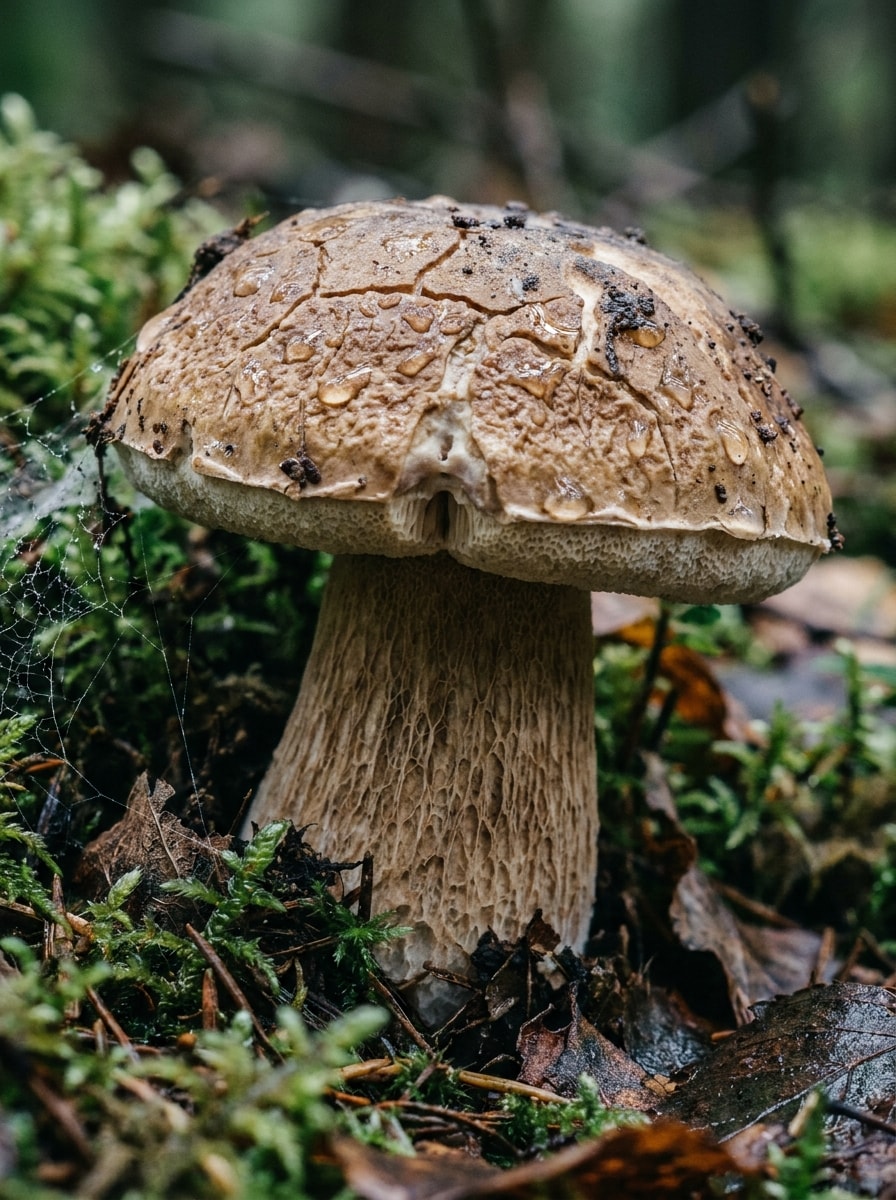
Используйте загруженное фото гриба в качестве объекта и улучшите его для идентификации. Повысьте резкость, скорректируйте тусклое лесное освещение, сохраните естественный цвет шляпки и ножки, выявите текстуру пластинок и детали основания ножки, сделайте фон ненавязчивым и создайте реалистичное макро-изображение полевого образца с чёткой научной точностью.
Сравнение видов с подписями
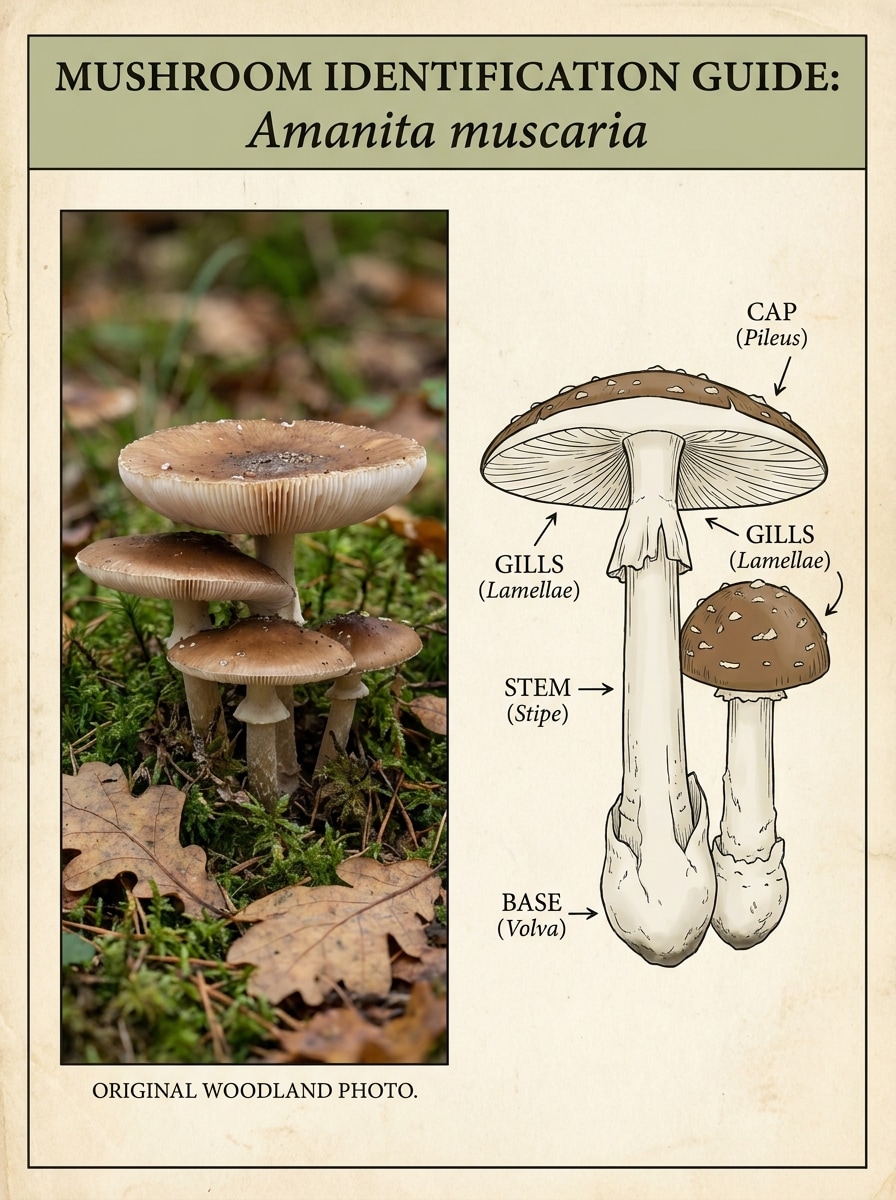
Используйте загруженное изображение гриба в качестве основного эталона и преобразуйте его в учебный визуал для идентификации методом сравнения. Оставьте одну панель с фотографией натурального образца, а другую оформите в виде карточки сравнения с подписями для шляпки, пластинок, ножки, основания и описанием среды обитания в аккуратном ботаническом стиле.
Макро на лесной подстилке
Используйте загруженное изображение в качестве объекта и преобразуйте его в чёткую макро-сцену лесного пола для удобного визуального изучения. Подчеркните текстуру поверхности шляпки, детали краёв, волокна ножки, влажную листовую подстилку, мягкое лесное боке и естественные цвета, чтобы образец оставался пригодным для детального осмотра.
Акцент на деталях нижней стороны
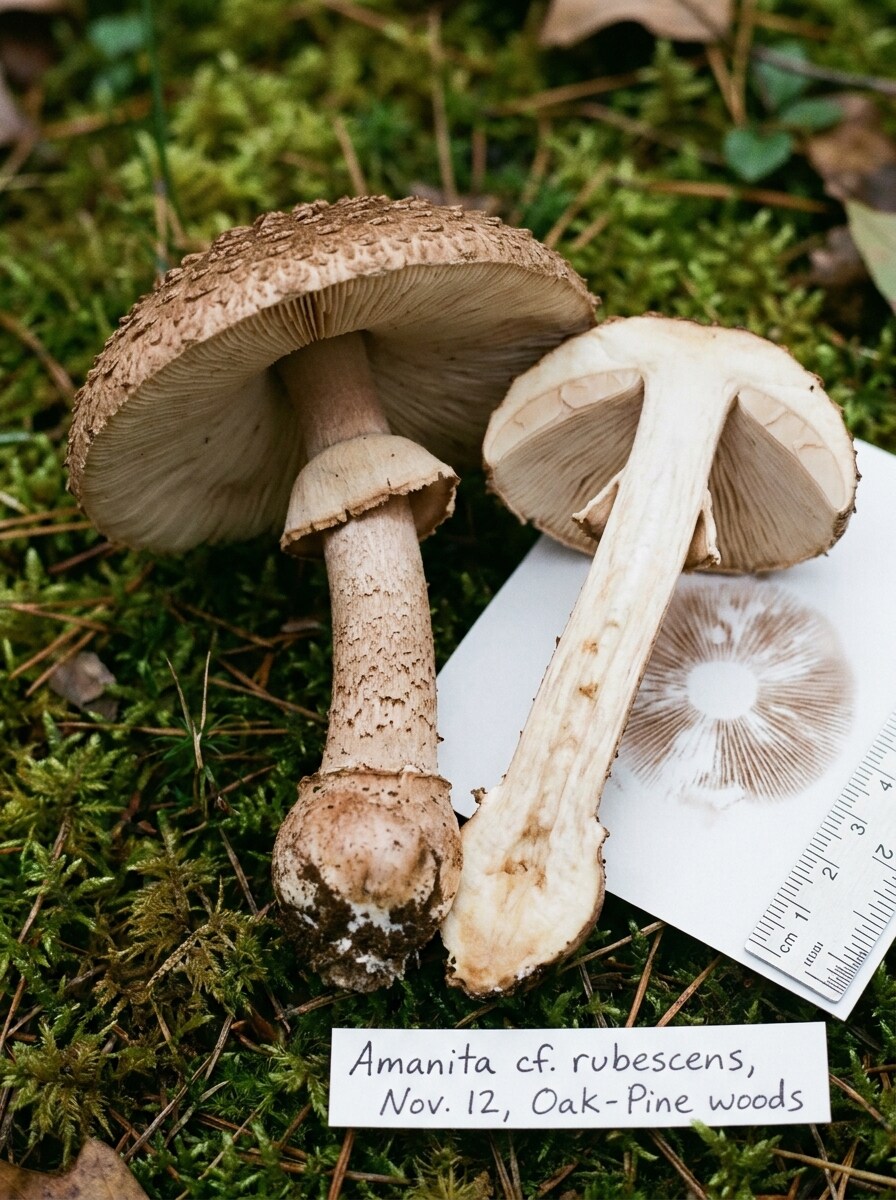
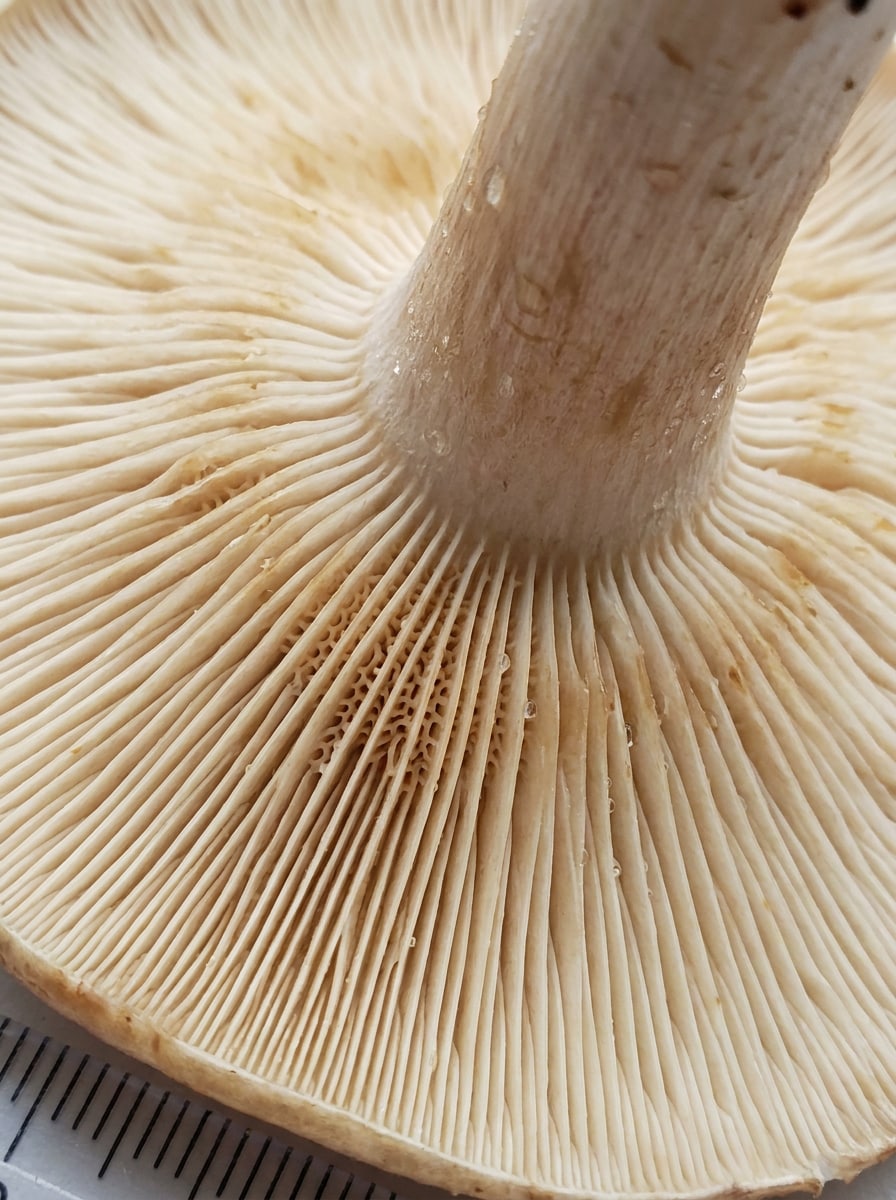
Используйте загруженное фото гриба и перекадрируйте его, чтобы выделить нижнюю сторону для идентификации. Выделите пластинки, поры или шипы с чёткой макро-детализацией, точными оттенками белого и бежевого, тонким контрастом, реалистичной текстурой влажности и крупным планом, улучшающим сравнение видов без изменения образца.
Иллюстрация полевого определителя
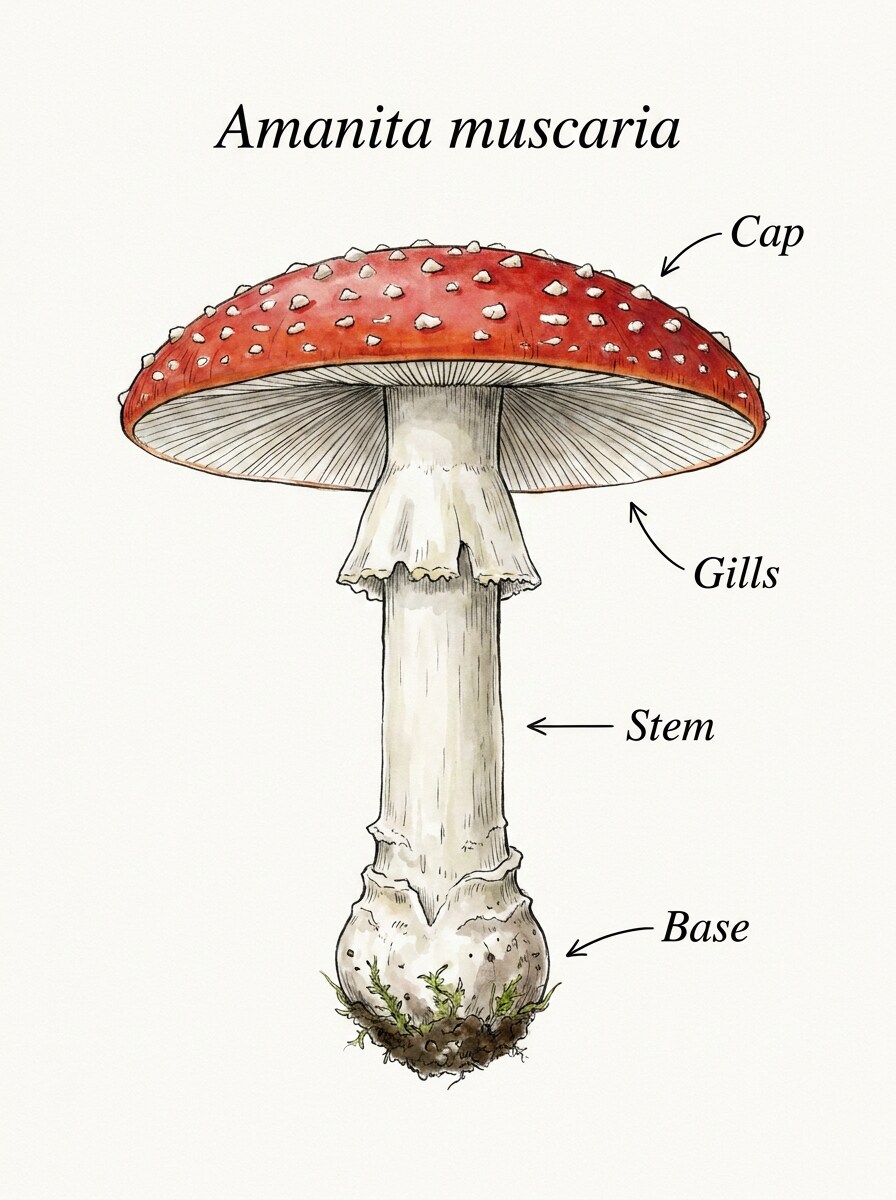
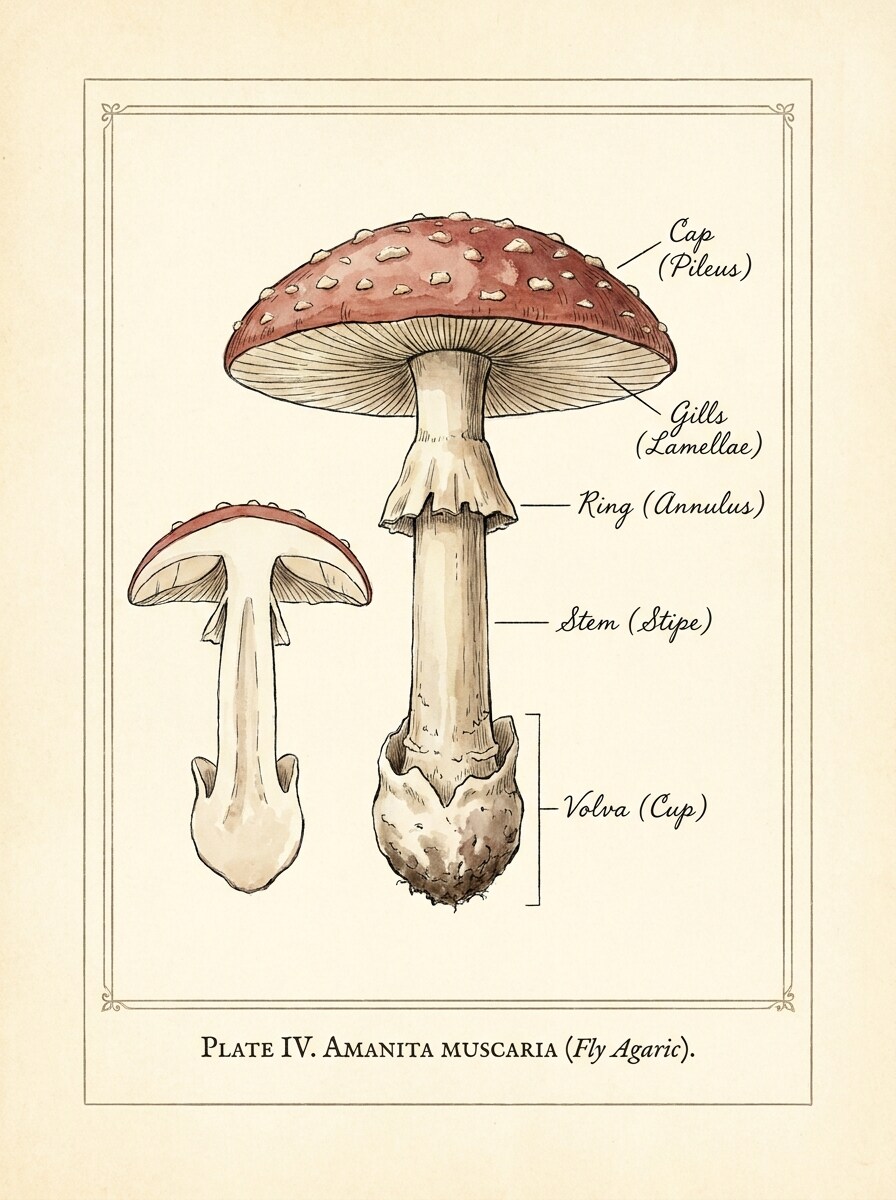
Используйте загруженное изображение гриба и преобразуйте его в иллюстрацию в стиле полевого определителя. Расположите образец по центру на светлом фоне, сохраните реалистичную морфологию, добавьте элегантные подписи для шляпки, ножки, пластинок и основания, создав аккуратный учебный справочник, подходящий для полевых заметок и учёбы.
Карточка сравнения двойников
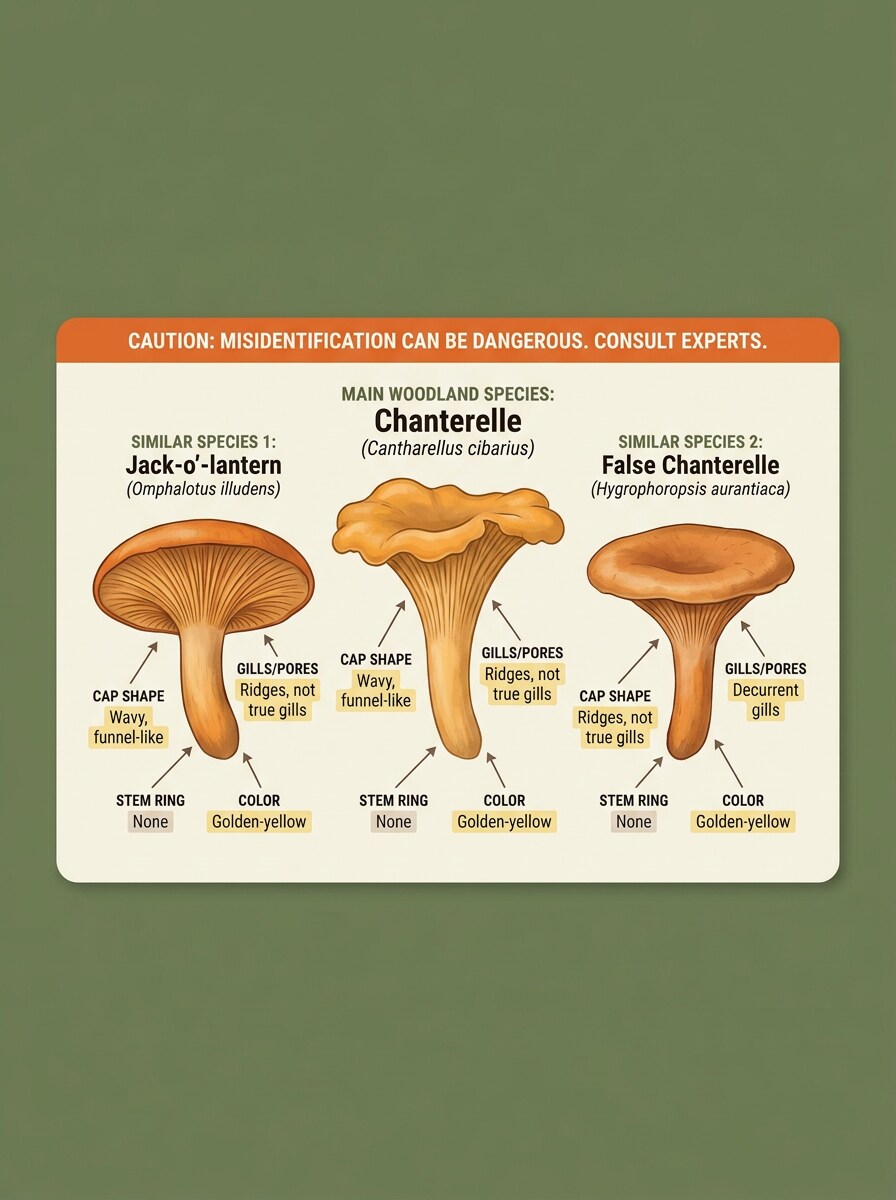
Используйте загруженный гриб в качестве основного образца и создайте карточку сравнения с похожими видами-двойниками. Сохраните узнаваемость исходных признаков, разместите рядом два связанных эталонных примера, покажите тонкие морфологические различия и добавьте ненавязчивое предупреждение для безопасного учебного ознакомления.
Наложение предупреждения о безопасности
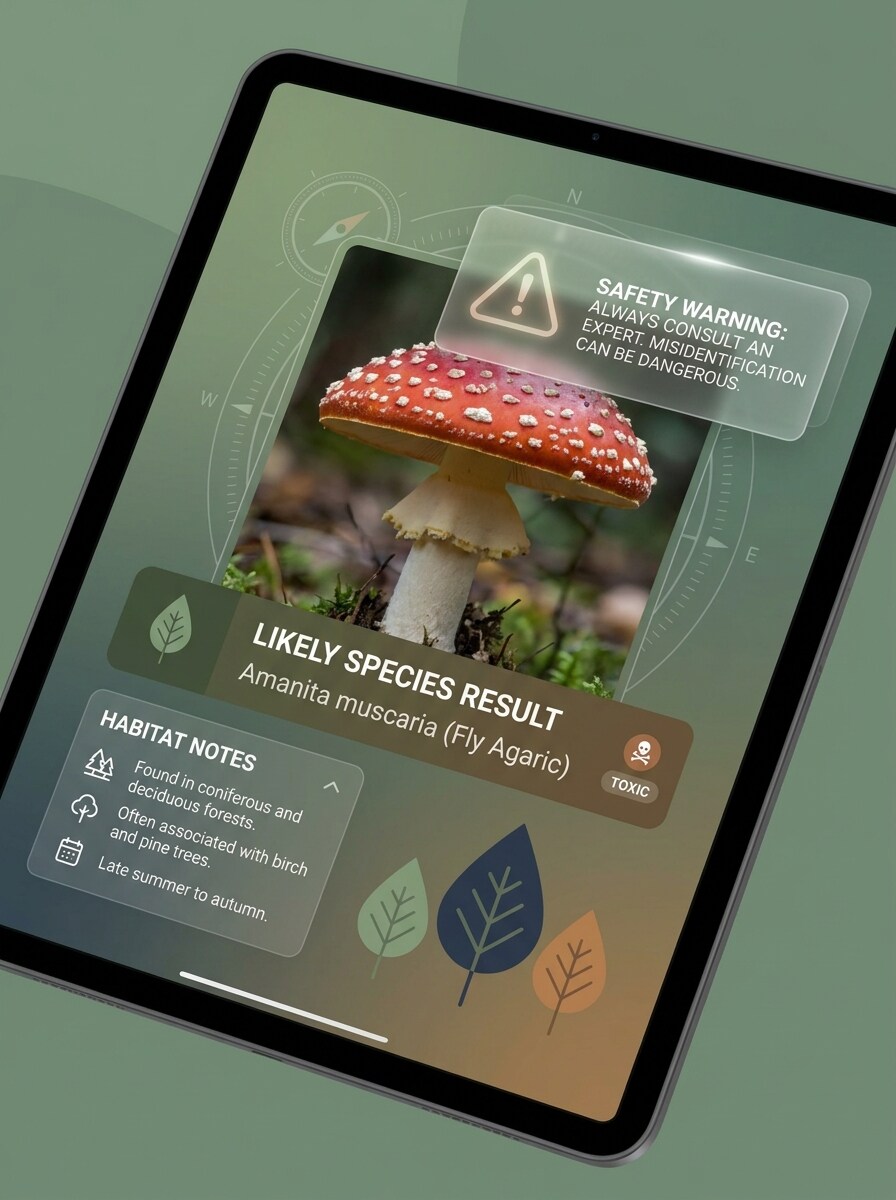
Используйте загруженное изображение гриба для создания чистой информационной графики с приоритетом безопасности. Сохраните реалистичные детали образца, добавив ненавязчивое наложение с указанием на информационный характер результатов, оставьте место для вероятных видовых примечаний и придерживайтесь спокойного, современного и надёжного оформления.
Руководство по съёмке с разных ракурсов
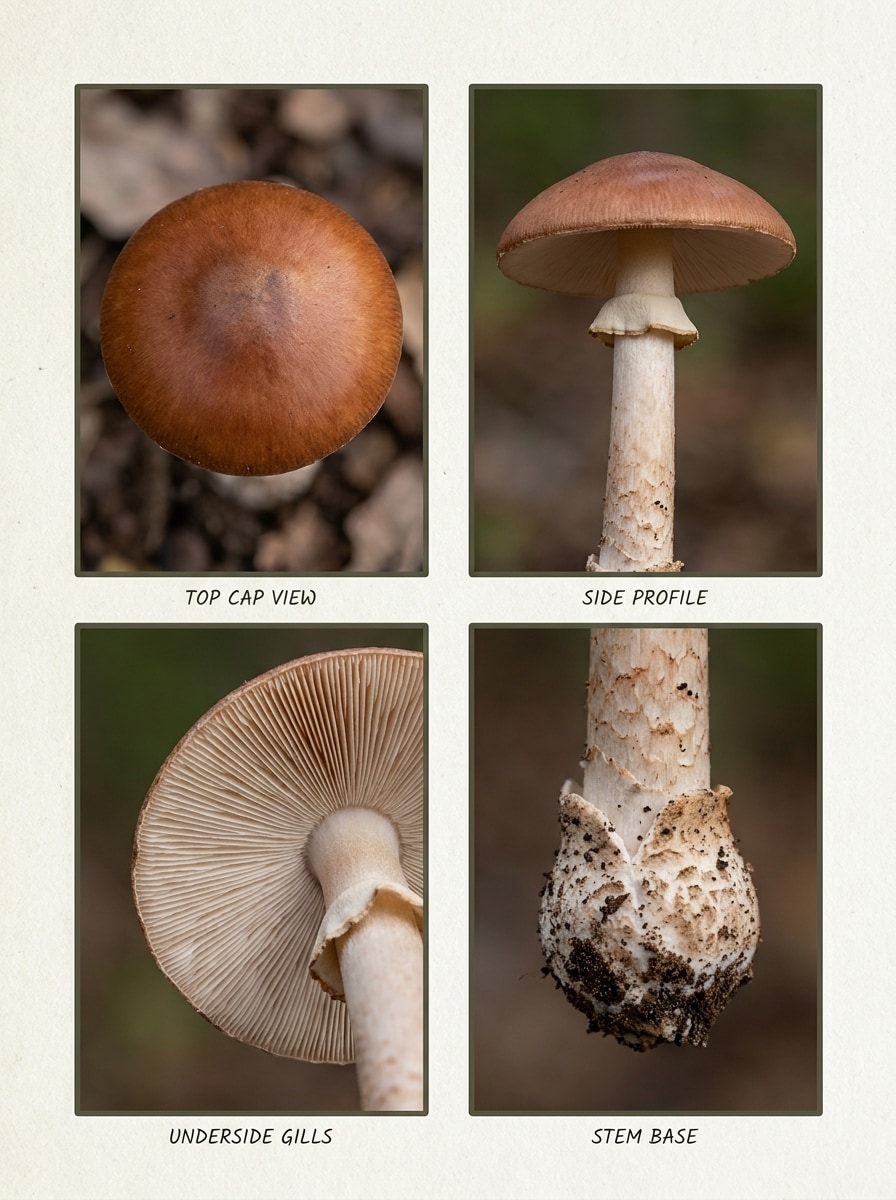
Используйте загруженный гриб в качестве эталона и создайте инструкционное руководство с лучшими ракурсами для анализа. Представьте вид сверху, боковой профиль, нижнюю сторону и основание ножки в аккуратной сетке, сохраните точные цвета и текстуру, оформите руководство так, чтобы им было легко пользоваться при последующих загрузках.
Экран результатов ИИ-сканирования
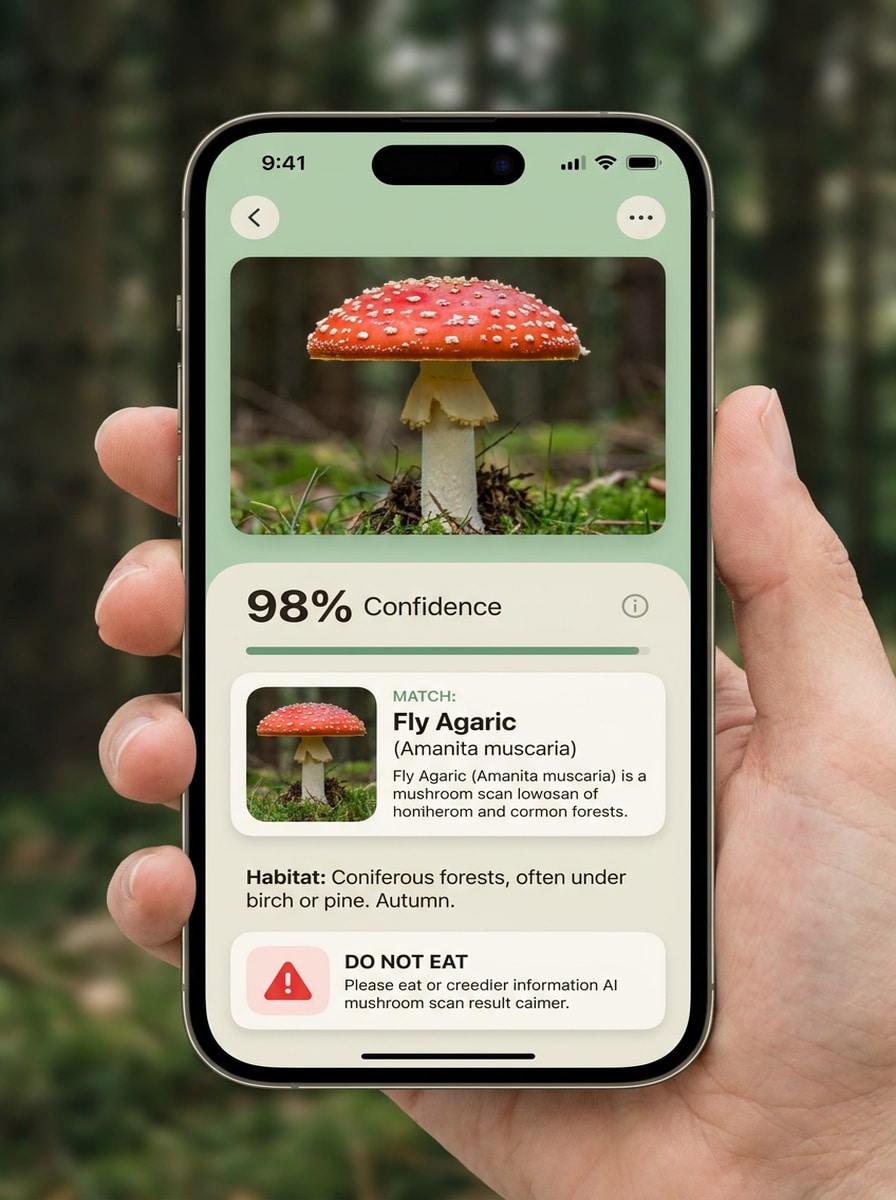
Разместите загруженное фото гриба в интерфейсе результатов сканирования в стиле мобильного приложения. Сохраните реалистичность образца, добавьте карточку вероятного совпадения, область уверенности, заметки о среде обитания и чёткий дисклеймер о недопустимости использования результата для определения съедобности, оформив всё в виде аккуратного приложения с современной визуальной иерархией.
Карточка коллекционного дневника
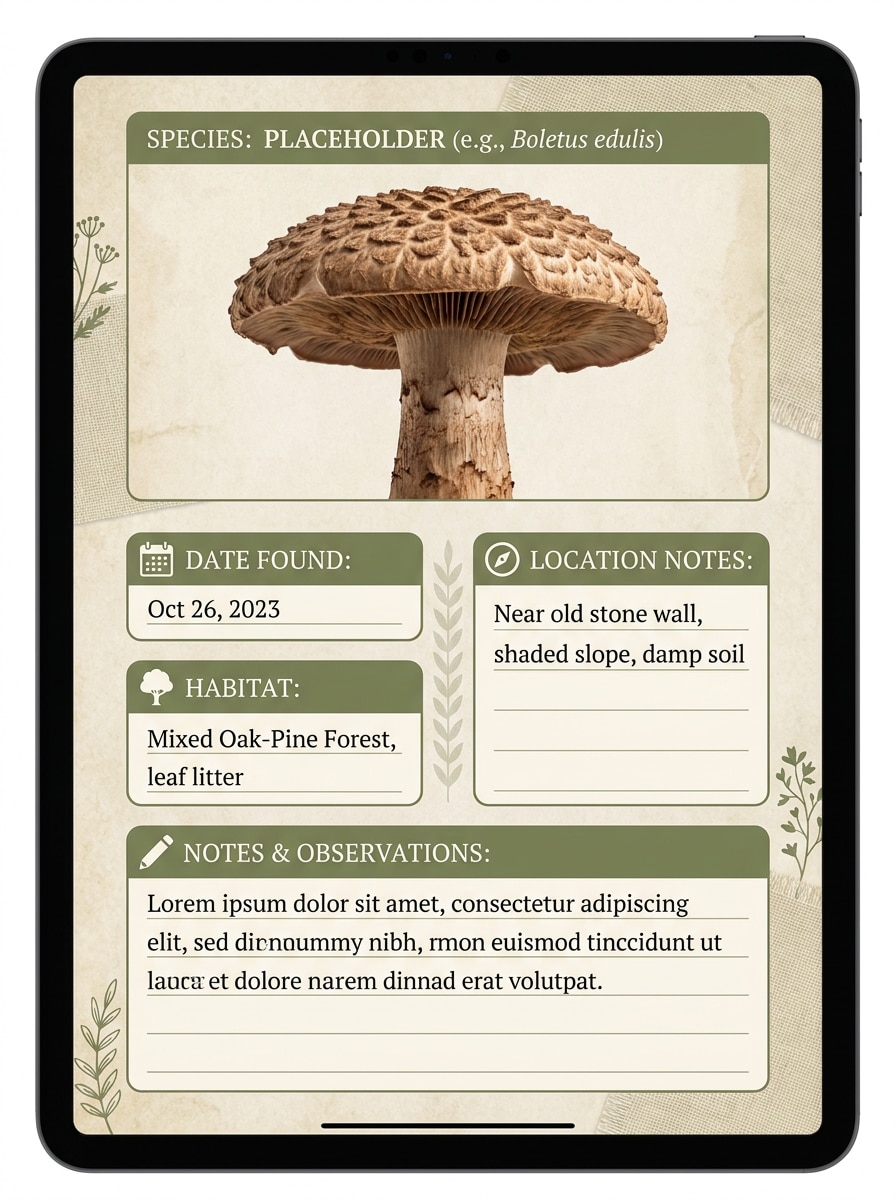
Используйте загруженное изображение гриба и превратите его в стильную цифровую карточку полевого дневника. Точно воспроизведите образец, добавьте разделы для даты находки, среды обитания, заметок о местоположении и статуса идентификации, используйте землистый, организованный дизайн, удобный для учёбы и личных записей.
Почему стоит использовать Media.io для подготовки фото к идентификации грибов
Преобразуйте один объект в несколько стилей
При редактировании, когда образец должен оставаться узнаваемым, Media.io сохраняет ключевые идентификационные признаки, совершенствуя итоговый визуальный стиль идентификатора грибов.
Преобразуйте один объект в несколько стилей
Если объект должен оставаться узнаваемым после преобразования, Media.io помогает сохранить ключевые идентификационные признаки, обновляя итоговый визуальный стиль идентификатора грибов для более чистого конечного результата.
Создавайте более чёткие результаты вплоть до 4K
Когда визуал идентификатора грибов предназначен для реальной публикации, Media.io обеспечивает более чёткое качество вплоть до 4K, что позволяет изображению оставаться чётким в презентациях, на фонах и в повторно используемых материалах.
Работайте быстро на любом устройстве — в поле или дома
Проверять находки во дворе, изучать идентификацию грибов на деревьях или сохранять фотографии для идентификации газонных грибов на потом стало проще с Media.io в браузере.
Как использовать рабочий процесс идентификатора грибов
Превратите свои слова в потрясающие визуалы за три простых шага, затем продолжайте улучшать результат, если хотите пойти дальше.
Шаг 1
Загрузите эталонное изображение
Загрузите чёткое фото гриба в формате JPG, PNG или JPEG. Для наилучших результатов используйте изображения, на которых видны шляпка, нижняя сторона, ножка и основание ножки — будь то полевые, газонные, древесные или садовые грибы.
Шаг 2
Опишите изменение и задайте параметры
Введите запрос с описанием нужного визуального улучшения, например: повышение чёткости пластинок, создание карточки сравнения или составление руководства по многоракурсной съёмке. Затем выберите модель и при необходимости настройте соотношение сторон, разрешение и количество изображений.
Шаг 3
Создайте, скачайте и продолжайте улучшать
Создайте несколько вариантов, сравните, какой из них показывает наиболее полезные детали, и скачайте результат. При необходимости уточните запрос, создайте другой ракурс или продолжайте улучшать изображение перед идентификацией и составлением заметок.
Посмотрите, как создатели используют этот идентификатор грибов для контента, маркетинга и личных проектов, затем адаптируйте каждую идею под свои задачи. Media.io помогает превращать грубые фотографии образцов в более чёткие визуалы, которые удобнее сравнивать и анализировать.
Улучшайте находки во дворе и в саду
Если вам нужна помощь с идентификацией грибов в саду или общей идентификацией садовых грибов, Media.io делает работу с более чёткими фотографиями проще. Улучшайте образцы со двора, выделяйте видимые признаки и готовьте более полезные изображения для сравнения, прежде чем решать, что наблюдать или удалять.
Документируйте образцы, растущие на деревьях и древесине
Для идентификации древесных грибов, грибов на деревьях или возможной идентификации трутовика разноцветного Media.io может превращать грубые уличные снимки в более чёткие эталонные визуалы. Это облегчает осмотр структуры полочек, поровой поверхности и характера роста на множестве примеров.
Тщательнее изучайте полевые и почвенные находки
Независимо от того, нужна ли вам идентификация полевых грибов, почвенных грибов, дождевиков, или вы хотите внимательнее изучить фотографии полевых грибов, Media.io улучшает подготовку изображений к визуальному анализу. Используйте многоракурсные компоновки и карточки сравнения для проверки идентификатора грибов, включая идентификацию опёнка медового и похожих двойников, не полагаясь на единственный размытый снимок.
Отзывы пользователей
Майя Р.
Любитель природы
«Помогло получить более чёткие фото грибов» Я воспользовалась Media.io после того, как сделала тёмный снимок на телефон во дворе. Улучшенная версия позволила гораздо лучше рассмотреть пластинки и основание ножки перед тем, как я стала искать информацию в интернете.
Этан П.
Автор дневника грибника
«Отлично подходит для учебных карточек сравнения» Стили «бок о бок» и «полевой определитель» неожиданно оказались очень полезными. Я не использую это для принятия решений о еде, но это отлично подходит для систематизации наблюдений и сравнения вероятных видов.
Лена Т.
Садовый блогер
«Удобно на мобильном в саду» Мне нужен был быстрый онлайн-инструмент, работающий на телефоне. Я загрузила несколько фото садовых грибов, повысила их резкость и создала более чёткие визуалы для заметок в блоге всего за несколько минут.
Ноа К.
Педагог по активному отдыху
«Полезно для понимания важных деталей» Руководство по многоракурсной съёмке помогло моим ученикам понять, что нужно фотографировать: шляпку, нижнюю сторону, ножку и основание. Это само по себе делает последующие обсуждения идентификации намного продуктивнее.
1. Существует ли бесплатный онлайн-идентификатор грибов?
Media.io предлагает бесплатные кредиты, чтобы вы могли попробовать рабочий процесс онлайн перед переходом на платный план. Если вам нужно больше использований или загрузки в высоком разрешении без водяных знаков, вы можете ознакомиться со страницей тарифов и перейти на подходящий план.
2. Можно ли определить гриб по фотографии?
Фотография может помочь с визуальным сравнением, особенно если на ней чётко видны шляпка, нижняя сторона, ножка и основание. Media.io полезен для подготовки более чётких изображений для рабочего процесса «что это за гриб», однако результаты на основе изображений следует рассматривать как информационные, а не как окончательное подтверждение вида или съедобности.
3. Насколько точен ИИ-идентификатор грибов?
Точность во многом зависит от качества фото, видимых диагностических признаков и того, насколько образец похож на виды-двойники. Media.io улучшает сторону подготовки изображений, повышая чёткость и создавая более качественные визуалы для сравнения, однако ни один результат ИИ не следует считать абсолютной достоверностью при идентификации грибов.
4. Какие фотографии загружать для более точной идентификации грибов?
Загружайте чёткие изображения, показывающие шляпку сверху, боковой профиль, нижнюю сторону и основание ножки там, где она встречается с землёй или древесиной. Это особенно важно для идентификации опёнка медового, идентификации полевых грибов, древесных грибов и других случаев, когда важны небольшие структурные различия.
5. Может ли сканер грибов идентифицировать ядовитых двойников?
Сканер может помочь выявить визуальное сходство, но именно с ядовитыми двойниками необходима особая осторожность. Media.io может создавать более чёткие сравнительные изображения и карточки двойников, однако эти результаты следует использовать только в учебных целях и для ознакомления, но не как гарантию безопасности или основание для решения о съедобности.
6. Работает ли идентификатор грибов на iPhone и Android?
Media.io является веб-приложением, поэтому работает на iPhone, Android, Mac и Windows через браузер. Это удобно, когда вы хотите загрузить свежее уличное фото и сразу же улучшить его, не скачивая отдельное приложение.